Our take: Best for solo creators on Mac/iPhone who want free, watermark-free editing with AI features, no account required, processing stays on device.
Main limitation: Free exports capped at 2 minutes and 1080p; Mac/iPhone only
By the AI Tool Atlas editors.
Based on the vendor's official documentation; we have not tested this product hands-on. What “documented overview” means
Is Zella right for you?
Best for solo creators on Mac/iPhone who want free, watermark-free editing with AI features, no account required, processing stays on device. Based on the vendor's documentation, not on a hands-on test.
Best for: Solo creators on Mac/iPhone
Also a good fit for
Privacy-conscious users
Educators and product marketers making demos
Consider another tool if need exports longer than 2 minutes on free tier
Or if
Require 4K exports
Need Windows or Android support
Zella pricing and usage limits
Prices checked Sep 29, 2026 on the official US pricing page. Official pricing ↗ Prices and limits change often.
Vendor pricing page re-checked automatically 11 days ago: no changes detected.
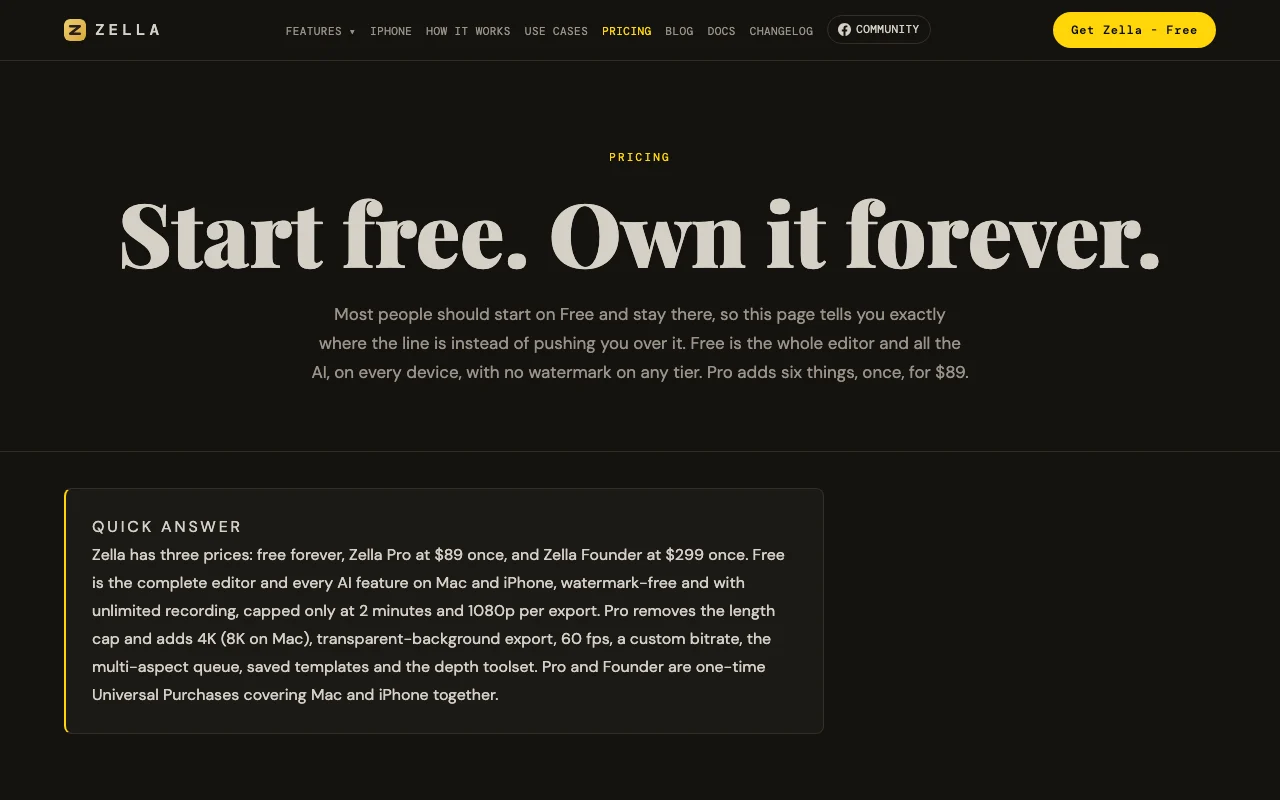
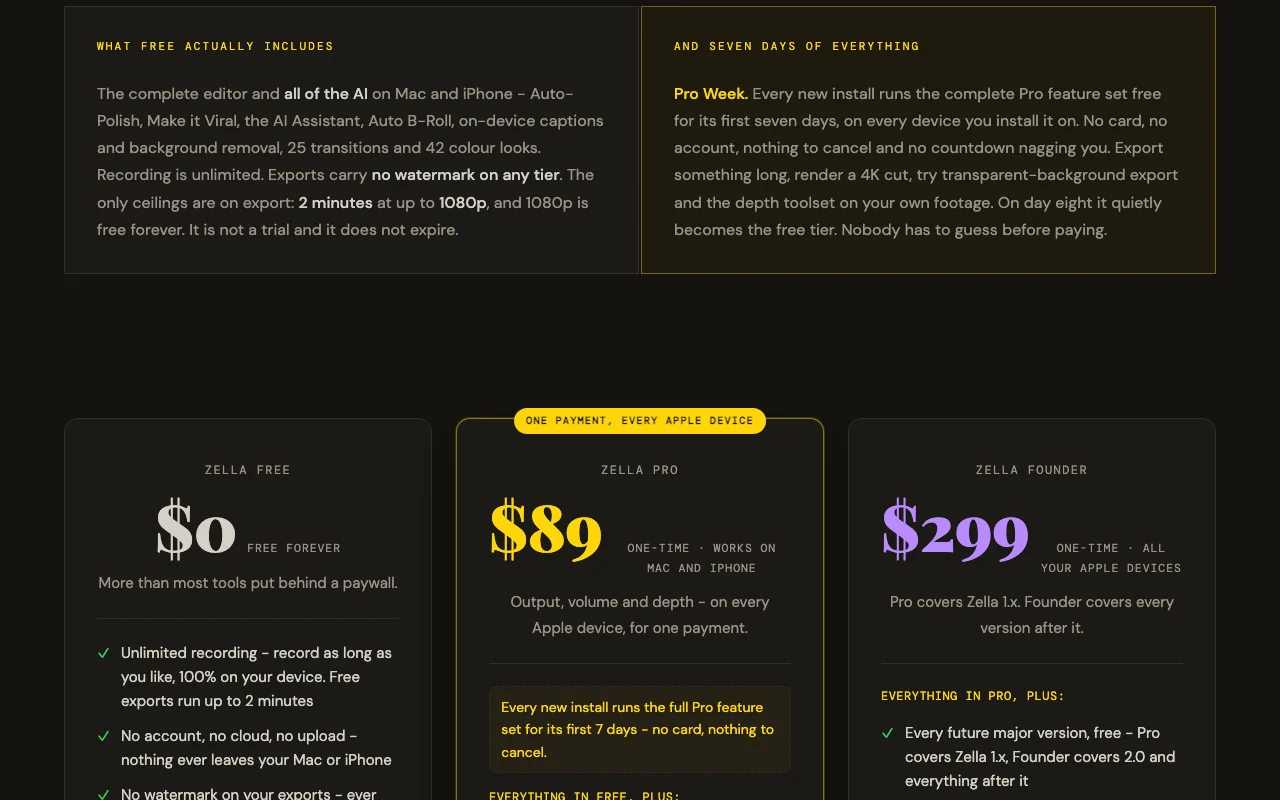
The official Zella pricing page as we saw it. zellahq.com, captured Oct 1, 2026
Free access and trial conditions
Complete editor and all AI features, unlimited recording, watermark-free, no account required, no expiration. Free tier is the full product, not a trial.
Pro Week: first 7 days of every new install runs the complete Pro feature set free on every device, no card required, nothing to cancel. After day 8 silently reverts to free tier.
Single $299 payment covers all future major versions and both Mac and iPhone forever
For: Power users supporting indie development, teams via Family Sharing, future-proof investment
Limits
No export length limit
4K/8K export
1 more
No feature or version limitations
Includes
Everything in Pro, plus:
Free access to all future major versions (Pro covers 1.x only)
5 more
Three Founder-exclusive cinematic grades (Teal & Orange, Kodak 2383, Film Noir)
Family Sharing (covers up to 5 additional family members)
Priority support from the developer
Early access to new features before general release
No license server or kill switch
No API
Usage caps, credits and extra costs
AI Assistant requires your own API key (OpenAI, Google, Groq, etc.) on free tier. Stock B-Roll requires optional free Pexels/Pixabay key.
No taxes mentioned; processed through Apple App Store
What is Zella, and how does it work?
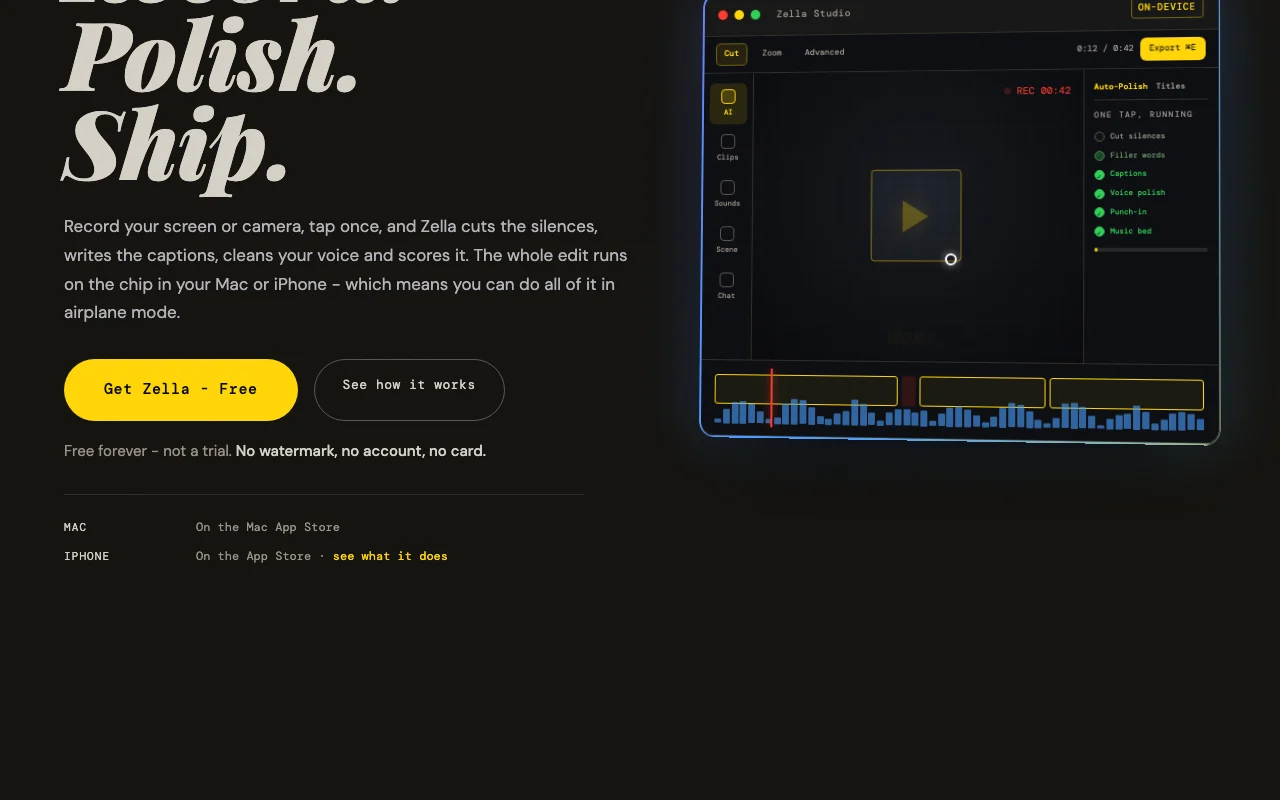
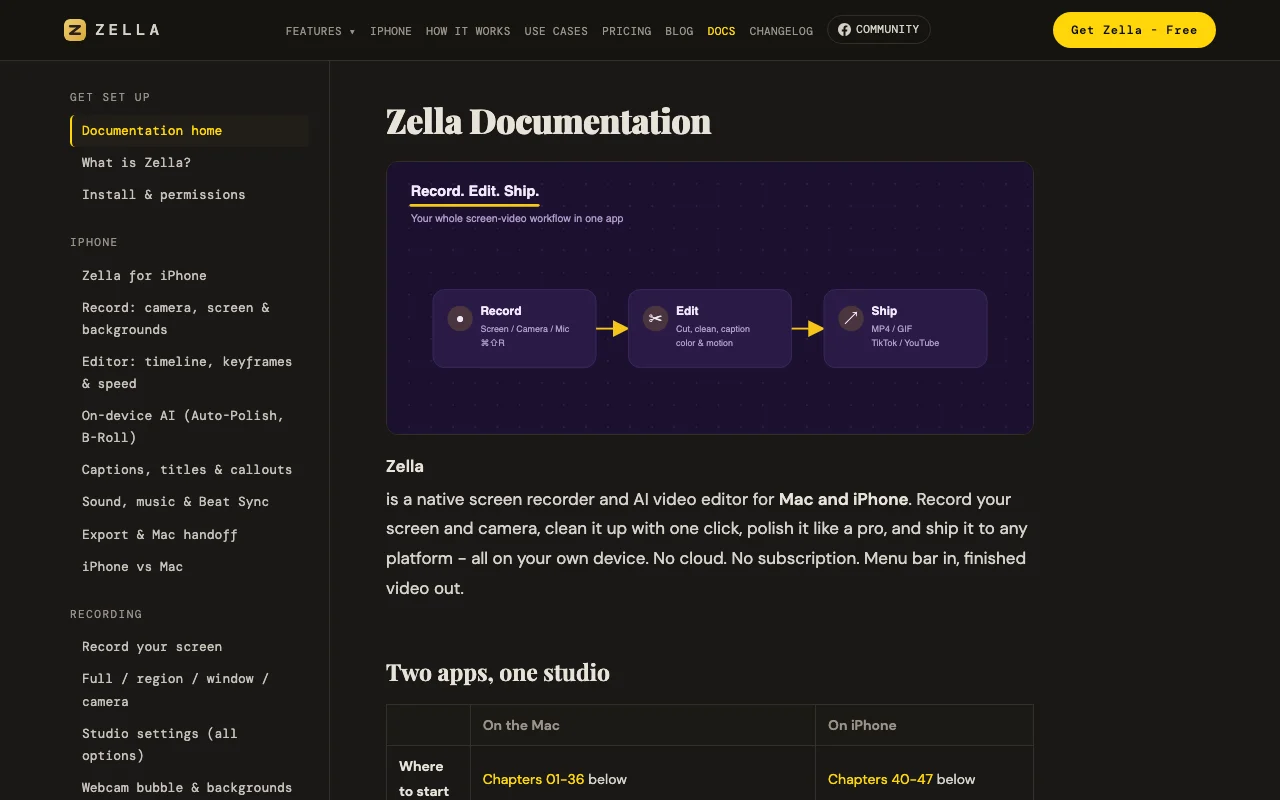
Zella records your screen or camera on Mac and iPhone and applies an automated edit in one tap: it cuts silences and filler words, adds captions, cleans up the voice, and adds music and zoom-ins. A full timeline editor with keyframes is available for manual work. All processing runs locally on the device, with no account and no uploads.
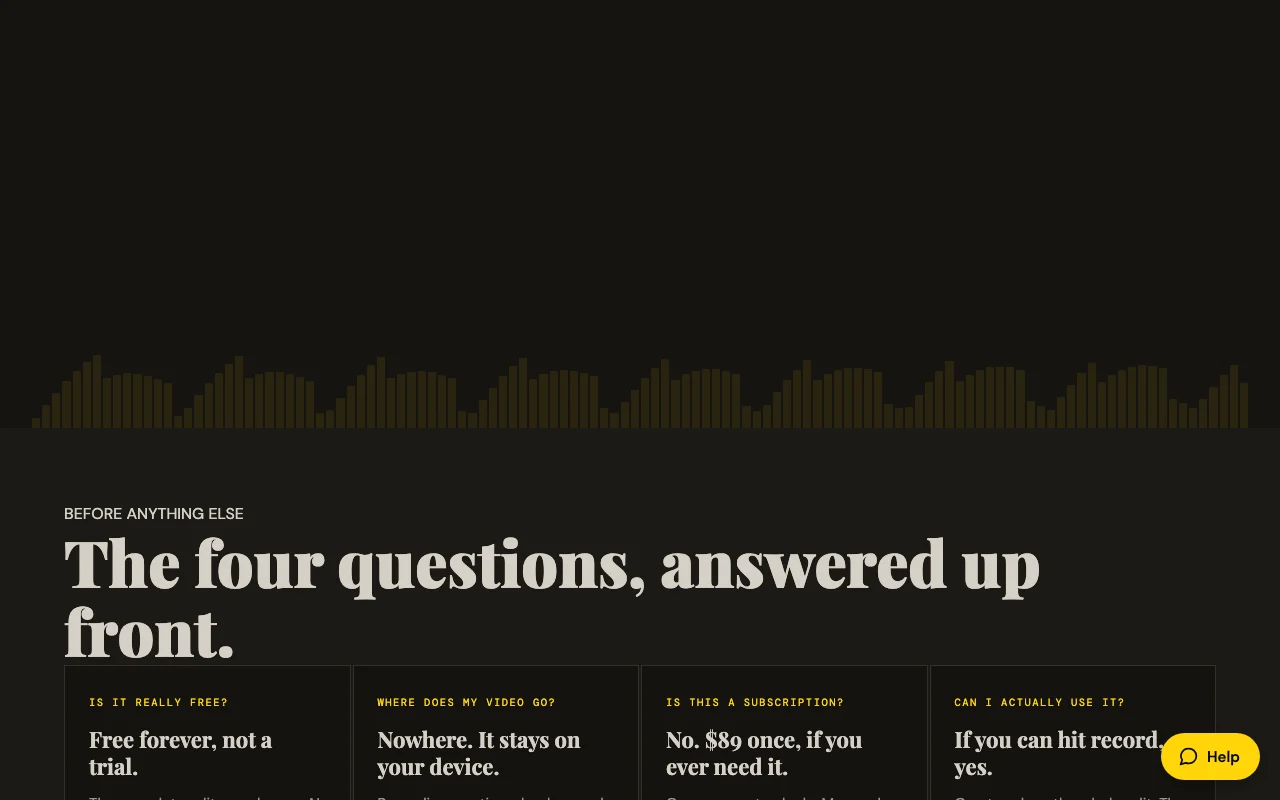
Zella's official site: how the product presents itself. zellahq.com, captured Oct 1, 2026
What you provide and what you get back
What you give Zella and what comes back, from its documentation
You provide
Screen recordings (full screen, window, region)
Camera recordings (front/back on iPhone, webcam on Mac)
Imported video, images, audio
You get back
MP4 video export
MOV video export
GIF export
M4A audio export
Where you can use it
Platforms
macOS (14 Sonoma+), iOS (18+)
Account
Not required
Works offline
1
MP4, MOV, GIF, M4A
Free: 1080p; Pro/Founder: 4K on Mac/iPhone, 8K on Mac
Free: 2 minutes; Pro/Founder: unlimited
Free: preset only; Pro/Founder: up to 60fps with custom bitrate
Feature overview on the official site. zellahq.com, captured Oct 1, 2026
One-tap Auto-Polish
Cuts silences and filler words, adds captions, cleans voice, adds music that ducks, adds emphasis zooms and punch-in title Converts raw talking-head footage into finished video in one click
Access: Free on all tiers, auto-runs on new Mac recordings; manual on iPhoneLimit: Deliberately does not touch color grading; all steps are undoable individuallysource (opens in a new tab)
On-device AI background removal and captions
Removes background in real-time during recording with 40 built-in scenes; generates captions from audio transcription on-device Enables professional-looking video without green screen; adds accessibility with automatic captions
Access: Free on all tiers; background removal itself is free (transparent export requires Pro)Limit: Transparent-background export (alpha channel) requires Pro; caption translation on iPhone onlysource (opens in a new tab)
Timeline editor with keyframes
Full non-linear editing with cut, trim, ripple-delete, drag-to-reorder, 50+ undo levels; advanced toolset includes keyframes with bezier curves, masks, speed ramps, Beat Sync Enables precise manual editing when AI one-tap tools are not enough
Access: Timeline is free; depth toolset (keyframes, curves, masks, speed ramps) requires ProLimit: Advanced tools revealed on Pro; projects with keyframes/masks still open and export on free tiersource (opens in a new tab)
Multi-aspect export queue
Renders one edit to 9:16, 1:1, and 16:9 ratios in a single action with face-tracking reframing Automates creation of multiple deliverables for different social platforms from one recording
Access: Free can export one cut at a time; multi-aspect queue requires ProLimit: Pro feature; necessary for batch social posting workflowssource (opens in a new tab)
Zella: strengths and limits
Reasons to choose Zella
Free tier with no watermark and unlimited recording Complete editor available to everyone; no quality sacrifice or nag screens on free tierdocumentedsource (opens in a new tab)
Processing stays on device, no account required Privacy-first: video never leaves your device, works in airplane mode, no surveillance or trackingdocumentedsource (opens in a new tab)
One-time $89 Pro purchase covers Mac and iPhone No subscription creep; unified experience across devices with single purchase tied to Apple IDdocumentedsource (opens in a new tab)
Works offline Can record, edit, and export without internet connection; captions model downloads oncedocumentedsource (opens in a new tab)
Check before paying for Zella
Free exports capped at 2 minutes and 1080p Longer videos and 4K work require paid Pro; rules out long-form YouTube and client deliverables on free tierdocumentedsource (opens in a new tab)
Only for Mac and iPhone (no Windows/Android) Excludes Windows users and Android creators; requires Apple ecosystemdocumentedsource (opens in a new tab)
AI Assistant requires your own API key on free tier Free users must bring their own OpenAI/Google/Groq key; no credit includeddocumentedsource (opens in a new tab)
Advanced editing tools hidden until Pro purchase Keyframes, bezier curves, luma scopes, feathered masks, speed ramps only on Pro; creates friction for precision workdocumentedsource (opens in a new tab)
How to use Zella for recording and auto-editing a screen or camera video
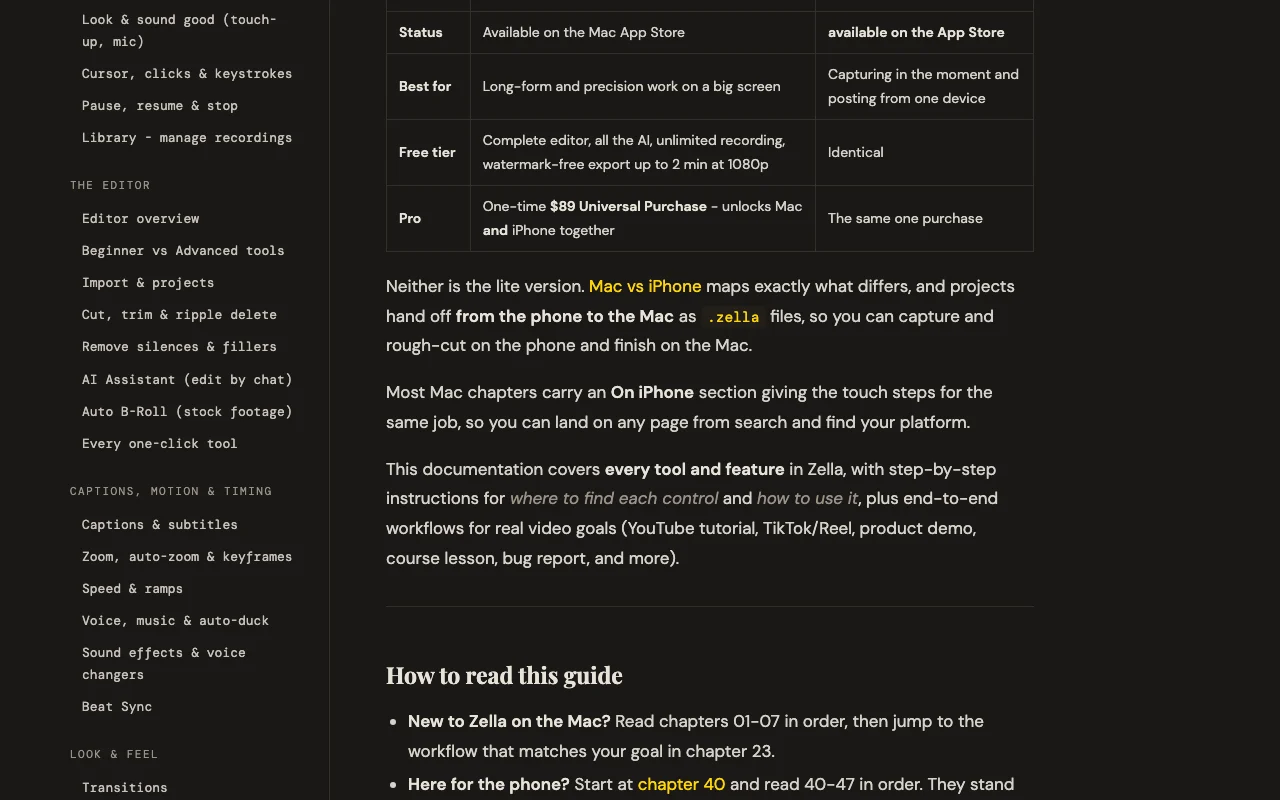
Zella documentation: where the steps below come from. zellahq.com, captured Oct 1, 2026
Set up Zella
Download Zella from Mac App Store or App Store (free)
On Mac: click menu bar Zella icon, grant screen/camera/mic permissions
On Mac: choose source (screen, camera, or both) and region/window
On iPhone: open Zella app, tap Record, choose camera or screen source
Example: recording and auto-editing a screen or camera video
Record a product demo by pressing ⌘⇧R on Mac or tapping Record on iPhone
When finished, Editor opens automatically with your recording
Click Auto-Polish or Make it Viral to apply one-tap editing
Review captions and edits; enable or customize as needed
Click Export, choose platform (YouTube/TikTok/Reels/Shorts), hit Export
Review and export the result
Video appears in Editor with waveform and timeline
Auto-Polish applies cuts, captions, voice polish within 10-30 seconds
Captions display as keyword popups with emoji
Export completes and file saves to Photos (iPhone) or chosen location (Mac)
Zella integrations and API
Zella documentation (continued). zellahq.com, captured Oct 1, 2026
Native integrations and export formats
Export: MP4, MOV, GIF, M4A, ProRes 4444 (Mac, Pro tier, with alpha)
API access and separate billing
Zella has no public API in its official documentation. Zella is a consumer app, not an API service
Privacy, data use and commercial rights
Summarized from the vendor's current policies; this is not legal advice and a vendor's badge is not an independent audit.
How your inputs and outputs are handled
Video, audio, and captions never leave your device. Only three optional features touch the network: AI Assistant (text prompt only, no video), captions model download (~145 MB once), and Auto B-Roll stock footage (keyword search only).
Not mentioned; Zella does not claim training data collection
No data retention: recordings stay on device and are never uploaded. Optional features (API key, stock footage keys) are stored locally in Keychain
Commercial use and plan restrictions
Permitted; no restrictions on commercial exports
No privacy differences between free and paid tiers; all processing remains on-device on both
Yes. Free is not a trial; it is the complete editor and all AI features with unlimited recording and no watermark. The only ceilings are 2-minute export limit and 1080p resolution, both removable via $89 one-time Pro purchase. source (opens in a new tab)
Where does my video go?
Nowhere. All recording, captions, background removal, voice cleanup, and export run on your device. No account is required, nothing is uploaded, and the app works in airplane mode. source (opens in a new tab)
Do I need to bring my own API key?
Only for the AI Assistant (text-based editing) on the free tier. You supply your own OpenAI, Google, Groq, or local Ollama key. Auto-Polish, captions, background removal, and Auto B-Roll work free and offline. source (opens in a new tab)
Can I export longer videos on free?
No; free tier exports are capped at 2 minutes. Anything longer requires Pro ($89 one-time). After 7 days of Pro Week, free tier reverts automatically. source (opens in a new tab)
Is Zella available on Windows or Android?
No. Zella is Mac and iPhone only. The one-time $89 Pro purchase covers both platforms together. source (opens in a new tab)
Every fact about Zella above comes from the 4 official pages listed here, last compared on Sep 29, 2026; we have not run Zella ourselves, so it has no editorial score. How we check and re-check pages.
Article updated Oct 10, 2026; prices checked Sep 29, 2026. Outbound links to vendors are plain links; we do not earn commissions. How we review · Report an error