Nossa opinião: Best for solo creators on Mac/iPhone who want free, watermark-free editing with AI features, no account required, processing stays on device.
Principal limitação: Free exports capped at 2 minutes and 1080p; Mac/iPhone only
Pela equipe editorial do AI Tool Atlas.
Com base na documentação oficial do fornecedor; não testamos este produto na prática. O que “visão geral documentada” significa
O Zella é para você?
Best for solo creators on Mac/iPhone who want free, watermark-free editing with AI features, no account required, processing stays on device. Com base na documentação do fornecedor, fora de um teste prático.
Ideal para: Solo creators on Mac/iPhone
Também indicado para
Privacy-conscious users
Educators and product marketers making demos
Considere outra ferramenta se need exports longer than 2 minutes on free tier
Ou se
Require 4K exports
Need Windows or Android support
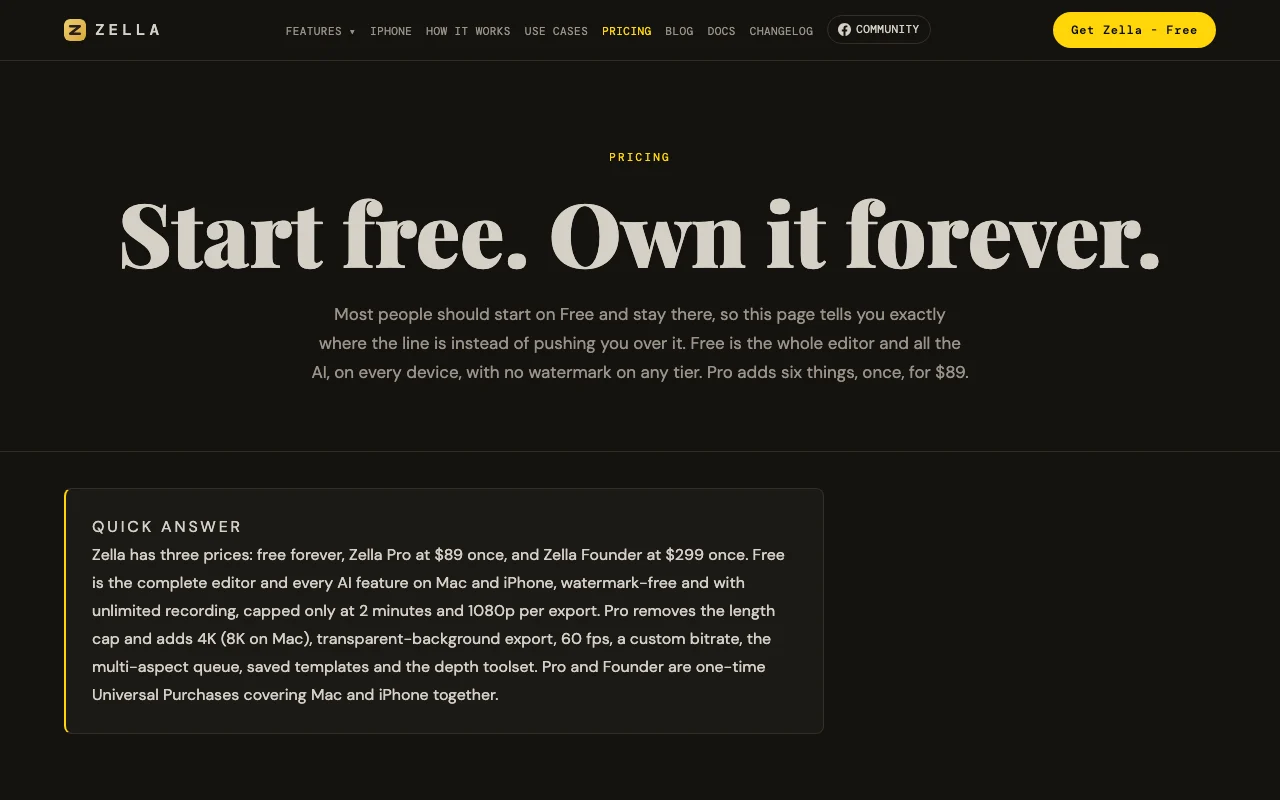
Preços e limites de uso do Zella
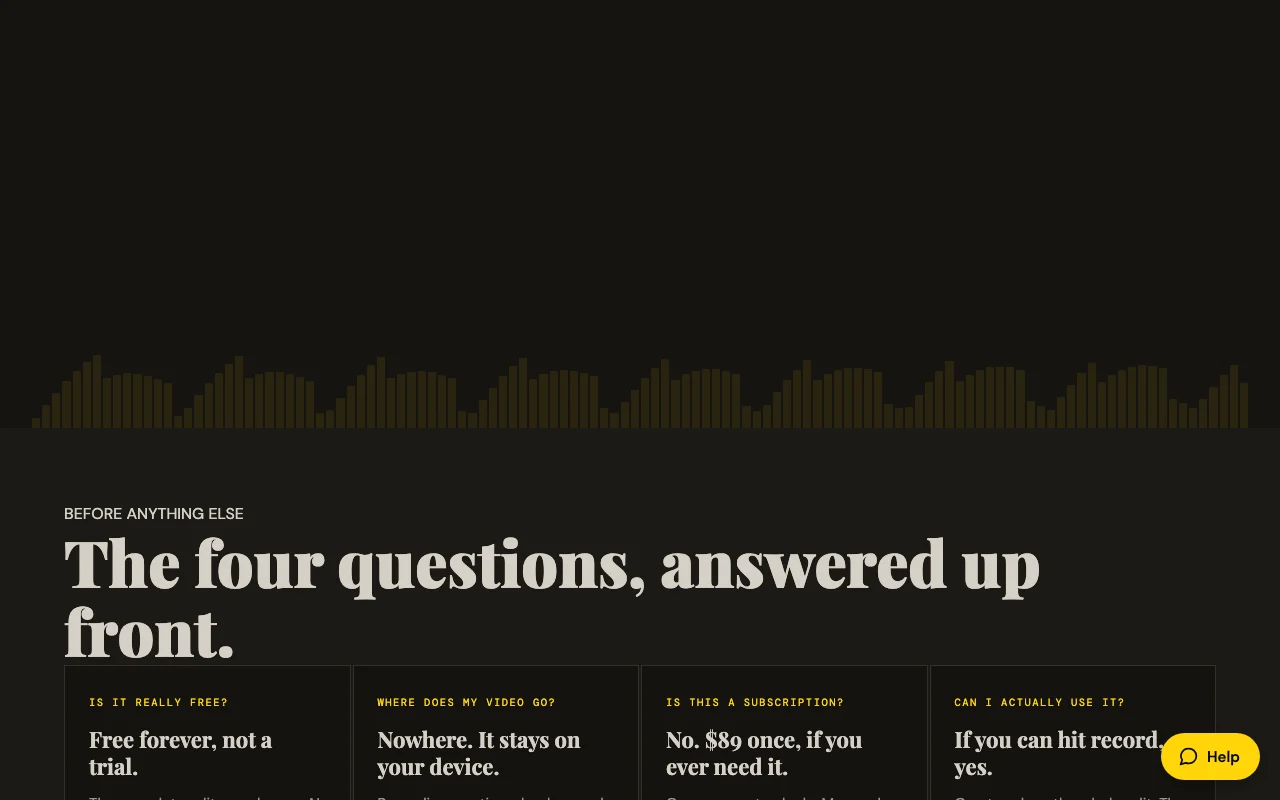
Preços verificados em Sep 29, 2026 na página oficial de preços dos EUA. Preços oficiais ↗ Preços e limites mudam com frequência.
Página de preços do fornecedor verificada novamente de forma automática em há 11 dias: nenhuma mudança detectada.
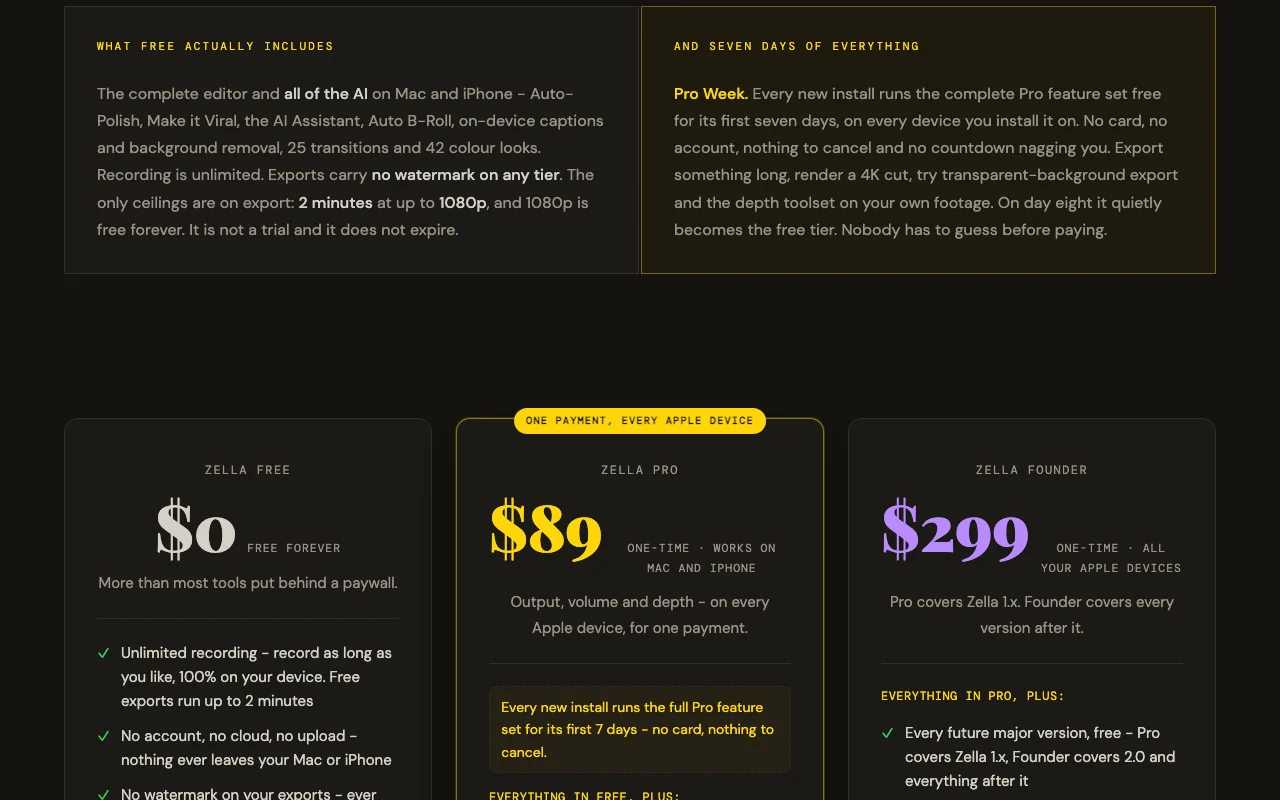
A página oficial de preços de Zella como a vimos. zellahq.com, capturado Oct 1, 2026
Condições de acesso gratuito e de teste
Complete editor and all AI features, unlimited recording, watermark-free, no account required, no expiration. Free tier is the full product, not a trial.
Pro Week: first 7 days of every new install runs the complete Pro feature set free on every device, no card required, nothing to cancel. After day 8 silently reverts to free tier.
Single $299 payment covers all future major versions and both Mac and iPhone forever
Para: Power users supporting indie development, teams via Family Sharing, future-proof investment
Limites
No export length limit
4K/8K export
1 mais
No feature or version limitations
Inclui
Everything in Pro, plus:
Free access to all future major versions (Pro covers 1.x only)
5 mais
Three Founder-exclusive cinematic grades (Teal & Orange, Kodak 2383, Film Noir)
Family Sharing (covers up to 5 additional family members)
Priority support from the developer
Early access to new features before general release
No license server or kill switch
Sem API
Limites de uso, créditos e custos extras
AI Assistant requires your own API key (OpenAI, Google, Groq, etc.) on free tier. Stock B-Roll requires optional free Pexels/Pixabay key.
No taxes mentioned; processed through Apple App Store
O que é Zella e como funciona?
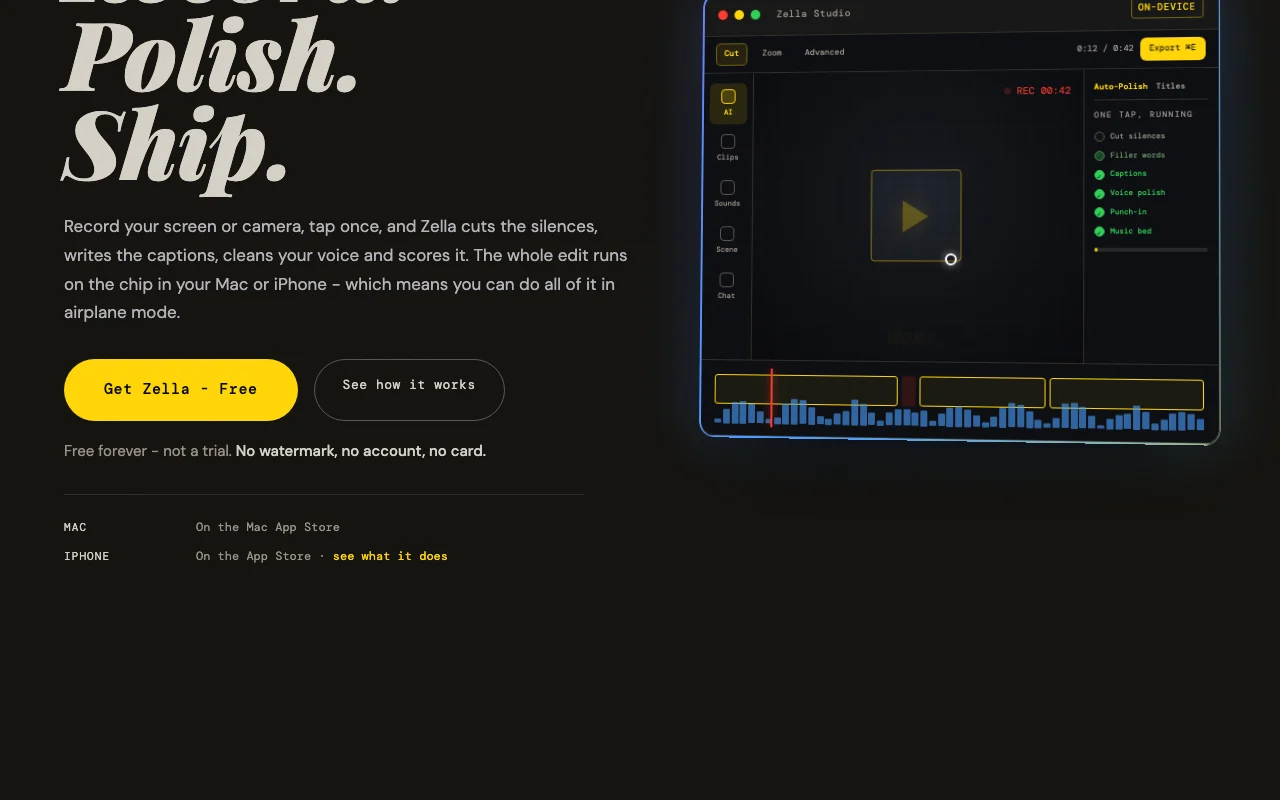
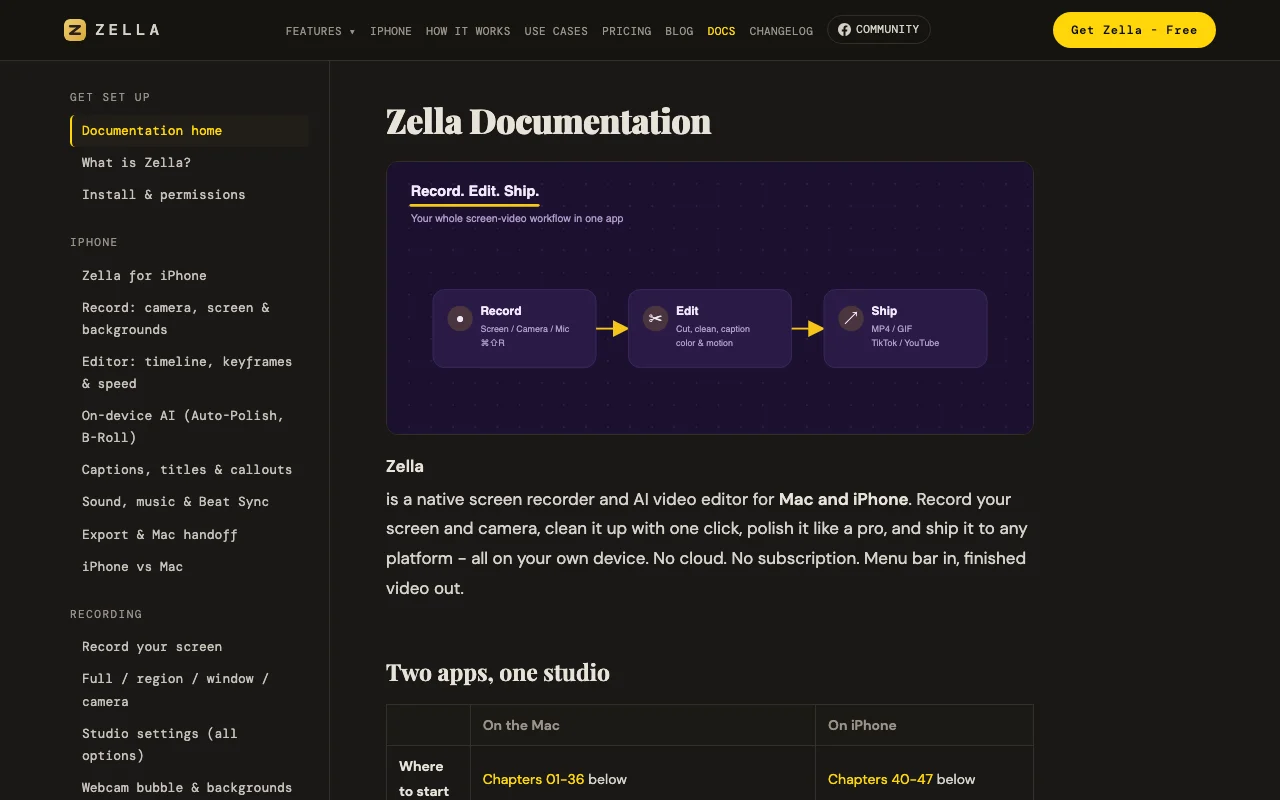
Zella records your screen or camera on Mac and iPhone and applies an automated edit in one tap: it cuts silences and filler words, adds captions, cleans up the voice, and adds music and zoom-ins. A full timeline editor with keyframes is available for manual work. All processing runs locally on the device, with no account and no uploads.
Site oficial do Zella: como o produto se apresenta. zellahq.com, capturado Oct 1, 2026
O que você fornece e o que recebe de volta
O que você fornece a Zella e o que recebe de volta, segundo a documentação
O que você fornece
Screen recordings (full screen, window, region)
Camera recordings (front/back on iPhone, webcam on Mac)
Imported video, images, audio
O que você recebe de volta
MP4 video export
MOV video export
GIF export
M4A audio export
Onde você pode usar
Plataformas
macOS (14 Sonoma+), iOS (18+)
Conta
Não obrigatório
Funciona offline
1
MP4, MOV, GIF, M4A
Free: 1080p; Pro/Founder: 4K on Mac/iPhone, 8K on Mac
Free: 2 minutes; Pro/Founder: unlimited
Free: preset only; Pro/Founder: up to 60fps with custom bitrate
Visão geral dos recursos no site oficial. zellahq.com, capturado Oct 1, 2026
One-tap Auto-Polish
Cuts silences and filler words, adds captions, cleans voice, adds music that ducks, adds emphasis zooms and punch-in title Converts raw talking-head footage into finished video in one click
Acesso: Free on all tiers, auto-runs on new Mac recordings; manual on iPhoneLimite: Deliberately does not touch color grading; all steps are undoable individuallyfonte (abre em uma nova guia)
On-device AI background removal and captions
Removes background in real-time during recording with 40 built-in scenes; generates captions from audio transcription on-device Enables professional-looking video without green screen; adds accessibility with automatic captions
Acesso: Free on all tiers; background removal itself is free (transparent export requires Pro)Limite: Transparent-background export (alpha channel) requires Pro; caption translation on iPhone onlyfonte (abre em uma nova guia)
Timeline editor with keyframes
Full non-linear editing with cut, trim, ripple-delete, drag-to-reorder, 50+ undo levels; advanced toolset includes keyframes with bezier curves, masks, speed ramps, Beat Sync Enables precise manual editing when AI one-tap tools are not enough
Acesso: Timeline is free; depth toolset (keyframes, curves, masks, speed ramps) requires ProLimite: Advanced tools revealed on Pro; projects with keyframes/masks still open and export on free tierfonte (abre em uma nova guia)
Multi-aspect export queue
Renders one edit to 9:16, 1:1, and 16:9 ratios in a single action with face-tracking reframing Automates creation of multiple deliverables for different social platforms from one recording
Acesso: Free can export one cut at a time; multi-aspect queue requires ProLimite: Pro feature; necessary for batch social posting workflowsfonte (abre em uma nova guia)
Zella: pontos fortes e limites
Motivos para escolher Zella
Free tier with no watermark and unlimited recording Complete editor available to everyone; no quality sacrifice or nag screens on free tierdocumentadofonte (abre em uma nova guia)
Processing stays on device, no account required Privacy-first: video never leaves your device, works in airplane mode, no surveillance or trackingdocumentadofonte (abre em uma nova guia)
One-time $89 Pro purchase covers Mac and iPhone No subscription creep; unified experience across devices with single purchase tied to Apple IDdocumentadofonte (abre em uma nova guia)
Works offline Can record, edit, and export without internet connection; captions model downloads oncedocumentadofonte (abre em uma nova guia)
Confira antes de pagar pelo Zella
Free exports capped at 2 minutes and 1080p Longer videos and 4K work require paid Pro; rules out long-form YouTube and client deliverables on free tierdocumentadofonte (abre em uma nova guia)
Only for Mac and iPhone (no Windows/Android) Excludes Windows users and Android creators; requires Apple ecosystemdocumentadofonte (abre em uma nova guia)
AI Assistant requires your own API key on free tier Free users must bring their own OpenAI/Google/Groq key; no credit includeddocumentadofonte (abre em uma nova guia)
Advanced editing tools hidden until Pro purchase Keyframes, bezier curves, luma scopes, feathered masks, speed ramps only on Pro; creates friction for precision workdocumentadofonte (abre em uma nova guia)
Como usar o Zella para recording and auto-editing a screen or camera video
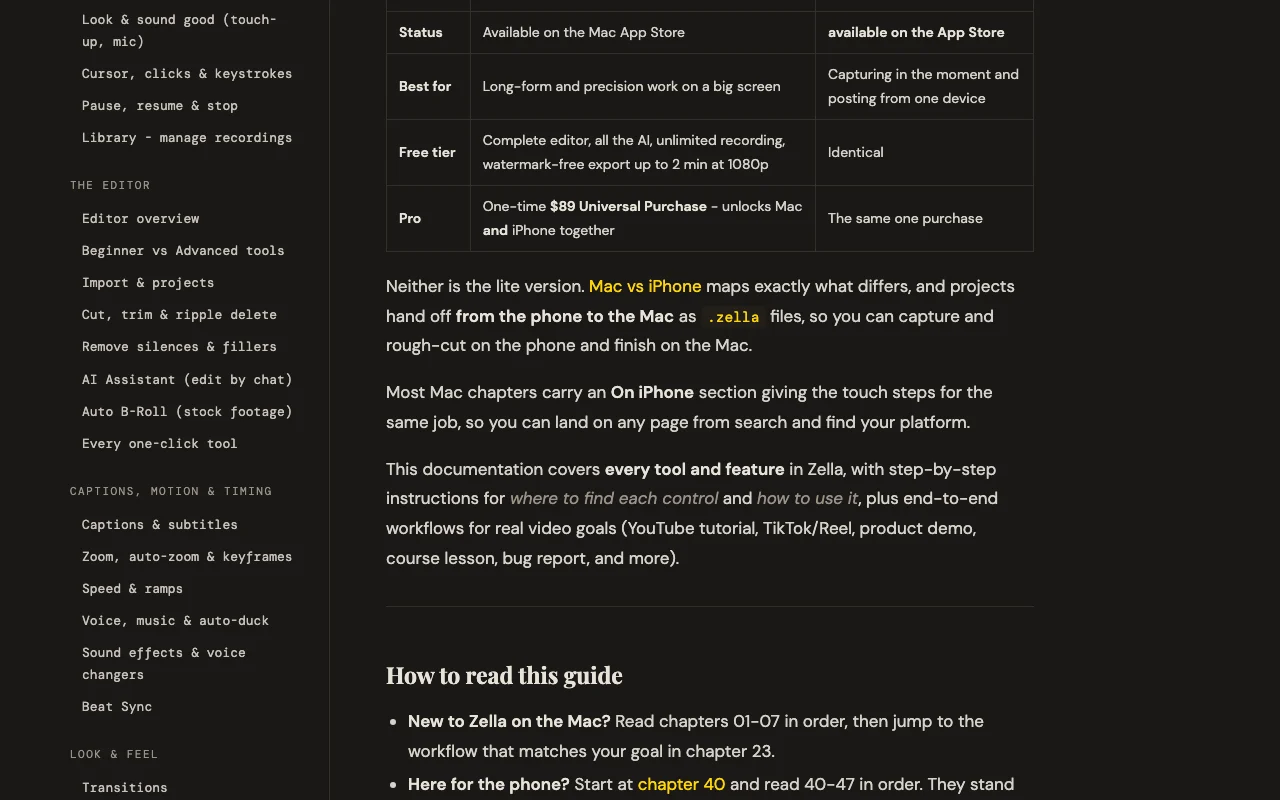
Documentação do Zella: de onde vêm os passos abaixo. zellahq.com, capturado Oct 1, 2026
Configurar Zella
Download Zella from Mac App Store or App Store (free)
On Mac: click menu bar Zella icon, grant screen/camera/mic permissions
On Mac: choose source (screen, camera, or both) and region/window
On iPhone: open Zella app, tap Record, choose camera or screen source
Exemplo: recording and auto-editing a screen or camera video
Record a product demo by pressing ⌘⇧R on Mac or tapping Record on iPhone
When finished, Editor opens automatically with your recording
Click Auto-Polish or Make it Viral to apply one-tap editing
Review captions and edits; enable or customize as needed
Click Export, choose platform (YouTube/TikTok/Reels/Shorts), hit Export
Revise e exporte o resultado
Video appears in Editor with waveform and timeline
Auto-Polish applies cuts, captions, voice polish within 10-30 seconds
Captions display as keyword popups with emoji
Export completes and file saves to Photos (iPhone) or chosen location (Mac)
Zella integrações e API
Documentação do Zella (continuação). zellahq.com, capturado Oct 1, 2026
Integrações nativas e formatos de exportação
Exportar: MP4, MOV, GIF, M4A, ProRes 4444 (Mac, Pro tier, with alpha)
Acesso à API e cobrança separada
Zella não tem API pública na documentação oficial. Zella is a consumer app, not an API service
Privacidade, uso de dados e direitos comerciais
Resumido a partir das políticas atuais do fornecedor; não é aconselhamento jurídico, e o selo de um fornecedor não é uma auditoria independente.
Como suas entradas e saídas são tratadas
Video, audio, and captions never leave your device. Only three optional features touch the network: AI Assistant (text prompt only, no video), captions model download (~145 MB once), and Auto B-Roll stock footage (keyword search only).
Not mentioned; Zella does not claim training data collection
No data retention: recordings stay on device and are never uploaded. Optional features (API key, stock footage keys) are stored locally in Keychain
Uso comercial e restrições de plano
Permitted; no restrictions on commercial exports
No privacy differences between free and paid tiers; all processing remains on-device on both
Yes. Free is not a trial; it is the complete editor and all AI features with unlimited recording and no watermark. The only ceilings are 2-minute export limit and 1080p resolution, both removable via $89 one-time Pro purchase. fonte (abre em uma nova guia)
Where does my video go?
Nowhere. All recording, captions, background removal, voice cleanup, and export run on your device. No account is required, nothing is uploaded, and the app works in airplane mode. fonte (abre em uma nova guia)
Do I need to bring my own API key?
Only for the AI Assistant (text-based editing) on the free tier. You supply your own OpenAI, Google, Groq, or local Ollama key. Auto-Polish, captions, background removal, and Auto B-Roll work free and offline. fonte (abre em uma nova guia)
Can I export longer videos on free?
No; free tier exports are capped at 2 minutes. Anything longer requires Pro ($89 one-time). After 7 days of Pro Week, free tier reverts automatically. fonte (abre em uma nova guia)
Is Zella available on Windows or Android?
No. Zella is Mac and iPhone only. The one-time $89 Pro purchase covers both platforms together. fonte (abre em uma nova guia)
Todos os fatos sobre Zella acima vêm de 4 páginas oficiais listados aqui, comparados pela última vez em Sep 29, 2026; não executamos Zella por conta própria, por isso ele não tem nota editorial. Como verificamos e reverificamos as páginas.
Artigo atualizado em Oct 10, 2026; preços verificados Sep 29, 2026. Os links para fornecedores são links comuns; não ganhamos comissões. Como avaliamos · Relatar um erro