Unsere Einschätzung: Best for solo creators on Mac/iPhone who want free, watermark-free editing with AI features, no account required, processing stays on device.
Wichtigste Einschränkung: Free exports capped at 2 minutes and 1080p; Mac/iPhone only
Von den Redakteuren des AI Tool Atlas.
Auf Basis der offiziellen Dokumentation des Anbieters; wir haben dieses Produkt nicht selbst getestet. Was „dokumentierte Übersicht“ bedeutet
Ist Zella das Richtige für Sie?
Best for solo creators on Mac/iPhone who want free, watermark-free editing with AI features, no account required, processing stays on device. Auf Basis der Dokumentation des Anbieters, nicht in einem praktischen Test.
Am besten für: Solo creators on Mac/iPhone
Auch gut geeignet für
Privacy-conscious users
Educators and product marketers making demos
Ein anderes Tool in Betracht ziehen, wenn need exports longer than 2 minutes on free tier
Oder wenn
Require 4K exports
Need Windows or Android support
Zella Preise und Nutzungslimits
Preise am Sep 29, 2026 auf der offiziellen US-Preisseite geprüft. Offizielle Preise ↗ Preise und Limits ändern sich häufig.
Preisseite des Anbieters vor 11 Tagen automatisch neu geprüft: keine Änderungen festgestellt.
Die offizielle Zella-Preisseite, wie wir sie gesehen haben. zellahq.com, erfasst Oct 1, 2026
Kostenloser Zugang und Testbedingungen
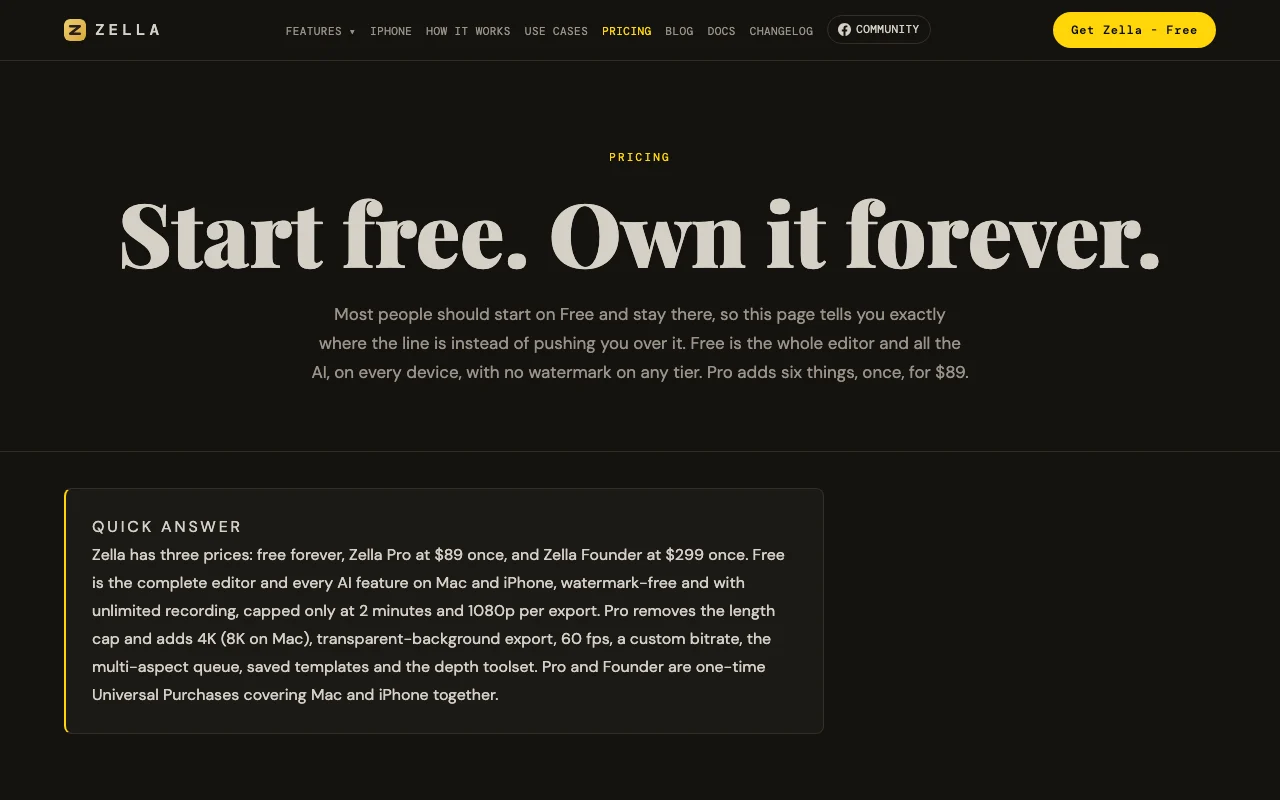
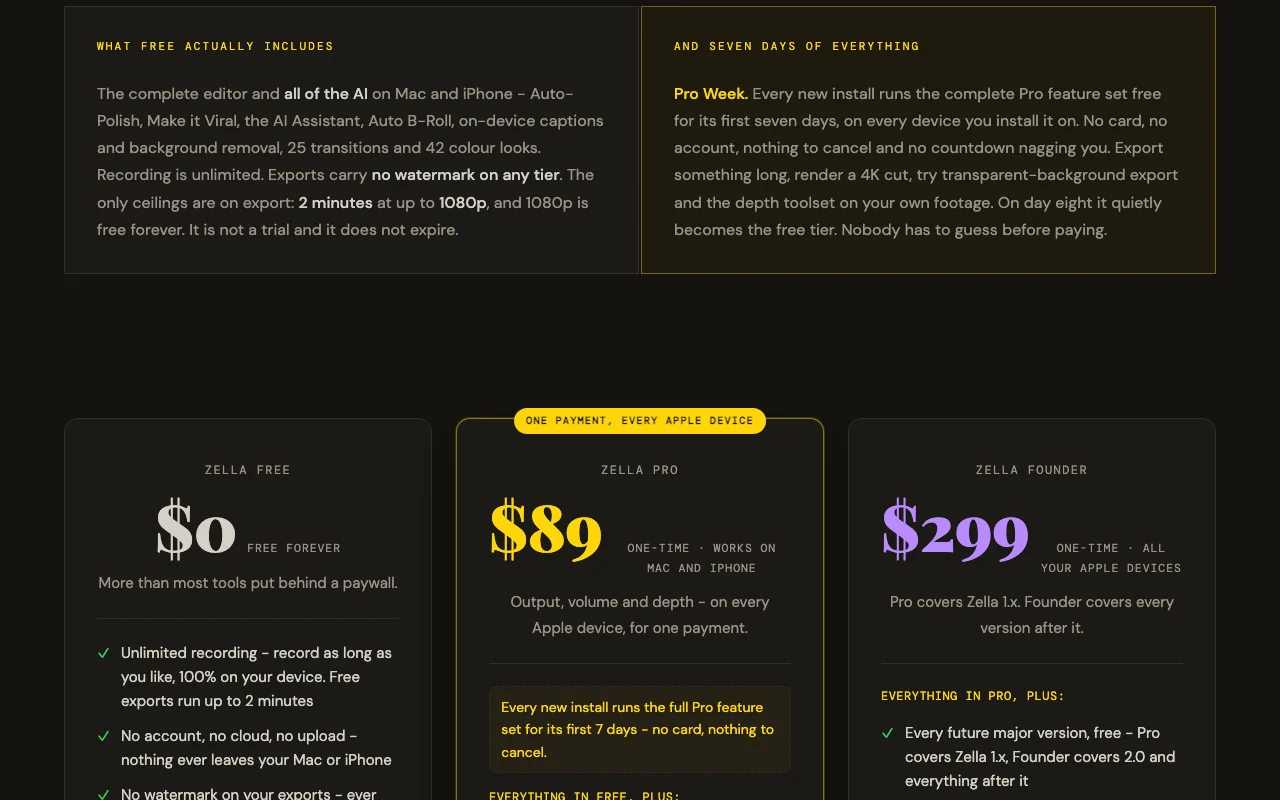
Complete editor and all AI features, unlimited recording, watermark-free, no account required, no expiration. Free tier is the full product, not a trial.
Pro Week: first 7 days of every new install runs the complete Pro feature set free on every device, no card required, nothing to cancel. After day 8 silently reverts to free tier.
Kostenpflichtige Tarife: was sich beim Upgrade ändert
Single $299 payment covers all future major versions and both Mac and iPhone forever
Für: Power users supporting indie development, teams via Family Sharing, future-proof investment
Limits
No export length limit
4K/8K export
1 mehr
No feature or version limitations
Enthält
Everything in Pro, plus:
Free access to all future major versions (Pro covers 1.x only)
5 mehr
Three Founder-exclusive cinematic grades (Teal & Orange, Kodak 2383, Film Noir)
Family Sharing (covers up to 5 additional family members)
Priority support from the developer
Early access to new features before general release
No license server or kill switch
Keine API
Nutzungsobergrenzen, Guthaben und Zusatzkosten
AI Assistant requires your own API key (OpenAI, Google, Groq, etc.) on free tier. Stock B-Roll requires optional free Pexels/Pixabay key.
No taxes mentioned; processed through Apple App Store
Was ist Zella und wie funktioniert es?
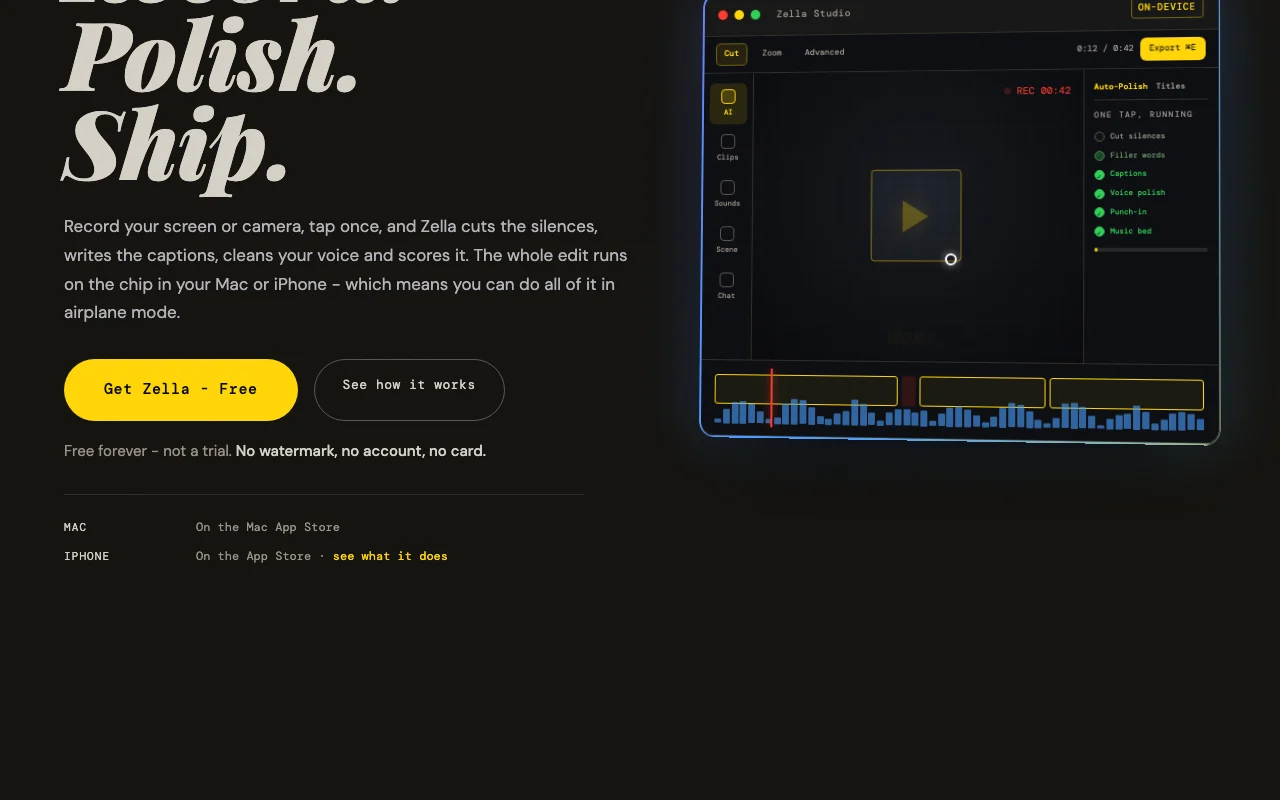
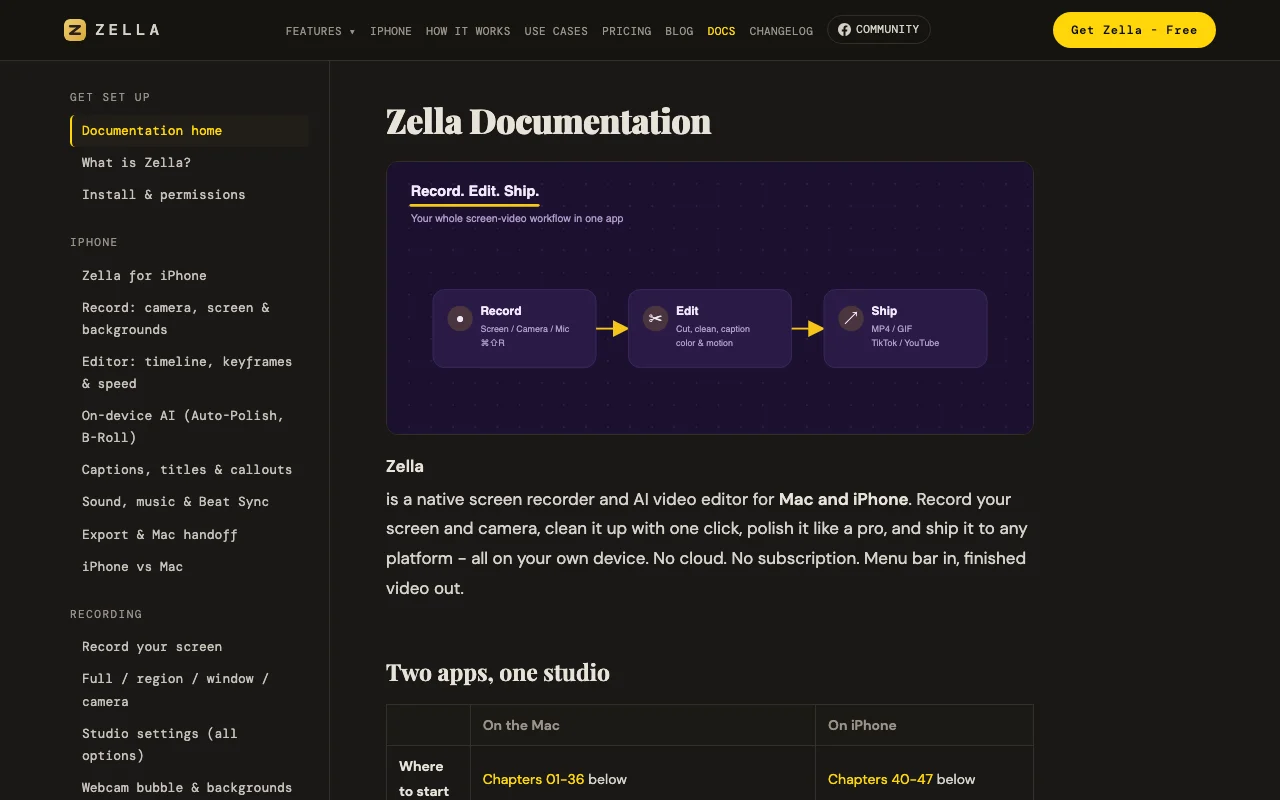
Zella records your screen or camera on Mac and iPhone and applies an automated edit in one tap: it cuts silences and filler words, adds captions, cleans up the voice, and adds music and zoom-ins. A full timeline editor with keyframes is available for manual work. All processing runs locally on the device, with no account and no uploads.
Offizielle Website von Zella: So stellt sich das Produkt selbst dar. zellahq.com, erfasst Oct 1, 2026
Was Sie liefern und was Sie erhalten
Was Sie Zella geben und was zurückkommt, laut Dokumentation
Sie liefern
Screen recordings (full screen, window, region)
Camera recordings (front/back on iPhone, webcam on Mac)
Imported video, images, audio
Sie erhalten zurück
MP4 video export
MOV video export
GIF export
M4A audio export
Wo Sie es nutzen können
Plattformen
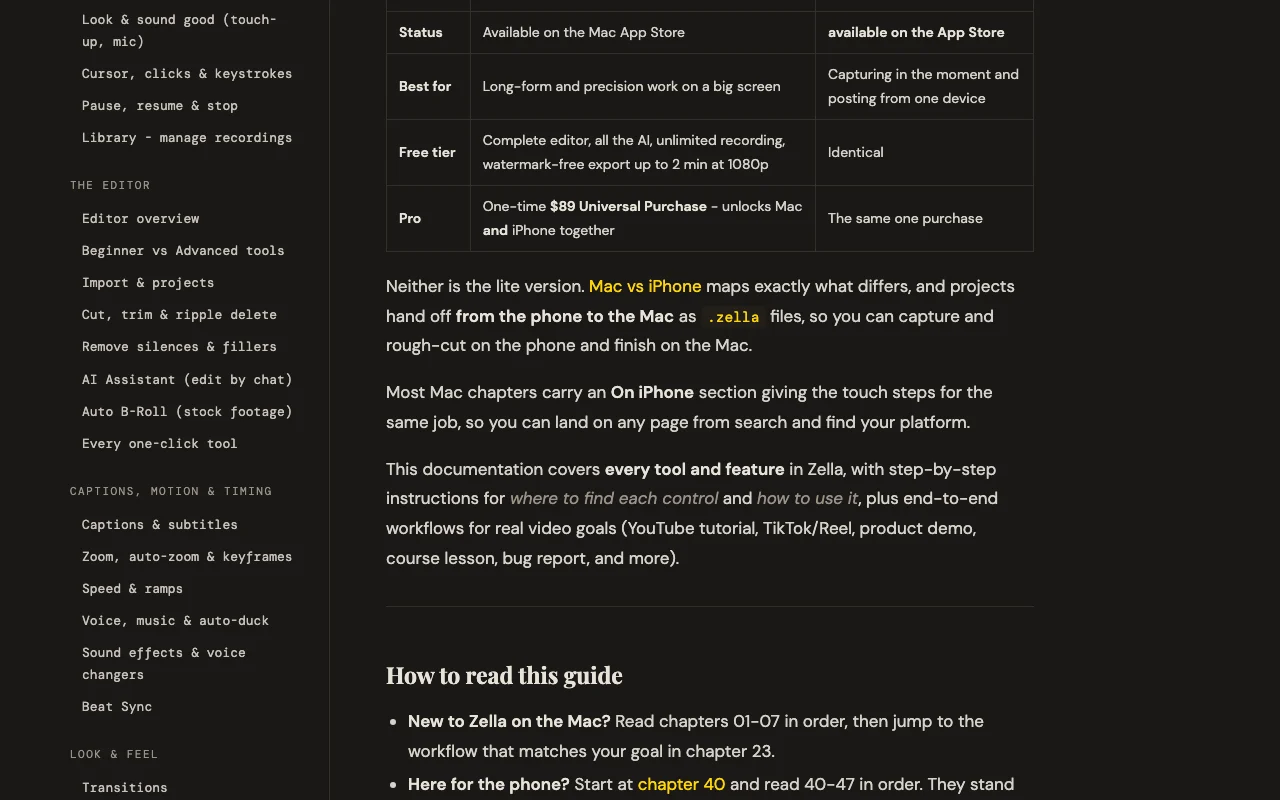
macOS (14 Sonoma+), iOS (18+)
Konto
Nicht erforderlich
Funktioniert offline
1
MP4, MOV, GIF, M4A
Free: 1080p; Pro/Founder: 4K on Mac/iPhone, 8K on Mac
Free: 2 minutes; Pro/Founder: unlimited
Free: preset only; Pro/Founder: up to 60fps with custom bitrate
Funktionsüberblick auf der offiziellen Website. zellahq.com, erfasst Oct 1, 2026
One-tap Auto-Polish
Cuts silences and filler words, adds captions, cleans voice, adds music that ducks, adds emphasis zooms and punch-in title Converts raw talking-head footage into finished video in one click
Zugriff: Free on all tiers, auto-runs on new Mac recordings; manual on iPhoneLimit: Deliberately does not touch color grading; all steps are undoable individuallyQuelle (öffnet in neuem Tab)
On-device AI background removal and captions
Removes background in real-time during recording with 40 built-in scenes; generates captions from audio transcription on-device Enables professional-looking video without green screen; adds accessibility with automatic captions
Zugriff: Free on all tiers; background removal itself is free (transparent export requires Pro)Limit: Transparent-background export (alpha channel) requires Pro; caption translation on iPhone onlyQuelle (öffnet in neuem Tab)
Timeline editor with keyframes
Full non-linear editing with cut, trim, ripple-delete, drag-to-reorder, 50+ undo levels; advanced toolset includes keyframes with bezier curves, masks, speed ramps, Beat Sync Enables precise manual editing when AI one-tap tools are not enough
Zugriff: Timeline is free; depth toolset (keyframes, curves, masks, speed ramps) requires ProLimit: Advanced tools revealed on Pro; projects with keyframes/masks still open and export on free tierQuelle (öffnet in neuem Tab)
Multi-aspect export queue
Renders one edit to 9:16, 1:1, and 16:9 ratios in a single action with face-tracking reframing Automates creation of multiple deliverables for different social platforms from one recording
Zugriff: Free can export one cut at a time; multi-aspect queue requires ProLimit: Pro feature; necessary for batch social posting workflowsQuelle (öffnet in neuem Tab)
Zella: Stärken und Grenzen
Gründe für die Wahl von Zella
Free tier with no watermark and unlimited recording Complete editor available to everyone; no quality sacrifice or nag screens on free tierdokumentiertQuelle (öffnet in neuem Tab)
Processing stays on device, no account required Privacy-first: video never leaves your device, works in airplane mode, no surveillance or trackingdokumentiertQuelle (öffnet in neuem Tab)
One-time $89 Pro purchase covers Mac and iPhone No subscription creep; unified experience across devices with single purchase tied to Apple IDdokumentiertQuelle (öffnet in neuem Tab)
Works offline Can record, edit, and export without internet connection; captions model downloads oncedokumentiertQuelle (öffnet in neuem Tab)
Vor dem Bezahlen bei Zella prüfen
Free exports capped at 2 minutes and 1080p Longer videos and 4K work require paid Pro; rules out long-form YouTube and client deliverables on free tierdokumentiertQuelle (öffnet in neuem Tab)
Only for Mac and iPhone (no Windows/Android) Excludes Windows users and Android creators; requires Apple ecosystemdokumentiertQuelle (öffnet in neuem Tab)
AI Assistant requires your own API key on free tier Free users must bring their own OpenAI/Google/Groq key; no credit includeddokumentiertQuelle (öffnet in neuem Tab)
Advanced editing tools hidden until Pro purchase Keyframes, bezier curves, luma scopes, feathered masks, speed ramps only on Pro; creates friction for precision workdokumentiertQuelle (öffnet in neuem Tab)
So nutzen Sie Zella für recording and auto-editing a screen or camera video
Zella Dokumentation: Quellen der folgenden Schritte. zellahq.com, erfasst Oct 1, 2026
Zella einrichten
Download Zella from Mac App Store or App Store (free)
On Mac: click menu bar Zella icon, grant screen/camera/mic permissions
On Mac: choose source (screen, camera, or both) and region/window
On iPhone: open Zella app, tap Record, choose camera or screen source
Beispiel: recording and auto-editing a screen or camera video
Record a product demo by pressing ⌘⇧R on Mac or tapping Record on iPhone
When finished, Editor opens automatically with your recording
Click Auto-Polish or Make it Viral to apply one-tap editing
Review captions and edits; enable or customize as needed
Click Export, choose platform (YouTube/TikTok/Reels/Shorts), hit Export
Ergebnis prüfen und exportieren
Video appears in Editor with waveform and timeline
Auto-Polish applies cuts, captions, voice polish within 10-30 seconds
Captions display as keyword popups with emoji
Export completes and file saves to Photos (iPhone) or chosen location (Mac)
Zella Integrationen und API
Zella Dokumentation (Fortsetzung). zellahq.com, erfasst Oct 1, 2026
Native Integrationen und Exportformate
Export: MP4, MOV, GIF, M4A, ProRes 4444 (Mac, Pro tier, with alpha)
API-Zugang und separate Abrechnung
Zella hat laut offizieller Dokumentation keine öffentliche API. Zella is a consumer app, not an API service
Datenschutz, Datennutzung und kommerzielle Rechte
Zusammengefasst aus den aktuellen Richtlinien des Anbieters; dies ist keine Rechtsberatung, und das Badge eines Anbieters ersetzt kein unabhängiges Audit.
Wie Ihre Eingaben und Ausgaben verarbeitet werden
Video, audio, and captions never leave your device. Only three optional features touch the network: AI Assistant (text prompt only, no video), captions model download (~145 MB once), and Auto B-Roll stock footage (keyword search only).
Not mentioned; Zella does not claim training data collection
No data retention: recordings stay on device and are never uploaded. Optional features (API key, stock footage keys) are stored locally in Keychain
Kommerzielle Nutzung und Tarifbeschränkungen
Permitted; no restrictions on commercial exports
No privacy differences between free and paid tiers; all processing remains on-device on both
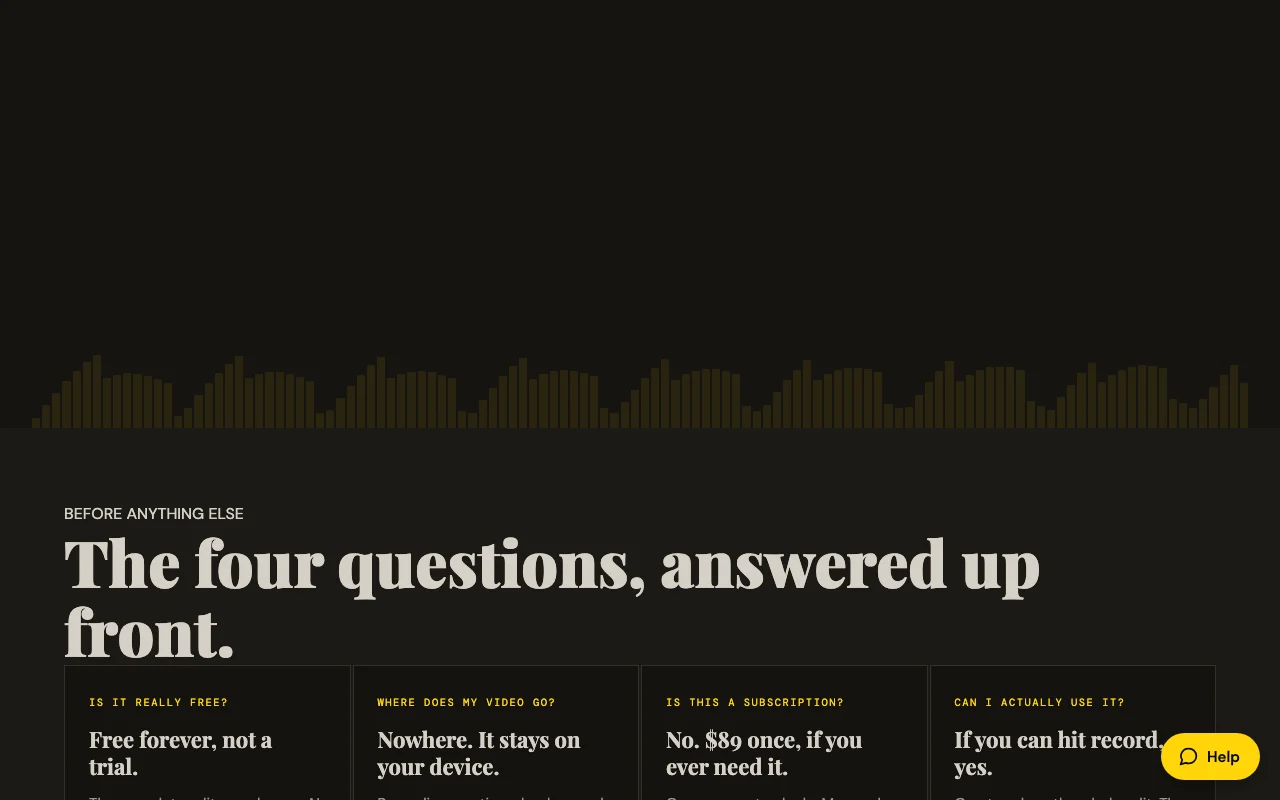
Yes. Free is not a trial; it is the complete editor and all AI features with unlimited recording and no watermark. The only ceilings are 2-minute export limit and 1080p resolution, both removable via $89 one-time Pro purchase. Quelle (öffnet in neuem Tab)
Where does my video go?
Nowhere. All recording, captions, background removal, voice cleanup, and export run on your device. No account is required, nothing is uploaded, and the app works in airplane mode. Quelle (öffnet in neuem Tab)
Do I need to bring my own API key?
Only for the AI Assistant (text-based editing) on the free tier. You supply your own OpenAI, Google, Groq, or local Ollama key. Auto-Polish, captions, background removal, and Auto B-Roll work free and offline. Quelle (öffnet in neuem Tab)
Can I export longer videos on free?
No; free tier exports are capped at 2 minutes. Anything longer requires Pro ($89 one-time). After 7 days of Pro Week, free tier reverts automatically. Quelle (öffnet in neuem Tab)
Is Zella available on Windows or Android?
No. Zella is Mac and iPhone only. The one-time $89 Pro purchase covers both platforms together. Quelle (öffnet in neuem Tab)
Letzte Änderungen, die Ihre Entscheidung betreffen
Wie wir diese Seite dokumentiert haben und pflegen
Jede Angabe zu Zella oben stammt aus den 4 hier aufgeführten offiziellen Seiten, zuletzt verglichen am Sep 29, 2026; wir haben Zella nicht selbst getestet, daher gibt es keine redaktionelle Bewertung. Wie wir Seiten prüfen und erneut prüfen.
Artikel aktualisiert Oct 10, 2026; Preise geprüft Sep 29, 2026. Ausgehende Links zu Anbietern sind einfache Links; wir erhalten keine Provisionen. So testen wir · Fehler melden