VideoDocumented overviewLast checked Oct 1, 2026

Autosubbed: Pricing, Features & Best Use Cases

Online tool that transcribes video audio with AI and burns subtitles into the video file.
Who should use Autosubbed

Autosubbed suits creators and educators who want finished videos with subtitles burned in rather than separate caption files, at $5 to $18 per month. Based on the vendor's documentation, not on a hands-on test.

Best for: Creators and marketers

Also a good fit for

  • Educators

Consider another tool if free trial: 7-minute limit, no download

Or if

  • Starter limited to 60 minutes/month
  • Subtitles are burned in, not separate files

Autosubbed pricing and usage limits

Prices checked Oct 1, 2026 on the official US pricing page. Official pricing ↗ Prices and limits change often.

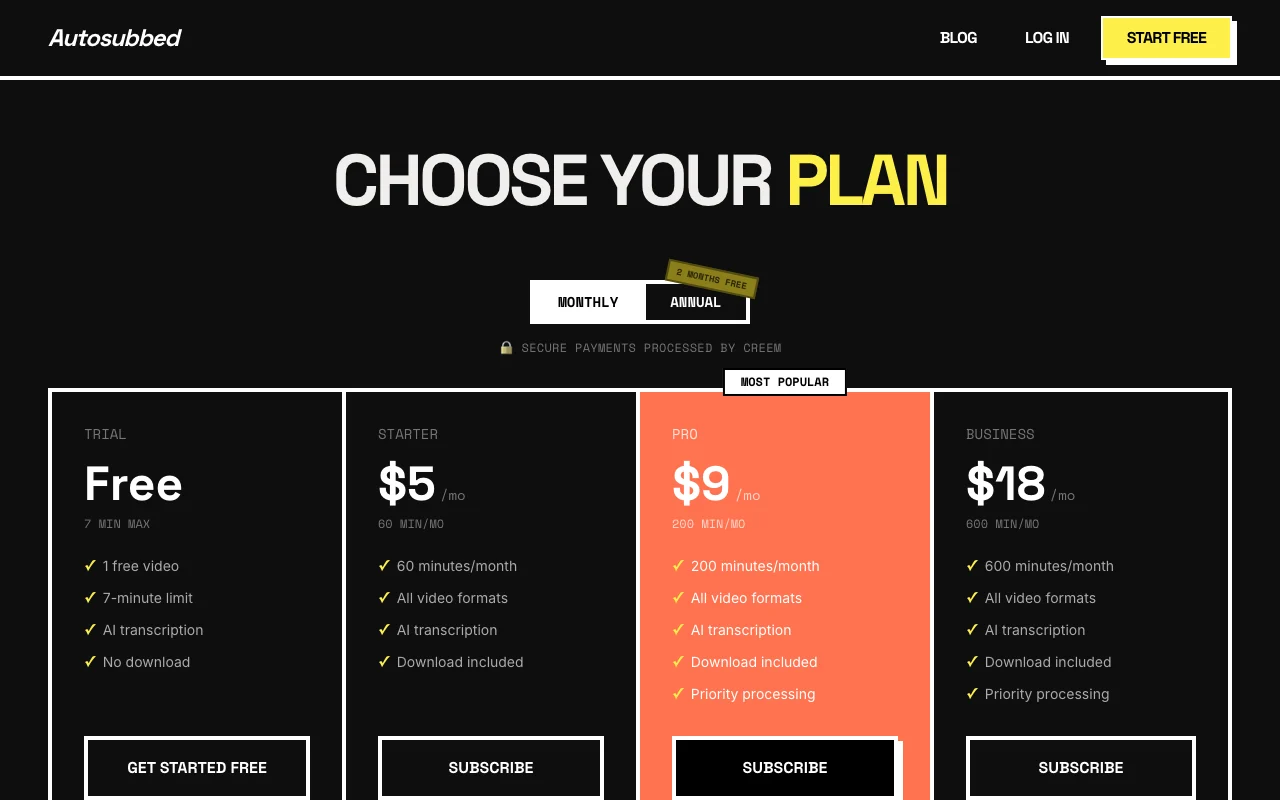
Autosubbed pricing page with plans and prices — screenshot of the video AI tool, Oct 2, 2026
The official Autosubbed pricing page as we saw it. autosubbed.com, captured Oct 2, 2026

Free access and trial conditions

One free trial video, up to 7 minutes, no download

Free trial, no credit card

Paid plans: what changes as you upgrade

Trial web

Free source (opens in a new tab)

Monthly

For: Testing the result on one clip

Limits

  • 1 free video
  • 7-minute limit
1 more
  • No download

Includes

  • AI transcription

Starter web

$5 source (opens in a new tab)

Monthly

For: Occasional short social clips

Limits

  • 60 minutes per month

Includes

  • All video formats
  • AI transcription
1 more
  • Download included

Pro web

$9 source (opens in a new tab)

Monthly

For: Regular creators and course makers

Limits

  • 200 minutes per month

Includes

  • All video formats
  • AI transcription
2 more
  • Download included
  • Priority processing

Business web

$18 source (opens in a new tab)

Monthly

For: Teams subtitling many videos

Limits

  • 600 minutes per month

Includes

  • All video formats
  • AI transcription
2 more
  • Download included
  • Priority processing

Usage caps, credits and extra costs

Not stated on the pricing page

Not stated

What is Autosubbed, and how does it work?

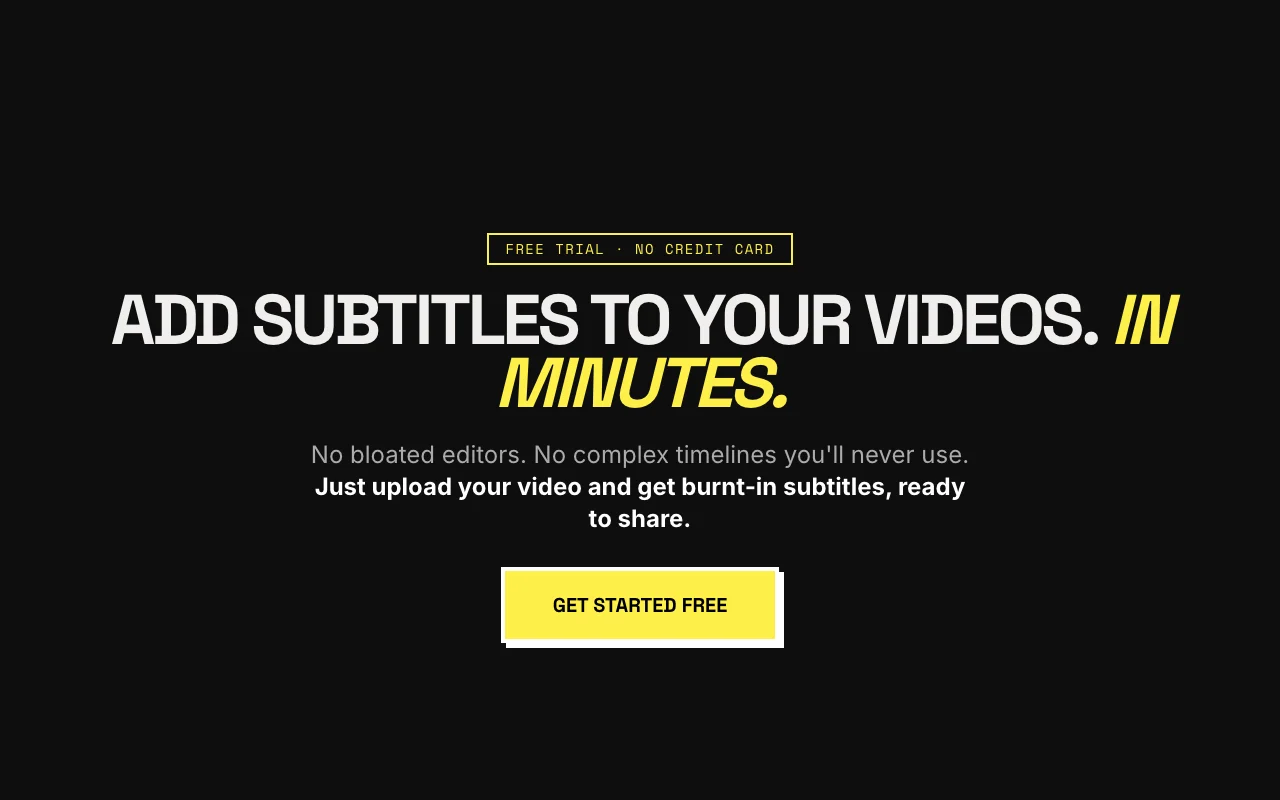
Autosubbed lets users upload MP4 or MOV videos, transcribes the audio with Whisper across 50+ languages, and burns the subtitles into the video using FFmpeg. Users can pick fonts, weights and colors. Plans are monthly or annual and priced by processing minutes, with a free trial video.

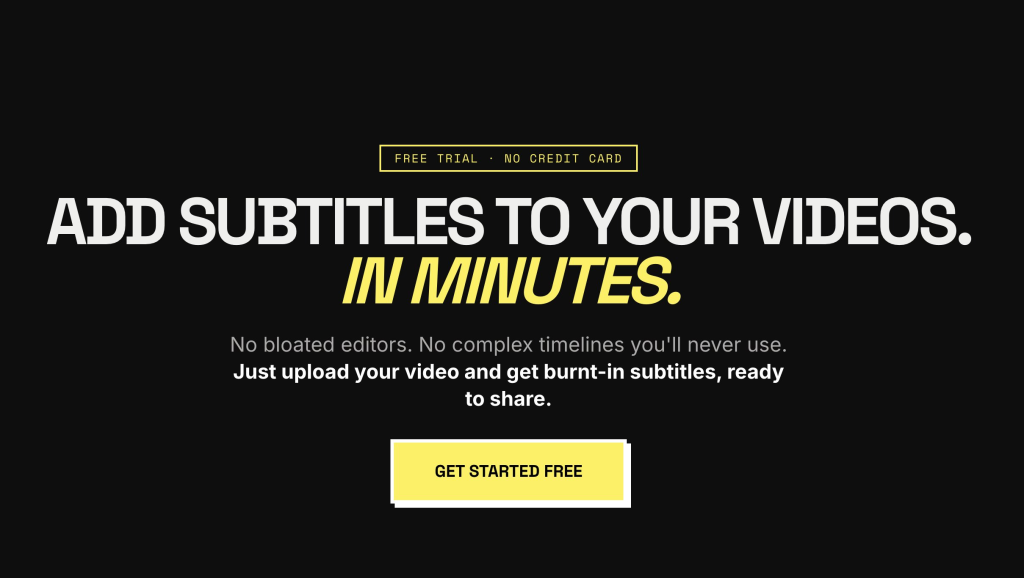
Autosubbed homepage — screenshot of the video AI tool, Oct 2, 2026
Autosubbed's official site: how the product presents itself. autosubbed.com, captured Oct 2, 2026

What you provide and what you get back

You provide

  • MP4 or MOV video file
  • Font, weight and color choices

You get back

  • Video with hard-burned subtitles

Where you can use it

Platforms
Web
Account
Required
Upload formats
MP4 and MOV named on the homepage source (opens in a new tab)
Languages
50+ via Whisper source (opens in a new tab)
Output
Video with burned-in subtitles source (opens in a new tab)
Trial limit
1 video, 7 minutes, no download source (opens in a new tab)
Payments
Processed by Creem source (opens in a new tab)

Best use cases for Autosubbed

Scenarios are worked out by our editors from the documentation; the actual result depends on your input and plan.

Subtitles for social videos

Who
Creators and YouTubers
You provide
A raw MP4 clip
Expected result
A downloadable video with styled burned-in captions
Plan needed
Starter
Limitation
Captions cannot be toggled off by viewers source (opens in a new tab)

Captioning lectures

Who
Educators and course creators
You provide
A recorded lecture in MOV or MP4
Expected result
A captioned lesson video for accessibility
Plan needed
Pro
Limitation
Minutes are capped per month source (opens in a new tab)

Silent-autoplay marketing clips

Who
Marketers and social teams
You provide
Product or promo video
Expected result
Branded captioned clip for Reels, TikTok or LinkedIn
Plan needed
Pro or Business
Limitation
No separate SRT file is offered source (opens in a new tab)

What Autosubbed does, and where it stops

AI transcription (Whisper)

Transcribes the video's audio into subtitle text automatically Removes manual typing of captions

Access: All plans including trialLimit: Accuracy figure (99%) is a vendor claim source (opens in a new tab)

Hard-burned subtitles

Renders the text permanently into video pixels with FFmpeg Captions display on every platform without caption support

Access: All plans; download only on paidLimit: Cannot be edited or turned off after export source (opens in a new tab)

50+ languages

Recognizes speech in more than 50 languages Serves non-English audiences

Access: All plansLimit: Full language list not shown on the fetched pages source (opens in a new tab)

Custom fonts and colors

Lets you choose font, weight and color of the subtitle text Keeps captions on brand

Access: All plansLimit: Extent of style options beyond fonts and colors is not documented source (opens in a new tab)

Autosubbed: strengths and limits

Where Autosubbed is strong

Limitations to check before paying

How to use Autosubbed for adding burned-in subtitles to a video

Set up Autosubbed

  1. Open autosubbed.com and choose Get started free for the no-card trial
  2. Pick a plan on the pricing page (Monthly or Annual toggle) if you need downloads
  3. Have your video ready as an MP4 or MOV file

Example: adding burned-in subtitles to a video

  1. Upload the MP4 or MOV file
  2. Wait for Whisper to transcribe the audio
  3. Choose font, weight and color for the subtitles
  4. Let FFmpeg burn the captions and download the result (paid plans)

Review and export the result

  1. Play the output and compare captions against the spoken words
  2. Confirm the subtitle style matches your brand fonts and colors

Autosubbed integrations and API

Autosubbed pricing page with plans and prices — screenshot of the video AI tool, Oct 2, 2026
Plan comparison on the official pricing page. autosubbed.com, captured Oct 2, 2026

Native integrations and export formats

Export: MP4 video with burned-in subtitles

API access and separate billing

Autosubbed has no public API in its official documentation. No API or integrations mentioned on fetched pages

Privacy, data use and commercial rights

Summarized from the vendor's current policies; this is not legal advice and a vendor's badge is not an independent audit.

How your inputs and outputs are handled

Uploaded video is transcribed in the cloud; the output is a subtitled video

Other tools to consider instead of Autosubbed

"Better suited" is based on documented features and pricing, not on a head-to-head test.

Descript: better suited to

Otter.ai: better suited to

Alternatives
AlternativeWhen to choose itPricingLimitation
Descript——Compare
Otter.ai——

Explore Autosubbed further

If you are looking at Autosubbed

Autosubbed user reviews

No user reviews yet.

Used Autosubbed? Be the first to share your experience.

Write a review

Reviews are checked by a moderator before they appear. Your email is never published. Plain text only.

Your rating (required)

Show what you made or what went wrong. Images are published only if the review is approved; location data is removed.

    Autosubbed FAQ

    Can I download my video on the free trial?

    No. The trial gives 1 free video up to 7 minutes and lists No download; Starter and above include download. source (opens in a new tab)

    How many minutes do the paid plans include?

    Starter gives 60 minutes per month, Pro 200 and Business 600. source (opens in a new tab)

    Are the subtitles separate SRT files?

    No. They are burned into the video pixels, which the site presents as an alternative to SRT files that can get lost. source (opens in a new tab)

    What does the annual option save?

    The pricing toggle advertises 2 months free on annual billing; the annual dollar amounts are not shown in the fetched text. source (opens in a new tab)

    Which plans get priority processing?

    Pro ($9/mo) and Business ($18/mo). source (opens in a new tab)

    Sources and review methodology

    Official sources and verification dates

    Not verified: Annual prices in dollars; Data retention and training policy; Maximum file size; Full language list; Page not available: https://autosubbed.com/docs.

    How we documented and maintain this page

    Every fact about Autosubbed above comes from the 3 official pages listed here, last compared on Oct 1, 2026; we have not run Autosubbed ourselves, so it has no editorial score. How we check and re-check pages.

    Article updated Oct 2, 2026; prices checked Oct 1, 2026. Outbound links to vendors are plain links; we do not earn commissions. How we review · Report an error