Our take: Choose Ankon AI if you want narrated whiteboard explainer videos from a topic, script or PDF with captions and an API, paid per minute of finished video from $23/month.
Main limitation: Only 2 free credits on signup, described as a limited-time offer
By the AI Tool Atlas editors.
Based on the vendor's official documentation; we have not tested this product hands-on. What “documented overview” means
Who Ankon AI fits
Choose Ankon AI if you want narrated whiteboard explainer videos from a topic, script or PDF with captions and an API, paid per minute of finished video from $23/month. Based on the vendor's documentation, not on a hands-on test.
Best for: Newsletter and blog publishers
Also a good fit for
Educators and course creators
Founders needing explainer videos
Consider another tool if only 2 free credits on signup, described as a limited-time offer
Or if
One credit equals about one minute of finished video, so output is capped by credits
Voice cloning is limited to Pro and higher plans
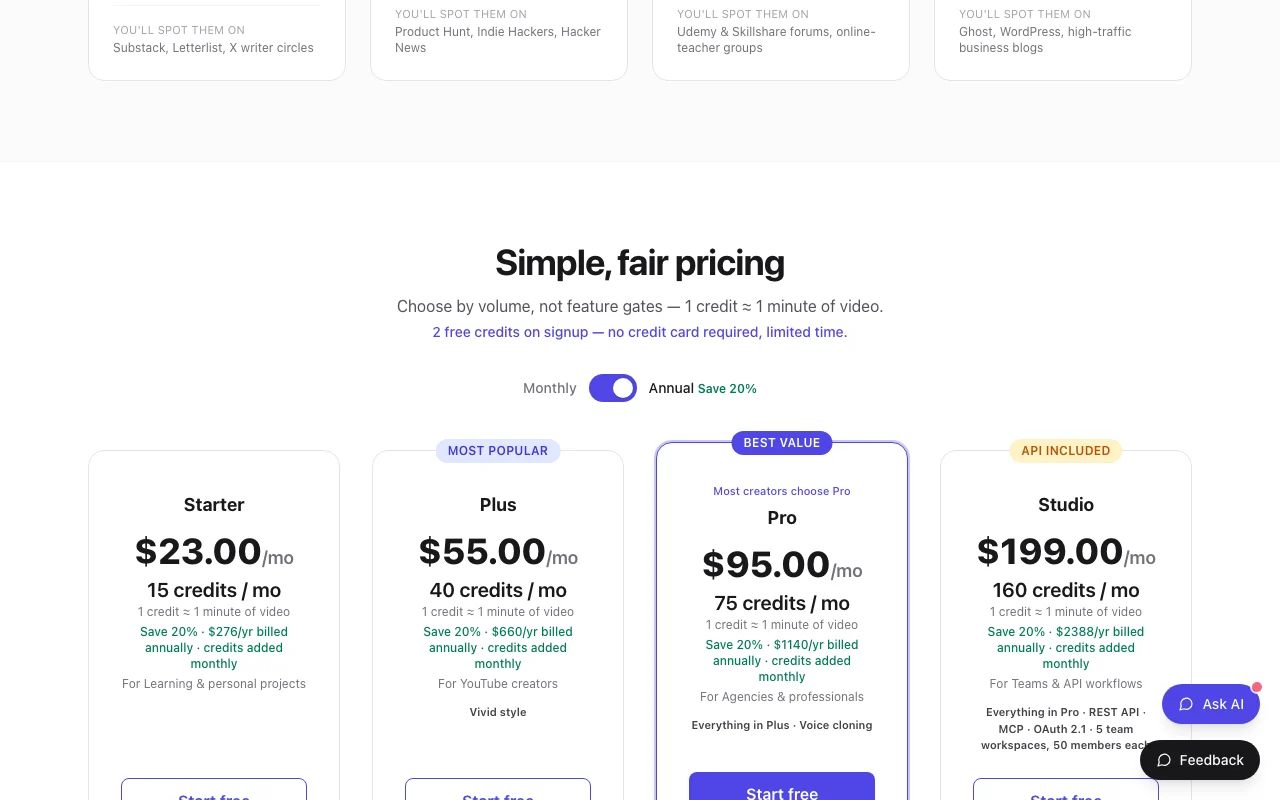
Ankon AI pricing and usage limits
Prices checked Oct 1, 2026 on the official US pricing page. Official pricing ↗ Prices and limits change often.
Free access and trial conditions
2 free credits on signup, no card, described as limited time; free-credit videos may carry a watermark.
Top-ups at $2/credit with $10 minimum on any active plan; Enhance doubles base cost.
Dodo Payments is Merchant of Record and collects tax at checkout.
What is Ankon AI, and how does it work?
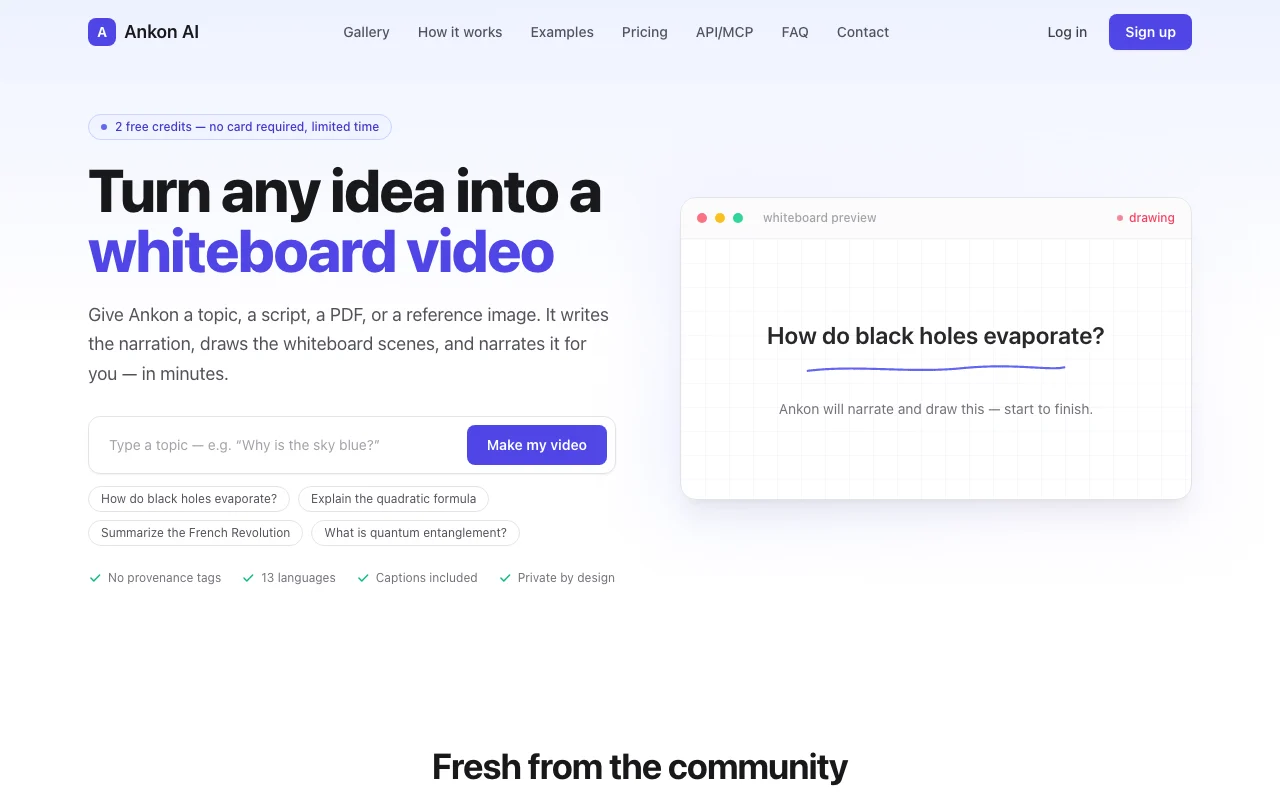
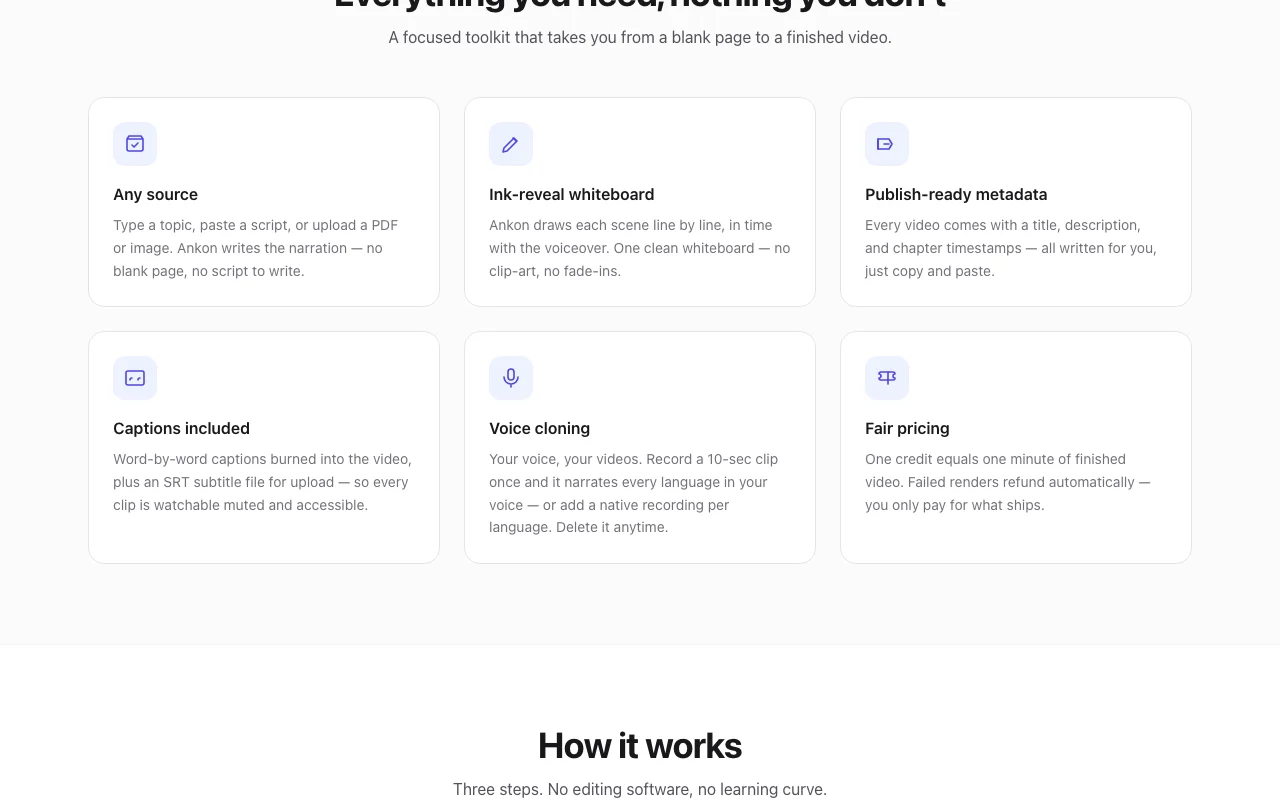
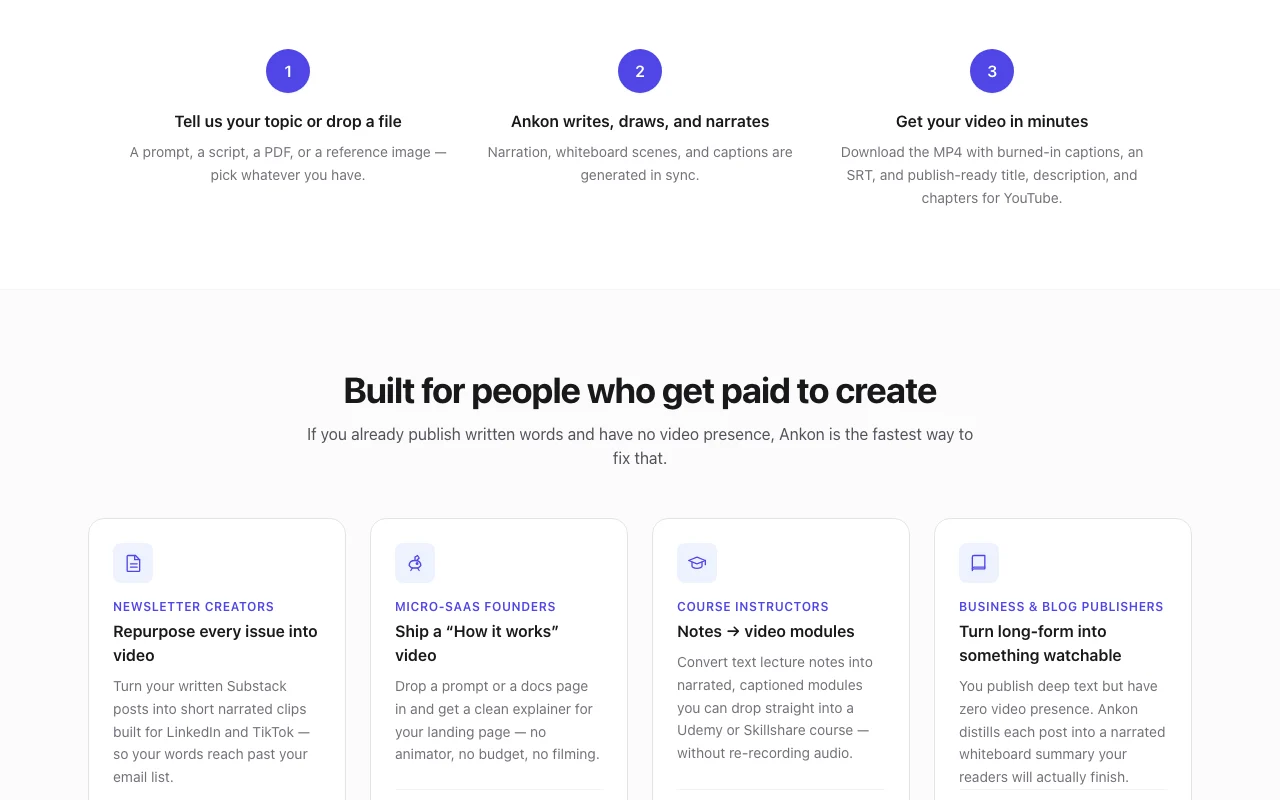
Ankon AI turns a topic, pasted script, PDF or reference image into a narrated whiteboard explainer video. It writes the narration, draws scenes line by line in sync with the voiceover, and adds captions.
Output includes an MP4 with burned-in captions, an SRT file and a suggested title, description and chapters. A REST API and MCP connection let AI clients such as Claude create videos programmatically.
Ankon AI's official site: how the product presents itself. ankonai.com, captured Oct 1, 2026
What you provide and what you get back
What you give Ankon AI and what comes back, from its documentation
You provide
Topic prompt
Pasted script
PDF or reference image
10-second voice clip for cloning
You get back
MP4 with burned-in captions
SRT subtitle file
Suggested title, description and chapters
Where you can use it
Platforms
Web, API
Account
Required
Languages
13
Orientation
Vertical or landscape
Credit unit
1 credit = 1 minute, 2-credit minimum
Outputs
MP4 with burned-in captions, SRT
Voice cloning
10-second clip, Pro and higher
What people use Ankon AI for
Scenarios are worked out by our editors from the documentation; the actual result depends on your input and plan.
Explainer videos from blog posts or newsletters
Who
Bloggers and newsletter writers
You provide
A blog post or script
Expected result
A narrated whiteboard video with captions in minutes
Only 2 free credits on signup, described as a limited-time offer Only 2 free credits on signup, described as a limited-time offerdocumentedsource (opens in a new tab)
One credit equals about one minute of finished video, so output is capped by credits One credit is about one minute with a 2-credit minimum, so short clips still cost 2documentedsource (opens in a new tab)
Voice cloning is limited to Pro and higher plans Voice cloning is limited to Pro and higherdocumentedsource (opens in a new tab)
How to use Ankon AI for making a whiteboard explainer video
Set up Ankon AI
Open ankonai.com and click Make my video
Sign up to get the 2 free credits
Choose language and vertical or landscape format
Provide a topic, script, PDF or reference image
Example: making a whiteboard explainer video
Enter Explain the quadratic formula as the topic
Pick English narration and generate
Wait for the render to finish
Copy the generated title, description and chapters and download MP4 and SRT
Review and export the result
Watch the whiteboard drawing to confirm it matches the narration
Check captions are readable and the SRT loads in your player
Confirm credits deducted match the minutes produced
Example prompt suggested by our editors (not a recorded output of the product)
How do black holes evaporate?
Ankon AI integrations and API
Native integrations and export formats
Export: MP4, SRT
API access and separate billing
Ankon AI has no public API in its official documentation. REST API and MCP; OAuth 2.1 or X-Ankon-Api-Key; 90 mutations/min. API documentation ↗
Privacy, data use and commercial rights
Summarized from the vendor's current policies; this is not legal advice and a vendor's badge is not an independent audit.
How your inputs and outputs are handled
Inputs, generated scripts, visuals, narration and videos are processed by third-party AI providers or hosted models; device fingerprint kept for abuse prevention.
It operates no foundation models and says it does not use inputs to train any model.
Voice clips stored on its servers until you delete them.
Not verified: Which of the monthly vs annual rate $23 reflects (the page shows $276/yr billed annually with 20% saving); Maximum video length; US availability.
How we documented and maintain this page
Every fact about Ankon AI above comes from the 2 official pages listed here, last compared on Oct 1, 2026; we have not run Ankon AI ourselves, so it has no editorial score. How we check and re-check pages.
Article updated Oct 10, 2026; prices checked Oct 1, 2026. Outbound links to vendors are plain links; we do not earn commissions. How we review · Report an error