VideoDocumented overviewLast checked Sep 29, 2026

Wideframe: Pricing, Features & Best Use Cases

AI assistant editor for Mac that analyzes footage and builds Premiere Pro projects, with video generation included.

Who should use Wideframe

Choose Wideframe if you edit in Premiere Pro on an Apple Silicon Mac and want an AI assistant that finds clips, strings out interviews and builds .prproj projects, accepting a $100 monthly price. Based on the vendor's documentation, not on a hands-on test.

Best for: Premiere Pro video editors

Also a good fit for

  • Small video production teams

Consider another tool if requires Apple Silicon Mac (M1 or newer) and Premiere Pro

Or if

  • Card required to start trial
  • $100/month, month-to-month, may change after beta

Wideframe pricing and usage limits

Prices checked Sep 29, 2026 on the official US pricing page. Official pricing ↗ Prices and limits change often.

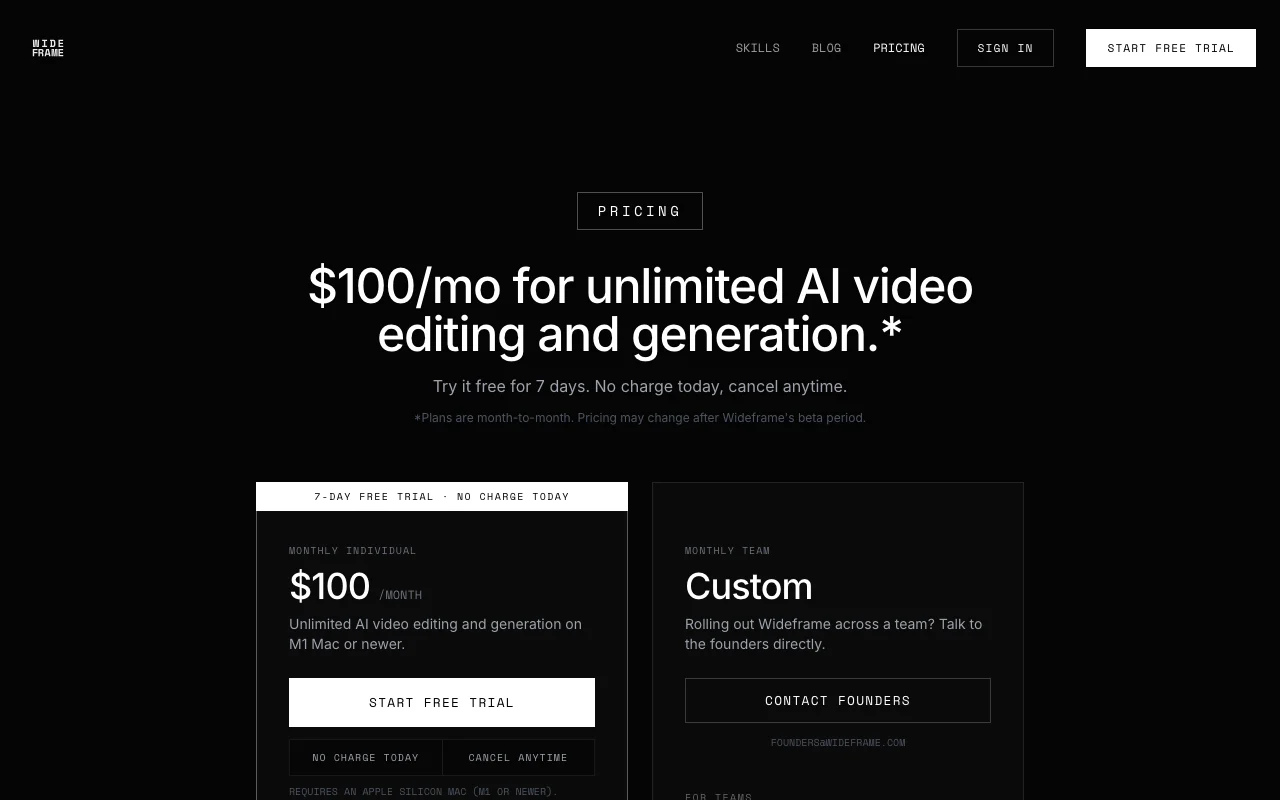
Wideframe pricing page with plans and prices — screenshot of the video AI tool, Oct 2, 2026
The official Wideframe pricing page as we saw it. try.wideframe.com, captured Oct 2, 2026

Free access and trial conditions

None

7 days; card saved, first $100 charge when trial ends

Paid plans: what changes as you upgrade

Individual desktop

$100/mo source (opens in a new tab)

Month, annual commitment

Month-to-month; may change after beta

For: Premiere Pro editors

Limits

  • Apple Silicon Mac (M1 or newer)

Includes

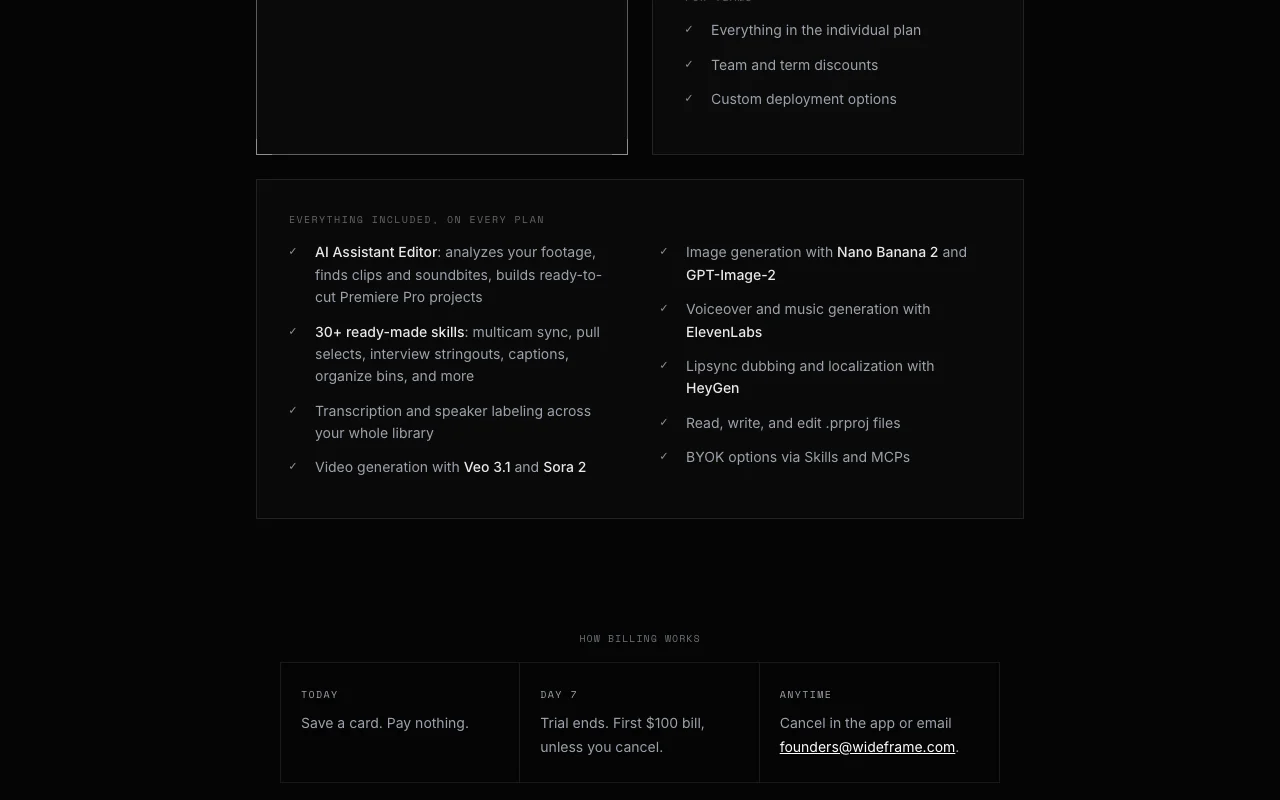
  • AI Assistant Editor
  • 30+ skills
3 more
  • Video and image generation
  • Voiceover and music
  • 7-day free trial

Team desktop

Custom pricing source (opens in a new tab)

Month, annual commitment

For: Teams

Includes

  • Team and term discounts
  • Custom deployment

Usage caps, credits and extra costs

None stated

Not stated

What is Wideframe, and how does it work?

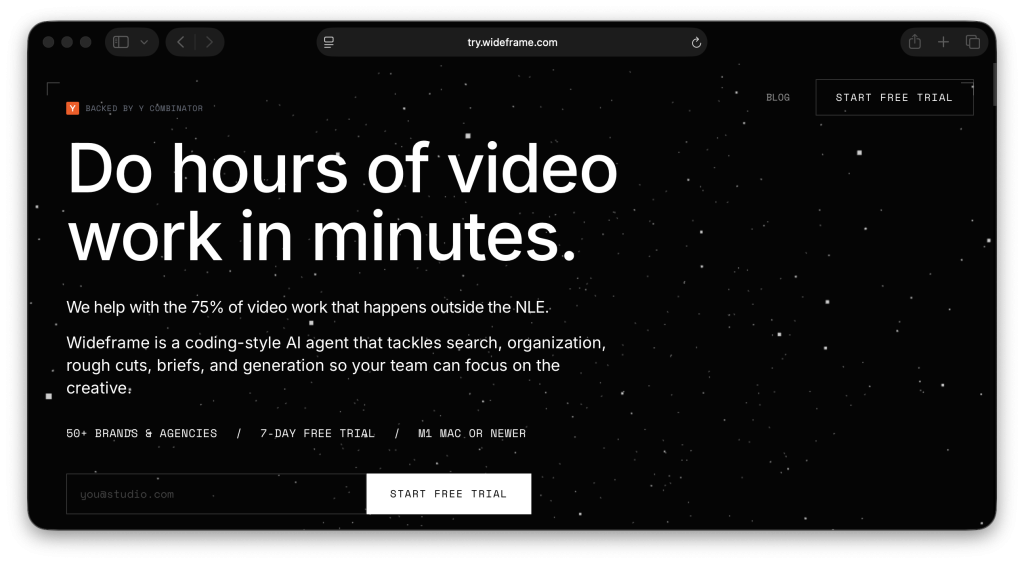
Wideframe is an AI assistant editor that runs on Apple Silicon Macs. It analyzes footage, finds clips and soundbites, and produces ready-to-cut Premiere Pro projects from plain-English requests. It also includes transcription, 30+ ready-made skills and generation of video, images, voiceover and music through third-party models.

Wideframe homepage — screenshot of the video AI tool, Oct 2, 2026
Wideframe's official site: how the product presents itself. try.wideframe.com, captured Oct 2, 2026

What you provide and what you get back

How Wideframe works: what you provide, where it runs and what you get backYOU PROVIDEYour inputFootage librariesPlain-English requestsPremiere Pro projectsVIDEOWideframeDesktopfrom $100/mo (Individual)no free tieraccount requiredchecked Sep 29, 2026YOU GET BACKThe resultPremiere Pro projects (.prproj)TranscriptsGenerated video, images, voiceove…input → Wideframe → output · from the vendor's own pages, no hands-on test unless stated
What you give Wideframe and what comes back, from its documentation

You provide

  • Footage libraries
  • Plain-English requests
  • Premiere Pro projects

You get back

  • Premiere Pro projects (.prproj)
  • Transcripts
  • Generated video, images, voiceover and music

Where you can use it

Platforms
Desktop
Account
Required
Platform
macOS, Apple Silicon
Host app
Premiere Pro
Skills
30+

Where Wideframe is most useful

Scenarios are worked out by our editors from the documentation; the actual result depends on your input and plan.

String out interview A-roll

Who
Documentary and interview editors
You provide
Interview footage
Expected result
A stringout of A-roll in transcript order as a Premiere project
Plan needed
Individual
Limitation
Mac with Apple Silicon only source (opens in a new tab)

Pull selects from large footage libraries

Who
Editors with big libraries
You provide
Hours of footage
Expected result
Selects pulled by request
Plan needed
Individual
Limitation
Pricing may change after beta source (opens in a new tab)

Multicam sync

Who
Multicam shooters
You provide
Multi-camera clips
Expected result
Synced multicam sequence
Plan needed
Individual
Limitation
Premiere Pro required source (opens in a new tab)

Key features and their practical limits

AI Assistant Editor

Analyzes footage and builds ready-to-cut Premiere projects Skips hours of prep

Access: IncludedLimit: Needs Premiere Pro source (opens in a new tab)

30+ skills

Offers 30+ skills such as multicam sync, selects and captions Reusable editing actions

Access: IncludedLimit: Skills limited to the library source (opens in a new tab)

Transcription with speaker labels

Transcribes with speaker labels across the library Searchable footage

Access: IncludedLimit: Accuracy not documented source (opens in a new tab)

Read/write .prproj files

Reads and writes .prproj files Stays in your Premiere workflow

Access: IncludedLimit: Premiere-specific source (opens in a new tab)

Pros, cons and deal-breakers

Where Wideframe is strong

Limitations to check before paying

How to use Wideframe for assembling a Premiere Pro project with an AI assistant

Set up Wideframe

  1. Start the 7-day trial and save a card
  2. Download the app from the emailed link
  3. Point Wideframe at your footage library

Example: assembling a Premiere Pro project with an AI assistant

  1. Ask it to string out interview_03 A-roll in transcript order
  2. Wait for transcription and assembly
  3. Open the resulting .prproj in Premiere Pro
  4. Refine the cut

Review and export the result

  1. Check the sequence order matches the transcript
  2. Confirm cancel option under Account > Billing before day 7
Example prompt suggested by our editors (not a recorded output of the product)
String out the A-roll from interview_03 in transcript order.

Wideframe integrations and API

Wideframe pricing page with plans and prices — screenshot of the video AI tool, Oct 2, 2026
Plan comparison on the official pricing page. try.wideframe.com, captured Oct 2, 2026

Native integrations and export formats

Export: .prproj

API access and separate billing

Wideframe has no public API in its official documentation. BYOK via Skills and MCPs

Privacy, data use and commercial rights

Summarized from the vendor's current policies; this is not legal advice and a vendor's badge is not an independent audit.

How your inputs and outputs are handled

Generation uses third-party models

Not stated

Not stated

Commercial use and plan restrictions

Not stated

Not stated

Other tools to consider instead of Wideframe

"Better suited" is based on documented features and pricing, not on a head-to-head test.

Descript: better suited to

Runway: better suited to

Alternatives
AlternativeWhen to choose itPricingLimitation
Descript——Compare
Runway——Compare

Explore Wideframe further

Tools and guides near Wideframe

Wideframe user reviews

No user reviews yet.

Used Wideframe? Be the first to share your experience.

Write a review

Reviews are checked by a moderator before they appear. Your email is never published. Plain text only.

Your rating (required)

Show what you made or what went wrong. Images are published only if the review is approved; location data is removed.

    Wideframe FAQ

    When am I charged?

    Nothing today; the first $100 charge is at the end of the 7-day trial unless you cancel. source (opens in a new tab)

    Do I need a card for the trial?

    Yes, a card is saved when you start. source (opens in a new tab)

    What do I need to run it?

    An Apple Silicon Mac (M1 or newer) and Premiere Pro. source (opens in a new tab)

    How do I cancel?

    In the app under Account > Billing, or by email; it takes effect immediately. source (opens in a new tab)

    Which generators are included?

    Video via Veo 3.1 and Sora 2, images via Nano Banana 2 and GPT-Image-2, audio via ElevenLabs. source (opens in a new tab)

    Sources and review methodology

    Official sources and verification dates

    Not verified: Privacy terms; Post-beta price.

    How we documented and maintain this page

    Every fact about Wideframe above comes from the 2 official pages listed here, last compared on Sep 29, 2026; we have not run Wideframe ourselves, so it has no editorial score. How we check and re-check pages.

    Article updated Oct 10, 2026; prices checked Sep 29, 2026. Outbound links to vendors are plain links; we do not earn commissions. How we review · Report an error