VideoDocumented overviewLast checked Oct 1, 2026

Wistia Remix: Pricing, Features & Best Use Cases

Agentic AI video editor from Wistia that turns raw footage into recaps, highlight reels and social clips through chat.
Who should use Wistia Remix

Choose Wistia Remix if you want to turn webinars, podcasts or screen recordings into recaps and social clips by chatting, available free inside Wistia and in all paid tiers from $79/month billed annually. Based on the vendor's documentation, not on a hands-on test.

Best for: Marketing teams repurposing webinars

Also a good fit for

  • Podcast and video creators
  • Teams already hosting video on Wistia

Consider another tool if free plan limited to 25 GB storage and 1 user

Or if

  • Wistia branding remains on the Free plan
  • Requires a Wistia account

Wistia Remix pricing and usage limits

Prices checked Oct 1, 2026 on the official US pricing page. Official pricing ↗ Prices and limits change often.

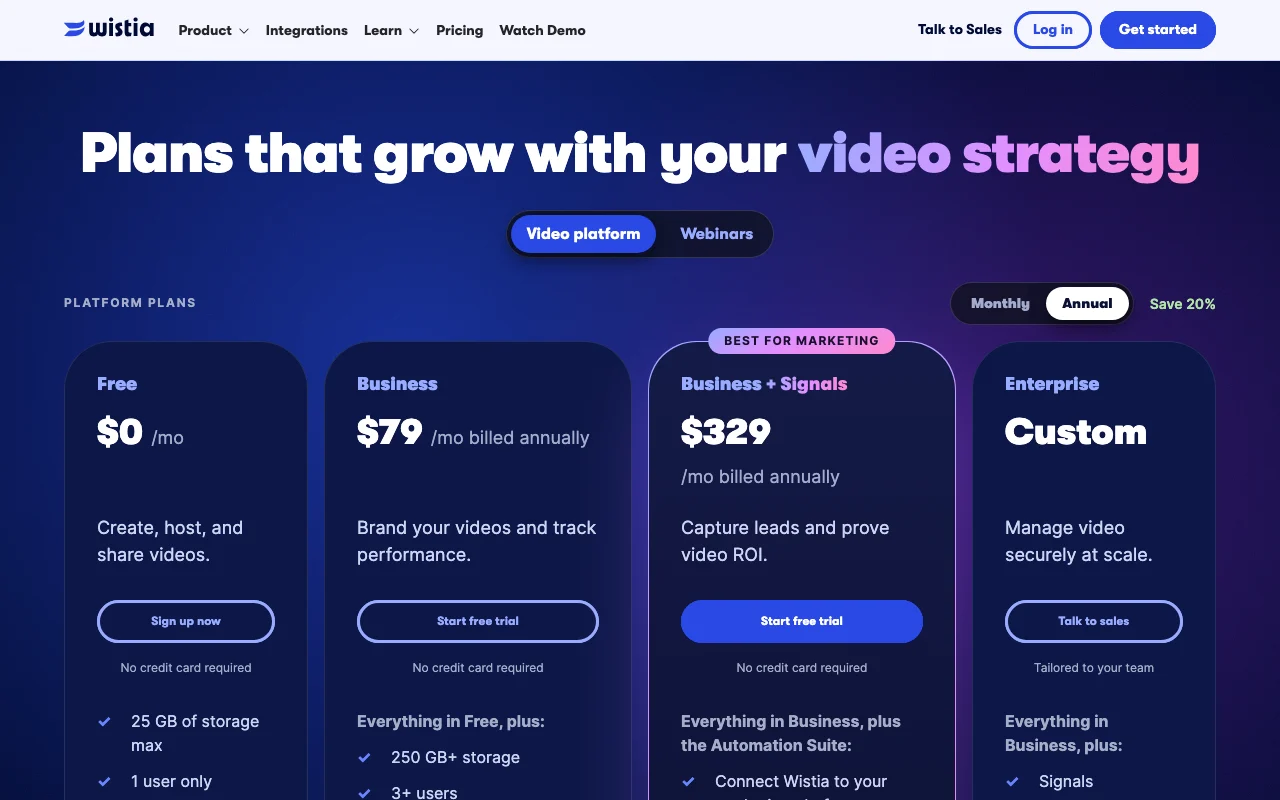
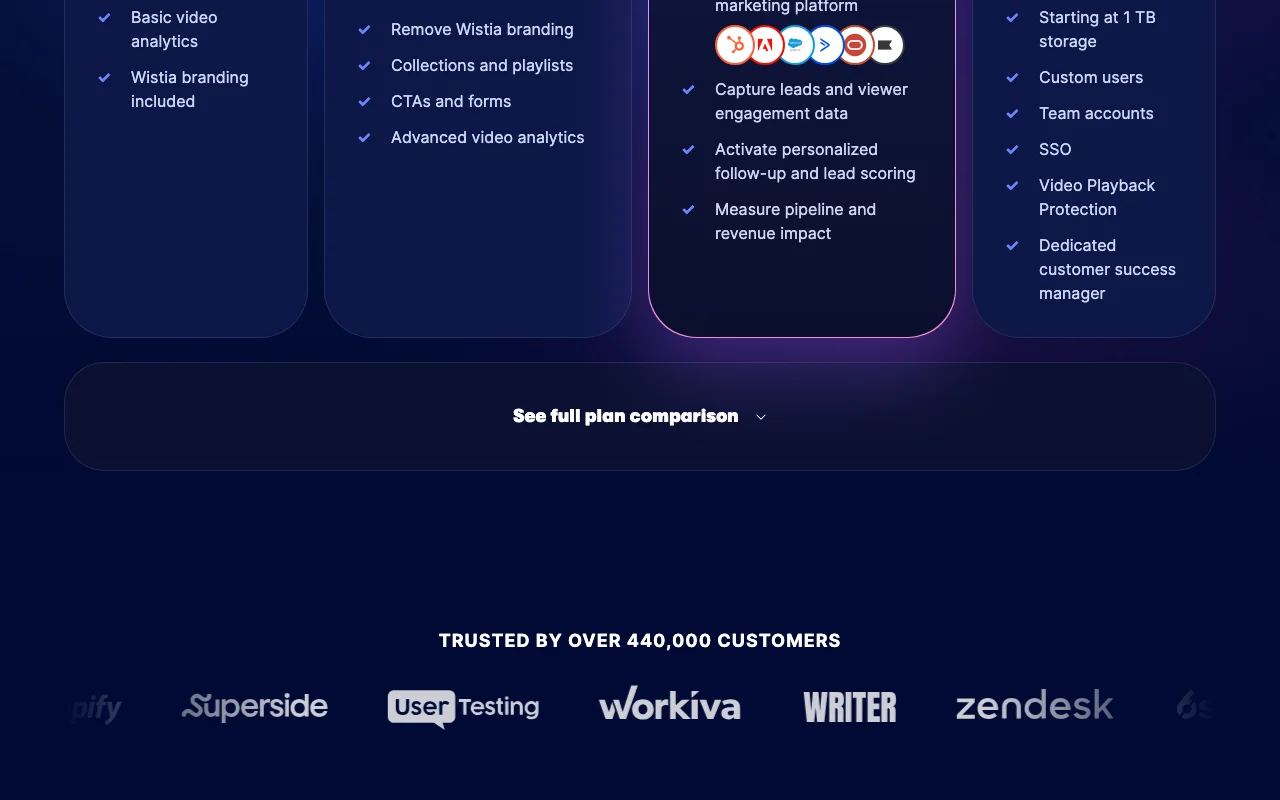
Wistia Remix pricing page with plans and prices — screenshot of the video AI tool, Oct 1, 2026
The official Wistia Remix pricing page as we saw it. wistia.com, captured Oct 1, 2026

Free access and trial conditions

Free plan, no credit card required.

Start free trial on Business and Business + Signals, no credit card.

Paid plans: what changes as you upgrade

Free web

Free source (opens in a new tab)

Month

For: Trying Remix

Limits

  • 25 GB storage
  • 1 user
1 more
  • 200 GB bandwidth

Includes

  • Agentic and transcript-based editing
  • AI highlights and social clips
1 more
  • Wistia branding included

Business web

$79/mo source (opens in a new tab)

Month, annual commitment

$79/month billed annually; extra users $25

For: Marketing teams

Limits

  • 250 GB+ storage
  • 3+ users

Includes

  • Remove Wistia branding
  • Collections and playlists
2 more
  • CTAs and forms
  • Advanced analytics

Business + Signals web

$329/mo source (opens in a new tab)

Month, annual commitment

$329/month billed annually

For: Marketing with lead capture

Limits

  • 250 GB+ storage
  • 3+ users

Includes

  • Automation Suite
  • Lead capture and scoring
1 more
  • Pipeline and revenue measurement

Enterprise sales

Custom pricing source (opens in a new tab)

For: Large organizations

Limits

  • Starting at 1 TB storage

Includes

  • SSO
  • Video Playback Protection
1 more
  • Dedicated customer success manager

Usage caps, credits and extra costs

Additional users $25 each on paid tiers.

What is Wistia Remix, and how does it work?

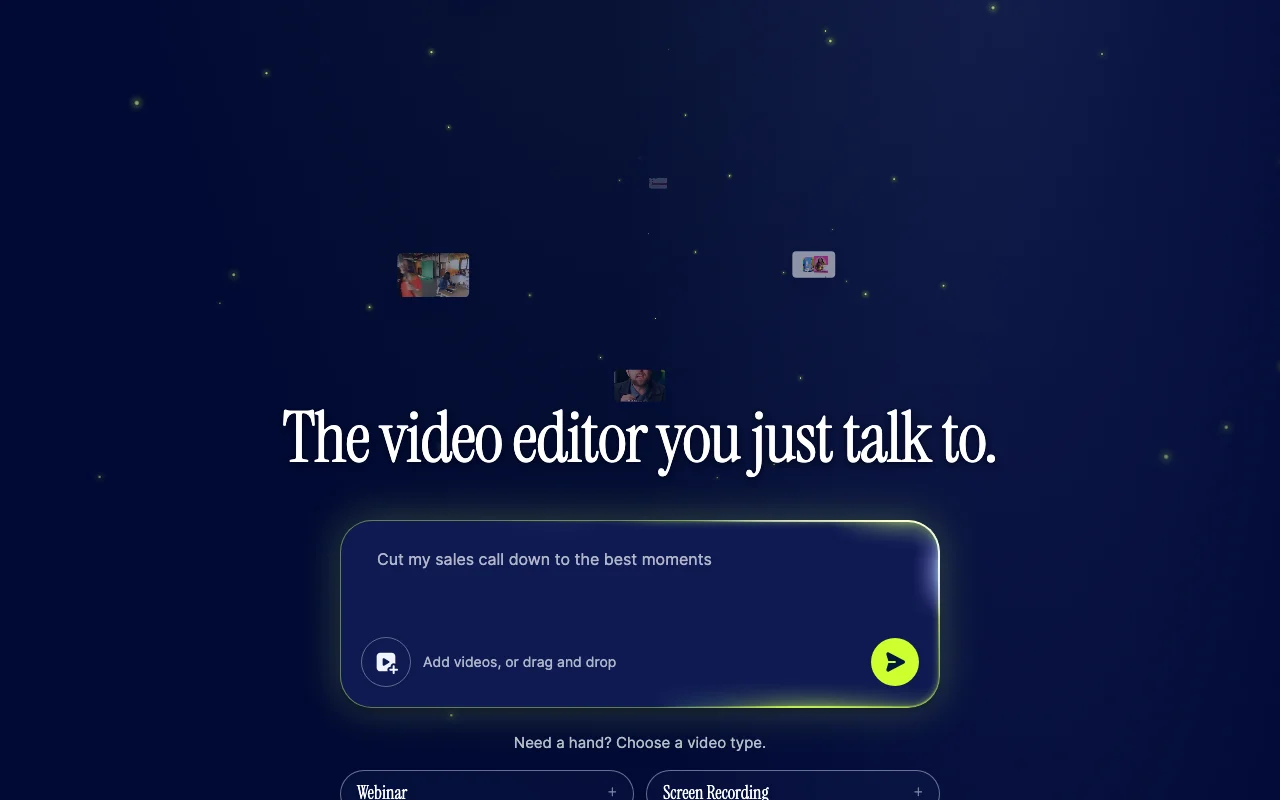
Wistia Remix is an agentic video editor inside Wistia. Users add recordings, podcasts, b-roll or a YouTube link, describe the result in plain language, and Remix assembles a multi-source cut. Results can be refined by chat, opened in the editor, or published and shared. Wistia also offers an MCP connection so agents such as Claude, ChatGPT or Cursor can request edits.

Wistia Remix homepage — screenshot of the video AI tool, Oct 1, 2026
Wistia Remix's official site: how the product presents itself. wistia.com, captured Oct 1, 2026

What you provide and what you get back

How Wistia Remix works: what you provide, where it runs and what you get backYOU PROVIDEYour inputRecordings, podcasts, b-roll or a…Plain-language editing requestsAgent requests through Wistia MCPVIDEOWistia RemixWeb, APIfrom $79/mo (Business)free tier availableaccount requiredchecked Oct 1, 2026YOU GET BACKThe resultMulti-source edited videoHighlight reels and social clipsCaptions and title cardsinput → Wistia Remix → output · from the vendor's own pages, no hands-on test unless stated
What you give Wistia Remix and what comes back, from its documentation

You provide

  • Recordings, podcasts, b-roll or a YouTube link
  • Plain-language editing requests
  • Agent requests through Wistia MCP

You get back

  • Multi-source edited video
  • Highlight reels and social clips
  • Captions and title cards

Where you can use it

Platforms
Web, API
Account
Required
Free storage
25 GB, 1 user
Business storage
250 GB+, 3+ users
Agents
Wistia MCP for Claude, ChatGPT, Cursor
Video types
Webinar, screen recording, podcast, scripted
Annual discount
Save 20%

What people use Wistia Remix for

Scenarios are worked out by our editors from the documentation; the actual result depends on your input and plan.

Webinar recaps

Who
Marketing teams with webinars
You provide
A 48-minute webinar
Expected result
A 60-second highlight reel with captions
Plan needed
Free or Business
Limitation
Free keeps Wistia branding source (opens in a new tab)

Highlight reels

Who
Podcasters
You provide
A video podcast
Expected result
Social clips with the best moments
Plan needed
Free
Limitation
25 GB storage on Free source (opens in a new tab)

Social clips from podcasts

Who
Teams using AI agents
You provide
A request from Claude, ChatGPT or Cursor
Expected result
Edits created through Wistia MCP
Plan needed
Any plan with MCP
Limitation
Needs the MCP connection set up source (opens in a new tab)

What Wistia Remix does, and where it stops

Wistia Remix homepage — screenshot of the video AI tool, Oct 1, 2026
Feature overview on the official site. wistia.com, captured Oct 1, 2026

Chat-driven editing

Edits video through a chat conversation Replaces timeline work with plain-language direction

Access: Free and all tiersLimit: Needs a Wistia account source (opens in a new tab)

Multi-source video editing

Combines many sources into one cohesive multi-source video Produces a real edit rather than loose clips

Access: All plansLimit: Quality depends on source footage source (opens in a new tab)

Understands on-screen content and speech

Understands both what is on screen and what is said Finds the right moments and speakers

Access: All plansLimit: Understanding is AI-based source (opens in a new tab)

Captions and title cards via chat

Adds captions and title cards on request and opens results in the editor Lets you polish by chat or manually

Access: All plansLimit: Branding removal needs Business source (opens in a new tab)

Wistia Remix: strengths and limits

Reasons to choose Wistia Remix

Check before paying for Wistia Remix

How to use Wistia Remix for cutting a webinar into a highlight reel

Set up Wistia Remix

  1. Open the Wistia Remix page and choose a video type such as Webinar
  2. Sign up free with no credit card
  3. Drag and drop your recording or paste a YouTube link

Example: cutting a webinar into a highlight reel

  1. Type turn this 48-minute webinar into a 60-second highlight reel
  2. Review the cut Remix produces
  3. Ask for a punchier hook and a title card
  4. Publish and share or open in the editor

Review and export the result

  1. Watch the cut to confirm the strongest moments are kept
  2. Check captions for correct names and terms
Example prompt suggested by our editors (not a recorded output of the product)
Turn this 48-minute webinar into a 60-second highlight reel with captions

Wistia Remix API

Wistia Remix pricing page with plans and prices — screenshot of the video AI tool, Oct 1, 2026
Plan comparison on the official pricing page. wistia.com, captured Oct 1, 2026

API access and separate billing

Wistia Remix has no public API in its official documentation. MCP connection lets agents request edits; API listed.

Privacy, data use and commercial rights

Summarized from the vendor's current policies; this is not legal advice and a vendor's badge is not an independent audit.

How your inputs and outputs are handled

Privacy page not available.

Controls for business users

  • SSO on Enterprise
  • Video Playback Protection

Other tools to consider instead of Wistia Remix

"Better suited" is based on documented features and pricing, not on a head-to-head test.

Descript: better suited to

Runway: better suited to

Canva: better suited to

Alternatives
AlternativeWhen to choose itPricingLimitation
Descript——Compare
Runway——Compare
Canva——

Explore Wistia Remix further

Tools and guides near Wistia Remix

Wistia Remix user reviews

No user reviews yet.

Used Wistia Remix? Be the first to share your experience.

Write a review

Reviews are checked by a moderator before they appear. Your email is never published. Plain text only.

Your rating (required)

Show what you made or what went wrong. Images are published only if the review is approved; location data is removed.

    Wistia Remix FAQ

    Is Wistia Remix free?

    Yes. The free Wistia plan includes agentic and transcript-based editing, with 25 GB storage, 1 user and Wistia branding. source (opens in a new tab)

    What do paid plans cost?

    Business is $79/month billed annually, Business + Signals is $329/month billed annually, and Enterprise is custom. source (opens in a new tab)

    Can I use Remix from Claude or ChatGPT?

    Yes, through Wistia MCP, which also works with Cursor. source (opens in a new tab)

    What footage can I add?

    Recordings, podcasts, b-roll or a YouTube link, from one or many sources. source (opens in a new tab)

    How do I remove Wistia branding?

    Upgrade to Business or higher. source (opens in a new tab)

    Sources and review methodology

    Official sources and verification dates

    Not verified: Privacy policy (not available); Docs (not available); Monthly-billed prices; Export formats.

    How we documented and maintain this page

    Every fact about Wistia Remix above comes from the 2 official pages listed here, last compared on Oct 1, 2026; we have not run Wistia Remix ourselves, so it has no editorial score. How we check and re-check pages.

    Article updated Oct 10, 2026; prices checked Oct 1, 2026. Outbound links to vendors are plain links; we do not earn commissions. How we review · Report an error