VideoDocumented overviewLast checked Sep 29, 2026

Neyko FX: Pricing, Features & Best Use Cases

AI panel and toolkit for Adobe After Effects that builds effects from plain-language requests, plus free and one-time utilities.
Who Neyko FX fits

Choose Neyko FX if you work in After Effects and want to start free with 15 AI requests per month, then add cheap one-time utilities as needed. Based on the vendor's documentation, not on a hands-on test.

Best for: Motion designers

Also a good fit for

  • Video editors using After Effects
  • Post-production studios

Consider another tool if requires Adobe After Effects (AE 2022 or later)

Or if

  • AI features need a free account and internet connection
  • Free plan capped at 15 AI requests per month

Neyko FX pricing and usage limits

Prices checked Sep 29, 2026 on the official US pricing page. Official pricing ↗ Prices and limits change often.

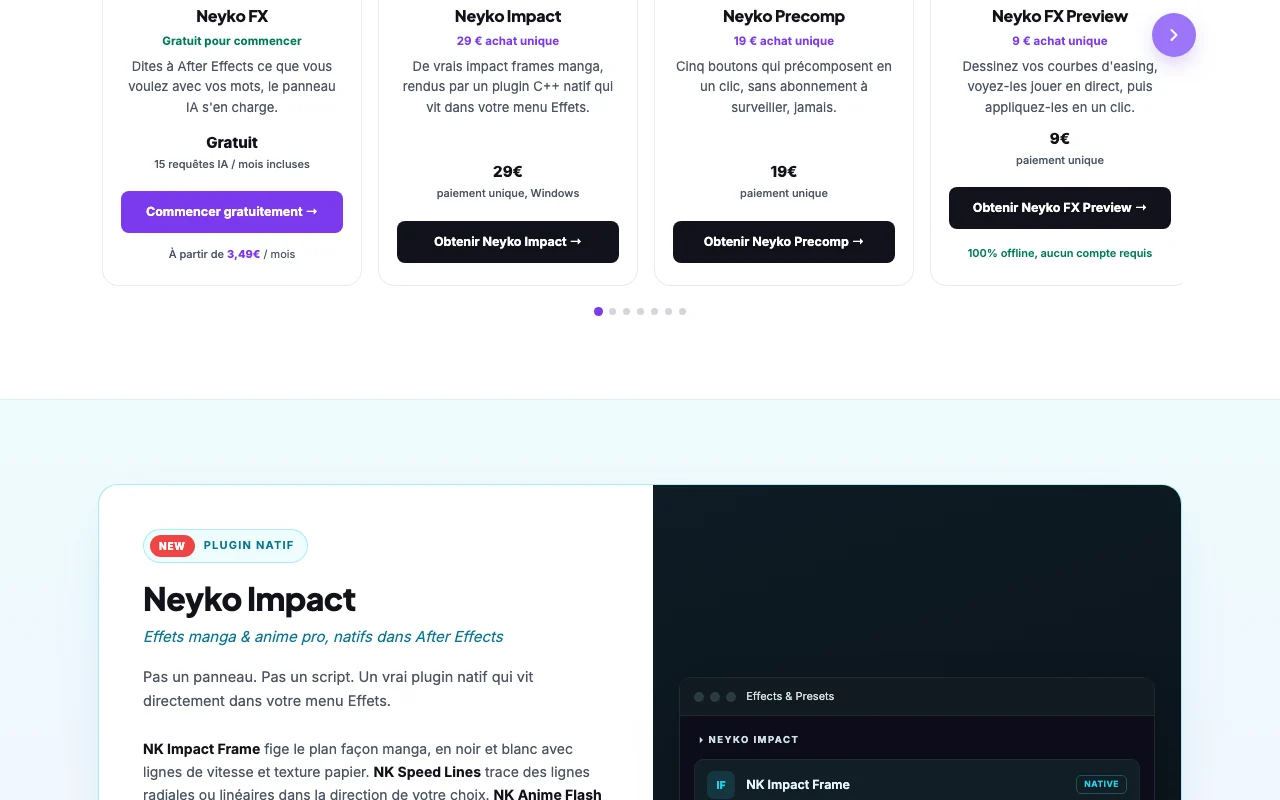
Neyko FX pricing page with plans and prices — screenshot of the video AI tool, Oct 1, 2026
The official Neyko FX pricing page as we saw it. neykofx.com, captured Oct 1, 2026

Free access and trial conditions

Neyko FX includes 15 AI requests per month free with no payment; Cleaner and Audio Visualizer are fully free.

Not stated beyond the free tier.

Paid plans: what changes as you upgrade

Neyko FX Free desktop

Free source (opens in a new tab)

Month

For: Trying the AI panel

Limits

  • 15 AI requests per month
  • Free account

Includes

  • AI panel in After Effects

Neyko FX paid desktop

See official pricing source (opens in a new tab)

Month

For: Regular AE users

Limits

  • Paid tiers not itemized on fetched page

Includes

  • Pro features such as Batch Replace Source

Neyko Impact desktop

See official pricing source (opens in a new tab)

One-time

For: Anime-style edits

Limits

  • Windows only; AE 2022+

Includes

  • Impact Frame
  • Speed Lines
1 more
  • Anime Flash

Neyko FX Preview / Editing Pack desktop

See official pricing source (opens in a new tab)

One-time

For: Easing and edit presets

Limits

  • Preview works offline without an account

Includes

  • Easing curve preview
  • Shakes, zooms and grades pack

Cleaner / Audio Visualizer desktop

Free source (opens in a new tab)

One-time

For: Everyone on AE

Limits

  • No account or card required

Includes

  • Project cleaner
  • 9-style audio visualizer

Usage caps, credits and extra costs

One-time tools are bought separately.

Not stated.

What is Neyko FX, and how does it work?

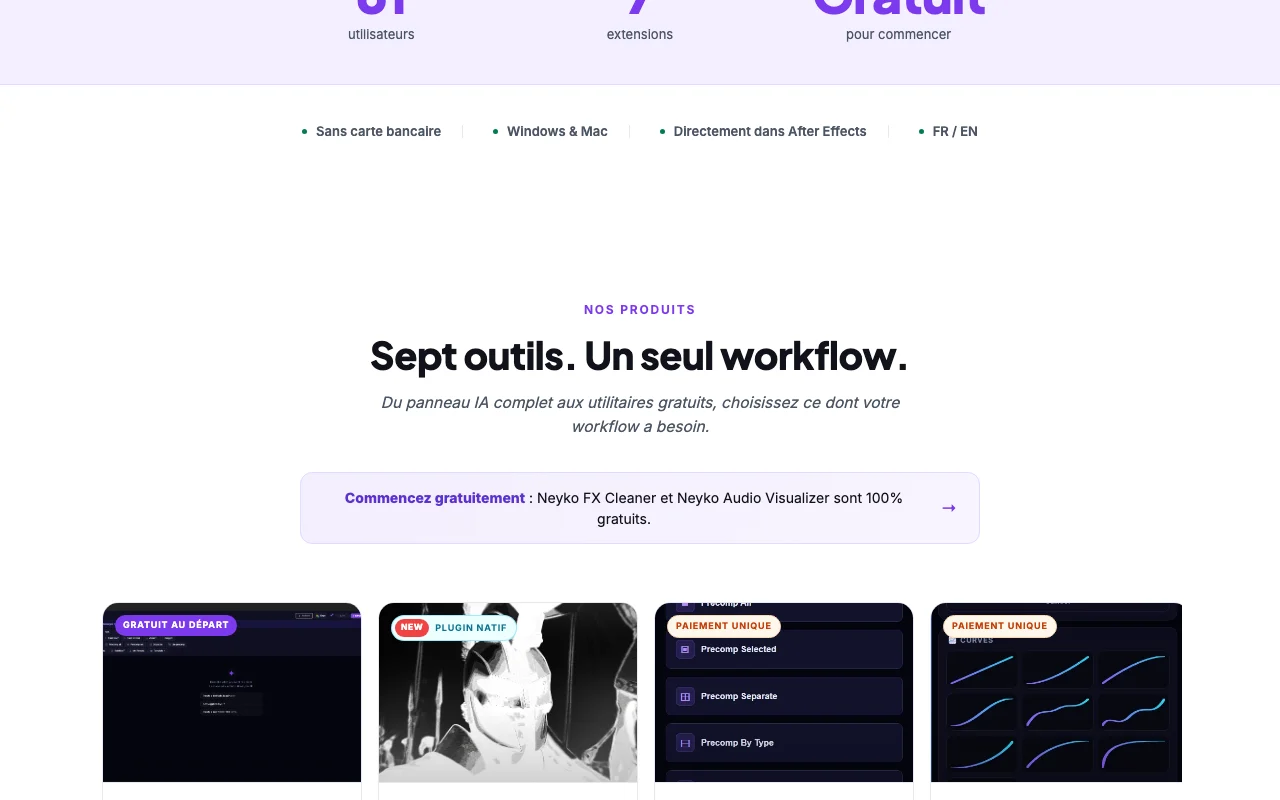
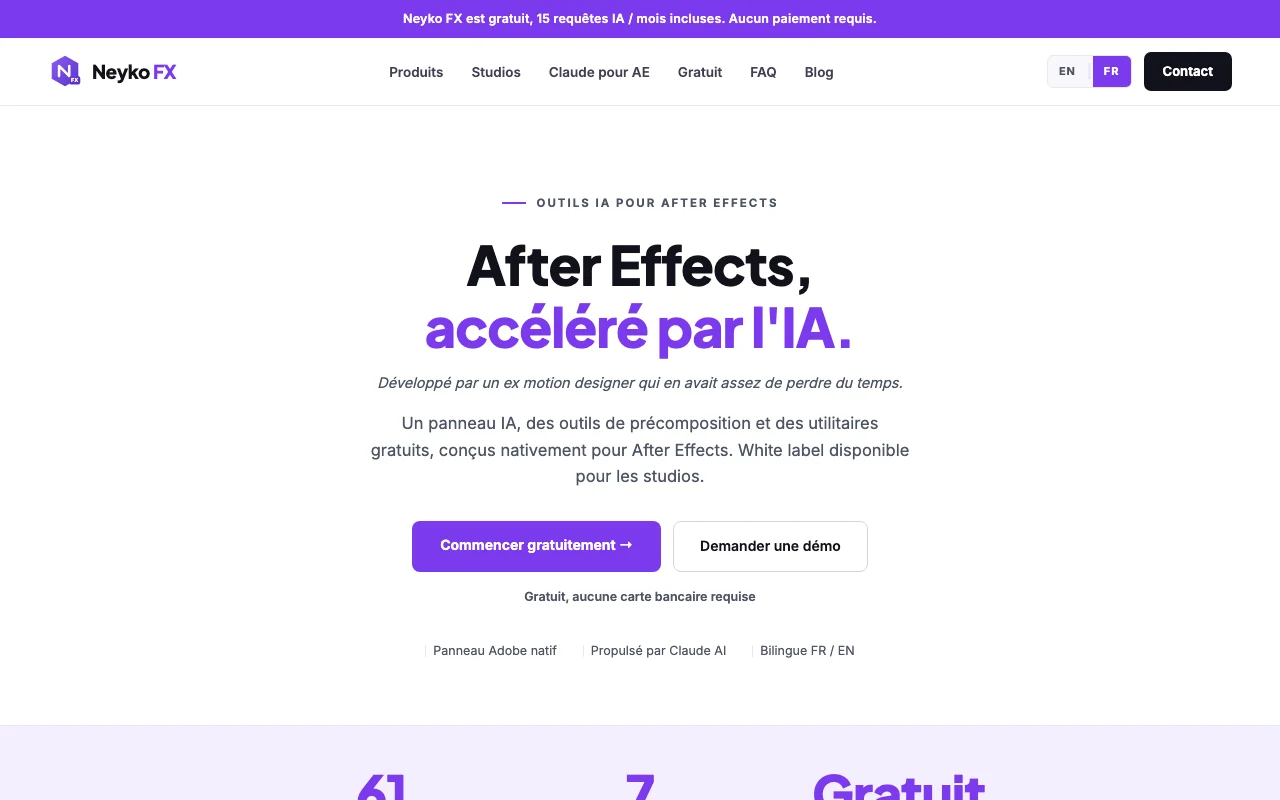
Neyko FX is a toolkit of extensions for Adobe After Effects built by a former motion designer. Its core product is an AI panel, powered by Claude, that runs inside After Effects and carries out requests written in plain language directly in the user's composition. Alongside the AI panel the site offers precompose tools, a native C++ manga-style effects plugin (Neyko Impact), an easing preview tool, an editing pack, and free utilities such as Neyko FX Cleaner and Neyko Audio Visualizer. The interface is bilingual French/English and a white-label option is offered to studios.

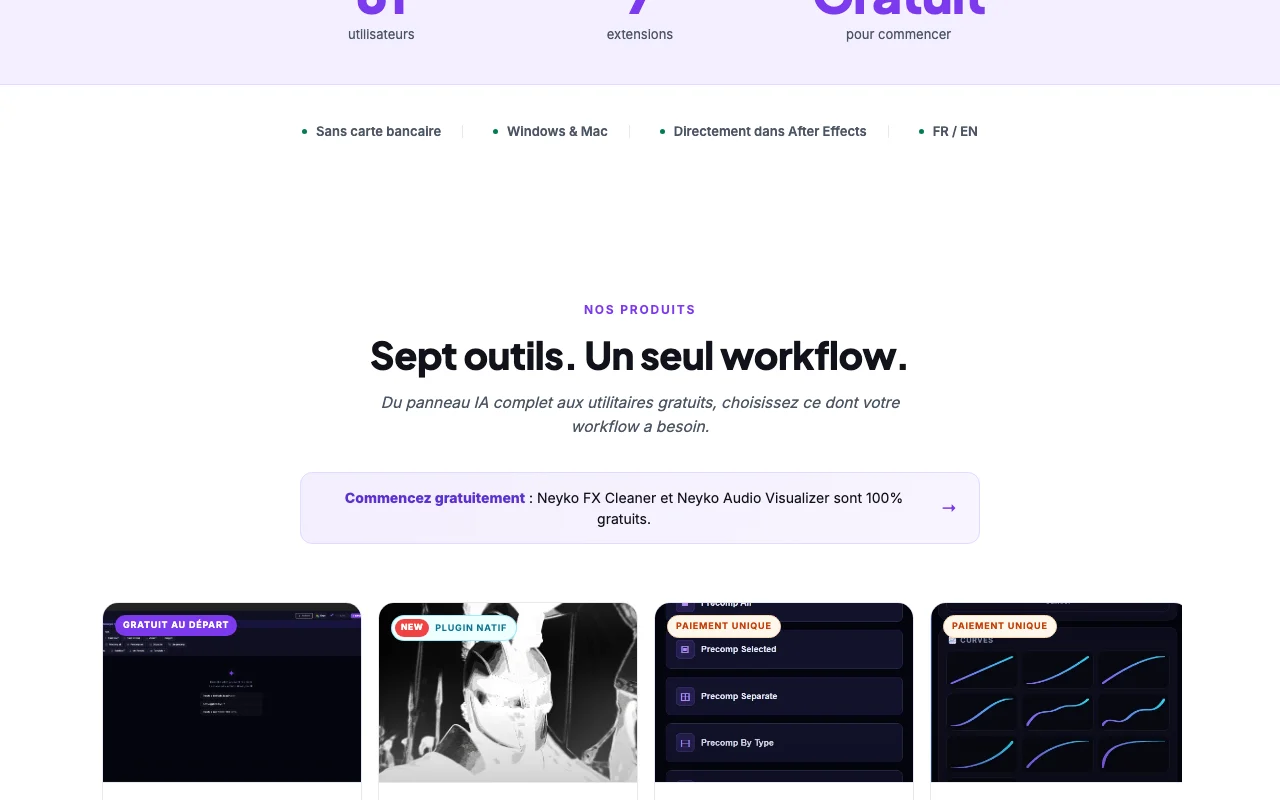
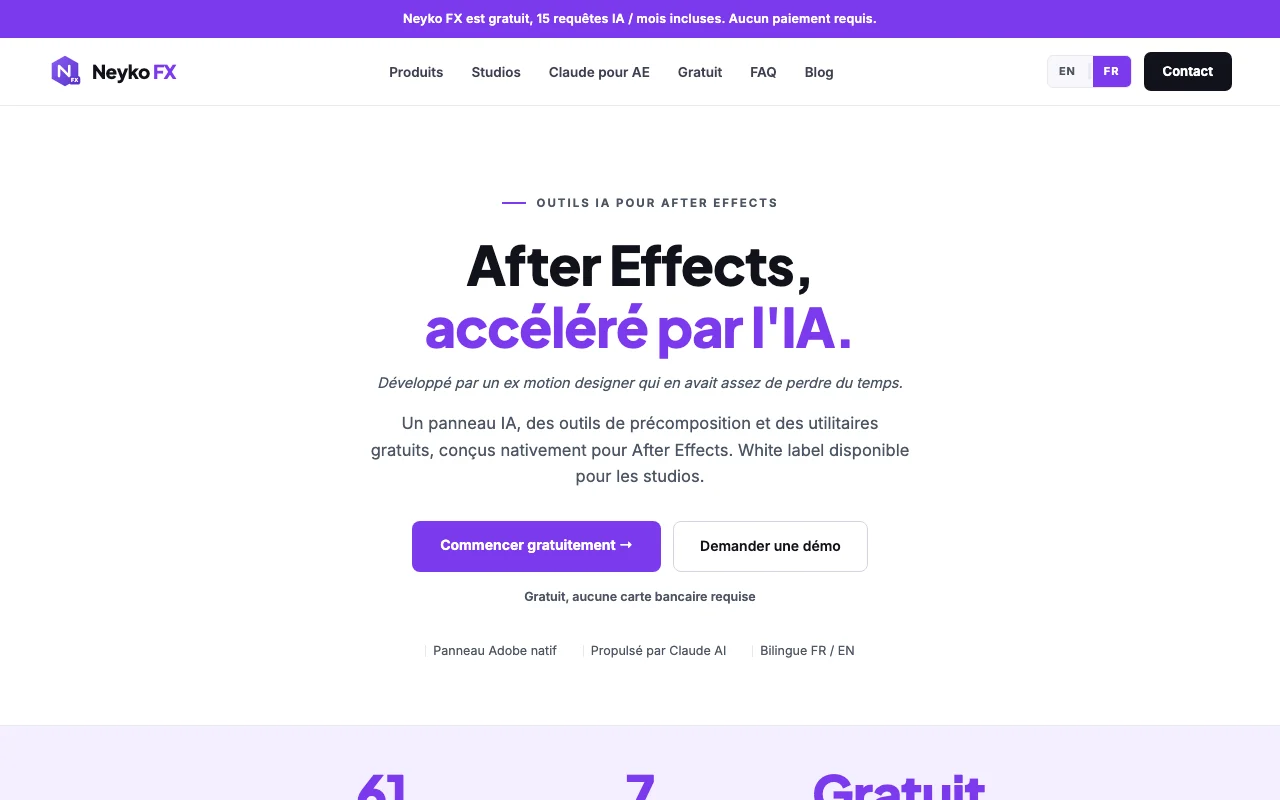
Neyko FX homepage — screenshot of the video AI tool, Oct 1, 2026
Neyko FX's official site: how the product presents itself. neykofx.com, captured Oct 1, 2026

What you provide and what you get back

How Neyko FX works: what you provide, where it runs and what you get backYOU PROVIDEYour inputPlain-language request typed in t…After Effects composition or proj…Audio track (Audio Visualizer)VIDEONeyko FXDesktopfree tier, paid price not publish…free tier availableaccount requiredchecked Sep 29, 2026YOU GET BACKThe resultEffects and layer setups built in…Cleaned and organized AE projectAudio-reactive visualsinput → Neyko FX → output · from the vendor's own pages, no hands-on test unless stated
What you give Neyko FX and what comes back, from its documentation

You provide

  • Plain-language request typed in the AI panel
  • After Effects composition or project
  • Audio track (Audio Visualizer)

You get back

  • Effects and layer setups built in the composition
  • Cleaned and organized AE project
  • Audio-reactive visuals

Where you can use it

Platforms
Desktop
Account
Required
Host app
Adobe After Effects
Platforms
Windows and macOS (Impact Windows only)
Languages
French/English interface
Free AI quota
15 requests per month

Best use cases for Neyko FX

Scenarios are worked out by our editors from the documentation; the actual result depends on your input and plan.

Automating repetitive After Effects tasks with text prompts

Who
Motion designers in After Effects
You provide
Plain-language request in the panel
Expected result
Effect or layer setup built in the composition
Plan needed
Free (15 requests/month) or paid
Limitation
Free tier capped at 15 AI requests per month source (opens in a new tab)

Cleaning and organizing messy After Effects projects

Who
Editors with messy projects
You provide
Existing AE project
Expected result
Cleaned, sorted project with missing/unused assets spotted
Plan needed
Free (Neyko FX Cleaner)
Limitation
After Effects only source (opens in a new tab)

Creating audio-reactive visuals

Who
Music-video and social editors
You provide
Audio track
Expected result
Audio-reactive visuals in 9 styles
Plan needed
Free (Audio Visualizer)
Limitation
After Effects only source (opens in a new tab)

What Neyko FX does, and where it stops

Neyko FX homepage — screenshot of the video AI tool, Oct 1, 2026
Feature overview on the official site. neykofx.com, captured Oct 1, 2026

AI panel inside After Effects driven by plain-language requests

AI panel inside After Effects that carries out plain-language requests in your composition. Automates repetitive AE tasks.

Access: Free account; 15 requests/month freeLimit: Needs an internet connection. source (opens in a new tab)

Free plan with 15 AI requests per month

Free panel that removes empty layers, guides and markers, sorts layers and reports project stats. Tidies projects in one click.

Access: Free, no accountLimit: After Effects only. source (opens in a new tab)

Neyko FX Cleaner: 16 free project utilities

Free utility that animates visuals to an audio track in 9 styles. Quick audio-reactive visuals.

Access: Free, no accountLimit: Styles limited to the 9 offered. source (opens in a new tab)

Neyko Audio Visualizer with 9 audio-reactive styles

Native C++ plugin (Neyko Impact) adding manga impact frames, speed lines and anime flashes. Anime-style effects in the Effects menu.

Access: EUR 29 one-timeLimit: Windows only for now. source (opens in a new tab)

Pros, cons and deal-breakers

Where Neyko FX is strong

Limitations to check before paying

How to use Neyko FX for automating an After Effects task with the AI panel

Set up Neyko FX

  1. Download Neyko FX from the site and run the installer.
  2. Open After Effects (CC 2021 or later) and open the Neyko FX panel.
  3. Create the free account and sign in.

Example: automating an After Effects task with the AI panel

  1. Open a composition.
  2. Type a plain-language request in the panel.
  3. Review the layers and effects it built.
  4. Rate the result in the panel or adjust manually.

Review and export the result

  1. Scrub the timeline to confirm the effect behaves as requested.
  2. Undo in After Effects if the result is wrong.
Example prompt suggested by our editors (not a recorded output of the product)
Stagger the selected layers into a staircase with a 5-frame offset.

Neyko FX API

Neyko FX pricing page with plans and prices — screenshot of the video AI tool, Oct 1, 2026
Plan comparison on the official pricing page. neykofx.com, captured Oct 1, 2026

API access and separate billing

Neyko FX has no public API in its official documentation. Not stated.

Privacy, data use and commercial rights

Summarized from the vendor's current policies; this is not legal advice and a vendor's badge is not an independent audit.

How your inputs and outputs are handled

AI requests are sent over the internet to the AI service; the panel is installed locally.

Policies: neykofx.com/privacy

Neyko FX alternatives by need

"Better suited" is based on documented features and pricing, not on a head-to-head test.

Runway: better suited to

Descript: better suited to

Claude: better suited to

Alternatives
AlternativeWhen to choose itPricingLimitation
Runway——Compare
Descript——Compare
Claude——

Explore Neyko FX further

Related to Neyko FX

Neyko FX user reviews

No user reviews yet.

Used Neyko FX? Be the first to share your experience.

Write a review

Reviews are checked by a moderator before they appear. Your email is never published. Plain text only.

Your rating (required)

Show what you made or what went wrong. Images are published only if the review is approved; location data is removed.

    Neyko FX FAQ

    Is Neyko FX free?

    Yes to start: 15 AI requests per month are included with no payment. source (opens in a new tab)

    Which After Effects versions work?

    The site states AE CC 2021 and later (v18+) on Windows and macOS; Neyko Impact lists AE 2022 and later. source (opens in a new tab)

    Does it need internet?

    Yes, to talk to the AI; the panel itself is installed locally. source (opens in a new tab)

    Which tools work offline?

    Neyko FX Preview is stated as 100% offline with no account; Cleaner and Audio Visualizer need no account. source (opens in a new tab)

    Does Neyko Impact run on Mac?

    Not yet: Windows 10/11 only, Mac version stated as coming soon. source (opens in a new tab)

    Sources and review methodology

    Official sources and verification dates

    Not verified: Vendor name; USD prices (EUR only); Paid AI tier details; Privacy policy details (page returned homepage); Data retention and training use; API.

    How we documented and maintain this page

    Every fact about Neyko FX above comes from the 3 official pages listed here, last compared on Sep 29, 2026; we have not run Neyko FX ourselves, so it has no editorial score. How we check and re-check pages.

    Article updated Oct 10, 2026; prices checked Sep 29, 2026. Outbound links to vendors are plain links; we do not earn commissions. How we review · Report an error