Productivity & writingDocumented overviewLast checked Sep 29, 2026

HelpCrunch: Pricing, Features & Best Use Cases

Customer communication platform with live chat, shared inbox, AI chatbot, knowledge base, email marketing and popups.
Is HelpCrunch right for you?

HelpCrunch suits small and mid-size businesses that want live chat, a shared inbox and an AI chatbot in one tool and can configure plan size with the pricing sliders. Based on the vendor's documentation, not on a hands-on test.

Best for: Small and mid-size support teams

Also a good fit for

  • SaaS and e-commerce sites
  • Teams migrating from Intercom or Zendesk

Consider another tool if aI conversations beyond the free limit are paid extensions

Or if

  • Pricing is configured through sliders, so plan prices are not fixed on the page
  • Account required

HelpCrunch pricing and usage limits

Prices checked Sep 29, 2026 on the official US pricing page. Official pricing ↗ Prices and limits change often.

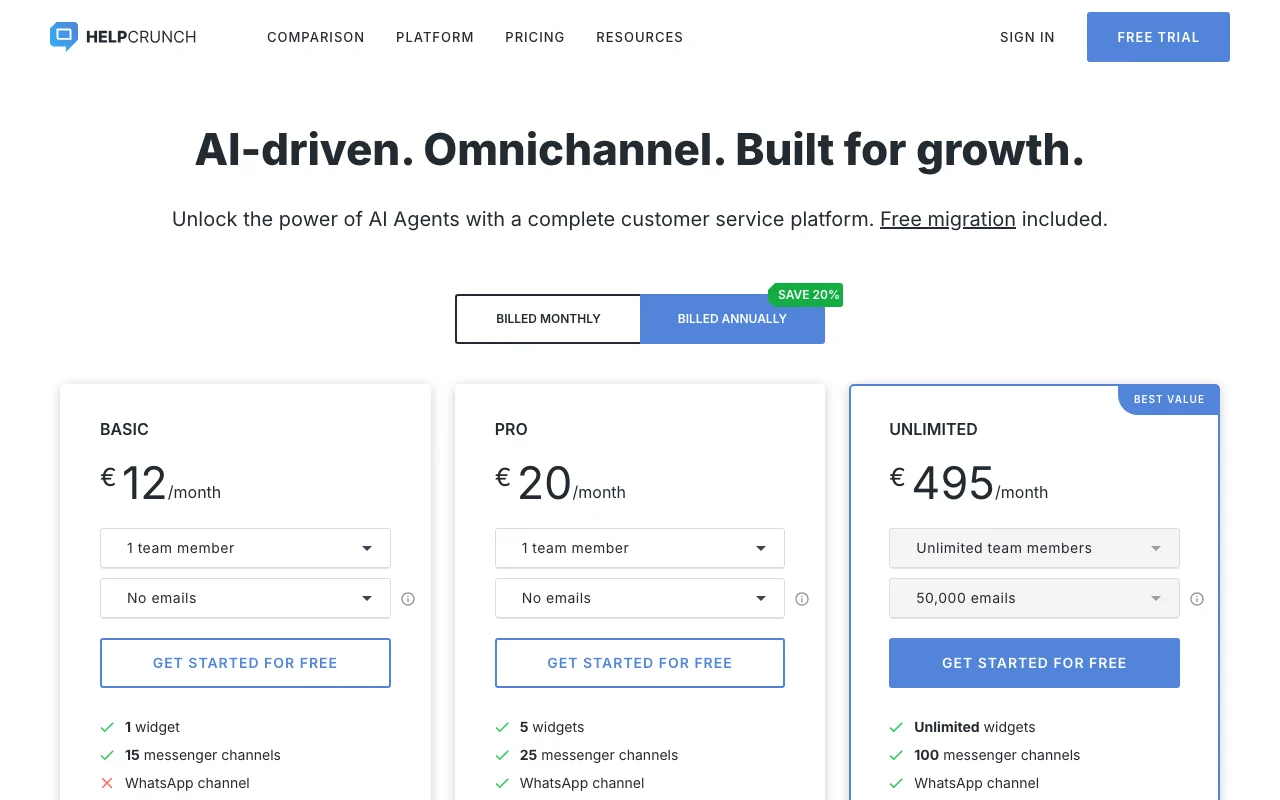
HelpCrunch pricing page with plans and prices — screenshot of the productivity & writing AI tool, Oct 1, 2026
The official HelpCrunch pricing page as we saw it. helpcrunch.com, captured Oct 1, 2026

Free access and trial conditions

No free plan; free trial offered.

Free trial, length not stated on fetched pages.

Paid plans: what changes as you upgrade

Basic web

See official pricing source (opens in a new tab)

Month

Annual billing saves 20%

For: Small teams

Limits

  • Priced by seat count (1 to 20) and email volume (up to 200,000)

Includes

  • Live chat, shared inbox
  • Free trial

Pro web

See official pricing source (opens in a new tab)

Month

Annual billing saves 20%

For: Teams needing AI agents

Limits

  • Priced by seat count and email volume (5,000 to 1,000,000)
  • Includes a free monthly AI conversation limit

Includes

  • AI agents
  • Free trial

Unlimited web

See official pricing source (opens in a new tab)

Month

For: Larger teams

Limits

  • Unlimited team members
  • 50,000 emails

Includes

  • All Pro capabilities per page listing

AI conversations extension web

$29 source (opens in a new tab)

Month

Currency not labeled on the page; assumed USD from the seed

For: Heavy chatbot traffic

Limits

  • 100 for $29, 500 for $125, 1,000 for $200
  • Billed monthly; 20% less annually

Includes

  • Added on top of free monthly limit

Usage caps, credits and extra costs

AI conversations and AI data source extensions are paid add-ons.

Not stated.

What is HelpCrunch, and how does it work?

HelpCrunch is a customer service platform combining live chat, a shared inbox, a chatbot with AI agents, a knowledge base, email campaigns and popups. It collects chat, email and messenger conversations in one dashboard. Developers get a JavaScript API, REST API, webhooks and iOS, Android and React Native SDKs. AI usage is metered by monthly conversations and data sources.

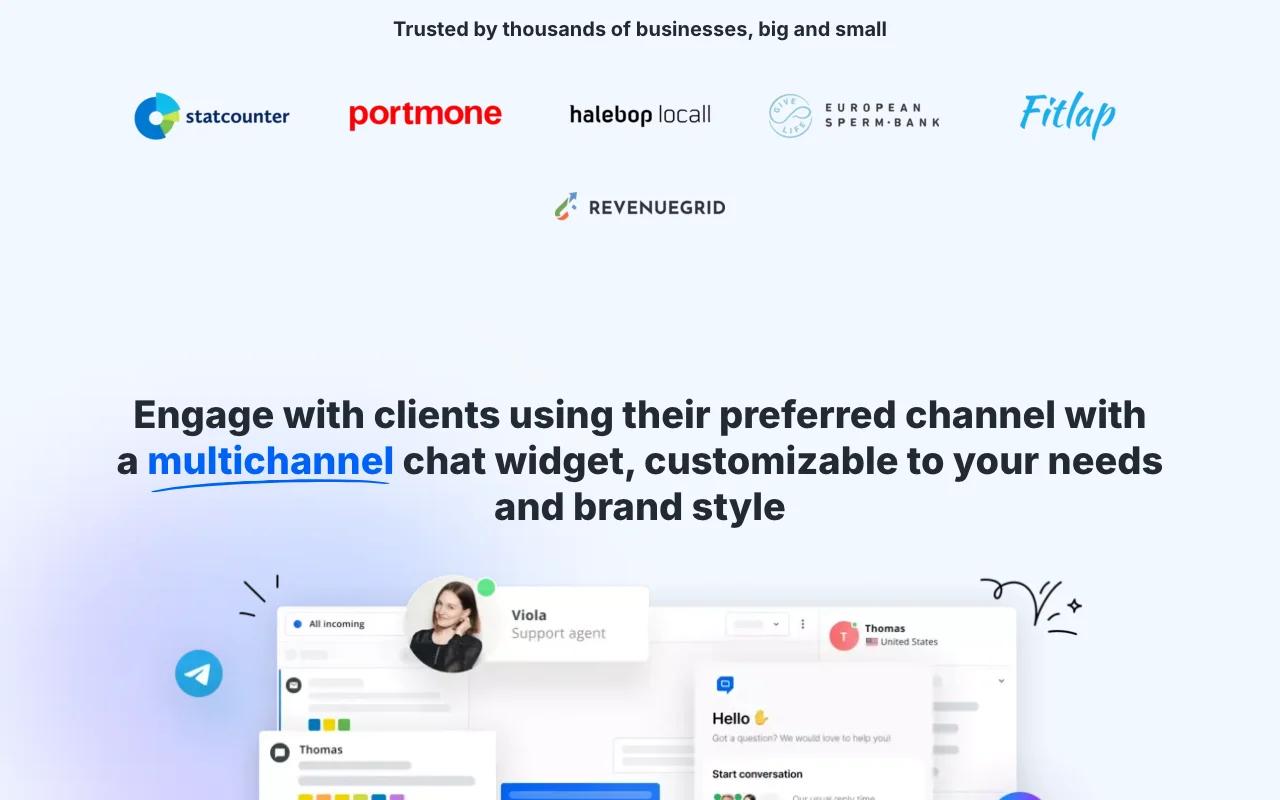
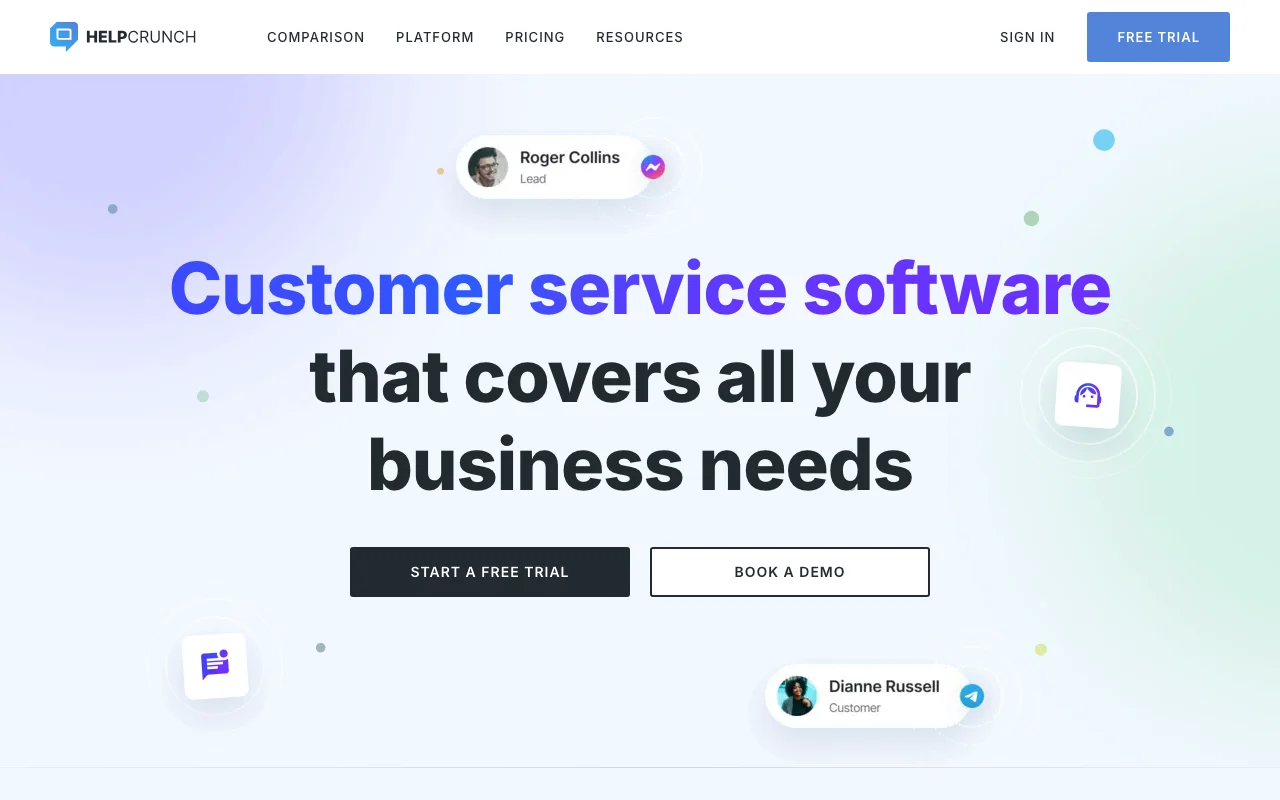
HelpCrunch homepage — screenshot of the productivity & writing AI tool, Oct 1, 2026
HelpCrunch's official site: how the product presents itself. helpcrunch.com, captured Oct 1, 2026

What you provide and what you get back

How HelpCrunch works: what you provide, where it runs and what you get backYOU PROVIDEYour inputVisitor messages from the chat wi…Help articles and custom answers…Email lists for campaignsPRODUCTIVITY & WRITINGHelpCrunchWeb, Mobile, APIfrom $29/mo (AI conversations ext…no free tieraccount requiredchecked Sep 29, 2026YOU GET BACKThe resultAI chatbot answers and qualified…Shared inbox replies across chann…Help center articles and email ca…input → HelpCrunch → output · from the vendor's own pages, no hands-on test unless stated
What you give HelpCrunch and what comes back, from its documentation

You provide

  • Visitor messages from the chat widget and mobile SDK
  • Help articles and custom answers for AI training
  • Email lists for campaigns

You get back

  • AI chatbot answers and qualified leads
  • Shared inbox replies across channels
  • Help center articles and email campaigns

Where you can use it

Platforms
Web, Mobile, API
Account
Required
SDKs
iOS, Android, React Native
APIs
JavaScript API, REST API, webhooks
Channels
Live chat, email, shared inbox
Email volume tiers
Up to 200,000 (Basic) / 1,000,000 (Pro)
AI add-ons
Conversations and data sources

Where HelpCrunch is most useful

Scenarios are worked out by our editors from the documentation; the actual result depends on your input and plan.

Live chat support

Who
Support teams
You provide
Visitors writing in via the site widget
Expected result
Agent replies in a shared inbox
Plan needed
Basic or Pro
Limitation
Priced by seats source (opens in a new tab)

Lead qualification via chatbot

Who
Marketing and sales teams
You provide
Chatbot flow and qualifying questions
Expected result
Qualified leads handed to sales
Plan needed
Pro
Limitation
AI conversations capped by plan limit source (opens in a new tab)

Help center knowledge base

Who
Product teams with a mobile app
You provide
iOS, Android or React Native SDK
Expected result
In-app support chat
Plan needed
Any paid plan
Limitation
Needs developer integration source (opens in a new tab)

What HelpCrunch does, and where it stops

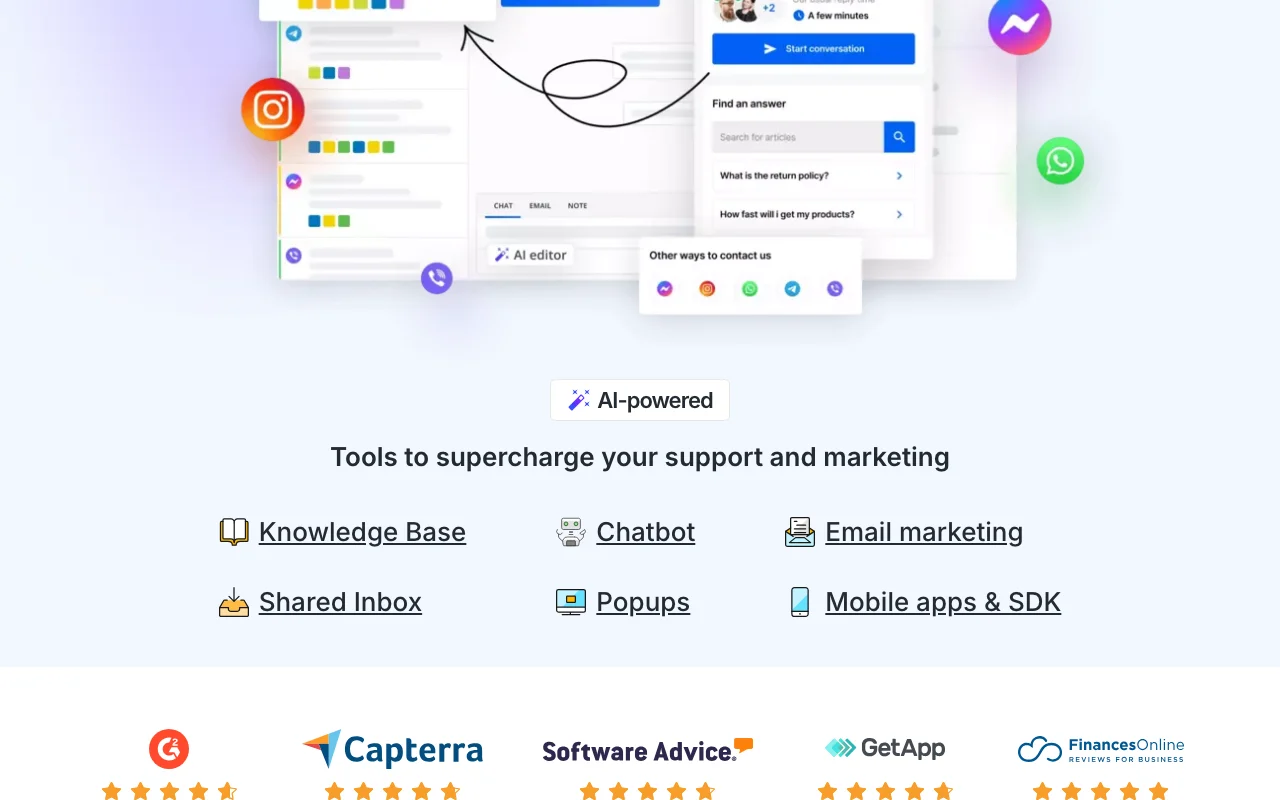
HelpCrunch homepage — screenshot of the productivity & writing AI tool, Oct 1, 2026
Feature overview on the official site. helpcrunch.com, captured Oct 1, 2026

Live chat widget

Embeds a live chat widget on a website Talk to visitors in real time

Access: All plansLimit: Seat-based pricing source (opens in a new tab)

Shared inbox across channels

Merges communication channels in one shared inbox Single place to reply

Access: All plansLimit: AI assistance varies by plan source (opens in a new tab)

AI agents chatbot

Runs an AI chatbot trained on custom answers and knowledge base articles Answers 24/7 and qualifies leads

Access: Pro and up with a free monthly limitLimit: Extensions cost $29 per 100 conversations source (opens in a new tab)

Knowledge base editor

Edits and publishes a knowledge base with AI help Self-service for customers

Access: Platform featureLimit: Data source count capped, extensions from $5 per 100 source (opens in a new tab)

Pros, cons and deal-breakers

Reasons to choose HelpCrunch

Check before paying for HelpCrunch

How to use HelpCrunch for adding live chat and an AI chatbot to a website

Set up HelpCrunch

  1. Start the free trial from the pricing page
  2. Add the chat widget code to your website
  3. Invite teammates as seats
  4. Add custom answers and knowledge base articles as AI data sources

Example: adding live chat and an AI chatbot to a website

  1. Build a chatbot flow that asks for email
  2. Let the AI agent answer product questions
  3. Route sales questions to the shared inbox
  4. Publish three help articles

Review and export the result

  1. Send test chats from a private window
  2. Check AI conversation usage against the plan limit

HelpCrunch API

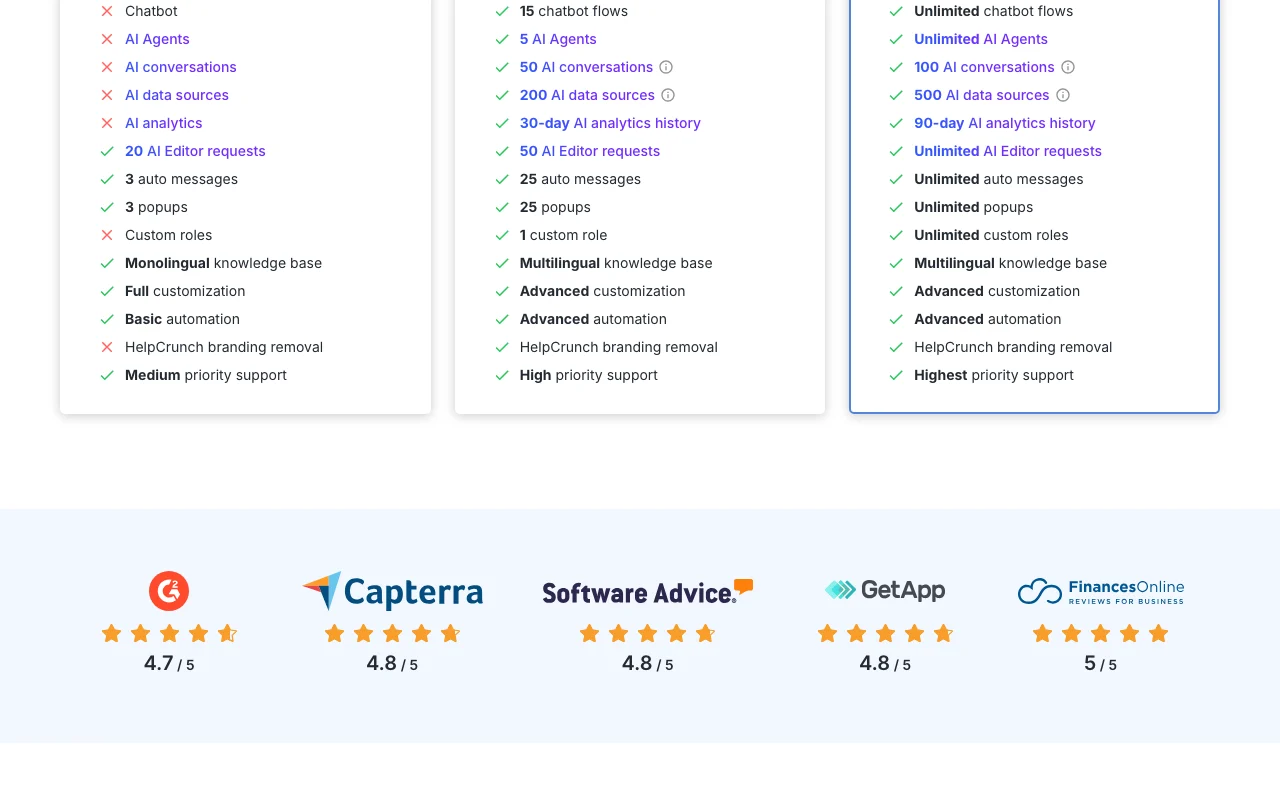
HelpCrunch pricing page with plans and prices — screenshot of the productivity & writing AI tool, Oct 1, 2026
Plan comparison on the official pricing page. helpcrunch.com, captured Oct 1, 2026

API access and separate billing

HelpCrunch has no public API in its official documentation. JavaScript API, REST API, webhooks and mobile SDKs listed in the site navigation.

Privacy, data use and commercial rights

Summarized from the vendor's current policies; this is not legal advice and a vendor's badge is not an independent audit.

How your inputs and outputs are handled

Chats, customer data and knowledge content are stored in your HelpCrunch account.

Best HelpCrunch alternatives for different needs

"Better suited" is based on documented features and pricing, not on a head-to-head test.

Microsoft Copilot: better suited to

Alternatives
AlternativeWhen to choose itPricingLimitation
Microsoft Copilot——

Explore HelpCrunch further

Tools and guides near HelpCrunch

HelpCrunch user reviews

No user reviews yet.

Used HelpCrunch? Be the first to share your experience.

Write a review

Reviews are checked by a moderator before they appear. Your email is never published. Plain text only.

Your rating (required)

Show what you made or what went wrong. Images are published only if the review is approved; location data is removed.

    HelpCrunch FAQ

    How much does HelpCrunch cost?

    Base plan prices come from sliders for seats and email volume and were not visible; AI conversation extensions start at $29 per month for 100. source (opens in a new tab)

    How much extra do AI conversations cost?

    100 conversations are 29, 500 are 125, 1,000 are 200 and 10,000 are 1,000 per month billed monthly; annual billing is 20% lower. source (opens in a new tab)

    What does the annual discount give?

    The pricing page says Save 20% when billed annually. source (opens in a new tab)

    Which plans include AI agents?

    The page says all plans starting from Pro include a free monthly AI conversation limit. source (opens in a new tab)

    Does HelpCrunch offer mobile SDKs?

    Yes: iOS, Android and React Native SDKs plus JavaScript and REST APIs and webhooks. source (opens in a new tab)

    Sources and review methodology

    Official sources and verification dates

    Not verified: base plan prices; currency of AI extension prices; trial length; privacy terms; docs.

    How we documented and maintain this page

    Every fact about HelpCrunch above comes from the 2 official pages listed here, last compared on Sep 29, 2026; we have not run HelpCrunch ourselves, so it has no editorial score. How we check and re-check pages.

    Article updated Oct 10, 2026; prices checked Sep 29, 2026. Outbound links to vendors are plain links; we do not earn commissions. How we review · Report an error