Our take: Xurrent suits mid-size and large organizations that want ITSM, enterprise service management and incident response from one vendor, with Sera AI included in every plan according to its pricing page.
Main limitation: Prices are not published; every license plan requires contacting Xurrent.
By the AI Tool Atlas editors.
Based on the vendor's official documentation; we have not tested this product hands-on. What “documented overview” means
Is Xurrent right for you?
Xurrent suits mid-size and large organizations that want ITSM, enterprise service management and incident response from one vendor, with Sera AI included in every plan according to its pricing page. Based on the vendor's documentation, not on a hands-on test.
Best for: IT service desks
Also a good fit for
Enterprises consolidating ITSM and ESM
Incident response teams
Consider another tool if no prices shown on pricing page
Or if
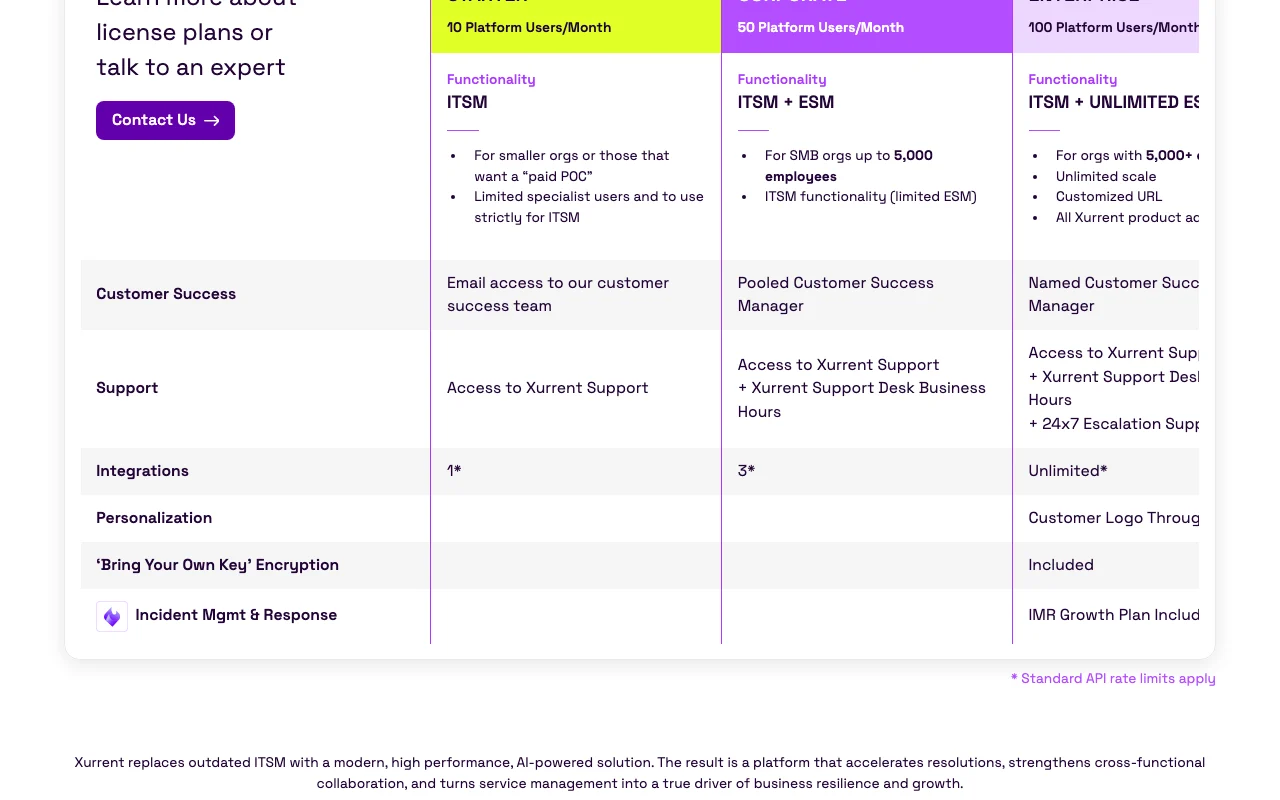
Pricing tiers are by platform user counts and need contacting sales
Starter limited to ITSM and few specialist users
Xurrent pricing and usage limits
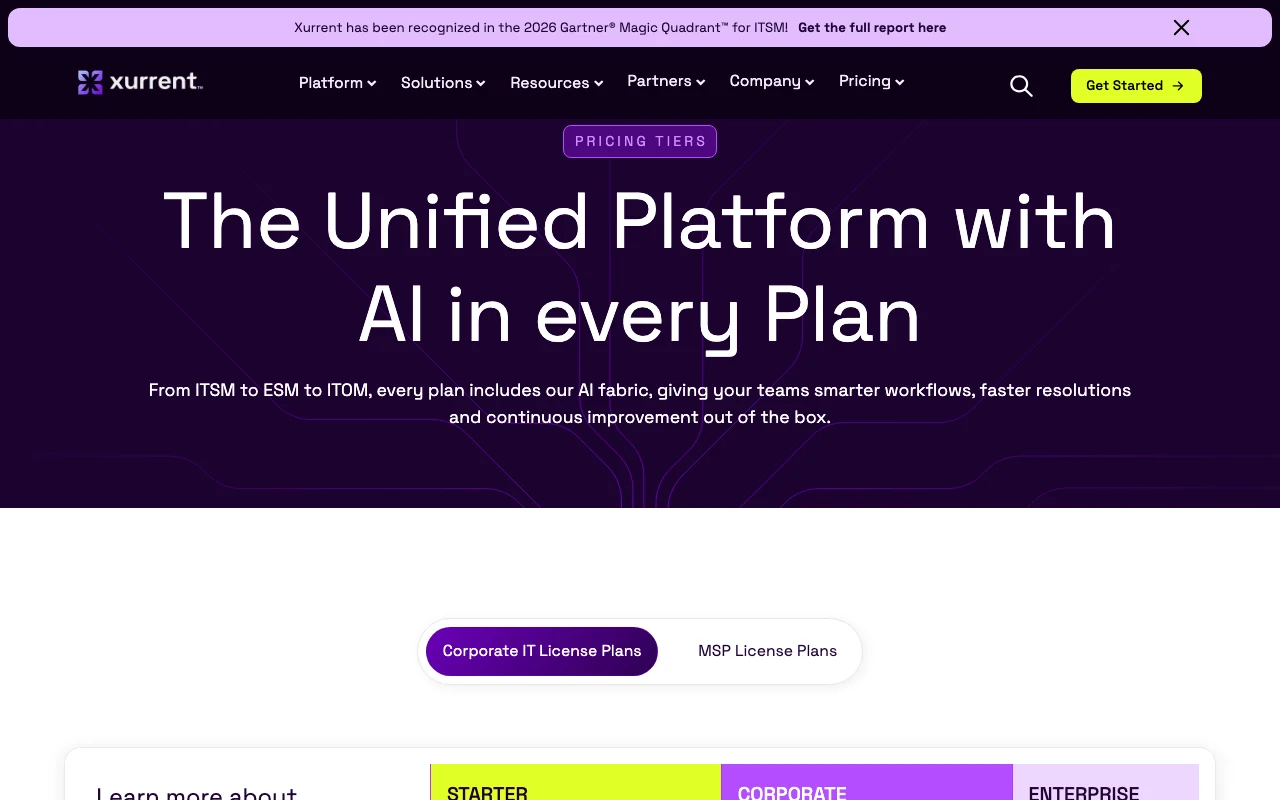
Prices checked Oct 2, 2026 on the official US pricing page. Official pricing ↗ Prices and limits change often.
The official Xurrent pricing page as we saw it. xurrent.com, captured Oct 2, 2026
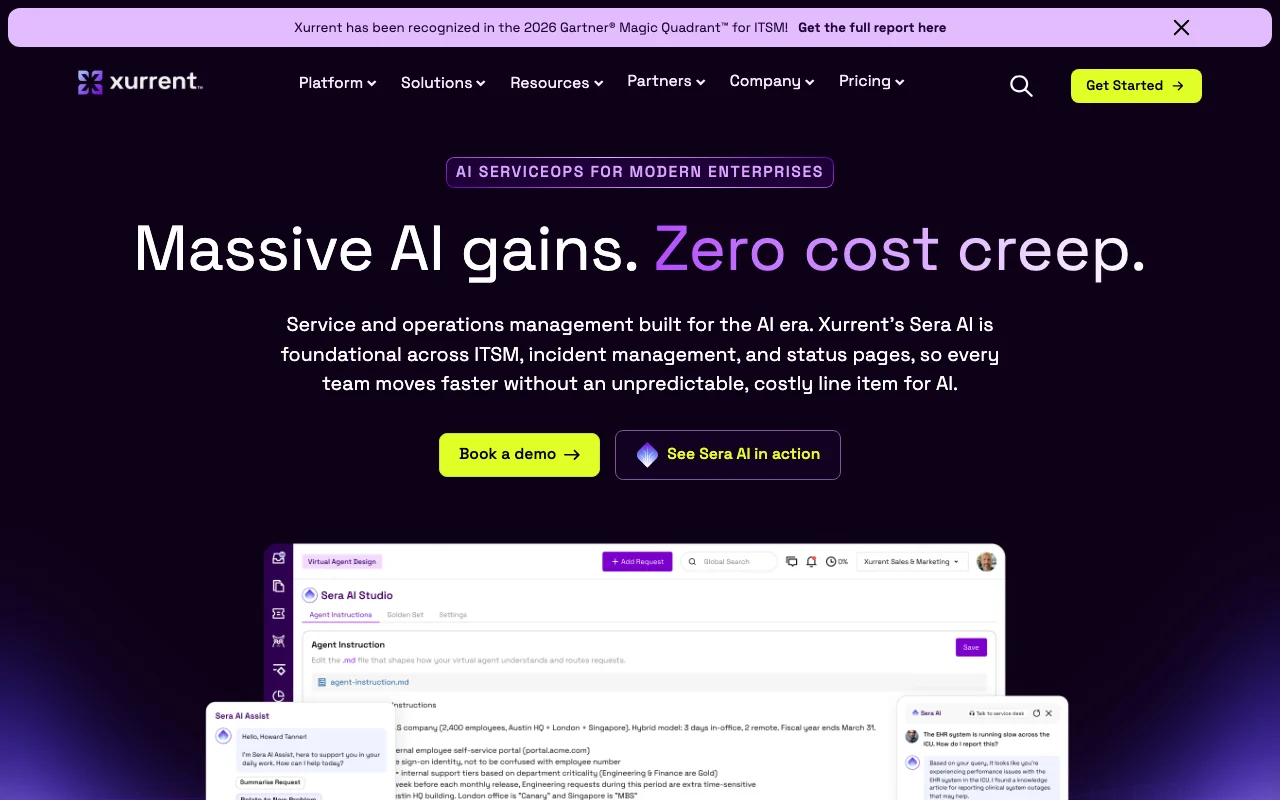
Xurrent is an IT and enterprise service management platform with two main products: Xurrent ITSM and Xurrent IMR for incident management and response. Its Sera AI layer is described as running across service desk, workflow automation, virtual agent, on-call and knowledge management.
The site also lists status pages, SLA management and an iPaaS integration service, aimed at IT, HR, facilities and finance teams in larger organizations.
Xurrent's official site: how the product presents itself. xurrent.com, captured Oct 2, 2026
What you provide and what you get back
What you give Xurrent and what comes back, from its documentation
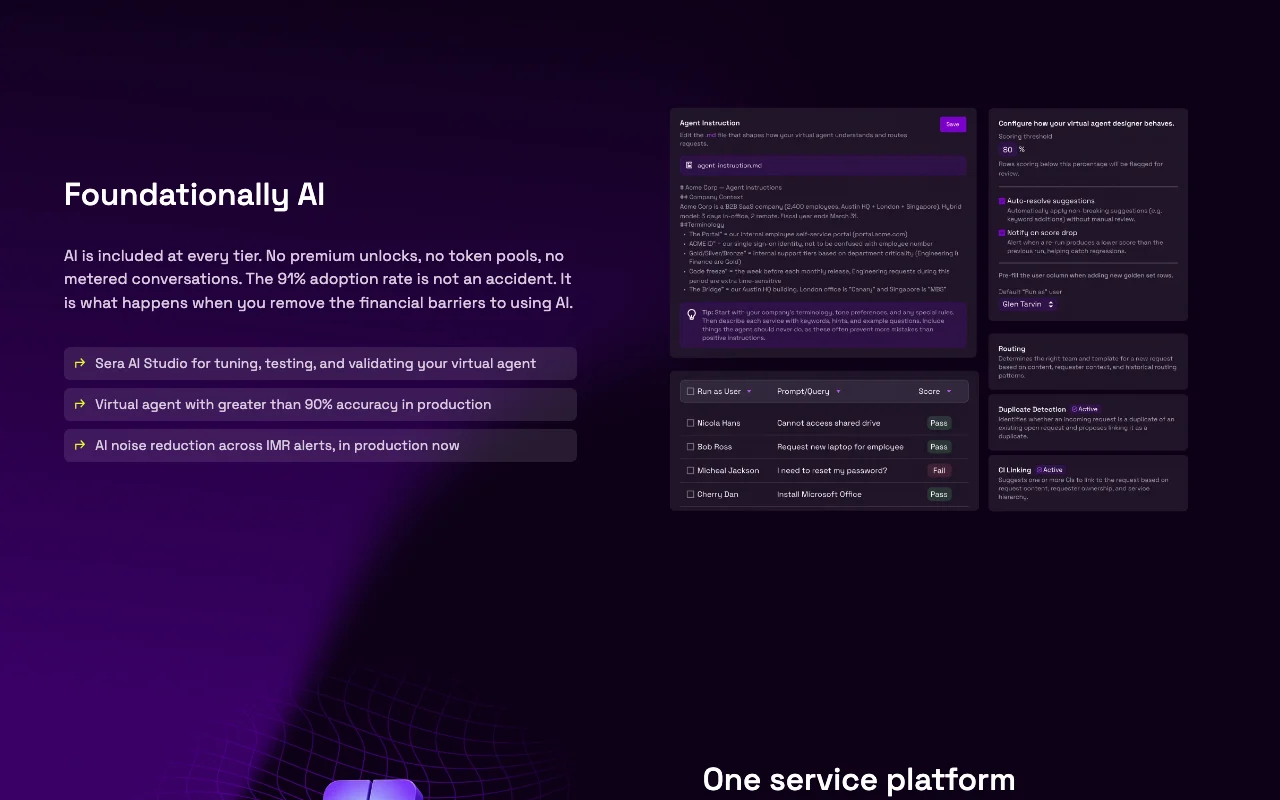
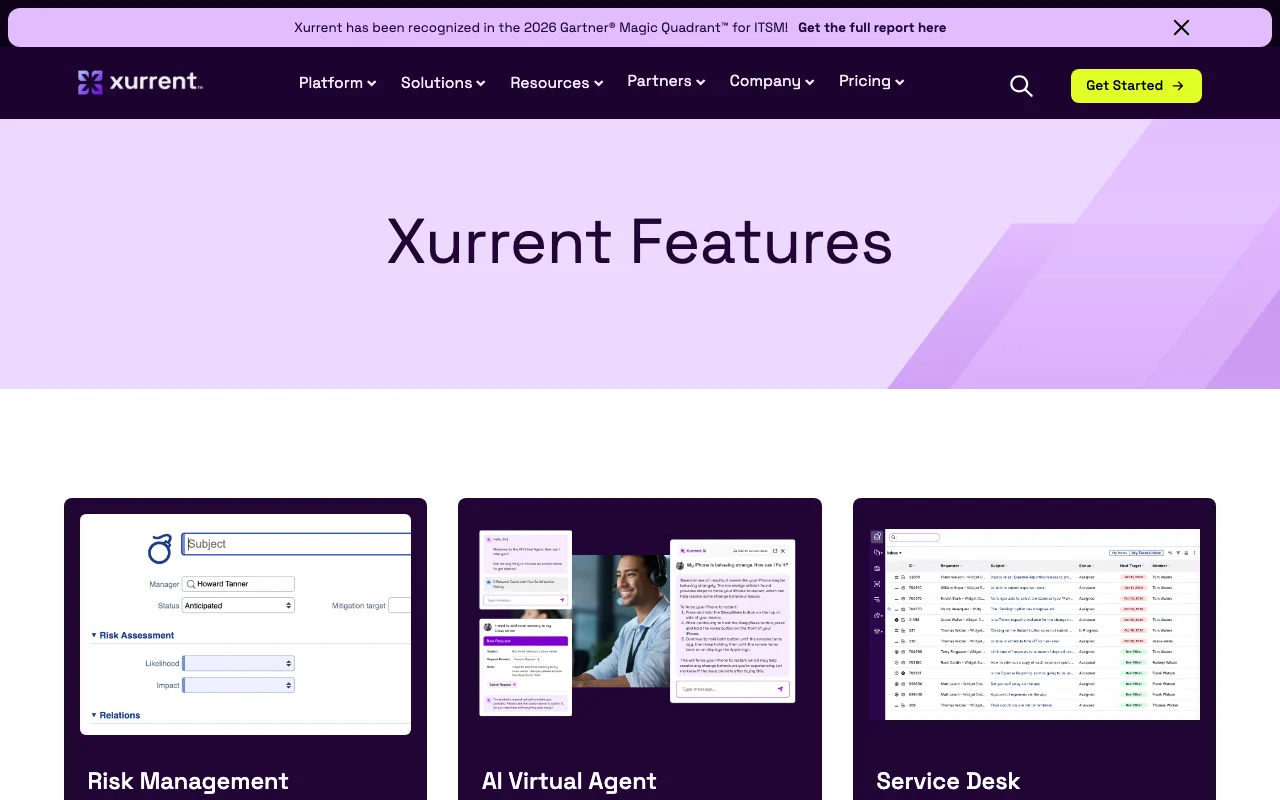
Feature overview on the official site. xurrent.com, captured Oct 2, 2026
Sera AI
The AI layer woven across the service desk, workflows, on-call and knowledge management. Reduces noise and manual tasks for IT and enterprise teams
Access: Included in every plan per pricing pageLimit: Specific model and data handling not documented on fetched pagessource (opens in a new tab)
AI virtual agent
A conversational virtual agent that handles employee requests inside the service platform. Deflects routine requests before they reach agents
Access: Listed under the platform featuresLimit: Configuration options not documented in fetched pagessource (opens in a new tab)
Workflow automation
Lets teams centralize and coordinate automation across the whole enterprise rather than per department. Cuts repetitive hand-offs between IT, HR and facilities
Pricing page lists Starter, Corporate and Enterprise tiers Buyers can compare tiers and know in advance what each includesdocumentedsource (opens in a new tab)
Customer success and support levels stated per tier Customers know what level of help to expect before buyingdocumentedsource (opens in a new tab)
Integrations count stated per tier Helps buyers estimate how many tools can connect on each tierdocumentedsource (opens in a new tab)
Vendor offers a free proof of concept (Start Free POC) Lets teams test the platform without committing, and the vendor also offers a contract buyout for PagerDuty or Opsgenie usersdocumentedsource (opens in a new tab)
Check before paying for Xurrent
No prices shown on pricing page Buyers cannot budget without a sales conversationdocumentedsource (opens in a new tab)
Pricing tiers are by platform user counts and need contacting sales Procurement requires a quote and time to negotiatedocumentedsource (opens in a new tab)
Starter limited to ITSM and few specialist users Small teams may outgrow Starter quicklydocumentedsource (opens in a new tab)
Aimed at organizations, not individuals Freelancers and small businesses are not the target audiencedocumentedsource (opens in a new tab)
How to use Xurrent for running IT service and incident management
Set up Xurrent
Open the Xurrent pricing page and choose Xurrent ITSM or Xurrent IMR
Request a demo or start a free proof of concept
Agree license tier and platform user count with Xurrent
Connect integrations and invite your fulfillers
Example: running IT service and incident management
Configure the service desk and enable the Sera AI virtual agent
Connect a monitoring or Jira integration for incoming alerts
Set an on-call schedule with escalation rules
Resolve a test incident and review the AI-generated post-incident summary
Review and export the result
Confirm a test ticket is routed to the right team
Check that an escalation notifies the next on-call person
Xurrent API
Plan comparison on the official pricing page. xurrent.com, captured Oct 2, 2026
API access and separate billing
Xurrent has no public API in its official documentation. Developer portal for apps, APIs and updates; standard API rate limits apply
Privacy, data use and commercial rights
Summarized from the vendor's current policies; this is not legal advice and a vendor's badge is not an independent audit.
How your inputs and outputs are handled
Service data and tickets are processed in the platform; details not on fetched pages
Commercial use and plan restrictions
Bring Your Own Key encryption is listed on pricing tiers; availability per tier shown in the table
Controls for business users
Bring Your Own Key encryption (listed on pricing tiers)
No. Xurrent states it does not publish specific license prices and asks buyers to contact the company; plans are Starter, Corporate and Enterprise by platform users per month. source (opens in a new tab)
What is the difference between ITSM + ESM and ITSM + Unlimited ESM in Xurrent?
ITSM + ESM covers IT service management plus a select number of departments such as HR or Facilities, while Unlimited ESM extends this across every department. source (opens in a new tab)
Which Xurrent tier includes a named customer success manager?
Enterprise includes a Named Customer Success Manager, 24x7 escalation support and unlimited integrations; Corporate has a pooled manager. source (opens in a new tab)
Can Xurrent replace PagerDuty or Opsgenie?
Xurrent IMR is positioned as an alternative to both, and the homepage says it will buy out the contract of teams locked into either so they do not pay for two tools. source (opens in a new tab)
Is Xurrent aimed at individual users?
No, Xurrent plans are sold by platform user counts to organizations, with separate MSP license plans for managed service providers. source (opens in a new tab)
Not verified: Prices for all license plans; Data retention and AI training policy; Documentation (docs URL returned 404).
How we documented and maintain this page
Every fact about Xurrent above comes from the 5 official pages listed here, last compared on Oct 2, 2026; we have not run Xurrent ourselves, so it has no editorial score. How we check and re-check pages.
Article updated Oct 2, 2026; prices checked Oct 2, 2026. Outbound links to vendors are plain links; we do not earn commissions. How we review · Report an error