Productivity & writingDocumented overviewLast checked Oct 1, 2026

YouMind: Pricing, Features & Best Use Cases

AI studio for saving research material and turning it into articles, slides, images, videos and webpages.

Is YouMind right for you?

Choose YouMind if you want one workspace to save articles, videos and notes, ask AI about them, and turn them into articles, slides, images, videos or webpages, with apps for iOS, Android, macOS (beta) and a browser extension. Based on the vendor's documentation, not on a hands-on test.

Best for: Students

Also a good fit for

  • Content creators
  • Researchers

Consider another tool if macOS app is labelled beta

Or if

  • Requires sign-in
  • Prices not readable in static pricing page fetch

YouMind pricing and usage limits

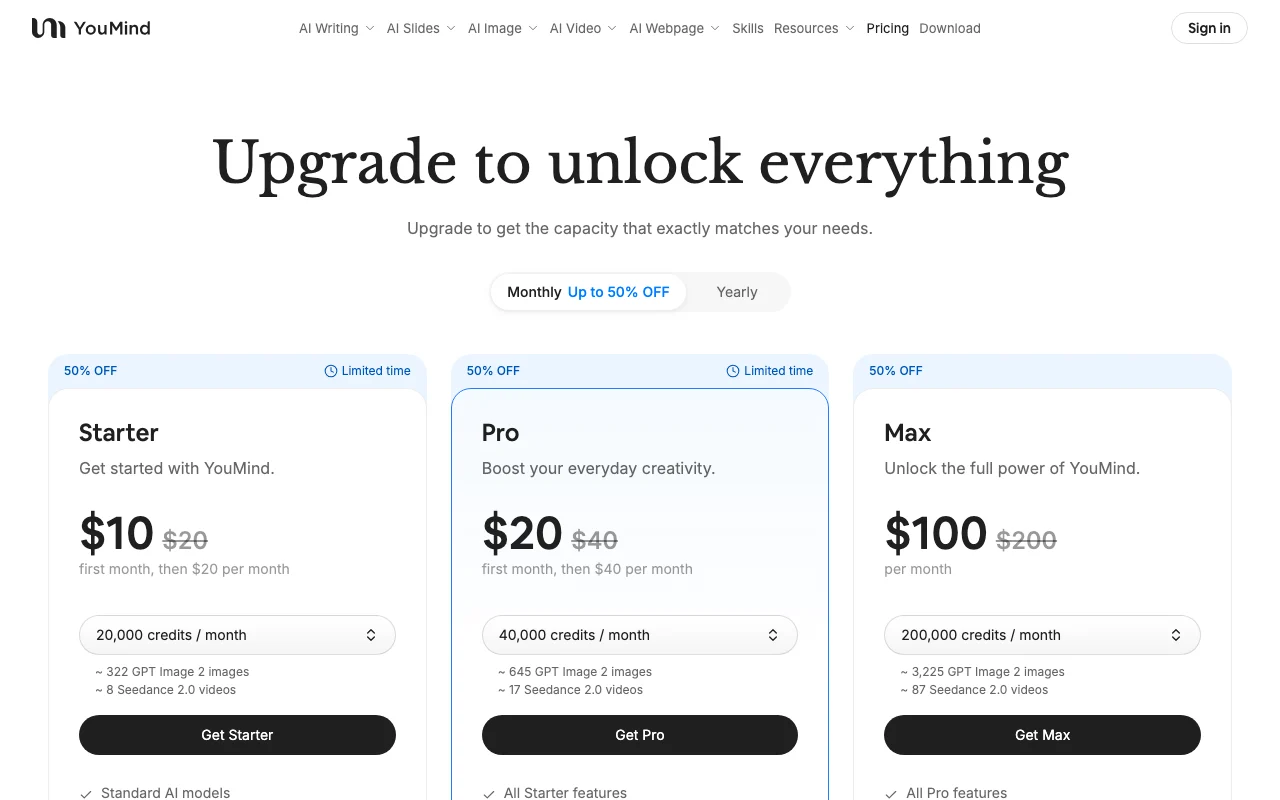
Prices checked Oct 1, 2026 on the official US pricing page. Official pricing ↗ Prices and limits change often.

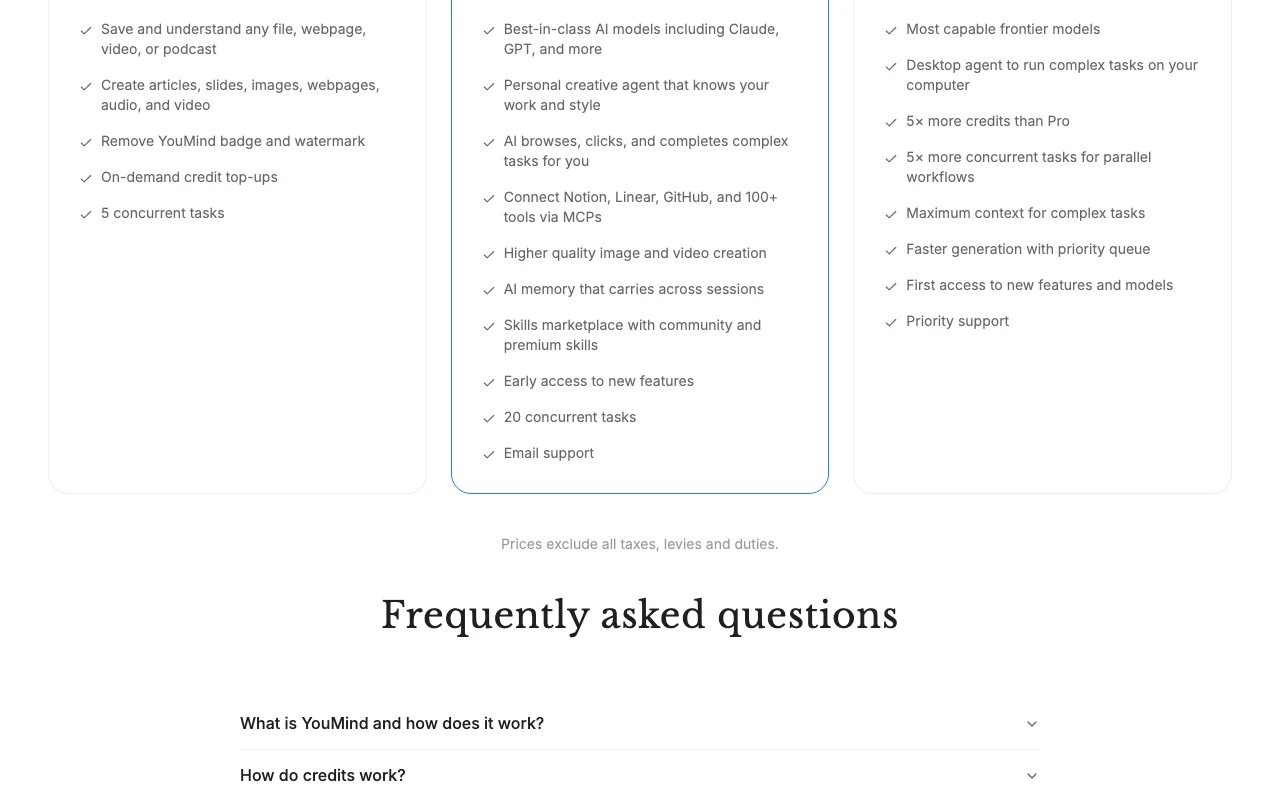
YouMind pricing page with plans and prices — screenshot of the productivity & writing AI tool, Oct 2, 2026
The official YouMind pricing page as we saw it. youmind.com, captured Oct 2, 2026

Free access and trial conditions

Not confirmed

YouMind does not publish a plan table we could verify. See official pricing ↗

What is YouMind, and how does it work?

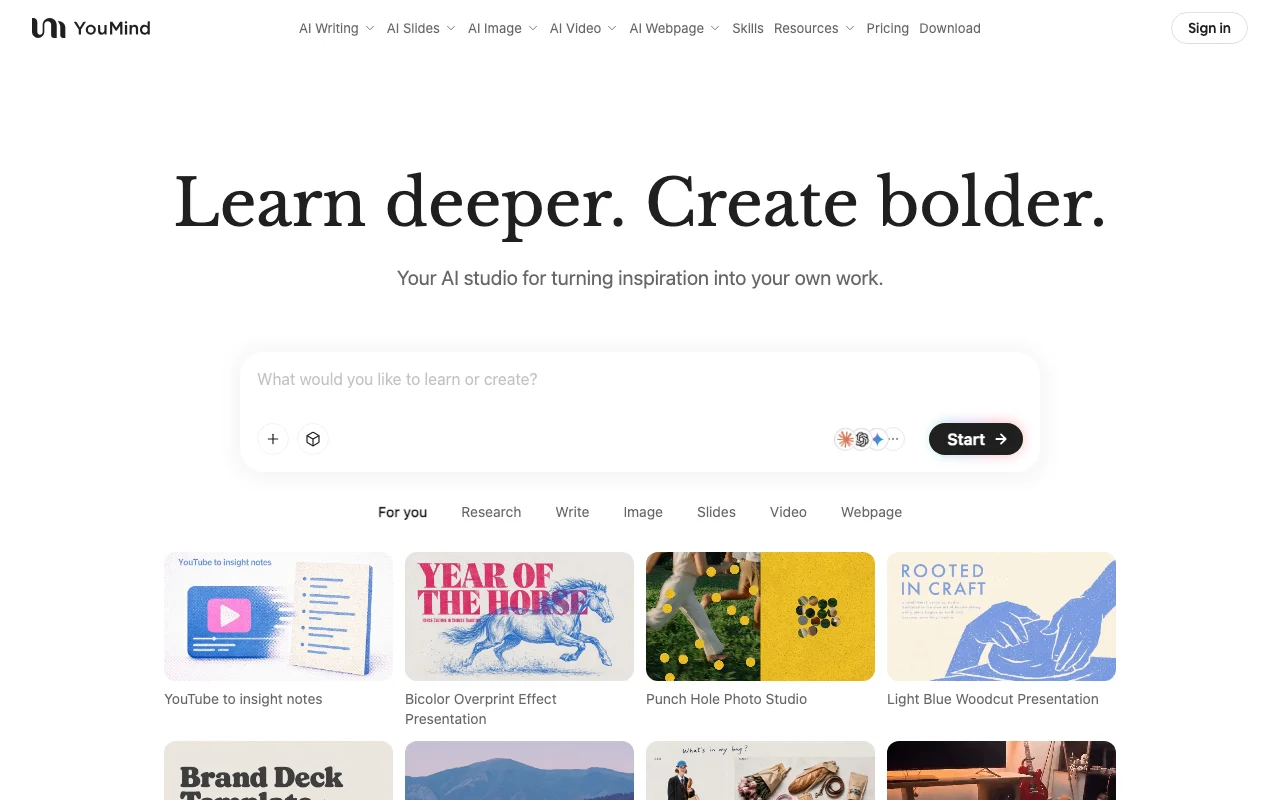
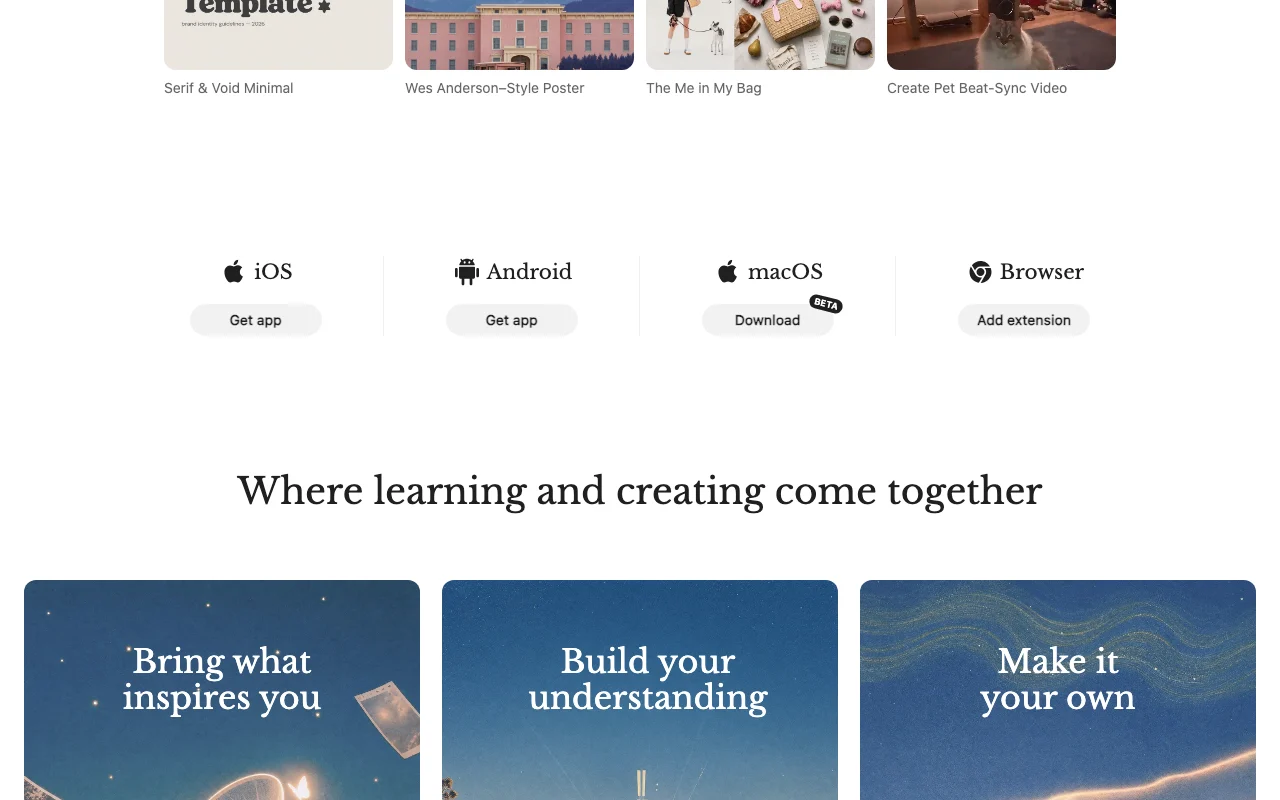
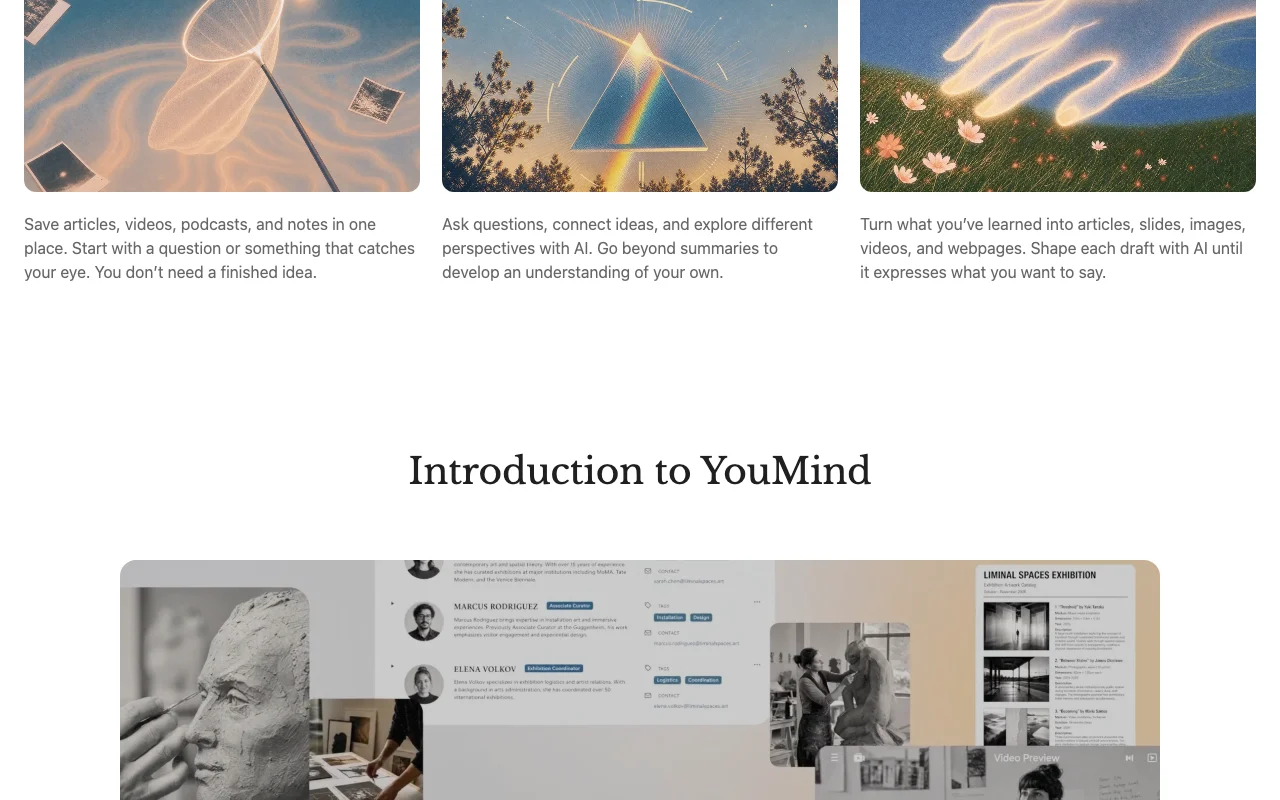
YouMind lets users collect articles, videos, podcasts and notes in one place, ask AI questions about them, and then turn what they learned into drafts. Outputs include articles, slides, images, videos and webpages. The homepage lists iOS, Android, a macOS beta and a browser extension.

YouMind homepage — screenshot of the productivity & writing AI tool, Oct 2, 2026
YouMind's official site: how the product presents itself. youmind.com, captured Oct 2, 2026

What you provide and what you get back

How YouMind works: what you provide, where it runs and what you get backYOU PROVIDEYour inputSaved articles, videos, podcasts…Web clips and YouTube videos via…Questions and promptsPRODUCTIVITY & WRITINGYouMindWeb, Desktop, Mobileprice not publishedno free tieraccount requiredchecked Oct 1, 2026YOU GET BACKThe resultArticlesSlidesImages and videosWebpagesinput → YouMind → output · from the vendor's own pages, no hands-on test unless stated
What you give YouMind and what comes back, from its documentation

You provide

  • Saved articles, videos, podcasts and notes
  • Web clips and YouTube videos via the extension
  • Questions and prompts

You get back

  • Articles
  • Slides
  • Images and videos
  • Webpages

Where you can use it

Platforms
Web, Desktop, Mobile
Account
Required
Platforms
iOS, Android, macOS (beta), browser extension
Inputs
Articles, videos, podcasts, notes
Outputs
Articles, slides, images, videos, webpages
Roles
Not confirmed

Best use cases for YouMind

Scenarios are worked out by our editors from the documentation; the actual result depends on your input and plan.

Research and note collection

Who
Researchers, students and creators
You provide
Saved articles, videos and notes
Expected result
AI answers and understanding built from your material
Plan needed
Not confirmed
Limitation
Plan limits not shown source (opens in a new tab)

Article writing

Who
Writers and marketers
You provide
Collected research and a prompt
Expected result
Draft article shaped with AI
Plan needed
Not confirmed
Limitation
Output needs human editing source (opens in a new tab)

Slide decks

Who
Teachers and presenters
You provide
Topic or lesson idea
Expected result
Slide deck or video
Plan needed
Not confirmed
Limitation
Credit limits unknown source (opens in a new tab)

YouMind features and their limits

YouMind homepage — screenshot of the productivity & writing AI tool, Oct 2, 2026
Feature overview on the official site. youmind.com, captured Oct 2, 2026

Save articles, videos, podcasts and notes

Saves articles, videos, podcasts and notes in one place, including via a browser extension Keeps research together

Access: Account; extension for browsersLimit: Extension only collects data when you invoke a feature source (opens in a new tab)

AI Q&A over saved material

Lets you ask questions over your saved material with AI Builds understanding beyond summaries

Access: AccountLimit: Content is shared with AI providers such as Anthropic and Google source (opens in a new tab)

AI writing

Writes articles and builds slides, images, videos and webpages from your material Moves from research to output in one tool

Access: AccountLimit: Model and credit limits not confirmed source (opens in a new tab)

AI slides

Provides iOS, Android and macOS apps plus a browser extension Capture across devices

Access: AccountLimit: macOS app is labelled beta source (opens in a new tab)

Pros, cons and deal-breakers

Where YouMind is strong

Limitations to check before paying

How to use YouMind for turning saved research into drafts and slides

Set up YouMind

  1. Sign in at youmind.com
  2. Install the browser extension or mobile app
  3. Save articles, videos or notes
  4. Start a chat about your saved material

Example: turning saved research into drafts and slides

  1. Save a YouTube video with the extension
  2. Ask AI for the key ideas
  3. Ask for an article or slide outline
  4. Refine the draft with AI

Review and export the result

  1. Compare AI output with the original sources
  2. Check that saved items synced to your account
Example prompt suggested by our editors (not a recorded output of the product)
Turn my saved notes on spaced repetition into a five-slide presentation.

Privacy, data use and commercial rights

Summarized from the vendor's current policies; this is not legal advice and a vendor's badge is not an independent audit.

How your inputs and outputs are handled

Clipped pages, YouTube notes and annotations are stored on cloud servers and shared with AI model providers such as Anthropic and Google

Kept only as long as necessary to provide the Services

Controls for business users

  • Encryption in transit
  • Access controls
  • Regional cookie controls and Global Privacy Control

Policies: youmind.com/privacy

Other tools to consider instead of YouMind

"Better suited" is based on documented features and pricing, not on a head-to-head test.

Gemini Notebook (formerly NotebookLM): better suited to

Notion AI: better suited to

ChatGPT: better suited to

Perplexity: better suited to

Alternatives
AlternativeWhen to choose itPricingLimitation
Gemini Notebook (formerly NotebookLM)——
Notion AI——Compare
ChatGPT——
Perplexity——

Explore YouMind further

Tools and guides near YouMind

YouMind user reviews

No user reviews yet.

Used YouMind? Be the first to share your experience.

Write a review

Reviews are checked by a moderator before they appear. Your email is never published. Plain text only.

Your rating (required)

Show what you made or what went wrong. Images are published only if the review is approved; location data is removed.

    YouMind FAQ

    What does YouMind do?

    It lets you save inspiration, ask AI about it and turn it into articles, slides, images, videos and webpages. source (opens in a new tab)

    Which platforms are supported?

    iOS, Android, macOS (beta) and a browser extension. source (opens in a new tab)

    How much does YouMind cost?

    Not confirmed: the pricing page showed no plan prices in the fetched text. source (opens in a new tab)

    Does YouMind share my content with AI providers?

    Yes, the privacy policy says submitted content is shared with providers such as Anthropic and Google to generate summaries and notes. source (opens in a new tab)

    Who operates YouMind?

    MIND MOTOR PTE. LTD., per the privacy policy. source (opens in a new tab)

    Sources and review methodology

    Official sources and verification dates

    Not verified: Plan names, prices and credit limits; Free plan or trial; Training use of content; Team features; API availability.

    How we documented and maintain this page

    Every fact about YouMind above comes from the 3 official pages listed here, last compared on Oct 1, 2026; we have not run YouMind ourselves, so it has no editorial score. How we check and re-check pages.

    Article updated Oct 2, 2026; prices checked Oct 1, 2026. Outbound links to vendors are plain links; we do not earn commissions. How we review · Report an error