

Open-source coding agent for VS Code, JetBrains, terminal and desktop, with bring-your-own-model support.
Free stops at: Inference billed at cost or via your own API keys
Listed Not yet reviewed
Free no paid plan listed
Head-to-head · profiles checked Oct 2, 2026
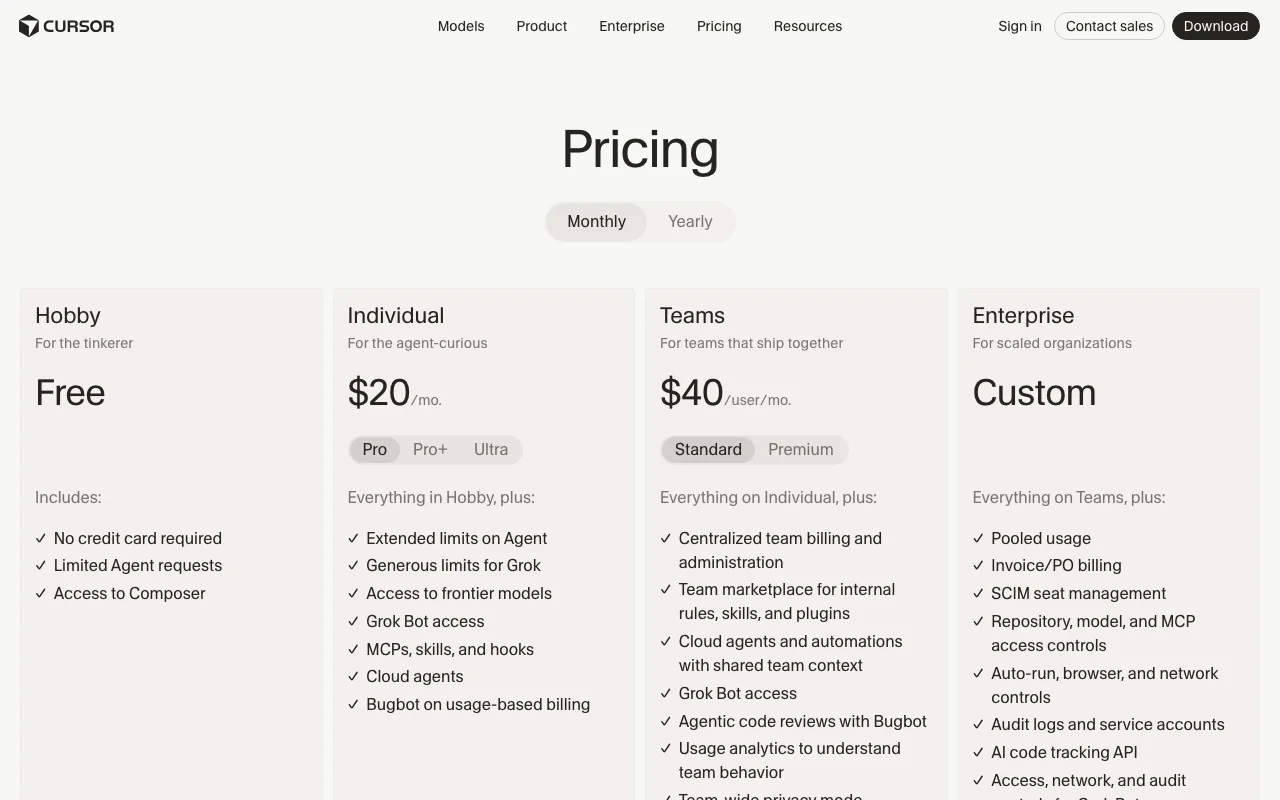
Pick Cline for an open-source agent that uses your own model keys, and Cursor for a subscription AI editor with agents built in. Cline's extension is free and ClinePass is $9.99 per month, with inference billed by your provider. Cursor has a free Hobby plan, Individual at $20/mo and Teams at $40 per user per month, with usage past the included amount billed on demand.
We based this comparison on our Cline profile verified 2026-10-02 and our Cursor profile verified 2026-09-29, both built from official vendor pages; it uses no third-party benchmarks and no vendor paid for placement.
Cline is the choice if you want an open-source (Apache 2.0) coding agent that works with your own model keys and runs in VS Code, the terminal or a desktop app; the tool is free and you pay the model provider for inference. Cursor is the choice if you want one subscription editor with agents, cloud agents and Bugbot code review, starting free on Hobby and $20/mo on Individual. Cursor's Pro+ and Ultra prices and data retention terms were not stated on the pages we read, and Cline's retention and training terms were not stated either. Teams that need SSO can find it on both, but Cline's SSO sits behind a contact-sales Enterprise plan.
Based on our Cline profile verified 2026-10-02 and Cursor profile verified 2026-09-29; no benchmark was run, and retention, Cursor Pro+ and Ultra prices and Cursor API billing were not stated on the pages we read.
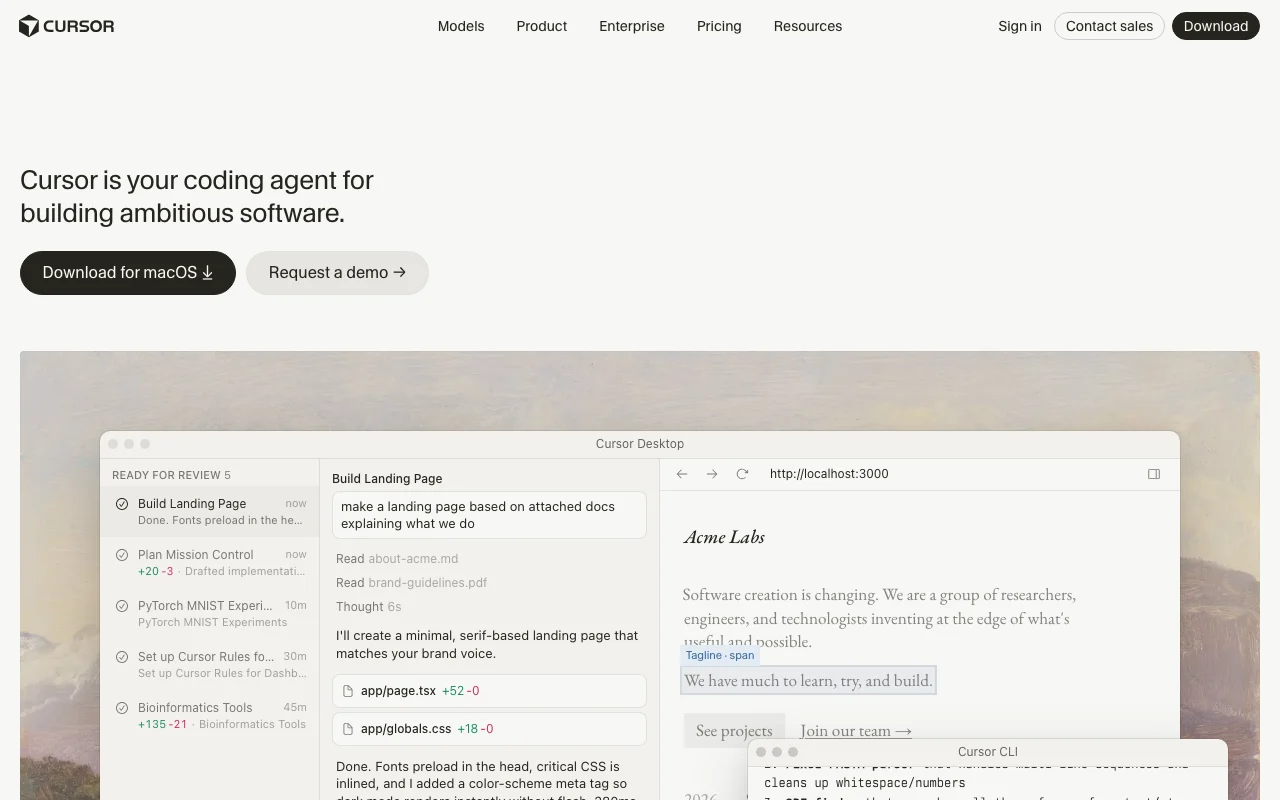
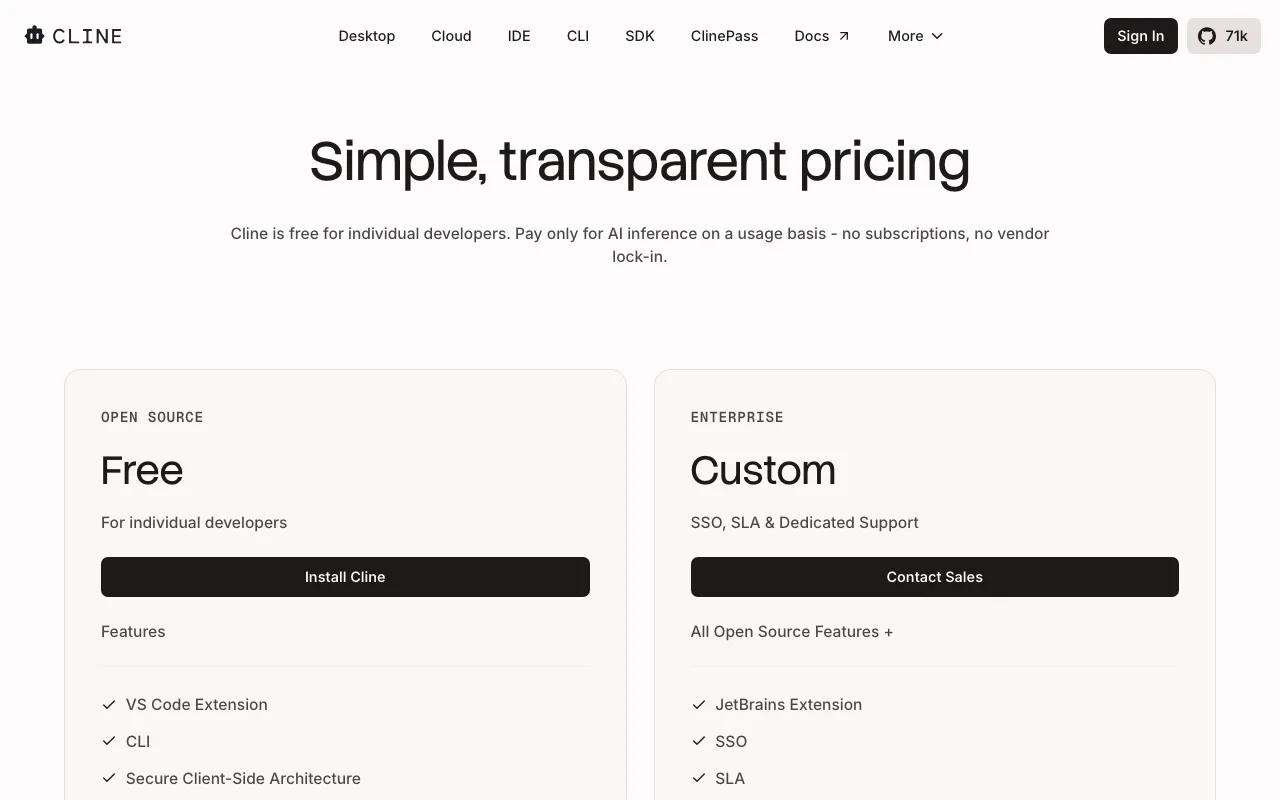
Our own captures of each vendor's public pages. Click a frame for the full-size image.
If you only want the answer, this is the table. Everything below is the evidence from the two documented profiles.
| You want to | Use | Why |
|---|---|---|
| Try an AI coding agent for free | Either | Cline's extension is free but needs your own model access; Cursor Hobby is free with limited Agent requests |
| Use my own API keys and pick any model | Cline | Cline lists bring-your-own-key use with Anthropic, OpenAI, Google, DeepSeek and local models |
| Refactor a function across many files | Either | Cline edits multiple files with diffs and checkpoints; Cursor lists code edits shown as diffs |
| Review a plan before the agent edits code | Cline | Cline has Plan and Act modes with per-step approval |
| Run agents in the cloud while my laptop is off | Cursor | Cursor lists cloud agents on their own cloud computers; Cline's profile lists none |
| Get automated pull request reviews | Cursor | Cursor lists Bugbot, included on Teams and usage-billed on Individual |
| Run an agent from scripts and CI | Cline | Cline documents CLI use from scripts, cron and CI, plus an SDK |
| Work from Slack or GitHub | Cursor | Cursor lists Slack and GitHub as surfaces alongside the desktop app and CLI |
| Use it in JetBrains | Either | Cline's JetBrains extension needs Enterprise; Cursor docs list JetBrains integration |
| Roll out SSO to a team | Either | Cline offers SSO, RBAC and audit logs on Enterprise; Cursor lists SAML/OIDC SSO on Teams |
| Plan | Tool | Price | Limits |
|---|---|---|---|
| Cline Open Source | Cline | Free | Inference billed at cost or via your own API keys |
| Cline ClinePass | Cline | $9.99/mo | 2-5x the usage on popular open coding models compared to standard API rates |
| Cline Enterprise | Cline | Custom (contact sales) | Contact sales |
| Cursor Hobby | Cursor | Free | Limited Agent requests |
| Cursor Individual (Pro) | Cursor | $20/mo | Extended limits on Agent; usage beyond included amount billed on demand |
| Cursor Individual (Pro+ / Ultra) | Cursor | Not stated | Pro+ recommended for daily agent users, Ultra for power users |
| Cursor Teams (Standard / Premium) | Cursor | $40/user/mo | Included usage plus on-demand billing |
| Cursor Enterprise | Cursor | Custom | Pooled usage |
USD as published on each vendor's pricing page, checked Oct 2, 2026. Cline pricing in full · Cursor pricing in full
| Cline | Cursor | |
|---|---|---|
| Messages / rate limits | No request caps stated; inference is billed at cost or through your own API keys | Hobby: limited Agent requests; Individual: extended limits, then on-demand billing |
| Context / file size | Not stated | Not stated |
| Seats / team | Team features need Enterprise (contact sales) | Teams at $40 per user per month; Enterprise has pooled usage |
| Feature | Cline | Cursor |
|---|---|---|
| Multi-file edits with diffs | Yes, with checkpoints and one-click undo | Yes, code edits shown as diffs |
| Terminal commands | Yes, with approval per command | Not stated |
| Plan and Act workflow | Yes | Plans and task breakdowns listed as outputs |
| Cloud agents | Not stated | Yes, on Individual and above |
| Code review | Not stated | Yes, Bugbot |
| MCP and skills | Yes, MCP marketplace, skills and .clinerules | Yes, MCPs, skills and hooks on Individual and above |
| Bring your own model keys | Yes | Not stated |
| API / SDK | SDK documented, inference billed by the provider | API, SDK and CLI listed in docs; billing not verified |
| Cline | Cursor | |
|---|---|---|
| Training on your data | Not stated | Not used unless flagged for security review, reported as Feedback or agreed to; privacy mode keeps code data out of training |
| Retention | Not stated | Not stated |
| Business controls | Client-side architecture; Enterprise adds SSO, audit logs and inference provider limits | Team-wide privacy mode, SAML/OIDC SSO, audit logs on Enterprise |
Taken from each vendor's published policy pages at the time of our check. Policies change; the source links are at the bottom.
Open-source coding agent for VS Code, JetBrains, terminal and desktop, with bring-your-own-model support.
Free stops at: Inference billed at cost or via your own API keys
Free no paid plan listed
AI code editor with agents, cloud agents and code review, offered with a free Hobby tier and paid plans.
Free stops at: Limited Agent requests
Free · paid from $20/mo US · checked Sep 29
Both have a free option. Cline's open-source extension is free for individual developers, but you pay your model provider for inference. Cursor's Hobby plan is free with no credit card, but it allows only limited Agent requests.
Cline lists ClinePass at $9.99 per month and Enterprise as contact sales. Cursor lists Individual (Pro) at $20/mo and Teams at $40 per user per month, with Enterprise custom. Cursor's Pro+ and Ultra prices were not in the text we fetched.
Cline documents bring-your-own-key use with providers such as Anthropic, OpenAI, Google, AWS Bedrock, DeepSeek and local runtimes such as Ollama. Cursor's profile lists models from OpenAI, Anthropic, Gemini, SpaceXAI and Cursor; bring-your-own-key use was not stated.
Cursor says code data is not used for training by it or its model providers when privacy mode is on, and a Teams plan has team-wide privacy mode. Cline's training and retention terms were not stated on the pages we read; with your own keys, content goes to the provider you pick.
Only official vendor pages. No third-party benchmarks, forum threads or press were used. How we review.
compare>