Augment Code vs Cursor in 2026: flat team price or free editor start
Pick Cursor to start free in an editor and Augment Code for a flat team price. Both start at $20/month: Cursor Individual (Pro), and Augment Standard, which is flat for up to 50 seats and includes $20 of usage. Cursor also has a free Hobby plan and Teams at $40/user/month.
Augment Code lists no free plan. Both bill extra once included usage runs out.
We based this comparison on our Augment Code profile and our Cursor profile, both verified 2026-09-29 from official vendor pages; it uses no third-party benchmarks and no vendor paid for placement.
Is Augment Code better than Cursor? The short answer
Cursor is the easier one to try: it has a free Hobby plan, a desktop editor, a CLI and Slack and GitHub surfaces, and Individual starts at $20/mo. Augment Code lists no free plan, but its Standard plan is a flat $20/month for up to 50 seats with $20 of usage included, plus a Context Engine, an Auggie CLI and SOC 2 Type II. Both bill extra once included usage runs out. Small teams that want one flat price should look at Augment Code; people who want to start free in an editor should look at Cursor.
Based on our Augment Code profile verified 2026-09-29 and Cursor profile verified 2026-09-29, both built from official vendor pages; no benchmark was run.
Augment Code and Cursor, as their sites look today
Our own captures of each vendor's public pages. Click a frame for the full-size image.
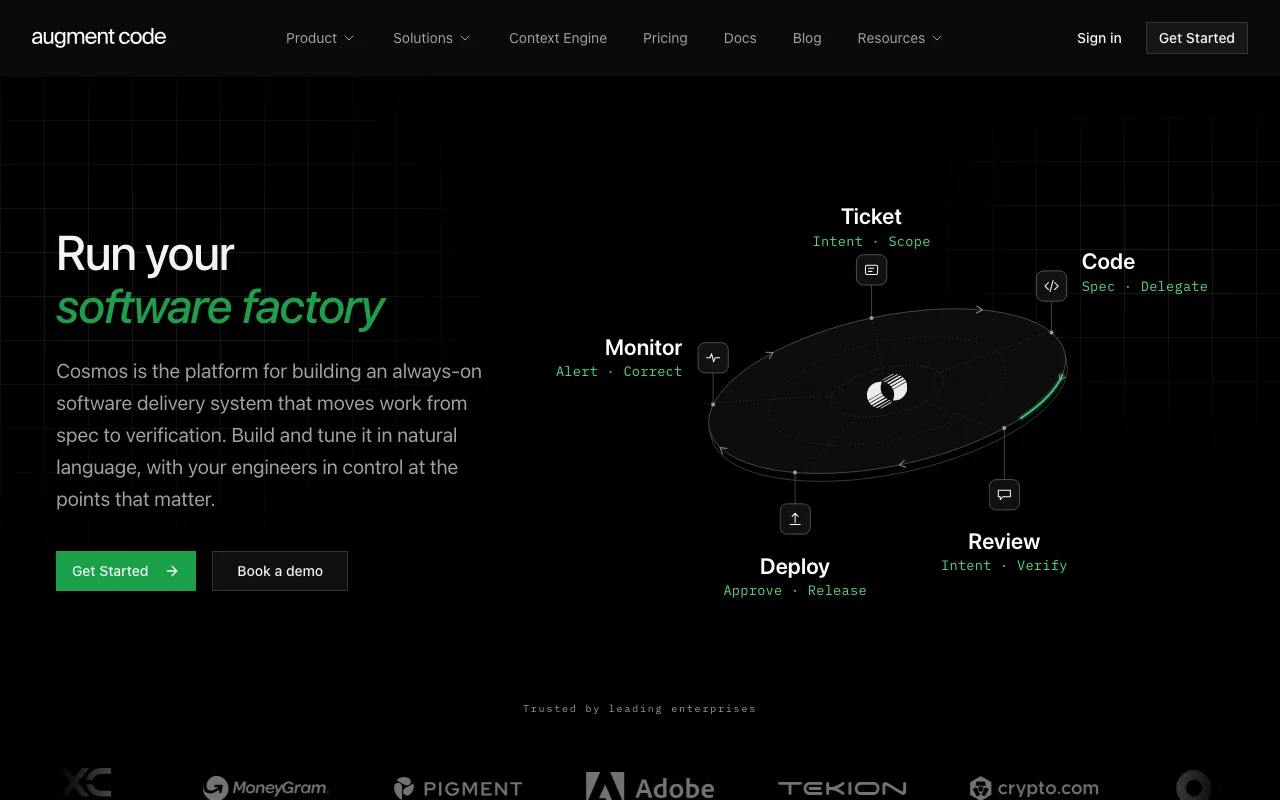
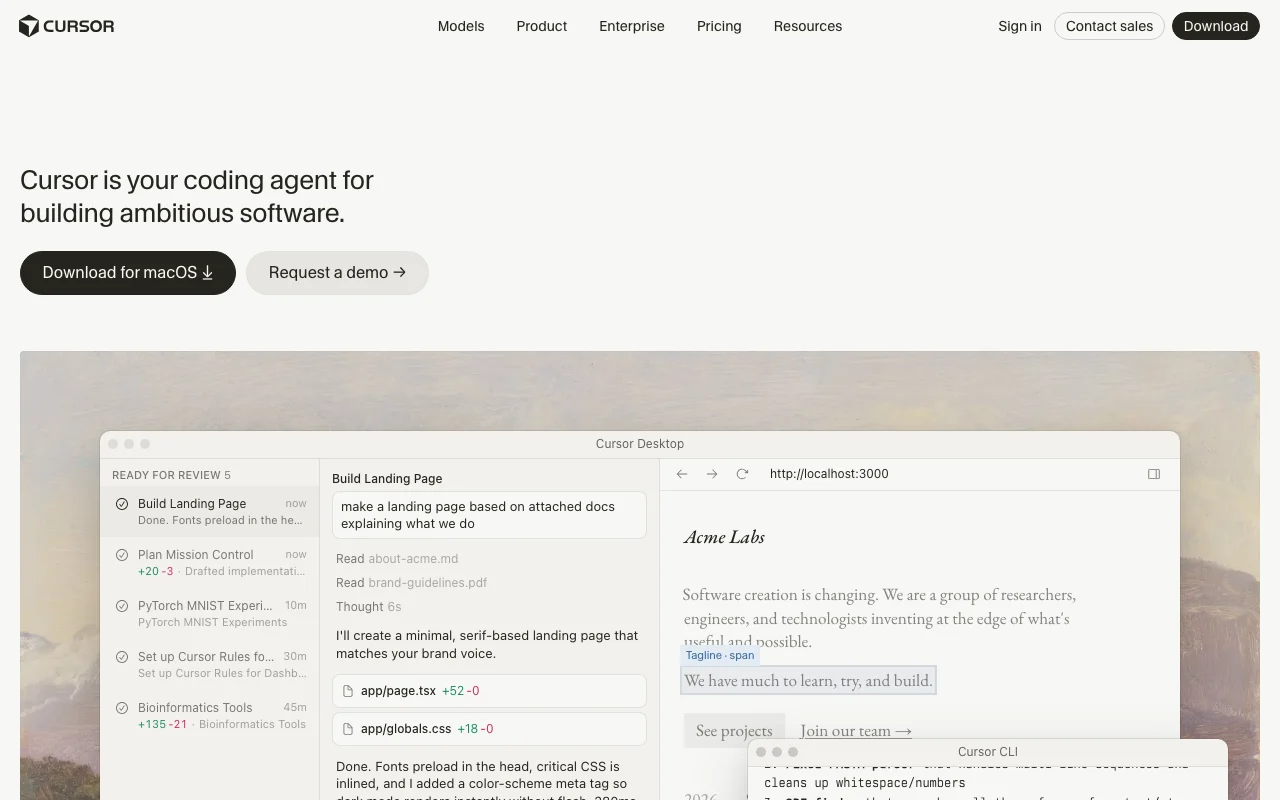
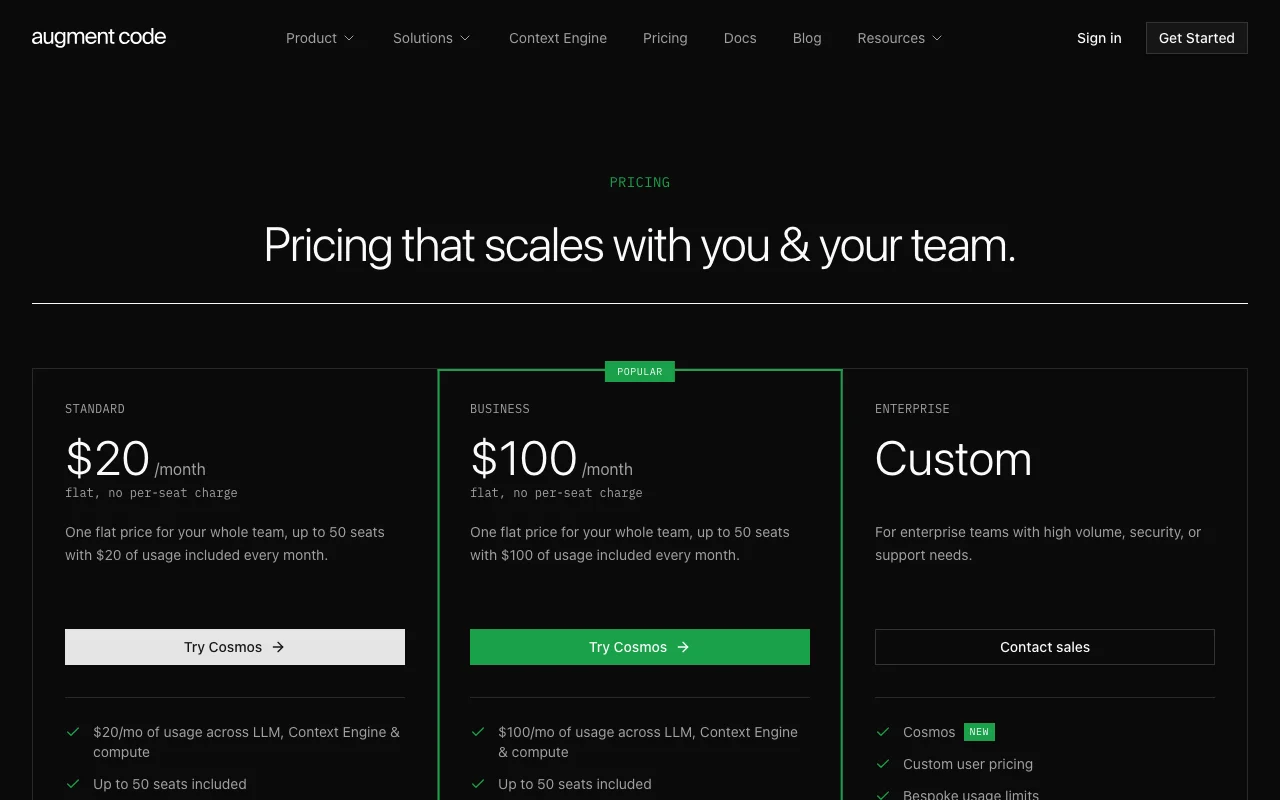
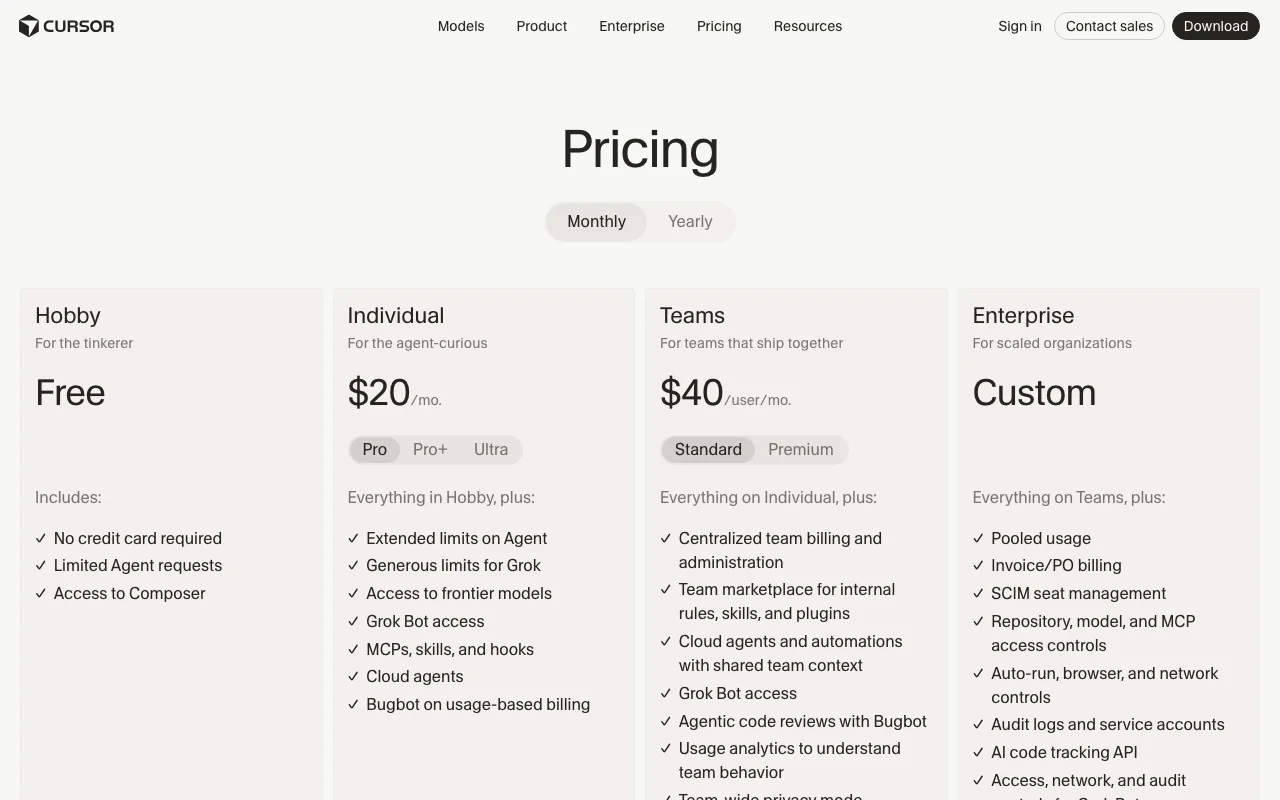
Augment Code homepage. augmentcode.com, captured Oct 1, 2026Cursor homepage. cursor.com, captured Oct 1, 2026Augment Code plans and prices. augmentcode.com, captured Oct 1, 2026Cursor plans and prices. cursor.com, captured Oct 1, 2026
Augment Code or Cursor: which to use, by task
If you only want the answer, this is the table. Everything below is the evidence from the two documented profiles.
Side-by-side comparison
You want to
Use
Why
Try an AI coding agent for free
Cursor
Cursor Hobby is free with limited Agent requests; Augment Code lists no free plan
Write and refactor code in a codebase
Either
Both list a coding agent that edits code across files from a prompt
Give an agent context about a large repository
Augment Code
Augment lists a Context Engine that indexes the codebase and is available through MCP
Run agents in the cloud while your laptop is off
Cursor
Cursor lists cloud agents on Individual and above; Augment lists cloud agents as a surface without plan detail
Review pull requests automatically
Either
Augment has code review automation for GitHub; Cursor has Bugbot, included on Teams and usage-billed on Individual
Work from the terminal or in scripts
Either
Augment has the Auggie CLI; Cursor lists a CLI
Work inside VS Code or JetBrains
Augment Code
Augment lists IDE extensions for VS Code and JetBrains; Cursor is its own desktop editor, with JetBrains and Xcode listed in docs
Delegate work from Slack
Cursor
Cursor lists Slack as a surface; Augment's profile lists none
Pay one flat price for a team
Augment Code
Augment Standard and Business are flat for up to 50 seats; Cursor Teams is priced per user
Connect Jira, Linear or Notion for context
Augment Code
Augment documents MCP and native tools for these; Cursor lists MCP servers without naming them
Who should pick which
Pick Augment Code for a flat team price, Cursor to start free in an editor
Pick Augment Code if
You want one flat plan price for a team of up to 50 seats (Standard $20/month, Business $100/month)
You want a Context Engine that indexes your codebase and is also available through MCP
You want IDE extensions for VS Code and JetBrains plus the Auggie CLI
Your security review asks for SOC 2 Type II and paid plans that exclude AI training
Pick Cursor if
You want to start on a free plan with no credit card (Hobby, limited Agent requests)
You want a desktop editor plus a CLI, Slack and GitHub in one product
You want cloud agents and Bugbot pull request review on Individual or Teams
You need Teams features such as team-wide privacy mode and SAML/OIDC SSO at $40/user/mo
What Augment Code does better, and what Cursor does better
Augment Code
Flat plan price that covers up to 50 seats, with usage pooled across the team
Context Engine that indexes the codebase, also offered through an MCP server and SDK
IDE extensions for VS Code and JetBrains alongside the Auggie CLI
SOC 2 Type II listed, with usage analytics
Cursor
Free Hobby plan with no credit card required
Desktop app, CLI, Slack and GitHub surfaces
Cloud agents and automations running in parallel
Rules, skills, subagents, hooks, MCP and plugins for customization
Augment Code vs Cursor pricing: plans and free tiers
Side-by-side comparison
Plan
Tool
Price
Limits
Augment Standard
Augment Code
$20/mo, flat for up to 50 seats
$20 of usage included monthly; 50 concurrent sessions
Augment Business
Augment Code
$100/mo, flat for up to 50 seats
$100 of usage included monthly; 50 concurrent sessions
Augment Enterprise
Augment Code
Custom (sales)
Custom usage and top-ups; unlimited users
Cursor Hobby
Cursor
Free
Limited Agent requests
Cursor Individual (Pro)
Cursor
$20/mo
Extended limits on Agent; usage beyond included amount billed on demand
Cursor Individual (Pro+ / Ultra)
Cursor
Not stated
Pro+ recommended for daily agent users, Ultra for power users
Standard: $20 of usage per month; Business: $100 per month; 50 concurrent sessions outside Enterprise
Hobby: limited Agent requests; Individual: extended limits on Agent, then on-demand billing
Context / file size
Not stated
Not stated
Seats / team
Up to 50 seats on Standard and Business; Enterprise has unlimited users
Teams is per user at $40/user/month; Enterprise has pooled usage
Feature comparison
Side-by-side comparison
Feature
Augment Code
Cursor
Coding agent
Yes
Yes
Free plan
No
Yes (Hobby)
Cloud agents
Listed as a surface
Yes (Individual and above)
Code review
Yes (GitHub pull requests)
Yes (Bugbot)
MCP
Yes, plus native tools and a Context Engine MCP
Yes, with skills and hooks
CLI
Yes (Auggie CLI)
Yes
IDE support
VS Code and JetBrains extensions
Own desktop app; JetBrains and Xcode listed in docs
Usage analytics
Yes
Not stated
Mobile apps
Not stated
Not stated
Privacy and data training
Side-by-side comparison
Augment Code
Cursor
Training on your data
Paid plans exclude AI training under the Commercial Terms of Service
Not used for training unless flagged for security review, reported as Feedback or agreed to; with privacy mode on, not used by Cursor or model providers
Retention
Not stated
Not stated
Business controls
SOC 2 Type II, access controls, audit trails (Enterprise); Enterprise adds CMEK, data residency, SIEM and SSO
Team-wide privacy mode and SAML/OIDC SSO on Teams; audit logs on Enterprise
Taken from each vendor's published policy pages at the time of our check. Policies change; the source links are at the bottom.
Switching between Augment Code and Cursor: what carries over
Augment Code → CursorCarries over
Natural-language task prompts and the habit of reviewing diffs
MCP connections to your own tools
Pull request review on GitHub
You lose
Context Engine and its MCP server and SDK
Flat plan price for up to 50 seats
VS Code and JetBrains extensions, since Cursor is its own desktop app
Want to try an agent without paying: choose Cursor, since Augment Code lists no free plan
Want one flat price for up to 50 seats: choose Augment Code
Need a Context Engine exposed through MCP and an SDK: choose Augment Code
Want Slack and a standalone desktop editor: choose Cursor
Need SSO on a team plan: Cursor Teams lists SAML/OIDC SSO; Augment needs Enterprise
Cost matters most: compare included usage, since both bill extra beyond it and Augment adds a 40% service fee on LLM usage
Frequently asked questions
Is Augment Code cheaper than Cursor?
The entry prices match: Augment Code Standard and Cursor Individual (Pro) both start at $20/month. Augment's price is flat for up to 50 seats, while Cursor Teams is $40/user/month. Both charge extra beyond included usage, and Augment adds a 40% service fee on LLM usage, so total cost depends on how much you use.
Does Augment Code have a free plan like Cursor?
No. Augment Code lists no free plan and its trial terms were not captured, so you pay to evaluate it. Cursor's Hobby plan is free with no credit card required, but it has limited Agent requests.
Do Augment Code and Cursor train on my code?
Augment says paid plans exclude AI training on your data under its Commercial Terms. Cursor says code data is not used for training by Cursor or its model providers with privacy mode on. Retention periods are not stated for either tool, so check the policies before sharing sensitive code.
Which one is better for a team, Augment Code or Cursor?
Both have team options. Augment Code Standard and Business are flat plans for up to 50 seats with pooled usage, while Cursor Teams is $40/user/month with team-wide privacy mode and SAML/OIDC SSO. Augment's Standard and Business plans lack SSO and CMEK per its comparison table; its Enterprise plan adds them.