Audio & voiceDocumented overviewLast checked Sep 29, 2026

Voiceover QA: Pricing, Features & Best Use Cases

Compares an AI voiceover recording to its source script and flags missing, extra or changed words and audio anomalies with timestamps.


Is Voiceover QA right for you?

Use Voiceover QA to catch missing, extra or changed words and silence or clipping in an AI narration take by comparing it to its script, then review each flagged timestamp yourself. Based on the vendor's documentation, not on a hands-on test.

Best for: Voiceover producers

Also a good fit for

  • Teams generating AI narration at scale

Consider another tool if sign-in required to use it

Or if

  • Findings are candidates needing human review
  • Does not judge acting, emotion or pronunciation

Voiceover QA pricing and usage limits

Prices checked Sep 29, 2026 on the official US pricing page. Official pricing ↗ Prices and limits change often.

Voiceover QA pricing page with plans and prices — screenshot of the audio & voice AI tool, Oct 1, 2026
The official Voiceover QA pricing page as we saw it. voiceoverqa.com, captured Oct 1, 2026

Paid plans: what changes as you upgrade

Credits web

See official pricing source (opens in a new tab)

N/a

For: Per-take checks

Limits

  • MP3, WAV or M4A up to 100 MB and 30 minutes

Includes

  • Findings report
  • CSV export

Usage caps, credits and extra costs

Credit packs mentioned in help; amounts not shown on fetched pages

What is Voiceover QA, and how does it work?

Voiceover QA is a web tool for checking AI-generated narration. You paste a source script and upload a matching single-speaker recording (MP3, WAV or M4A, up to 100 MB and 30 minutes); the service transcribes and aligns the audio against the script. The report lists missing, extra, repeated and changed wording plus long silences, clipping and abrupt level changes, each with a timestamp and suggested review action, and can be exported as a CSV repair list. English is described as production-ready and Japanese as beta.

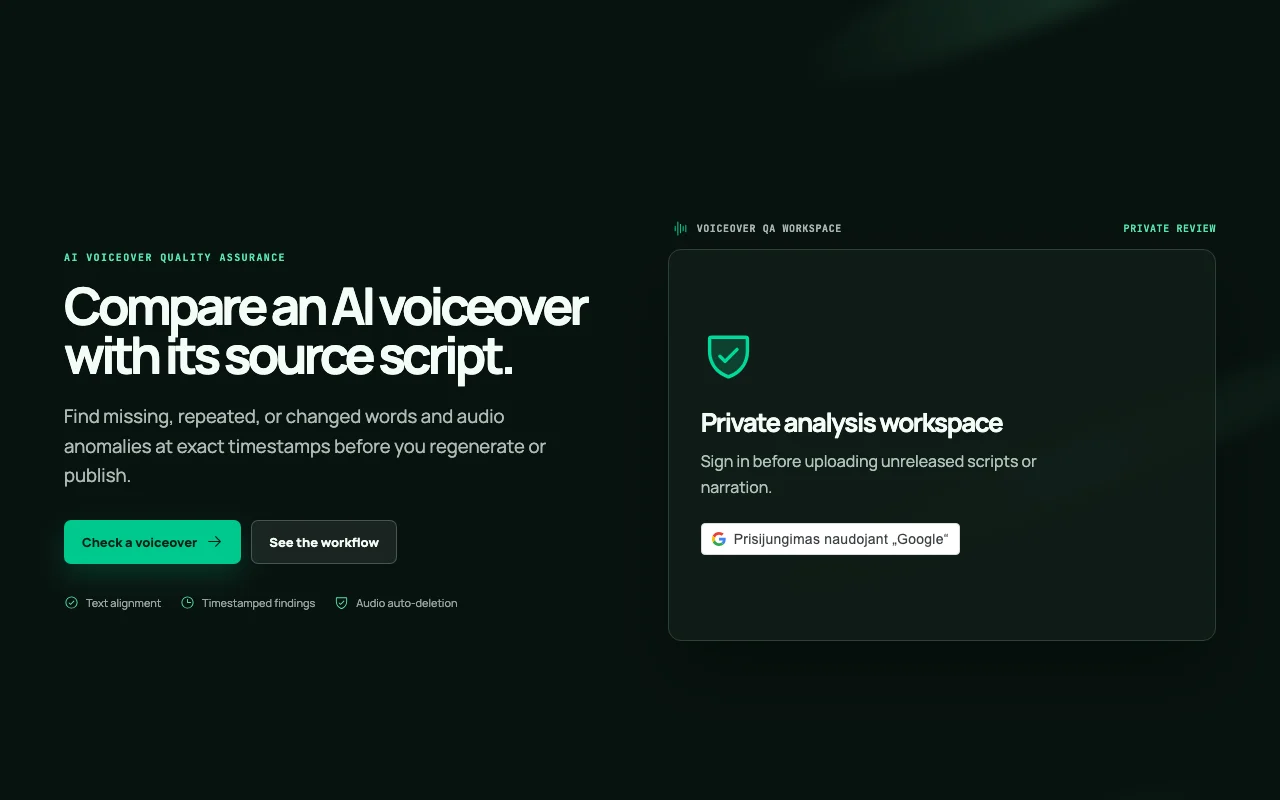
Voiceover QA homepage — screenshot of the audio & voice AI tool, Oct 1, 2026
Voiceover QA's official site: how the product presents itself. voiceoverqa.com, captured Oct 1, 2026

What you provide and what you get back

How Voiceover QA works: what you provide, where it runs and what you get backYOU PROVIDEYour inputSource script pasted as textSingle-speaker recording (MP3, WA…AUDIO & VOICEVoiceover QAWebprice not publishedno free tieraccount requiredchecked Sep 29, 2026YOU GET BACKThe resultReport of missing, extra, repeate…Flags for long silence, clipping…CSV repair list with timestampsinput → Voiceover QA → output · from the vendor's own pages, no hands-on test unless stated
What you give Voiceover QA and what comes back, from its documentation

You provide

  • Source script pasted as text
  • Single-speaker recording (MP3, WAV or M4A, up to 100 MB and 30 minutes)

You get back

  • Report of missing, extra, repeated and changed wording
  • Flags for long silence, clipping and abrupt level changes
  • CSV repair list with timestamps

Where you can use it

Platforms
Web
Account
Required
Input formats
MP3, WAV, M4A
Max file
100 MB / 30 minutes
Languages
English production-ready, Japanese beta
Export
CSV repair list
Audio retention
About 24 hours

Where Voiceover QA is most useful

Scenarios are worked out by our editors from the documentation; the actual result depends on your input and plan.

Checking AI voiceover against its script before publishing

Who
Producers of AI-generated narration
You provide
Script text plus the matching audio take
Expected result
Timestamped list of deviations from the script
Plan needed
Credit-based (amounts not captured)
Limitation
Single-speaker audio only source (opens in a new tab)

Finding omitted or changed words in generated narration

Who
Teams generating narration at scale
You provide
Script and audio for one segment
Expected result
Missing, extra, repeated and changed words with source context and confidence
Plan needed
Credit-based
Limitation
Provider transcripts may normalize wording or omit repeated tokens source (opens in a new tab)

Spotting long pauses and clipping in audio

Who
Editors cleaning a narration track
You provide
WAV, MP3 or M4A recording
Expected result
Timestamps of long silences, clipping and abrupt level changes
Plan needed
Credit-based
Limitation
Signal checks only, no judgment of naturalness source (opens in a new tab)

Handing a repair list to a re-record pass

Who
Project leads assigning fixes
You provide
Confirmed findings from the review
Expected result
CSV of timestamped items to regenerate
Plan needed
Credit-based
Limitation
You must confirm or ignore each candidate first source (opens in a new tab)

Voiceover QA features and their limits

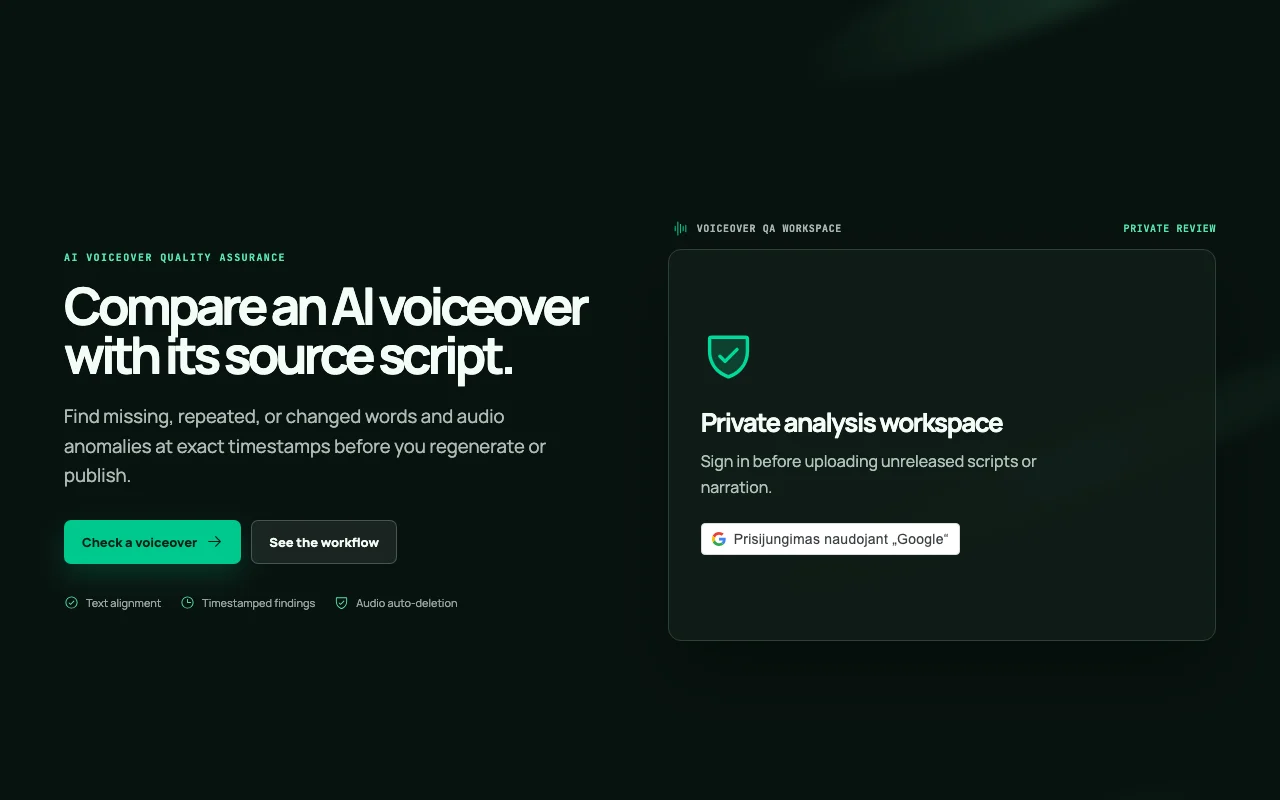
Voiceover QA homepage — screenshot of the audio & voice AI tool, Oct 1, 2026
Feature overview on the official site. voiceoverqa.com, captured Oct 1, 2026

Script-to-audio comparison

Transcribes the recording, aligns detected words and diffs them against the pasted script Finds dropped or altered sentences without listening end to end

Access: Signed-in accountLimit: English production-ready, Japanese beta source (opens in a new tab)

Timestamped findings with source context and confidence

Shows each candidate with timestamp, script context, detected text, confidence and suggested action Lets you jump straight to the spot to verify

Access: Signed-in accountLimit: Candidates, not verdicts source (opens in a new tab)

Detection of silence, clipping and level changes

Checks the decoded audio signal for long pauses, clipping and abrupt volume jumps Catches technical defects text comparison misses

Access: Signed-in accountLimit: Does not rate emotion or pronunciation source (opens in a new tab)

CSV export of repair list

Exports the confirmed findings with timestamps Feeds a regeneration or re-record workflow

Access: Signed-in accountLimit: CSV only on fetched pages source (opens in a new tab)

Review, confirm or ignore workflow

Lets you mark each finding as confirmed or ignored Keeps the exported list limited to real problems

Access: Signed-in accountLimit: Manual step per item source (opens in a new tab)

Voiceover QA pros and cons

Reasons to choose Voiceover QA

Check before paying for Voiceover QA

How to use Voiceover QA for checking an AI voiceover against its script

Voiceover QA documentation — screenshot of the audio & voice AI tool, Oct 1, 2026
Voiceover QA documentation: where the steps below come from. voiceoverqa.com, captured Oct 1, 2026

Set up Voiceover QA

  1. Open voiceoverqa.com and sign in
  2. Paste the exact source script for one recording
  3. Prepare a single-speaker MP3, WAV or M4A under 100 MB and 30 minutes

Example: checking an AI voiceover against its script

  1. Upload the narration matching the pasted script
  2. Wait while the queue transcribes and aligns the audio
  3. Open each finding and listen at its timestamp
  4. Confirm or ignore each candidate
  5. Export the confirmed list as CSV

Review and export the result

  1. Replay the audio at flagged timestamps to rule out transcript normalization
  2. Re-run the corrected take and confirm the findings are gone

Privacy, data use and commercial rights

Summarized from the vendor's current policies; this is not legal advice and a vendor's badge is not an independent audit.

How your inputs and outputs are handled

Audio and script are processed; audio is sent server-to-server to a speech-to-text provider

Uploaded audio scheduled for deletion after about 24 hours

Controls for business users

  • Audio stored outside the public web root

Voiceover QA alternatives by need

"Better suited" is based on documented features and pricing, not on a head-to-head test.

ElevenLabs: better suited to

Descript: better suited to

Alternatives
AlternativeWhen to choose itPricingLimitation
ElevenLabs——Compare
Descript——

Explore Voiceover QA further

If you are looking at Voiceover QA

Voiceover QA user reviews

No user reviews yet.

Used Voiceover QA? Be the first to share your experience.

Write a review

Reviews are checked by a moderator before they appear. Your email is never published. Plain text only.

Your rating (required)

Show what you made or what went wrong. Images are published only if the review is approved; location data is removed.

    Voiceover QA FAQ

    What audio formats and sizes does Voiceover QA accept?

    MP3, WAV or M4A up to 100 MB and 30 minutes, single speaker. source (opens in a new tab)

    How long is my uploaded audio kept?

    It is scheduled for deletion after about 24 hours. source (opens in a new tab)

    Does it check pronunciation or acting quality?

    No. It does not judge acting, emotion, native pronunciation, naturalness or publication readiness. source (opens in a new tab)

    What does each finding contain?

    A timestamp, source context, detected text when available, confidence and a suggested review action. source (opens in a new tab)

    Which languages are supported?

    English is described as production-ready and Japanese as beta. source (opens in a new tab)

    Sources and review methodology

    Official sources and verification dates

    Not verified: Credit pack prices; Free credits or trial; Training use by speech-to-text provider; Billing behavior details.

    How we documented and maintain this page

    Every fact about Voiceover QA above comes from the 4 official pages listed here, last compared on Sep 29, 2026; we have not run Voiceover QA ourselves, so it has no editorial score. How we check and re-check pages.

    Article updated Oct 10, 2026; prices checked Sep 29, 2026. Outbound links to vendors are plain links; we do not earn commissions. How we review · Report an error