Audio & voiceDocumented overviewLast checked Oct 1, 2026
Wispr Flow: Pricing, Features & Best Use Cases
AI voice dictation that turns speech into polished text in any app on Mac, Windows, iPhone and Android, plus an AI notetaker for meetings; supports 100+ languages and team collaboration.
Our take: Best for writers, developers, knowledge workers, and teams needing fast dictation with compliance options; free tier available with usage limits; HIPAA compliance available on all plans.
Main limitation: Free plan has limited Notetaker access and dictation limits (2,000 words/week on desktop, 1,000/week on mobile); unlimited dictation requires paid plans
By the AI Tool Atlas editors.
Based on the vendor's official documentation; we have not tested this product hands-on. What “documented overview” means
Wispr Flow in the news
Headlines from US outlets, selected automatically — not endorsements. Updated Oct 2, 2026
Annual billing only; custom MSA and contract terms
For: Large enterprises with strict security and compliance requirements
Limits
Custom seat counts and domains
Model training disabled organization-wide
1 more
Unlimited Notetaker and dictation
Includes
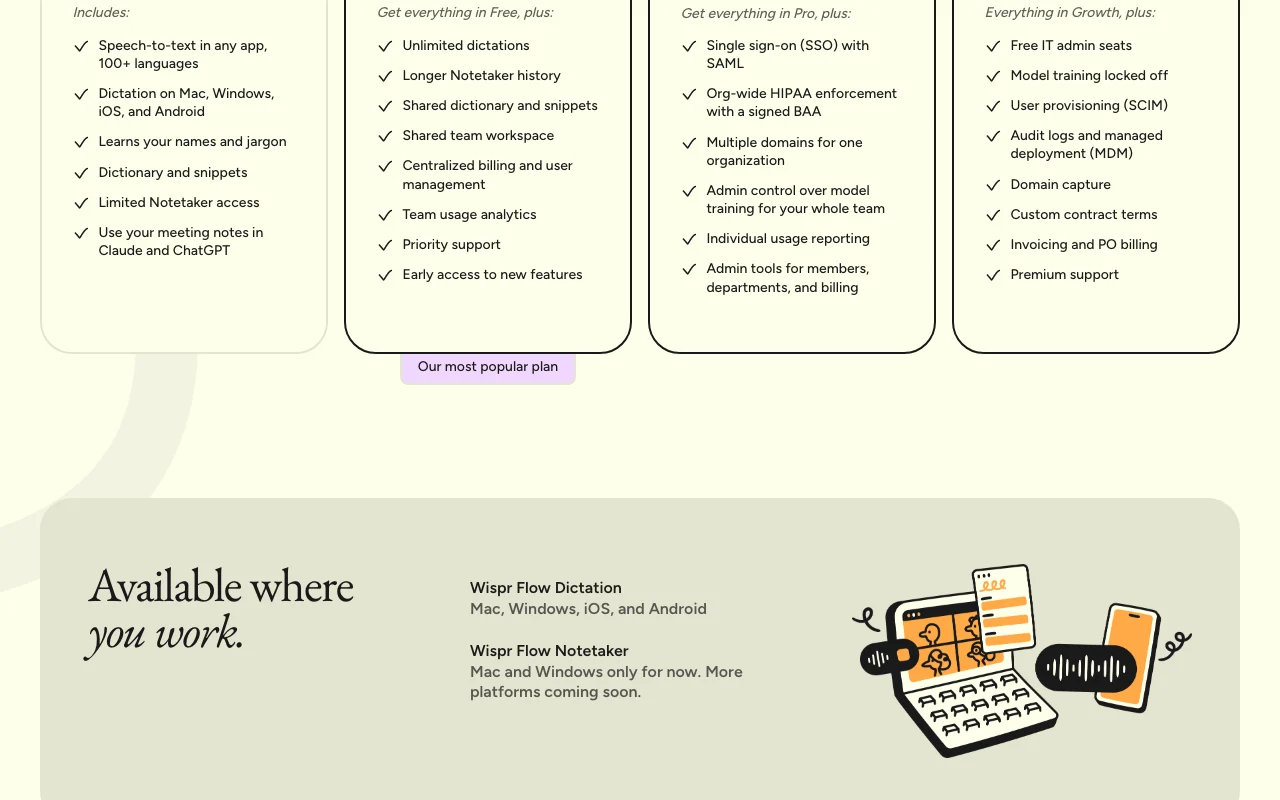
Everything in Growth, plus:
Free IT admin seats
8 more
Model training locked off globally
User provisioning (SCIM)
Audit logs and managed deployment (MDM)
Domain capture
Custom contract terms and MSA
Invoicing and PO billing
Premium support with SLAs
Dedicated customer success manager
Usage caps, credits and extra costs
Student/educator discount: 50% off Pro; Nonprofit discount available on request
Not explicitly stated
What is Wispr Flow, and how does it work?
Wispr Flow is a voice-to-text dictation tool that converts natural speech into cleaned-up, formatted writing inside any application, removing filler words and fixing phrasing. It supports 100+ languages and learns names and jargon via a personal dictionary and snippets. It also includes a Notetaker for meetings (Mac/Windows), with notes usable in Claude, ChatGPT, and via MCP integration. Paid plans add unlimited dictation, team workspaces, admin controls, SSO and HIPAA BAA options for organizations.
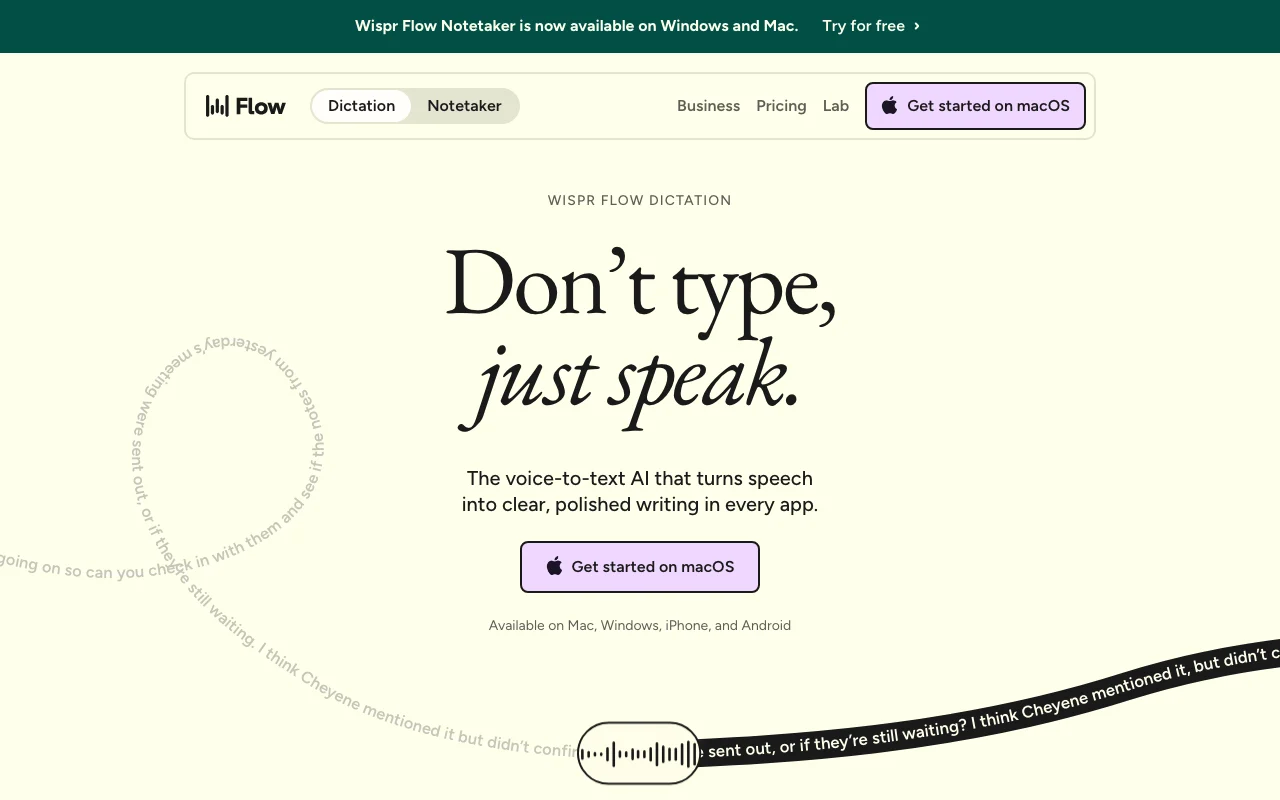
Wispr Flow's official site: how the product presents itself. wisprflow.ai, captured Oct 1, 2026
What you provide and what you get back
What you give Wispr Flow and what comes back, from its documentation
You provide
Voice and speech (dictation)
Meeting audio (Notetaker)
Voice memos
You get back
Formatted text
Meeting transcripts and notes
Custom snippets and dictionary entries
MCP-compatible meeting data for AI integration
Where you can use it
Platforms
Desktop (macOS, Windows), Mobile (iOS, Android)
Account
Required
Where Wispr Flow is most useful
Scenarios are worked out by our editors from the documentation; the actual result depends on your input and plan.
Dictating emails and messages
Who
Knowledge workers, executives, writers
You provide
Voice message or email draft
Expected result
Polished, formatted email text ready to send
Plan needed
Free (limited) or Pro ($12-15/user/mo) for unlimited
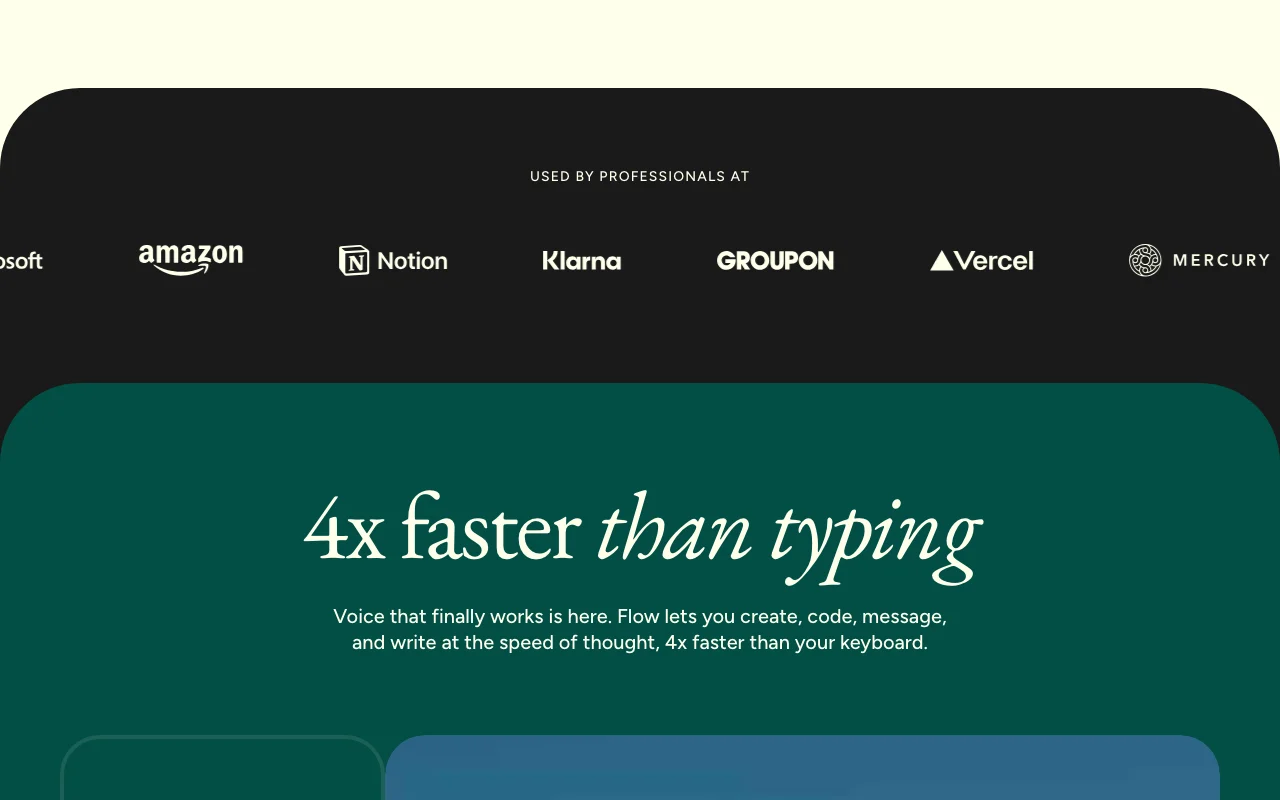
Feature overview on the official site. wisprflow.ai, captured Oct 1, 2026
Dictation in any app
Works in any application where you can type; no plugins required Type 4x faster than keyboard; works universally across your workflow
Access: All plans (Free and above)Limit: Free: 2,000 words/week on desktop, 1,000/week on mobile; unlimited on Pro+source (opens in a new tab)
100+ languages with auto-detection
Automatically detects and transcribes multiple languages; supports code-switching Global teams can dictate naturally in their language; no language selection needed
Learn unique names, jargon, and company terminology; save frequently-used text shortcuts Accurate transcription of specialized terms; fast insertion of boilerplate text
Access: All plans; shared dictionary on Pro+ teamsLimit: Free: Personal only; Pro+: Shared team dictionarysource (opens in a new tab)
Meeting Notetaker
Record meetings, auto-transcribe, identify speakers, generate summaries Hands-free meeting documentation; exportable to Claude, ChatGPT via MCP
Access: Limited on Free; Unlimited on Growth+; Included (limited) on ProLimit: Mac and Windows only; iOS/Android on roadmap; limited meeting count on Freesource (opens in a new tab)
Wispr Flow pros and cons
Reasons to choose Wispr Flow
Free plan available Zero cost to test dictation and Notetaker features with usage limitsdocumentedsource (opens in a new tab)
Apps for Mac, Windows and iPhone downloadable Multi-platform support; seamless sync across devices (Android on waitlist)documentedsource (opens in a new tab)
Annual billing gives 20% discount Significant savings on annual commitmentdocumentedsource (opens in a new tab)
HIPAA compliance available on all plans Healthcare and regulated industry teams can use Flow securely with BAAdocumentedsource (opens in a new tab)
Check before paying for Wispr Flow
Free plan has limited Notetaker access and dictation limits Heavy users must upgrade to Pro; weekly word limits enforceddocumentedsource (opens in a new tab)
Enterprise pricing is custom and annual only No transparency on enterprise costs; significant commitment requireddocumentedsource (opens in a new tab)
Notetaker available only on Mac and Windows Mobile users cannot use Notetaker; iOS/Android versions on product roadmapdocumentedsource (opens in a new tab)
How to use Wispr Flow for dictating an email using voice-to-text
Set up Wispr Flow
Download Flow for your device (Mac, Windows, iPhone, or Android)
Sign up for a free account
Open any email client (Gmail, Outlook, etc.)
Activate dictation (hotkey or menu)
Speak naturally; Flow cleans up filler words and punctuation
Example: dictating an email using voice-to-text
Open Gmail and click Compose
Activate Flow dictation
Say: 'Hey so um can you let the team know the launch is slipping to Monday because legal needs to sign off on terms we'll have a firm timeline by end of day Thursday'
Flow transcribes and cleans to: 'Can you let the team know the launch is slipping to Monday? We're still waiting on legal to sign off on the new terms page. We'll have a firm timeline by end of day Thursday.'
Review and send
Review and export the result
Verify punctuation and capitalization are correct
Check custom dictionary/names were recognized
Confirm remaining weekly word quota (if on Free plan)
Example prompt suggested by our editors (not a recorded output of the product)
Dictate a professional email asking for a project status update.
Wispr Flow integrations and API
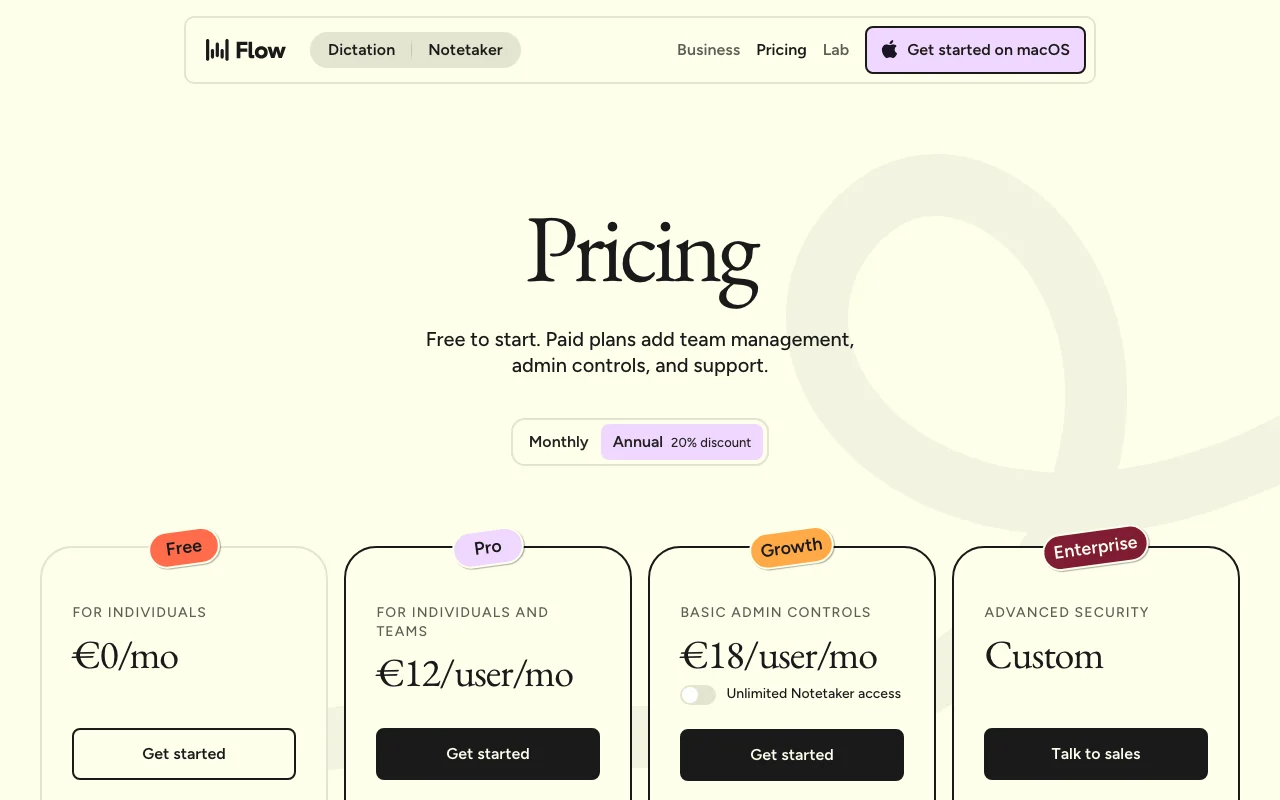
Plan comparison on the official pricing page. wisprflow.ai, captured Oct 1, 2026
Native integrations and export formats
Export: Text (formatted dictation), Meeting transcripts (MCP-compatible), Notes with speaker identification
API access and separate billing
Wispr Flow has no public API in its official documentation. API documentation not publicly available API documentation ↗
Privacy, data use and commercial rights
Summarized from the vendor's current policies; this is not legal advice and a vendor's badge is not an independent audit.
How your inputs and outputs are handled
Audio, transcripts, meeting recordings, dictation history, personal dictionary
Opt-in: Users choose whether Wispr uses dictation data to improve models; default is opt-out
Configurable in Settings; users can delete data anytime
Commercial use and plan restrictions
Dictation data used for training only if user opts in; BAA accounts disable by default
Enterprise: Model training locked off organization-wide; Growth: Admin control per org
Controls for business users
SOC 2 Type II certified
ISO 27001 certified (Enterprise only)
HIPAA compliant (all plans with signed BAA)
Bug bounty program (up to $5,000+ for critical findings)
Flow is 4x faster than typing. The average typing speed is 45 words per minute, while Flow achieves 220 words per minute with voice dictation. source (opens in a new tab)
Does Flow work everywhere I type?
Yes. Flow works anywhere you can type—email, messaging, code editors, documents, etc. No plugins required; syncs seamlessly across Mac, Windows, iPhone, and Android. source (opens in a new tab)
Can I use Flow with a team?
Yes. Flow Pro supports both individuals and teams with no minimum seat requirement. Pro includes shared dictionary and team workspace; Growth and Enterprise add admin controls and HIPAA enforcement. source (opens in a new tab)
Is Flow HIPAA-compliant?
Yes. HIPAA compliance is available on all plans with the acceptance of a Business Associate Agreement (BAA). Individuals can self-sign in Settings; Enterprise users can enforce HIPAA organization-wide. source (opens in a new tab)
What is the Notetaker?
Wispr Flow Notetaker is an AI voice memo tool for meetings and conversations. It auto-transcribes, identifies speakers, and lets you ask questions across your meetings. Notes are exportable via MCP for use in Claude, ChatGPT, and other AI tools. Currently available on Mac and Windows; mobile coming soon. source (opens in a new tab)
Pricing | Wispr Flowpricing · checked Oct 1, 2026 · Plan pricing (Free, Pro, Growth, Enterprise), Annual billing discount (20%), Feature comparison matrix, Notetaker promotion through October 31, Student/educator and nonprofit discounts, ROI calculator, FAQs
Wispr Flow | Voice to Text Dictation & AI Notetakerhomepage · checked Oct 1, 2026 · Product overview (dictation and Notetaker), Features (natural speech, auto-editing, language support), Supported platforms (Mac, Windows, iPhone, Android), Company news ($81M funding for Voice OS), Use cases and integrations
Privacy | Wispr Flowpolicy · checked Oct 1, 2026 · Data privacy and security, Compliance certifications (SOC 2 Type II, HIPAA, ISO 27001), Model training opt-in/opt-out, Data storage and encryption, HIPAA BAA signing process, Bug bounty program
Not verified: API availability and documentation; Whether Growth tier has multiple sub-tiers or single tier; Exact Android waitlist timeline; Free plan Notetaker terms after October 31 promotion ends; Offline dictation capability; Specific model versions used for transcription; Call recording and transcription features; Custom model training options.
How we documented and maintain this page
Every fact about Wispr Flow above comes from the 3 official pages listed here, last compared on Oct 1, 2026; we have not run Wispr Flow ourselves, so it has no editorial score. How we check and re-check pages.
Article updated Oct 2, 2026; prices checked Oct 1, 2026. Outbound links to vendors are plain links; we do not earn commissions. How we review · Report an error