Our take: Use Vocal Remover when you need a quick, free, no-install split of a song into karaoke and a cappella tracks and do not need a documented API or published paid tiers.
Main limitation: The improved new version is marked subscribers-only and no subscription price is published.
By the AI Tool Atlas editors.
Based on the vendor's official documentation; we have not tested this product hands-on. What “documented overview” means
Is Vocal Remover right for you?
Use Vocal Remover when you need a quick, free, no-install split of a song into karaoke and a cappella tracks and do not need a documented API or published paid tiers. Based on the vendor's documentation, not on a hands-on test.
Best for: Karaoke fans
Also a good fit for
Musicians practicing covers
Casual audio editing
Consider another tool if improved new version restricted to subscribers
Or if
Subscription prices not published on pages loaded
Web only; no app or API confirmed
Vocal Remover pricing and usage limits
Prices checked Oct 1, 2026 on the official US pricing page. Prices and limits change often.
The official Vocal Remover pricing page as we saw it. vocalremover.org, captured Oct 2, 2026
Free access and trial conditions
The homepage says the app can be used absolutely free.
Improved algorithms in the new version, per the vendor's subscribers-only note
Usage caps, credits and extra costs
Subscription price for the new version is not shown; a Donate link is present.
Not stated.
What is Vocal Remover, and how does it work?
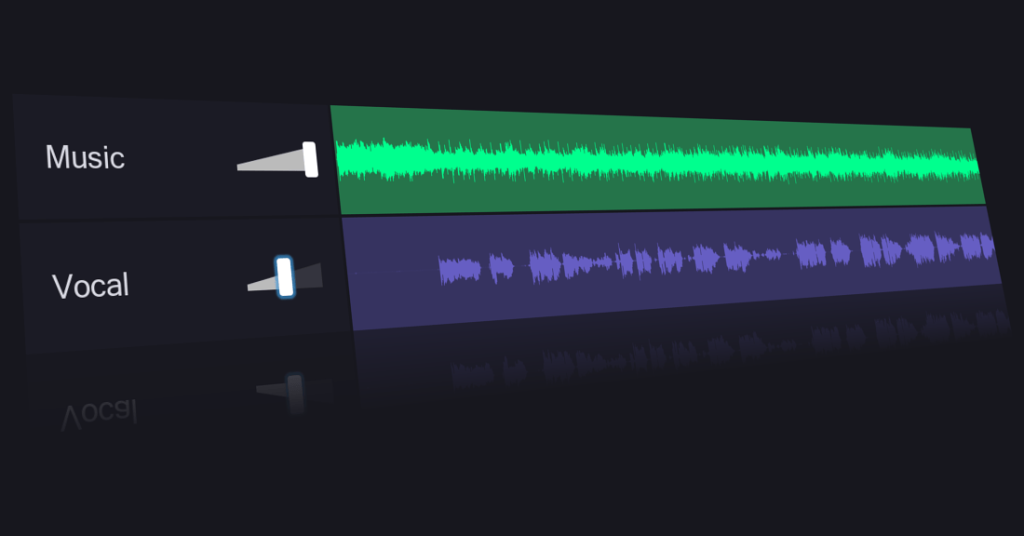
Vocal Remover is a browser-based tool that separates vocals from music using AI. Uploading a song returns two tracks: a karaoke version without vocals and an a cappella version with isolated vocals.
The site also offers related audio utilities such as a splitter, pitch changer, key and BPM finder, cutter, joiner, recorder and karaoke tool. A newer version with improved algorithms is marked as available to subscribers only.
Vocal Remover's official site: how the product presents itself. vocalremover.org, captured Oct 2, 2026
What you provide and what you get back
You provide
Audio file chosen via Browse my files
You get back
Karaoke (no vocals) track
A cappella (isolated vocals) track
Where you can use it
Platforms
Web
Account
Required
Outputs
Karaoke (instrumental) and a cappella (vocals) tracks
Splits an uploaded song into an instrumental and a vocal track with AI, in about 10 seconds per the vendor. Gives a ready karaoke backing and an a cappella without studio software.
Access: Free on the web; improved new version for subscribers.Limit: Only two outputs shown (vocals and music); no per-instrument stems on this tool.source (opens in a new tab)
Stem splitter
A separate Splitter utility listed in the site navigation. Lets users cut audio into parts in the same site.
Access: Listed in the top navigation.Limit: Behavior and limits of the Splitter are not described on pages checked.source (opens in a new tab)
Pitch changer
A Pitcher utility to change the pitch of audio. Helps fit a backing track to a singer's range.
Access: Listed in the top navigation.Limit: Pitch range and quality settings not documented.source (opens in a new tab)
Key and BPM finder
A Key BPM Finder utility. Helps DJs and musicians match tempo and key.
Access: Listed in the top navigation.Limit: Accuracy and supported formats not documented.source (opens in a new tab)
Pros, cons and deal-breakers
Where Vocal Remover is strong
Basic vocal removal usable for free You can make a karaoke track without paying or installing anythingdocumentedsource (opens in a new tab)
Runs in the browser, no install No software setup, works from any modern browserdocumentedsource (opens in a new tab)
Processing stated to take about 10 seconds A split finishes quickly enough to try several songs in a rowdocumentedsource (opens in a new tab)
Several audio utilities on one site Cutter, joiner and recorder are available without leaving the sitedocumentedsource (opens in a new tab)
Limitations to check before paying
Improved new version restricted to subscribers Subscribers get a better separation than free usersdocumentedsource (opens in a new tab)
Subscription prices not published on pages loaded You cannot budget for an upgrade because no price is showndocumentedsource (opens in a new tab)
Web only; no app or API confirmed No mobile app or API means no automation or offline usedocumentedsource (opens in a new tab)
Requires uploading audio files to the service Your copyrighted audio leaves your device and is handled by the vendordocumentedsource (opens in a new tab)
How to use Vocal Remover for removing vocals from a song
Set up Vocal Remover
Open vocalremover.org in a browser
Click Browse my files (Choose file on the new version)
Select an audio file from your device
Example: removing vocals from a song
Choose a song you have the right to process
Wait roughly 10 seconds for processing
Play and download the karaoke track
Download the a cappella track if needed
Review and export the result
Play both tracks and listen for vocal remnants in the instrumental
Confirm the output format fits your player or editor
Privacy, data use and commercial rights
Summarized from the vendor's current policies; this is not legal advice and a vendor's badge is not an independent audit.
How your inputs and outputs are handled
Users upload a song file and receive two processed tracks.
Best Vocal Remover alternatives for different needs
"Better suited" is based on documented features and pricing, not on a head-to-head test.
Yes for the standard tool: the homepage says it can be used absolutely free. The improved new version is marked as available to subscribers only. source (opens in a new tab)
What files do I get back?
Two tracks: a karaoke version without vocals and an a cappella version with isolated vocals. source (opens in a new tab)
Not verified: Subscription price and plan details; Accepted input formats, file size and length limits; Output formats and quality; Privacy policy, retention and training use (/privacy returned 404); Account requirement for subscribers; Vendor legal name.
How we documented and maintain this page
Every fact about Vocal Remover above comes from the 2 official pages listed here, last compared on Oct 1, 2026; we have not run Vocal Remover ourselves, so it has no editorial score. How we check and re-check pages.
Article updated Oct 2, 2026; prices checked Oct 1, 2026. Outbound links to vendors are plain links; we do not earn commissions. How we review · Report an error