Our take: Best for podcasters, voiceover artists, and video editors who need precise audio slicing without uploading recordings.
Main limitation: One-time $29 purchase after 7-day trial; desktop only (Windows/macOS); no free tier
By the AI Tool Atlas editors.
Based on the vendor's official documentation; we have not tested this product hands-on. What “documented overview” means
Who Vocal Slice fits
Best for podcasters, voiceover artists, and video editors who need precise audio slicing without uploading recordings. Based on the vendor's documentation, not on a hands-on test.
Best for: Voiceover artists cutting takes into named clips
Also a good fit for
Podcasters pulling quotes from recordings
Video editors handling dialogue and ADR
Consider another tool if need a free tool (no free tier available)
Or if
Require web-based access (desktop only)
Need GPU acceleration for fast transcription (CPU fallback included but slow)
Vocal Slice pricing and usage limits
Prices checked Oct 1, 2026 on the official US pricing page. Official pricing ↗ Prices and limits change often.
Vendor pricing page re-checked automatically 12 days ago: no changes detected.
Free access and trial conditions
7-day free trial with all features unlocked; no card required
Tax included; no subscription or recurring charges
For: Voiceover artists, podcasters, and video editors cutting audio regularly
Limits
Unlimited audio transcription and slicing
Use on up to 3 machines simultaneously
Includes
Local Whisper transcription (English + multilingual models)
Text-selection slicing with frame-accurate handles
7 more
Lossless WAV export (byte-perfect from WAV source)
24-bit WAV export from other formats
Template-based file naming
Find all takes of a phrase or word
Re-trim clips without re-transcribing
Offline operation after activation
All future updates included
No API
Usage caps, credits and extra costs
None; one-time $29 includes all future updates
Tax included in the $29 price
What is Vocal Slice, and how does it work?
Vocal Slice is a Mac and Windows app for cutting voice recordings by text. It transcribes audio on the device with Whisper models to word-level timestamps; selecting a phrase in the transcript jumps the waveform to that region for trimming and export. WAV sources are sliced losslessly, other formats decode to 24-bit WAV, and exported files follow a user-defined naming template. It can find every take of a repeated line. It is sold as a one-time $29 purchase after a seven-day trial, and no audio leaves the machine.
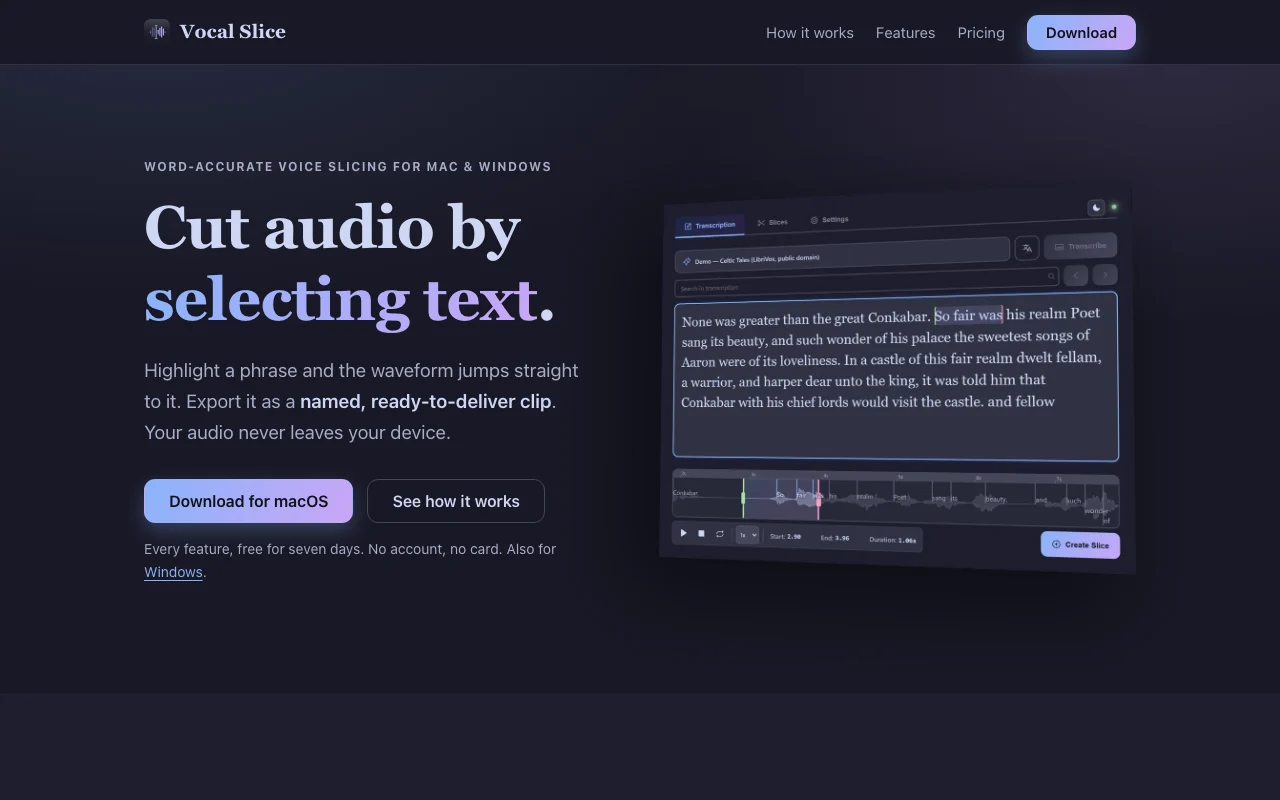
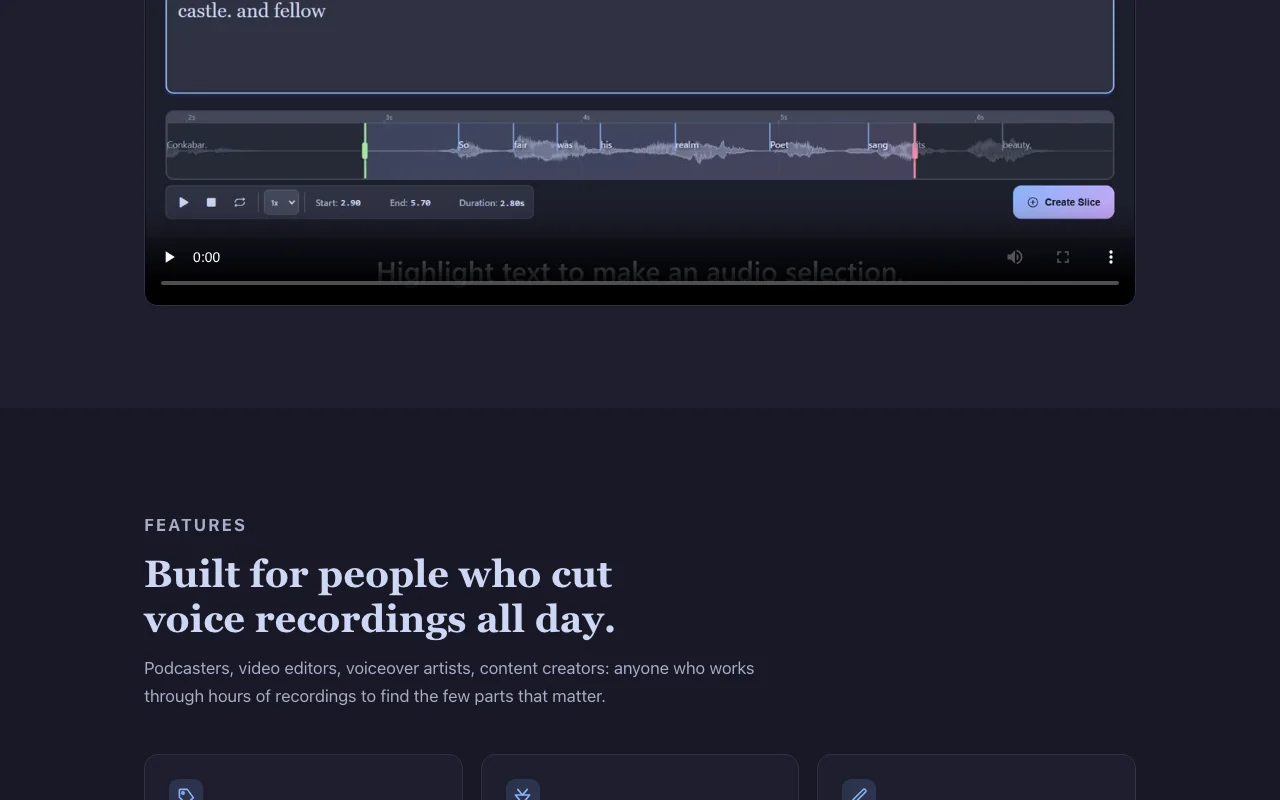
Vocal Slice's official site: how the product presents itself. vocalslice.com, captured Oct 2, 2026
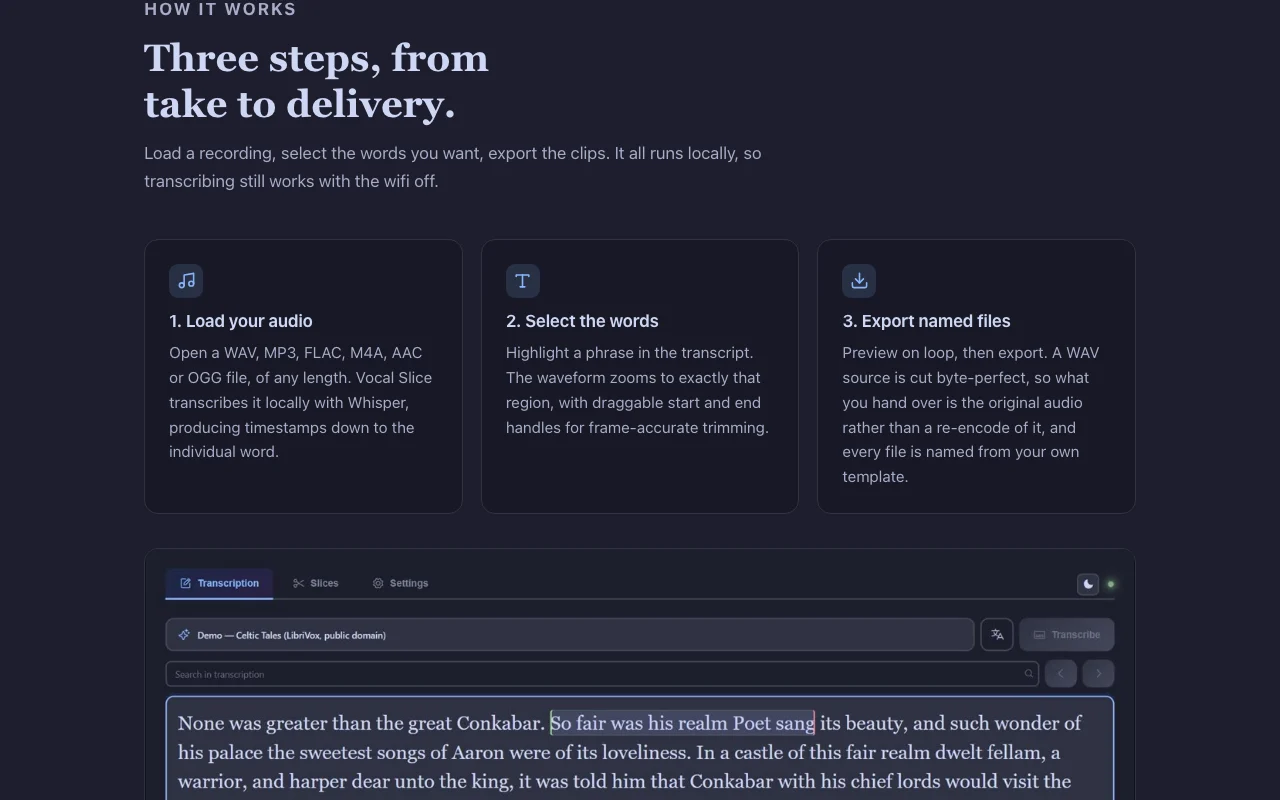
Feature overview on the official site. vocalslice.com, captured Oct 2, 2026
Local Whisper transcription with word-level timestamps
Transcribes audio on device to produce word-accurate timestamps Enable precise text-based selection of audio regions
Access: All (included with purchase)Limit: Larger models need up to ~1.6 GB disk; CPU fallback included but slow without GPUsource (opens in a new tab)
Text-selection slicing with waveform handles
Select a phrase in transcript; waveform zooms to that region with draggable handles Frame-accurate trimming without manual waveform editing
Access: AllLimit: Requires accurate transcription; word timings shifted by default 300ms to compensatesource (opens in a new tab)
Lossless WAV slicing
WAV source files are cut byte-perfect, preserving original sample rate, bit depth, and channel count Studio-quality output without re-encoding loss
One-time $29 purchase, updates included No subscription fees; own the software with all future versions includeddocumentedsource (opens in a new tab)
Works offline after activation Transcribe and edit even without internet; ideal for studios with no guest wifidocumentedsource (opens in a new tab)
No account required; audio stays on device Privacy for unreleased episodes, NDA content, and proprietary recordingsdocumentedsource (opens in a new tab)
License covers up to three machines Use on desktop, laptop, and one more machine with single purchasedocumentedsource (opens in a new tab)
Check before paying for Vocal Slice
One-time $29 purchase after 7-day trial; no free tier Must pay after trial ends; no permanent free optiondocumentedsource (opens in a new tab)
Desktop only (Windows 10/11, macOS 11+) Cannot use on Linux, iOS, or web; requires installationdocumentedsource (opens in a new tab)
Larger models need up to ~1.6 GB disk and run slowly without a GPU Initial transcription can be slow on CPU-only machines; GPU highly recommendeddocumentedsource (opens in a new tab)
Internet needed once to download models and activate Cannot use app fully offline until first setup (model download and license activation)documentedsource (opens in a new tab)
How to use Vocal Slice for slicing a voice recording into named clips
Set up Vocal Slice
Download Vocal Slice for Windows or macOS from https://vocalslice.com/
Install the app (Windows may show SmartScreen warning; choose 'More info' → 'Run anyway')
Launch the app and open a audio file (WAV, MP3, FLAC, M4A, AAC, or OGG)
On first use, download a Whisper model (English or multilingual; ~120 MB–1.6 GB)
App transcribes audio locally with word-level timestamps
Example: slicing a voice recording into named clips
Select a phrase in the transcript (e.g., 'Great question')
Waveform zooms to that region; adjust start and end handles for frame accuracy
Set your export template in settings (e.g., '{source}_{index}_{slug}')
Click Export; the slice is saved as a named WAV file
Repeat for other phrases; all clips export with consistent naming
Review and export the result
Verify transcription accuracy for critical phrases
Preview each slice before exporting (loop preview available)
Confirm exported file names match your delivery convention
Privacy, data use and commercial rights
Summarized from the vendor's current policies; this is not legal advice and a vendor's badge is not an independent audit.
How your inputs and outputs are handled
Audio files and transcripts processed entirely on user's machine; never uploaded or transmitted
Not used for AI model training; no telemetry collected
Session data (loaded file, transcript, slices) stored locally under user control; can be cleared at any time
Commercial use and plan restrictions
Output clips belong to user; can be used commercially
Isn't the transcription just Whisper, which is free?
The models are OpenAI's, MIT-licensed, and anyone can run them. What you're paying for is everything between a transcript and a delivered file: correcting word timings that arrive late, coupling the transcript and waveform so each drives the other, filename templating, and byte-level slicing that cuts from the source rather than re-encoding it. source (opens in a new tab)
How accurate are the cut points?
Word timings from speech recognition run consistently late, so Vocal Slice shifts them earlier by a compensation that defaults to 300ms and can be changed in settings. Both boundaries move together, which preserves each word's duration, and the correction applies to the exported cut. source (opens in a new tab)
Does it work without an internet connection?
Transcribing never needs internet. You need a connection twice: once to download a transcription model, and once to activate your license. After that it runs with the network off, which is ideal for planes or studios with no guest wifi. source (opens in a new tab)
What audio formats can it open?
WAV, MP3, FLAC, M4A, AAC, and OGG, of any length. Clips come out as WAV: a WAV source is cut byte-exact at its original sample rate, bit depth, and channel count. Other formats decode once to 24-bit rather than being re-compressed per clip. source (opens in a new tab)
Is my audio ever uploaded?
No. Transcription and slicing both run on your own hardware, and there's no account to create. That's what makes it usable for unreleased episodes, dialogue under NDA, or an interview you promised to protect. source (opens in a new tab)
Sources and review methodology
Official sources and verification dates
Vocal Slice — cut audio by selecting texthomepage · checked Oct 1, 2026 · Product overview, How it works (3-step workflow), Features list, Pricing ($29 one-time), Requirements and specs, FAQ
Privacy Policy — Vocal Slicepolicy · checked Oct 1, 2026 · Audio and transcript handling (on-device only), Internet usage (three occasions only), Local storage, Diagnostics and logs, Payment processing via Polar, Website analytics
How we documented and maintain this page
Every fact about Vocal Slice above comes from the 2 official pages listed here, last compared on Oct 1, 2026; we have not run Vocal Slice ourselves, so it has no editorial score. How we check and re-check pages.
Article updated Oct 10, 2026; prices checked Oct 1, 2026. Outbound links to vendors are plain links; we do not earn commissions. How we review · Report an error