Our take: Choose Tabbit if you want a Chromium-style desktop browser where a sidebar agent reads your tabs, files and screenshots and can run research or scheduled web tasks with several AI models.
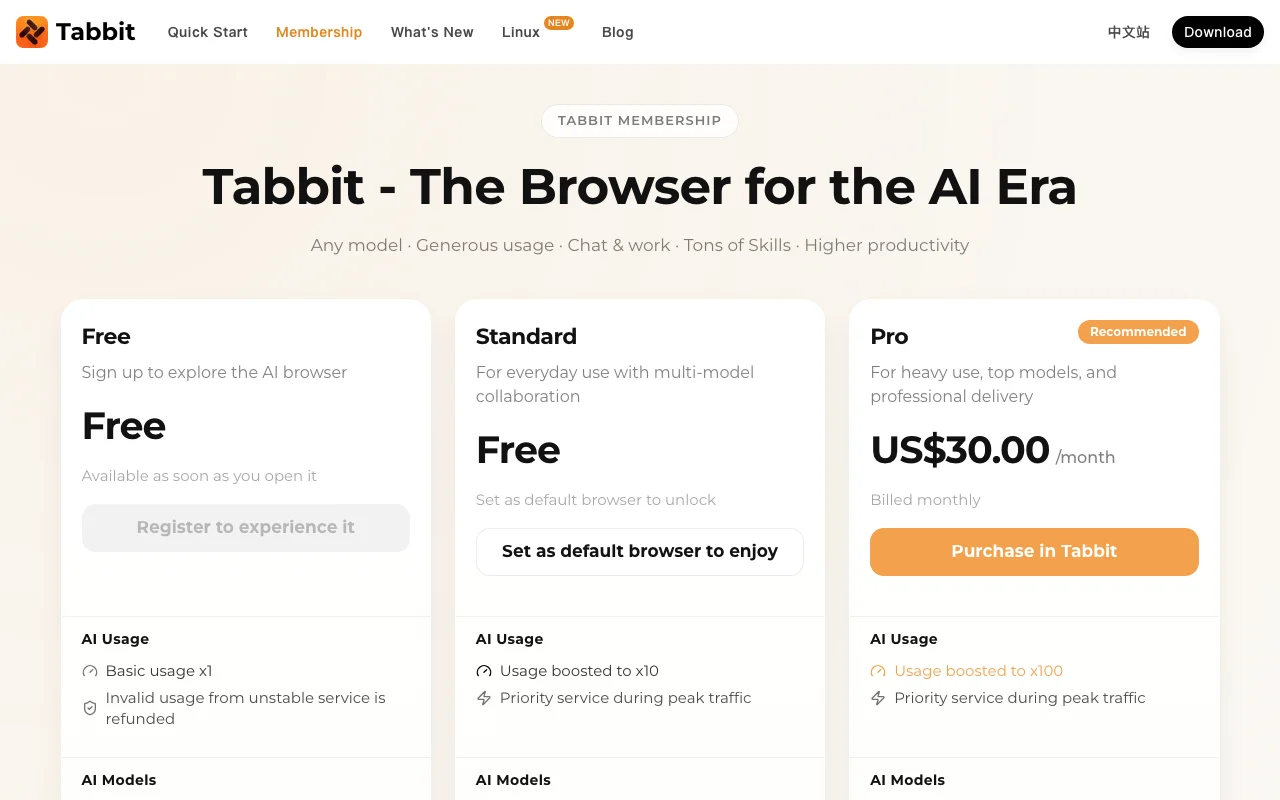
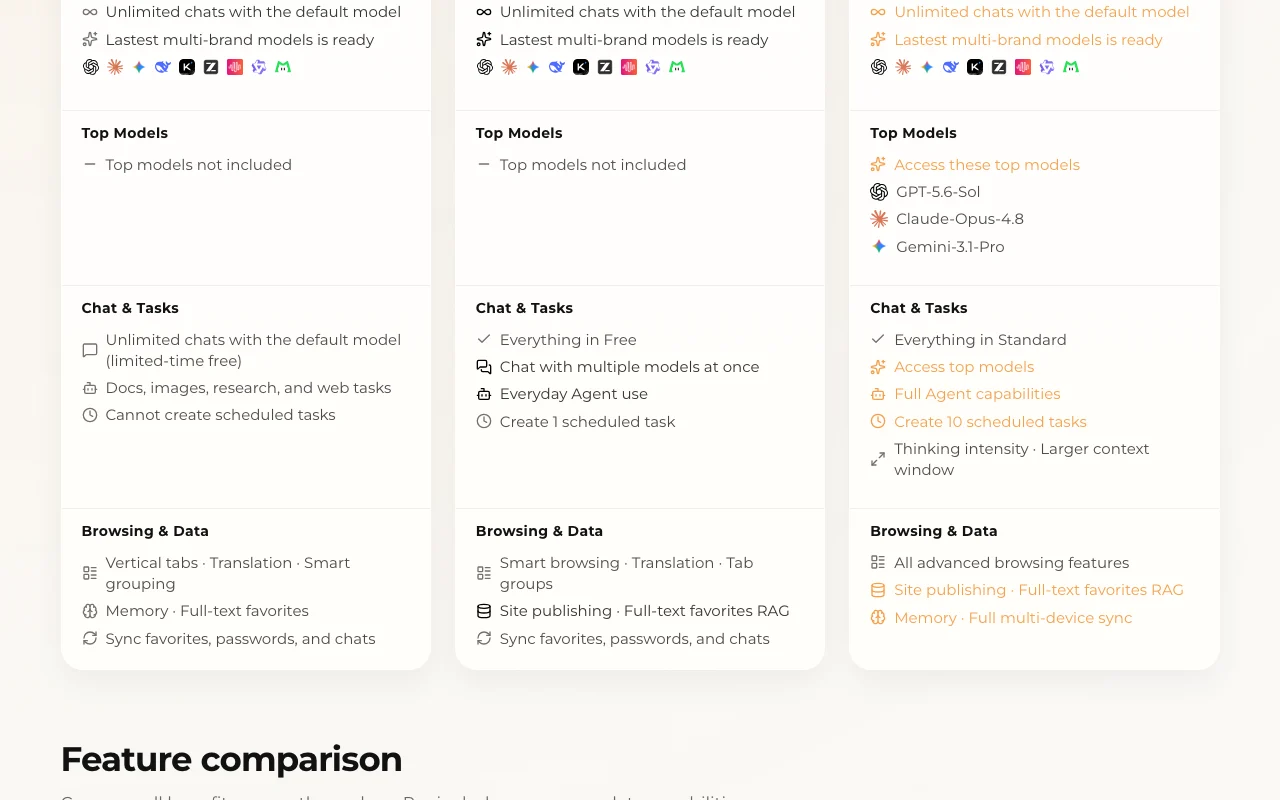
Main limitation: The top models (GPT-5.6-Sol, Claude-Opus-4.8, Gemini-3.1-Pro) and 10 scheduled tasks need Pro at US$30/month; Free cannot create scheduled tasks.
By the AI Tool Atlas editors.
Based on the vendor's official documentation; we have not tested this product hands-on. What “documented overview” means
Is Tabbit Browser right for you?
Choose Tabbit if you want a Chromium-style desktop browser where a sidebar agent reads your tabs, files and screenshots and can run research or scheduled web tasks with several AI models. Based on the vendor's documentation, not on a hands-on test.
Best for: Knowledge workers
Also a good fit for
Researchers
Users wanting an AI-first browser
Consider another tool if top models only on Pro ($30/mo)
Or if
Free plan cannot create scheduled tasks
Usage multipliers limit free AI use
Tabbit Browser pricing and usage limits
Prices checked Oct 1, 2026 on the official US pricing page. Official pricing ↗ Prices and limits change often.
Vendor pricing page re-checked automatically 12 days ago: no changes detected.
The official Tabbit Browser pricing page as we saw it. tabbit.ai, captured Oct 1, 2026
Free access and trial conditions
Free tier on sign-up; Standard is also free once you set Tabbit as your default browser.
None listed; Pro is billed monthly through Stripe, benefits activate after payment succeeds.
Not stated.
What is Tabbit Browser, and how does it work?
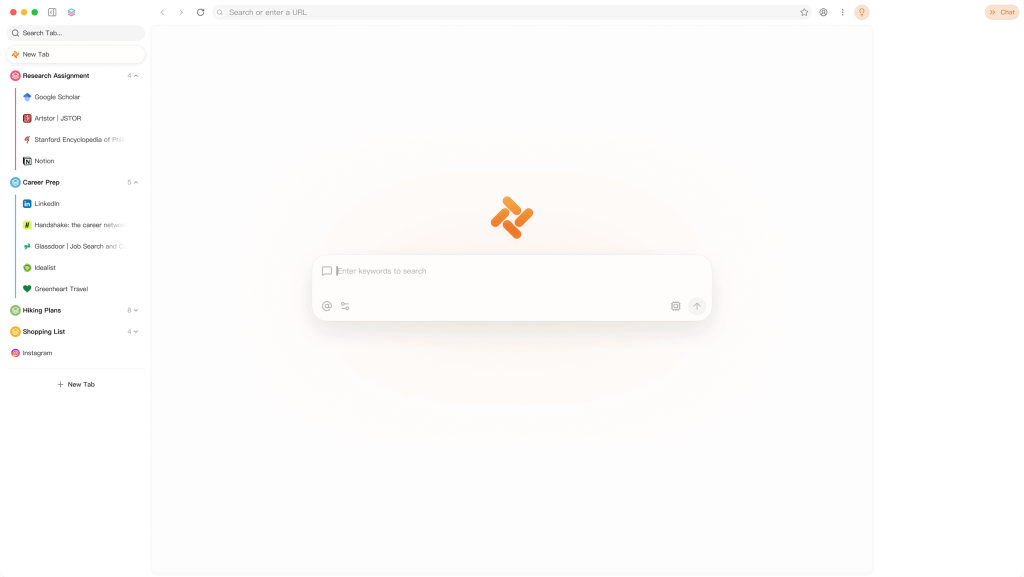
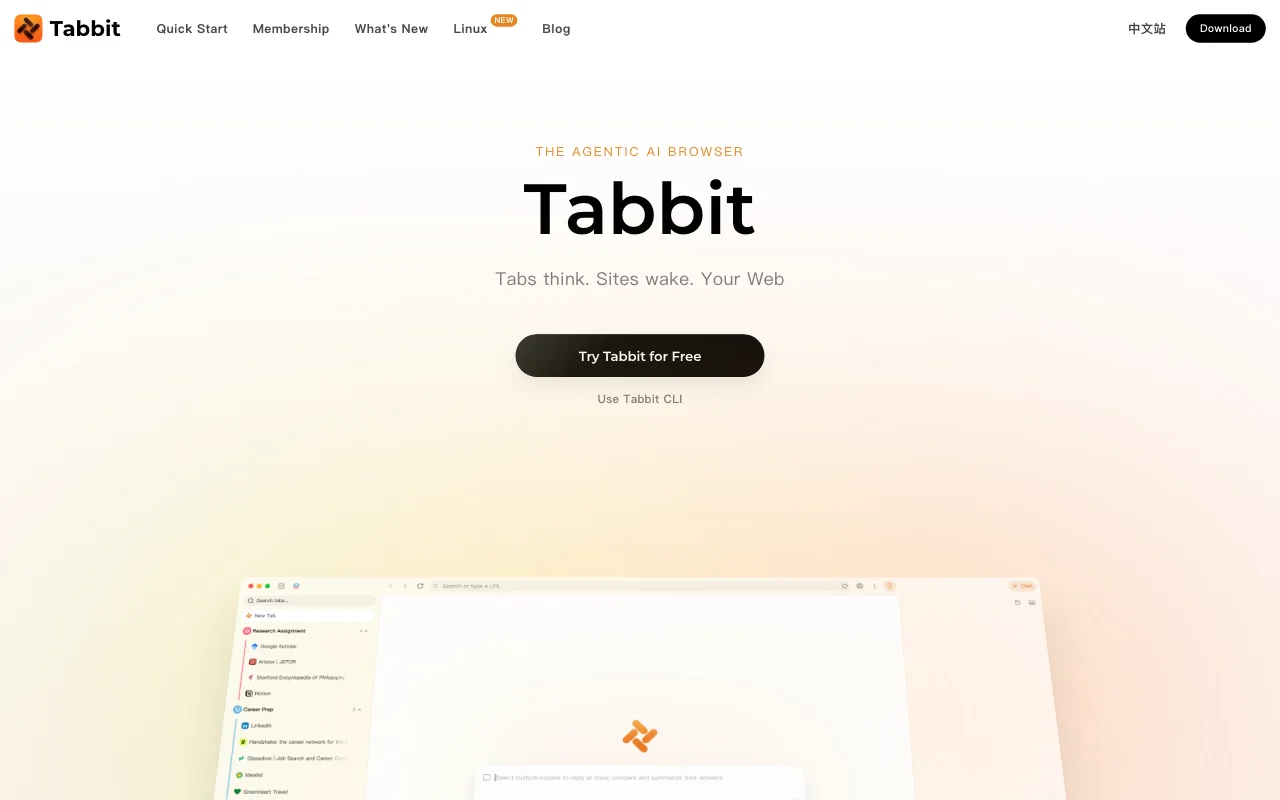
Tabbit is an AI browser that lets users chat with pages, tabs, files and screenshots and run agents that research, write and automate web tasks. It ships with site skills and access to multiple AI models.
It is a free desktop download for macOS and Windows. Paid Pro membership adds higher usage, top models and more scheduled tasks. It is published by LUMINALAB PTE. LTD.
Tabbit Browser's official site: how the product presents itself. tabbit.ai, captured Oct 1, 2026
What you provide and what you get back
What you give Tabbit Browser and what comes back, from its documentation
You provide
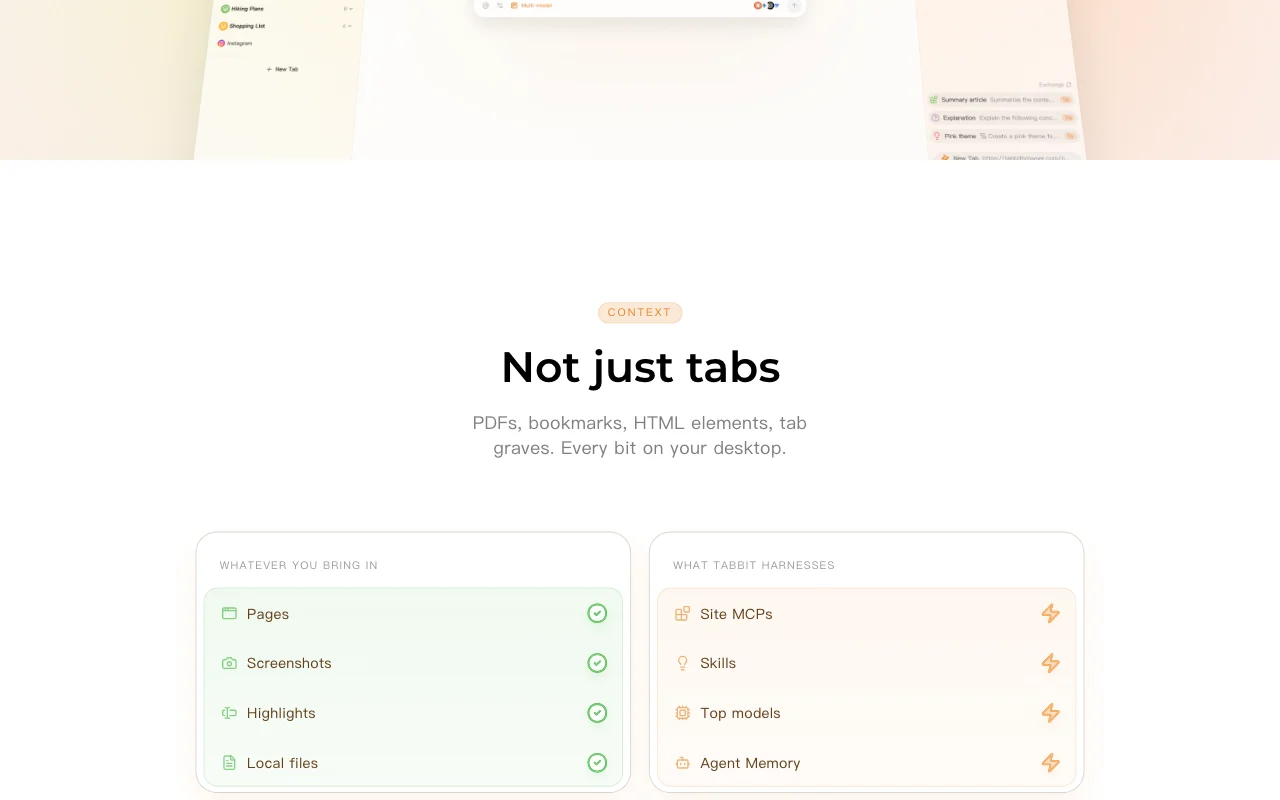
Web pages, tabs and highlighted elements
Local files and screenshots
Text prompts with @ mentions of tabs, files and favorites
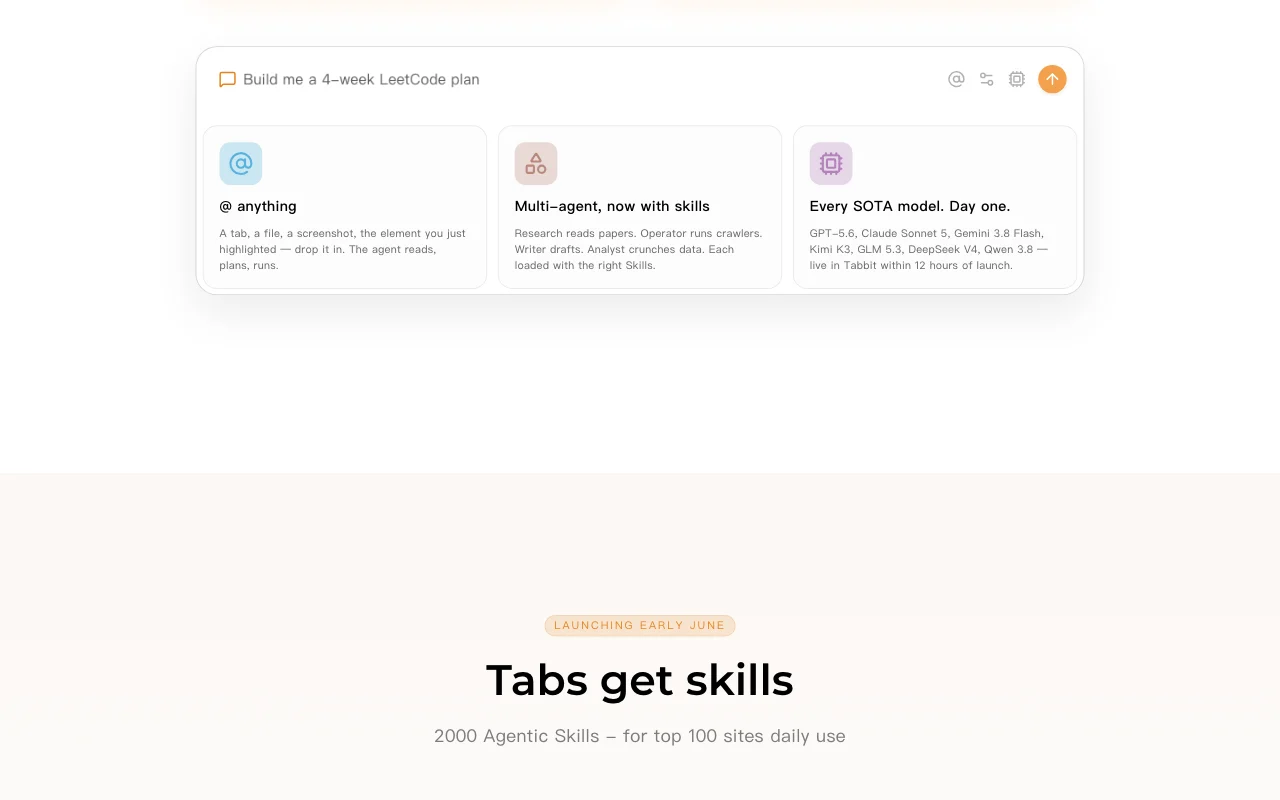
Feature overview on the official site. tabbit.ai, captured Oct 1, 2026
Sidebar AI chat with page and file context
A sidebar chat accepts @webpages, files and favorites as context, so the model reads the actual page content rather than a pasted excerpt. Ask questions about what you are looking at without copying text.
Agents such as Research, Operator, Writer and Analyst are loaded with Skills, site-specific procedures (about 2,000 across top sites like GitHub, Gmail, YouTube) that guide the agent's steps. Repeatable site tasks such as explaining a PR or extracting PDF tables.
Access: Using Skills on all plans; creating and publishing Skills on ProLimit: Skill catalog was marked as launching early June on the homepagesource (opens in a new tab)
Multiple built-in AI models
Routes requests to multiple vendors' models; Standard lets you chat with several models at once and Pro unlocks the three listed top models. Compare answers or pick a stronger model for hard tasks.
Access: Default model on all; top models Pro onlyLimit: Top models excluded from Free and Standardsource (opens in a new tab)
Scheduled tasks
Saves a task prompt that runs automatically; Standard allows 1 and Pro 10. Recurring digests or checks without opening the browser task each time.
Free download for macOS and Windows You can use the browser at no cost, though only the default model.documentedsource (opens in a new tab)
Standard tier free when set as default browser Standard raises usage from x1 to x10 and adds one scheduled task for free, at the price of default-browser status.documentedsource (opens in a new tab)
Pro price listed in USD Cost is a flat US$30 per month with no currency conversion for US buyers.documentedsource (opens in a new tab)
Imports bookmarks and history Switching from Chrome-style browsers does not lose your saved sites.documentedsource (opens in a new tab)
Check before paying for Tabbit Browser
Top models only on Pro ($30/mo) Users wanting the three listed frontier models must pay US$30 every month.documentedsource (opens in a new tab)
Free plan cannot create scheduled tasks No automation on Free, so recurring tasks require changing tiers.documentedsource (opens in a new tab)
Usage multipliers limit free AI use Heavy chat and agent use can exhaust the x1 or x10 allowance faster than Pro's x100.documentedsource (opens in a new tab)
Standard tier requires making Tabbit the default browser Free upgrade to Standard costs you your current default browser setting.documentedsource (opens in a new tab)
How to use Tabbit Browser for researching a topic with an AI browser agent
Set up Tabbit Browser
Download Tabbit from tabbit.ai ('Try Tabbit for Free') for macOS or Windows.
Sign up or sign in to unlock the Free tier and sync favorites, passwords and chats.
Optionally set Tabbit as default browser to unlock the Standard tier (x10 usage).
Open the sidebar chat and pick a model; Pro users can choose a top model and thinking intensity.
Example: researching a topic with an AI browser agent
Open a few papers or articles in separate tabs.
In the sidebar chat type @ and attach the tabs or a local PDF as context.
Ask for the output, e.g. a comparison table, and choose a task format such as Excel or Word.
Save a recurring version under scheduled tasks if your plan allows.
Review and export the result
Open the generated file and compare key figures with the source tabs.
Check the usage multiplier shown for your plan (x1, x10 or x100).
Confirm scheduled tasks count against the plan limit (0, 1 or 10).
Example prompt suggested by our editors (not a recorded output of the product)
Using @these tabs, extract the main findings of each paper into a comparison table and give me an Excel file.
Tabbit Browser integrations and API
Plan comparison on the official pricing page. tabbit.ai, captured Oct 1, 2026
Native integrations and export formats
Export: PDF, PPT, Excel, Word, HTML, Images, Markdown
API access and separate billing
Tabbit Browser has no public API in its official documentation. A Tabbit CLI is advertised; no API docs (/docs returns 404)
Privacy, data use and commercial rights
Summarized from the vendor's current policies; this is not legal advice and a vendor's badge is not an independent audit.
How your inputs and outputs are handled
Highlights, chats and saved pages are said to stay on your machine; chats and favorites sync across devices if you sync.
Homepage lists 'Training on your reads' among things it does not do.
Task artifacts kept 30 days on lower tiers, permanently on Pro.
Commercial use and plan restrictions
Artifact retention and sync scope vary by plan.
Controls for business users
SOC 2 Type I examined (vendor claim)
Best Tabbit Browser alternatives for different needs
"Better suited" is based on documented features and pricing, not on a head-to-head test.
Set Tabbit as your default browser. That unlocks Standard, which raises AI usage to x10 and allows one scheduled task, with no payment. source (opens in a new tab)
Which models does Tabbit Pro unlock?
Pro at US$30.00 per month gives access to GPT-5.6-Sol, Claude-Opus-4.8 and Gemini-3.1-Pro; Free and Standard exclude top models. source (opens in a new tab)
Task features list PDF, PPT, Excel, Word, HTML and images, plus Deep Research and web actions, on all three plans. source (opens in a new tab)
Which platforms does Tabbit support?
Desktop downloads are for macOS and Windows; the comparison table lists multi-device sync across macOS, Windows, iOS, Android and HarmonyOS. source (opens in a new tab)
Not verified: Privacy policy text (/privacy empty); Linux availability; Retention of chat data on servers; API.
How we documented and maintain this page
Every fact about Tabbit Browser above comes from the 2 official pages listed here, last compared on Oct 1, 2026; we have not run Tabbit Browser ourselves, so it has no editorial score. How we check and re-check pages.
Article updated Oct 10, 2026; prices checked Oct 1, 2026. Outbound links to vendors are plain links; we do not earn commissions. How we review · Report an error