Productivity & writingDocumented overviewLast checked Oct 1, 2026

Teable: Pricing, Features & Best Use Cases

AI spreadsheet-database for business with workflows, AI fields, an app builder and a Slack/Telegram bot.
Who Teable fits

Teable suits small teams and growing businesses that want a spreadsheet-style database with AI fields, automations and an app builder for internal CRMs, dashboards and portals. Based on the vendor's documentation, not on a hands-on test.

Best for: Small teams

Also a good fit for

  • Ops teams replacing spreadsheets

Consider another tool if free plan limited to 1,000 rows

Or if

  • Free has 200 one-time credits
  • SSO and custom domain only on Business

Teable pricing and usage limits

Prices checked Oct 1, 2026 on the official US pricing page. Official pricing ↗ Prices and limits change often.

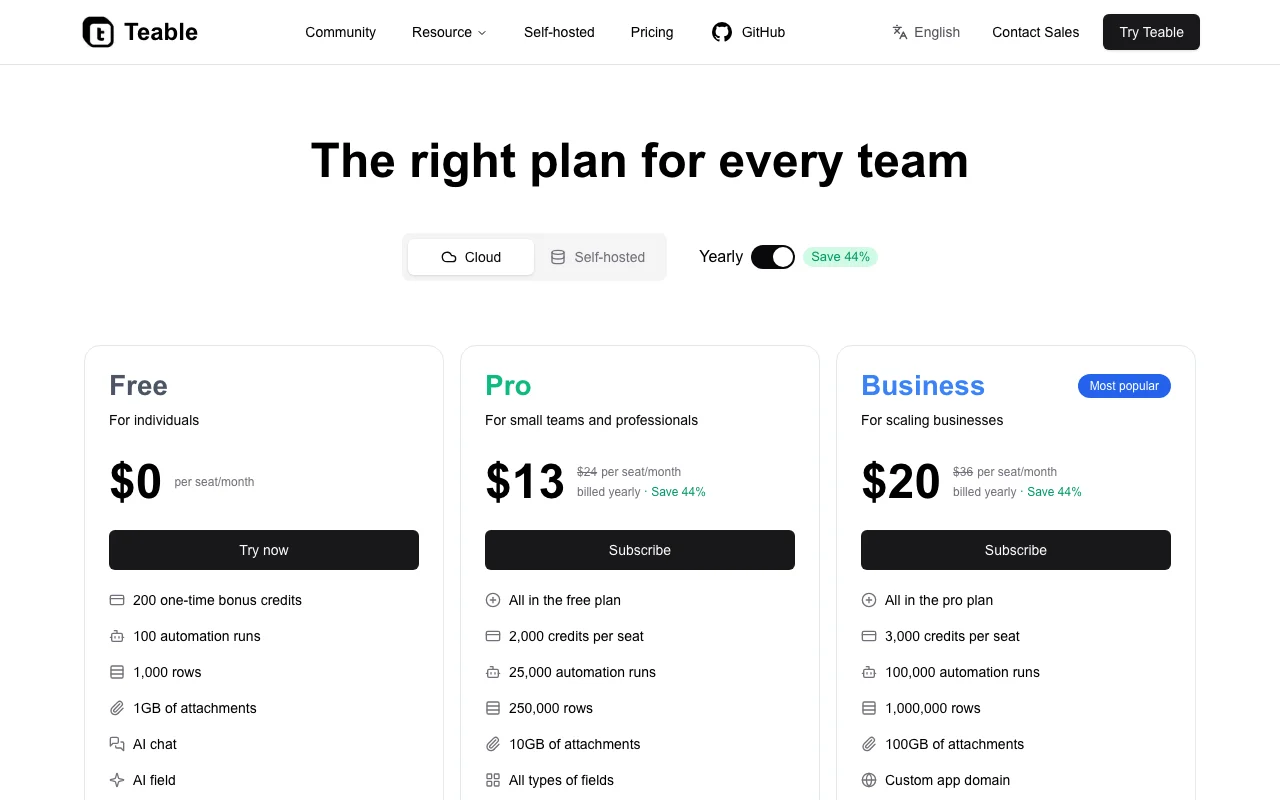
Teable pricing page with plans and prices — screenshot of the productivity & writing AI tool, Oct 1, 2026
The official Teable pricing page as we saw it. teable.ai, captured Oct 1, 2026

Free access and trial conditions

Free plan for individuals with 1,000 rows.

Not stated beyond 200 one-time bonus credits.

Paid plans: what changes as you upgrade

Free web

Free source (opens in a new tab)

Month

For: Individuals

Limits

  • 1,000 rows
  • 200 one-time bonus credits
1 more
  • 100 automation runs, 1GB attachments

Includes

  • AI chat
  • AI field
2 more
  • App builder
  • IM Bot for Slack and Telegram

API included

Pro web

$13/mo per seat per month billed yearly source (opens in a new tab)

Month, annual commitment

$24 per seat per month when billed monthly; yearly saves 44%.

For: Small teams and professionals

Limits

  • 2,000 credits per seat
  • 25,000 automation runs
1 more
  • 250,000 rows, 10GB attachments

Includes

  • All field types
  • Everything in Free

API included

Business web

$20/mo per seat per month billed yearly source (opens in a new tab)

Month, annual commitment

$36 per seat per month when billed monthly.

For: Scaling businesses

Limits

  • 3,000 credits per seat
  • 100,000 automation runs
1 more
  • 1,000,000 rows, 100GB attachments

Includes

  • Custom app domain
  • GitHub sync for app code
2 more
  • Authority matrix
  • SSO and domain verification

API included

Usage caps, credits and extra costs

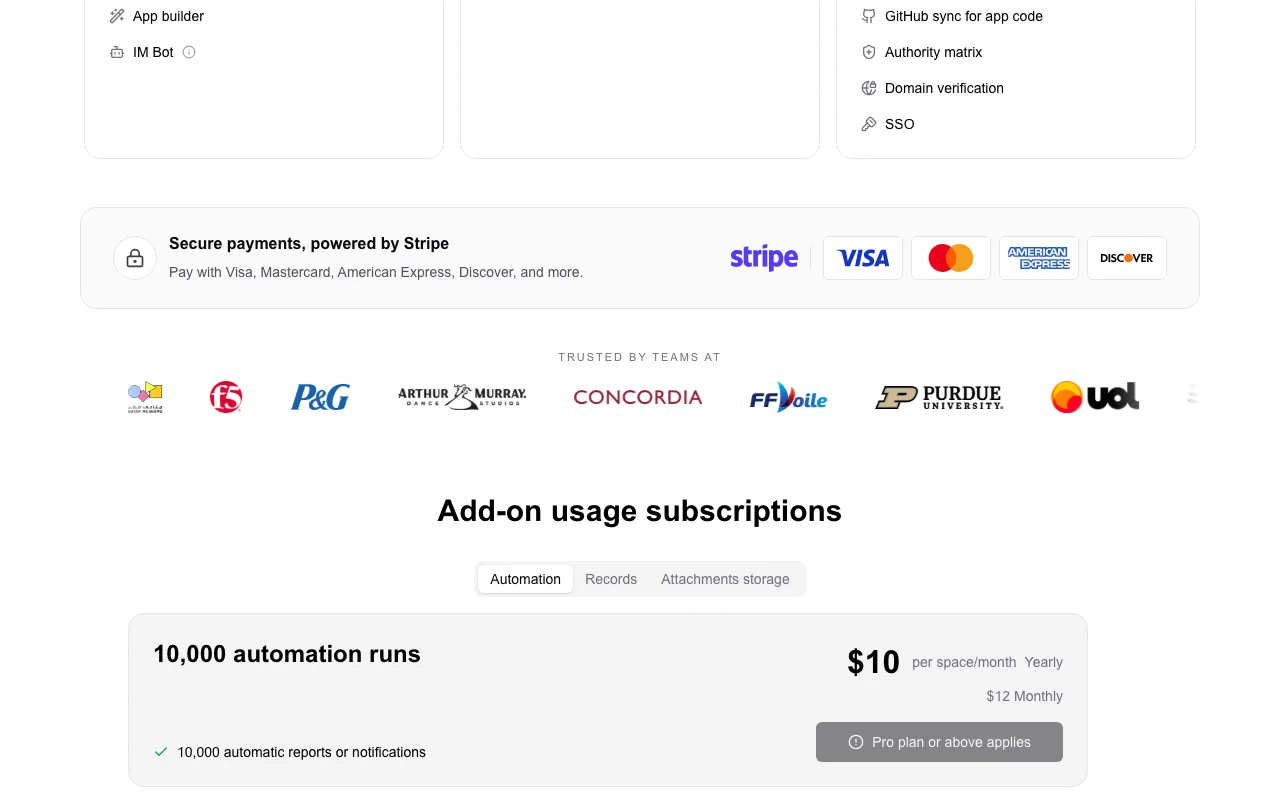
Add-on usage subscription: $10 per space per month yearly ($12 monthly) for 10,000 automation runs and notifications, Pro or above.

Not stated; payments via Stripe.

What is Teable, and how does it work?

Teable is a spreadsheet-style database where teams build business workflows and custom apps and connect data in one place. It adds AI fields, AI chat and automations. Plans run from a free tier to Business, with a self-hosted option mentioned on the pricing page.

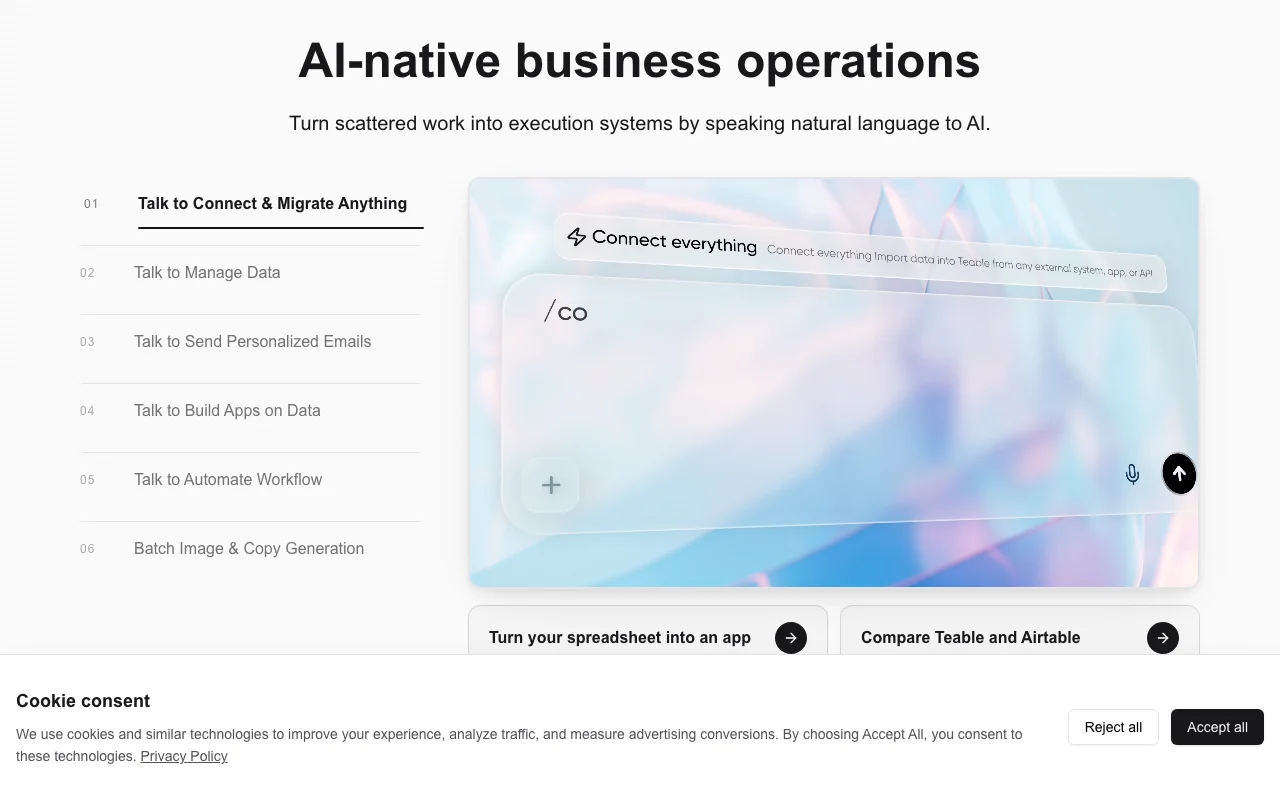
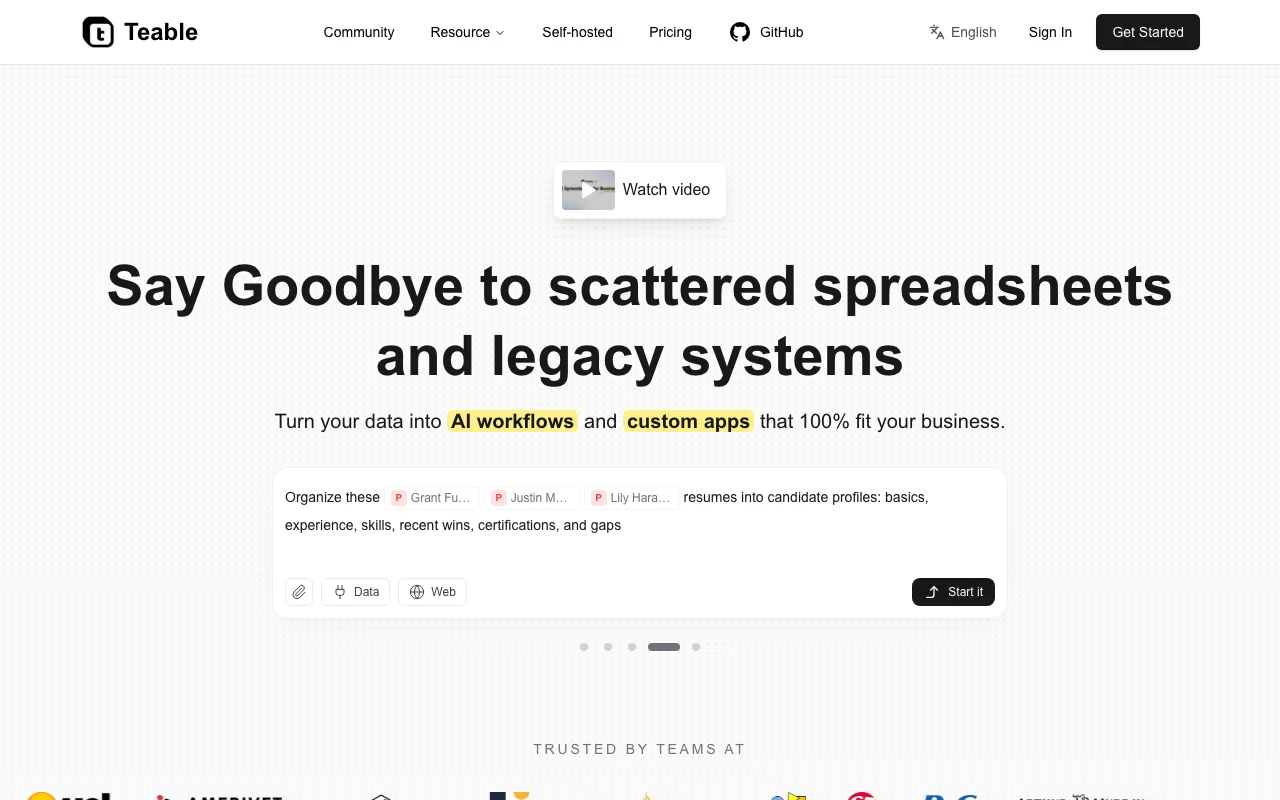
Teable homepage — screenshot of the productivity & writing AI tool, Oct 1, 2026
Teable's official site: how the product presents itself. teable.ai, captured Oct 1, 2026

What you provide and what you get back

How Teable works: what you provide, where it runs and what you get backYOU PROVIDEYour inputSpreadsheet-style table dataCSV and Excel importsNatural-language prompts to AI ch…PRODUCTIVITY & WRITINGTeableWebfrom $13/mo (Pro)free tier availableaccount requiredchecked Oct 1, 2026YOU GET BACKThe resultTables, forms, kanban, gallery an…AI-generated summaries, tags and…Apps and dashboardsAutomation runs and notificationsinput → Teable → output · from the vendor's own pages, no hands-on test unless stated
What you give Teable and what comes back, from its documentation

You provide

  • Spreadsheet-style table data
  • CSV and Excel imports
  • Natural-language prompts to AI chat and fields

You get back

  • Tables, forms, kanban, gallery and calendar views
  • AI-generated summaries, tags and scores
  • Apps and dashboards
  • Automation runs and notifications

Where you can use it

Platforms
Web
Account
Required
Views
Grid, form, kanban, gallery, calendar
Rows per space
1,000 / 250,000 / 1,000,000
Automation runs per month
100 / 25,000 / 100,000
API rate limit
10 requests per second

Where Teable is most useful

Scenarios are worked out by our editors from the documentation; the actual result depends on your input and plan.

Internal CRM

Who
Sales and operations teams
You provide
Leads imported from CSV or Excel
Expected result
An internal CRM with views, forms and follow-ups
Plan needed
Pro or Business
Limitation
Rows are capped per space by plan source (opens in a new tab)

Workflow automation

Who
Operations managers
You provide
Business rules and triggers
Expected result
Automations that send emails and notifications
Plan needed
Pro or Business
Limitation
Runs limited to 100 / 25,000 / 100,000 per month source (opens in a new tab)

Dashboards and portals

Who
Teams building internal tools
You provide
Existing table data
Expected result
Dashboards, portals and custom interfaces built in the app builder
Plan needed
Any plan
Limitation
Credits are consumed by App Builder source (opens in a new tab)

Key features and their practical limits

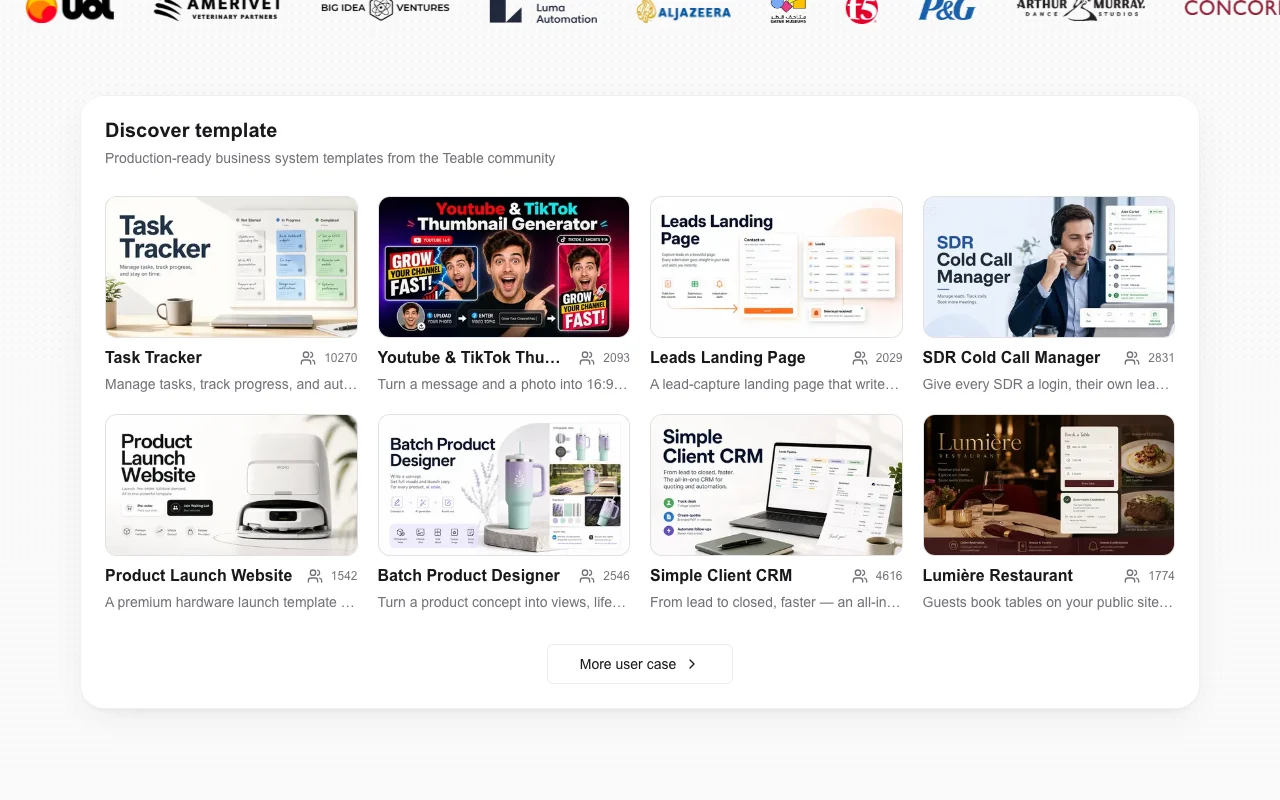
Teable homepage — screenshot of the productivity & writing AI tool, Oct 1, 2026
Feature overview on the official site. teable.ai, captured Oct 1, 2026

AI field

Uses AI in table fields to turn record data into summaries, tags, scores, translations or extracted values. Enriches records automatically.

Access: All plansLimit: Consumes credits. source (opens in a new tab)

AI chat

Opens Cuppy in the sidebar to analyze the current table, view, records, files or added context in natural language. Answers questions about your data.

Access: All plansLimit: Consumes credits. source (opens in a new tab)

App builder

Turns Teable data into apps, dashboards, portals and custom interfaces. Replaces separate tool builds.

Access: All plansLimit: Custom app domain needs Business. source (opens in a new tab)

Automations

Runs workflows with button triggers, emails and notifications, with run history. Removes manual follow-ups.

Access: Run quotas rise with planLimit: Free plan has 100 runs and 2-week history. source (opens in a new tab)

IM Bot

Gives a chat-native Teable agent for Slack and Telegram with full data CRUD. Lets teams work from chat.

Access: All plansLimit: Uses credits. source (opens in a new tab)

Teable pros and cons

Where Teable is strong

Limitations to check before paying

How to use Teable for building an internal CRM

Set up Teable

  1. Sign up free at teable.ai and create a space.
  2. Import a CSV or Excel file to create your first table.
  3. Add fields such as single select status and user owner.
  4. Create a form view to collect new leads.

Example: building an internal CRM

  1. Add an AI field to summarize each lead's notes.
  2. Create an automation that sends an email when status changes.
  3. Open the app builder and generate a dashboard of leads by stage.
  4. Connect the IM Bot in Slack to query leads.

Review and export the result

  1. Check credit and row usage in the space plan page.
  2. Verify automation runs in the run history.
  3. Test permissions with a second user.
Example prompt suggested by our editors (not a recorded output of the product)
Summarize each lead's notes in one sentence and score fit from 1 to 5 based on company size.

Teable integrations and API

Teable pricing page with plans and prices — screenshot of the productivity & writing AI tool, Oct 1, 2026
Plan comparison on the official pricing page. teable.ai, captured Oct 1, 2026

Native integrations and export formats

Export: CSV

API access and separate billing

Teable has no public API in its official documentation. Web API with a rate limit of 10 requests per second on all plans.

Privacy, data use and commercial rights

Summarized from the vendor's current policies; this is not legal advice and a vendor's badge is not an independent audit.

How your inputs and outputs are handled

Stores your table data; the FAQ asks where the server is located.

Row change history is kept 2 weeks, 1 year or 3 years depending on plan.

Commercial use and plan restrictions

Audit logs and admin panel in self-hosted Business.

Controls for business users

  • Password-protected shares
  • Authority matrix
  • SSO

Best Teable alternatives for different needs

"Better suited" is based on documented features and pricing, not on a head-to-head test.

Notion AI: better suited to

Zapier: better suited to

n8n: better suited to

Alternatives
AlternativeWhen to choose itPricingLimitation
Notion AI——Compare
Zapier——Compare
n8n——Compare

Explore Teable further

Related to Teable

Teable user reviews

No user reviews yet.

Used Teable? Be the first to share your experience.

Write a review

Reviews are checked by a moderator before they appear. Your email is never published. Plain text only.

Your rating (required)

Show what you made or what went wrong. Images are published only if the review is approved; location data is removed.

    Teable FAQ

    What does Teable cost?

    Free is $0, Pro $13 per seat per month billed yearly ($24 monthly) and Business $20 ($36 monthly). source (opens in a new tab)

    What are credits?

    Usage units for AI features, including AI field, AI chat, IM Bot and App Builder. source (opens in a new tab)

    How many rows does each plan allow?

    1,000 on Free, 250,000 on Pro and 1,000,000 on Business per space. source (opens in a new tab)

    Which plan has SSO?

    Business includes SSO, domain verification, authority matrix, custom app domain and GitHub sync for app code. source (opens in a new tab)

    Can I self-host Teable?

    Yes, the pricing page has a Self-hosted tab alongside Cloud. source (opens in a new tab)

    Sources and review methodology

    Official sources and verification dates

    Not verified: Privacy policy; Documentation; Self-hosted prices; Server location.

    How we documented and maintain this page

    Every fact about Teable above comes from the 3 official pages listed here, last compared on Oct 1, 2026; we have not run Teable ourselves, so it has no editorial score. How we check and re-check pages.

    Article updated Oct 10, 2026; prices checked Oct 1, 2026. Outbound links to vendors are plain links; we do not earn commissions. How we review · Report an error