CodingDocumented overviewLast checked Sep 29, 2026

Nimbalyst: Pricing, Features & Best Use Cases

Open-source visual workspace for Claude Code and Codex with editors, sessions, tasks and diffs.

Who Nimbalyst fits

Nimbalyst suits developers and product teams who already use Claude Code or Codex and want an open-source visual workspace with editors, sessions, trackers and diff approval, free for individuals with no account or card. Based on the vendor's documentation, not on a hands-on test.

Best for: Developers using coding agents

Also a good fit for

  • Product teams working with agents

Consider another tool if requires own Claude Code or Codex subscription or key

Or if

  • Team collaboration needs Teams plan
  • Teams price after beta is $20/user/month

Nimbalyst pricing and usage limits

Prices checked Sep 29, 2026 on the official US pricing page. Official pricing ↗ Prices and limits change often.

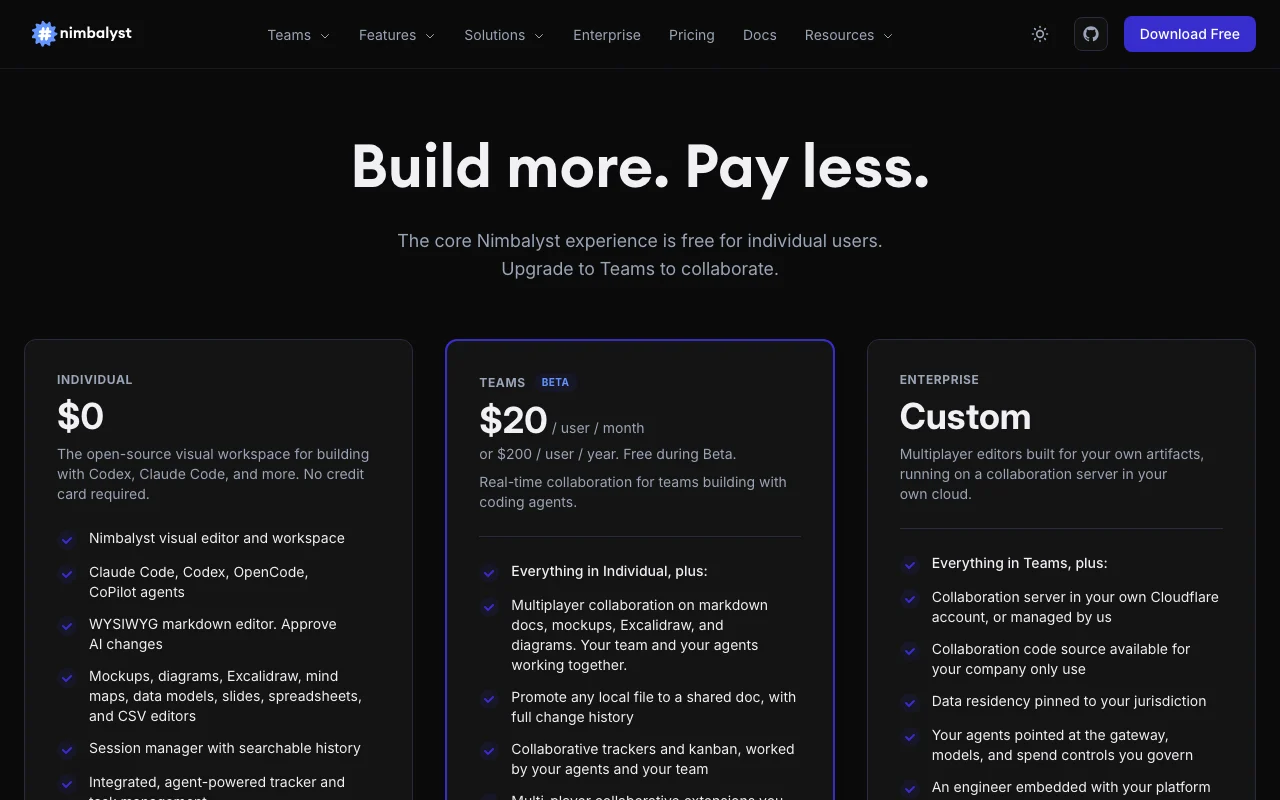
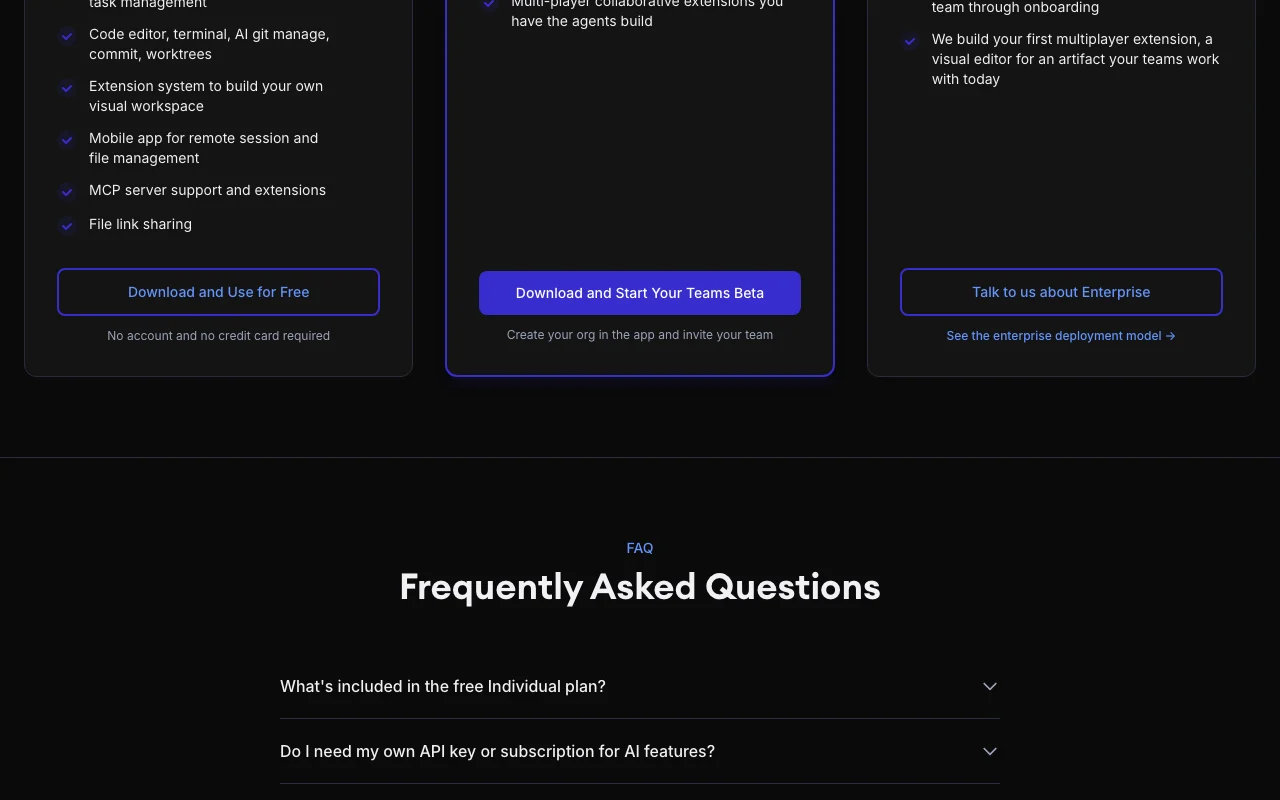
Nimbalyst pricing page with plans and prices — screenshot of the coding AI tool, Oct 1, 2026
The official Nimbalyst pricing page as we saw it. nimbalyst.com, captured Oct 1, 2026

Free access and trial conditions

Individual plan is free with no feature limits and no trial period.

Teams is free during Beta, no card or approval needed.

Paid plans: what changes as you upgrade

Individual desktop

Free source (opens in a new tab)

Month

For: Individual developers and builders

Limits

  • No account or credit card required
  • Bring your own Claude Code, Codex or API key

Includes

  • Visual editors for markdown, mockups, diagrams, spreadsheets
  • Session manager with searchable history
2 more
  • Trackers, code editor, terminal, git worktrees
  • Mobile app and MCP support

No API

Teams (Beta) desktop

$20/mo per user per month source (opens in a new tab)

Month

$200 per user per year; free during Beta

For: Teams building with coding agents

Limits

  • Free while in Beta

Includes

  • Multiplayer collaboration on docs, mockups and diagrams
  • Shared docs with change history
2 more
  • Collaborative trackers and kanban
  • Multi-player extensions

No API

Enterprise desktop

Custom pricing source (opens in a new tab)

Custom

For: Organizations with security and residency needs

Limits

  • Pricing starts with a conversation

Includes

  • Collaboration server in your cloud or managed
  • Data residency pinned to jurisdiction
2 more
  • Governed gateway, models and spend controls
  • Embedded engineer and custom multiplayer extension

No API

Usage caps, credits and extra costs

Your own Claude Code, Codex or API-key costs are paid to those providers.

Not stated.

What is Nimbalyst, and how does it work?

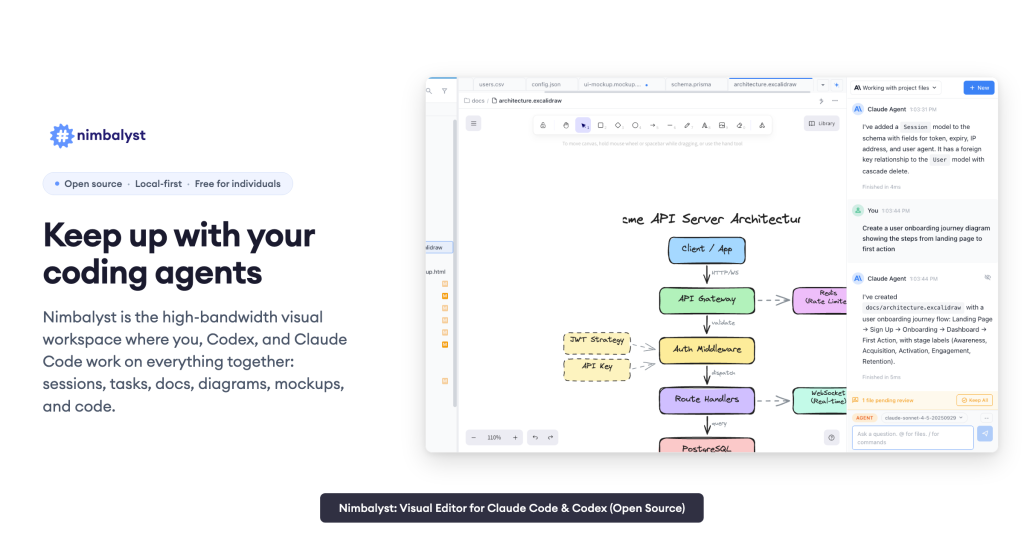
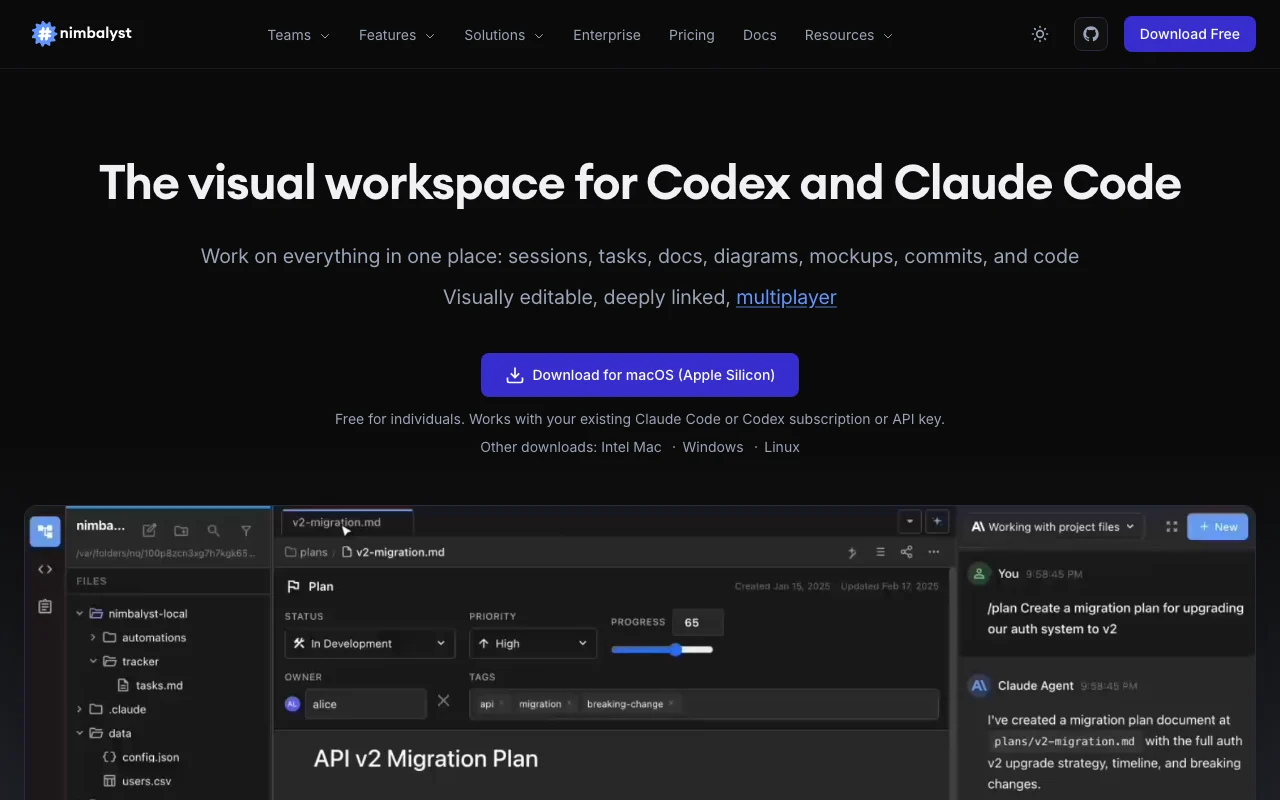
Nimbalyst is a visual workspace that wraps coding agents such as Claude Code and Codex, with editors for markdown, mockups, diagrams, spreadsheets and code, plus a session manager and task tracking. It runs as a desktop app for Mac, Windows and Linux with an iOS companion app. Individual use is free and works with the user's own Claude Code or Codex subscription or API key.

Nimbalyst homepage — screenshot of the coding AI tool, Oct 1, 2026
Nimbalyst's official site: how the product presents itself. nimbalyst.com, captured Oct 1, 2026

What you provide and what you get back

How Nimbalyst works: what you provide, where it runs and what you get backYOU PROVIDEYour inputProject folders and filesPrompts to Claude Code, Codex, Op…Drawn mockups and annotationsCODINGNimbalystDesktop, Mobilefrom $20/mo (Teams (Beta))free tier availablechecked Sep 29, 2026YOU GET BACKThe resultReviewed diffs of AI editsMarkdown, CSV, Mermaid, Excalidra…Generated frontend code and Prism…Commits and worktreesinput → Nimbalyst → output · from the vendor's own pages, no hands-on test unless stated
What you give Nimbalyst and what comes back, from its documentation

You provide

  • Project folders and files
  • Prompts to Claude Code, Codex, OpenCode or Copilot
  • Drawn mockups and annotations

You get back

  • Reviewed diffs of AI edits
  • Markdown, CSV, Mermaid, Excalidraw and mockup files
  • Generated frontend code and Prisma schemas
  • Commits and worktrees

Where you can use it

Platforms
Desktop, Mobile
Account
Not required
Agents
Claude Code, Codex, OpenCode, Copilot
Platforms
Mac, Windows, Linux, iOS
Editors
Markdown, CSV, mockups, Excalidraw, Mermaid, code, data model
Dev tools
Terminal, git worktrees, PR reviews
License
Open source

Best use cases for Nimbalyst

Scenarios are worked out by our editors from the documentation; the actual result depends on your input and plan.

Review and approve AI edits

Who
Developers using coding agents
You provide
Agent edits to project files
Expected result
Red/green diffs you approve or reject before they land
Plan needed
Individual
Limitation
Needs your own agent access source (opens in a new tab)

Plan UI with mockups

Who
Product teams
You provide
Wireframe sketch and annotations
Expected result
Mockup iterated with the agent and turned into frontend code
Plan needed
Individual
Limitation
Code quality depends on the agent source (opens in a new tab)

Edit markdown and CSV with agents

Who
Writers and analysts working with agents
You provide
Markdown docs or CSV files
Expected result
Agent-applied edits and data transforms visible in a familiar editor
Plan needed
Individual
Limitation
Works on local files in open formats source (opens in a new tab)

Collaborate on specs and trackers with agents

Who
Product and engineering teams
You provide
Shared docs and kanban boards
Expected result
Team and agents work the same board in real time
Plan needed
Teams
Limitation
Teams is beta and $20/user/month afterward source (opens in a new tab)

Key features and their practical limits

Nimbalyst homepage — screenshot of the coding AI tool, Oct 1, 2026
Feature overview on the official site. nimbalyst.com, captured Oct 1, 2026

WYSIWYG markdown editor

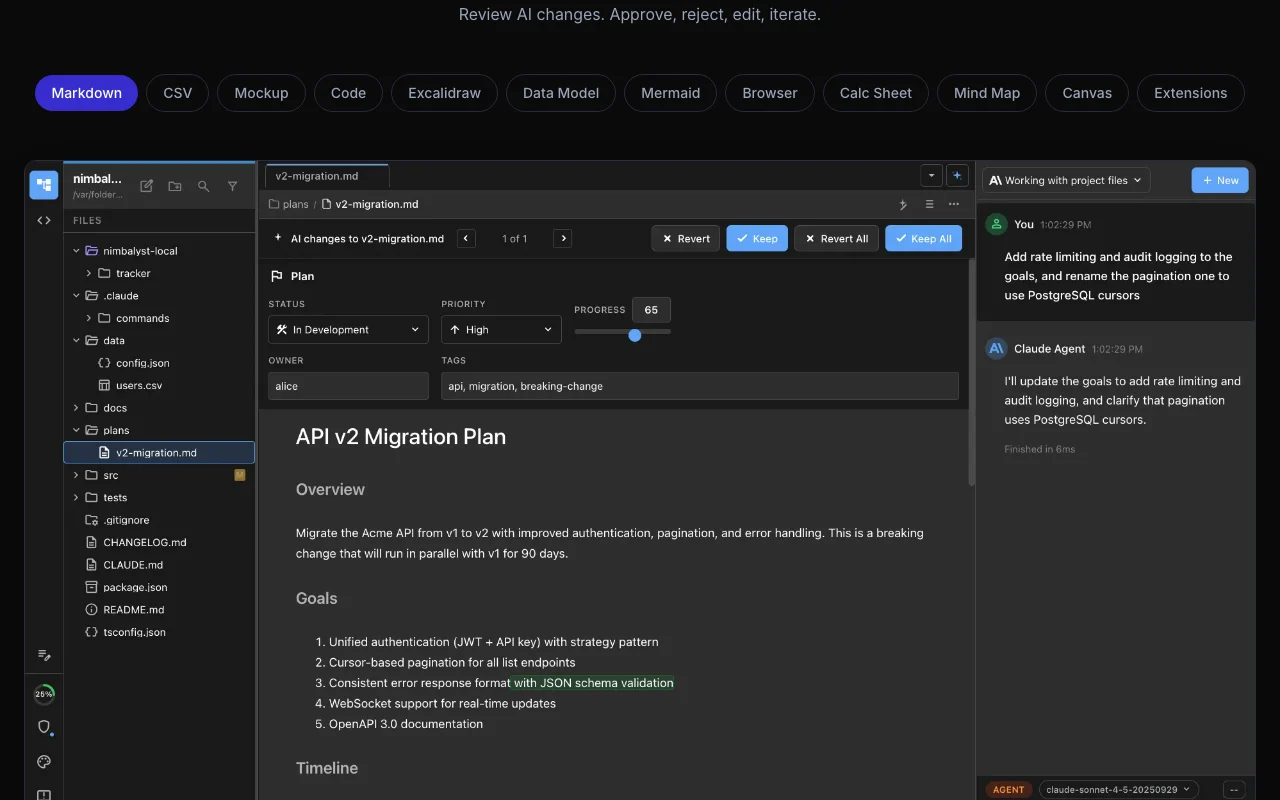
Edits markdown visually while the agent understands project files and shows red/green diffs for approval. Review AI writing safely.

Access: IndividualLimit: Agent access must be supplied by you source (opens in a new tab)

Mockups, Excalidraw, mind maps

Provides visual editors where the agent can draw and modify wireframes, diagrams and mind maps from natural language. Plan before coding.

Access: IndividualLimit: Output quality depends on the connected agent source (opens in a new tab)

Session manager

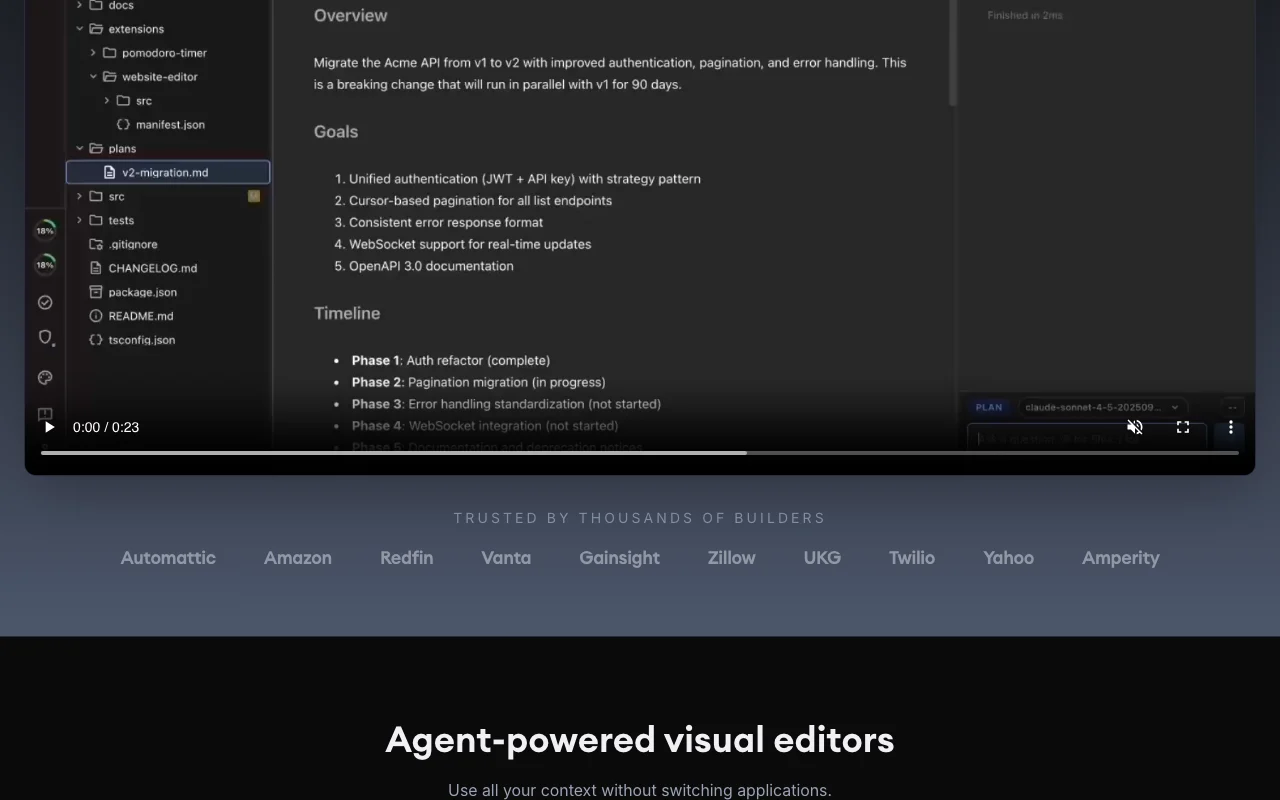
Lists agent sessions with searchable history and imports Claude Code sessions. Return to earlier agent work.

Access: IndividualLimit: Sessions rely on the agent providers installed source (opens in a new tab)

Task trackers

Offers kanban, list and tag-board trackers that agents can work. Link tasks to sessions.

Access: Individual; collaborative trackers on TeamsLimit: Real-time sharing needs Teams source (opens in a new tab)

Extension system

Lets you build custom editors and AI tools with a manifest and API. Tailor the workspace to your artifacts.

Access: IndividualLimit: Requires development effort source (opens in a new tab)

Pros, cons and deal-breakers

Where Nimbalyst is strong

Limitations to check before paying

How to use Nimbalyst for reviewing AI edits in a visual workspace

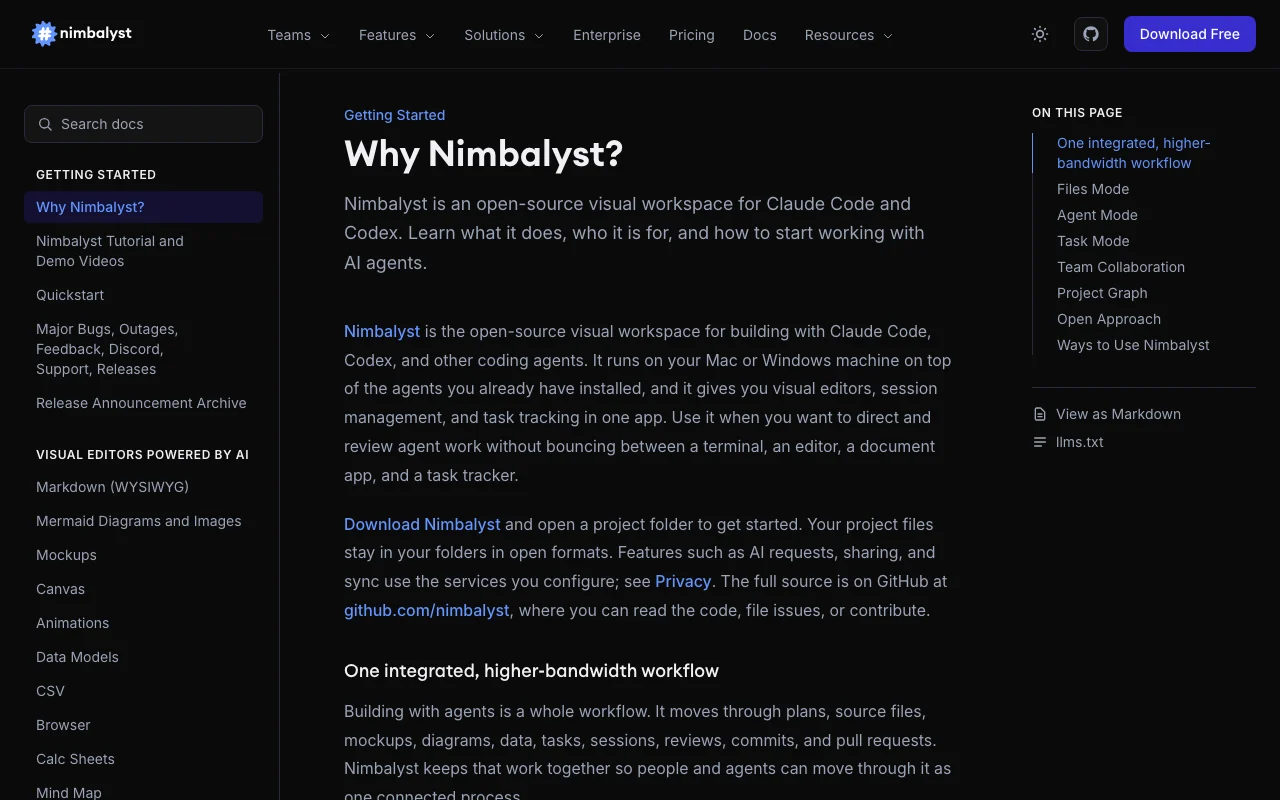
Nimbalyst documentation — screenshot of the coding AI tool, Oct 1, 2026
Nimbalyst documentation: where the steps below come from. nimbalyst.com, captured Oct 1, 2026

Set up Nimbalyst

  1. Download Nimbalyst for Mac, Windows or Linux from nimbalyst.com.
  2. Make sure Claude Code or Codex is installed and signed in, or add an API key.
  3. Open a project folder in Nimbalyst.
  4. Open a markdown file and the agent panel side by side.

Example: reviewing AI edits in a visual workspace

  1. Ask the agent to tighten the introduction of a markdown spec.
  2. Watch the red/green diff appear in the editor.
  3. Approve or reject each change.
  4. Ask the agent to open a mockup of the feature and iterate on it.

Review and export the result

  1. Confirm the file on disk matches the approved diff.
  2. Find the session in the searchable session history.
Example prompt suggested by our editors (not a recorded output of the product)
Rewrite the introduction of this spec to be half as long and keep the three requirements.

Nimbalyst integrations and API

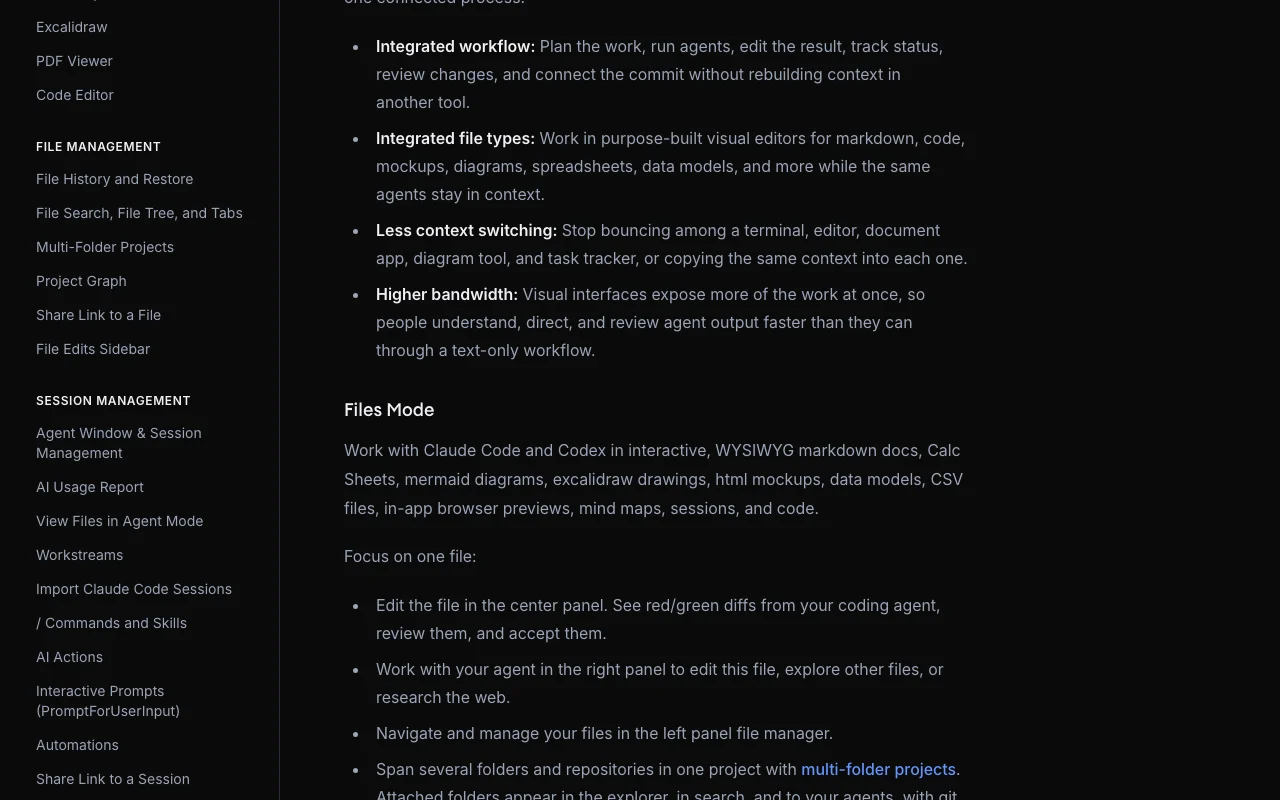
Nimbalyst documentation — screenshot of the coding AI tool, Oct 1, 2026
Nimbalyst documentation (continued). nimbalyst.com, captured Oct 1, 2026

Native integrations and export formats

Export: Markdown, CSV, Mermaid, Prisma schema

API access and separate billing

Nimbalyst has no public API in its official documentation. Extension API documented; no public service API stated API documentation ↗

Privacy, data use and commercial rights

Summarized from the vendor's current policies; this is not legal advice and a vendor's badge is not an independent audit.

How your inputs and outputs are handled

Project files stay in your folders in open formats; AI requests, sharing and sync use services you configure.

Commercial use and plan restrictions

Data residency and own-cloud collaboration server on Enterprise

Controls for business users

  • Data residency pinned to jurisdiction
  • Own-cloud collaboration server

Policies: nimbalyst.com/privacy

Nimbalyst alternatives by need

"Better suited" is based on documented features and pricing, not on a head-to-head test.

Cursor: better suited to

Claude: better suited to

Devin Desktop (formerly Windsurf): better suited to

Alternatives
AlternativeWhen to choose itPricingLimitation
Cursor——Compare
Claude——
Devin Desktop (formerly Windsurf)——Compare

Explore Nimbalyst further

Tools and guides near Nimbalyst

Nimbalyst user reviews

No user reviews yet.

Used Nimbalyst? Be the first to share your experience.

Write a review

Reviews are checked by a moderator before they appear. Your email is never published. Plain text only.

Your rating (required)

Show what you made or what went wrong. Images are published only if the review is approved; location data is removed.

    Nimbalyst FAQ

    Do I need my own Claude Code or Codex access for Nimbalyst?

    Yes. Nimbalyst provides the workspace; you bring a subscription, an API key from Anthropic, OpenAI or others, or local models through LM Studio. source (opens in a new tab)

    Is Nimbalyst free?

    The Individual plan is free with no feature limits, no trial period, and no account or credit card required. source (opens in a new tab)

    What does Nimbalyst Teams cost?

    $20 per user per month or $200 per user per year, free while Teams is in Beta. source (opens in a new tab)

    What does Nimbalyst Teams add over Individual?

    Real-time collaboration on docs, mockups and diagrams, shared trackers and kanban with agents, and admin access controls. source (opens in a new tab)

    Which platforms does Nimbalyst run on?

    Mac (Apple Silicon and Intel), Windows and Linux, plus an iOS companion app. source (opens in a new tab)

    Sources and review methodology

    Official sources and verification dates

    Not verified: Training use of data; Retention; Privacy policy text (page returned homepage).

    How we documented and maintain this page

    Every fact about Nimbalyst above comes from the 5 official pages listed here, last compared on Sep 29, 2026; we have not run Nimbalyst ourselves, so it has no editorial score. How we check and re-check pages.

    Article updated Oct 10, 2026; prices checked Sep 29, 2026. Outbound links to vendors are plain links; we do not earn commissions. How we review · Report an error