Our take: AI design tool that generates fully editable, on-brand slides, social posts, ads, websites and more on a real canvas.. Useful for specific workflows and integrations.
Main limitation: Credit-based usage limits on all plans
By the AI Tool Atlas editors.
Based on the vendor's official documentation; we have not tested this product hands-on. What “documented overview” means
Who Moda fits
AI design tool that generates fully editable, on-brand slides, social posts, ads, websites and more on a real canvas.. Useful for specific workflows and integrations. Based on the vendor's documentation, not on a hands-on test.
Best for: Marketing teams producing on-brand visuals
Also a good fit for
Founders and consultants making decks quickly
Small teams needing editable AI designs
Consider another tool if credit-based usage limits on all plans
Or if
Free plan caps slide decks at 10 slides
Custom domains only on paid plans
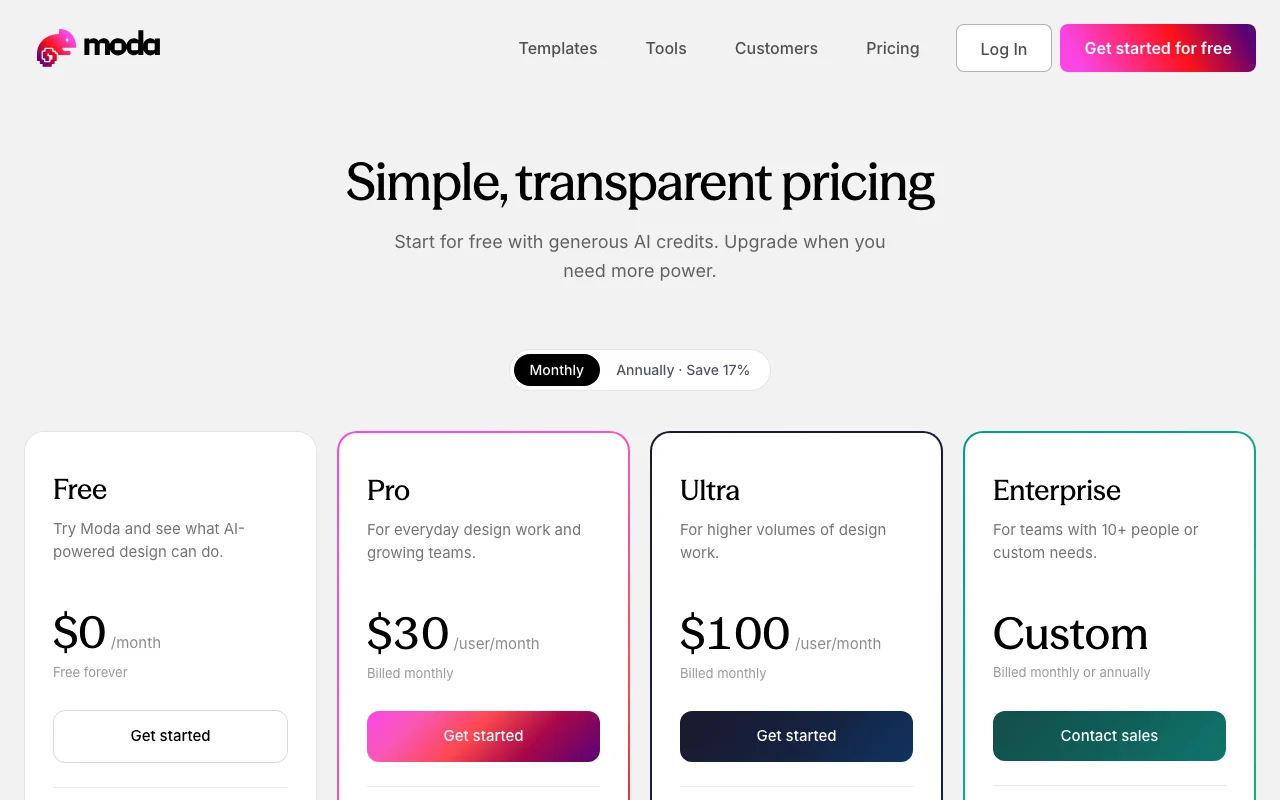
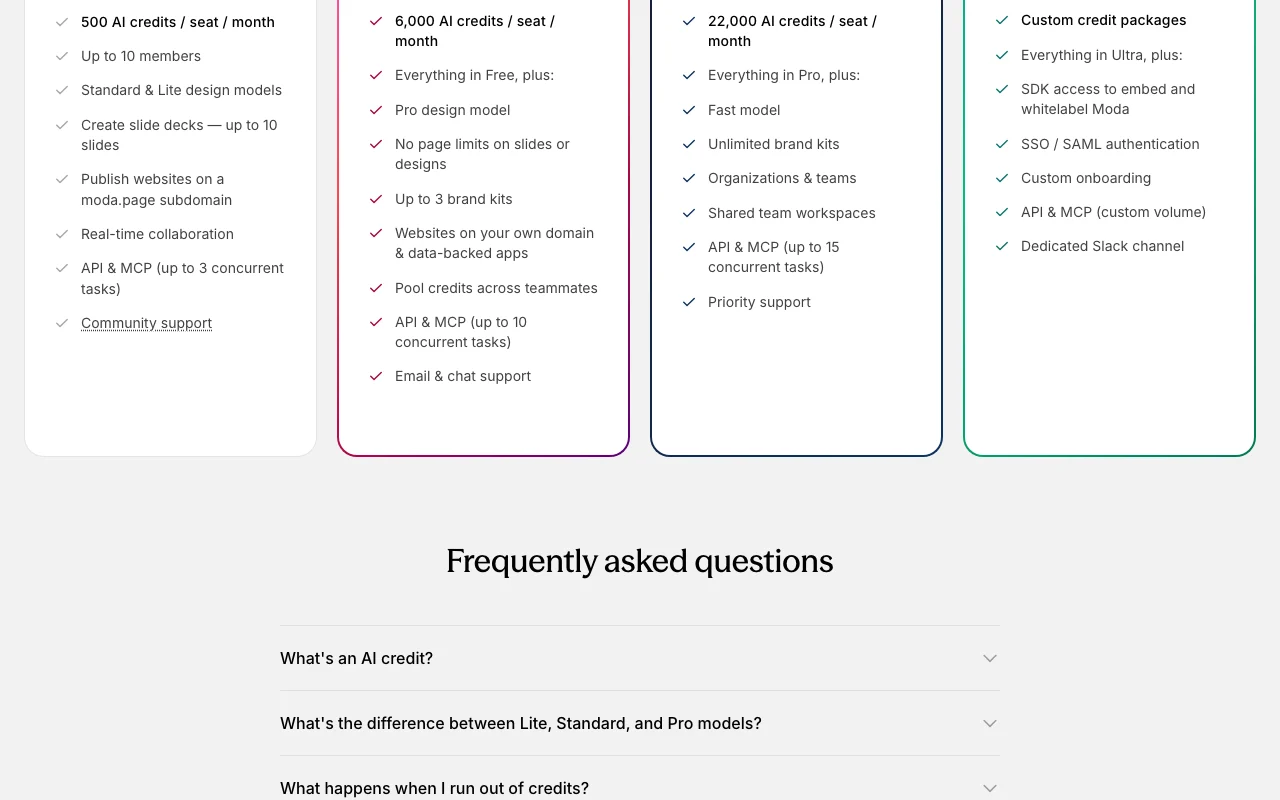
Moda pricing and usage limits
Prices checked Oct 1, 2026 on the official US pricing page. Official pricing ↗ Prices and limits change often.
The official Moda pricing page as we saw it. moda.app, captured Oct 1, 2026
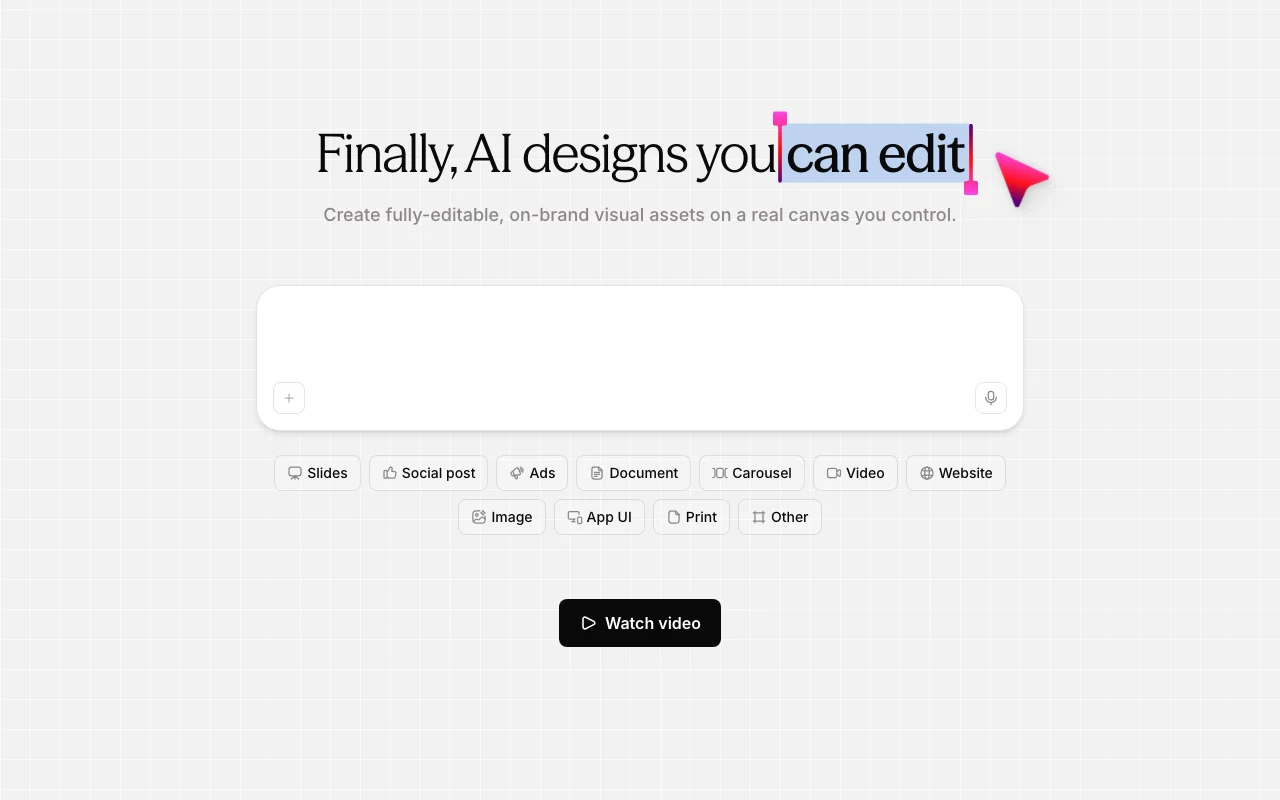
Moda generates visual assets with AI directly on an editable canvas, so output can be adjusted like a normal design rather than treated as a fixed image. Supported formats include slide decks, social posts, ads, documents, carousels, videos, websites, images, app UI and print materials.
Brand kits keep output on-brand, teams can collaborate in real time, and websites publish to a moda.page subdomain or a custom domain on paid plans. A separate free-tools section offers browser-based converters and generators without sign-up.
Moda's official site: how the product presents itself. moda.app, captured Oct 1, 2026
What you provide and what you get back
What you give Moda and what comes back, from its documentation
You provide
Configuration data
User input
External data sources
You get back
Processed results
Exported data
Formatted output
Where you can use it
Platforms
Web
Account
Required
Best use cases for Moda
Scenarios are worked out by our editors from the documentation; the actual result depends on your input and plan.
Pro plan gives 6,000 AI credits per seat, no page limits on slides and up to 3 brand kits Decks longer than 10 slides and on-brand work for a few clients become possible.documentedsource (opens in a new tab)
Free plan includes real-time collaboration and API & MCP access for up to 3 concurrent tasks Teams and agents can use Moda without paying.documentedsource (opens in a new tab)
Limitations to check before paying
Credit-based usage limits on all plans Limitation to consider in decisiondocumentedsource (opens in a new tab)
Free plan caps slide decks at 10 slides Limitation to consider in decisiondocumentedsource (opens in a new tab)
SDK whitelabeling and SSO limited to Enterprise Limitation to consider in decisiondocumentedsource (opens in a new tab)
On Free, AI features pause once the monthly credits are used and the Pro model is available only on the Pro plan Large generations on Free stop until the next billing cycle, though non-AI canvas tools and export keep working.documentedsource (opens in a new tab)
How to use Moda for using the tool
Set up Moda
Sign up for an account
Configure your workspace settings
Connect your data sources
Example: using the tool
Create your first project
Add sample data
Execute a test run
Review and export the result
Verify the output
Check the logs
Other tools to consider instead of Moda
"Better suited" is based on documented features and pricing, not on a head-to-head test.
Every fact about Moda above comes from the 3 official pages listed here, last compared on Oct 1, 2026; we have not run Moda ourselves, so it has no editorial score. How we check and re-check pages.
Article updated Oct 10, 2026; prices checked Oct 1, 2026. Outbound links to vendors are plain links; we do not earn commissions. How we review · Report an error