Image generationDocumented overviewLast checked Oct 1, 2026

Pikes: Pricing, Features & Best Use Cases

AI creative suite for consumer-goods brands that makes product photos, ads and video from real product images.

Who Pikes fits

Choose Pikes if you run a consumer-goods brand and want on-brand product photos, ad creatives and video made from your real product images, with plans from $49/month. Based on the vendor's documentation, not on a hands-on test.

Best for: CPG and product brands

Also a good fit for

  • E-commerce teams
  • Agencies

Consider another tool if credit-based; usage varies by model and resolution

Or if

  • Only 20 one-time trial credits, no ongoing free tier
  • API credentials are per user, no team-level key

Pikes pricing and usage limits

Prices checked Oct 1, 2026 on the official US pricing page. Official pricing ↗ Prices and limits change often.

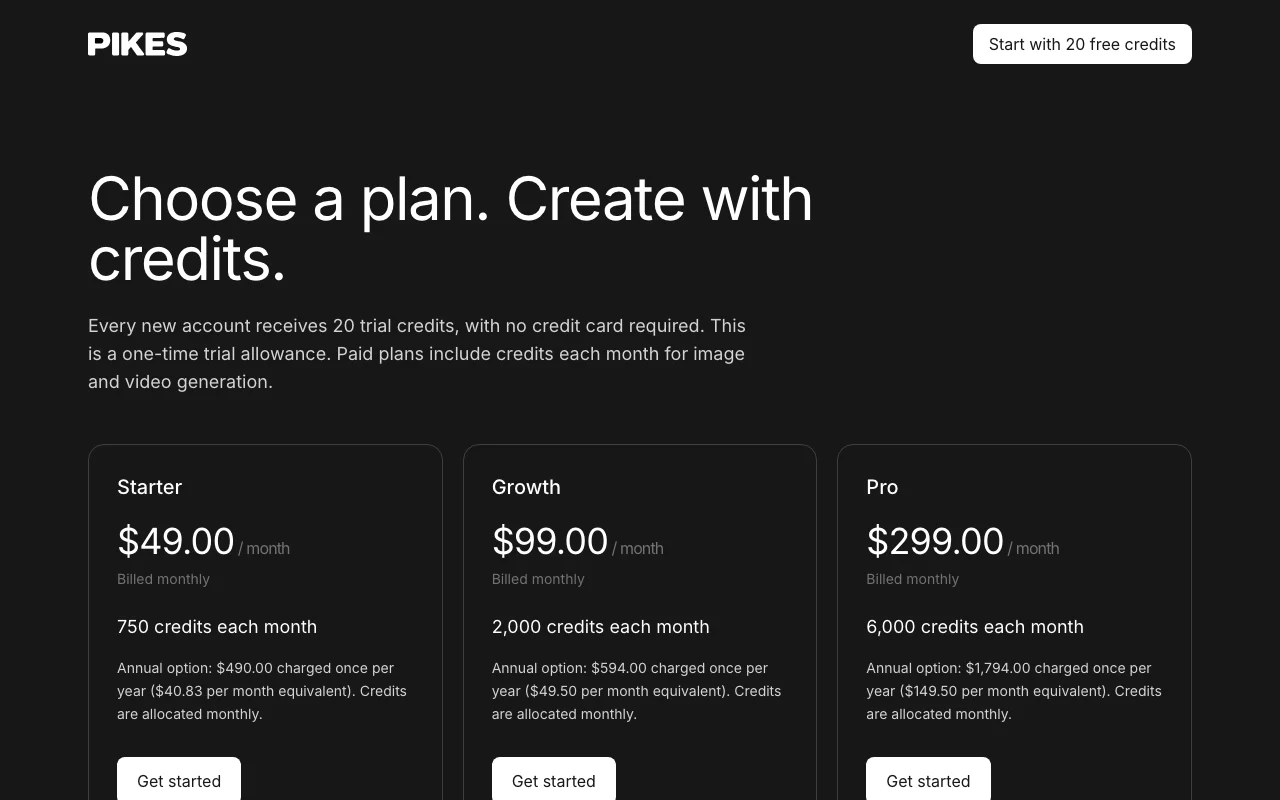
Pikes pricing page with plans and prices — screenshot of the image generation AI tool, Oct 1, 2026
The official Pikes pricing page as we saw it. pikes.ai, captured Oct 1, 2026

Free access and trial conditions

20 trial credits, one-time, no credit card.

20 one-time trial credits

Paid plans: what changes as you upgrade

Starter web

$49/mo per workspace source (opens in a new tab)

Month, annual commitment

Annual option $490 charged once per year; credits allocated monthly

For: Small brands

Limits

  • 750 credits each month
  • Credit use varies by model, resolution and duration

Includes

  • Image and video generation
  • Shared library and brand guidelines
1 more
  • API and MCP

API included

Growth web

$99/mo per workspace source (opens in a new tab)

Month, annual commitment

Annual option $594 charged once per year; credits allocated monthly

For: Growing brands

Limits

  • 2000 credits each month
  • Credit use varies by model, resolution and duration

Includes

  • Image and video generation
  • Shared library and brand guidelines
1 more
  • API and MCP

API included

Pro web

$299/mo per workspace source (opens in a new tab)

Month, annual commitment

Annual option $1794 charged once per year; credits allocated monthly

For: Heavy production

Limits

  • 6000 credits each month
  • Credit use varies by model, resolution and duration

Includes

  • Image and video generation
  • Shared library and brand guidelines
1 more
  • API and MCP

API included

Usage caps, credits and extra costs

Managed creative production and onboarding by scoped quote.

What is Pikes, and how does it work?

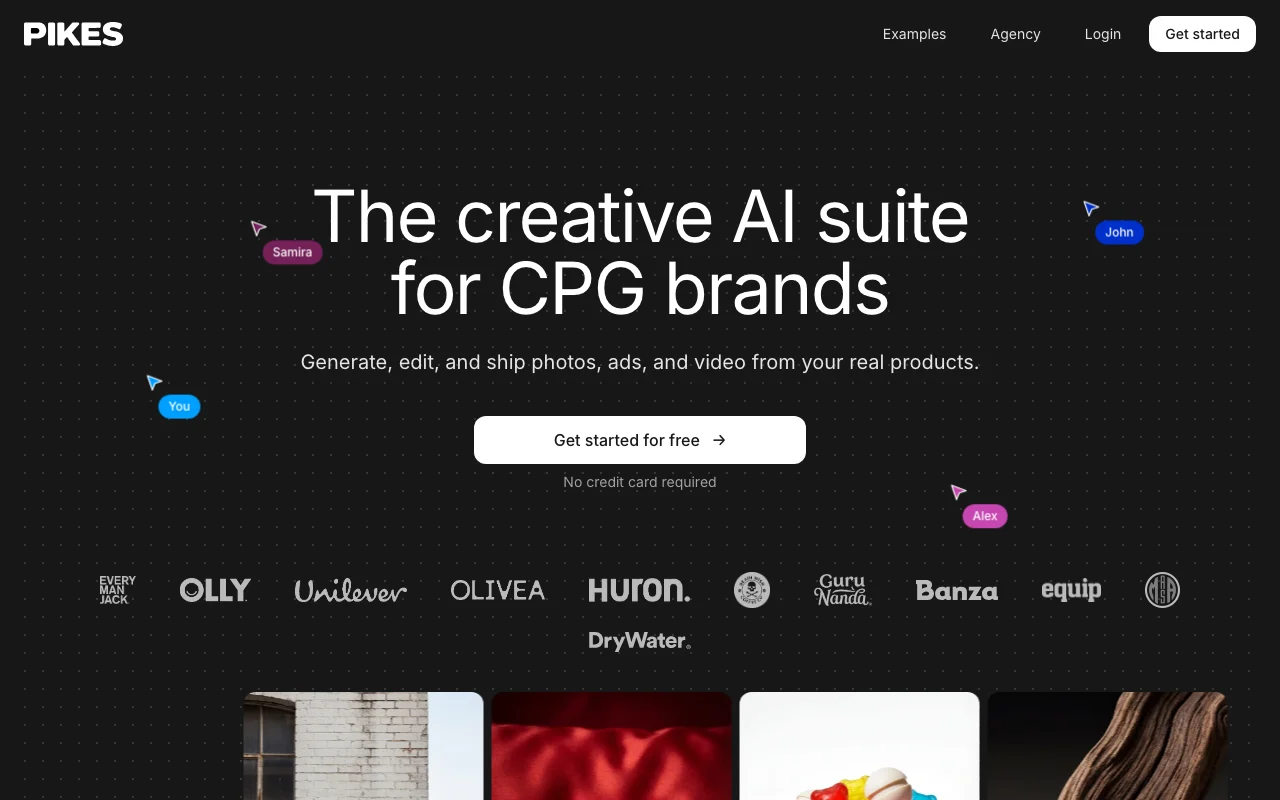
Pikes generates and edits product photography, ad creatives and video assets from a brand's real products. A shared workspace holds product libraries, brand guidelines and feedback comments. An agent can connect to Meta and Klaviyo, and a Figma plugin plus API and MCP server are documented.

Pikes homepage — screenshot of the image generation AI tool, Oct 1, 2026
Pikes's official site: how the product presents itself. pikes.ai, captured Oct 1, 2026

What you provide and what you get back

How Pikes works: what you provide, where it runs and what you get backYOU PROVIDEYour inputReal product imagesBrand guidelines and promptsBriefs for the agentMeta and Klaviyo connectionsIMAGE GENERATIONPikesWeb, APIfrom $49/mo (Starter)free tier availableaccount requiredchecked Oct 1, 2026YOU GET BACKThe resultProduct photography and PDP imagesMeta ad creativesVideo ads with animation and voic…Assets pushed to Figmainput → Pikes → output · from the vendor's own pages, no hands-on test unless stated
What you give Pikes and what comes back, from its documentation

You provide

  • Real product images
  • Brand guidelines and prompts
  • Briefs for the agent
  • Meta and Klaviyo connections

You get back

  • Product photography and PDP images
  • Meta ad creatives
  • Video ads with animation and voice-over
  • Assets pushed to Figma

Where you can use it

Platforms
Web, API
Account
Required
Outputs
Product photos, ad creatives, video
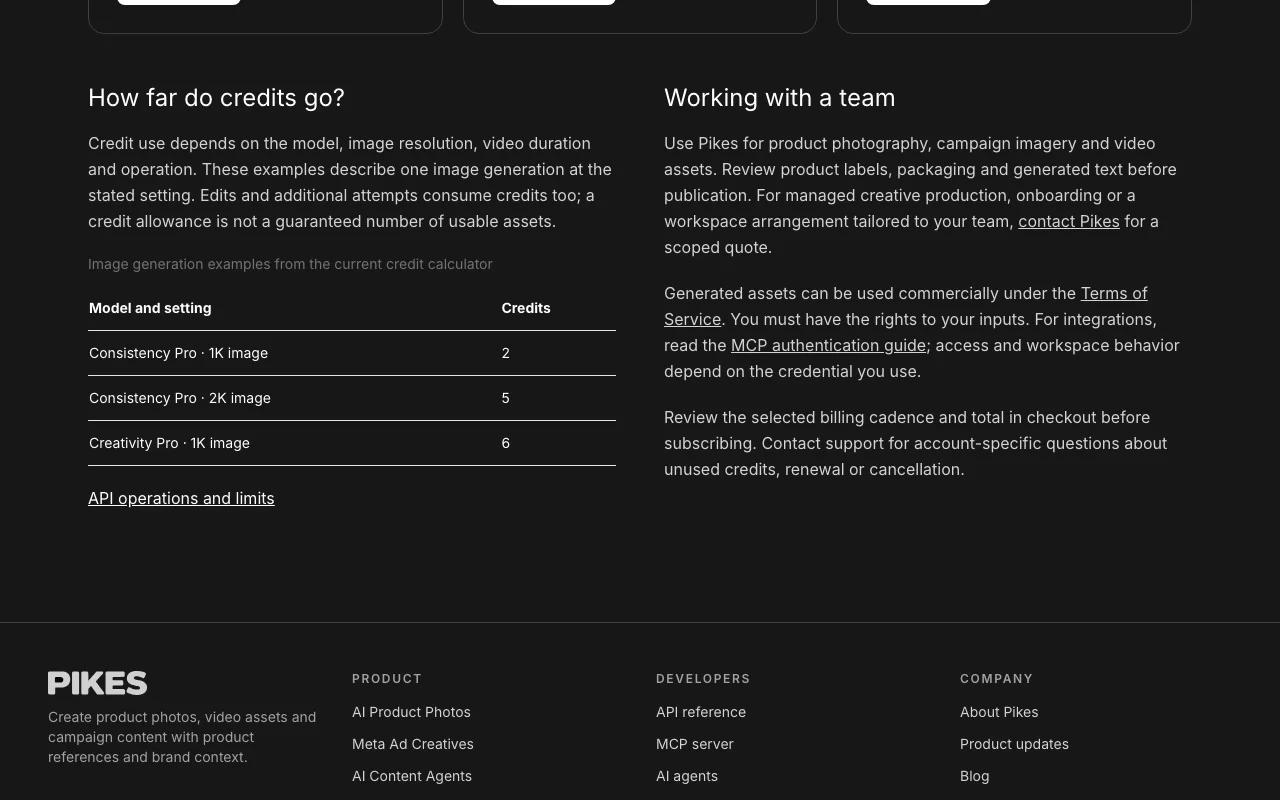
Credit example
1K image: 2 to 6 credits depending on model
Connections
Meta, Klaviyo, Figma
Automation
API, MCP, scheduled agent
Trial
20 one-time credits

Best use cases for Pikes

Scenarios are worked out by our editors from the documentation; the actual result depends on your input and plan.

Product detail page images

Who
Ecommerce and CPG brand teams
You provide
Product photos for a listing
Expected result
Detail page and Amazon-style images made from the real product
Plan needed
Starter or Growth
Limitation
Review labels and packaging text before publishing source (opens in a new tab)

Meta ad creatives

Who
Performance marketers
You provide
A brief and brand context
Expected result
Meta ad creatives produced on a schedule by the agent
Plan needed
Growth or Pro
Limitation
Credits vary by model and resolution source (opens in a new tab)

Lifestyle photos

Who
Social and lifestyle content teams
You provide
A product image
Expected result
Lifestyle photos and short video ads without filming
Plan needed
Any paid plan
Limitation
Edits and retries consume credits source (opens in a new tab)

What Pikes does, and where it stops

Pikes homepage — screenshot of the image generation AI tool, Oct 1, 2026
Feature overview on the official site. pikes.ai, captured Oct 1, 2026

Shared asset library

Keeps a shared asset library of your products Everyone creates from the same product source

Access: All plansLimit: Per-workspace storage not stated source (opens in a new tab)

Brand guidelines applied automatically

Applies brand colours, tone and style guidelines automatically Keeps assets on brand

Access: All plansLimit: Guidelines must be set up first source (opens in a new tab)

Meta and Klaviyo connections

Connects an agent to Meta and Klaviyo to ship creative on a schedule Automates recurring campaign assets

Access: Paid plansLimit: Depends on connected accounts source (opens in a new tab)

Figma plugin

Pushes assets to Figma with a plugin and offers an API and MCP server Fits into design and automation workflows

Access: All plansLimit: API credentials are per user, no team-level key source (opens in a new tab)

Pikes: strengths and limits

Where Pikes is strong

Limitations to check before paying

How to use Pikes for making product ad creatives

Set up Pikes

  1. Click Get started for free on pikes.ai and create an account
  2. Upload your real product photos to the shared library
  3. Add brand colours, tone and style in the brand guidelines

Example: making product ad creatives

  1. Pick a Meta ad template and swap in your product
  2. Generate and review the options
  3. Comment on the board and have the agent produce a revision
  4. Publish or push the final asset to Figma

Review and export the result

  1. Check product labels, packaging and any generated text
  2. Compare credits spent against the calculator estimate
Example prompt suggested by our editors (not a recorded output of the product)
Lifestyle photo of this protein bar on a gym bench, morning light, brand colours

Pikes integrations and API

Pikes pricing page with plans and prices — screenshot of the image generation AI tool, Oct 1, 2026
Plan comparison on the official pricing page. pikes.ai, captured Oct 1, 2026

Native integrations and export formats

Export: Images and video assets

API access and separate billing

Pikes has no public API in its official documentation. API and MCP server; credentials per user. API documentation ↗

Privacy, data use and commercial rights

Summarized from the vendor's current policies; this is not legal advice and a vendor's badge is not an independent audit.

How your inputs and outputs are handled

Training images, prompts, generated assets and metadata are collected; third-party model providers are used.

The policy says private assets are not used to train public models unless you explicitly share them.

Not detailed.

Commercial use and plan restrictions

Generated assets can be used commercially under the Terms; you must have rights to inputs.

Policies: pikes.ai/privacy

Best Pikes alternatives for different needs

"Better suited" is based on documented features and pricing, not on a head-to-head test.

Midjourney: better suited to

Adobe Firefly: better suited to

Canva: better suited to

Alternatives
AlternativeWhen to choose itPricingLimitation
Midjourney——Compare
Adobe Firefly——Compare
Canva——

Explore Pikes further

Tools and guides near Pikes

Pikes user reviews

No user reviews yet.

Used Pikes? Be the first to share your experience.

Write a review

Reviews are checked by a moderator before they appear. Your email is never published. Plain text only.

Your rating (required)

Show what you made or what went wrong. Images are published only if the review is approved; location data is removed.

    Pikes FAQ

    How much does Pikes cost?

    Starter is $49/month (750 credits), Growth $99 (2,000) and Pro $299 (6,000), with annual options. source (opens in a new tab)

    Is there a free trial?

    New accounts get 20 one-time trial credits with no card. source (opens in a new tab)

    How many assets do credits make?

    It varies; for example a 1K image costs 2 credits on Consistency Pro and 6 on Creativity Pro, and retries also cost credits. source (opens in a new tab)

    Can I use the assets commercially?

    Yes, under the Terms of Service, provided you have rights to your inputs. source (opens in a new tab)

    Does it have an API?

    Yes. API and MCP access are documented, with per-user credentials. source (opens in a new tab)

    Sources and review methodology

    Official sources and verification dates

    Not verified: Docs index (not available); Video credit cost; Data retention period.

    How we documented and maintain this page

    Every fact about Pikes above comes from the 3 official pages listed here, last compared on Oct 1, 2026; we have not run Pikes ourselves, so it has no editorial score. How we check and re-check pages.

    Article updated Oct 10, 2026; prices checked Oct 1, 2026. Outbound links to vendors are plain links; we do not earn commissions. How we review · Report an error