Image generationDocumented overviewLast checked Oct 1, 2026

PLAYTEX AI: Pricing, Features & Best Use Cases

Browser-based AI texture generator that builds seamless textures, seven aligned PBR maps, 360° HDRIs and exportable mesh worlds for game engines.

Is PLAYTEX AI right for you?

PLAYTEX AI fits indie game developers and 3D artists who want seamless textures, seven aligned PBR maps and HDRIs in the browser, with plans from free to $49 per month and engine export presets. Based on the vendor's documentation, not on a hands-on test.

Best for: Indie game developers

Also a good fit for

  • 3D and environment artists
  • Technical artists automating texture pipelines

Consider another tool if free plan outputs are automatically public and not licensed for commercial use

Or if

  • Mapper plan has a personal-use license only; commercial use starts at Starter
  • Free plan limited to 512px PBR resolution and 1K AI generation

PLAYTEX AI pricing and usage limits

Prices checked Oct 1, 2026 on the official US pricing page. Official pricing ↗ Prices and limits change often.

Vendor pricing page re-checked automatically 11 days ago: no changes detected.

Free access and trial conditions

Free plan with ads on eligible pages

No trial; 7-day refund on eligible first subscription purchases

Paid plans: what changes as you upgrade

Free Web

Free source (opens in a new tab)

Month, annual commitment

For: Testing the workflow

Limits

  • 5 one-time AI credits
  • 10 PBR maps per month at up to 512px
1 more
  • Outputs automatically public, not for commercial use

Includes

  • Seven PBR maps
  • Community library downloads
1 more
  • Ads on eligible pages

Mapper Web

$3/mo source (opens in a new tab)

Month, annual commitment

$33 per year

For: Frequent deterministic PBR and Composer work

Limits

  • 10 AI credits per month
  • Personal-use license only

Includes

  • Unlimited PBR maps
  • Private assets
1 more
  • Ad-free

Starter Web

$9/mo source (opens in a new tab)

Month, annual commitment

$99 per year

For: More AI creation for commercial work

Limits

  • 100 AI credits per month

Includes

  • Standard commercial license
  • Material version history (up to 10 versions)
1 more
  • Standard queue

Creator Web

$19/mo source (opens in a new tab)

Month, annual commitment

$209 per year

For: Regular asset production

Limits

  • 400 AI credits per month

Includes

  • Commercial license
  • Version history (up to 25 versions)
1 more
  • High queue priority

Studio Web

$49/mo source (opens in a new tab)

Month, annual commitment

$539 per year

For: Teams needing pooled capacity

Limits

  • 1,000 AI credits per month pooled
  • 3 seats; extra seats $15 per month each (+300 credits)

Includes

  • Enterprise commercial license
  • Version history (up to 100 versions)
1 more
  • Highest queue priority

Deterministic Toolkit Web

$75 one-time source (opens in a new tab)

One-time, annual commitment

For: Lifetime access to non-AI map workflow

Limits

  • 20 AI credits per month

Includes

  • Unlimited PBR maps for lifetime access
  • Unlimited version history
1 more
  • Ad-free

Usage caps, credits and extra costs

Extra Studio seats $15/month each

unknown

What is PLAYTEX AI, and how does it work?

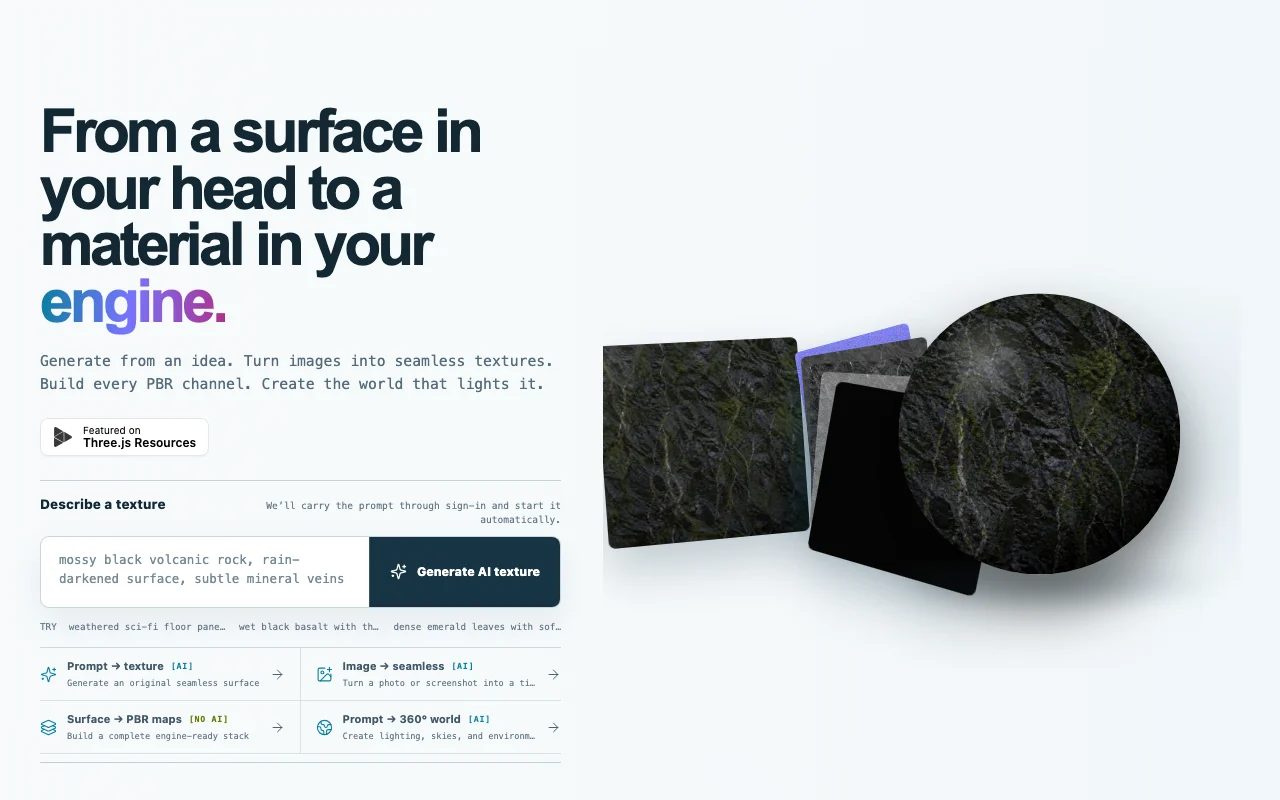
PLAYTEX AI is a browser-based material workflow for game developers and 3D artists. It generates seamless textures from a text prompt or an image, converts one source into seven aligned PBR maps (albedo, normal, roughness, metallic, height, AO, emission), creates 360° HDRI environments and offers a beta World Builder for painting materials onto terrain. Finished assets can be packaged with target presets for Unity, Unreal, Blender, Godot, Three.js and glTF, plus guided workflows for platforms such as Roblox or VRChat. A public REST API with scoped keys and async jobs shares the same generation credits, and a community library of creator-shared textures and HDRIs is available to browse.

PLAYTEX AI homepage — screenshot of the image generation AI tool, Oct 1, 2026
PLAYTEX AI's official site: how the product presents itself. playtex.ai, captured Oct 1, 2026

What you provide and what you get back

How PLAYTEX AI works: what you provide, where it runs and what you get backYOU PROVIDEYour inputText promptSource image or photoExisting texture for map generati…Material and terrain paintingIMAGE GENERATIONPLAYTEX AIWeb, APIfrom $3/mo (Mapper)free tier availableaccount requiredchecked Oct 1, 2026YOU GET BACKThe resultSeamless texturesSeven aligned PBR maps (albedo, n…360 degree HDRIsEngine-ready packagesinput → PLAYTEX AI → output · from the vendor's own pages, no hands-on test unless stated
What you give PLAYTEX AI and what comes back, from its documentation

You provide

  • Text prompt
  • Source image or photo
  • Existing texture for map generation
  • Material and terrain painting

You get back

  • Seamless textures
  • Seven aligned PBR maps (albedo, normal, roughness, metallic, height, AO, emission)
  • 360 degree HDRIs
  • Engine-ready packages

Where you can use it

Platforms
Web, API
Account
Required

Where PLAYTEX AI is most useful

Scenarios are worked out by our editors from the documentation; the actual result depends on your input and plan.

Generating seamless game textures from a text description

Who
Indie game developers
You provide
Text description of a surface
Expected result
Seamless game-ready texture
Plan needed
Starter
Limitation
Free outputs are public source (opens in a new tab)

Converting a photo or scan into a tileable texture

Who
Environment artists
You provide
Photo or scan
Expected result
Tileable texture with seam repair
Plan needed
Mapper
Limitation
Mapper license is personal-use only source (opens in a new tab)

Producing a full PBR map stack from one source image

Who
Technical artists
You provide
Single source image
Expected result
Seven aligned PBR maps
Plan needed
Free
Limitation
Free capped at 512px and 10 maps per month source (opens in a new tab)

What PLAYTEX AI does, and where it stops

PLAYTEX AI homepage — screenshot of the image generation AI tool, Oct 1, 2026
Feature overview on the official site. playtex.ai, captured Oct 1, 2026

AI texture generator (prompt to seamless texture)

Generates seamless textures from a prompt Creates materials without manual authoring

Access: Credits-basedLimit: Quality tier depends on plan source (opens in a new tab)

Image-to-texture conversion with seam repair

Converts one source into seven aligned PBR maps Supplies a full engine-ready stack

Access: Free (10 per month), unlimited on paidLimit: Free output at 512px source (opens in a new tab)

PBR Map Generator producing seven aligned maps

Generates 360 degree HDRI environments Gives lighting for scenes

Access: Credits-basedLimit: Credit cost per HDRI is not listed in fetched pages source (opens in a new tab)

HDRI Sphere Generator for 360° environments

Exports with presets for Unity, Unreal, Blender, Godot, Three.js and glTF Speeds import into your engine

Access: AccountLimit: Export size scales with plan source (opens in a new tab)

Pros, cons and deal-breakers

Reasons to choose PLAYTEX AI

  • Free plan with 5 one-time AI credits and 10 PBR maps per month You can validate the pipeline at no cost documented source (opens in a new tab)
  • Export presets for Unity, Unreal, Blender, Godot, Three.js and glTF Pricing starts very low for map-only users documented source (opens in a new tab)
  • 7-day refund window on eligible first subscription purchases Fits most 3D toolchains documented source (opens in a new tab)
  • Community library of 750+ textures and 50+ HDRIs You can test purchases with a safety net documented source (opens in a new tab)

Check before paying for PLAYTEX AI

  • Free plan outputs are automatically public and not licensed for commercial use Free work cannot go into shipped products documented source (opens in a new tab)
  • Mapper plan has a personal-use license only; commercial use starts at Starter Sellers of assets must use paid plans documented source (opens in a new tab)
  • Free plan limited to 512px PBR resolution and 1K AI generation Free assets are small documented source (opens in a new tab)
  • Free tier shows ads on eligible pages Free tier shows advertising documented source (opens in a new tab)

How to use PLAYTEX AI for creating a seamless PBR material for a game

Set up PLAYTEX AI

  1. Open playtex.ai and create a free account
  2. Choose the AI texture generator or PBR Map Generator
  3. Pick an export target such as Unity or Unreal

Example: creating a seamless PBR material for a game

  1. Enter a prompt like mossy cobblestone, or upload a photo
  2. Generate the seamless texture
  3. Run the PBR Map Generator to create the seven maps
  4. Export using the Unreal preset

Review and export the result

  1. Tile the texture in your engine to confirm no visible seams
  2. Confirm your plan's license covers your commercial use
Example prompt suggested by our editors (not a recorded output of the product)
Mossy cobblestone street, seamless, worn medieval, wet surface, top-down tileable

PLAYTEX AI integrations and API

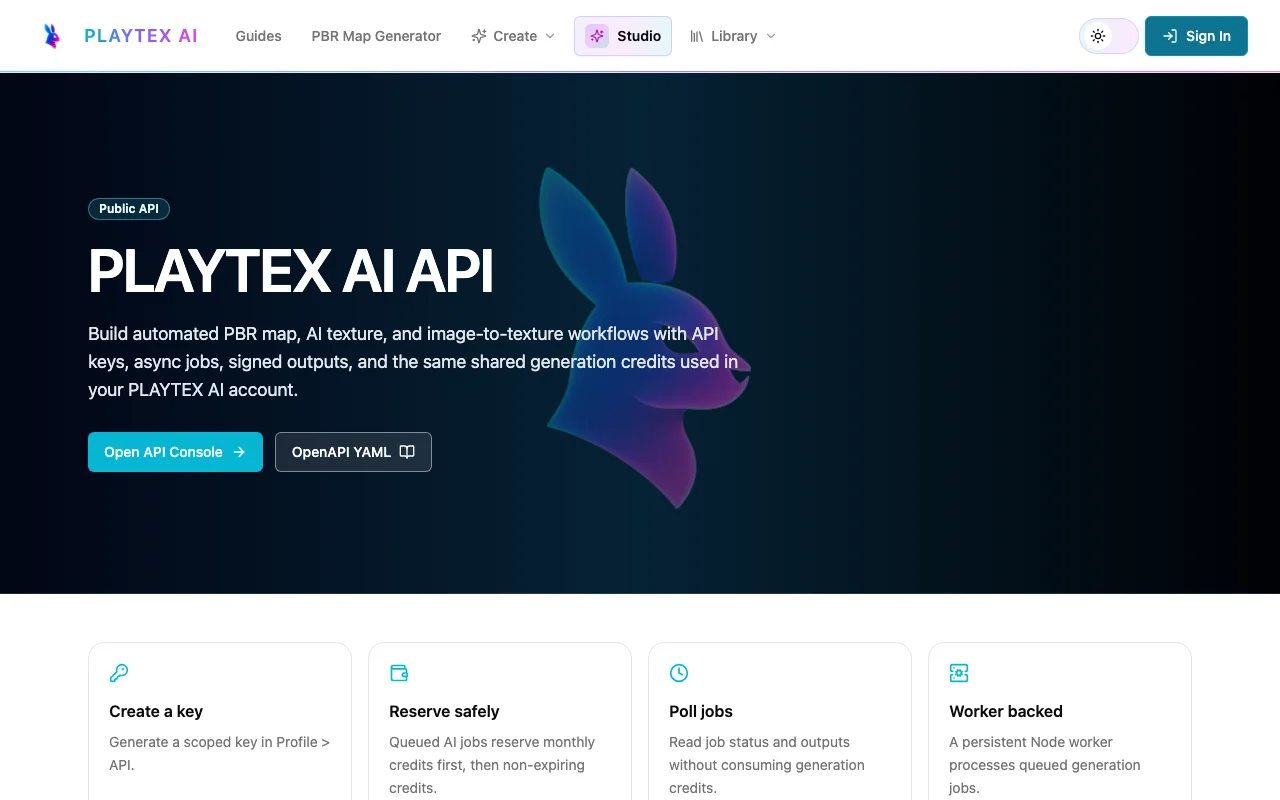
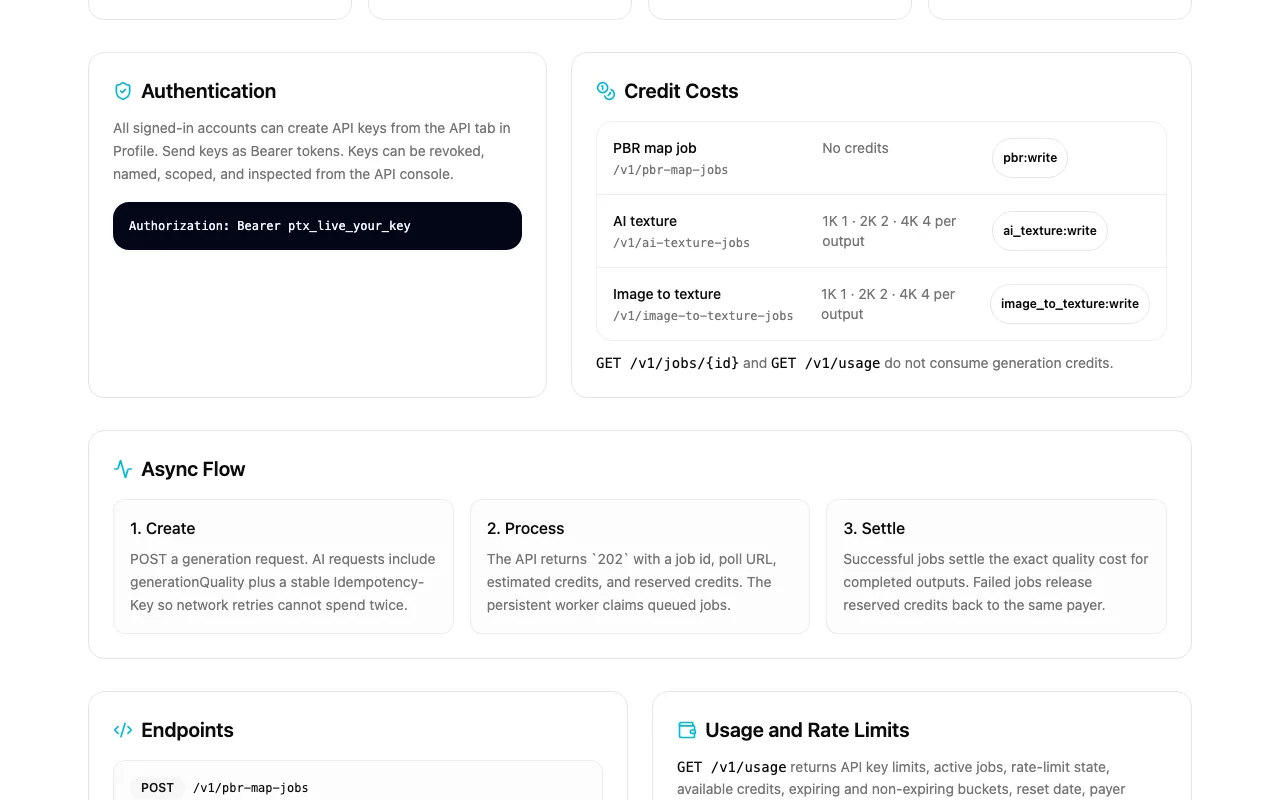
PLAYTEX AI API documentation — screenshot of the image generation AI tool, Oct 1, 2026
PLAYTEX AI API documentation. playtex.ai, captured Oct 1, 2026

Native integrations and export formats

Export: PBR map set, HDRI, glTF

API access and separate billing

PLAYTEX AI has no public API in its official documentation. REST API with scoped keys and async jobs API documentation ↗

Privacy, data use and commercial rights

Summarized from the vendor's current policies; this is not legal advice and a vendor's badge is not an independent audit.

How your inputs and outputs are handled

Source uploads and generated assets

unknown

Source uploads deleted after processing; saved assets until deleted; free public outputs until removed

Commercial use and plan restrictions

Free: no; Mapper: personal; Starter+: yes

Free outputs are public and non-exclusive

Controls for business users

  • Private assets on paid plans

Policies: playtex.ai/privacy

Other tools to consider instead of PLAYTEX AI

"Better suited" is based on documented features and pricing, not on a head-to-head test.

Leonardo.Ai: better suited to

Midjourney: better suited to

Adobe Firefly: better suited to

Alternatives
AlternativeWhen to choose itPricingLimitation
Leonardo.Ai——Compare
Midjourney——Compare
Adobe Firefly——Compare

Explore PLAYTEX AI further

Related to PLAYTEX AI

PLAYTEX AI user reviews

No user reviews yet.

Used PLAYTEX AI? Be the first to share your experience.

Write a review

Reviews are checked by a moderator before they appear. Your email is never published. Plain text only.

Your rating (required)

Show what you made or what went wrong. Images are published only if the review is approved; location data is removed.

    PLAYTEX AI FAQ

    How much does PLAYTEX AI cost?

    Free is $0, Mapper $3 per month, Starter $9, Creator $19 and Studio $49, with annual prices of $33, $99, $209 and $539. source (opens in a new tab)

    Can I use outputs commercially?

    Not on Free (public, non-commercial) or Mapper (personal use); Starter and above include commercial licenses. source (opens in a new tab)

    Which maps does it generate?

    Albedo, normal, roughness, metallic, AO, height and emission. source (opens in a new tab)

    Is there a refund window?

    Yes, a full refund within 7 days on an eligible first subscription purchase. source (opens in a new tab)

    What is the Deterministic Toolkit?

    A one-time $75 purchase (regular $150) with lifetime unlimited PBR maps and 20 AI credits per month. source (opens in a new tab)

    Sources and review methodology

    Official sources and verification dates

    Not verified: Training use; Docs page (404); Credit cost per HDRI.

    How we documented and maintain this page

    Every fact about PLAYTEX AI above comes from the 4 official pages listed here, last compared on Oct 1, 2026; we have not run PLAYTEX AI ourselves, so it has no editorial score. How we check and re-check pages.

    Article updated Oct 10, 2026; prices checked Oct 1, 2026. Outbound links to vendors are plain links; we do not earn commissions. How we review · Report an error