Image generationDocumented overviewLast checked Sep 29, 2026

Retouchia: Pricing, Features & Best Use Cases

Browser-based AI image editor for background removal, object erasing, upscaling, restoration and prompt-driven photo edits.
Is Retouchia right for you?

Retouchia suits occasional photo cleanups (background removal, object erase, 4K upscale, restoration) where you prefer buying a one-time credit pack over a subscription. Based on the vendor's documentation, not on a hands-on test.

Best for: Small online sellers

Also a good fit for

  • Casual photo retouching
  • Social media content creators

Consider another tool if free tier is about one image

Or if

  • Credits expire after one year
  • No desktop or mobile app listed

Retouchia pricing and usage limits

Prices checked Sep 29, 2026 on the official US pricing page. Official pricing ↗ Prices and limits change often.

Vendor pricing page re-checked automatically 12 days ago: no changes detected.

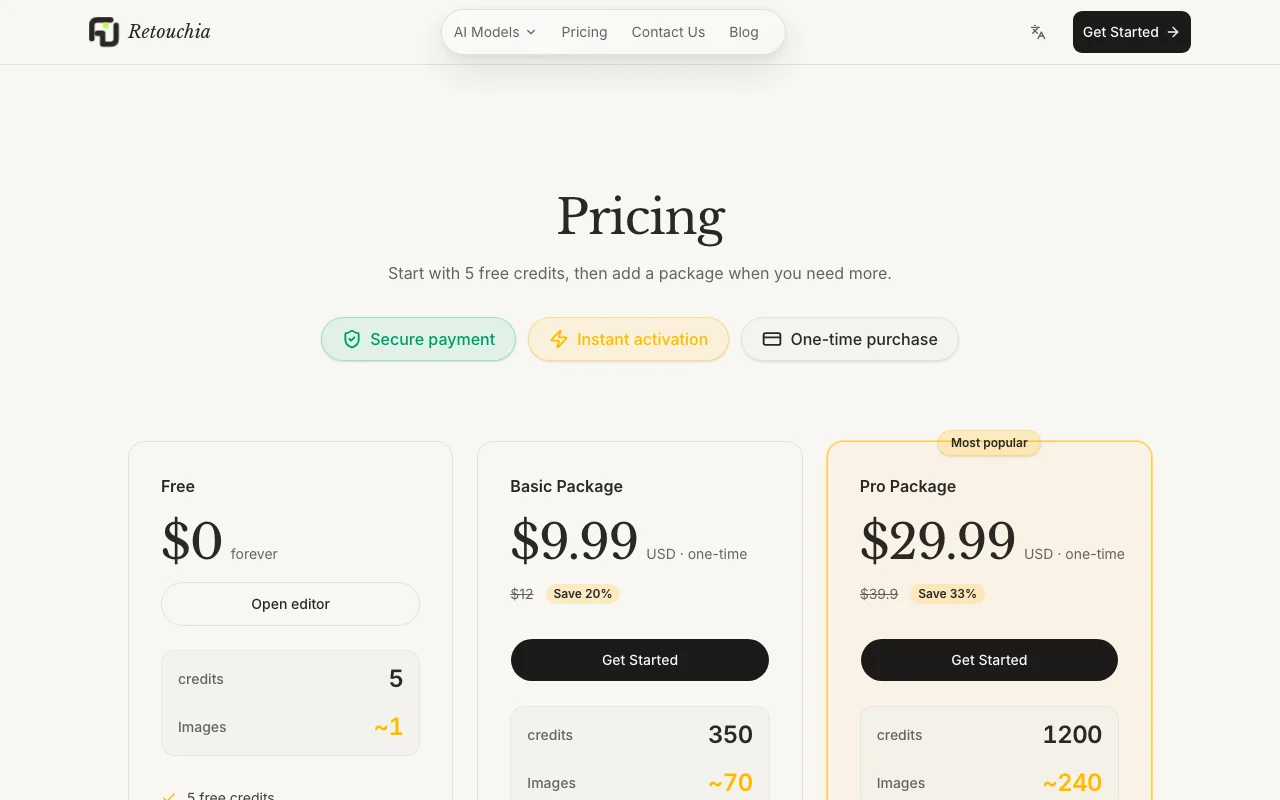
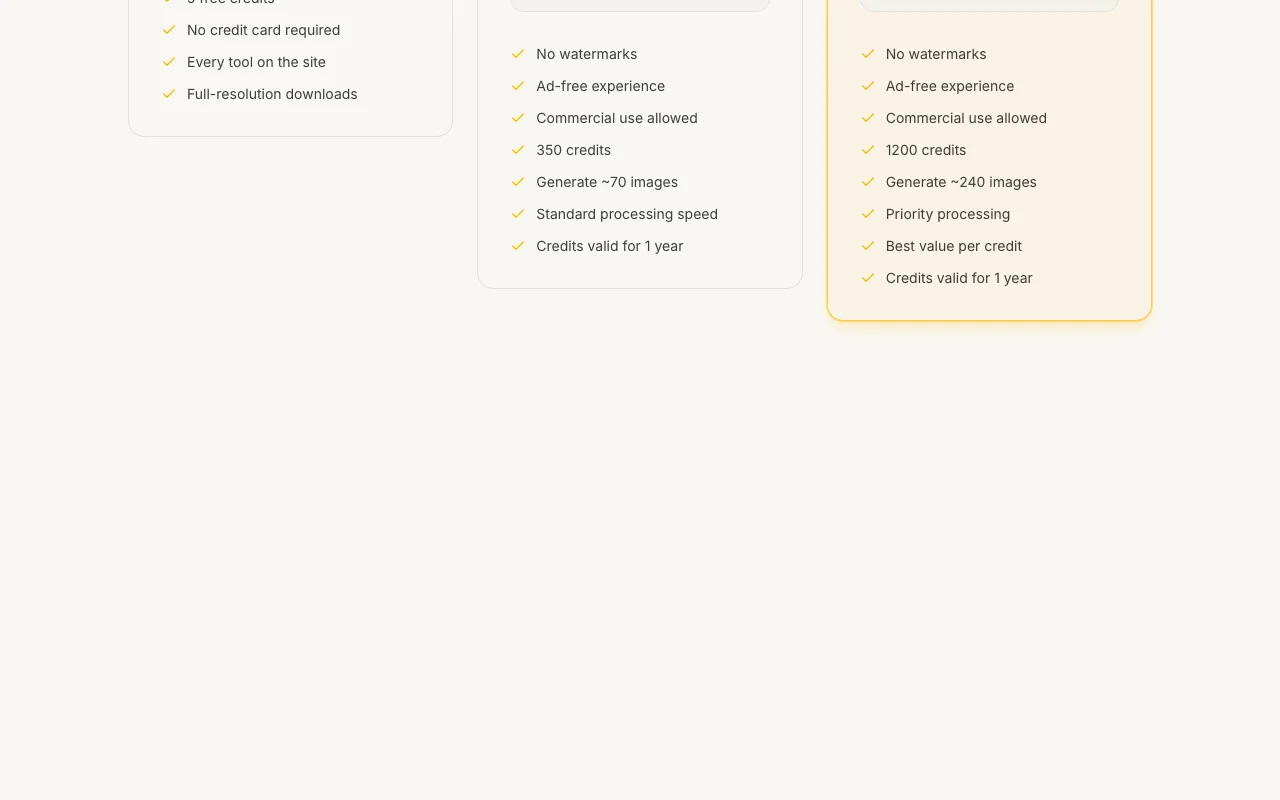
Retouchia pricing page with plans and prices — screenshot of the image generation AI tool, Oct 1, 2026
The official Retouchia pricing page as we saw it. retouchia.com, captured Oct 1, 2026

Free access and trial conditions

5 free credits, no credit card required.

Paid plans: what changes as you upgrade

Free web

Free source (opens in a new tab)

None

For: Trying one edit

Limits

  • 5 credits (~1 image)
  • No credit card required

Includes

  • Every tool on the site
  • Full-resolution downloads

Basic Package web

$9.99 one-time source (opens in a new tab)

One-time

For: Small sellers with occasional batches

Limits

  • 350 credits (~70 images)
  • Credits valid 1 year
1 more
  • Standard processing speed

Includes

  • No watermarks
  • Ad-free
1 more
  • Commercial use allowed

Pro Package web

$29.99 one-time source (opens in a new tab)

One-time

For: Frequent editors and catalog work

Limits

  • 1,200 credits (~240 images)
  • Credits valid 1 year

Includes

  • Priority processing
  • No watermarks
2 more
  • Commercial use allowed
  • Best value per credit

Usage caps, credits and extra costs

Packages are one-time purchases (list prices shown as $12 and $39.90 before discount).

What is Retouchia, and how does it work?

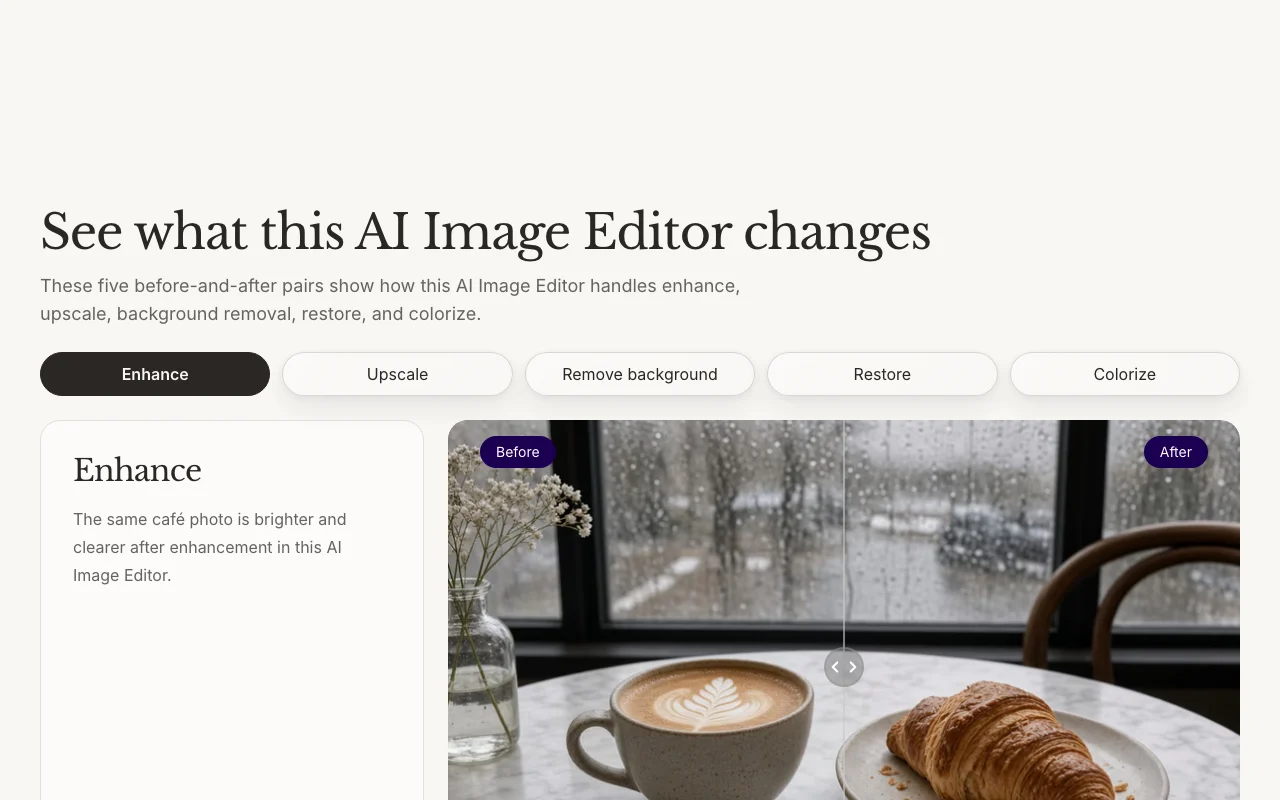
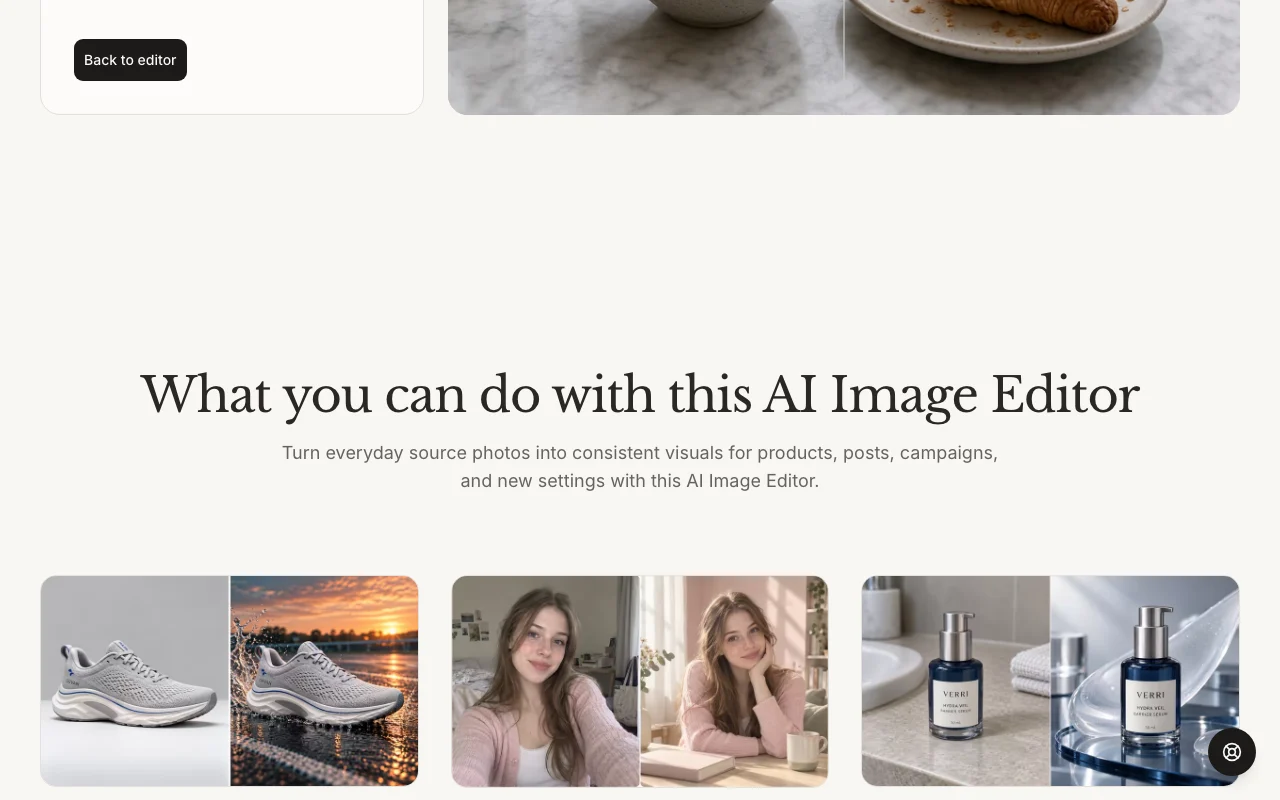
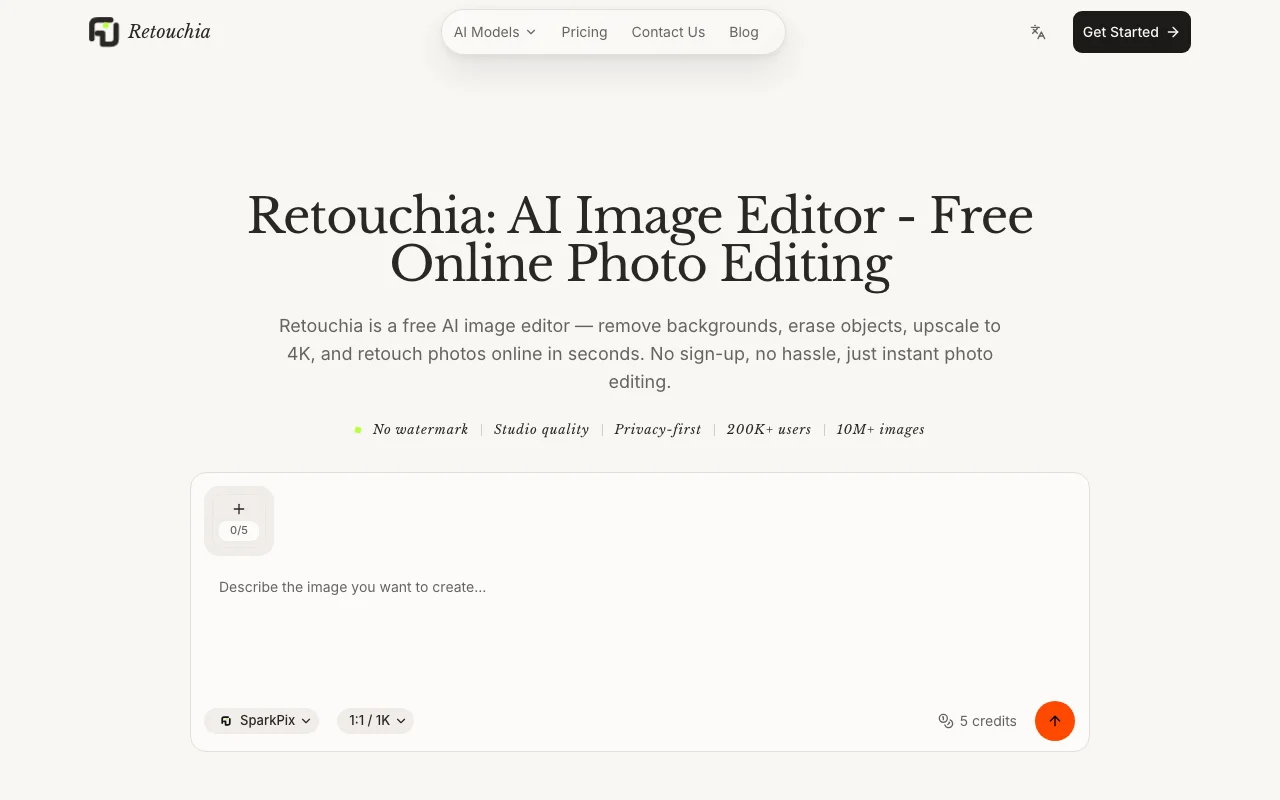
Retouchia is an online AI image editor where you upload a photo (JPG, PNG, WebP and others) and type an instruction such as remove background, erase object or enhance quality. The homepage shows enhance, 4K upscale, background removal, restoration and colorization, plus hairstyle, outfit and background changes that keep the person recognizable. It runs on a credit system: new users get 5 free credits, and one-time packages add more credits valid for one year. Paid packages include commercial use and no watermarks.

Retouchia homepage — screenshot of the image generation AI tool, Oct 1, 2026
Retouchia's official site: how the product presents itself. retouchia.com, captured Oct 1, 2026

What you provide and what you get back

How Retouchia works: what you provide, where it runs and what you get backYOU PROVIDEYour inputJPG, PNG, WebP and other common i…Text instruction such as 'remove…IMAGE GENERATIONRetouchiaWebfrom $9.99 (Basic Package)free tier availableaccount requiredchecked Sep 29, 2026YOU GET BACKThe resultHigh-resolution edited image, up…Transparent cutoutsinput → Retouchia → output · from the vendor's own pages, no hands-on test unless stated
What you give Retouchia and what comes back, from its documentation

You provide

  • JPG, PNG, WebP and other common image formats
  • Text instruction such as 'remove background' or 'enhance quality'

You get back

  • High-resolution edited image, up to 4K
  • Transparent cutouts

Where you can use it

Platforms
Web
Account
Required
Input formats
JPG, PNG, WebP and other common formats
Max resolution
Up to 4K
Credits per image
About 5 credits per image
Watermark
None on paid packages (free page also claims no watermark)
Speed
About 6 seconds per vendor
Commercial terms
Allowed on Basic and Pro

Best use cases for Retouchia

Scenarios are worked out by our editors from the documentation; the actual result depends on your input and plan.

Cleaning up product photos for listings

Who
Small online sellers
You provide
Phone product photo
Expected result
Brighter, clearer, consistent listing image
Plan needed
Basic Package
Limitation
About 5 credits per image on paid packages source (opens in a new tab)

Removing backgrounds or unwanted objects

Who
Creators building product layouts or profile designs
You provide
Photo plus instruction 'remove background' or 'erase object'
Expected result
Transparent cutout or object-free image
Plan needed
Free for first image
Limitation
Result depends on the typed instruction and source source (opens in a new tab)

Upscaling or restoring old photos

Who
Families digitizing scanned prints
You provide
Scanned photo with fading, scratches or creases
Expected result
Cleaner copy; upscale up to 4K
Plan needed
Basic or Pro
Limitation
Vendor notes it does not replace the original and expectations must stay realistic source (opens in a new tab)

Retouchia features and their limits

Retouchia homepage — screenshot of the image generation AI tool, Oct 1, 2026
Feature overview on the official site. retouchia.com, captured Oct 1, 2026

Instruction-based image editing

You type an instruction (for example 'enhance quality') and the model interprets intent and applies the edit without manual selection. No masking or tool learning curve.

Access: All plans incl. freeLimit: Outcome depends on the wording of the instruction source (opens in a new tab)

Background removal and object erase

The editor isolates the subject and exports a transparent cutout, or removes the named object and fills the area. Quick base for product layouts.

Access: All plansLimit: Edge quality on complex hair or glass not documented source (opens in a new tab)

Upscaling to 4K

Enlarges smaller source images up to 4K resolution, adding detail for layouts. Makes small photos usable in print or banners.

Access: All plansLimit: Cannot invent detail the original lacks source (opens in a new tab)

Photo restoration and colorization

Repairs fading, scratches and creases on scanned pictures and can add color to black-and-white images. Produces a shareable clean copy of family photos.

Access: All plansLimit: Does not replace the original per vendor source (opens in a new tab)

Retouchia: strengths and limits

Where Retouchia is strong

Limitations to check before paying

How to use Retouchia for removing the background from a product photo

Set up Retouchia

  1. Open retouchia.com and click through to the editor.
  2. Drag and drop a JPG, PNG or WebP file into the editor.
  3. Check your credit balance (5 free credits) on the pricing page if you need more.

Example: removing the background from a product photo

  1. Type the instruction 'remove background' in the instruction box.
  2. Click generate and wait a few seconds for the result.
  3. Download the high-resolution image.

Review and export the result

  1. Zoom in on edges and fine details of the cutout.
  2. Confirm there is no watermark and the resolution fits your use.
Example prompt suggested by our editors (not a recorded output of the product)
remove background

Privacy, data use and commercial rights

Summarized from the vendor's current policies; this is not legal advice and a vendor's badge is not an independent audit.

How your inputs and outputs are handled

Uploaded images are processed to produce the edit.

Uploaded images auto-deleted after 1 hour; generated images after 7 days.

Commercial use and plan restrictions

Commercial use allowed on paid packages.

Best Retouchia alternatives for different needs

"Better suited" is based on documented features and pricing, not on a head-to-head test.

Adobe Firefly: better suited to

Canva: better suited to

Leonardo.Ai: better suited to

Midjourney: better suited to

Alternatives
AlternativeWhen to choose itPricingLimitation
Adobe Firefly——Compare
Canva——
Leonardo.Ai——Compare
Midjourney——Compare

Explore Retouchia further

If you are looking at Retouchia

Retouchia user reviews

No user reviews yet.

Used Retouchia? Be the first to share your experience.

Write a review

Reviews are checked by a moderator before they appear. Your email is never published. Plain text only.

Your rating (required)

Show what you made or what went wrong. Images are published only if the review is approved; location data is removed.

    Retouchia FAQ

    How many images do the packages cover?

    Basic ($9.99) gives 350 credits, about 70 images; Pro ($29.99) gives 1,200 credits, about 240 images. source (opens in a new tab)

    Do credits expire?

    Yes, credits are valid for 1 year from purchase. source (opens in a new tab)

    Is commercial use allowed on free credits?

    The pricing page lists commercial use under the Basic and Pro packages, not under Free. source (opens in a new tab)

    How long are my uploads kept?

    Uploaded images are deleted after 1 hour and generated images after 7 days. source (opens in a new tab)

    What is the difference between Basic and Pro besides credits?

    Pro adds priority processing; Basic uses standard speed. Both are one-time, ad-free and watermark-free. source (opens in a new tab)

    Sources and review methodology

    Official sources and verification dates

    Not verified: Privacy policy and training use; API availability; Which underlying models are used; Whether an account is required.

    How we documented and maintain this page

    Every fact about Retouchia above comes from the 2 official pages listed here, last compared on Sep 29, 2026; we have not run Retouchia ourselves, so it has no editorial score. How we check and re-check pages.

    Article updated Oct 10, 2026; prices checked Sep 29, 2026. Outbound links to vendors are plain links; we do not earn commissions. How we review · Report an error