Web demo web
Free source (opens in a new tab)
Month
For: Trying the model
Limits
- 4 MB upload limit
- PNG, JPEG, WebP, HEIC
Includes
- Text prompt
- Alpha matte output

Image generationDocumented overviewLast checked Oct 2, 2026
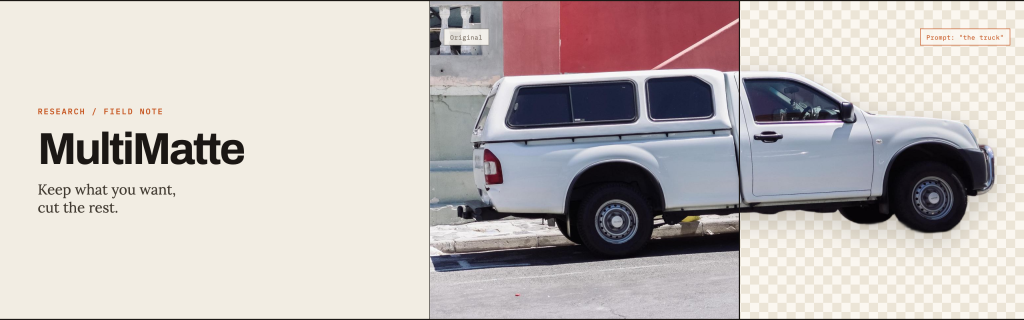
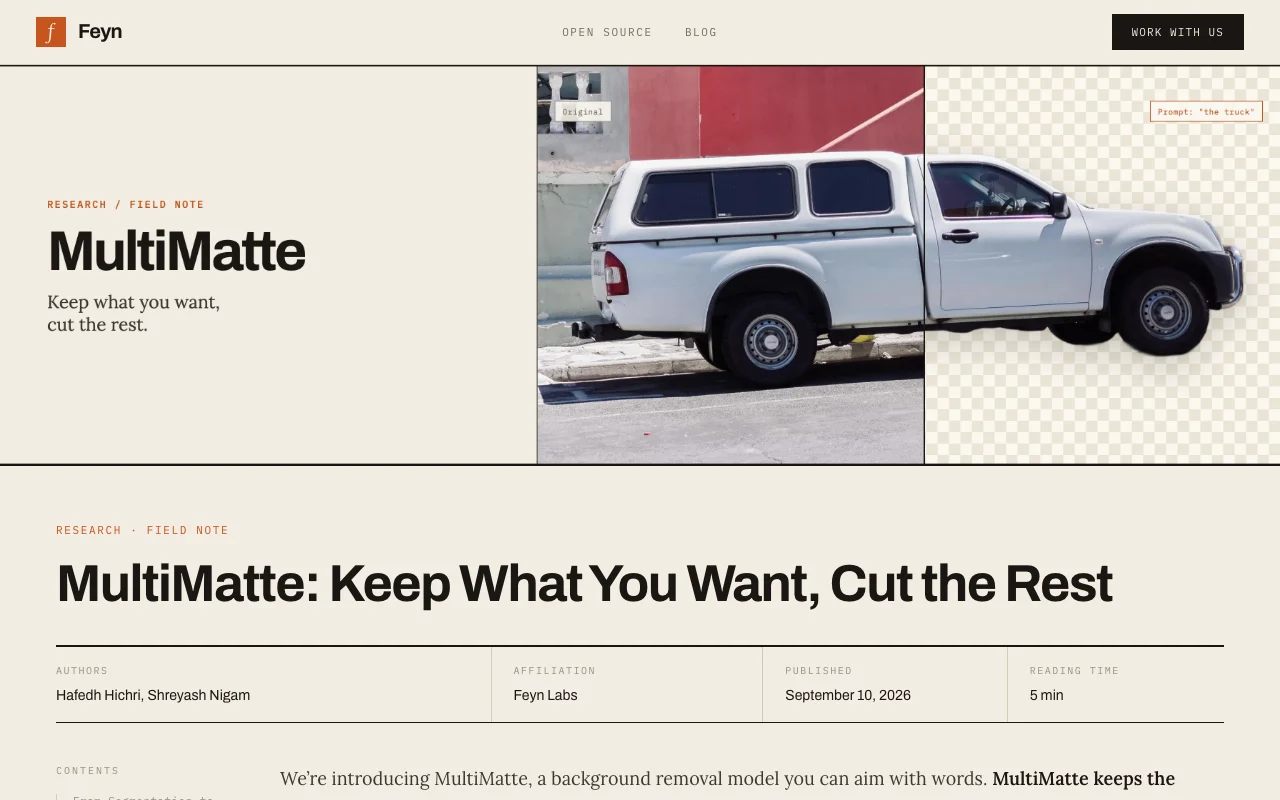
Text-promptable background removal model from Feyn Labs that keeps a named object and removes the rest, with a web demo.
 (open full size in a new tab)
 (open full size in a new tab)
 (open full size in a new tab)
 (open full size in a new tab)
 (open full size in a new tab)
Our take: MultiMatte is a good fit for trying text-steered background removal that keeps soft edges like hair, with free web demo access.
Main limitation: The demo only accepts PNG, JPEG, WebP and HEIC images up to 4 MB and results come from the vendor's own benchmarks.
MultiMatte is a good fit for trying text-steered background removal that keeps soft edges like hair, with free web demo access. Based on the vendor's documentation, not on a hands-on test.
Also a good fit for
Or if
Prices checked Oct 2, 2026 on the official US pricing page. Prices and limits change often.
The demo has no stated price or login.
Not applicable.
Free source (opens in a new tab)
Month
For: Trying the model
Limits
Includes
Not stated.
Not stated.
MultiMatte is a background removal model from Feyn Labs that you aim with words. You name the object to keep and the model removes everything else, producing alpha mattes with continuous opacity so hair and translucent edges are preserved. It is built on Meta's SAM 3, fine-tuned with LoRA on about 20,000 images. The Feyn field note reports higher S-measure scores than SAM 3 on the DIS benchmark, and a demo page lets users upload or paste an image and enter an optional prompt. The demo page is labelled open weights.
You provide
You get back
Scenarios are worked out by our editors from the documentation; the actual result depends on your input and plan.
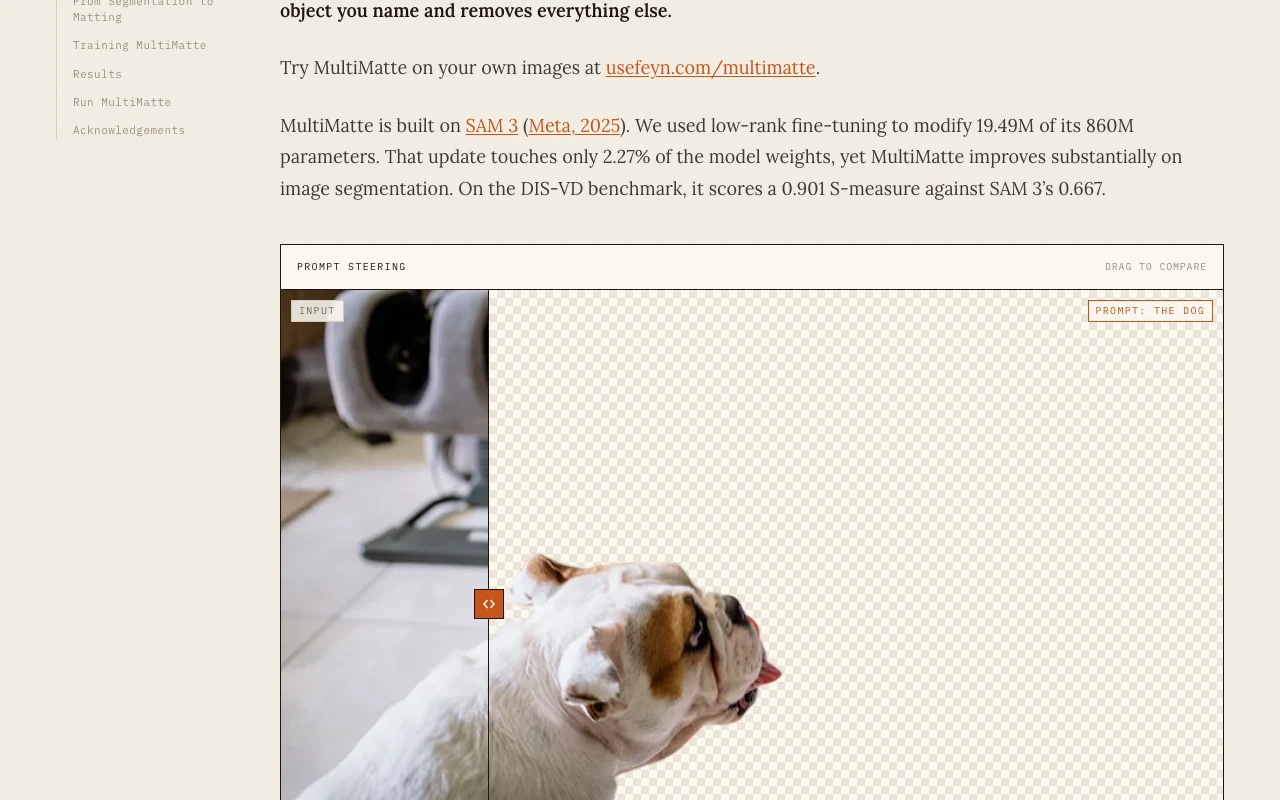
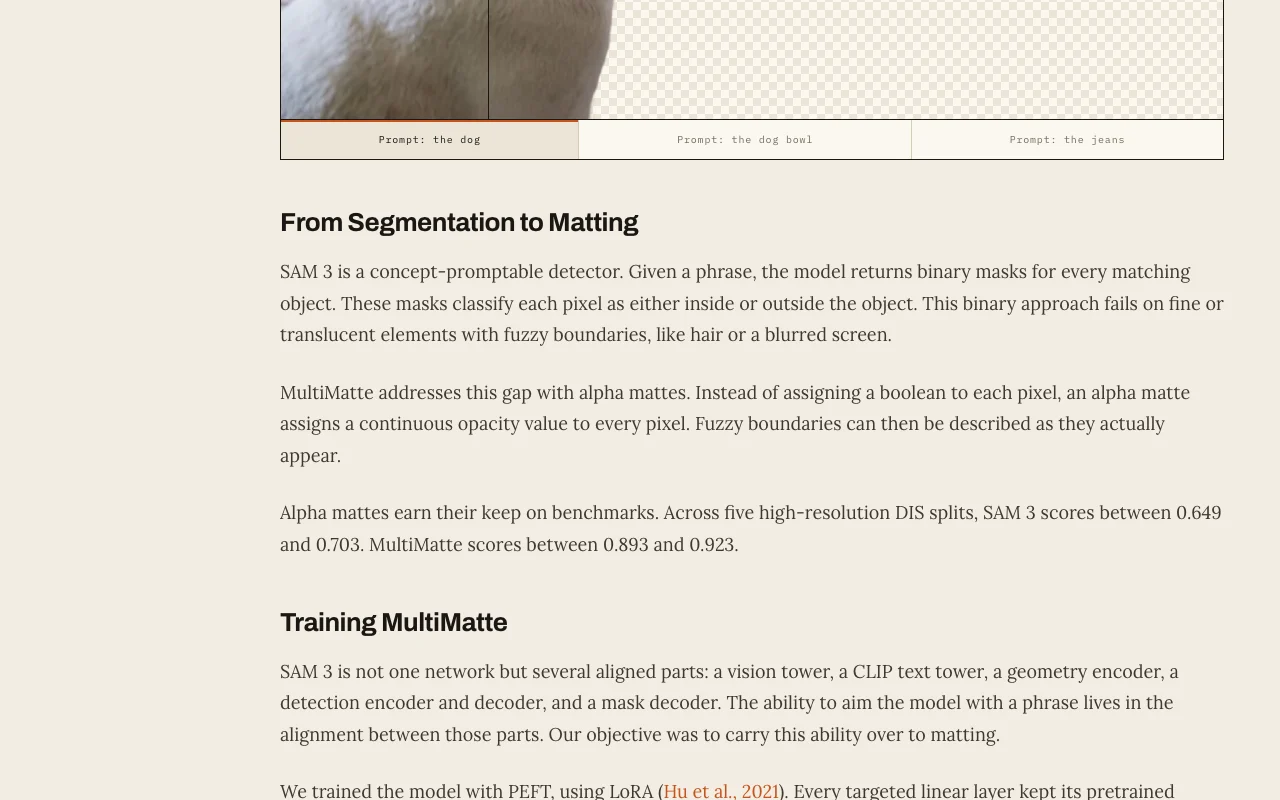
Takes a phrase naming the object to retain and removes everything else. Lets you choose among several objects in a scene.
Outputs a continuous opacity per pixel instead of a binary mask. Preserves hair and translucent boundaries.
Applies low-rank fine-tuning to Meta's SAM 3, changing 2.27% of weights. Brings matte quality over the base model.
Accepts uploaded, pasted or example images in a demo page with an optional prompt. Lets people try it without code.
the dog
Export: RGBA cutout, Raw matte tensor
MultiMatte has no public API in its official documentation. Model usable via pip install nobg; weights feyninc/multimatte.
Summarized from the vendor's current policies; this is not legal advice and a vendor's badge is not an independent audit.
Demo accepts uploaded images; handling not stated.
No user reviews yet.
Used MultiMatte? Be the first to share your experience.
It keeps the object you name in a text prompt and removes the rest, producing an alpha matte. source (opens in a new tab)
It is built on Meta's SAM 3, fine-tuned with LoRA on 19,953 images. source (opens in a new tab)
Per the field note, the demo accepts PNG, JPEG, WebP and HEIC images up to 4 MB. source (opens in a new tab)
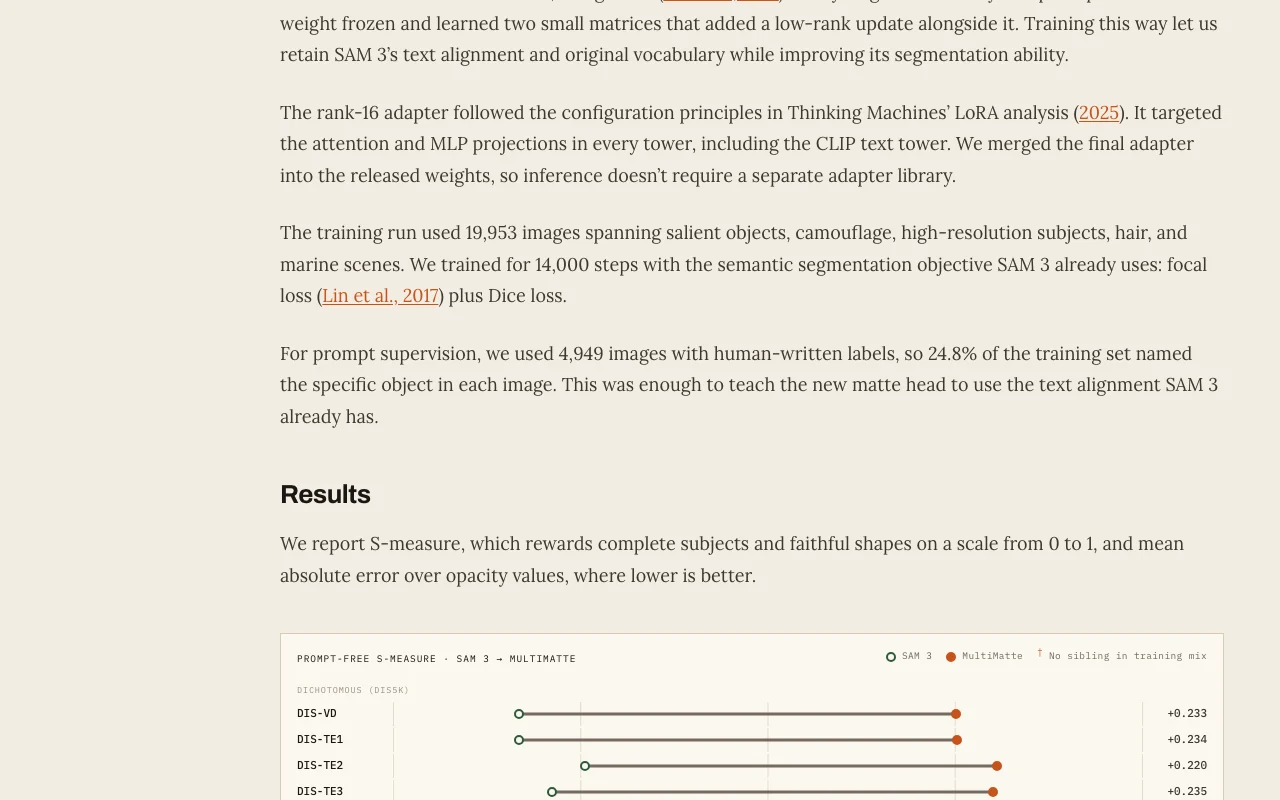
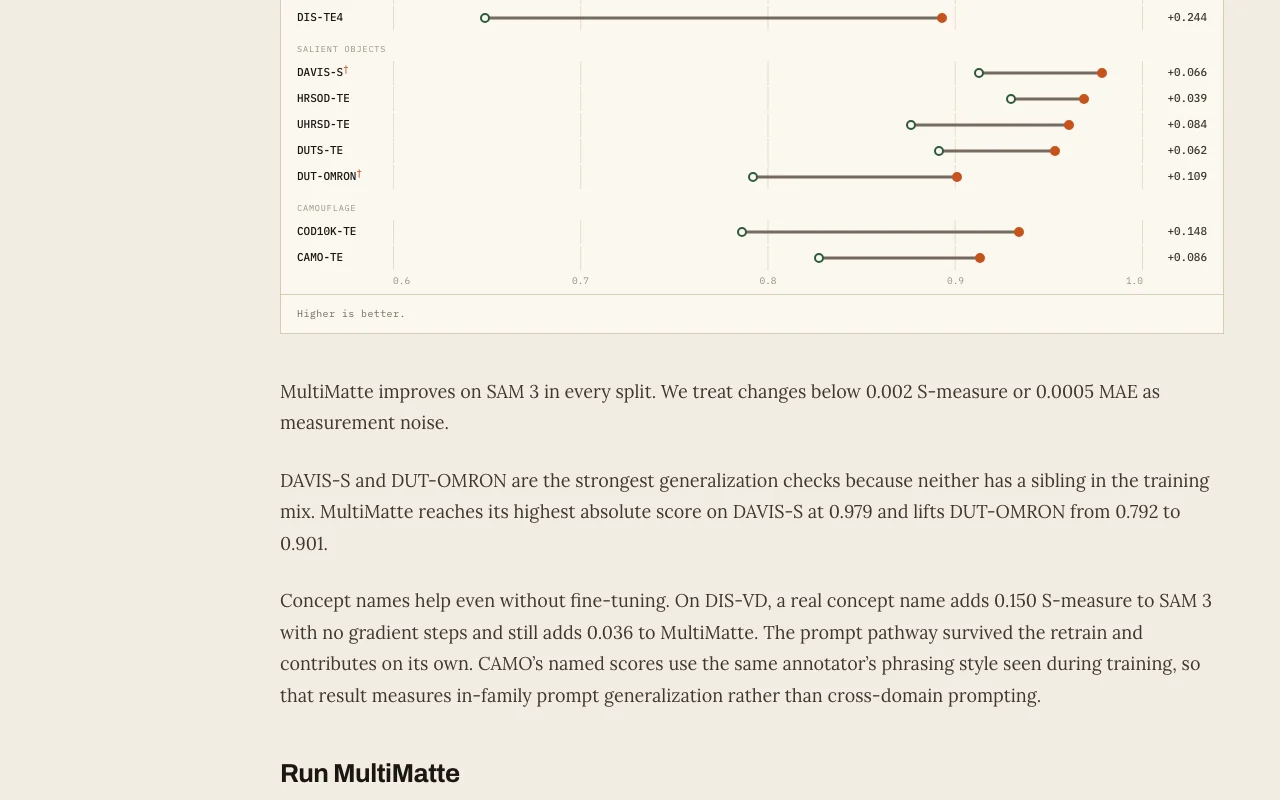
Feyn reports S-measure of 0.893 to 0.923 on five DIS splits versus 0.649 to 0.703 for SAM 3. source (opens in a new tab)
Not verified: Pricing; Privacy and retention; License terms of weights.
Every fact about MultiMatte above comes from the 2 official pages listed here, last compared on Oct 2, 2026; we have not run MultiMatte ourselves, so it has no editorial score. How we check and re-check pages.
Article updated Oct 10, 2026; prices checked Oct 2, 2026. Outbound links to vendors are plain links; we do not earn commissions. How we review · Report an error
compare>