Productivity & writingDocumented overviewLast checked Oct 1, 2026

Libra: Pricing, Features & Best Use Cases

AI agent platform that connects to 250+ workplace tools to read context, plan multi-step tasks and execute work.

Who should use Libra

AI agent platform that connects to 250+ workplace tools to read context, plan multi-step tasks and execute work.. Useful for specific workflows and integrations. Based on the vendor's documentation, not on a hands-on test.

Best for: Small teams wanting a shared AI assistant across tools

Also a good fit for

  • Companies needing hosted agents with admin controls
  • Enterprises requiring self-hosting and SSO

Consider another tool if free tier usage resets every 24 hours and is self-managed

Or if

  • Workplace credits (750 per seat) do not roll over
  • Cheapest hosted plan requires 5 seats

Libra in the news

Headlines from US outlets, selected automatically — not endorsements. Updated Oct 2, 2026

Libra pricing and usage limits

Prices checked Oct 1, 2026 on the official US pricing page. Official pricing ↗ Prices and limits change often.

Vendor pricing page re-checked automatically 12 days ago: no changes detected.

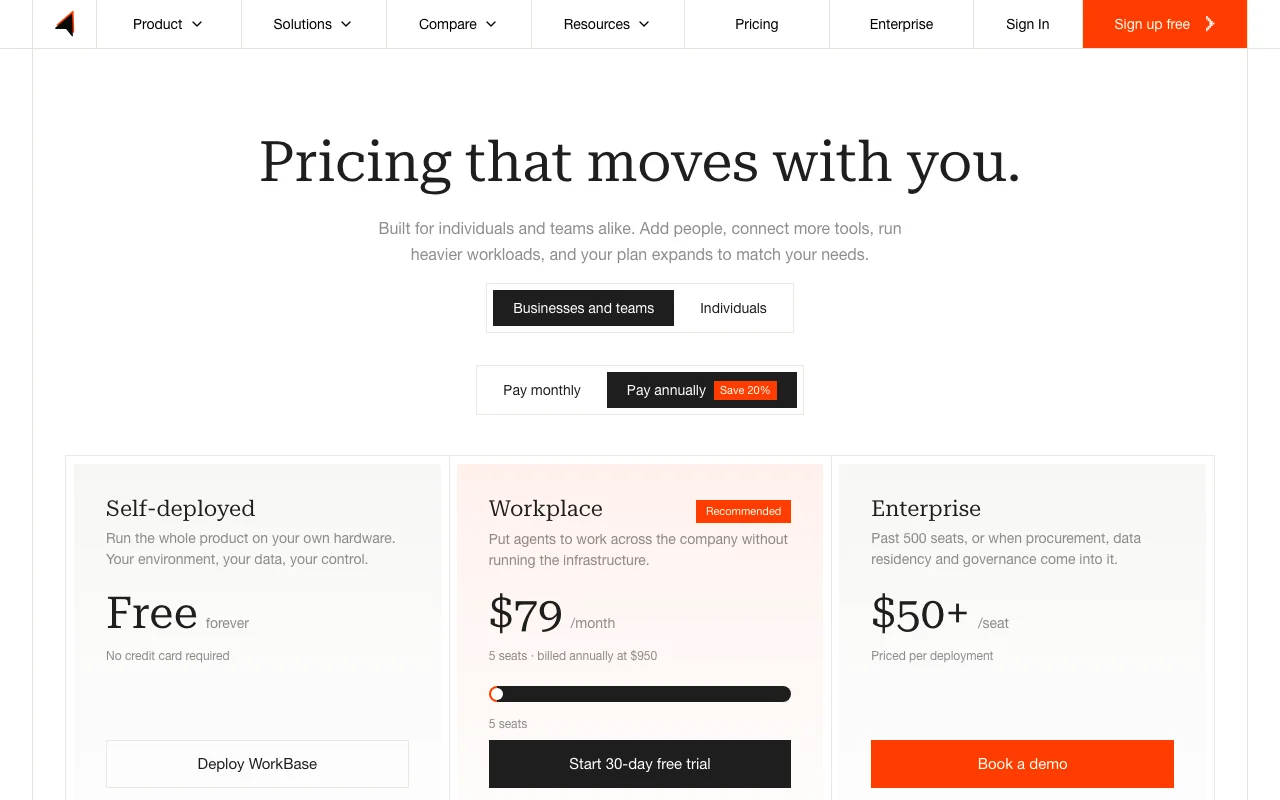
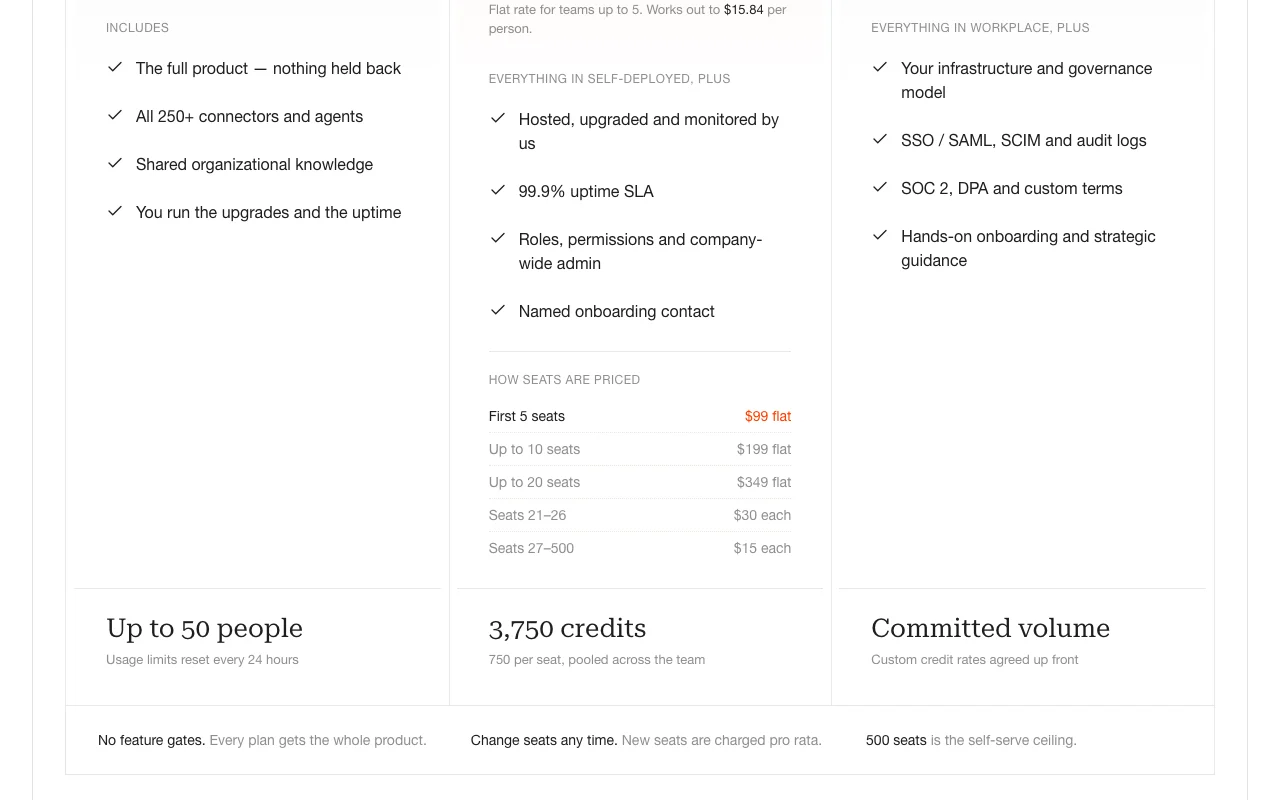
Libra pricing page with plans and prices — screenshot of the productivity & writing AI tool, Oct 1, 2026
The official Libra pricing page as we saw it. trylibra.ai, captured Oct 1, 2026

Paid plans: what changes as you upgrade

Self-deployed Web

Free source (opens in a new tab)

For: Individual evaluation

Limits

  • Up to 50 people
  • Usage resets every 24 hours
1 more
  • You manage upgrades and uptime

Includes

  • All 250+ connectors
  • Shared organizational knowledge
1 more
  • Full product

API included

Workplace Web

$79/mo source (opens in a new tab)

Month, annual commitment

$950/year ($15.84 per person); $99 flat for 5 seats, $199 for 10, etc.

For: Teams

Limits

  • 5+ seats available
  • 99.9% SLA
2 more
  • 3750 credits (750/seat)
  • Workplace credits don't roll over

Includes

  • 250+ connectors
  • Hosted infrastructure
2 more
  • Admin controls
  • Onboarding contact

API included

Enterprise Web

Custom pricing source (opens in a new tab)

Month

$50+ per seat; pricing for 500+ seats or special governance

For: Enterprise

Limits

  • 500+ seats
  • Custom infrastructure
2 more
  • SSO/SAML
  • SOC 2 and custom DPA

Includes

  • All Workplace features
  • Self-hosting option
2 more
  • Audit logs
  • Strategic guidance

API included

Usage caps, credits and extra costs

Applicable VAT or sales tax may apply

What is Libra, and how does it work?

Libra is an AI agent platform that connects to more than 250 workplace tools such as Slack, Gmail, Google Drive, Notion and Jira. It reads context across a company's workspace, plans multi-step tasks and carries them out inside those systems, from drafting emails to updating tickets. The vendor cites a 92.3% score on the GAIA benchmark. The product includes an email assistant, a meeting assistant, a slide builder and business-intelligence features, plus a macOS desktop app with dictation, text rewriting and window capture. A free self-deployed tier is offered alongside hosted Workplace and Enterprise plans.

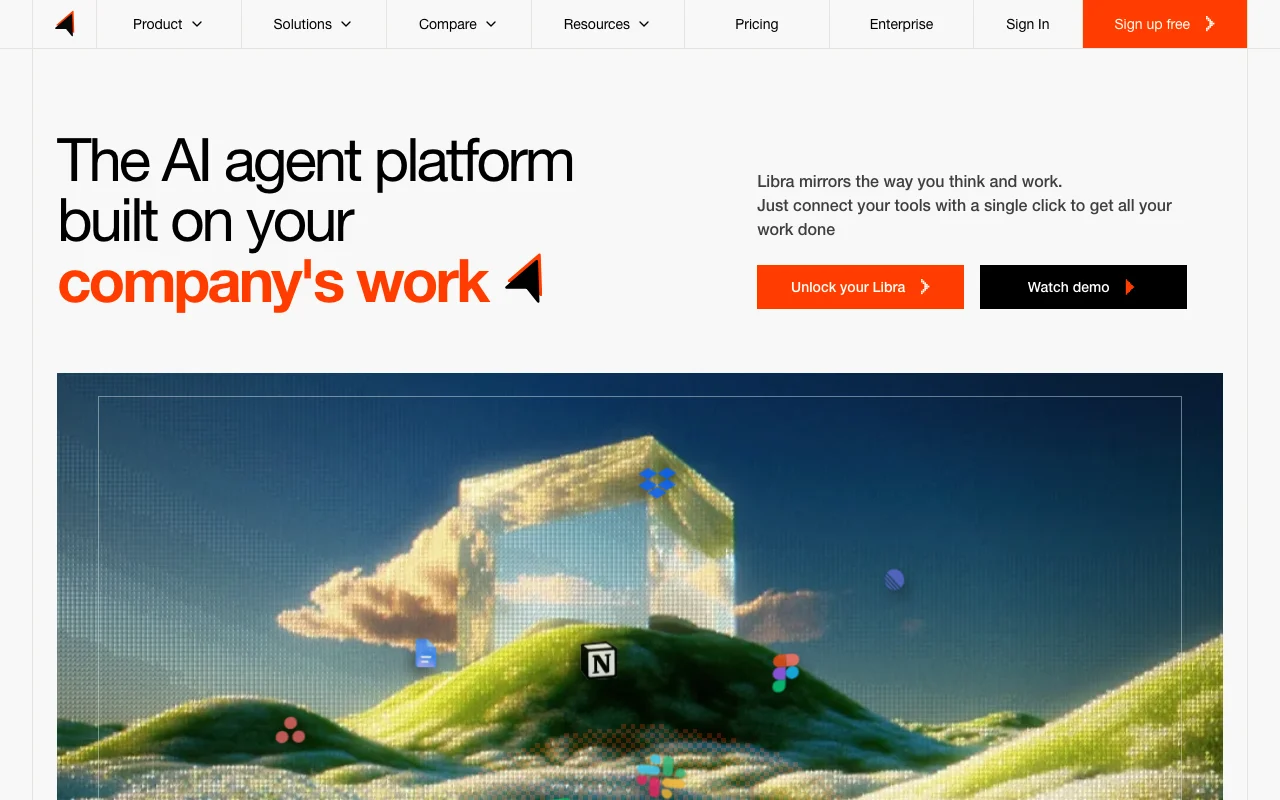
Libra homepage — screenshot of the productivity & writing AI tool, Oct 1, 2026
Libra's official site: how the product presents itself. trylibra.ai, captured Oct 1, 2026

What you provide and what you get back

How Libra works: what you provide, where it runs and what you get backYOU PROVIDEYour inputConfiguration dataUser inputExternal data sourcesPRODUCTIVITY & WRITINGLibraWeb, Desktopfrom $79/mo (Workplace)free tier availableaccount requiredchecked Oct 1, 2026YOU GET BACKThe resultProcessed resultsExported dataFormatted outputinput → Libra → output · from the vendor's own pages, no hands-on test unless stated
What you give Libra and what comes back, from its documentation

You provide

  • Configuration data
  • User input
  • External data sources

You get back

  • Processed results
  • Exported data
  • Formatted output

Where you can use it

Platforms
Web, Desktop
Account
Required

Where Libra is most useful

Scenarios are worked out by our editors from the documentation; the actual result depends on your input and plan.

Automating multi-step workflows across Slack, Gmail and Jira

Who
Teams and developers
You provide
Task description or data
Expected result
Successfully completed workflow
Plan needed
Appropriate subscription tier
Limitation
Feature availability depends on plan source (opens in a new tab)

Drafting and sorting email

Who
Teams and developers
You provide
Task description or data
Expected result
Successfully completed workflow
Plan needed
Appropriate subscription tier
Limitation
Feature availability depends on plan source (opens in a new tab)

Meeting briefings and note-taking

Who
Teams and developers
You provide
Task description or data
Expected result
Successfully completed workflow
Plan needed
Appropriate subscription tier
Limitation
Feature availability depends on plan source (opens in a new tab)

Key features and their practical limits

Libra homepage — screenshot of the productivity & writing AI tool, Oct 1, 2026
Feature overview on the official site. trylibra.ai, captured Oct 1, 2026

250+ connectors and agents

Provides 250+ connectors and agents Improves workflow efficiency

Access: Available via web interface or APILimit: May be limited by subscription plan source (opens in a new tab)

Autonomous multi-step task execution

Provides Autonomous multi-step task execution Improves workflow efficiency

Access: Available via web interface or APILimit: May be limited by subscription plan source (opens in a new tab)

Email and meeting assistants

Provides Email and meeting assistants Improves workflow efficiency

Access: Available via web interface or APILimit: May be limited by subscription plan source (opens in a new tab)

Slides builder

Provides Slides builder Improves workflow efficiency

Access: Available via web interface or APILimit: May be limited by subscription plan source (opens in a new tab)

Libra pros and cons

Reasons to choose Libra

Check before paying for Libra

How to use Libra for using the tool

Set up Libra

  1. Sign up for an account
  2. Configure your workspace settings
  3. Connect your data sources

Example: using the tool

  1. Create your first project
  2. Add sample data
  3. Execute a test run

Review and export the result

  1. Verify the output
  2. Check the logs

Other tools to consider instead of Libra

"Better suited" is based on documented features and pricing, not on a head-to-head test.

Notion AI: better suited to

Microsoft Copilot: better suited to

Zapier: better suited to

n8n: better suited to

Alternatives
AlternativeWhen to choose itPricingLimitation
Notion AI——Compare
Microsoft Copilot——
Zapier——Compare
n8n——Compare

Explore Libra further

If you are looking at Libra

Libra user reviews

No user reviews yet.

Used Libra? Be the first to share your experience.

Write a review

Reviews are checked by a moderator before they appear. Your email is never published. Plain text only.

Your rating (required)

Show what you made or what went wrong. Images are published only if the review is approved; location data is removed.

    Libra FAQ

    How do I get started?

    Visit the official website, create an account, and follow the onboarding steps provided. source (opens in a new tab)

    Is there a free trial available?

    Check the pricing page for information about free plans or trial periods. source (opens in a new tab)

    What kind of support is available?

    Support options vary by subscription tier. Contact the vendor for details. source (opens in a new tab)

    Can I export my data?

    Export capabilities depend on your plan and the tool's features. source (opens in a new tab)

    What are the system requirements?

    Check the documentation for specific technical requirements. source (opens in a new tab)

    Sources and review methodology

    Official sources and verification dates

    How we documented and maintain this page

    Every fact about Libra above comes from the 3 official pages listed here, last compared on Oct 1, 2026; we have not run Libra ourselves, so it has no editorial score. How we check and re-check pages.

    Article updated Oct 10, 2026; prices checked Oct 1, 2026. Outbound links to vendors are plain links; we do not earn commissions. How we review · Report an error