Productivity & writingDocumented overviewLast checked Oct 4, 2026

Logic Sheet: Pricing, Features & Best Use Cases

Google Sheets automation add-on with triggers, actions, AI and Gmail, Docs and Slack integrations, no coding needed.
Who Logic Sheet fits

Choose Logic Sheet if you want no-code automations that run from Google Sheets, starting with a 10-day trial and paid plans from about $6.23 per month. Based on the vendor's documentation, not on a hands-on test.

Best for: Google Sheets power users

Also a good fit for

  • Small sales and operations teams

Consider another tool if free tier limited to 5 executions per day after trial

Or if

  • Works only with Google Sheets
  • Team and Enterprise plans are for Google Workspace organizations

Logic Sheet pricing and usage limits

Prices checked Oct 4, 2026 on the official US pricing page. Official pricing ↗ Prices and limits change often.

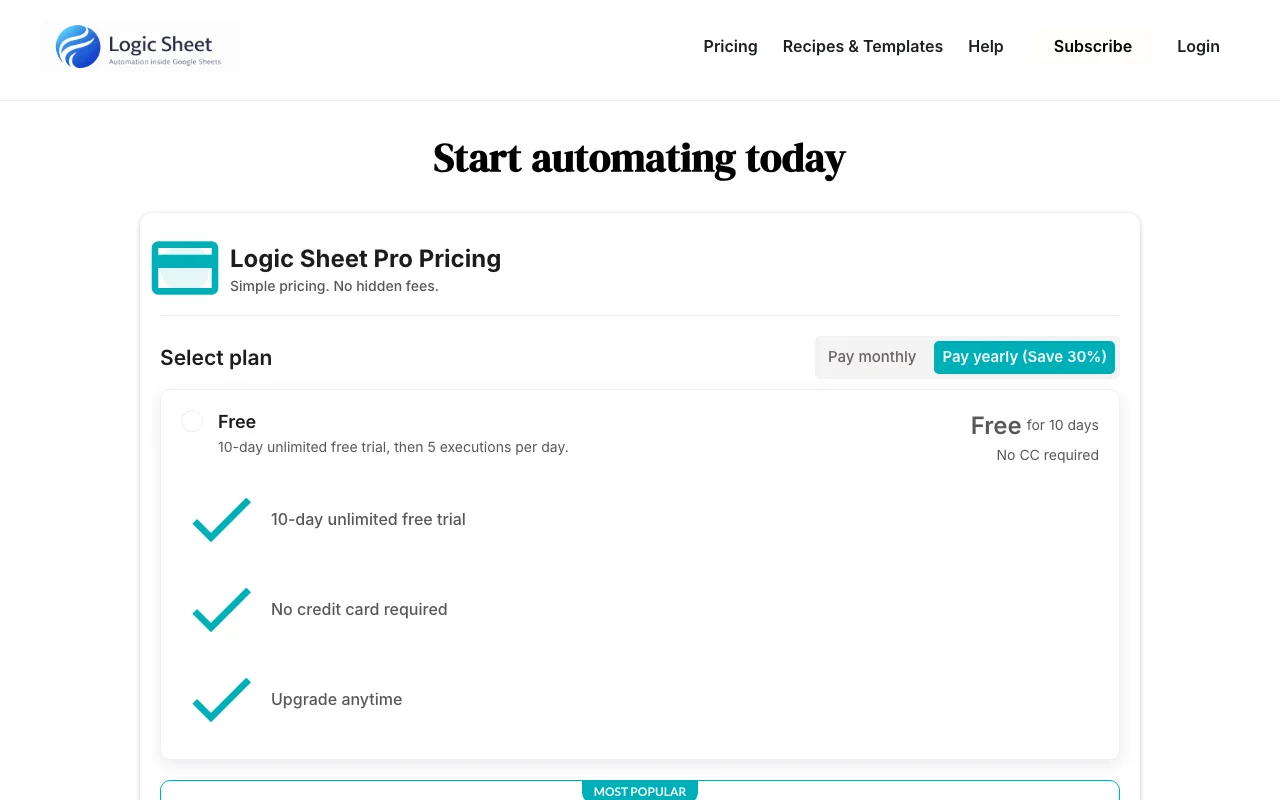
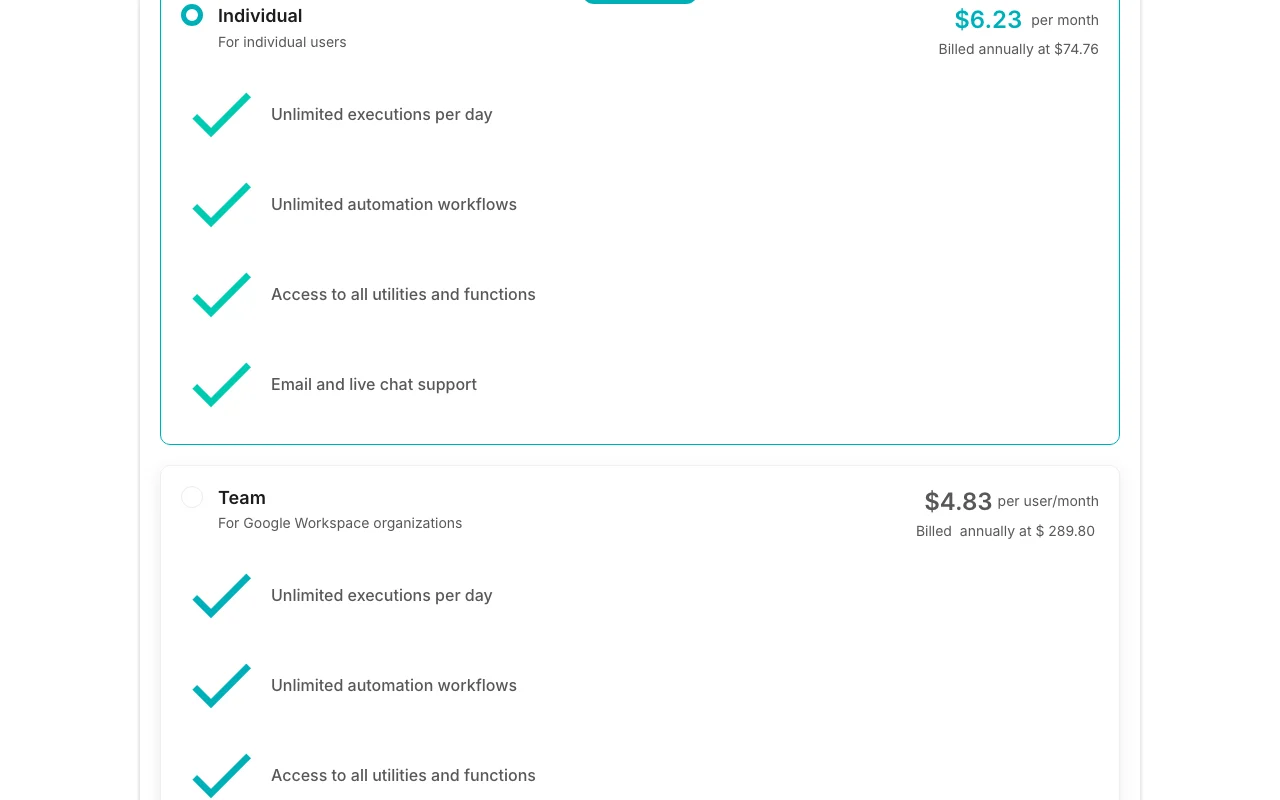
Logic Sheet pricing page with plans and prices — screenshot of the productivity & writing AI tool, Oct 2, 2026
The official Logic Sheet pricing page as we saw it. logicsheet.co, captured Oct 2, 2026

Free access and trial conditions

Free tier 5 executions/day

10-day unlimited, no card

Paid plans: what changes as you upgrade

Individual web

$6.23/mo source (opens in a new tab)

Month, annual commitment

$74.76 billed annually; monthly price not captured

For: Individuals

Limits

  • Unlimited executions

Usage caps, credits and extra costs

Tax inclusive local currency

Not stated on the official pages

What is Logic Sheet, and how does it work?

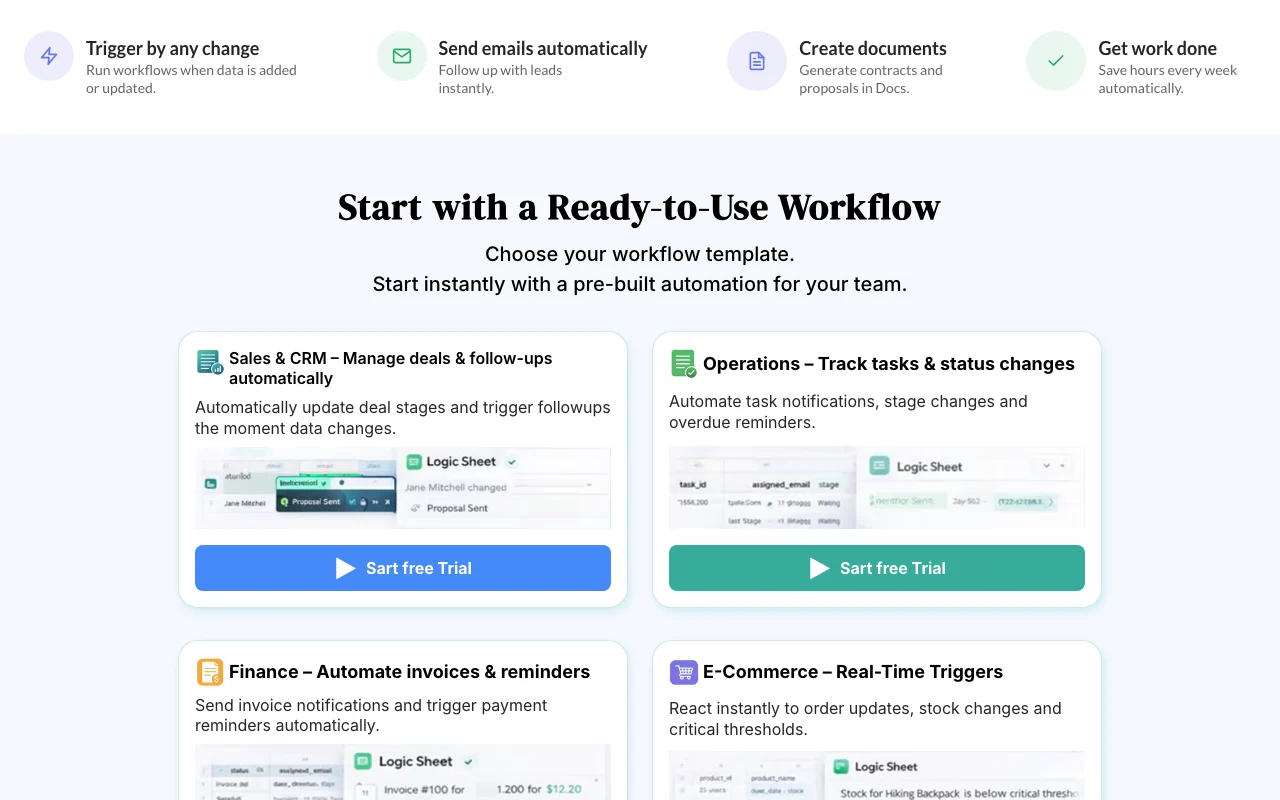
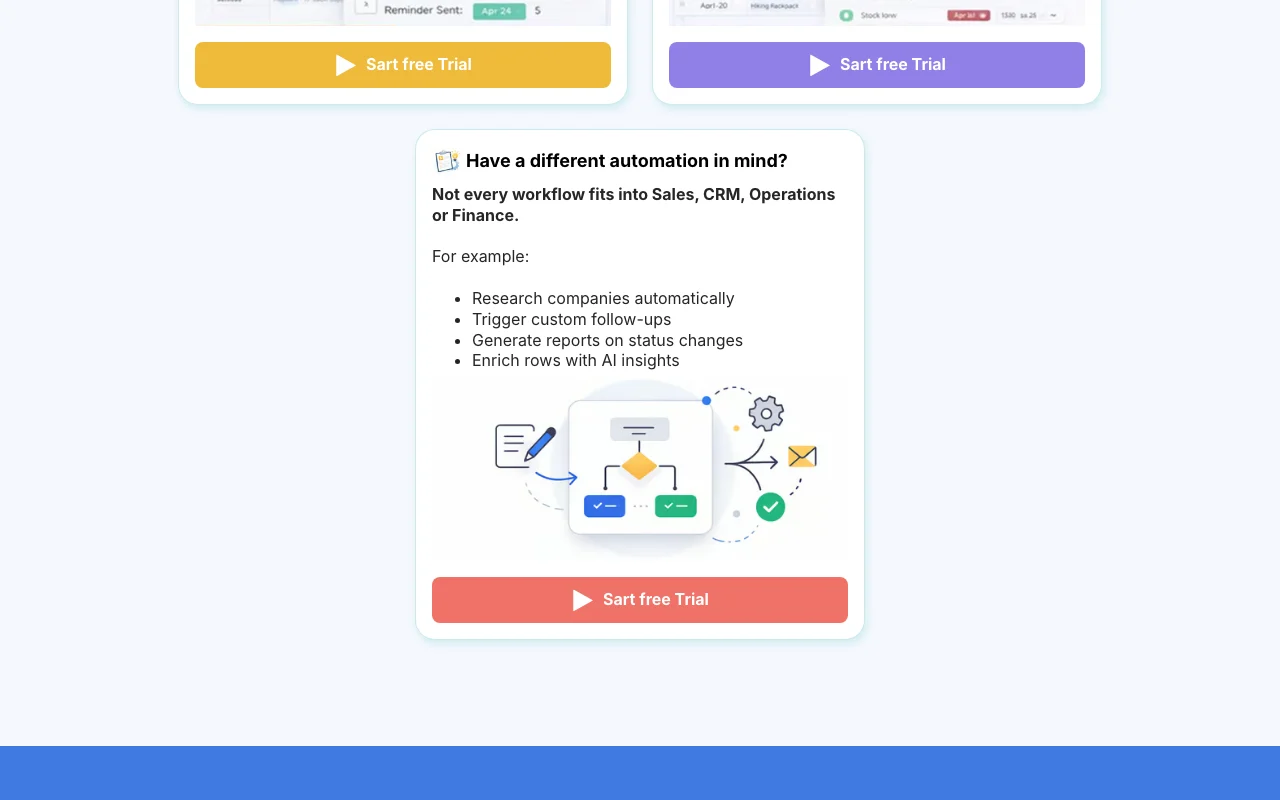
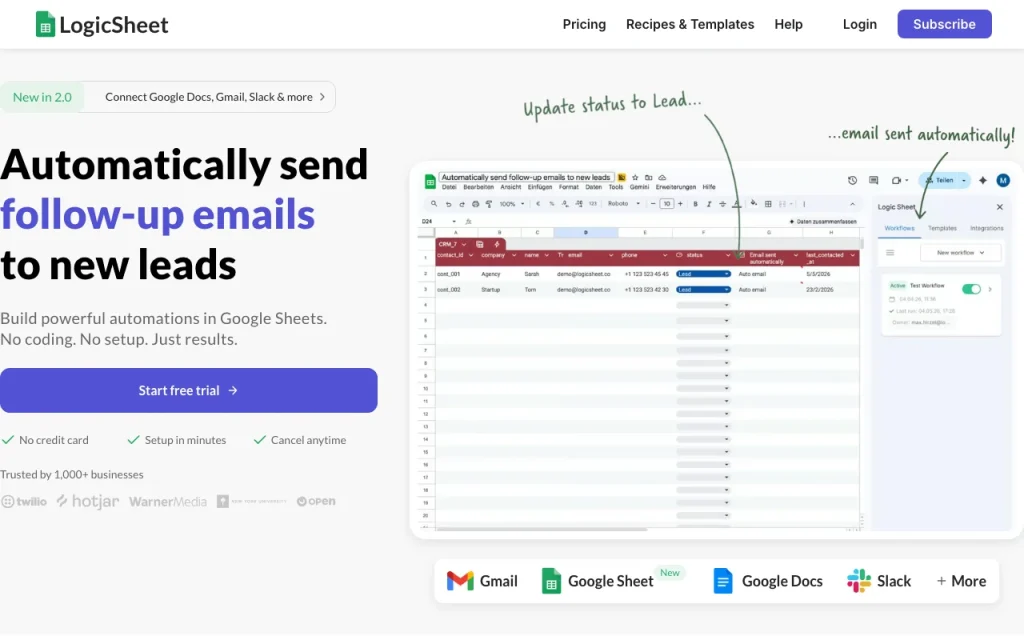
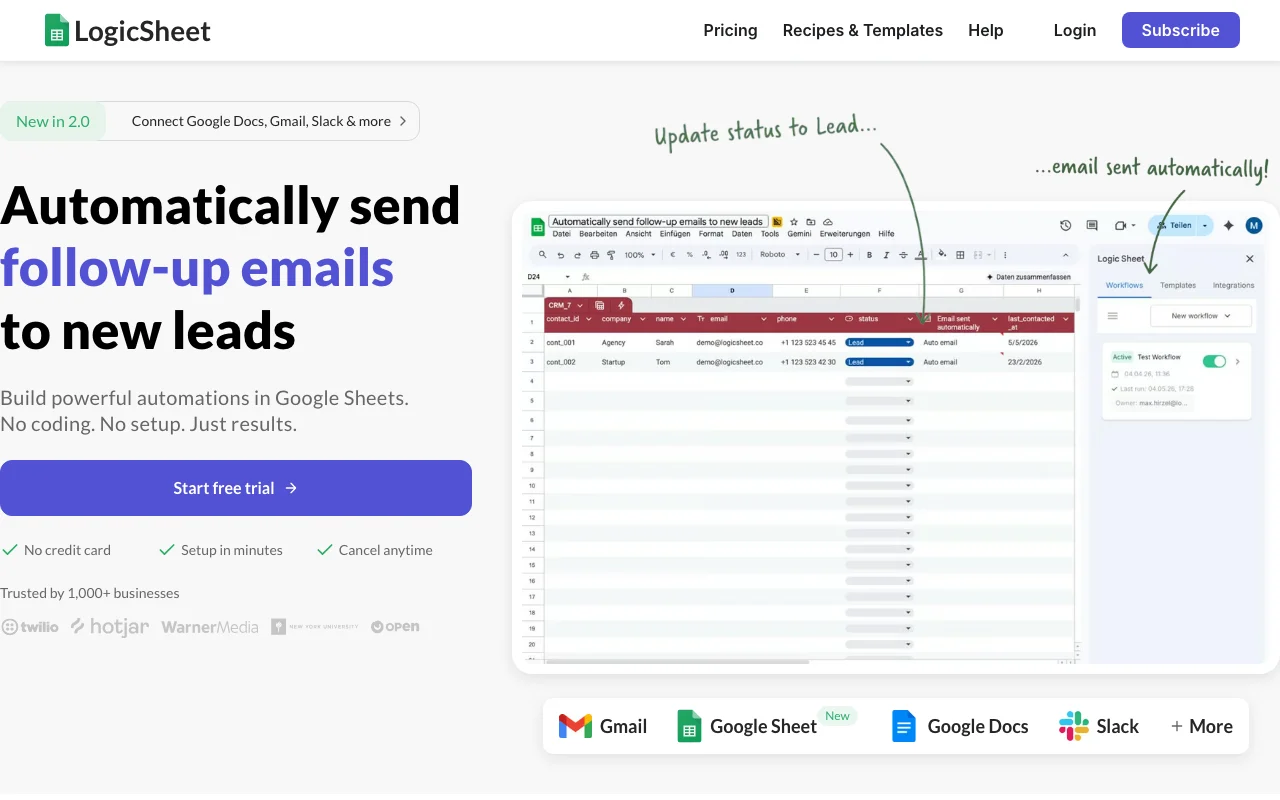
Logic Sheet is a Google Sheets automation tool that runs workflows from triggers inside your spreadsheet. Triggers include time-driven, form submission, on-edit and webhook, and actions include sending emails, sending HTTP requests, updating the spreadsheet and talking to AI models such as GPT and Gemini. It connects Google Sheets with Gmail, Google Docs, Slack and other services, and offers ready-made workflow templates for sales and CRM, operations, finance and e-commerce. A 10-day unlimited free trial needs no credit card, after which the free tier allows 5 executions per day.

Logic Sheet homepage — screenshot of the productivity & writing AI tool, Oct 2, 2026
Logic Sheet's official site: how the product presents itself. logicsheet.co, captured Oct 2, 2026

What you provide and what you get back

How Logic Sheet works: what you provide, where it runs and what you get backYOU PROVIDEYour inputGoogle Sheets dataTrigger settingsPRODUCTIVITY & WRITINGLogic Sheetfrom $4.83/mo (Team)free tier availableaccount requiredchecked Oct 4, 2026YOU GET BACKThe resultEmails, HTTP calls, sheet updatesAI-generated contentinput → Logic Sheet → output · from the vendor's own pages, no hands-on test unless stated
What you give Logic Sheet and what comes back, from its documentation

You provide

  • Google Sheets data
  • Trigger settings

You get back

  • Emails, HTTP calls, sheet updates
  • AI-generated content

Where you can use it

Account
Required
Triggers
Time, form, edit, webhook
Actions
Email, HTTP, update, AI
AI
GPT, Gemini
Hosts
Google Sheets

What people use Logic Sheet for

Scenarios are worked out by our editors from the documentation; the actual result depends on your input and plan.

Sending follow-up emails to new leads

Who
Sales teams
You provide
New row
Expected result
A follow-up email is sent for each new row that appears in the sheet.
Plan needed
Free
Limitation
It works only with Google Sheets, so the leads must be kept in a sheet. source (opens in a new tab)

Updating CRM deal stages when sheet data changes

Who
Ops teams
You provide
Edited cell
Expected result
The deal stage in the CRM is updated when the edited cell changes.
Plan needed
Free
Limitation
It works only with Google Sheets, and the deal data must be in a sheet. source (opens in a new tab)

Sending invoice notifications and payment reminders

Who
Finance
You provide
Invoice row
Expected result
A notification or reminder is sent for each invoice row that meets the conditions you set.
Plan needed
Free
Limitation
Team and Enterprise plans are meant for Google Workspace organisations. source (opens in a new tab)

Key features and their practical limits

Logic Sheet homepage — screenshot of the productivity & writing AI tool, Oct 2, 2026
Feature overview on the official site. logicsheet.co, captured Oct 2, 2026

Time-driven, form submission, on-edit and webhook triggers

Starts a workflow on time, form, edit or webhook. Users can start an automation from a schedule, a form, an edit or a webhook instead of running it by hand.

Access: Not statedLimit: Triggers work only inside Google Sheets. source (opens in a new tab)

Send email, HTTP request, update spreadsheet actions

Sends mail, calls APIs and edits rows. Users can send mail, call other services and update rows from one place instead of doing each by hand.

Access: FreeLimit: Free users are limited to 5 executions per day after the trial. source (opens in a new tab)

AI agent actions (GPT, Gemini)

Calls GPT or Gemini. Users can add GPT or Gemini steps to a sheet, for example to process text in a row.

Access: Not statedLimit: These steps count against the same execution quota as other actions. source (opens in a new tab)

Integrations with Gmail, Google Docs and Slack

Connects Gmail, Docs and Slack. Teams that use Google tools can pass data between a sheet, Gmail, Docs and Slack without copying it.

Access: Not statedLimit: The integrations centre on Google services and Slack. source (opens in a new tab)

Logic Sheet: strengths and limits

Reasons to choose Logic Sheet

  • 10-day unlimited free trial with no credit card The 10-day trial is unlimited and needs no credit card, so you can test your real automations before choosing a plan. documented source (opens in a new tab)
  • No coding required Workflows are built without code, so spreadsheet users can set up automations without asking a developer. documented source (opens in a new tab)
  • Paid plans have unlimited executions and workflows Paid plans allow unlimited executions and workflows, so a busy sheet will not stop when it reaches a daily limit. documented source (opens in a new tab)

Check before paying for Logic Sheet

  • Free tier limited to 5 executions per day after trial After the trial the free tier allows only 5 executions per day, so a sheet with many rows will quickly reach the limit. documented source (opens in a new tab)
  • Works only with Google Sheets It works only with Google Sheets, so data kept in other spreadsheet tools cannot be automated with it. documented source (opens in a new tab)
  • Team and Enterprise plans are for Google Workspace organizations Team and Enterprise plans are meant for Google Workspace organisations, so people using personal Google accounts may be limited to other plans. documented source (opens in a new tab)
  • Prices are tax inclusive and charged in local currency Prices are tax inclusive and charged in local currency, so the amount you pay may differ from the USD figures on the site. documented source (opens in a new tab)

How to use Logic Sheet for automating Google Sheets

Set up Logic Sheet

  1. Install Logic Sheet from the add-on listing.
  2. Open a sheet.
  3. Pick a trigger.

Example: automating Google Sheets

  1. Choose a template.
  2. Set the action.
  3. Run.

Review and export the result

  1. Check results.
  2. Review quota.

Logic Sheet API

Logic Sheet pricing page with plans and prices — screenshot of the productivity & writing AI tool, Oct 2, 2026
Plan comparison on the official pricing page. logicsheet.co, captured Oct 2, 2026

API access and separate billing

Logic Sheet has no public API in its official documentation. HTTP actions

Privacy, data use and commercial rights

Summarized from the vendor's current policies; this is not legal advice and a vendor's badge is not an independent audit.

How your inputs and outputs are handled

Sheet data

Not stated

Not stated

Commercial use and plan restrictions

Not stated

Not stated

Logic Sheet alternatives by need

"Better suited" is based on documented features and pricing, not on a head-to-head test.

Zapier: better suited to

Make: better suited to

Alternatives
AlternativeWhen to choose itPricingLimitation
Zapier——Compare
Make——Compare

Explore Logic Sheet further

Related to Logic Sheet

Logic Sheet user reviews

No user reviews yet.

Used Logic Sheet? Be the first to share your experience.

Write a review

Reviews are checked by a moderator before they appear. Your email is never published. Plain text only.

Your rating (required)

Show what you made or what went wrong. Images are published only if the review is approved; location data is removed.

    Logic Sheet FAQ

    Free tier?

    10-day trial then 5 executions per day. source (opens in a new tab)

    Individual price?

    $6.23/mo billed annually at $74.76. source (opens in a new tab)

    Team?

    $4.83 per user per month billed annually. source (opens in a new tab)

    Tax?

    Prices are tax inclusive and in local currency. source (opens in a new tab)

    Sources and review methodology

    Official sources and verification dates

    Not verified: Monthly prices; Privacy; Official pages could not be read as text (client-rendered or empty fetch); facts come from the verified seed research.

    How we documented and maintain this page

    Every fact about Logic Sheet above comes from the 2 official pages listed here, last compared on Oct 4, 2026; we have not run Logic Sheet ourselves, so it has no editorial score. How we check and re-check pages.

    Article updated Oct 2, 2026; prices checked Oct 4, 2026. Outbound links to vendors are plain links; we do not earn commissions. How we review · Report an error