Our take: Agentic usage-based billing platform with checkout, wallets, invoicing and an AI agent for payment recovery.. Useful for specific workflows and integrations.
Main limitation: Revenue-percentage rates not published; sales contact required
By the AI Tool Atlas editors.
Based on the vendor's official documentation; we have not tested this product hands-on. What “documented overview” means
Is Kribana right for you?
Agentic usage-based billing platform with checkout, wallets, invoicing and an AI agent for payment recovery.. Useful for specific workflows and integrations. Based on the vendor's documentation, not on a hands-on test.
Best for: SaaS and AI companies with usage-based pricing
Also a good fit for
Finance teams replacing custom billing code
Consider another tool if revenue-percentage rates not published; sales contact required
Or if
Agent autopilot only on Scale tier and above
Enterprise features (SSO, dedicated infra) gated to top tier
Kribana pricing and usage limits
Prices checked Oct 1, 2026 on the official US pricing page. Official pricing ↗ Prices and limits change often.
Vendor pricing page re-checked automatically 11 days ago: no changes detected.
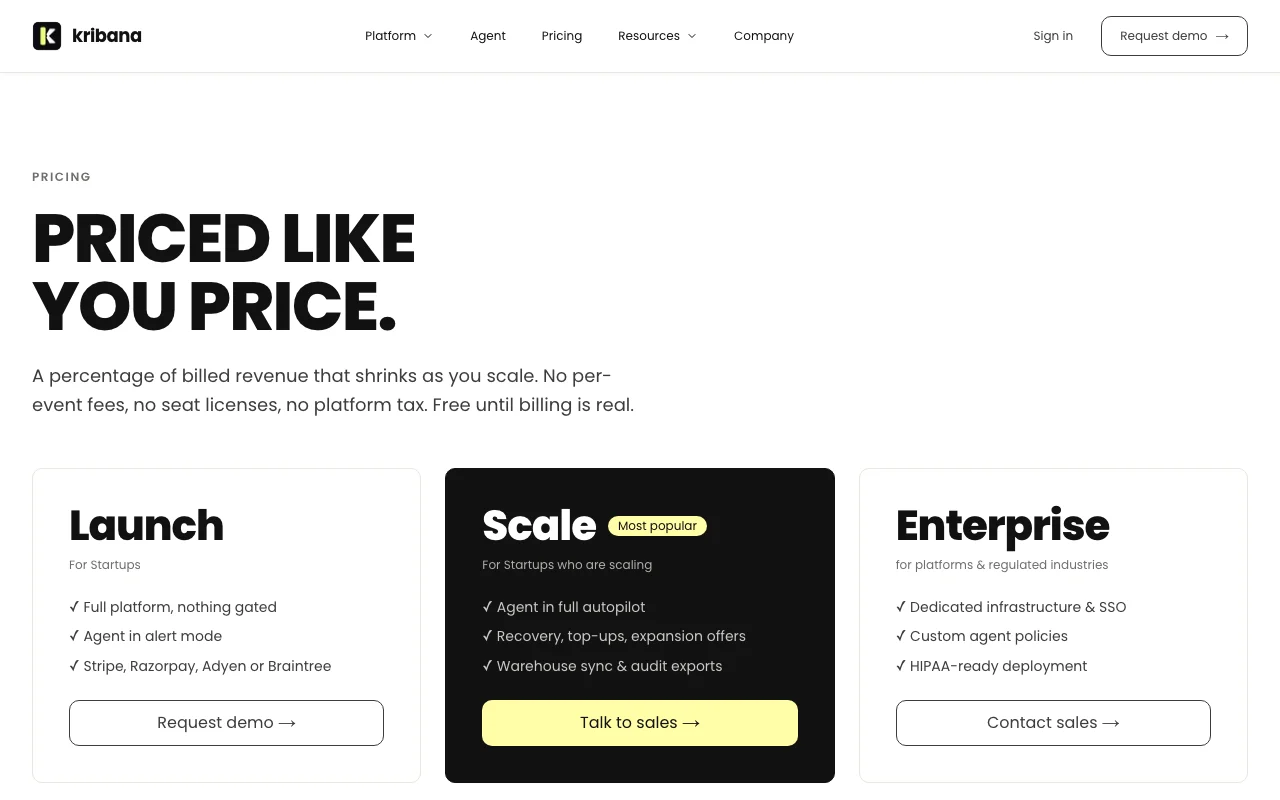
The official Kribana pricing page as we saw it. kribana.com, captured Oct 1, 2026
Percentage decreases as revenue grows; contact sales for rate
For: Growing companies
Limits
Agent in full autopilot
Warehouse sync
2 more
Audit exports
Higher revenue tiers
Includes
All Launch features
Autopilot agent
2 more
Top-up automation
Expansion offers
API included
Usage caps, credits and extra costs
Applicable VAT or sales tax may apply
What is Kribana, and how does it work?
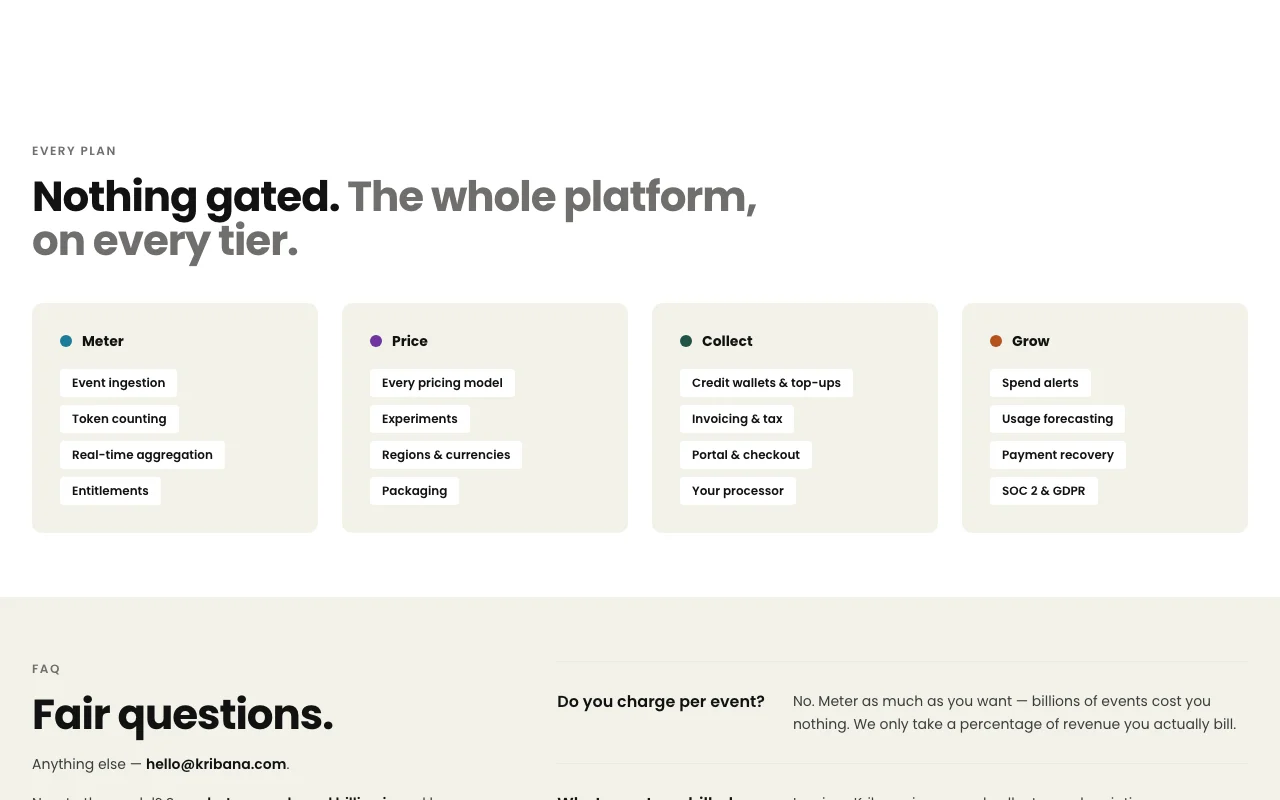
Kribana is a billing infrastructure product for usage-based and credit-based pricing. It covers catalog and plan management, usage metering, named billing units, invoicing, wallets, entitlements, checkout and a branded customer portal that can be hosted or embedded.
An AI agent monitors accounts to recover failed payments, detect churn and manage wallet top-ups, running in alert mode on the entry tier and in full autopilot on higher tiers. Pricing is a percentage of revenue and is free until real billing starts, with exact rates available only via sales.
Kribana's official site: how the product presents itself. kribana.com, captured Oct 1, 2026
What you provide and what you get back
What you give Kribana and what comes back, from its documentation
You provide
Configuration data
User input
External data sources
You get back
Processed results
Exported data
Formatted output
Where you can use it
Platforms
Web
Account
Required
Where Kribana is most useful
Scenarios are worked out by our editors from the documentation; the actual result depends on your input and plan.
Supports Stripe, Razorpay, Adyen and Braintree gateways Benefits the userdocumentedsource (opens in a new tab)
Agent in alert mode is on every plan, and refunds and failed payments do not count as billed revenue Revenue-based fees are not charged on money that was never collected.documentedsource (opens in a new tab)
Payment processor can be switched among Stripe, Razorpay, Adyen and Braintree, or several at once, with pricing, wallets and history kept Changing payment rails does not require rebuilding billing setup.documentedsource (opens in a new tab)
Limitations to check before paying
Revenue-percentage rates not published; sales contact required Limitation to consider in decisiondocumentedsource (opens in a new tab)
Agent autopilot only on Scale tier and above Limitation to consider in decisiondocumentedsource (opens in a new tab)
Enterprise features (SSO, dedicated infra) gated to top tier Limitation to consider in decisiondocumentedsource (opens in a new tab)
Public API/SDK details not visible on docs landing page Limitation to consider in decisiondocumentedsource (opens in a new tab)
Every tier is request-a-demo or talk-to-sales, with no self-serve signup Starting even the free Launch tier needs a conversation first.documentedsource (opens in a new tab)
How to use Kribana for using the tool
Set up Kribana
Sign up for an account
Configure your workspace settings
Connect your data sources
Example: using the tool
Create your first project
Add sample data
Execute a test run
Review and export the result
Verify the output
Check the logs
Best Kribana alternatives for different needs
"Better suited" is based on documented features and pricing, not on a head-to-head test.
Every fact about Kribana above comes from the 3 official pages listed here, last compared on Oct 1, 2026; we have not run Kribana ourselves, so it has no editorial score. How we check and re-check pages.
Article updated Oct 10, 2026; prices checked Oct 1, 2026. Outbound links to vendors are plain links; we do not earn commissions. How we review · Report an error