Productivity & writingDocumented overviewLast checked Sep 29, 2026

Lemon: Pricing, Features & Best Use Cases

Voice-to-prompt and dictation app for Mac and Windows that types polished text where your cursor is.

Who should use Lemon

Lemon suits heavy AI chat users and fast note takers on Mac or Windows who want to speak rough thoughts and get a structured prompt or cleaned dictation typed at the cursor, with a free start and no credit card. Based on the vendor's documentation, not on a hands-on test.

Best for: Heavy AI chat users

Also a good fit for

  • Fast note takers

Consider another tool if pricing not published (/pricing returns 404)

Or if

  • Requires account sign-up
  • Desktop only

Lemon pricing and usage limits

Prices checked Sep 29, 2026 on the official US pricing page. Official pricing ↗ Prices and limits change often.

Free access and trial conditions

Site states 'Free to start - No credit card - 2-minute setup'.

Not stated beyond the free start.

Paid plans: what changes as you upgrade

Free to start desktop

See official pricing source (opens in a new tab)

Unknown

For: Trying voice prompts on Mac or Windows

Limits

  • Paid tiers and free limits not published

Includes

  • Voice-to-prompt
  • Dictation with filler cleanup
1 more
  • No credit card required

Usage caps, credits and extra costs

Not published.

Not stated.

What is Lemon, and how does it work?

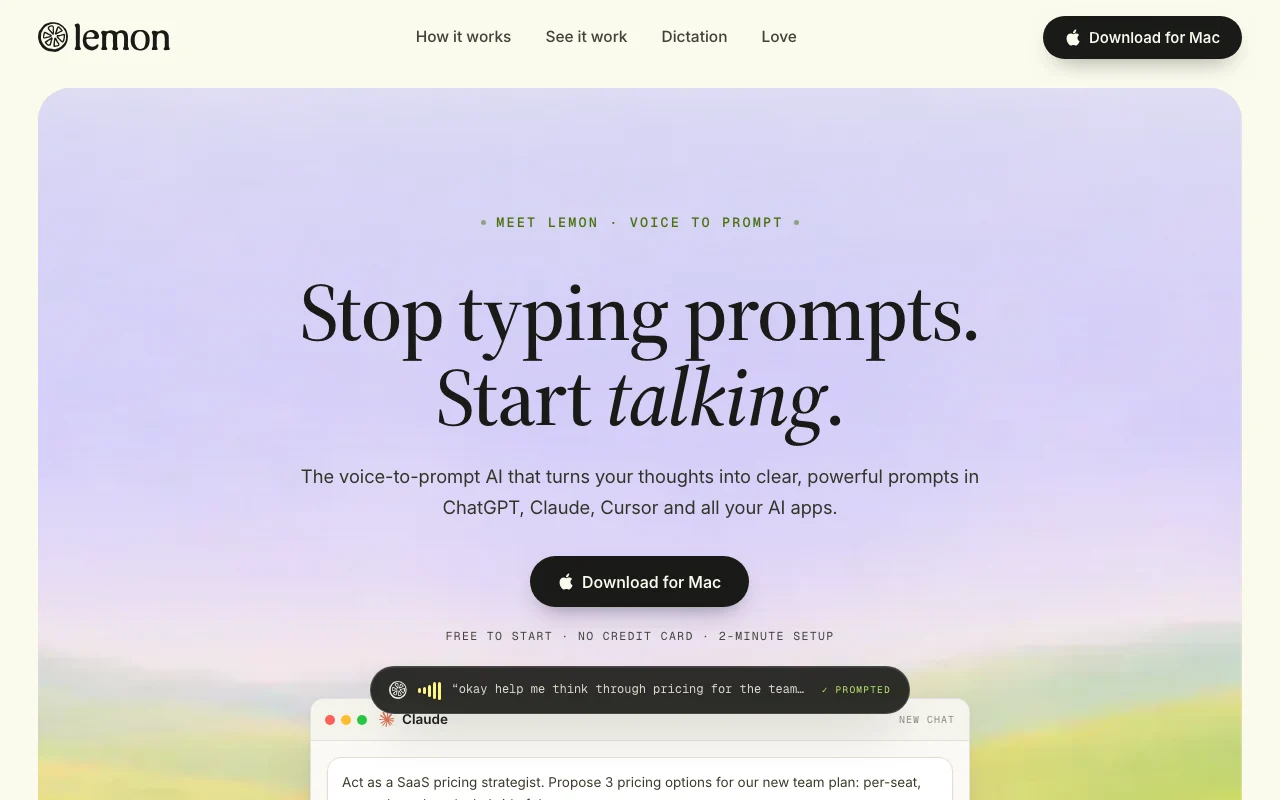
Lemon turns spoken thoughts into structured prompts for AI apps such as ChatGPT, Claude and Cursor. It also does dictation, cleaning filler words, and drafts emails and messages in the user's tone. It is described as available for macOS and Windows and is triggered by holding a key. Sign-up is by email or Google.

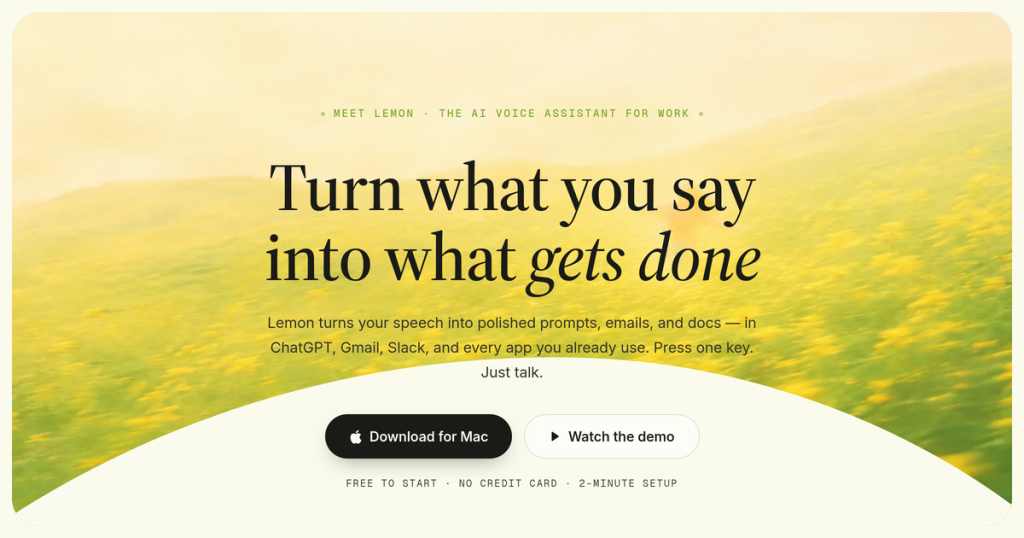
Lemon homepage — screenshot of the productivity & writing AI tool, Oct 2, 2026
Lemon's official site: how the product presents itself. heylemon.ai, captured Oct 2, 2026

What you provide and what you get back

How Lemon works: what you provide, where it runs and what you get backYOU PROVIDEYour inputSpoken thoughts via microphoneHeld key (fn for prompts, control…Email thread context for repliesPRODUCTIVITY & WRITINGLemonDesktopfree tier, paid price not publish…free tier availableaccount requiredchecked Sep 29, 2026YOU GET BACKThe resultStructured prompt typed at your c…Dictated text with fillers removedPolished emails and messages in y…input → Lemon → output · from the vendor's own pages, no hands-on test unless stated
What you give Lemon and what comes back, from its documentation

You provide

  • Spoken thoughts via microphone
  • Held key (fn for prompts, control for dictation)
  • Email thread context for replies

You get back

  • Structured prompt typed at your cursor
  • Dictated text with fillers removed
  • Polished emails and messages in your tone

Where you can use it

Platforms
Desktop
Account
Required
Platforms
macOS 13+ and Windows
Hotkeys
fn for prompts, control for dictation
Works in
Claude, ChatGPT, Cursor, Gmail, Slack, Notion and more
Setup
About 2 minutes, no credit card
Sign-in
Email or Google

What people use Lemon for

Scenarios are worked out by our editors from the documentation; the actual result depends on your input and plan.

Writing prompts by voice

Who
Heavy users of Claude, ChatGPT and Cursor
You provide
A rambling spoken request
Expected result
A structured prompt with goal, context and constraints at the cursor
Plan needed
Free to start
Limitation
Prompt quality is not independently verified source (opens in a new tab)

Dictating notes

Who
Fast note takers and managers
You provide
Spoken meeting notes
Expected result
Clean text with ums and stumbles removed
Plan needed
Free to start
Limitation
Speed claims (5x faster) are internal usage data source (opens in a new tab)

Drafting emails by voice

Who
Professionals with heavy email load
You provide
A spoken gist such as 'tell Maya Thursday at ten works'
Expected result
A polished reply in your tone
Plan needed
Free to start
Limitation
Always review before sending source (opens in a new tab)

Sending quick Slack updates

Who
Teams on Slack
You provide
Spoken update
Expected result
A scannable message typed into Slack
Plan needed
Free to start
Limitation
Works where a text field exists only source (opens in a new tab)

Key features and their practical limits

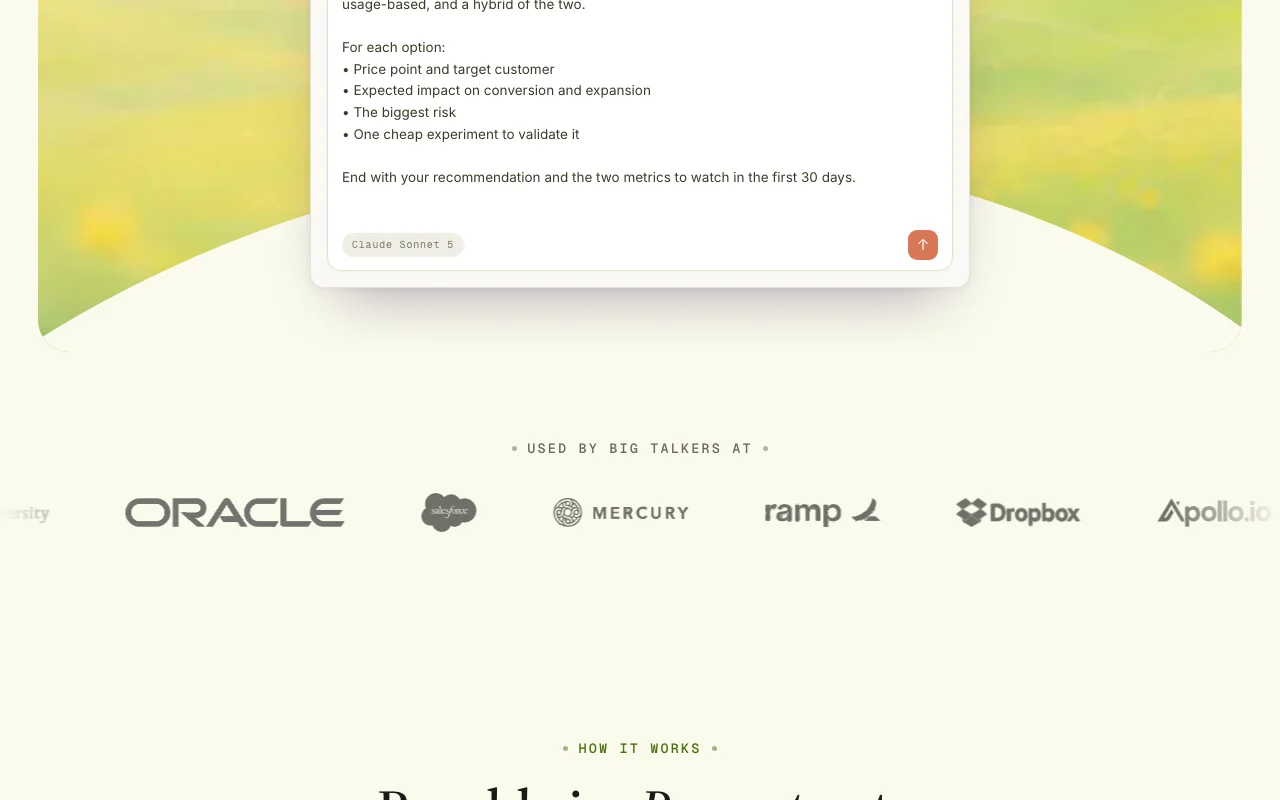
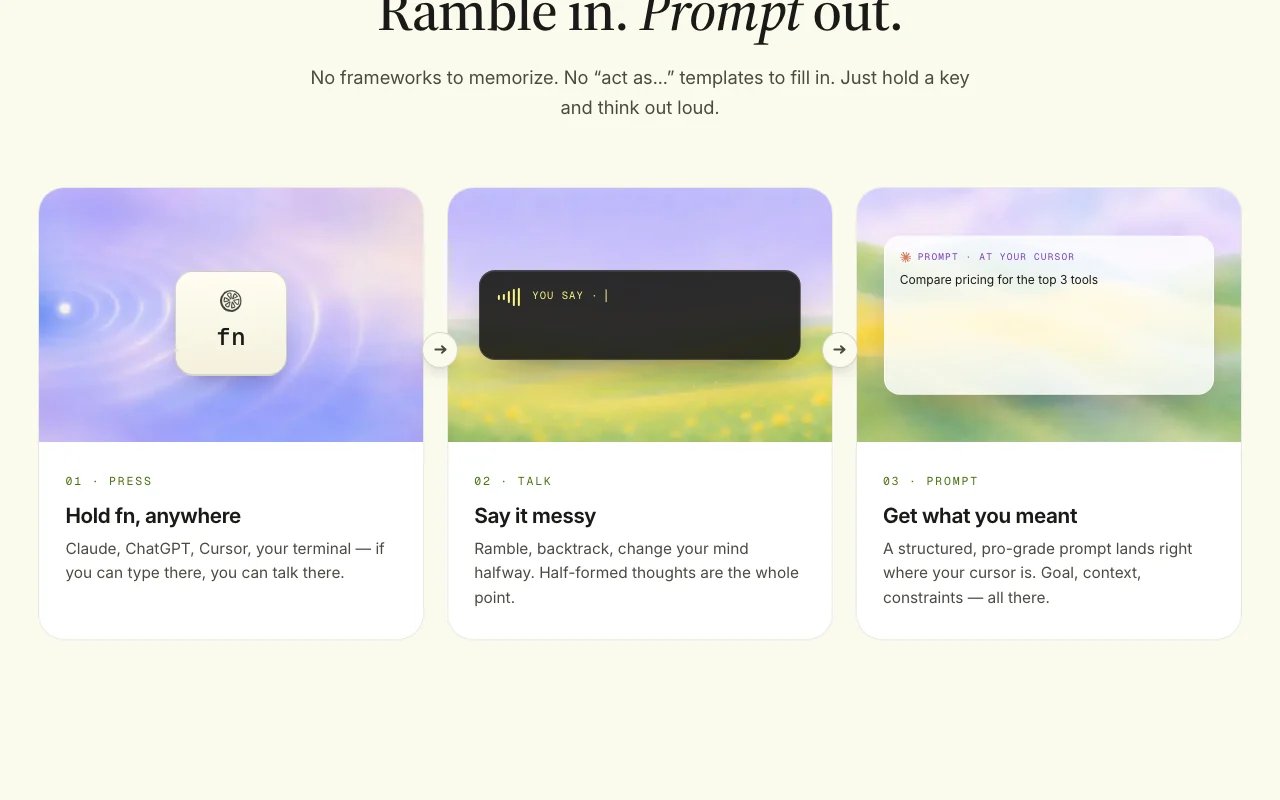
Lemon homepage — screenshot of the productivity & writing AI tool, Oct 2, 2026
Feature overview on the official site. heylemon.ai, captured Oct 2, 2026

Voice-to-prompt

Turns a messy spoken thought into a structured prompt typed into AI apps. Skip prompt-writing templates.

Access: Hold fn on MacLimit: Output depends on how clearly you describe the task source (opens in a new tab)

Dictation with filler cleanup

Transcribes speech and removes ums and stumbles automatically. Writing faster than typing.

Access: Hold controlLimit: Language support not documented source (opens in a new tab)

Works in any text field

Types the result where your cursor is in any app, with no integrations or plugins. One tool across Gmail, Slack, Notion, Cursor.

Access: Mac and WindowsLimit: Desktop only; no mobile app mentioned source (opens in a new tab)

Tone-matched email and message drafting

Matches the thread and writes replies in your tone from a short spoken gist. Faster email replies.

Access: Same hotkeyLimit: Sending is manual source (opens in a new tab)

Hold-a-key activation

Starts listening while a key is held and stops when released, from a notch at the top of the screen. No window switching.

Access: Desktop appLimit: Key mapping options not documented source (opens in a new tab)

Lemon: strengths and limits

Reasons to choose Lemon

Check before paying for Lemon

How to use Lemon for dictating a prompt into an AI chat

Set up Lemon

  1. Enter your email on heylemon.ai to receive the download link (macOS 13+ or Windows).
  2. Install the app and sign in with email or Google.
  3. Grant microphone permission when prompted.
  4. Open Claude, ChatGPT or Cursor and click into the text box.

Example: dictating a prompt into an AI chat

  1. Hold fn and say: 'help me plan customer interviews for the new onboarding flow'.
  2. Release the key and wait for the PROMPT READY indicator.
  3. Read the structured prompt that appears at the cursor.
  4. Press Enter to send it to the AI app.

Review and export the result

  1. Confirm the prompt includes your goals and constraints.
  2. Try control-key dictation in a notes app and check fillers were removed.
Example prompt suggested by our editors (not a recorded output of the product)
help me think through pricing for the team plan, three options, what could go wrong with each, and how we'd test them

Lemon API

API access and separate billing

Lemon has no public API in its official documentation. Docs page returned 404

Privacy, data use and commercial rights

Summarized from the vendor's current policies; this is not legal advice and a vendor's badge is not an independent audit.

How your inputs and outputs are handled

Processes your voice and text at the cursor; handling details not available.

Best Lemon alternatives for different needs

"Better suited" is based on documented features and pricing, not on a head-to-head test.

ChatGPT: better suited to

Claude: better suited to

Alternatives
AlternativeWhen to choose itPricingLimitation
ChatGPT——
Claude——

Explore Lemon further

Related to Lemon

Lemon user reviews

No user reviews yet.

Used Lemon? Be the first to share your experience.

Write a review

Reviews are checked by a moderator before they appear. Your email is never published. Plain text only.

Your rating (required)

Show what you made or what went wrong. Images are published only if the review is approved; location data is removed.

    Lemon FAQ

    Which platforms does Lemon run on?

    macOS (13 or later) and Windows; the site offers a Mac download and sends a link by email. source (opens in a new tab)

    How do I trigger Lemon?

    Hold fn for voice-to-prompt on Mac, or hold control to dictate; release to insert text at the cursor. source (opens in a new tab)

    Do I need integrations to use Lemon?

    No. It works in any app with a text field, with no plugins or setup. source (opens in a new tab)

    Is Lemon free?

    The site says free to start with no credit card, but paid pricing is not published. source (opens in a new tab)

    Can Lemon write emails for me?

    Yes, it drafts replies from a spoken gist in your tone, for example in Gmail; you still send them yourself. source (opens in a new tab)

    Sources and review methodology

    Official sources and verification dates

    Not verified: Pricing and free limits; Privacy and audio retention; Supported languages; Offline use.

    How we documented and maintain this page

    Every fact about Lemon above comes from the 2 official pages listed here, last compared on Sep 29, 2026; we have not run Lemon ourselves, so it has no editorial score. How we check and re-check pages.

    Article updated Oct 10, 2026; prices checked Sep 29, 2026. Outbound links to vendors are plain links; we do not earn commissions. How we review · Report an error