Our take: Floatboat suits solo professionals who want an agent that prepares briefs and drafts from their calendar events and are fine paying about $20 to $200 per month for monthly model credits.
Main limitation: All usage is metered in monthly credits (for example 5,000 credits at about $20), and no free tier was confirmed.
By the AI Tool Atlas editors.
Based on the vendor's official documentation; we have not tested this product hands-on. What “documented overview” means
Is Floatboat right for you?
Floatboat suits solo professionals who want an agent that prepares briefs and drafts from their calendar events and are fine paying about $20 to $200 per month for monthly model credits. Based on the vendor's documentation, not on a hands-on test.
Best for: Solo founders and small teams
Also a good fit for
People with calendar-driven routines
Consider another tool if usage is limited by monthly credits
Or if
Credits tied to billing period
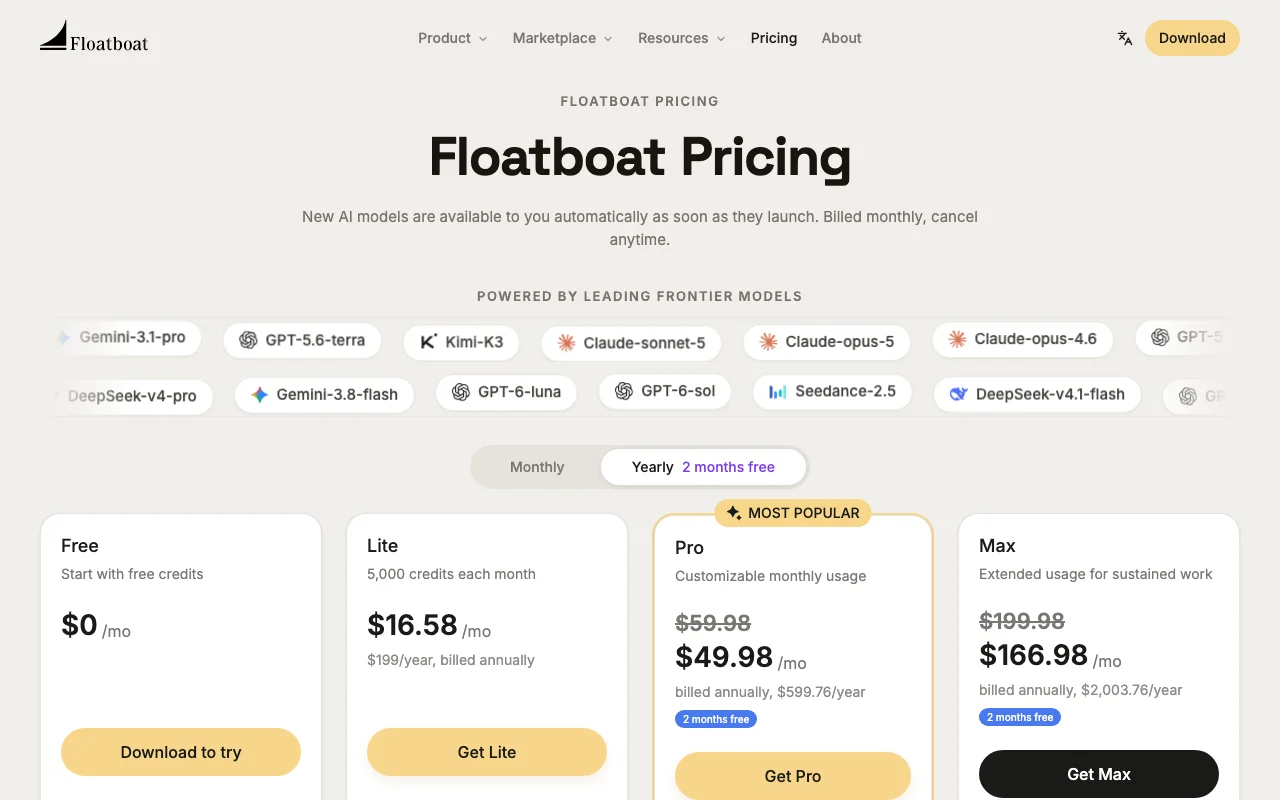
Paid plans start at about $20/month per pricing data
Floatboat pricing and usage limits
Prices checked Sep 29, 2026 on the official US pricing page. Official pricing ↗ Prices and limits change often.
The official Floatboat pricing page as we saw it. floatboat.ai, captured Oct 1, 2026
Booster pack of 3,000 credits for $12.99, valid for 1 year.
Not stated.
What is Floatboat, and how does it work?
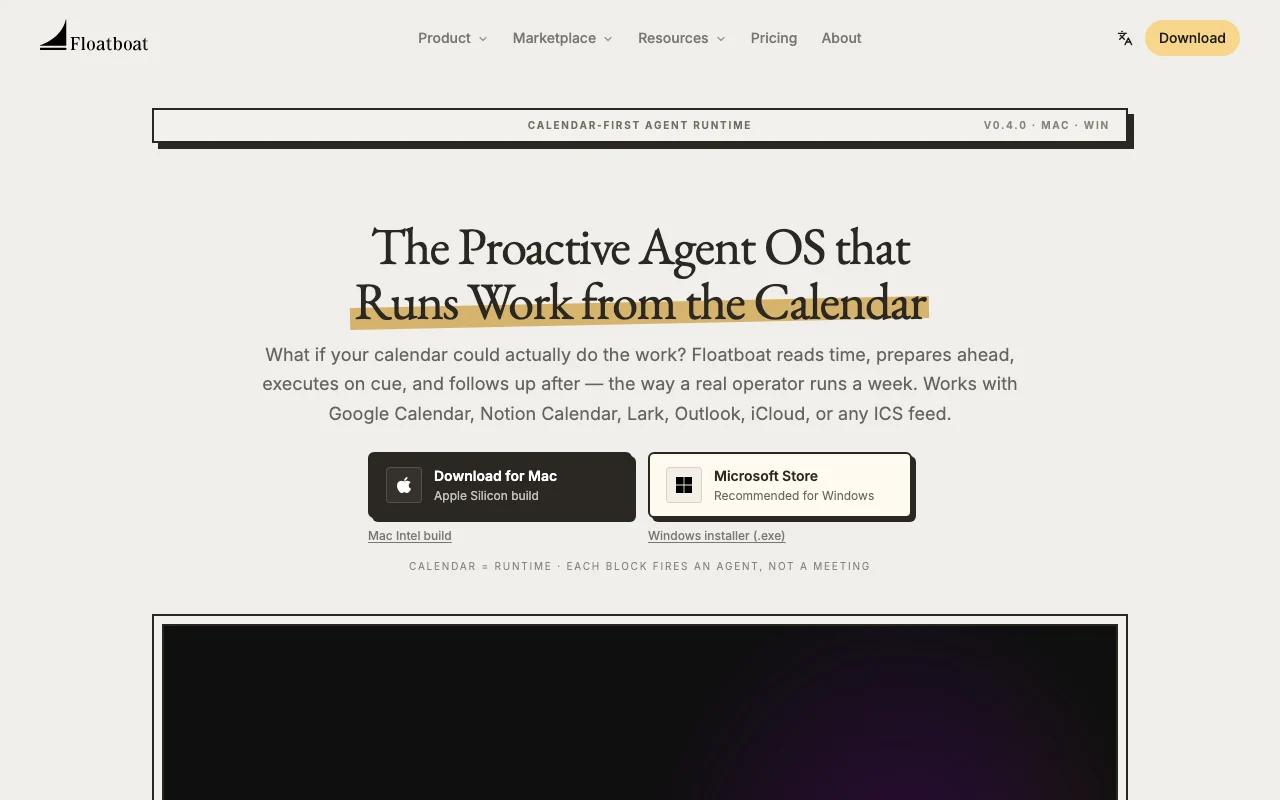
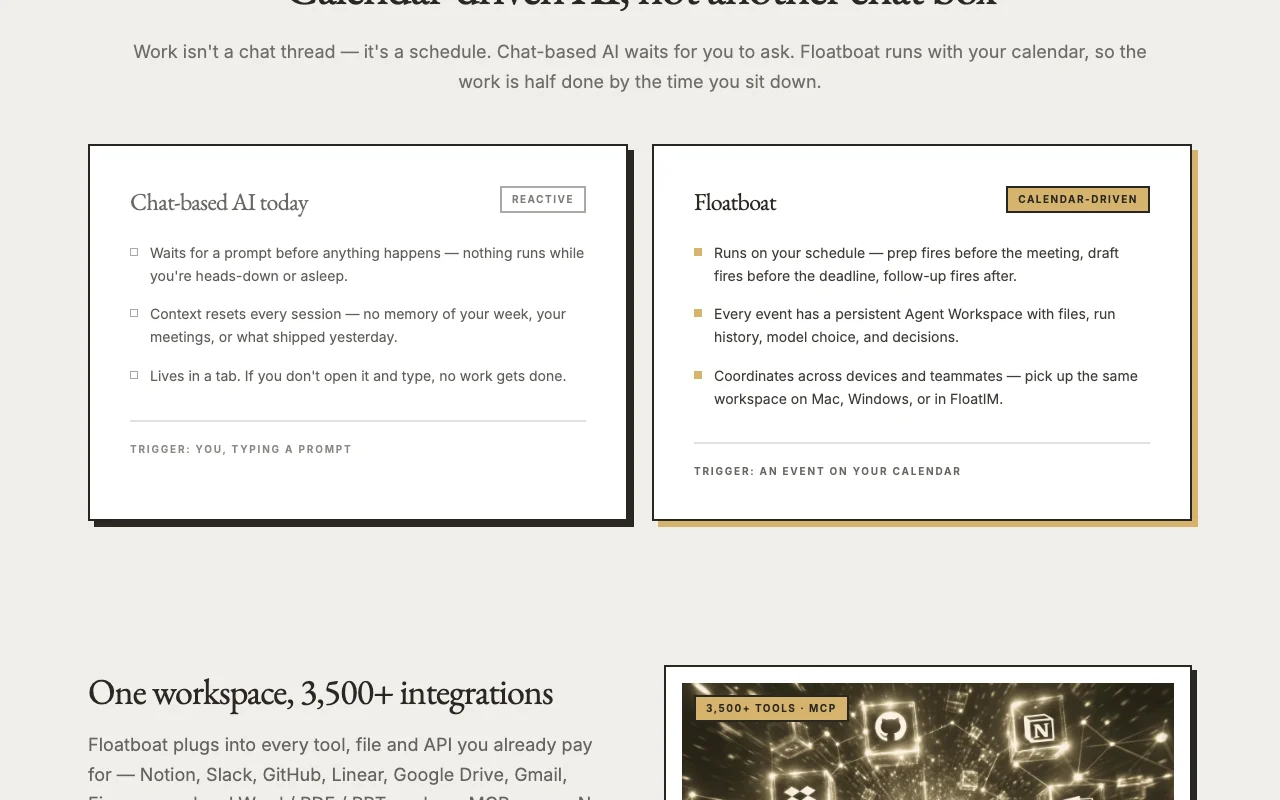
Floatboat is a calendar-driven agent app: each calendar event gets an agent workspace with files, run history and model choice, and agents prepare, execute and follow up around it. It reads Google Calendar, Notion Calendar, Lark, iCloud, Outlook or ICS feeds.
The site lists downloads for Mac and Windows, FloatIM on the iOS App Store, built-in access to several frontier models, and credit-based paid plans plus one-time booster packs.
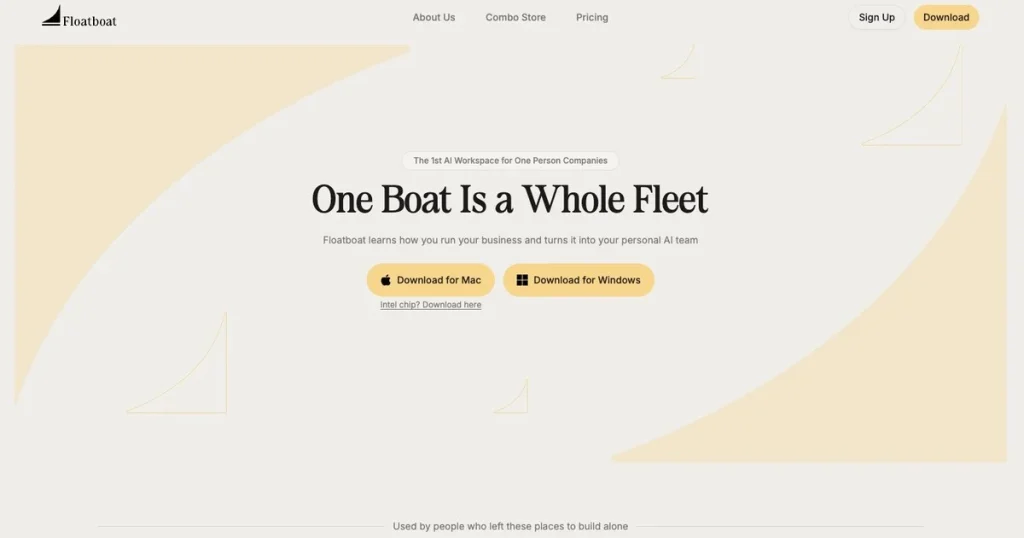
Floatboat's official site: how the product presents itself. floatboat.ai, captured Oct 1, 2026
What you provide and what you get back
What you give Floatboat and what comes back, from its documentation
You provide
Calendar events from Google, Outlook, iCloud, Notion Calendar, Lark or ICS
Local files and connected apps
Context you choose to share
You get back
Meeting prep briefs
Drafts ahead of deadlines
Post-meeting follow-ups
Where you can use it
Platforms
Desktop, Mobile
Account
Required
Desktop
macOS and Windows
Mobile
iOS (FloatIM)
Calendars
Google, Notion, Lark, Outlook, iCloud, ICS
Billing
Monthly credits, yearly option
Models
Claude, GPT, Gemini, DeepSeek, Kimi and others
What people use Floatboat for
Scenarios are worked out by our editors from the documentation; the actual result depends on your input and plan.
Many frontier models behind Auto Mode Cheap models handle parsing, strong ones reasoningdocumentedsource (opens in a new tab)
Check before paying for Floatboat
Usage is limited by monthly credits A heavy week can exhaust credits earlydocumentedsource (opens in a new tab)
Credits tied to billing period Unused credits do not roll over by billing perioddocumentedsource (opens in a new tab)
Paid plans start at about $20/month per pricing data Entry cost is about $20 a monthdocumentedsource (opens in a new tab)
Requires calendar connection to use the core flow Without a calendar the core flow does not workdocumentedsource (opens in a new tab)
Privacy policy says model providers may use submitted data for training Sensitive work data may reach third partiesdocumentedsource (opens in a new tab)
How to use Floatboat for preparing meeting briefs automatically from a calendar
Set up Floatboat
Download the Mac or Windows app from the Floatboat homepage
Create an account and choose a plan on the pricing page
Connect Google Calendar, Outlook, iCloud or an ICS feed
Choose the model or leave Auto Mode on
Example: preparing meeting briefs automatically from a calendar
Open an upcoming event to see its agent workspace
Attach the relevant Notion page or local file
Run the prep agent before the meeting
Review the brief and edit it
Review and export the result
Confirm the brief cites the files you attached
Check the remaining credit balance
Example prompt suggested by our editors (not a recorded output of the product)
Prepare a one-page brief for tomorrow's 10:00 client call using the attached notes and last month's email thread, listing three open questions.
Floatboat API
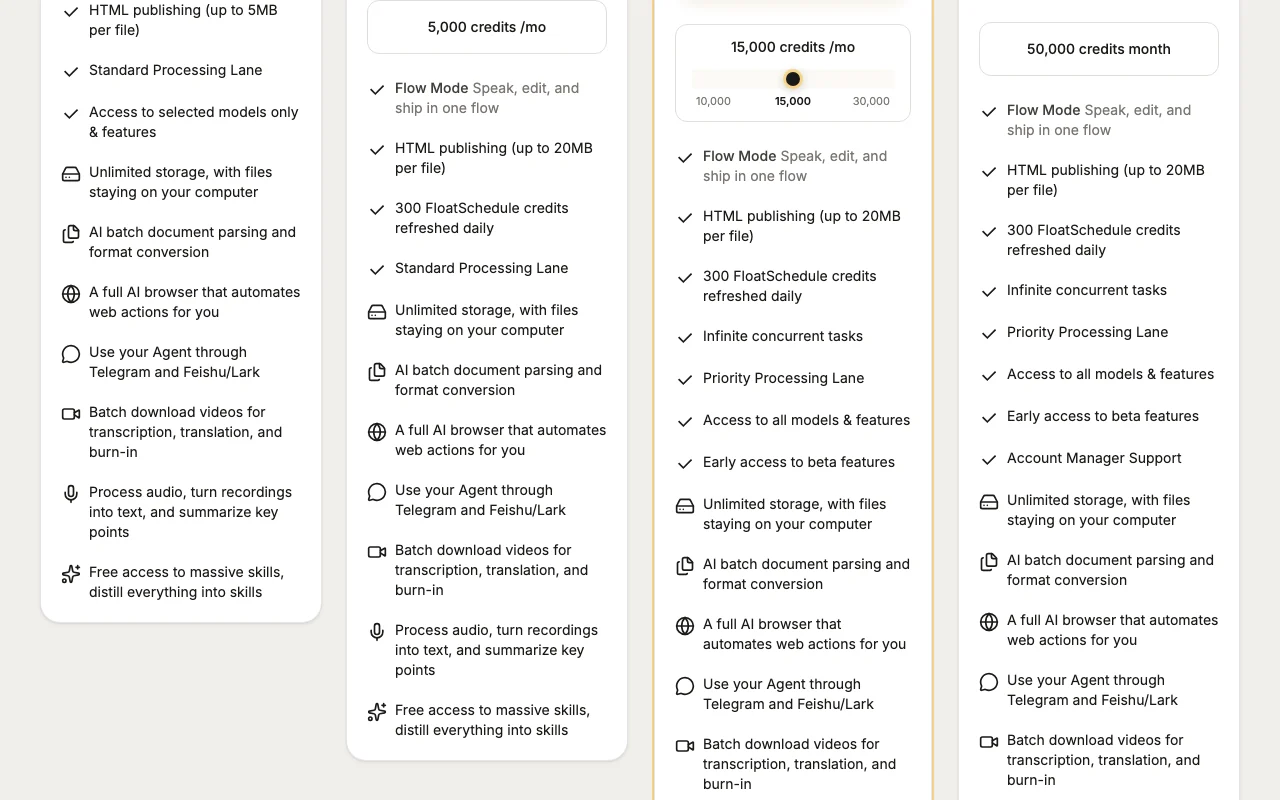
Plan comparison on the official pricing page. floatboat.ai, captured Oct 1, 2026
API access and separate billing
Floatboat has no public API in its official documentation. MCP-based integrations; no public API stated.
Privacy, data use and commercial rights
Summarized from the vendor's current policies; this is not legal advice and a vendor's badge is not an independent audit.
How your inputs and outputs are handled
Selected files, text and context are sent to AI model providers for processing; saved Memory stays in a private layer.
Policy says model providers may retain and use submitted data, including for training their models.
Transient context discarded by processors after the request; Memory kept until you delete it.
Seed data shows monthly plans from about $19.98 for 5,000 credits to $199.98 for 50,000 credits, with yearly billing giving 2 months free. source (opens in a new tab)
What is a booster pack?
A one-time 3,000-credit pack for $12.99, valid for 1 year, purchasable up to 20 per checkout and billed separately from your subscription. source (opens in a new tab)
The homepage offers Mac (Apple Silicon and Intel), Windows and an iOS app named FloatIM. source (opens in a new tab)
Does Floatboat train on my data?
Its privacy policy says AI model providers receiving your queries may retain and use them, including for training; Floatboat itself says it keeps telemetry minimal and opt-out. source (opens in a new tab)
Not verified: Lite plan price conflicts with Standard; free tier; credit costs per model; API availability.
How we documented and maintain this page
Every fact about Floatboat above comes from the 3 official pages listed here, last compared on Sep 29, 2026; we have not run Floatboat ourselves, so it has no editorial score. How we check and re-check pages.
Article updated Oct 10, 2026; prices checked Sep 29, 2026. Outbound links to vendors are plain links; we do not earn commissions. How we review · Report an error