Productivity & writingDocumented overviewLast checked Sep 29, 2026

FlowSavvy: Pricing, Features & Best Use Cases

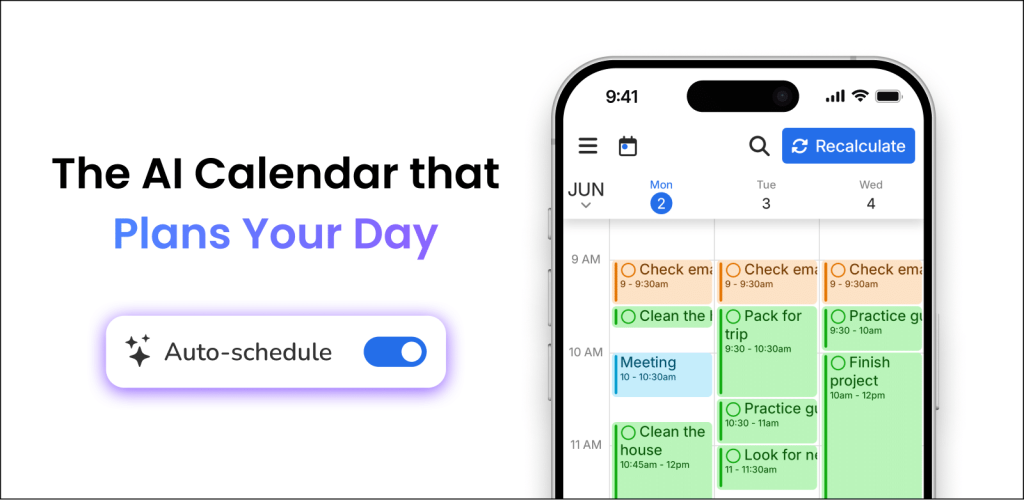
AI calendar that auto-schedules your tasks around events and reschedules when plans change.

Is FlowSavvy right for you?

FlowSavvy fits people with busy task lists who want tasks auto-scheduled around calendar events and rescheduled when plans change, with a free tier and a $14 Pro plan. Based on the vendor's documentation, not on a hands-on test.

Best for: People with busy task lists

Also a good fit for

  • Students and professionals

Consider another tool if free plan schedules only 2 weeks ahead

Or if

  • Free plan: 1 scheduling-hours set, 3 repeating tasks, 5 lists
  • Priorities and dependencies are Pro only

FlowSavvy pricing and usage limits

Prices checked Sep 29, 2026 on the official US pricing page. Official pricing ↗ Prices and limits change often.

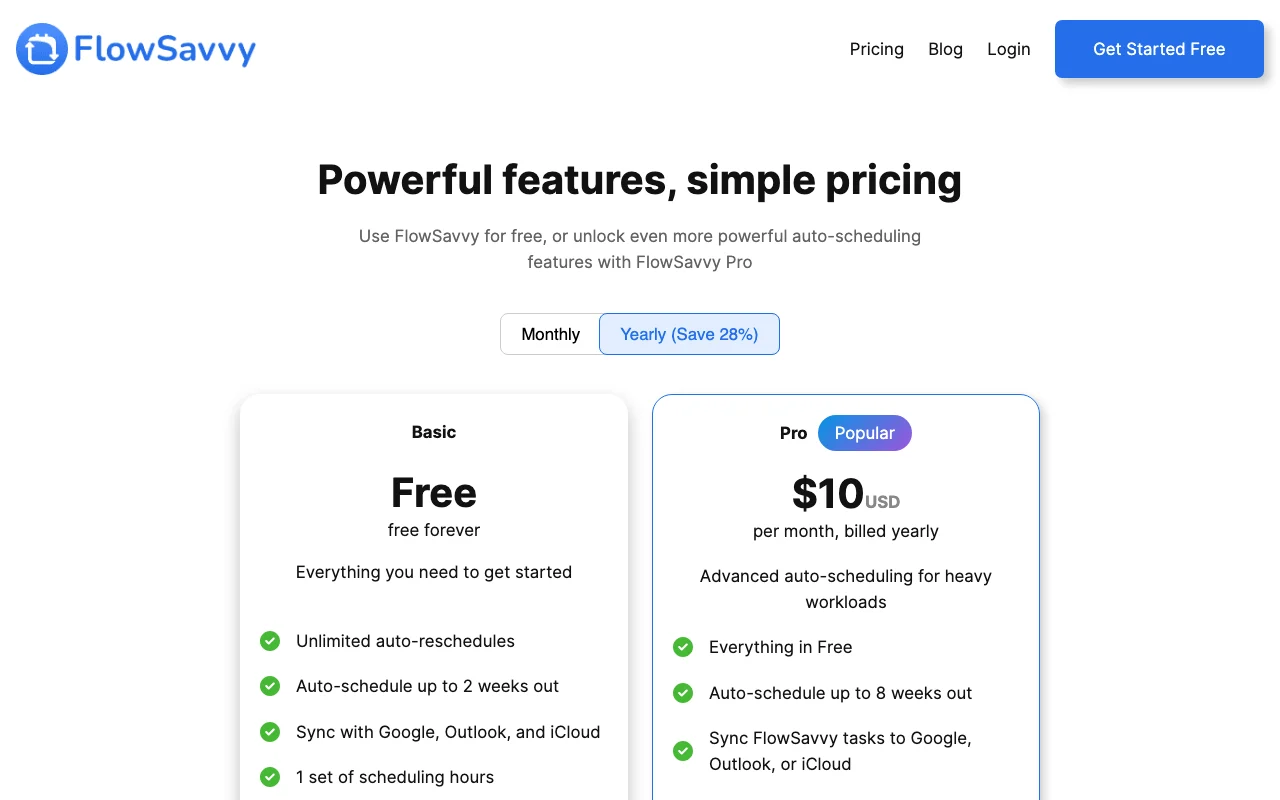
FlowSavvy pricing page with plans and prices — screenshot of the productivity & writing AI tool, Oct 1, 2026
The official FlowSavvy pricing page as we saw it. flowsavvy.app, captured Oct 1, 2026

Free access and trial conditions

Basic is free forever.

7-day free trial of Pro.

Paid plans: what changes as you upgrade

Basic Web, iOS, Android

Free source (opens in a new tab)

Month, annual commitment

For: Getting started

Limits

  • Auto-schedule 2 weeks out
  • 1 set of scheduling hours
1 more
  • 3 repeating auto-scheduled tasks

Includes

  • Unlimited auto-reschedules
  • Calendar sync
1 more
  • Web, iOS and Android apps

Pro monthly Web, iOS, Android

$14/mo source (opens in a new tab)

Month, annual commitment

For: Heavy workloads

Limits

  • Auto-schedule 8 weeks out

Includes

  • Priorities and task dependencies
  • Unlimited scheduling hours profiles, lists
1 more
  • API, MCP and Zapier

API included

Pro yearly Web, iOS, Android

$10/mo source (opens in a new tab)

Month, annual commitment

Billed yearly

For: Annual planners

Limits

  • Same as Pro monthly

Includes

  • Saves 28% vs monthly
  • 7-day free trial

API included

Usage caps, credits and extra costs

Student discount: 50% off first annual year.

Not stated.

What is FlowSavvy, and how does it work?

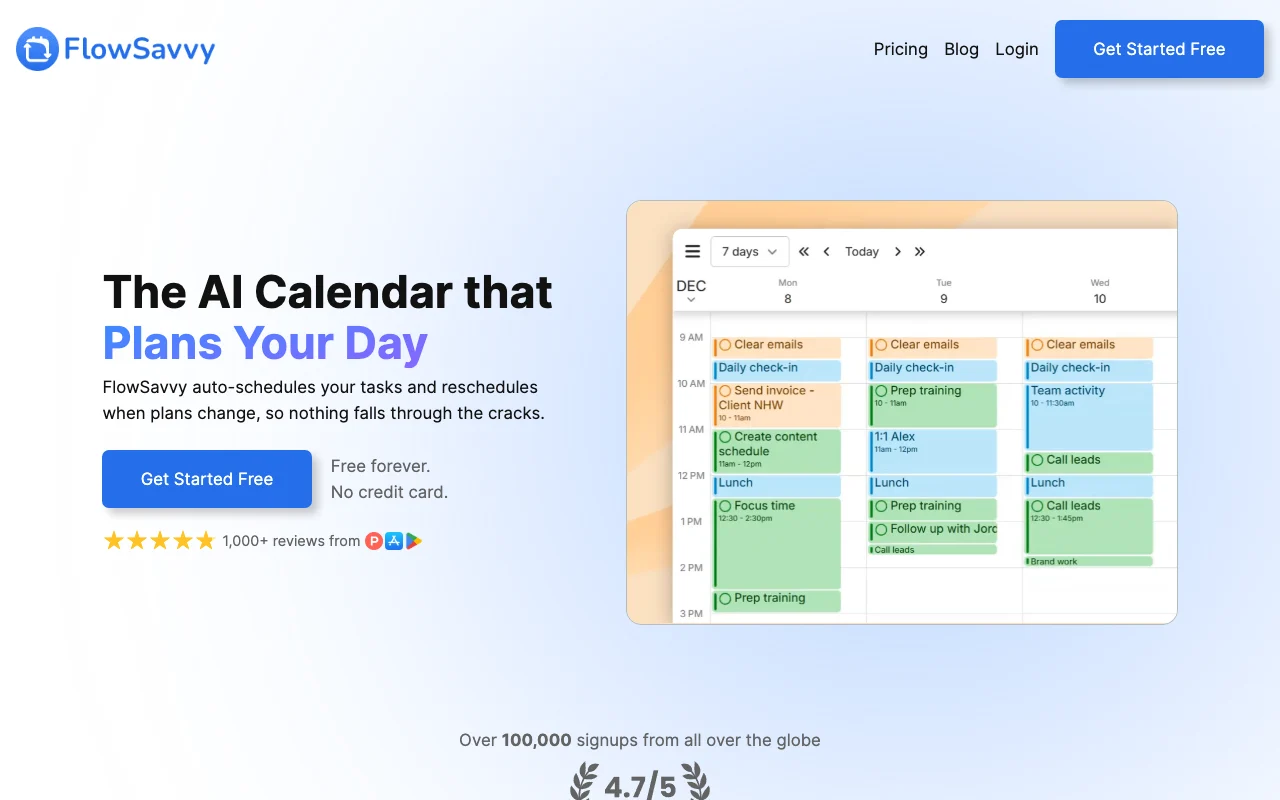
FlowSavvy plans a to-do list into your calendar based on priorities and deadlines, and reschedules automatically when things change or tasks are missed. It syncs with Google Calendar, iCloud and Outlook and has web, iOS and Android apps. Pro adds longer planning range, dependencies and API, MCP and Zapier integration.

FlowSavvy homepage — screenshot of the productivity & writing AI tool, Oct 1, 2026
FlowSavvy's official site: how the product presents itself. flowsavvy.app, captured Oct 1, 2026

What you provide and what you get back

How FlowSavvy works: what you provide, where it runs and what you get backYOU PROVIDEYour inputTasks with durations and deadlinesGoogle, Outlook and iCloud calend…Todoist tasksPRODUCTIVITY & WRITINGFlowSavvyWeb, Mobile, APIfrom $10/mo (Pro yearly)free tier availableaccount requiredchecked Sep 29, 2026YOU GET BACKThe resultTime-blocked scheduleRescheduled plan after missed tas…Deadline warningsinput → FlowSavvy → output · from the vendor's own pages, no hands-on test unless stated
What you give FlowSavvy and what comes back, from its documentation

You provide

  • Tasks with durations and deadlines
  • Google, Outlook and iCloud calendars
  • Todoist tasks

You get back

  • Time-blocked schedule
  • Rescheduled plan after missed tasks
  • Deadline warnings

Where you can use it

Platforms
Web, Mobile, API
Account
Required
Platforms
Web, iOS, Android
Schedule horizon
2 weeks / 8 weeks
Calendars
Google, Outlook, iCloud
Pro extras
Priorities, dependencies, API, MCP

What people use FlowSavvy for

Scenarios are worked out by our editors from the documentation; the actual result depends on your input and plan.

Time-blocking a task list

Who
Busy professionals
You provide
Tasks with durations and deadlines
Expected result
A calendar with tasks scheduled around events
Plan needed
Basic or Pro
Limitation
Basic looks 2 weeks ahead source (opens in a new tab)

Rescheduling after missed tasks

Who
People whose days change
You provide
Existing schedule
Expected result
Automatically reshuffled tasks
Plan needed
Any
Limitation
Overcommitment shown as warnings source (opens in a new tab)

Planning recurring habits

Who
Habit builders
You provide
Repeating tasks
Expected result
Habits slotted into free time
Plan needed
Pro for unlimited
Limitation
Basic allows 3 repeating auto-scheduled tasks source (opens in a new tab)

Chaining dependent tasks

Who
Project workers
You provide
Tasks with dependencies
Expected result
Tasks scheduled in strict order
Plan needed
Pro
Limitation
Pro only source (opens in a new tab)

What FlowSavvy does, and where it stops

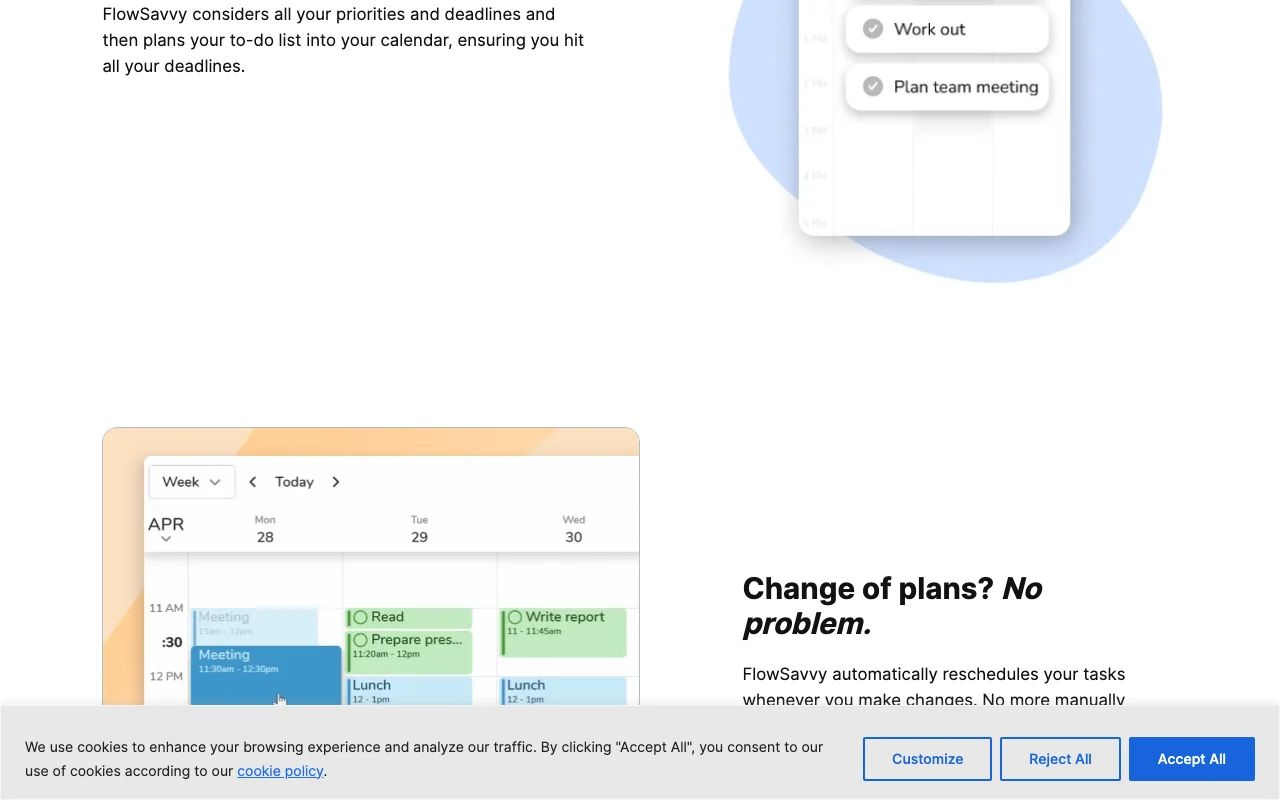
FlowSavvy homepage — screenshot of the productivity & writing AI tool, Oct 1, 2026
Feature overview on the official site. flowsavvy.app, captured Oct 1, 2026

Auto-scheduling and rescheduling

Finds the best time for each task and moves it when plans change. No manual time-blocking.

Access: All plansLimit: Range is 2 or 8 weeks source (opens in a new tab)

Calendar sync with Google, Outlook, iCloud

Two-way syncs existing calendars so tasks avoid events. Avoids double-booking.

Access: All plansLimit: Syncing tasks to external calendars is Pro source (opens in a new tab)

Scheduling hours profiles

Defines work, personal or custom hours for scheduling. Respects boundaries.

Access: 1 on Basic, unlimited on ProLimit: Basic has only one set source (opens in a new tab)

Task lists and inbox

Captures tasks quickly and organises them in lists. Keeps tasks tidy.

Access: 5 lists on Basic, unlimited on ProLimit: Limit on Basic source (opens in a new tab)

FlowSavvy pros and cons

Reasons to choose FlowSavvy

Check before paying for FlowSavvy

How to use FlowSavvy for auto-scheduling a task list around calendar events

Set up FlowSavvy

  1. Create a free account at flowsavvy.app
  2. Connect Google, Outlook or iCloud calendar
  3. Set your scheduling hours

Example: auto-scheduling a task list around calendar events

  1. Add tasks with duration and due date
  2. Let FlowSavvy auto-schedule them
  3. Mark one task missed and watch it reschedule
  4. Check the overcommitment warning

Review and export the result

  1. Confirm tasks appear on your external calendar
  2. Check no task is scheduled outside your hours

FlowSavvy integrations and API

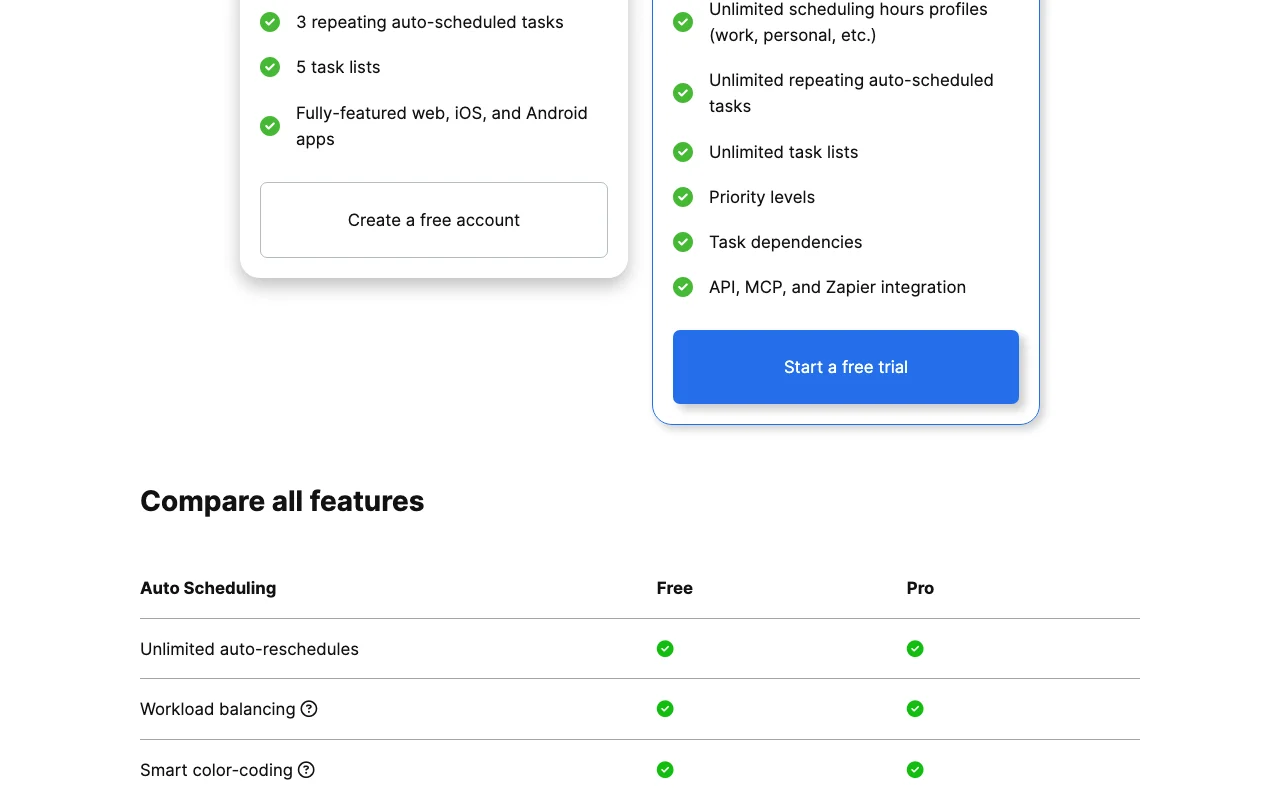
FlowSavvy pricing page with plans and prices — screenshot of the productivity & writing AI tool, Oct 1, 2026
Plan comparison on the official pricing page. flowsavvy.app, captured Oct 1, 2026

Native integrations and export formats

Export: Not stated

API access and separate billing

FlowSavvy has no public API in its official documentation. API, MCP server and Zapier on Pro. API documentation ↗

Privacy, data use and commercial rights

Summarized from the vendor's current policies; this is not legal advice and a vendor's badge is not an independent audit.

How your inputs and outputs are handled

Tasks and calendar data are processed to build schedules.

Vendor says it never uses your information to train AI models.

Not captured; task history 30 days on Basic.

Commercial use and plan restrictions

Not stated.

Task history limited to 30 days on Basic.

Controls for business users

  • Encryption in transit and at rest
  • Strict access controls

Policies: flowsavvy.app/privacy

FlowSavvy alternatives by need

"Better suited" is based on documented features and pricing, not on a head-to-head test.

Notion AI: better suited to

Zapier: better suited to

Alternatives
AlternativeWhen to choose itPricingLimitation
Notion AI——Compare
Zapier——Compare

Explore FlowSavvy further

If you are looking at FlowSavvy

FlowSavvy user reviews

No user reviews yet.

Used FlowSavvy? Be the first to share your experience.

Write a review

Reviews are checked by a moderator before they appear. Your email is never published. Plain text only.

Your rating (required)

Show what you made or what went wrong. Images are published only if the review is approved; location data is removed.

    FlowSavvy FAQ

    Is FlowSavvy free?

    Yes. Basic is free forever; Pro costs $14 per month or $10 per month billed yearly. source (opens in a new tab)

    How far ahead does it schedule?

    2 weeks on Basic and 8 weeks on Pro. source (opens in a new tab)

    Is there a free trial?

    Yes, a 7-day free trial of Pro. source (opens in a new tab)

    Which calendars does it sync with?

    Google, Outlook.com and iCloud, plus Todoist for tasks. source (opens in a new tab)

    Is there a refund?

    Stripe and Google Play payments within 30 days can be refunded by email; Apple purchases follow Apple's policy. source (opens in a new tab)

    Sources and review methodology

    Official sources and verification dates

    Not verified: Retention beyond task history; Exact trial terms.

    How we documented and maintain this page

    Every fact about FlowSavvy above comes from the 2 official pages listed here, last compared on Sep 29, 2026; we have not run FlowSavvy ourselves, so it has no editorial score. How we check and re-check pages.

    Article updated Oct 10, 2026; prices checked Sep 29, 2026. Outbound links to vendors are plain links; we do not earn commissions. How we review · Report an error