Productivity & writingDocumented overviewLast checked Oct 1, 2026

GlideDesign: Pricing, Features & Best Use Cases

AI design workspace that turns a product brief into strategy, high-fidelity screens, forms, decks and handoff notes.
Who should use GlideDesign

GlideDesign suits founders and product teams who want a brief turned into strategy, responsive screens and developer handoff notes, with a free tier before paid plans from $20/month. Based on the vendor's documentation, not on a hands-on test.

Best for: Founders

Also a good fit for

  • Freelance developers
  • Product teams

Consider another tool if free tier limited to 100 weekly credits

Or if

  • Free pages carry GlideDesign badge
  • Usage capped by weekly credits

GlideDesign pricing and usage limits

Prices checked Oct 1, 2026 on the official US pricing page. Official pricing ↗ Prices and limits change often.

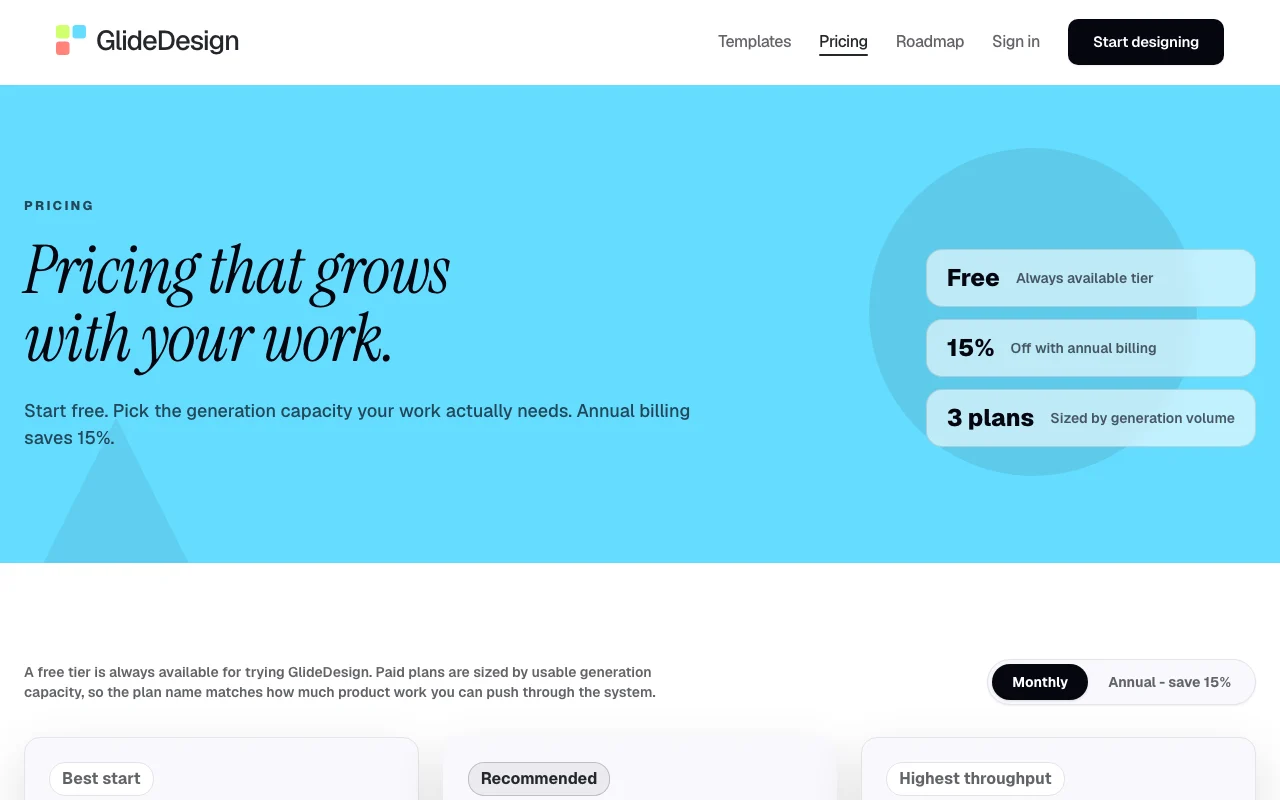
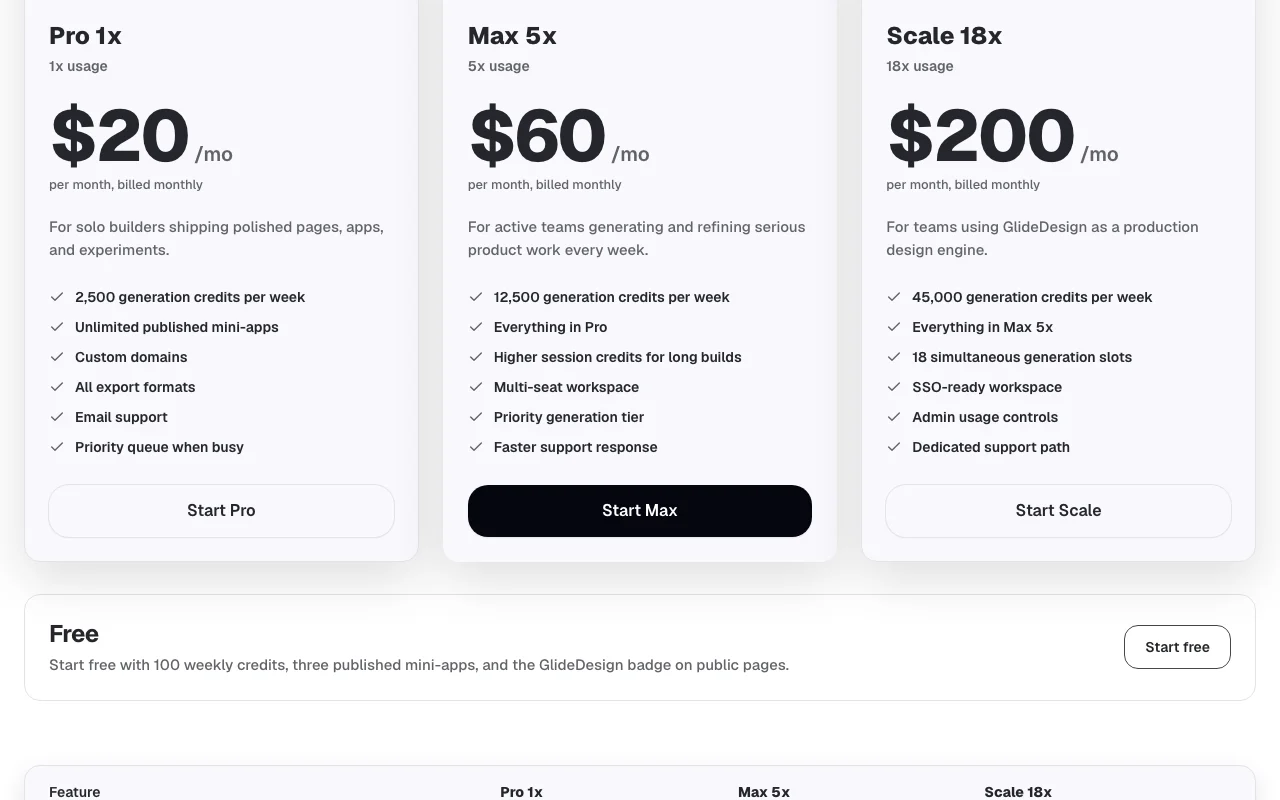
GlideDesign pricing page with plans and prices — screenshot of the productivity & writing AI tool, Oct 1, 2026
The official GlideDesign pricing page as we saw it. glidedesign.ai, captured Oct 1, 2026

Free access and trial conditions

Free tier with 100 weekly credits and three published mini-apps.

No separate trial.

Paid plans: what changes as you upgrade

Free web

Free source (opens in a new tab)

Month

For: Trying GlideDesign

Limits

  • 100 weekly credits
  • 3 published mini-apps
1 more
  • GlideDesign badge

Includes

  • Brief-to-design

Pro 1x web

$20/mo source (opens in a new tab)

Month

$17/month billed annually

For: Solo builders

Limits

  • 2,500 weekly credits
  • 500 session credits
1 more
  • 3 concurrent generations

Includes

  • Unlimited published mini-apps
  • Custom domains
2 more
  • All export formats
  • Email support

Max 5x web

$60/mo source (opens in a new tab)

Month

$51/month billed annually

For: Active teams

Limits

  • 12,500 weekly credits
  • 9,000 session credits
1 more
  • 8 concurrent generations

Includes

  • Multi-seat workspace
  • Priority generation tier

Scale 18x web

$200/mo source (opens in a new tab)

Month

$170/month billed annually

For: Production design teams

Limits

  • 45,000 weekly credits
  • 18 concurrent generations

Includes

  • SSO-ready workspace
  • Admin usage controls
1 more
  • Dedicated support

Usage caps, credits and extra costs

Not stated.

Not stated.

What is GlideDesign, and how does it work?

GlideDesign generates websites, mobile flows, pitch decks, forms and proposals from a written brief. It drafts product strategy and user flow before producing responsive screens. Each screen is reviewed from six design perspectives, and output includes a shareable preview and implementation notes for developers or AI coding tools.

GlideDesign homepage — screenshot of the productivity & writing AI tool, Oct 1, 2026
GlideDesign's official site: how the product presents itself. glidedesign.ai, captured Oct 1, 2026

What you provide and what you get back

How GlideDesign works: what you provide, where it runs and what you get backYOU PROVIDEYour inputWritten product briefPrompt edits to selected screensPRODUCTIVITY & WRITINGGlideDesignWebfrom $20/mo (Pro 1x)free tier availableaccount requiredchecked Oct 1, 2026YOU GET BACKThe resultResponsive high-fidelity screensShareable preview linkImplementation notes for buildersinput → GlideDesign → output · from the vendor's own pages, no hands-on test unless stated
What you give GlideDesign and what comes back, from its documentation

You provide

  • Written product brief
  • Prompt edits to selected screens

You get back

  • Responsive high-fidelity screens
  • Shareable preview link
  • Implementation notes for builders

Where you can use it

Platforms
Web
Account
Required
Outputs
Websites, mobile flows, decks, forms, proposals
Weekly credits
100 Free, 2,500 Pro, 12,500 Max, 45,000 Scale
Exports
All formats on paid plans
Annual discount
15%

Where GlideDesign is most useful

Scenarios are worked out by our editors from the documentation; the actual result depends on your input and plan.

Landing pages

Who
Founders and coaches
You provide
Offer and audience description
Expected result
Landing page with strategy, copy and hero generated
Plan needed
Free to start; Pro for custom domain
Limitation
Free pages show a GlideDesign badge source (opens in a new tab)

Mobile app flows

Who
Product teams and freelancers
You provide
App idea and key screens
Expected result
Mobile flow with onboarding, profile and settings screens
Plan needed
Pro or higher
Limitation
Credits cap weekly output source (opens in a new tab)

Pitch decks

Who
Founders raising money
You provide
Fundraising story
Expected result
Pitch deck with narrative and slides
Plan needed
Free or Pro
Limitation
Export formats are paid-only source (opens in a new tab)

GlideDesign features and their limits

GlideDesign homepage — screenshot of the productivity & writing AI tool, Oct 1, 2026
Feature overview on the official site. glidedesign.ai, captured Oct 1, 2026

Brief-to-strategy generation

Drafts audience, goal, flow and tone from the brief before drawing Anchors screens in product thinking

Access: All plansLimit: Quality depends on brief detail source (opens in a new tab)

High-fidelity responsive screens

Produces responsive layouts with component states and copy Ready-to-review designs, not wireframes

Access: All plans (credits)Limit: Weekly credit caps apply source (opens in a new tab)

Six-perspective design review

Checks each screen through six lenses with one-click fixes Flags weak spots early

Access: All plansLimit: Critique is automated, not human source (opens in a new tab)

Region-aware edits

Applies prompted changes only to the selected region Avoids regenerating whole screens

Access: All plansLimit: Edits still use credits source (opens in a new tab)

Pros, cons and deal-breakers

Reasons to choose GlideDesign

Check before paying for GlideDesign

How to use GlideDesign for designing a landing page from a brief

Set up GlideDesign

  1. Open glidedesign.ai and sign in
  2. Choose a template type such as Landing page
  3. Write a brief naming product, audience, goal and needed screen
  4. Submit and let it draft the strategy

Example: designing a landing page from a brief

  1. Review the audience, flow and tone it proposes
  2. Open the high-fidelity responsive screens
  3. Select a hero section and prompt a change
  4. Copy the preview link and implementation notes

Review and export the result

  1. Read the flagged weak spots and apply one-click fixes
  2. Test the preview link on a phone width
Example prompt suggested by our editors (not a recorded output of the product)
A 6-question quiz that recommends the right service tier for each client, with a result page and a booking call to action.

GlideDesign integrations and API

GlideDesign pricing page with plans and prices — screenshot of the productivity & writing AI tool, Oct 1, 2026
Plan comparison on the official pricing page. glidedesign.ai, captured Oct 1, 2026

Native integrations and export formats

Export: All export formats on paid plans, Shareable preview link

API access and separate billing

GlideDesign has no public API in its official documentation. No API mentioned

Privacy, data use and commercial rights

Summarized from the vendor's current policies; this is not legal advice and a vendor's badge is not an independent audit.

How your inputs and outputs are handled

Briefs and generated designs are processed to produce output.

Not stated.

Not stated.

Commercial use and plan restrictions

Not stated.

Free pages carry the GlideDesign badge.

Controls for business users

  • Admin usage controls on Scale

GlideDesign alternatives by need

"Better suited" is based on documented features and pricing, not on a head-to-head test.

Lovable: better suited to

Canva: better suited to

Cursor: better suited to

Alternatives
AlternativeWhen to choose itPricingLimitation
Lovable——
Canva——Compare
Cursor——

Explore GlideDesign further

Related to GlideDesign

GlideDesign user reviews

No user reviews yet.

Used GlideDesign? Be the first to share your experience.

Write a review

Reviews are checked by a moderator before they appear. Your email is never published. Plain text only.

Your rating (required)

Show what you made or what went wrong. Images are published only if the review is approved; location data is removed.

    GlideDesign FAQ

    How many credits does Free give?

    100 generation credits per week, three published mini-apps and the GlideDesign badge on public pages. source (opens in a new tab)

    What do paid plans cost?

    Pro $20, Max $60 and Scale $200 per month; annual billing saves 15%. source (opens in a new tab)

    What is checked in the six-perspective review?

    Usability, affordance, restraint, visual identity, legibility and iconography. source (opens in a new tab)

    Can I use a custom domain?

    Yes, on paid plans. source (opens in a new tab)

    What do I get for developers?

    A shareable preview and implementation notes written for builders and AI coding tools. source (opens in a new tab)

    Sources and review methodology

    Official sources and verification dates

    Not verified: Privacy policy; Credit cost per generation; US availability.

    How we documented and maintain this page

    Every fact about GlideDesign above comes from the 2 official pages listed here, last compared on Oct 1, 2026; we have not run GlideDesign ourselves, so it has no editorial score. How we check and re-check pages.

    Article updated Oct 10, 2026; prices checked Oct 1, 2026. Outbound links to vendors are plain links; we do not earn commissions. How we review · Report an error