Productivity & writingDocumented overviewLast checked Oct 1, 2026

Fudge: Pricing, Features & Best Use Cases

AI Shopify page builder and store editor that creates landing pages and edits themes from plain-language prompts.

Who should use Fudge

Fudge suits Shopify merchants who want landing pages and theme edits made from plain-language prompts, with changes kept in draft until published and a free trial on every plan. Based on the vendor's documentation, not on a hands-on test.

Best for: Shopify merchants

Also a good fit for

  • Ecommerce marketers

Consider another tool if requires a Shopify store

Or if

  • Usage metered in credits
  • Entry plan $79/month

Fudge pricing and usage limits

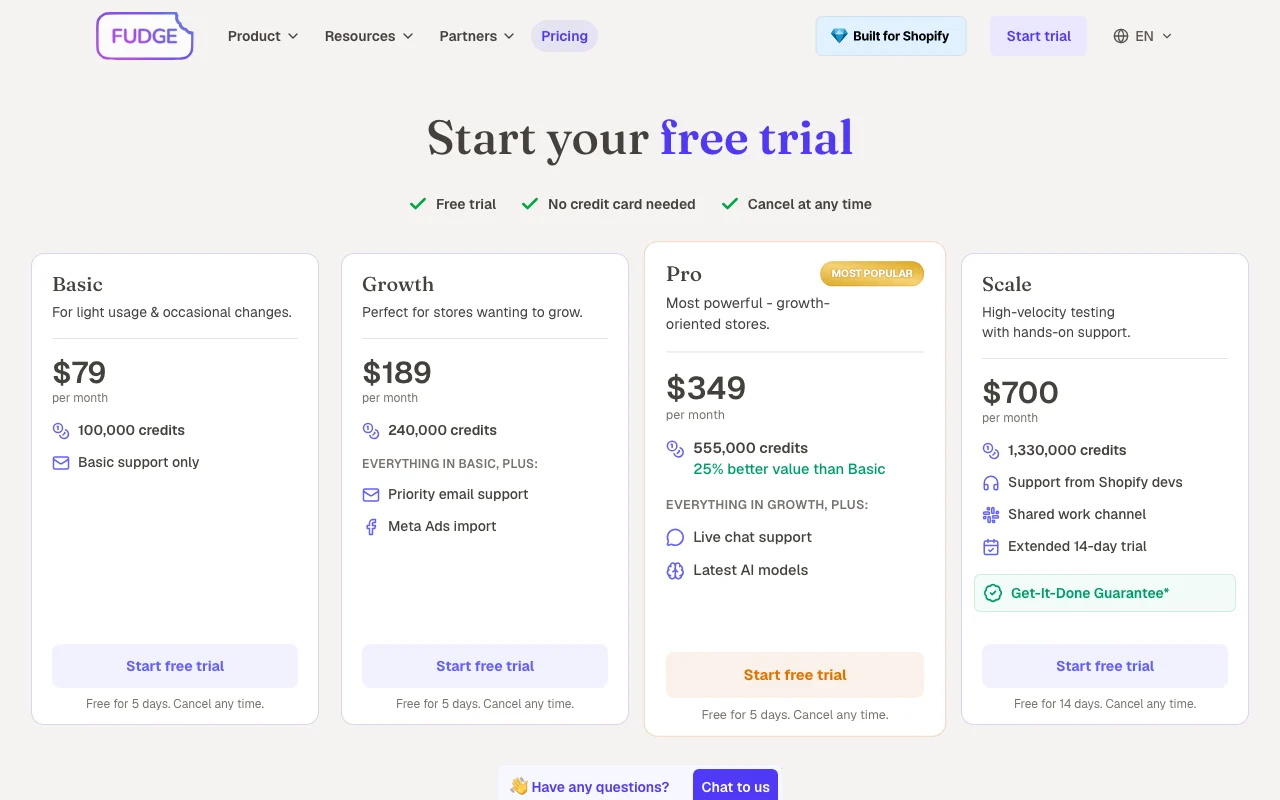
Prices checked Oct 1, 2026 on the official US pricing page. Official pricing ↗ Prices and limits change often.

Fudge pricing page with plans and prices — screenshot of the productivity & writing AI tool, Oct 2, 2026
The official Fudge pricing page as we saw it. fudge.ai, captured Oct 2, 2026

Free access and trial conditions

No free plan; free trial on every plan, no credit card needed.

5 days (14 days on Scale).

Paid plans: what changes as you upgrade

Basic web

$79 source (opens in a new tab)

Monthly

For: Light, occasional changes

Limits

  • 100,000 credits

Includes

  • Basic support
  • Free trial 5 days

Growth web

$189 source (opens in a new tab)

Monthly

For: Growing stores

Limits

  • 240,000 credits

Includes

  • Everything in Basic
  • Priority email support
1 more
  • Meta Ads import

Pro web

$349 source (opens in a new tab)

Monthly

For: Growth-oriented stores

Limits

  • 555,000 credits

Includes

  • Everything in Growth
  • Live chat support
1 more
  • Latest AI models

Scale web

$700 source (opens in a new tab)

Monthly

For: High-velocity testing

Limits

  • 1,330,000 credits
  • 14-day trial

Includes

  • Support from Shopify devs
  • Shared work channel
1 more
  • Get-It-Done Guarantee

Usage caps, credits and extra costs

Not stated.

Not stated.

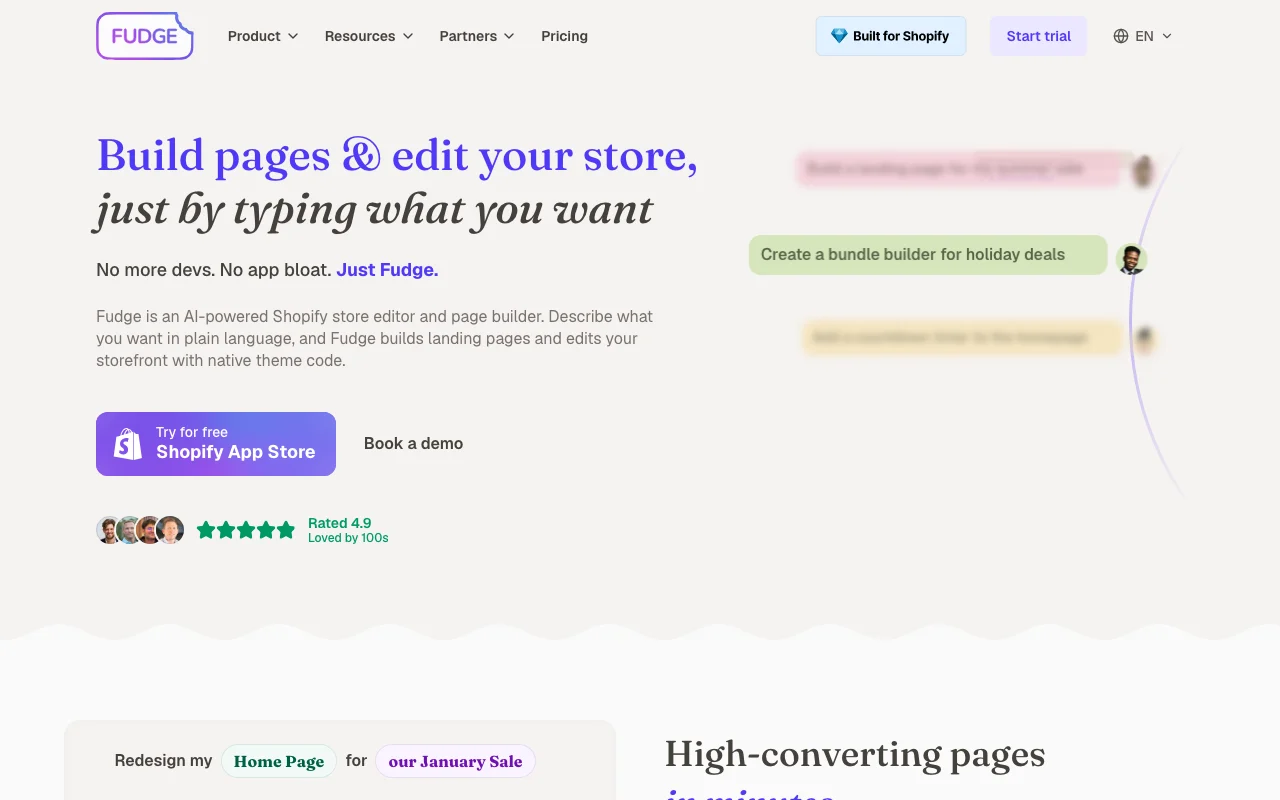
What is Fudge, and how does it work?

Fudge is an AI-powered page builder and store editor for Shopify. You describe what you want and it builds landing pages or edits storefront pages using native theme code. Changes start in draft until published, output is editable Liquid, JS and CSS, and the site says pages stay if the app is uninstalled.

Fudge homepage — screenshot of the productivity & writing AI tool, Oct 2, 2026
Fudge's official site: how the product presents itself. fudge.ai, captured Oct 2, 2026

What you provide and what you get back

How Fudge works: what you provide, where it runs and what you get backYOU PROVIDEYour inputPlain-language promptsExisting Shopify theme, products…PRODUCTIVITY & WRITINGFudgeWebfrom $79 (Basic)no free tieraccount requiredchecked Oct 1, 2026YOU GET BACKThe resultLanding pagesTheme edits in Liquid, JS and CSSinput → Fudge → output · from the vendor's own pages, no hands-on test unless stated
What you give Fudge and what comes back, from its documentation

You provide

  • Plain-language prompts
  • Existing Shopify theme, products and brand

You get back

  • Landing pages
  • Theme edits in Liquid, JS and CSS

Where you can use it

Platforms
Web
Account
Required
Platform
Shopify theme
Code output
Liquid, JS, CSS
Credits
100,000 to 1,330,000
Trial
5 days (14 on Scale)

Where Fudge is most useful

Scenarios are worked out by our editors from the documentation; the actual result depends on your input and plan.

Landing page creation

Who
Shopify merchants
You provide
Campaign brief prompt
Expected result
Landing page draft
Plan needed
Any plan
Limitation
Credit-metered source (opens in a new tab)

Home and product page edits

Who
Ecommerce marketers
You provide
Request to edit home or product page
Expected result
Edited page in draft
Plan needed
Any plan
Limitation
Needs Shopify permissions source (opens in a new tab)

SEO fixes

Who
Store owners
You provide
Request to improve SEO
Expected result
SEO fixes applied in draft
Plan needed
Any plan
Limitation
Fudge-supported scope only source (opens in a new tab)

Fudge features and their limits

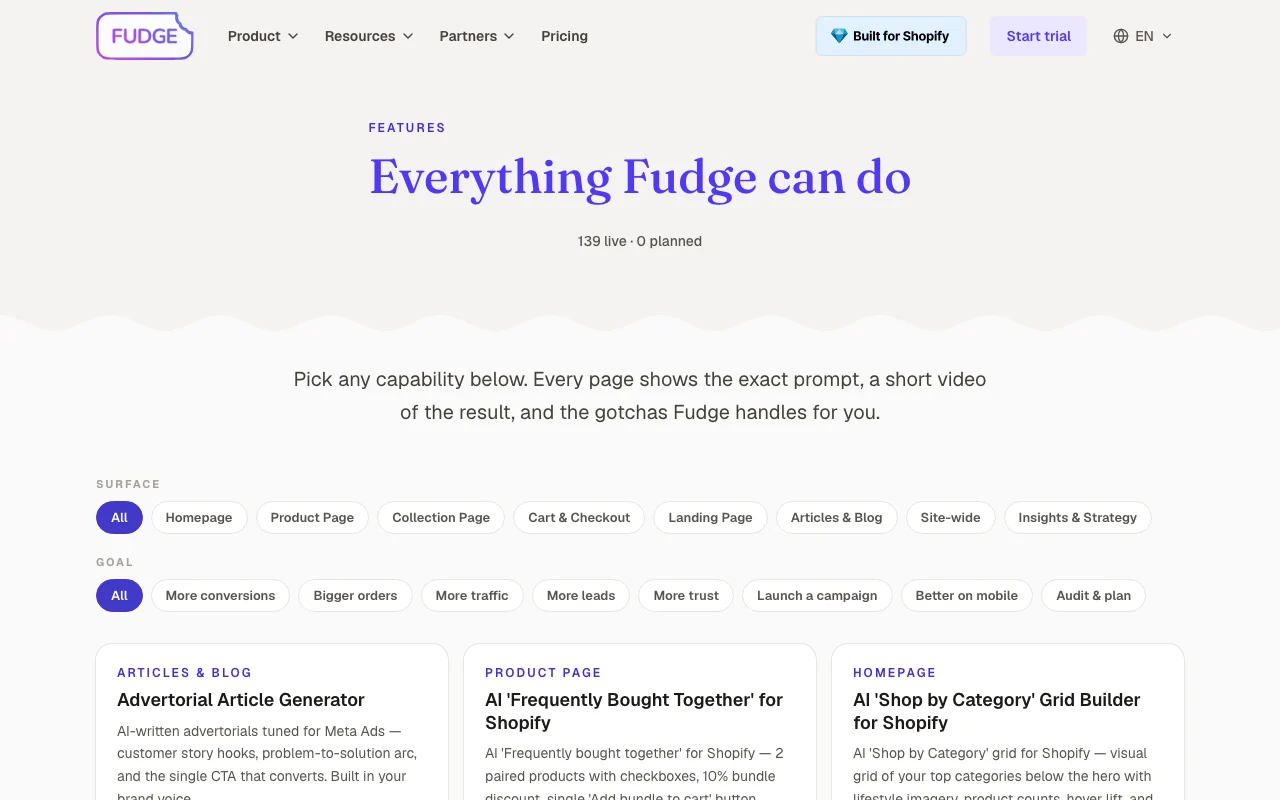
Fudge homepage — screenshot of the productivity & writing AI tool, Oct 2, 2026
Feature overview on the official site. fudge.ai, captured Oct 2, 2026

Prompt-based page building

Builds pages from typed instructions. Cuts developer wait.

Access: All plansLimit: Credits per use source (opens in a new tab)

Store editing

Edits home, product and collection pages. Updates the live theme safely.

Access: All plansLimit: Shopify only source (opens in a new tab)

Draft-first workflow

Keeps changes in draft until you click publish. Lets you review.

Access: All plansLimit: Manual publish step source (opens in a new tab)

Brand and theme scanning

Scans products, brand and theme first. Keeps pages on-brand.

Access: All plansLimit: Not further detailed source (opens in a new tab)

Fudge pros and cons

Reasons to choose Fudge

Check before paying for Fudge

How to use Fudge for building a Shopify landing page

Set up Fudge

  1. Install Fudge from the Shopify App Store
  2. Start the free trial
  3. Let it scan your store
  4. Open the agent

Example: building a Shopify landing page

  1. Type a landing page request
  2. Review the draft
  3. Ask for edits
  4. Publish when happy

Review and export the result

  1. Preview the draft on mobile and desktop
  2. Confirm the live page after publishing
Example prompt suggested by our editors (not a recorded output of the product)
Build a landing page for my summer sale

Fudge integrations and API

Fudge pricing page with plans and prices — screenshot of the productivity & writing AI tool, Oct 2, 2026
Plan comparison on the official pricing page. fudge.ai, captured Oct 2, 2026

Native integrations and export formats

Export: Liquid, JS and CSS theme code

API access and separate billing

Fudge has no public API in its official documentation. No API documented.

Privacy, data use and commercial rights

Summarized from the vendor's current policies; this is not legal advice and a vendor's badge is not an independent audit.

How your inputs and outputs are handled

Privacy page returned 404.

Not documented.

Not documented.

Commercial use and plan restrictions

Pages stay after uninstall per homepage.

Other tools to consider instead of Fudge

"Better suited" is based on documented features and pricing, not on a head-to-head test.

Lovable: better suited to

Canva: better suited to

Alternatives
AlternativeWhen to choose itPricingLimitation
Lovable——
Canva——Compare

Explore Fudge further

If you are looking at Fudge

Fudge user reviews

No user reviews yet.

Used Fudge? Be the first to share your experience.

Write a review

Reviews are checked by a moderator before they appear. Your email is never published. Plain text only.

Your rating (required)

Show what you made or what went wrong. Images are published only if the review is approved; location data is removed.

    Fudge FAQ

    How much does Fudge cost?

    Basic $79, Growth $189, Pro $349 and Scale $700 per month. source (opens in a new tab)

    Is there a free trial?

    Yes: 5 days (14 on Scale), no credit card. source (opens in a new tab)

    Does it need Shopify?

    Yes; it runs inside your Shopify theme. source (opens in a new tab)

    Do changes go live automatically?

    No; everything starts in draft until you click publish. source (opens in a new tab)

    What happens if I uninstall?

    Pages and changes stay, per the homepage. source (opens in a new tab)

    Sources and review methodology

    Official sources and verification dates

    Not verified: Privacy and training; API; Taxes.

    How we documented and maintain this page

    Every fact about Fudge above comes from the 3 official pages listed here, last compared on Oct 1, 2026; we have not run Fudge ourselves, so it has no editorial score. How we check and re-check pages.

    Article updated Oct 2, 2026; prices checked Oct 1, 2026. Outbound links to vendors are plain links; we do not earn commissions. How we review · Report an error