Productivity & writingDocumented overviewLast checked Sep 29, 2026

GainTrace: Pricing, Features & Best Use Cases

Customer success platform that unifies account signals into health scores and churn risk for SaaS teams.
Who GainTrace fits

GainTrace suits SaaS customer success teams that want unified health scores and churn alerts with every feature and unlimited seats in one plan priced by companies tracked, starting free for 25 companies. Based on the vendor's documentation, not on a hands-on test.

Best for: SaaS customer success teams

Also a good fit for

  • CS leaders

Consider another tool if pricing scales with companies tracked

Or if

  • Site says it is built for desktop
  • Plans include caps on tracked people and events

GainTrace pricing and usage limits

Prices checked Sep 29, 2026 on the official US pricing page. Official pricing ↗ Prices and limits change often.

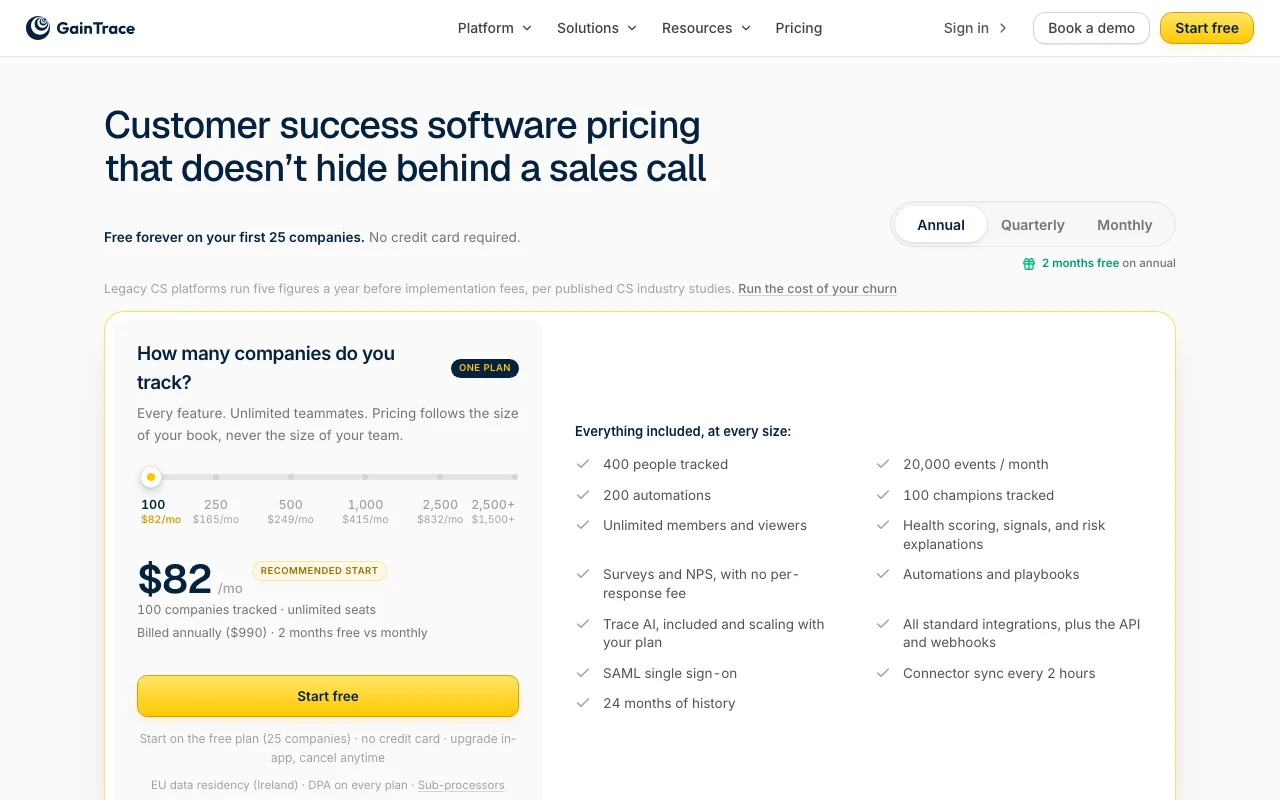
GainTrace pricing page with plans and prices — screenshot of the productivity & writing AI tool, Oct 2, 2026
The official GainTrace pricing page as we saw it. gaintrace.com, captured Oct 2, 2026

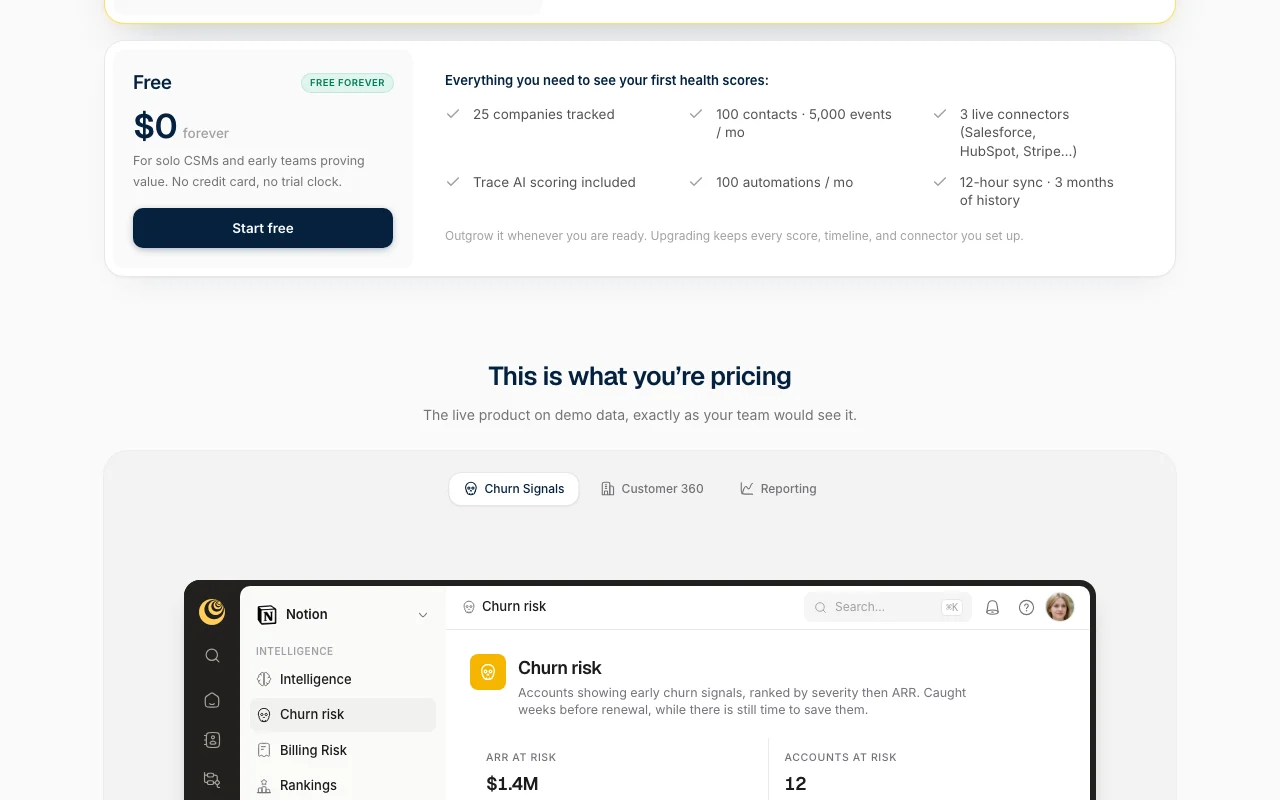
Free access and trial conditions

Free forever for first 25 companies, no card

No trial clock

Paid plans: what changes as you upgrade

Free web

Free source (opens in a new tab)

Month

For: Solo CSMs and early teams

Limits

  • 25 companies tracked
  • 100 contacts, 5,000 events a month
1 more
  • 3 live connectors

Includes

  • Trace AI scoring
  • 100 automations a month
1 more
  • 12-hour sync

100 companies web

$82/mo source (opens in a new tab)

Month

Billed annually $990

For: CS teams tracking this many companies

Limits

  • Unlimited seats
  • 400 people tracked
1 more
  • 20,000 events a month

Includes

  • All features
  • Trace AI included
2 more
  • SAML SSO
  • 24 months history

250 companies web

$165/mo source (opens in a new tab)

Month

Annual billing default

For: CS teams tracking this many companies

Limits

  • Unlimited seats
  • 400 people tracked
1 more
  • 20,000 events a month

Includes

  • All features
  • Trace AI included
2 more
  • SAML SSO
  • 24 months history

500 companies web

$249/mo source (opens in a new tab)

Month

Annual billing default

For: CS teams tracking this many companies

Limits

  • Unlimited seats
  • 400 people tracked
1 more
  • 20,000 events a month

Includes

  • All features
  • Trace AI included
2 more
  • SAML SSO
  • 24 months history

1,000 companies web

$415/mo source (opens in a new tab)

Month

Annual billing default

For: CS teams tracking this many companies

Limits

  • Unlimited seats
  • 400 people tracked
1 more
  • 20,000 events a month

Includes

  • All features
  • Trace AI included
2 more
  • SAML SSO
  • 24 months history

2,500 companies web

$832/mo source (opens in a new tab)

Month

Above 2,500 companies $1,500+

For: CS teams tracking this many companies

Limits

  • Unlimited seats
  • 400 people tracked
1 more
  • 20,000 events a month

Includes

  • All features
  • Trace AI included
2 more
  • SAML SSO
  • 24 months history

Usage caps, credits and extra costs

Trace AI beyond allowance opt-in at cost; add-ons are true extras

Not stated

What is GainTrace, and how does it work?

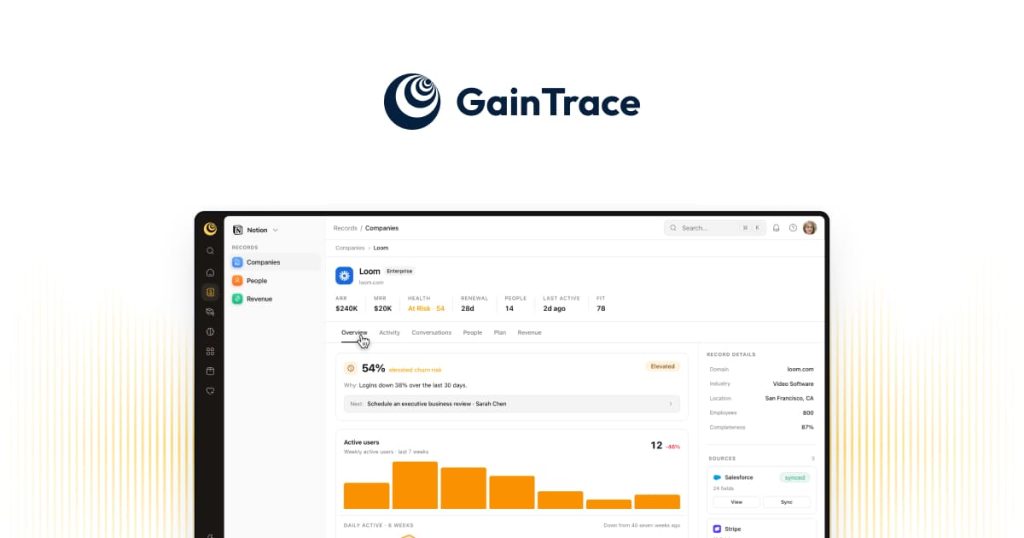
GainTrace pulls signals from tools such as Salesforce, Intercom, Mixpanel and Stripe into a single customer health score per account, with explanations and churn-risk alerts. It includes playbooks, surveys and NPS, renewal forecasting and an included AI feature called Trace AI.

GainTrace homepage — screenshot of the productivity & writing AI tool, Oct 2, 2026
GainTrace's official site: how the product presents itself. gaintrace.com, captured Oct 2, 2026

What you provide and what you get back

How GainTrace works: what you provide, where it runs and what you get backYOU PROVIDEYour inputSignals from Salesforce, HubSpot,…Survey and NPS responsesContacts and eventsPRODUCTIVITY & WRITINGGainTraceWebfrom $82/mo (100 companies)free tier availableaccount requiredchecked Sep 29, 2026YOU GET BACKThe resultAccount health scores with explan…Churn risk alerts and renewal for…Playbooks and automationsinput → GainTrace → output · from the vendor's own pages, no hands-on test unless stated
What you give GainTrace and what comes back, from its documentation

You provide

  • Signals from Salesforce, HubSpot, Intercom, Mixpanel and Stripe
  • Survey and NPS responses
  • Contacts and events

You get back

  • Account health scores with explanations
  • Churn risk alerts and renewal forecasts
  • Playbooks and automations

Where you can use it

Platforms
Web
Account
Required
Integrations
28
Sync
12 hours Free, 2 hours paid
History
3 months Free, 24 months paid

Where GainTrace is most useful

Scenarios are worked out by our editors from the documentation; the actual result depends on your input and plan.

Churn prediction

Who
CS leaders at SaaS companies
You provide
Usage, billing and support signals
Expected result
Ranked list of at-risk accounts with ARR and renewal dates
Plan needed
Free for 25 companies
Limitation
Free limited to 3 live connectors source (opens in a new tab)

Account health scoring

Who
CSMs
You provide
Connected CRM and product data
Expected result
Health scores with risk explanations
Plan needed
All plans
Limitation
Free syncs every 12 hours source (opens in a new tab)

NPS and surveys

Who
Customer success teams
You provide
Survey sent to contacts
Expected result
Responses tied to accounts, no per-response fee
Plan needed
Paid plans
Limitation
Plan caps on tracked people source (opens in a new tab)

GainTrace features and their limits

GainTrace homepage — screenshot of the productivity & writing AI tool, Oct 2, 2026
Feature overview on the official site. gaintrace.com, captured Oct 2, 2026

Customer health scoring

Combines connected signals into a score per account and explains what drives it Shows who needs attention

Access: All plansLimit: Free tracks only 25 companies source (opens in a new tab)

Triage view

Ranks accounts showing churn signals by severity then ARR Focuses the day on saves

Access: All plansLimit: Depends on connected data source (opens in a new tab)

Playbooks and automations

Runs predefined workflows when signals fire Standardizes responses

Access: Free 100/mo; paid 200 automationsLimit: Automation counts are capped source (opens in a new tab)

28 data integrations

Connects tools such as Salesforce, HubSpot, Stripe, Intercom and Mixpanel Brings data into one place

Access: Free 3 live connectors; paid all standardLimit: Connector sync every 2 hours on paid source (opens in a new tab)

Trace AI

Adds AI scoring and explanations inside the platform Speeds analysis

Access: Included on all plans, scaling with planLimit: Past plan allowance billed at cost opt-in source (opens in a new tab)

GainTrace pros and cons

Reasons to choose GainTrace

Check before paying for GainTrace

How to use GainTrace for scoring customer health

Set up GainTrace

  1. Start the free plan at gaintrace.com (25 companies, no card)
  2. Connect up to 3 sources such as Salesforce, HubSpot or Stripe
  3. Let the first sync import your accounts
  4. Review the default health score and triage view

Example: scoring customer health

  1. Open the Churn Signals view
  2. Sort accounts by ARR at risk
  3. Open the highest-risk account to read the explanation
  4. Start a playbook for the assigned CSM

Review and export the result

  1. Compare a score's drivers with the account's real activity
  2. Check tracked companies against the plan limit

GainTrace API

GainTrace pricing page with plans and prices — screenshot of the productivity & writing AI tool, Oct 2, 2026
Plan comparison on the official pricing page. gaintrace.com, captured Oct 2, 2026

API access and separate billing

GainTrace has no public API in its official documentation. API and webhooks included on paid plans API documentation ↗

Privacy, data use and commercial rights

Summarized from the vendor's current policies; this is not legal advice and a vendor's badge is not an independent audit.

How your inputs and outputs are handled

Customer data is processed as processor under a DPA

3 to 24 months of history by plan

Controls for business users

  • EU data residency (Ireland)
  • DPA on every plan
  • SAML SSO

Policies: gaintrace.com/privacy

GainTrace alternatives by need

"Better suited" is based on documented features and pricing, not on a head-to-head test.

Zapier: better suited to

Alternatives
AlternativeWhen to choose itPricingLimitation
Zapier——Compare

Explore GainTrace further

Tools and guides near GainTrace

GainTrace user reviews

No user reviews yet.

Used GainTrace? Be the first to share your experience.

Write a review

Reviews are checked by a moderator before they appear. Your email is never published. Plain text only.

Your rating (required)

Show what you made or what went wrong. Images are published only if the review is approved; location data is removed.

    GainTrace FAQ

    Is GainTrace free?

    Yes, free forever for the first 25 companies with no credit card. source (opens in a new tab)

    How is GainTrace priced?

    By companies tracked: 100 for $82 a month, 250 for $165, 500 for $249, 1,000 for $415 and 2,500 for $832, with annual billing as default. source (opens in a new tab)

    Are there seat limits?

    No, every plan has unlimited members and viewers. source (opens in a new tab)

    Where is data stored?

    EU data residency in Ireland and a DPA are offered on every plan. source (opens in a new tab)

    Does it include AI?

    Trace AI is included and scales with your plan; beyond that it is opt-in billed at cost. source (opens in a new tab)

    Sources and review methodology

    Official sources and verification dates

    Not verified: Per-plan monthly price when billed monthly; Training use of customer data.

    How we documented and maintain this page

    Every fact about GainTrace above comes from the 3 official pages listed here, last compared on Sep 29, 2026; we have not run GainTrace ourselves, so it has no editorial score. How we check and re-check pages.

    Article updated Oct 10, 2026; prices checked Sep 29, 2026. Outbound links to vendors are plain links; we do not earn commissions. How we review · Report an error