Productivity & writingDocumented overviewLast checked Oct 1, 2026

Friday (Friday Studio): Pricing, Features & Best Use Cases

Desktop agent harness that builds scheduled, multi-agent AI workflows from chat and runs them locally.

Is Friday (Friday Studio) right for you?

Friday suits developers and power users who want conversation-built, scheduled multi-agent workflows that run locally on macOS. Based on the vendor's documentation, not on a hands-on test.

Best for: Developers

Also a good fit for

  • Power users automating recurring tasks

Consider another tool if macOS only currently

Or if

  • Requires adding your own model API key
  • No pricing page found

Friday (Friday Studio) pricing and usage limits

Prices checked Oct 1, 2026 on the official US pricing page. Prices and limits change often.

Friday (Friday Studio) does not publish a plan table we could verify. See official pricing ↗

Usage caps, credits and extra costs

Model API usage billed by your own provider (per seed notes).

What is Friday (Friday Studio), and how does it work?

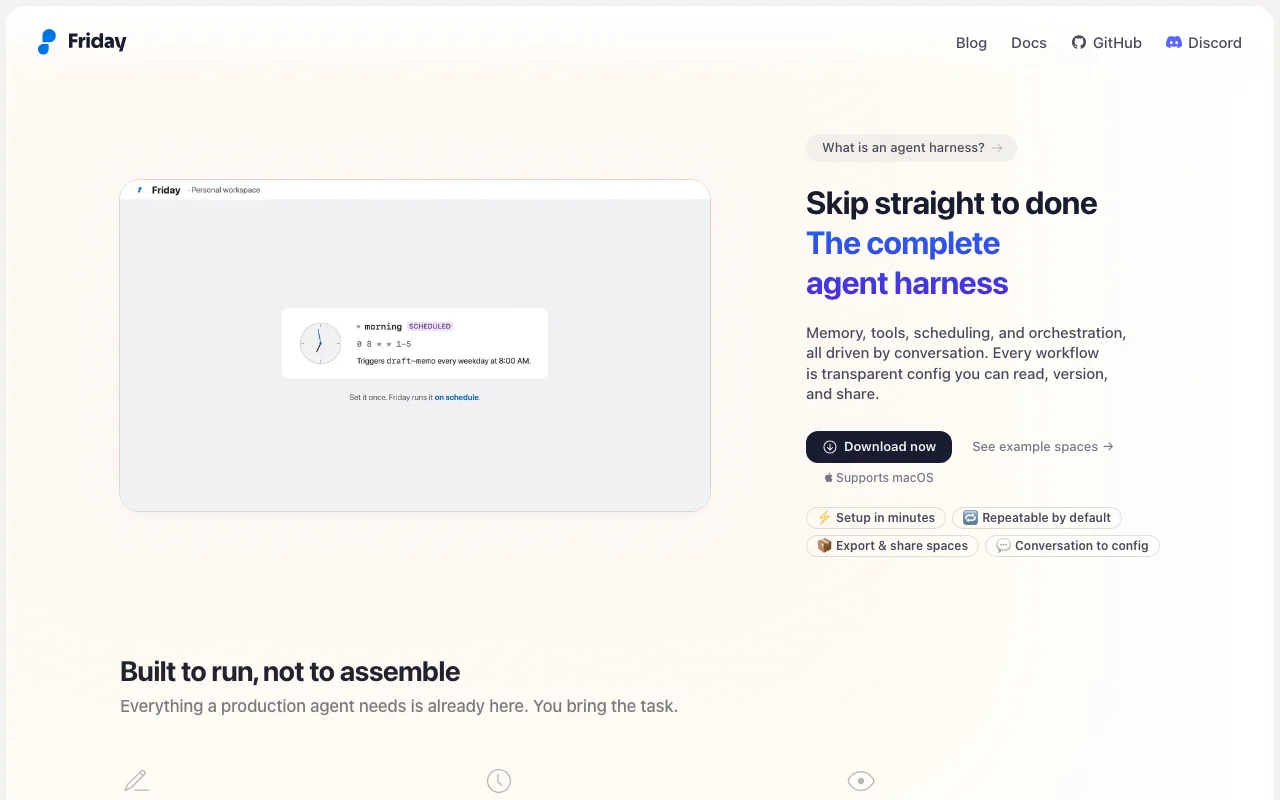
Friday Studio is a desktop app where you describe a workflow in chat and it configures agents, schedules and connections, saved as a readable workspace.yml file. Workflows run on your machine, with local memory, run logs, MCP and app connections, and triggers from chat apps like Slack or Telegram.
Friday (Friday Studio) homepage — screenshot of the productivity & writing AI tool, Oct 2, 2026
Friday (Friday Studio)'s official site: how the product presents itself. hellofriday.ai, captured Oct 2, 2026

What you provide and what you get back

How Friday (Friday Studio) works: what you provide, where it runs and what you get backYOU PROVIDEYour inputPlain-language workflow descripti…Connected apps, scripts and MCP s…PRODUCTIVITY & WRITINGFriday (Friday Studio)Desktopprice not publishedno free tierchecked Oct 1, 2026YOU GET BACKThe resultScheduled workflow runsRun logs with inputs, outputs and…input → Friday (Friday Studio) → output · from the vendor's own pages, no hands-on test unless stated
What you give Friday (Friday Studio) and what comes back, from its documentation

You provide

  • Plain-language workflow descriptions
  • Connected apps, scripts and MCP servers

You get back

  • Scheduled workflow runs
  • Run logs with inputs, outputs and timings

Where you can use it

Platforms
Desktop
Platform
macOS
Triggers
Chat, schedule, messaging apps
Memory
Local
Config
Readable, versionable

Where Friday (Friday Studio) is most useful

Scenarios are worked out by our editors from the documentation; the actual result depends on your input and plan.

Scheduled daily reports

Who
Operators and analysts
You provide
Daily report description
Expected result
Report delivered at a set time
Plan needed
Not stated
Limitation
Needs local app running source (opens in a new tab)

GitHub PR review

Who
Developers
You provide
GitHub repositories
Expected result
PR review workflow
Plan needed
Not stated
Limitation
Model API key required source (opens in a new tab)

Price monitoring

Who
Shoppers and analysts
You provide
Product URLs
Expected result
Price monitoring alerts
Plan needed
Not stated
Limitation
Setup via chat source (opens in a new tab)

Friday (Friday Studio) features and their limits

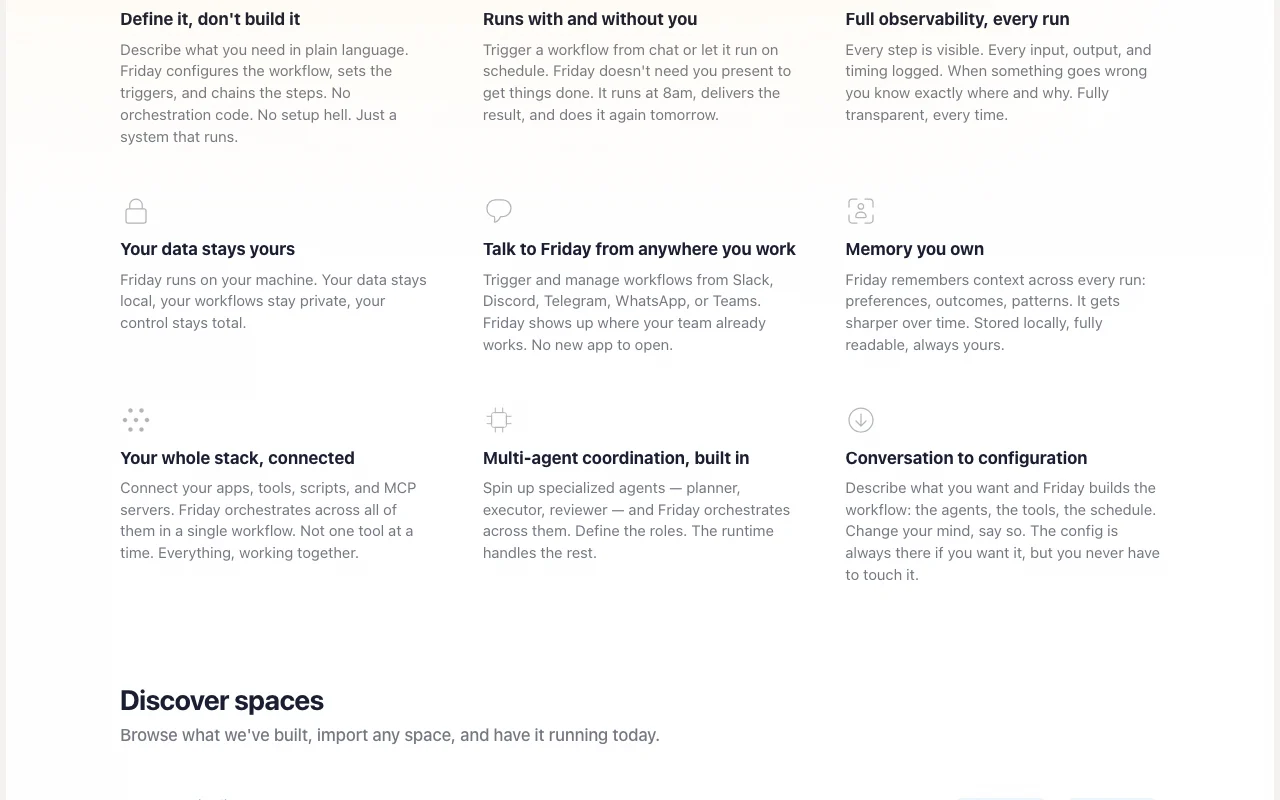
Friday (Friday Studio) homepage — screenshot of the productivity & writing AI tool, Oct 2, 2026
Feature overview on the official site. hellofriday.ai, captured Oct 2, 2026

Conversation to workflow config

Builds workflow config from conversation. No orchestration code.

Access: Desktop appLimit: macOS only source (opens in a new tab)

Signals, agents and jobs

Defines signals, agents and jobs. Chains steps and schedules.

Access: Desktop appLimit: Concept docs only source (opens in a new tab)

Friday (Friday Studio): strengths and limits

Reasons to choose Friday (Friday Studio)

Check before paying for Friday (Friday Studio)

How to use Friday (Friday Studio) for automating a scheduled workflow

Set up Friday (Friday Studio)

  1. Download Friday for macOS
  2. Add a model API key
  3. Connect apps or MCP servers
  4. Describe the workflow in chat

Example: automating a scheduled workflow

  1. Describe a daily 8am report
  2. Review the generated config
  3. Run it once
  4. Let the schedule run

Review and export the result

  1. Inspect the run log
  2. Confirm the output arrived
Example prompt suggested by our editors (not a recorded output of the product)
Every weekday at 8am, summarize new GitHub PRs and post them to Slack

Friday (Friday Studio) API

API access and separate billing

Friday (Friday Studio) has no public API in its official documentation. Docs site exists at docs.hellofriday.ai; API not confirmed. API documentation ↗

Privacy, data use and commercial rights

Summarized from the vendor's current policies; this is not legal advice and a vendor's badge is not an independent audit.

How your inputs and outputs are handled

Runs on your machine; data and memory stay local per homepage.

Not stated.

Local storage; policy covers website data.

Commercial use and plan restrictions

Not stated.

Policies: hellofriday.ai/privacy

Best Friday (Friday Studio) alternatives for different needs

"Better suited" is based on documented features and pricing, not on a head-to-head test.

n8n: better suited to

Zapier: better suited to

Make: better suited to

Alternatives
AlternativeWhen to choose itPricingLimitation
n8n——Compare
Zapier——Compare
Make——Compare

Explore Friday (Friday Studio) further

Tools and guides near Friday (Friday Studio)

Friday (Friday Studio) user reviews

No user reviews yet.

Used Friday (Friday Studio)? Be the first to share your experience.

Write a review

Reviews are checked by a moderator before they appear. Your email is never published. Plain text only.

Your rating (required)

Show what you made or what went wrong. Images are published only if the review is approved; location data is removed.

    Friday (Friday Studio) FAQ

    Which platforms does Friday support?

    macOS only at present. source (opens in a new tab)

    Where does my data live?

    The homepage says it runs on your machine and keeps data local. source (opens in a new tab)

    Is pricing published?

    No; the pricing page returned 404. source (opens in a new tab)

    Which chat apps can trigger workflows?

    Slack, Discord, Telegram, WhatsApp and Teams. source (opens in a new tab)

    Sources and review methodology

    Official sources and verification dates

    Not verified: Pricing; Free plan or trial; Windows and Linux; Training use; API.

    How we documented and maintain this page

    Every fact about Friday (Friday Studio) above comes from the 4 official pages listed here, last compared on Oct 1, 2026; we have not run Friday (Friday Studio) ourselves, so it has no editorial score. How we check and re-check pages.

    Article updated Oct 2, 2026; prices checked Oct 1, 2026. Outbound links to vendors are plain links; we do not earn commissions. How we review · Report an error