Productivity & writingDocumented overviewLast checked Sep 29, 2026

Flowhubr: Pricing, Features & Best Use Cases

Collaborative CRM and task management workspace for clients, projects, invoices and quotations; an AI workflow version (2.0) is announced.

Who should use Flowhubr

Pick Flowhubr if a small team needs clients, tasks, invoices and quotations in one low-cost workspace and does not rely on AI features that are still announced. Based on the vendor's documentation, not on a hands-on test.

Best for: Small businesses

Also a good fit for

  • Agencies
  • Freelancers

Consider another tool if free plan limited to 1 project and 5 invoices

Or if

  • AI workflow is only announced (2.0 waitlist)
  • Free plan has 1 GB storage

Flowhubr pricing and usage limits

Prices checked Sep 29, 2026 on the official US pricing page. Official pricing ↗ Prices and limits change often.

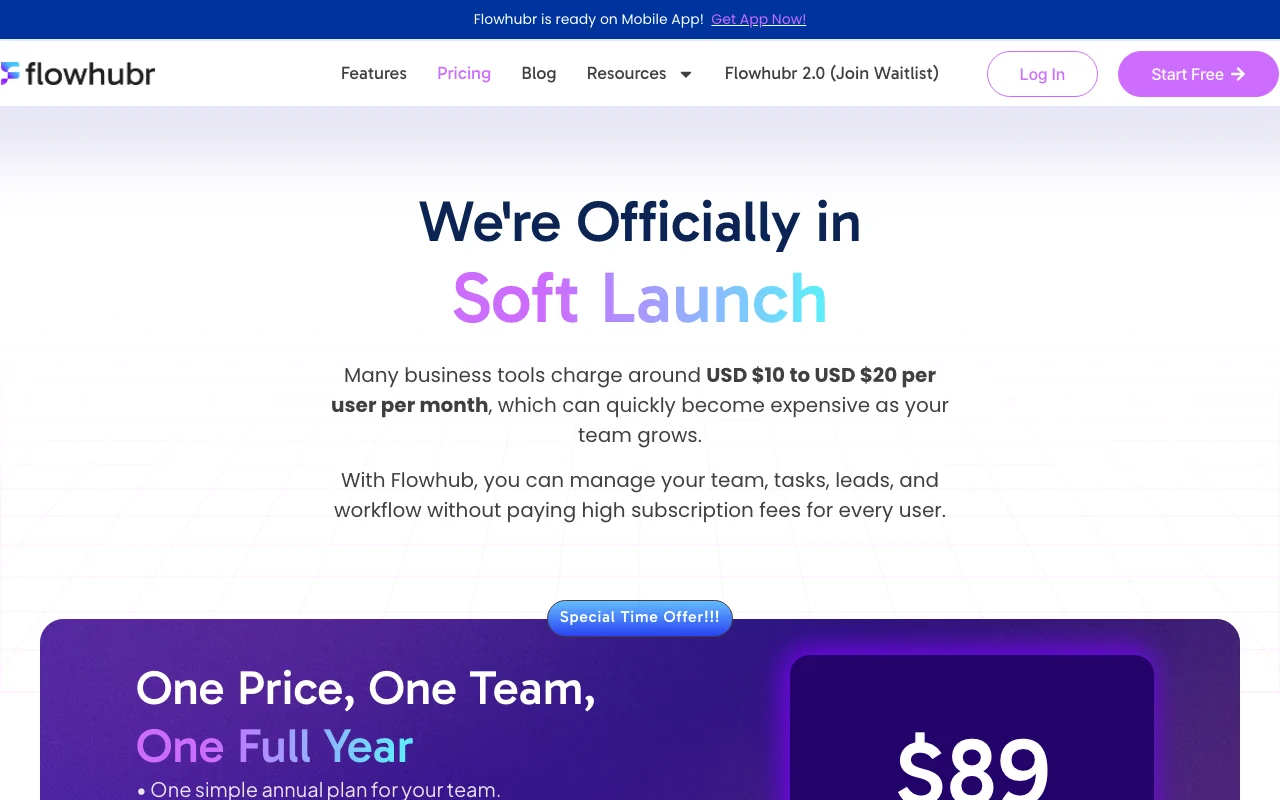
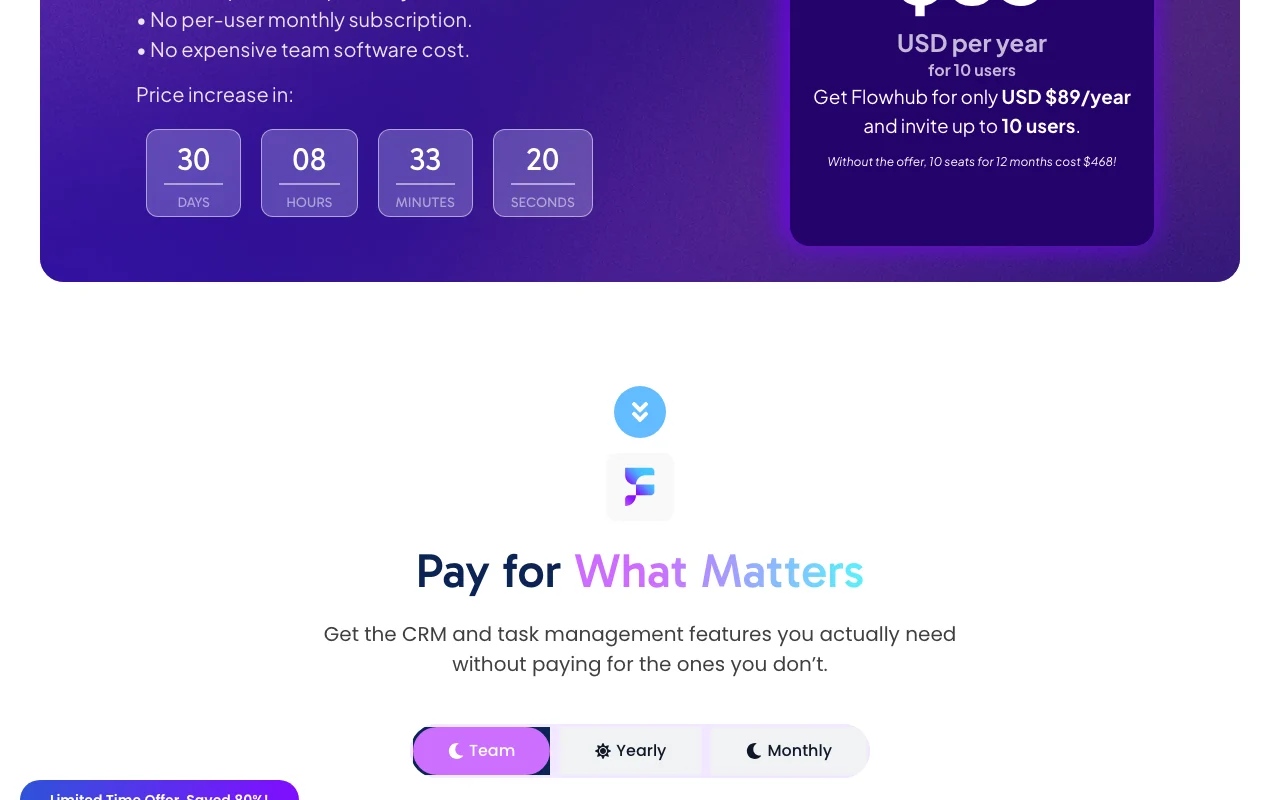
Flowhubr pricing page with plans and prices — screenshot of the productivity & writing AI tool, Oct 2, 2026
The official Flowhubr pricing page as we saw it. flowhubr.com, captured Oct 2, 2026

Free access and trial conditions

Free plan

14-day trial on Starter

Paid plans: what changes as you upgrade

Free web

Free source (opens in a new tab)

Month, annual commitment

For: Personal use

Limits

  • 5 teammates
  • 1 project
2 more
  • 5 invoices, 5 quotations
  • 1 GB storage

Includes

  • Unlimited tasks and leads
  • List, board, calendar views

Starter web

$3.9/mo per seat per month, billed annually (list $4.90) source (opens in a new tab)

Month, annual commitment

$3.90 with soft-launch offer when billed annually

For: Small teams

Includes

  • Unlimited projects, invoices, quotations
  • Reporting
2 more
  • Roles and permissions
  • 14-day trial

Enterprise web

Custom pricing source (opens in a new tab)

Month, annual commitment

For: Large teams

Includes

  • Custom-built app
  • Third-party integration
1 more
  • Live onboarding training

Team offer web

$89/yr source (opens in a new tab)

Year, annual commitment

Limited time offer; without it 10 seats cost $468 a year

For: 10-person teams

Limits

  • 10 seats
  • 20GB storage per workspace

Includes

  • Unlimited tasks, projects, invoices
  • Supplier module
1 more
  • Reporting

Usage caps, credits and extra costs

Not stated

Not stated

What is Flowhubr, and how does it work?

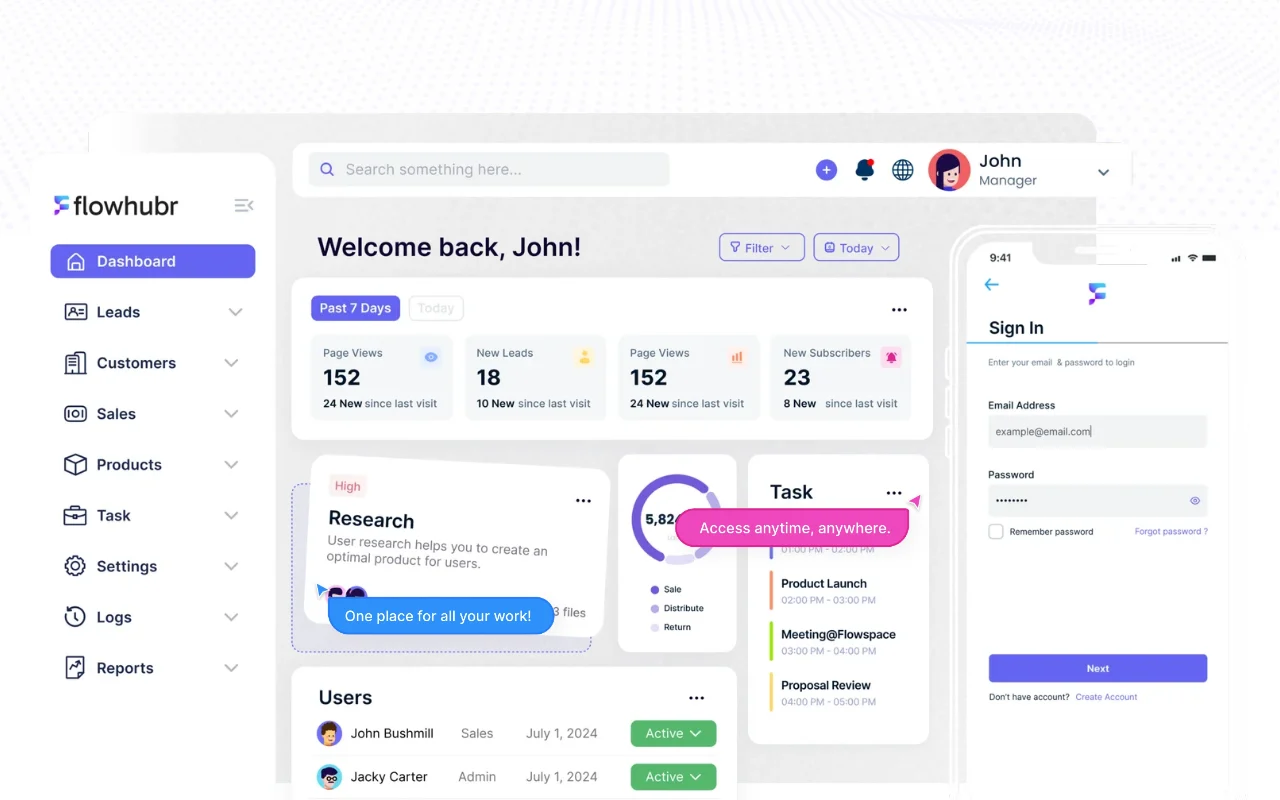
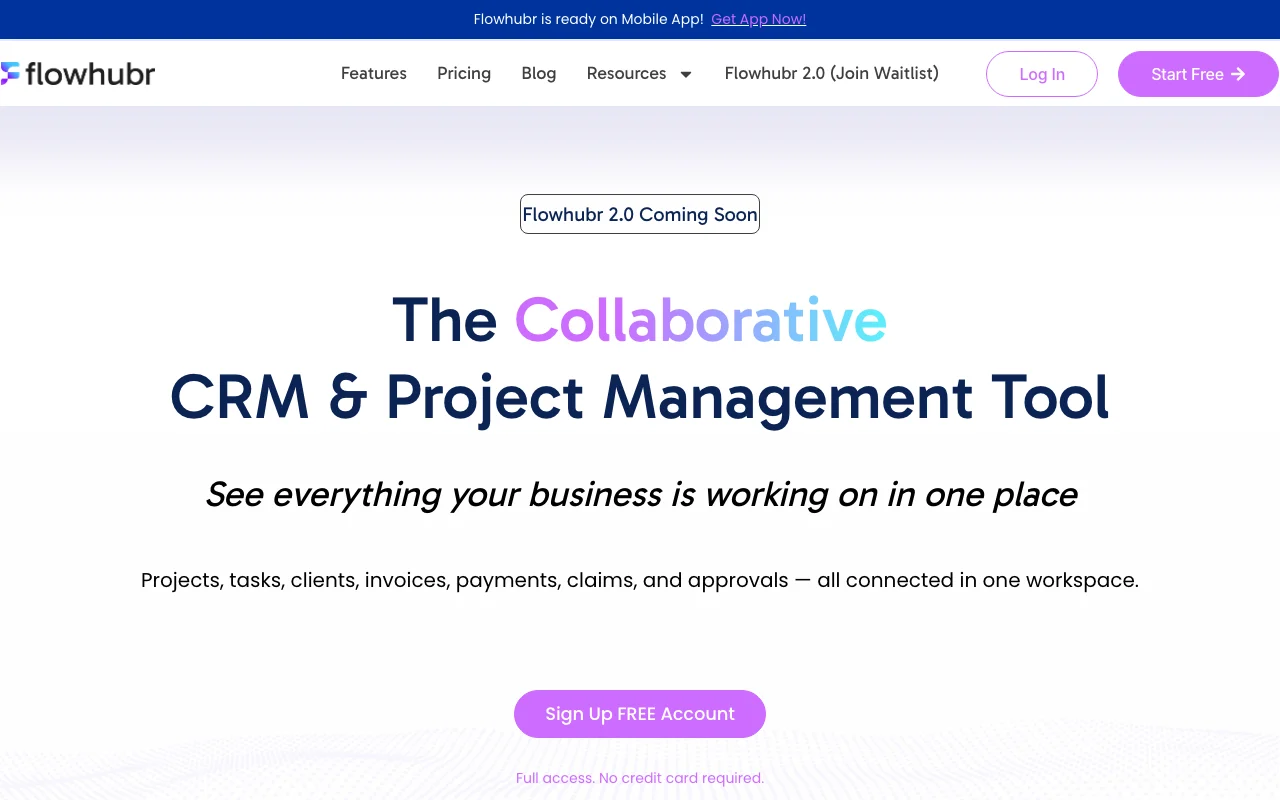
Flowhubr combines client management, project and task tracking, invoices and quotations in one workspace for small businesses, agencies and freelancers. The homepage lists a mobile app for Android, iOS and Huawei and a Flowhubr 2.0 with AI workflow marked as coming soon, so AI features are not yet confirmed as available.

Flowhubr homepage — screenshot of the productivity & writing AI tool, Oct 2, 2026
Flowhubr's official site: how the product presents itself. flowhubr.com, captured Oct 2, 2026

What you provide and what you get back

How Flowhubr works: what you provide, where it runs and what you get backYOU PROVIDEYour inputClients and leadsTasks and projectsInvoice detailsPRODUCTIVITY & WRITINGFlowhubrWeb, Mobilefrom $3.9/mo (Starter)free tier availableaccount requiredchecked Sep 29, 2026YOU GET BACKThe resultInvoices and quotationsReportsTask boardsinput → Flowhubr → output · from the vendor's own pages, no hands-on test unless stated
What you give Flowhubr and what comes back, from its documentation

You provide

  • Clients and leads
  • Tasks and projects
  • Invoice details

You get back

  • Invoices and quotations
  • Reports
  • Task boards

Where you can use it

Platforms
Web, Mobile
Account
Required
Views
List, board, calendar
Storage
1GB Free; 20GB per workspace on team offer

Best use cases for Flowhubr

Scenarios are worked out by our editors from the documentation; the actual result depends on your input and plan.

Client and contact management

Who
Freelancers and agencies
You provide
Client contacts and leads
Expected result
A client list linked to projects
Plan needed
Free
Limitation
Free is capped at 5 teammates source (opens in a new tab)

Project and task tracking

Who
Small teams
You provide
Projects and tasks
Expected result
Tasks tracked in list, board or calendar views
Plan needed
Free or Starter
Limitation
Free allows 1 project source (opens in a new tab)

Invoice and quotation creation

Who
Service businesses
You provide
Quote and invoice details
Expected result
Quotations and invoices created in the same workspace
Plan needed
Starter
Limitation
Free caps at 5 invoices and 5 quotations source (opens in a new tab)

Flowhubr features and their limits

Flowhubr homepage — screenshot of the productivity & writing AI tool, Oct 2, 2026
Feature overview on the official site. flowhubr.com, captured Oct 2, 2026

Contacts and clients

Stores contacts, clients and leads Keeps client data in one place

Access: Unlimited leads on FreeLimit: Basic search filters on Free source (opens in a new tab)

Tasks and projects

Tracks tasks and projects with list, board and calendar views Shows work status

Access: Free: 1 project; Starter: unlimitedLimit: Free limited to one project source (opens in a new tab)

Invoices and quotations

Creates invoices and quotations Bills clients without another tool

Access: Free: 5 each; Starter: unlimitedLimit: Caps on Free source (opens in a new tab)

Team workspaces

Provides team workspaces with roles and permissions Controls who sees what

Access: Role and permission on StarterLimit: Not on Free source (opens in a new tab)

Flowhubr: strengths and limits

Reasons to choose Flowhubr

Check before paying for Flowhubr

How to use Flowhubr for running clients, tasks and invoices in one workspace

Set up Flowhubr

  1. Create a free workspace
  2. Invite up to 5 teammates
  3. Add your clients and leads

Example: running clients, tasks and invoices in one workspace

  1. Create a project for a client
  2. Add tasks and move them on the board
  3. Draft a quotation and convert it to an invoice
  4. Share the status with the client as a guest

Review and export the result

  1. Confirm the invoice appears under the client record
  2. Check the activity log shows the changes

Other tools to consider instead of Flowhubr

"Better suited" is based on documented features and pricing, not on a head-to-head test.

Notion AI: better suited to

Zapier: better suited to

Alternatives
AlternativeWhen to choose itPricingLimitation
Notion AI——Compare
Zapier——Compare

Explore Flowhubr further

If you are looking at Flowhubr

Flowhubr user reviews

No user reviews yet.

Used Flowhubr? Be the first to share your experience.

Write a review

Reviews are checked by a moderator before they appear. Your email is never published. Plain text only.

Your rating (required)

Show what you made or what went wrong. Images are published only if the review is approved; location data is removed.

    Flowhubr FAQ

    What does the free plan include?

    Up to 5 teammates, unlimited tasks and leads, 1 project, 5 invoices, 5 quotations and 1 GB storage. source (opens in a new tab)

    How much is Starter?

    $3.90 per seat per month billed annually, listed at $4.90 before the soft-launch offer. source (opens in a new tab)

    Is there an AI workflow?

    Flowhubr 2.0 with AI workflow is marked coming soon. source (opens in a new tab)

    What is the $89 offer?

    A limited-time yearly plan for up to 10 users; without it 10 seats cost $468. source (opens in a new tab)

    Is there a mobile app?

    The homepage lists apps for Android, iOS and Huawei. source (opens in a new tab)

    Sources and review methodology

    Official sources and verification dates

    Not verified: Privacy terms; API; AI features.

    How we documented and maintain this page

    Every fact about Flowhubr above comes from the 2 official pages listed here, last compared on Sep 29, 2026; we have not run Flowhubr ourselves, so it has no editorial score. How we check and re-check pages.

    Article updated Oct 10, 2026; prices checked Sep 29, 2026. Outbound links to vendors are plain links; we do not earn commissions. How we review · Report an error