Productivity & writingDocumented overviewLast checked Sep 29, 2026

Flick: Pricing, Features & Best Use Cases

Swipe-based email app that turns an inbox into a finite deck of cards: archive, mark no-reply, or approve an AI-drafted reply.
Who Flick fits

Pick Flick if you have a large unread backlog and want to clear it by swiping one email at a time, with AI reply drafts saved to drafts rather than sent. Based on the vendor's documentation, not on a hands-on test.

Best for: People with large unread backlogs

Also a good fit for

  • Heavy email users
  • iPhone users

Consider another tool if free plan allows 5 AI drafts per month

Or if

  • Free plan limited to one inbox
  • iPhone prices differ from web prices

Flick pricing and usage limits

Prices checked Sep 29, 2026 on the official US pricing page. Official pricing ↗ Prices and limits change often.

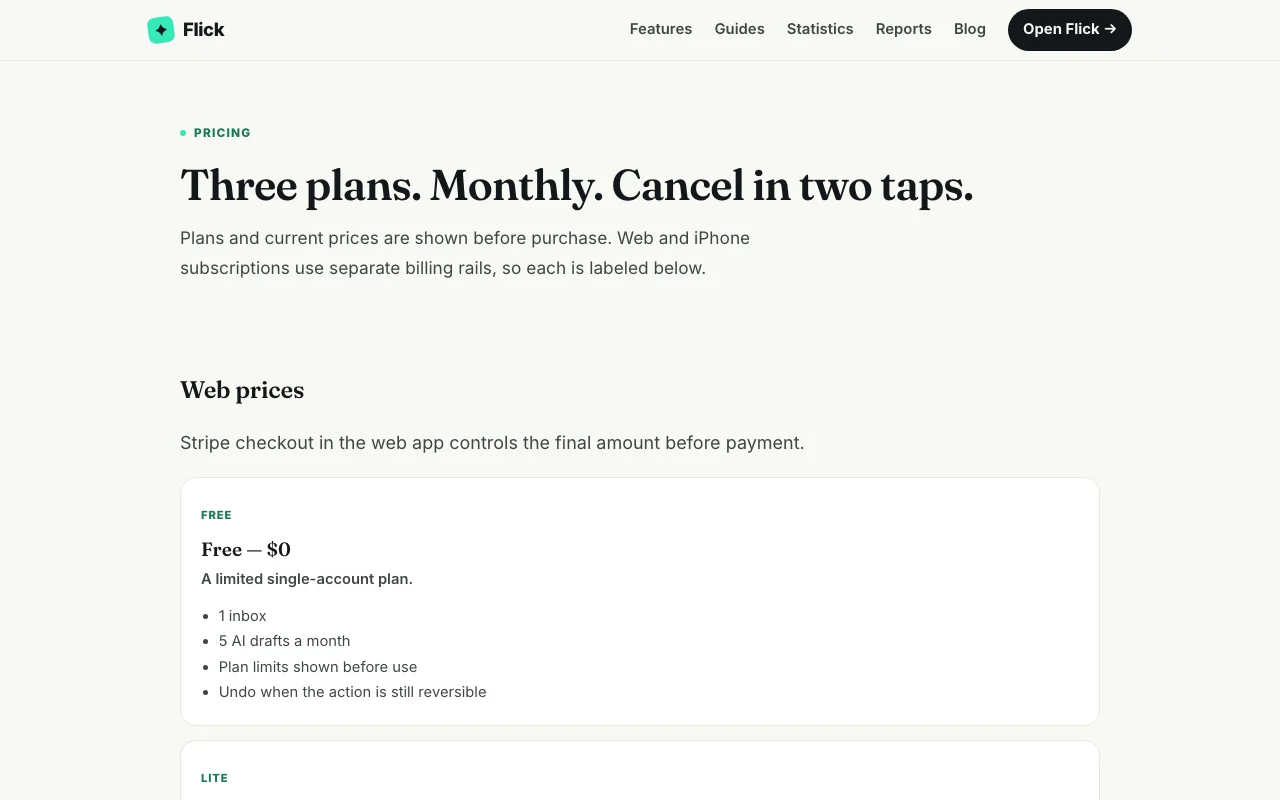
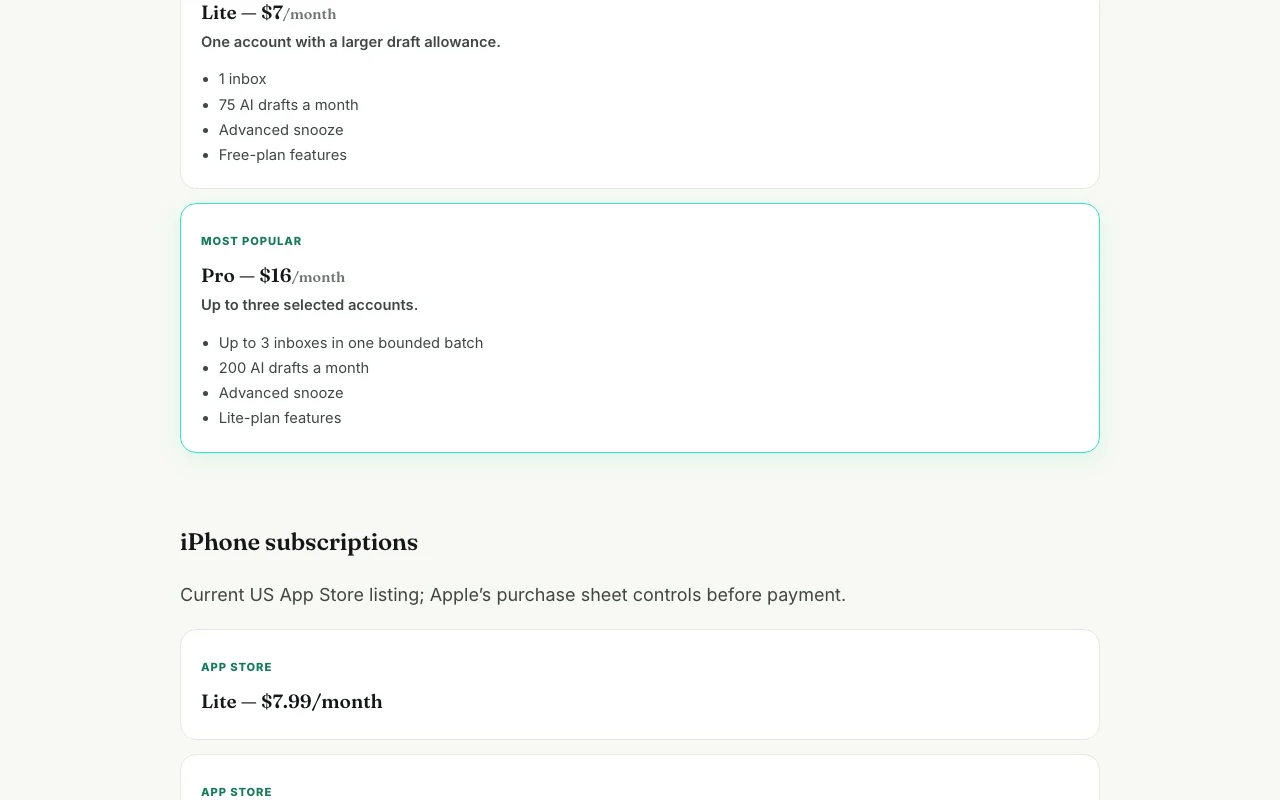
Flick pricing page with plans and prices — screenshot of the productivity & writing AI tool, Oct 1, 2026
The official Flick pricing page as we saw it. flicked.email, captured Oct 1, 2026

Free access and trial conditions

Limited $0 plan: 1 inbox, 5 AI drafts a month; swiping and archiving free on all plans.

7-day trial on iPhone when shown by Apple.

Paid plans: what changes as you upgrade

Free Web

Free source (opens in a new tab)

Month

For: Trying the swipe deck

Limits

  • 1 inbox
  • 5 AI drafts a month

Includes

  • Swipe deck, archive and no-reply actions
  • Undo while reversible

No API

Lite (web) Web

$7/mo source (opens in a new tab)

Month

For: One account with more drafts

Limits

  • 1 inbox
  • 75 AI drafts a month

Includes

  • Advanced snooze
  • Free-plan features

No API

Pro (web) Web

$16/mo source (opens in a new tab)

Month

For: Several inboxes in one deck

Limits

  • Up to 3 inboxes
  • 200 AI drafts a month

Includes

  • Advanced snooze
  • Lite-plan features

No API

Lite (iPhone) iOS

$7.99/mo source (opens in a new tab)

Month

For: iPhone users

Limits

  • Same as Lite per web listing

Includes

  • 7-day trial when shown by Apple

No API

Pro (iPhone) iOS

$19.99/mo source (opens in a new tab)

Month

For: iPhone users with several inboxes

Limits

  • Same as Pro per web listing

Includes

  • Annual option $159/year

No API

Pro annual (iPhone) iOS

$159/yr source (opens in a new tab)

Year

For: Yearly iPhone subscribers

Limits

  • Same as Pro

Includes

  • Annual billing

No API

Usage caps, credits and extra costs

iPhone prices differ from web.

Apple or Stripe checkout controls.

What is Flick, and how does it work?

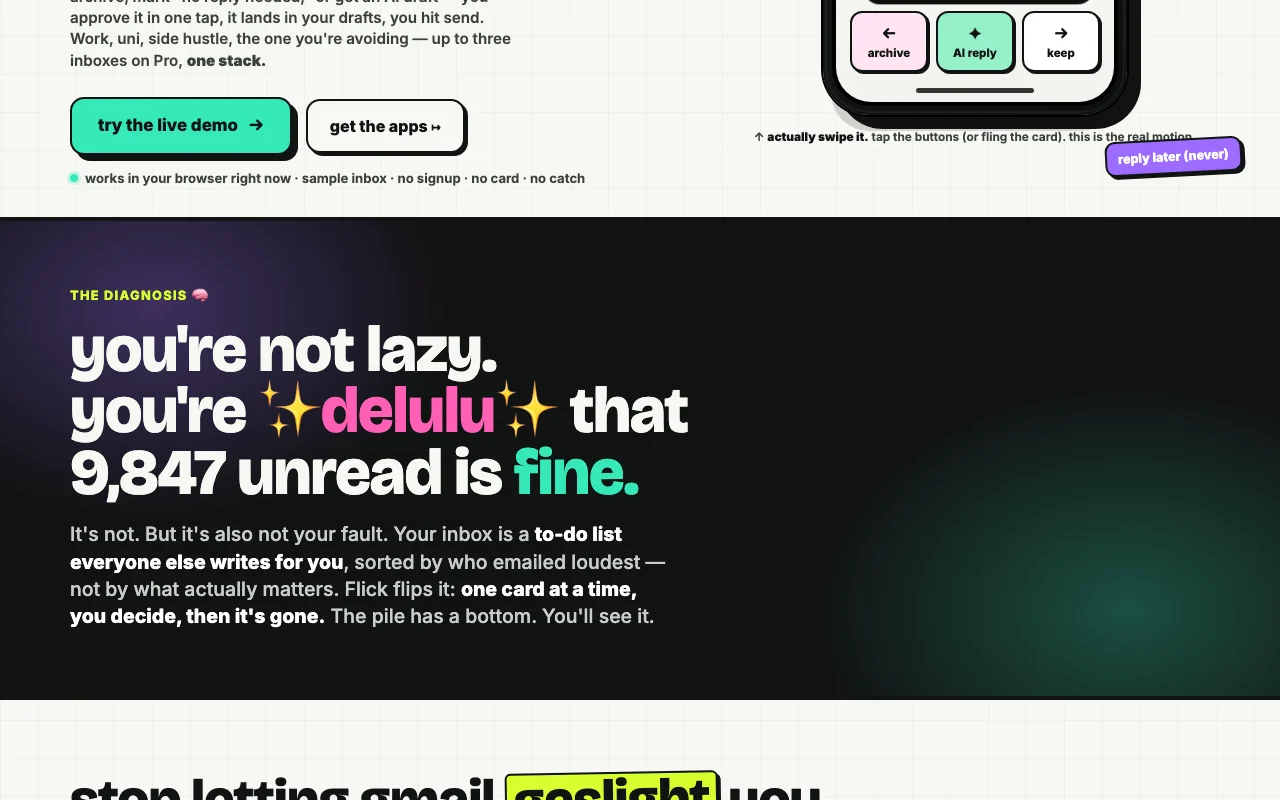
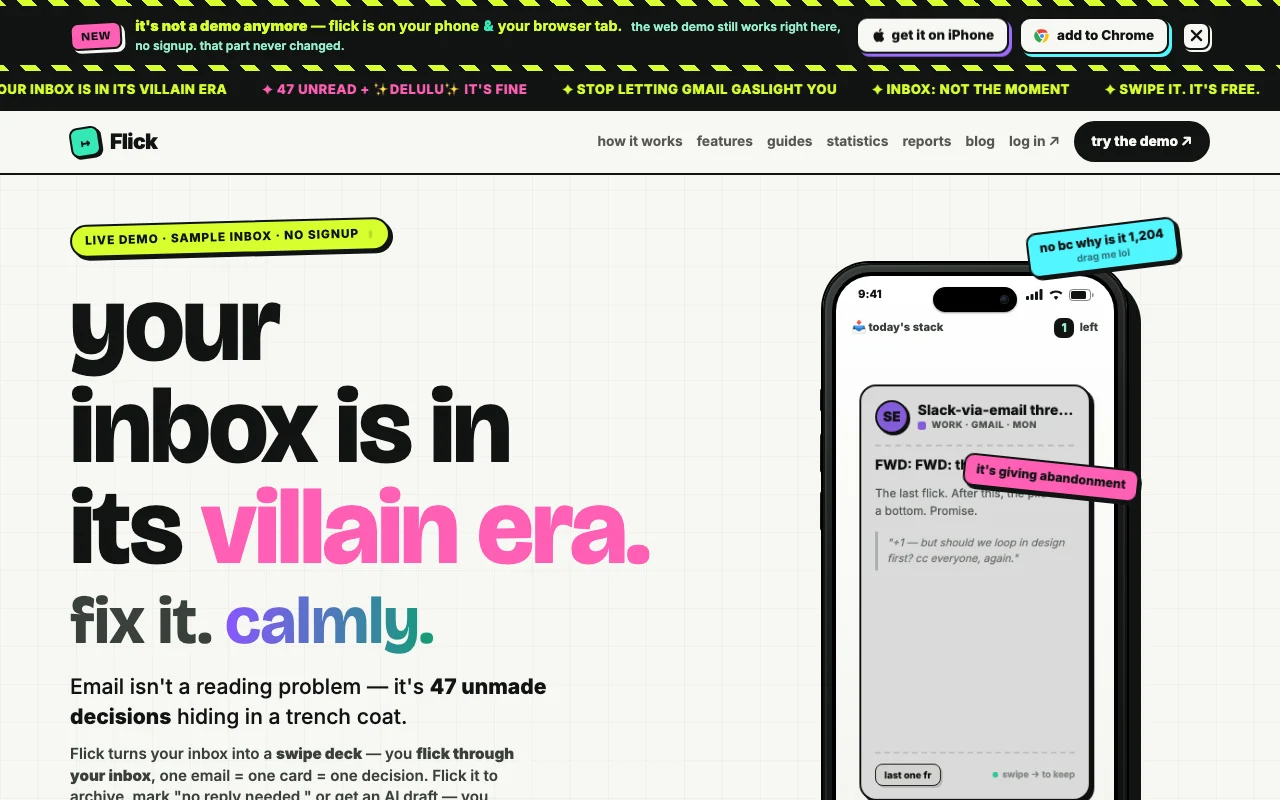
Flick presents emails as cards, one decision each: archive, mark as needing no reply, keep, or approve an AI-drafted reply that is saved to drafts for the user to send. It is available on iPhone and as a web app, with a Chrome option mentioned on the site. Swiping and archiving are free; AI drafts are metered by plan.

Flick homepage — screenshot of the productivity & writing AI tool, Oct 1, 2026
Flick's official site: how the product presents itself. flicked.email, captured Oct 1, 2026

What you provide and what you get back

How Flick works: what you provide, where it runs and what you get backYOU PROVIDEYour inputConnected Gmail inbox (restricted…Your swipe decisionsSelected thread for an AI replyPRODUCTIVITY & WRITINGFlickWeb, Mobilefrom $7/mo (Lite (web))free tier availableaccount requiredchecked Sep 29, 2026YOU GET BACKThe resultArchived or kept emailsReply drafts saved to your draftsAn empty-inbox end screeninput → Flick → output · from the vendor's own pages, no hands-on test unless stated
What you give Flick and what comes back, from its documentation

You provide

  • Connected Gmail inbox (restricted gmail.modify scope)
  • Your swipe decisions
  • Selected thread for an AI reply

You get back

  • Archived or kept emails
  • Reply drafts saved to your drafts
  • An empty-inbox end screen

Where you can use it

Platforms
Web, Mobile
Account
Required
Platforms
Web, iPhone, Chrome
Mail provider
Gmail
Drafts
5 / 75 / 200 per month
Inboxes
1 on Free and Lite, 3 on Pro

What people use Flick for

Scenarios are worked out by our editors from the documentation; the actual result depends on your input and plan.

Inbox triage

Who
People with large unread backlogs
You provide
A connected Gmail inbox
Expected result
A finite deck of cards cleared by swiping
Plan needed
Free and up
Limitation
Gmail connection described; other providers not confirmed source (opens in a new tab)

Fast email archiving

Who
Heavy email users
You provide
Cards from the deck
Expected result
Archived mail and no-reply-needed marks
Plan needed
Free
Limitation
Undo only while action is reversible source (opens in a new tab)

AI reply drafting

Who
Professionals answering many emails
You provide
A card swiped for an AI reply
Expected result
A draft in your drafts folder to send yourself
Plan needed
Lite or Pro for volume
Limitation
Free allows only 5 drafts monthly source (opens in a new tab)

Merging several mailboxes

Who
People with work and personal inboxes
You provide
Up to three selected accounts
Expected result
One bounded batch across inboxes
Plan needed
Pro
Limitation
Pro caps at 3 inboxes source (opens in a new tab)

What Flick does, and where it stops

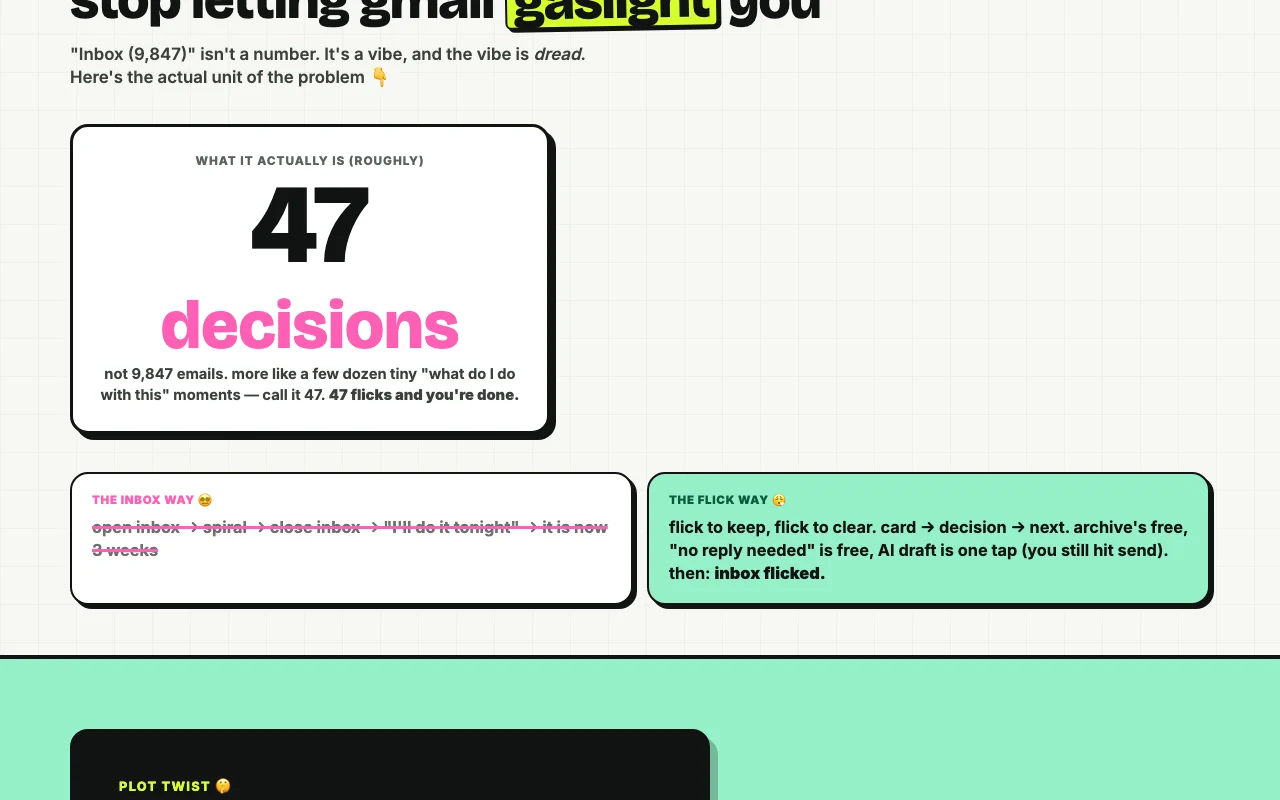
Flick homepage — screenshot of the productivity & writing AI tool, Oct 1, 2026
Feature overview on the official site. flicked.email, captured Oct 1, 2026

Swipe card deck

Shows each email as a card to archive, keep, mark no-reply or send to AI draft. Turns an inbox into a finite list of decisions.

Access: All plansLimit: One email, one decision pattern only source (opens in a new tab)

Archive and no-reply-needed actions

Moves emails out of the inbox or marks no reply needed. Clears mail without composing.

Access: Free on all plansLimit: Undo only while reversible source (opens in a new tab)

AI draft replies saved to drafts

Generates a reply draft using Anthropic models and saves it to drafts after you approve. Replies drafted but never sent automatically.

Access: 5/75/200 drafts per monthLimit: Thread content passes to Anthropic for the request source (opens in a new tab)

Advanced snooze

Snoozes emails with more options. Defers instead of deleting.

Access: Lite and ProLimit: Not on Free source (opens in a new tab)

Pros, cons and deal-breakers

Where Flick is strong

Limitations to check before paying

How to use Flick for clearing an unread inbox by swiping

Set up Flick

  1. Try the live demo at flicked.email without signup
  2. Create an account on the web app or iPhone app
  3. Connect your Gmail inbox

Example: clearing an unread inbox by swiping

  1. Swipe left to archive an email
  2. Swipe to AI reply on one that needs an answer
  3. Approve the draft in one tap
  4. Open your Gmail drafts and press send

Review and export the result

  1. Confirm the draft sits in your drafts, unsent
  2. Reach the inbox-flicked end screen

Flick API

Flick pricing page with plans and prices — screenshot of the productivity & writing AI tool, Oct 1, 2026
Plan comparison on the official pricing page. flicked.email, captured Oct 1, 2026

API access and separate billing

Flick has no public API in its official documentation. No API seen

Privacy, data use and commercial rights

Summarized from the vendor's current policies; this is not legal advice and a vendor's badge is not an independent audit.

How your inputs and outputs are handled

Sender, subject and selected thread content are processed per request; approved draft text stored encrypted until provider creation.

Flick does not use mailbox content to train its own models and does not instruct Anthropic to train on it.

No general mailbox copy; minimal action state and encrypted approved drafts only as needed.

Commercial use and plan restrictions

Not stated.

Not stated.

Controls for business users

  • Encrypted credentials
  • Google API Limited Use compliance

Policies: flicked.email/privacy

Other tools to consider instead of Flick

"Better suited" is based on documented features and pricing, not on a head-to-head test.

Notion AI: better suited to

Microsoft Copilot: better suited to

Alternatives
AlternativeWhen to choose itPricingLimitation
Notion AI——Compare
Microsoft Copilot——

Explore Flick further

Tools and guides near Flick

Flick user reviews

No user reviews yet.

Used Flick? Be the first to share your experience.

Write a review

Reviews are checked by a moderator before they appear. Your email is never published. Plain text only.

Your rating (required)

Show what you made or what went wrong. Images are published only if the review is approved; location data is removed.

    Flick FAQ

    Does Flick send emails for me?

    No. The AI drafts a reply into your drafts and you press send; the current build does not invoke Gmail Send. source (opens in a new tab)

    Which AI does Flick use for drafts?

    Anthropic models generate drafts server-side, and selected thread content is sent for the draft you request. source (opens in a new tab)

    How many AI drafts do I get?

    5 a month on Free, 75 on Lite and 200 on Pro. source (opens in a new tab)

    Are iPhone prices the same as web?

    No. iPhone shows Lite $7.99/month, Pro $19.99/month and Pro annual $159/year versus web Lite $7 and Pro $16. source (opens in a new tab)

    Can I cancel easily?

    Web plans cancel in two taps from the Stripe billing portal; iPhone is managed in Apple account settings. source (opens in a new tab)

    Sources and review methodology

    Official sources and verification dates

    Not verified: Non-Gmail providers; Data retention timings; API.

    How we documented and maintain this page

    Every fact about Flick above comes from the 2 official pages listed here, last compared on Sep 29, 2026; we have not run Flick ourselves, so it has no editorial score. How we check and re-check pages.

    Article updated Oct 10, 2026; prices checked Sep 29, 2026. Outbound links to vendors are plain links; we do not earn commissions. How we review · Report an error