Our take: Pick DocuFast if you need to record a software process once and get step guides, narrated AI videos and in-app walkthroughs from an EU-hosted, GDPR-focused tool with a free tier.
Main limitation: Free plan stops at 25 guides per month, 2 workspaces and 25 Teach Me runs with a badge on AI videos, and paid prices are published only in euros.
By the AI Tool Atlas editors.
Based on the vendor's official documentation; we have not tested this product hands-on. What “documented overview” means
Who should use DocuFast
Pick DocuFast if you need to record a software process once and get step guides, narrated AI videos and in-app walkthroughs from an EU-hosted, GDPR-focused tool with a free tier. Based on the vendor's documentation, not on a hands-on test.
Best for: EU-based teams needing GDPR-compliant process documentation
Also a good fit for
HR and L&D teams onboarding employees
Customer success teams creating software walkthroughs
Consider another tool if free plan capped at 25 guides/month, 2 workspaces and 25 Teach Me runs; AI videos carry a badge
Or if
Prices shown only in EUR; no USD pricing on the site
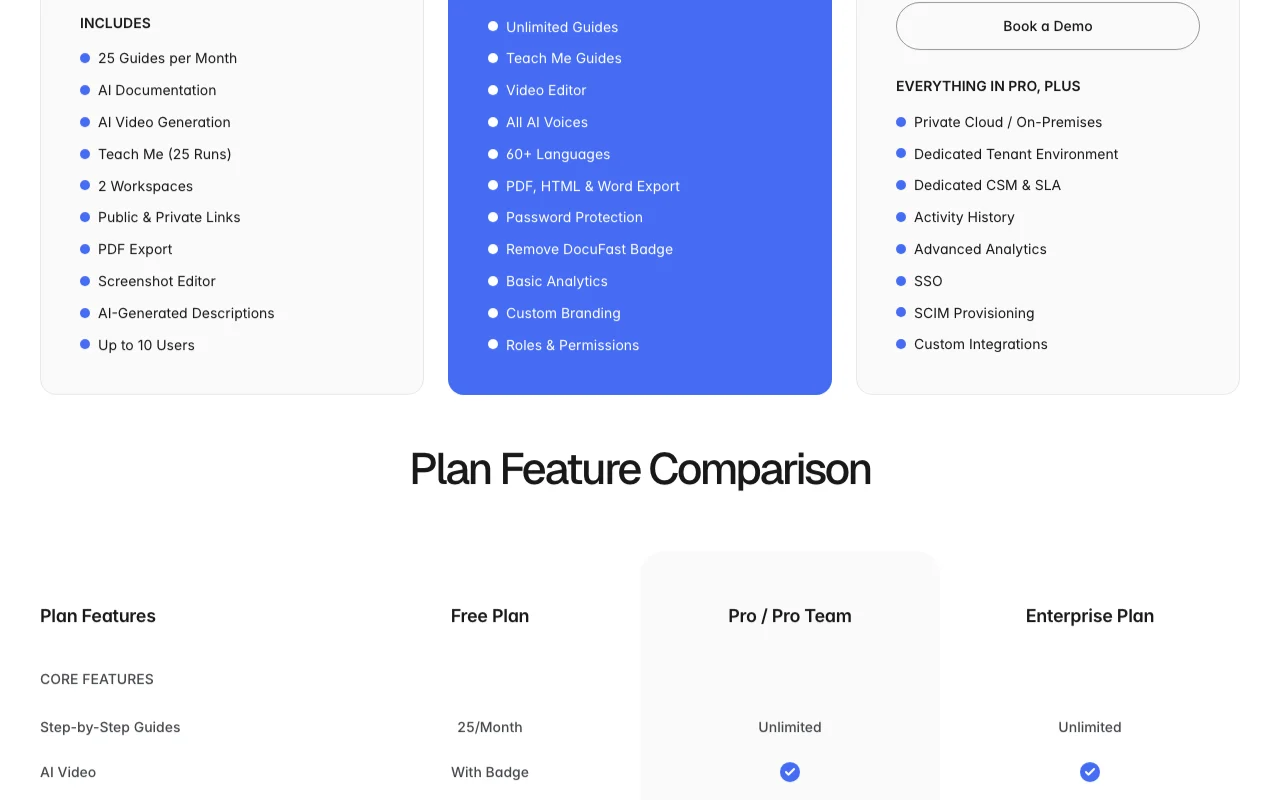
Custom branding, badge removal and Word/HTML export require Pro
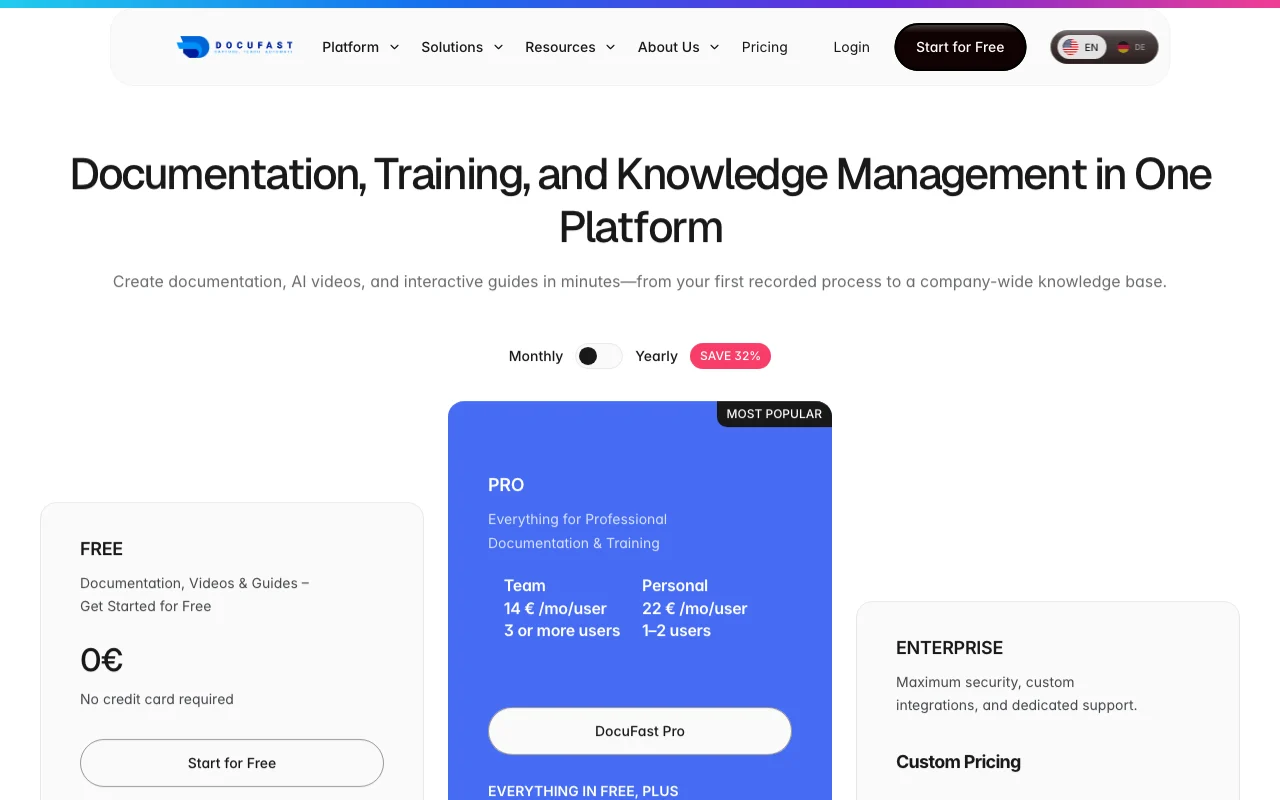
DocuFast pricing and usage limits
Prices checked Oct 1, 2026 on the official US pricing page. Official pricing ↗ Prices and limits change often.
Vendor pricing page re-checked automatically 12 days ago: no changes detected.
The official DocuFast pricing page as we saw it. docufast.ai, captured Oct 1, 2026
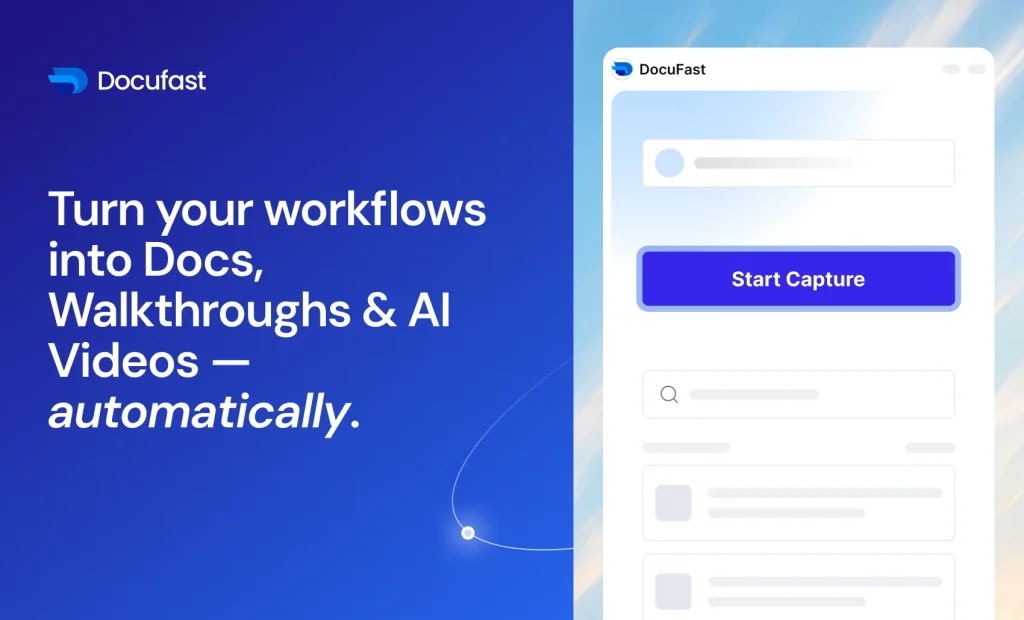
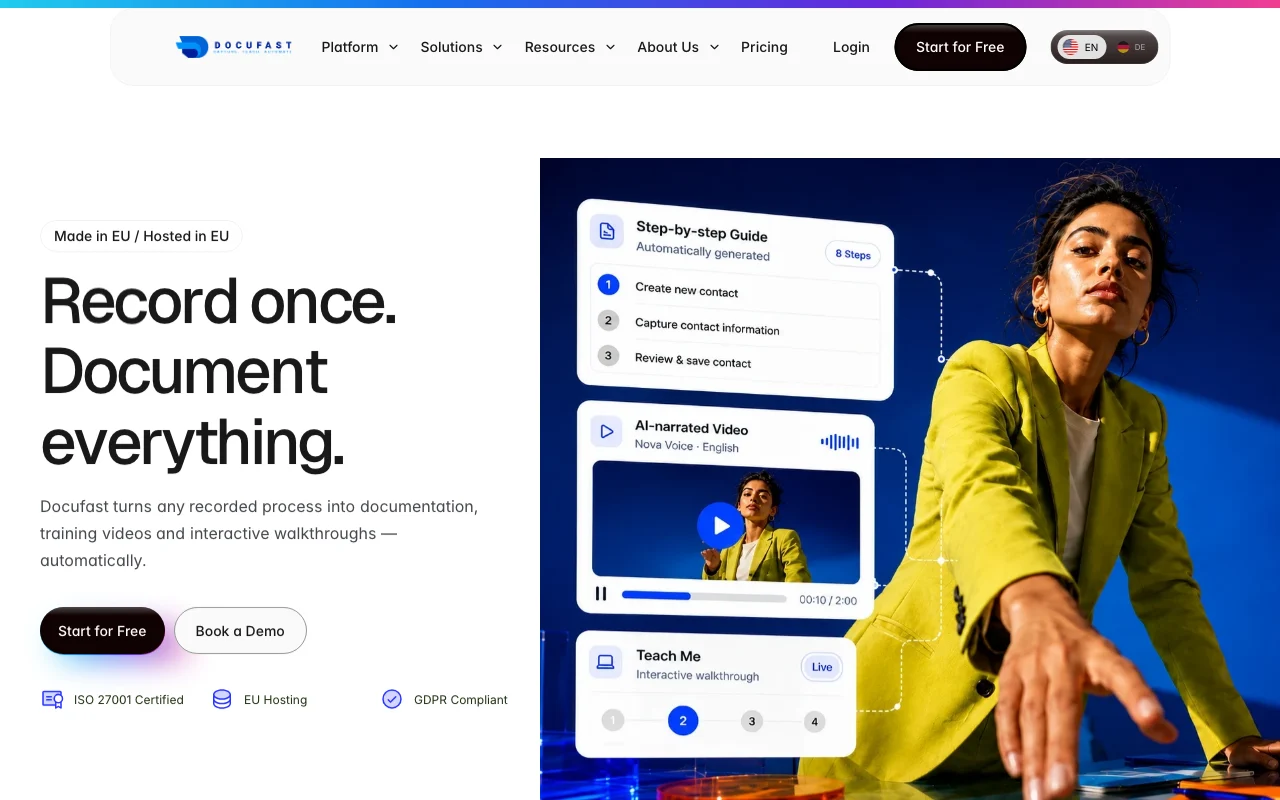
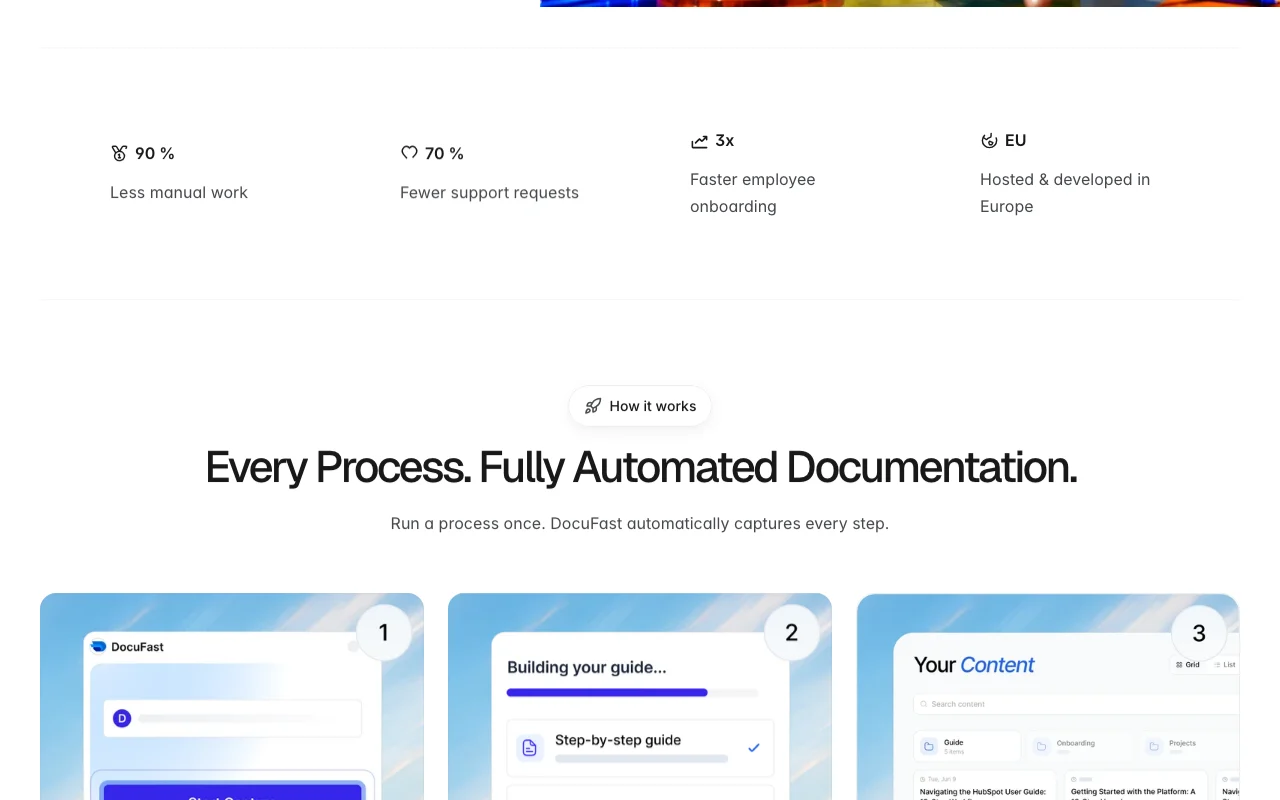
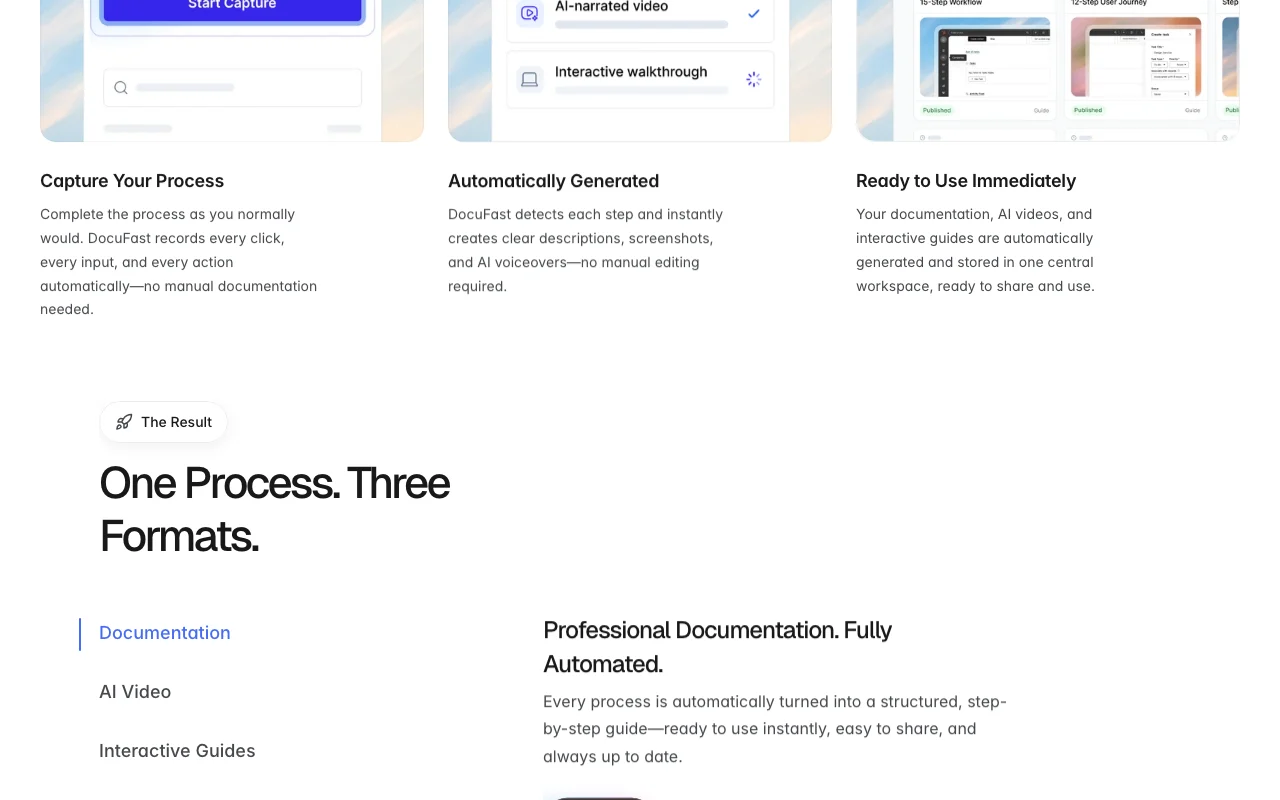
DocuFast captures clicks and inputs while you perform a process and turns the recording into three outputs: structured step-by-step guides with screenshots and AI-written descriptions, narrated AI videos, and interactive 'Teach Me' walkthroughs shown inside your software. Results are stored in a central, searchable workspace with access controls.
The product is developed and hosted in the EU (Frankfurt), is GDPR-focused and ISO 27001 certified per its site. A free plan is available; paid Pro plans are priced per user in euros, with an Enterprise tier offering private cloud, SSO and SCIM.
DocuFast's official site: how the product presents itself. docufast.ai, captured Oct 1, 2026
What you provide and what you get back
What you give DocuFast and what comes back, from its documentation
You provide
Recorded clicks and inputs in a web app
Screenshots captured during the process
Optional script edits and language selection
You get back
Step-by-step guide with AI descriptions
Narrated AI video (MP4)
Interactive Teach Me in-app guide
PDF, HTML or Word export
Where you can use it
Platforms
Web
Account
Required
Best use cases for DocuFast
Scenarios are worked out by our editors from the documentation; the actual result depends on your input and plan.
Employee onboarding with auto-generated training material
Who
HR and L&D teams
You provide
Recording of an internal tool walkthrough
Expected result
Illustrated guide and narrated video for new hires
Free plan with 25 guides per month and up to 10 users, no credit card required You can validate the tool with up to 10 users at no costdocumentedsource (opens in a new tab)
EU hosting, GDPR compliance and ISO 27001 stated on site Data location and certification suit EU compliance reviewsdocumentedsource (opens in a new tab)
Three output formats (docs, video, interactive guide) from one recording You document once instead of producing three assets by handdocumentedsource (opens in a new tab)
Team pricing per user with annual discount (32%) shown Per-user pricing is straightforward to budget, in eurosdocumentedsource (opens in a new tab)
Limitations to check before paying
Free plan capped at 25 guides/month, 2 workspaces and 25 Teach Me runs; AI videos carry a badge Busy teams may hit the monthly cap quicklydocumentedsource (opens in a new tab)
Prices shown only in EUR; no USD pricing on the site US buyers must convert euro prices themselvesdocumentedsource (opens in a new tab)
Custom branding, badge removal and Word/HTML export require Pro Branding-conscious users must upgrade to publish clean assetsdocumentedsource (opens in a new tab)
SSO, SCIM and advanced analytics limited to Enterprise Larger organizations must go through a sales demo for SSOdocumentedsource (opens in a new tab)
How to use DocuFast for documenting a software process as a step-by-step guide
Set up DocuFast
Create a free account at app.docufast.ai
Create or choose a workspace
Start a new recording of the process you want to document
Example: documenting a software process as a step-by-step guide
Perform the process step by step while DocuFast captures clicks and inputs
Review the generated steps and adjust screenshots in the editor
Generate an AI video or Teach Me guide from the same recording
Share a private link with the team
Review and export the result
Replay the guide and confirm each step matches the real screen
Check that exported PDF or video looks right before sending
DocuFast integrations and API
Plan comparison on the official pricing page. docufast.ai, captured Oct 1, 2026
Native integrations and export formats
Export: PDF, HTML, Word, MP4
API access and separate billing
DocuFast has no public API in its official documentation. No public API stated; Custom Integrations listed for Enterprise
Privacy, data use and commercial rights
Summarized from the vendor's current policies; this is not legal advice and a vendor's badge is not an independent audit.
How your inputs and outputs are handled
Recorded screens and inputs are processed to create documentation
Yes, the Free plan costs 0 EUR with no credit card and includes 25 guides per month, 2 workspaces and up to 10 users. source (opens in a new tab)
How much does Pro cost?
Pro Team is listed at 14 EUR per user per month for 3 or more users and Pro Personal at 22 EUR for 1 or 2 users; no USD prices are published. source (opens in a new tab)
Not verified: USD pricing; Public API; Model training and retention terms; Browser extension availability.
How we documented and maintain this page
Every fact about DocuFast above comes from the 3 official pages listed here, last compared on Oct 1, 2026; we have not run DocuFast ourselves, so it has no editorial score. How we check and re-check pages.
Article updated Oct 10, 2026; prices checked Oct 1, 2026. Outbound links to vendors are plain links; we do not earn commissions. How we review · Report an error