Productivity & writingDocumented overviewLast checked Oct 1, 2026

Email Ferret: Pricing, Features & Best Use Cases

Gmail add-on service that flags AI-written cold outreach and sorts email into smart folders.
Who Email Ferret fits

Email Ferret suits Gmail and Google Workspace users swamped by AI-written cold outreach who want transparent scoring and automatic smart folders for $5 per mailbox per month. Based on the vendor's documentation, not on a hands-on test.

Best for: Gmail users with heavy cold email

Also a good fit for

  • Founders

Consider another tool if gmail / Google Workspace only

Or if

  • Paid after 14-day trial
  • Team plan listed as coming soon

Email Ferret pricing and usage limits

Prices checked Oct 1, 2026 on the official US pricing page. Official pricing ↗ Prices and limits change often.

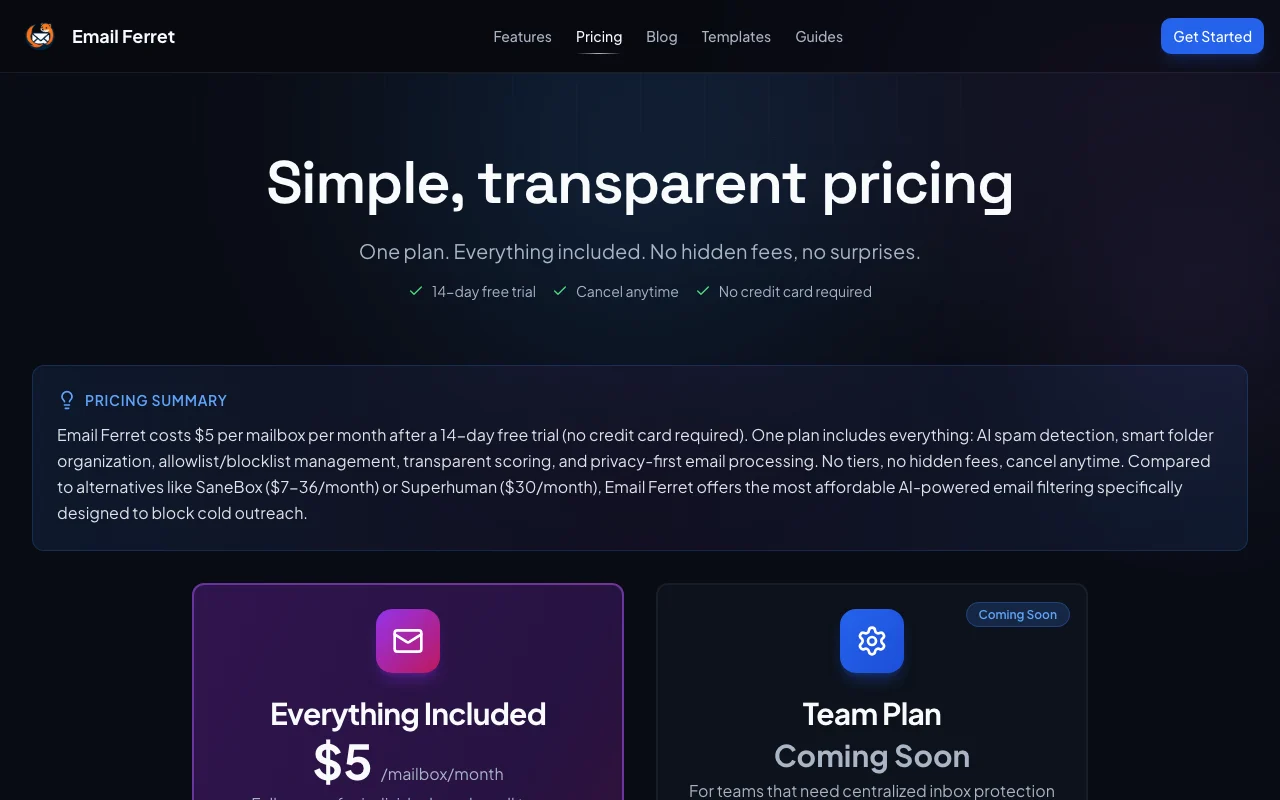
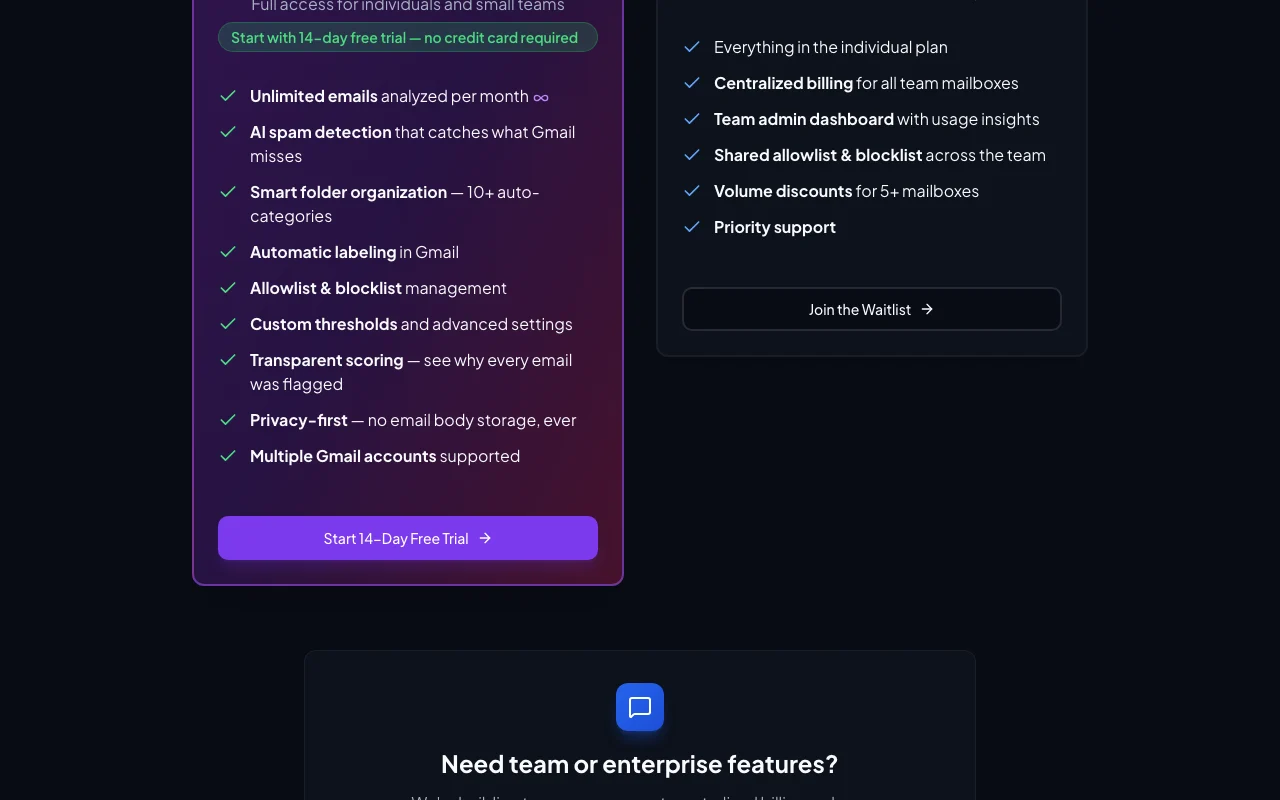
Email Ferret pricing page with plans and prices — screenshot of the productivity & writing AI tool, Oct 2, 2026
The official Email Ferret pricing page as we saw it. emailferret.io, captured Oct 2, 2026

Free access and trial conditions

No free plan beyond the trial.

14 days, no credit card required.

Paid plans: what changes as you upgrade

Individual web

$5 source (opens in a new tab)

Monthly

For: Gmail users with heavy cold email

Limits

  • Per mailbox
  • Unlimited emails analyzed

Includes

  • AI spam detection
  • 10+ smart folders
2 more
  • Allowlist/blocklist
  • Transparent scoring

Team (coming soon) web

See official pricing source (opens in a new tab)

Monthly

For: Teams

Limits

  • Volume discounts for 5+ mailboxes

Includes

  • Centralized billing
  • Team admin dashboard
2 more
  • Shared allowlist/blocklist
  • Priority support

Usage caps, credits and extra costs

None stated.

Not stated.

What is Email Ferret, and how does it work?

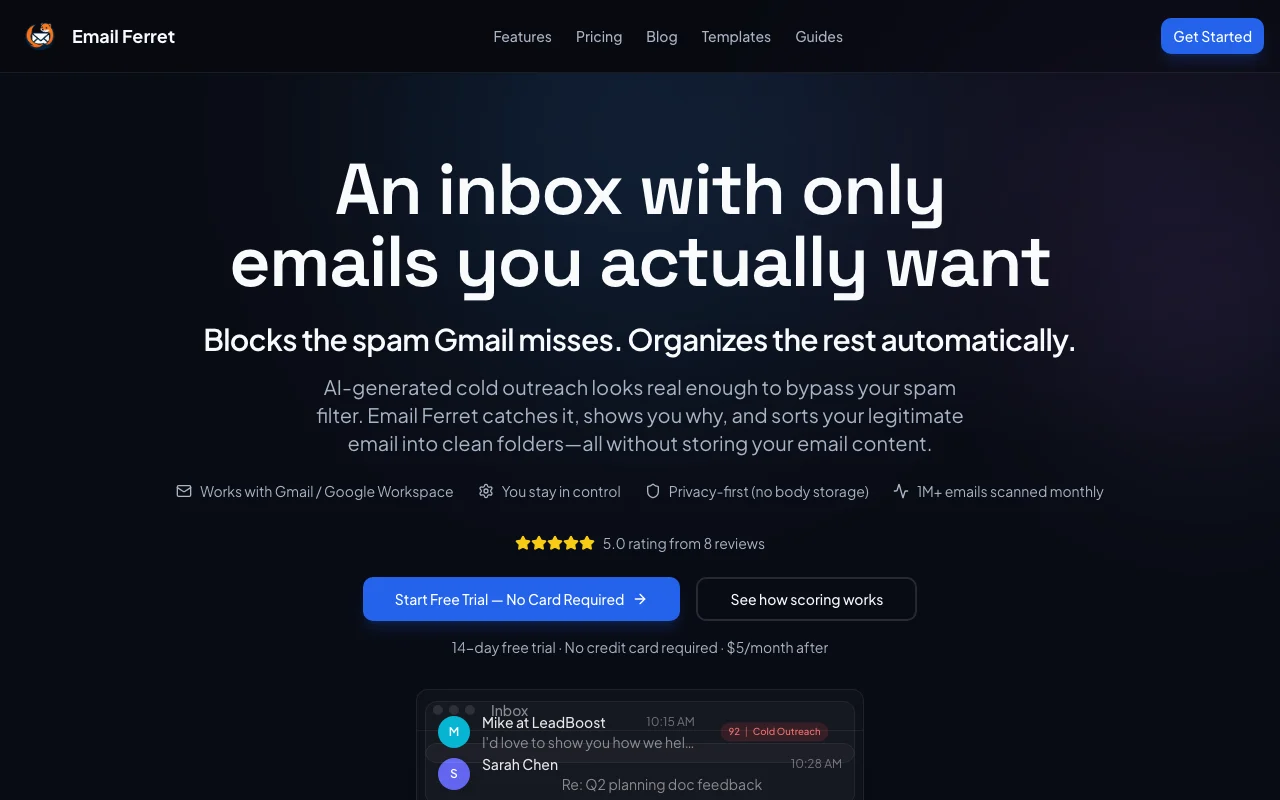
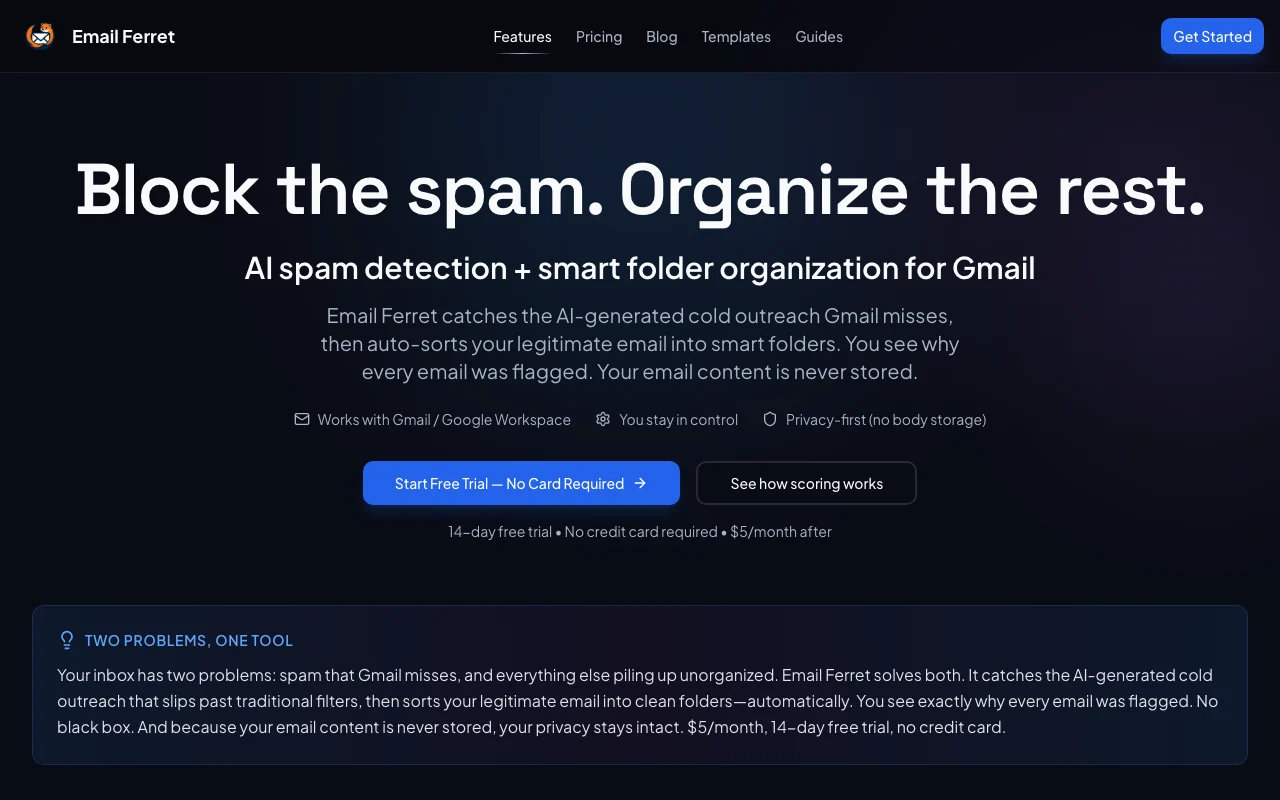
Email Ferret scores incoming Gmail messages on cold-outreach signals, shows why each was flagged and sorts legitimate mail into folders such as Important, Calendar and Billing. The vendor states email bodies are not stored. It works with Gmail and Google Workspace.

Email Ferret homepage — screenshot of the productivity & writing AI tool, Oct 2, 2026
Email Ferret's official site: how the product presents itself. emailferret.io, captured Oct 2, 2026

What you provide and what you get back

How Email Ferret works: what you provide, where it runs and what you get backYOU PROVIDEYour inputGmail messages and metadataAllowlist and blocklist entriesPRODUCTIVITY & WRITINGEmail FerretWebfrom $5 (Individual)no free tieraccount requiredchecked Oct 1, 2026YOU GET BACKThe resultSpam flags with reasonsGmail labels and smart foldersinput → Email Ferret → output · from the vendor's own pages, no hands-on test unless stated
What you give Email Ferret and what comes back, from its documentation

You provide

  • Gmail messages and metadata
  • Allowlist and blocklist entries

You get back

  • Spam flags with reasons
  • Gmail labels and smart folders

Where you can use it

Platforms
Web
Account
Required
Mail platform
Gmail / Google Workspace
Folders
10+ smart folders
Signals
15+ per email
Price
$5 per mailbox per month

Where Email Ferret is most useful

Scenarios are worked out by our editors from the documentation; the actual result depends on your input and plan.

Blocking cold outreach

Who
Founders and executives
You provide
Inbound cold email
Expected result
Outreach flagged with reasons
Plan needed
Individual
Limitation
Gmail only source (opens in a new tab)

Organizing Gmail automatically

Who
Busy professionals
You provide
Inbox of mixed mail
Expected result
Sorted into smart folders
Plan needed
Individual
Limitation
Folders can be disabled source (opens in a new tab)

Tuning spam sensitivity

Who
Users tuning filters
You provide
Sensitivity settings
Expected result
Adjusted thresholds
Plan needed
Individual
Limitation
Manual tuning needed source (opens in a new tab)

Key features and their practical limits

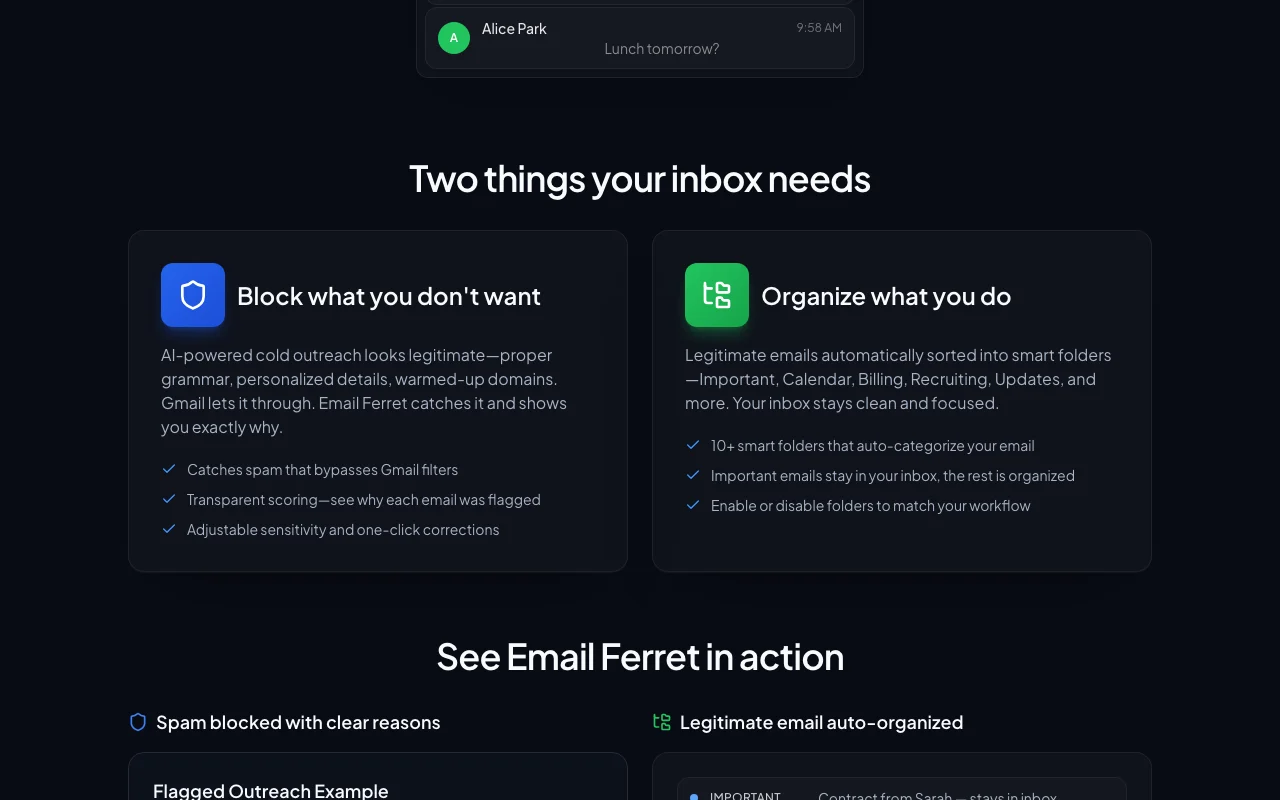
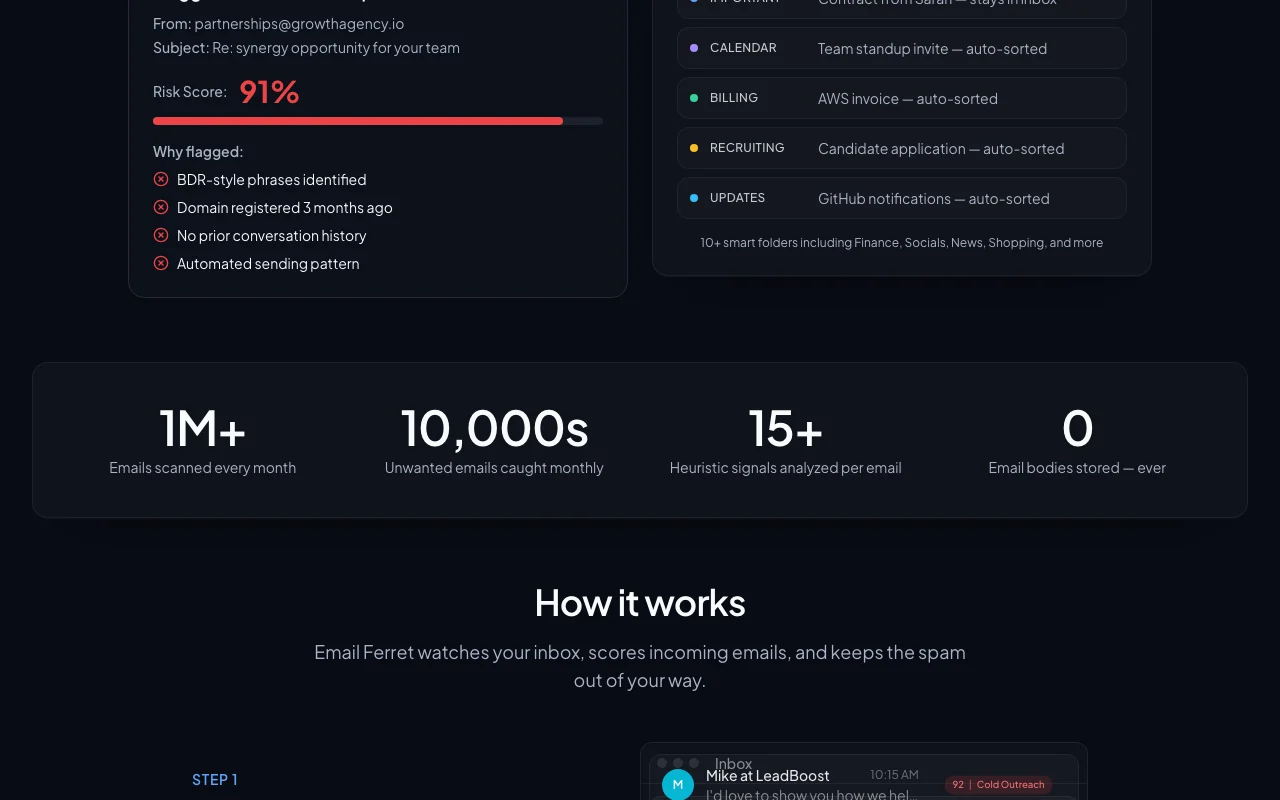
Email Ferret homepage — screenshot of the productivity & writing AI tool, Oct 2, 2026
Feature overview on the official site. emailferret.io, captured Oct 2, 2026

15+ cold outreach signals scoring

Scores 15+ signals per email. Catches outreach Gmail misses.

Access: IndividualLimit: Heuristic, may misclassify source (opens in a new tab)

Transparent flag reasons

Shows why each email was flagged. Builds trust.

Access: IndividualLimit: Not applicable source (opens in a new tab)

10+ smart folders

Sorts mail into 10+ smart folders. Cleaner inbox.

Access: IndividualLimit: Gmail labels only source (opens in a new tab)

Automatic Gmail labeling

Applies labels automatically in Gmail. No manual work.

Access: IndividualLimit: Archiving is optional source (opens in a new tab)

Email Ferret: strengths and limits

Where Email Ferret is strong

Limitations to check before paying

How to use Email Ferret for filtering cold outreach in Gmail

Set up Email Ferret

  1. Start the free trial at emailferret.io
  2. Connect your Gmail account with consent
  3. Pick which smart folders to enable
  4. Set spam sensitivity

Example: filtering cold outreach in Gmail

  1. Let it scan recent mail
  2. Open a flagged email's reasons
  3. Allowlist a trusted sender
  4. Adjust the threshold

Review and export the result

  1. Check flagged mail for false positives
  2. Confirm labels appear in Gmail

Email Ferret API

Email Ferret pricing page with plans and prices — screenshot of the productivity & writing AI tool, Oct 2, 2026
Plan comparison on the official pricing page. emailferret.io, captured Oct 2, 2026

API access and separate billing

Email Ferret has no public API in its official documentation. No API documented; docs 404.

Privacy, data use and commercial rights

Summarized from the vendor's current policies; this is not legal advice and a vendor's badge is not an independent audit.

How your inputs and outputs are handled

Reads Gmail messages and metadata with consent; never sends email on your behalf.

Not stated.

Site states no email body storage, ever.

Commercial use and plan restrictions

Not stated.

Controls for business users

  • Explicit consent for Gmail access

Policies: emailferret.io/privacy

Explore Email Ferret further

If you are looking at Email Ferret

Email Ferret user reviews

No user reviews yet.

Used Email Ferret? Be the first to share your experience.

Write a review

Reviews are checked by a moderator before they appear. Your email is never published. Plain text only.

Your rating (required)

Show what you made or what went wrong. Images are published only if the review is approved; location data is removed.

    Email Ferret FAQ

    How much does Email Ferret cost?

    $5 per mailbox per month after the trial. source (opens in a new tab)

    Is there a free trial?

    Yes: 14 days, no credit card. source (opens in a new tab)

    Does it work with Outlook?

    No, Gmail and Google Workspace only. source (opens in a new tab)

    Does it store my emails?

    The site says no email bodies are stored. source (opens in a new tab)

    Is there a team plan?

    Coming soon with a waitlist. source (opens in a new tab)

    Sources and review methodology

    Official sources and verification dates

    Not verified: Docs; Training use.

    How we documented and maintain this page

    Every fact about Email Ferret above comes from the 4 official pages listed here, last compared on Oct 1, 2026; we have not run Email Ferret ourselves, so it has no editorial score. How we check and re-check pages.

    Article updated Oct 2, 2026; prices checked Oct 1, 2026. Outbound links to vendors are plain links; we do not earn commissions. How we review · Report an error