Productivity & writingDocumented overviewLast checked Oct 2, 2026

Chatboq: Pricing, Features & Best Use Cases

Live chat and AI chatbot platform for websites with a shared inbox, ticketing and visitor analytics.

Who Chatboq fits

Chatboq suits small websites that want a free live chat widget and can step up to AI chatbot and ticketing on Essentials at $85 per month. Based on the vendor's documentation, not on a hands-on test.

Best for: Small businesses with websites

Also a good fit for

  • Support and sales teams

Consider another tool if free plan limited to 100 conversations and 1 agent

Or if

  • AI chatbot is on Essentials ($85) and above
  • Starter limited to 2000 conversations and 5 agents

Chatboq pricing and usage limits

Prices checked Oct 2, 2026 on the official US pricing page. Official pricing ↗ Prices and limits change often.

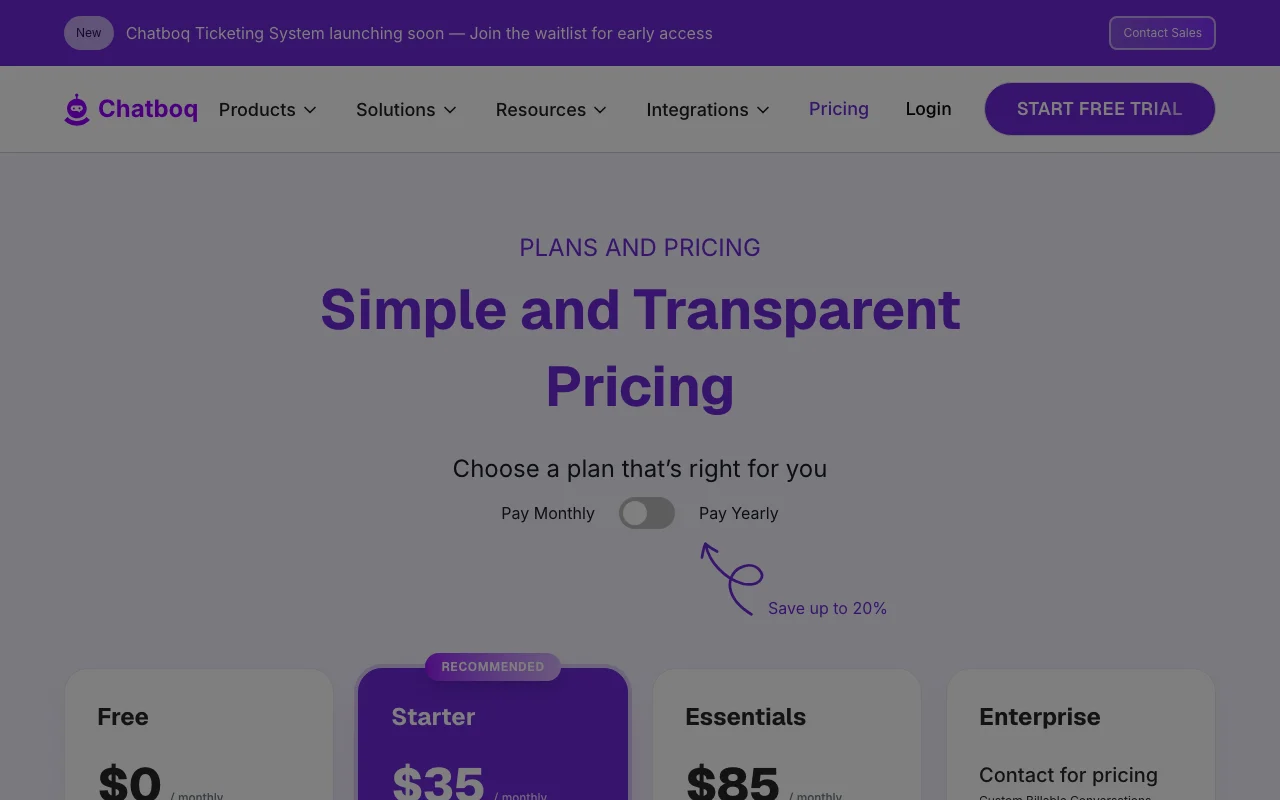
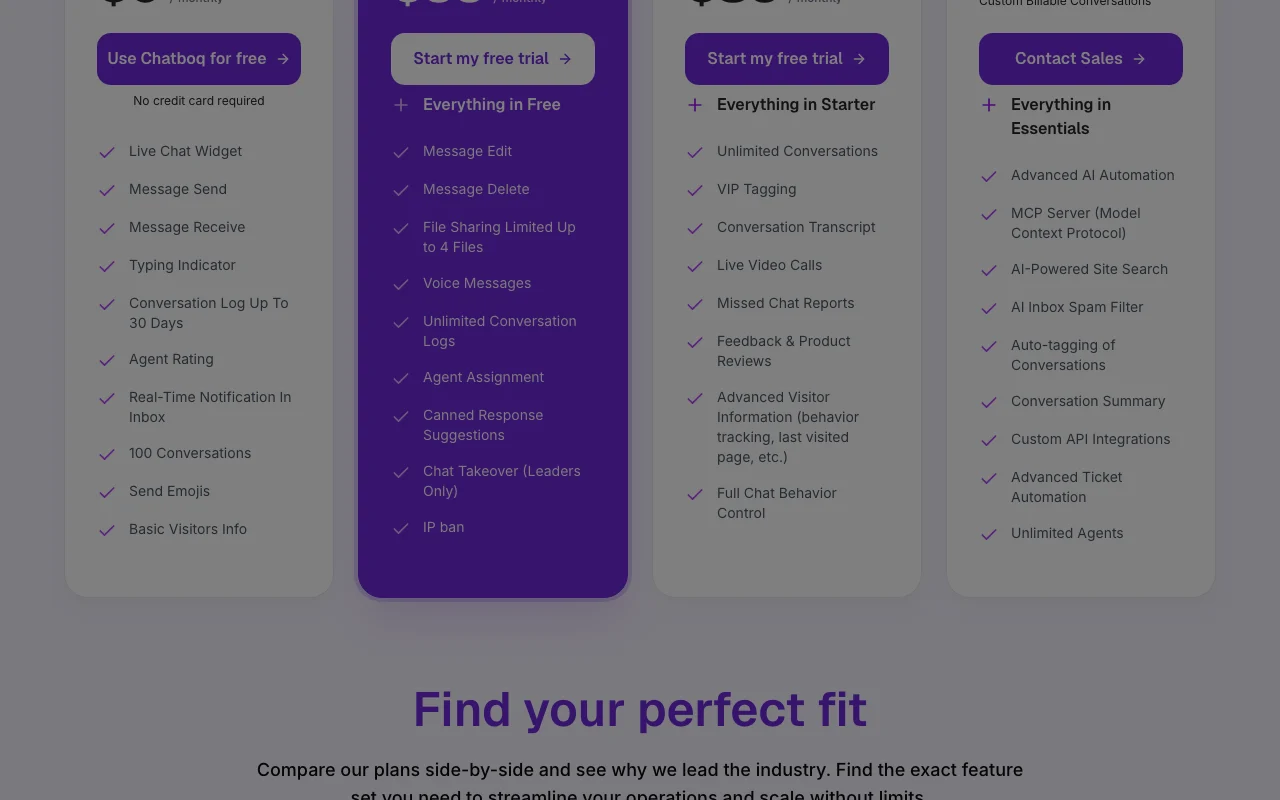
Chatboq pricing page with plans and prices — screenshot of the productivity & writing AI tool, Oct 2, 2026
The official Chatboq pricing page as we saw it. chatboq.com, captured Oct 2, 2026

Free access and trial conditions

Free plan with no credit card required

Start free trial buttons on paid plans; trial length not stated

Paid plans: what changes as you upgrade

Free Direct

Free source (opens in a new tab)

Month, annual commitment

Yearly billing saves up to 20% but yearly prices are not shown

For: Small sites trying live chat

Limits

  • 100 conversations
  • 1 agent
1 more
  • Conversation logs up to 30 days

Includes

  • Live chat widget
  • 2FA and GDPR compliance
1 more
  • 24/7/365 support

Starter Direct

$35/mo source (opens in a new tab)

Month, annual commitment

Yearly billing saves up to 20% but yearly prices are not shown

For: Small support teams

Limits

  • 2,000 conversations
  • 5 agents
1 more
  • Limited ticket management (5 tickets)

Includes

  • Agent assignment and chat transfer
  • Basic triggers
1 more
  • Basic analytics dashboard

Essentials Direct

$85/mo source (opens in a new tab)

Month, annual commitment

Yearly billing saves up to 20% but yearly prices are not shown

For: Teams automating support

Limits

  • Unlimited conversations
  • 20 agents

Includes

  • AI chatbot and knowledge base training
  • Shopify, Slack and CRM integrations
1 more
  • Advanced analytics

Enterprise Direct

Custom pricing source (opens in a new tab)

Month, annual commitment

The comparison table shows $280 while the plan card says contact for pricing, so the price is left null

For: Large organizations

Limits

  • Custom billable conversations
  • Unlimited agents

Includes

  • MCP server
  • Custom API integrations
1 more
  • White label

Usage caps, credits and extra costs

Enterprise priced by conversation volume via sales

Not stated on the fetched pages

What is Chatboq, and how does it work?

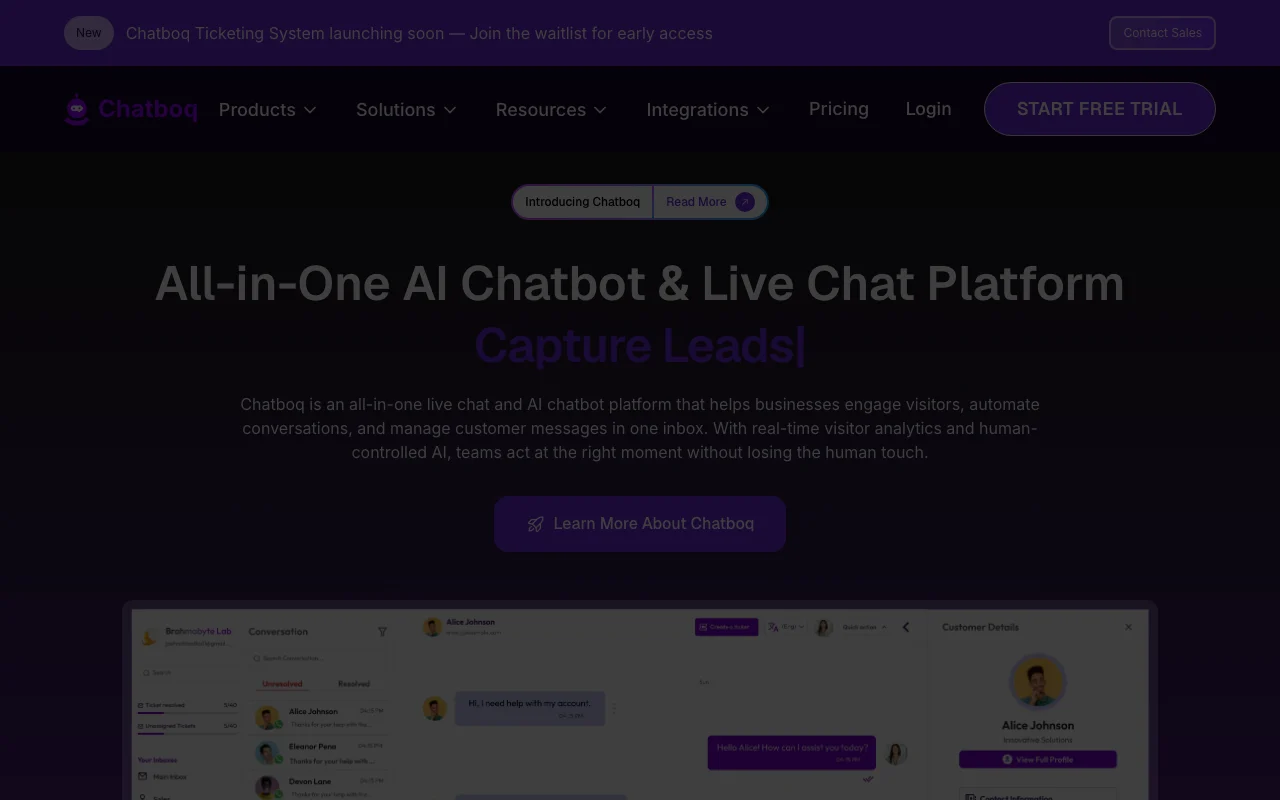
Chatboq is a live chat and AI chatbot platform. Businesses add a chat widget to their website, automate common questions with chatbots, and manage website, email and social messages in one inbox. There is a free plan, plus Starter, Essentials and Enterprise tiers with AI chatbot, knowledge-base training, integrations and ticketing on higher plans.

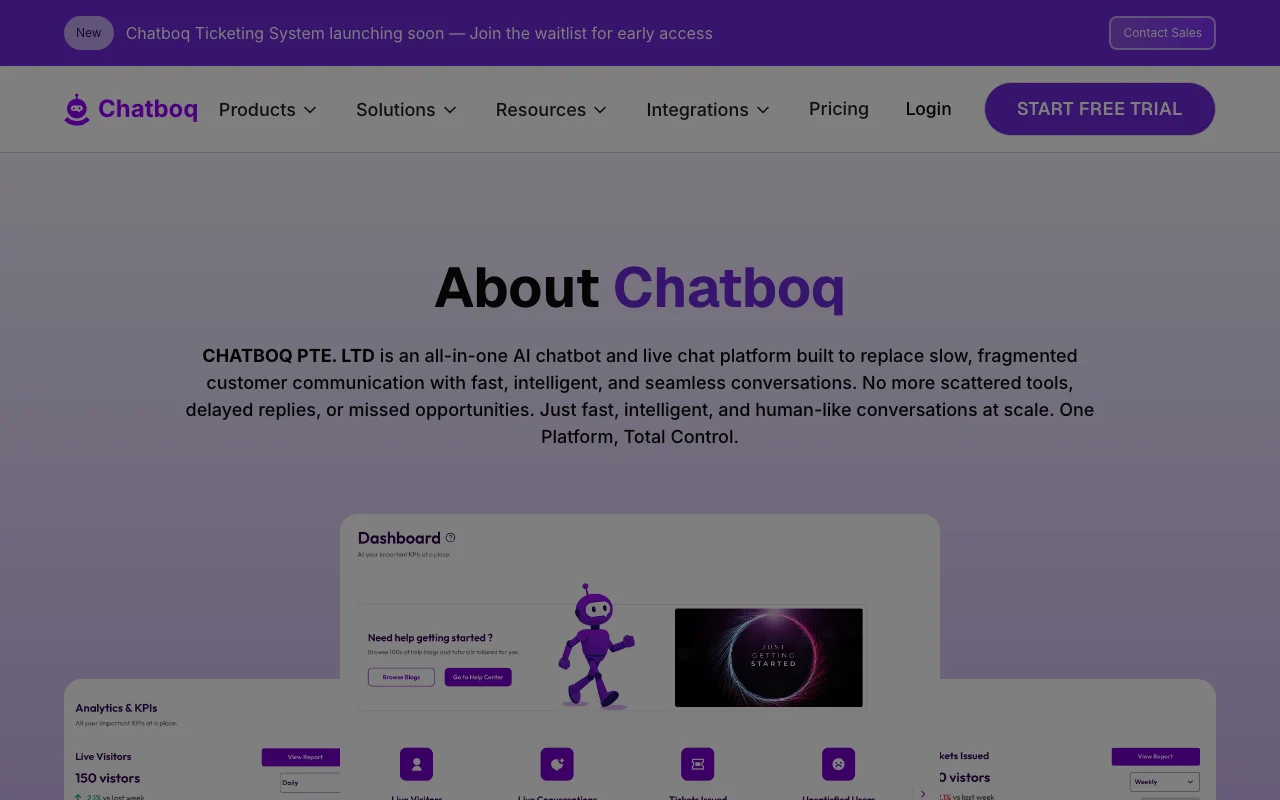
Chatboq homepage — screenshot of the productivity & writing AI tool, Oct 2, 2026
Chatboq's official site: how the product presents itself. chatboq.com, captured Oct 2, 2026

What you provide and what you get back

How Chatboq works: what you provide, where it runs and what you get backYOU PROVIDEYour inputWebsite visitor messagesKnowledge base contentEmail and social channel messagesPRODUCTIVITY & WRITINGChatboqWebfrom $35/mo (Starter)free tier availableaccount requiredchecked Oct 2, 2026YOU GET BACKThe resultChat repliesTicketsAnalytics dashboardsinput → Chatboq → output · from the vendor's own pages, no hands-on test unless stated
What you give Chatboq and what comes back, from its documentation

You provide

  • Website visitor messages
  • Knowledge base content
  • Email and social channel messages

You get back

  • Chat replies
  • Tickets
  • Analytics dashboards

Where you can use it

Platforms
Web
Account
Required
Free limits
100 conversations, 1 agent, 25 visitors tracked source (opens in a new tab)
Starter limits
2,000 conversations, 5 agents source (opens in a new tab)
Essentials
Unlimited conversations, 20 agents, AI chatbot source (opens in a new tab)
Hosting
EU-hosted listed from Starter source (opens in a new tab)

Best use cases for Chatboq

Scenarios are worked out by our editors from the documentation; the actual result depends on your input and plan.

Website live chat support

Who
Small business owners
You provide
Visitor questions typed into the chat widget
Expected result
Live replies from an agent on the website
Plan needed
Free
Limitation
100 conversations and 1 agent on Free source (opens in a new tab)

Lead qualification

Who
Sales and marketing teams
You provide
Visitor behavior and triggers
Expected result
Qualified leads captured by email capture and triggers
Plan needed
Starter or higher
Limitation
Advanced triggers are listed from Starter source (opens in a new tab)

AI chatbot answers with human handoff

Who
Support teams
You provide
Knowledge base content and visitor questions
Expected result
AI chatbot answers with handoff to a human agent
Plan needed
Essentials
Limitation
AI chatbot is not on Free or Starter source (opens in a new tab)

Key features and their practical limits

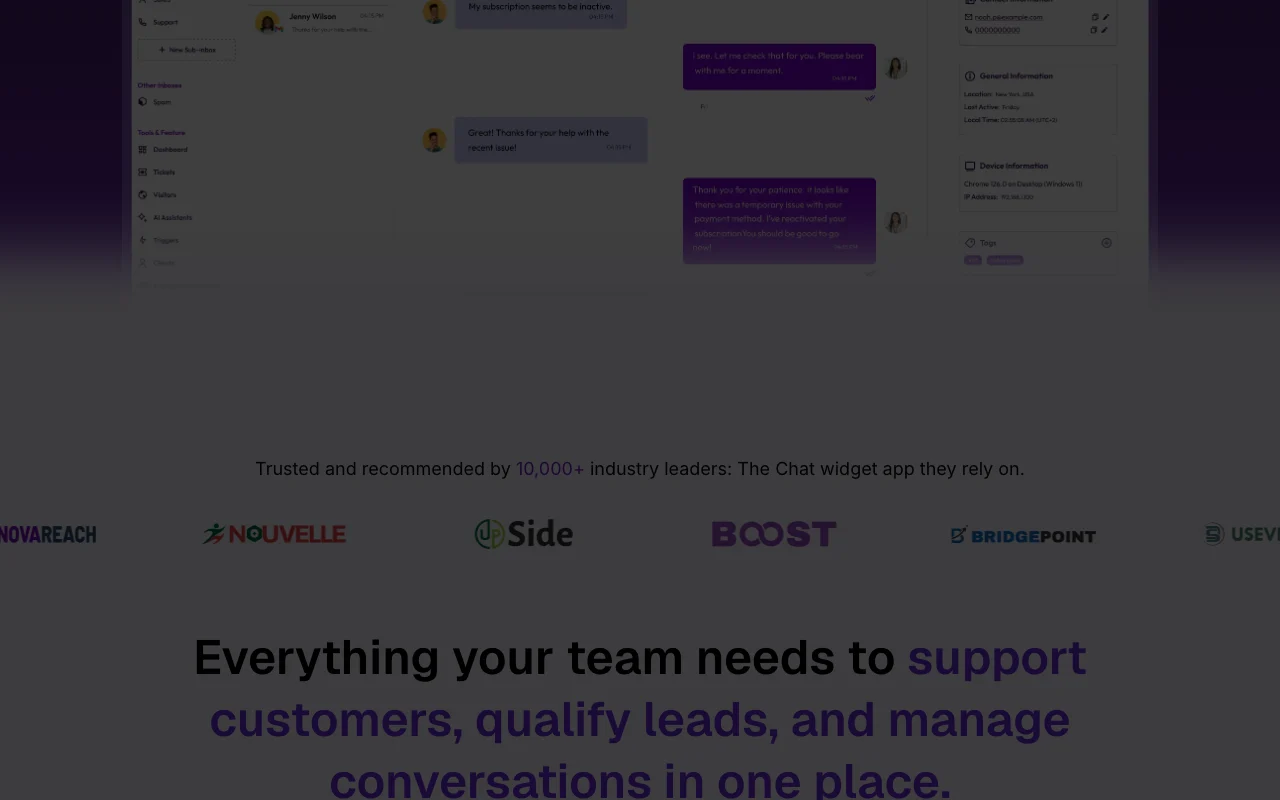
Chatboq homepage — screenshot of the productivity & writing AI tool, Oct 2, 2026
Feature overview on the official site. chatboq.com, captured Oct 2, 2026

Live chat widget

Adds a live chat widget to a website for real-time conversations with visitors. Lets visitors get answers without leaving the page.

Access: All plansLimit: Free is limited to 100 conversations and 1 agent. source (opens in a new tab)

AI chatbot with knowledge base training (Essentials)

Trains an AI chatbot on a knowledge base to answer visitor questions. Reduces repeat questions for agents.

Access: Essentials and aboveLimit: Not available on Free or Starter. source (opens in a new tab)

Omnichannel inbox

Collects website, email and social messages in one inbox, including WhatsApp, Instagram and Telegram. Avoids switching between tools.

Access: Channel integrations from EssentialsLimit: Social channel integrations are not on Free or Starter. source (opens in a new tab)

Visitor tracking and analytics

Tracks visitors and shows analytics dashboards. Shows who is on the site and how chats perform.

Access: Visitor limits: 25 Free, 100 Starter, unlimited EssentialsLimit: Free traffic tracking is capped at 25 visitors. source (opens in a new tab)

Chatboq: strengths and limits

Where Chatboq is strong

Limitations to check before paying

How to use Chatboq for adding live chat to a website

Set up Chatboq

  1. Create a Chatboq account on the free plan
  2. Copy the chat widget snippet
  3. Paste it into your website
  4. Set widget styling and invite agents

Example: adding live chat to a website

  1. Open the website with the widget
  2. Send a test message as a visitor
  3. Reply from the inbox as an agent
  4. Set a basic trigger

Review and export the result

  1. Confirm the conversation appears in the inbox
  2. Check the visitor shows in traffic tracking

Chatboq integrations

Chatboq pricing page with plans and prices — screenshot of the productivity & writing AI tool, Oct 2, 2026
Plan comparison on the official pricing page. chatboq.com, captured Oct 2, 2026

Native integrations and export formats

Export: Data export (Enterprise)

Privacy, data use and commercial rights

Summarized from the vendor's current policies; this is not legal advice and a vendor's badge is not an independent audit.

How your inputs and outputs are handled

Visitor chat messages, contact details and conversation logs are processed to run the chat service

Not stated on the fetched pages (privacy page returned 404)

Conversation logs 30 days on Free, unlimited on paid plans

Commercial use and plan restrictions

Not stated on the fetched pages

EU hosting listed from Starter; DPA and data replication on Enterprise

Controls for business users

  • 2FA
  • TLS encryption
  • GDPR compliance
  • DPA (Enterprise)

Chatboq alternatives by need

"Better suited" is based on documented features and pricing, not on a head-to-head test.

Zapier: better suited to

Microsoft Copilot: better suited to

Alternatives
AlternativeWhen to choose itPricingLimitation
Zapier——Compare
Microsoft Copilot——

Explore Chatboq further

Tools and guides near Chatboq

Chatboq user reviews

No user reviews yet.

Used Chatboq? Be the first to share your experience.

Write a review

Reviews are checked by a moderator before they appear. Your email is never published. Plain text only.

Your rating (required)

Show what you made or what went wrong. Images are published only if the review is approved; location data is removed.

    Chatboq FAQ

    Which Chatboq plan includes the AI chatbot?

    The AI chatbot and knowledge base training start on Essentials at $85 per month. source (opens in a new tab)

    How many agents does Chatboq Starter include?

    Starter at $35 per month includes 5 agents and 2,000 conversations. source (opens in a new tab)

    Does Chatboq Free include support?

    Yes, the Free plan lists email support and 24/7/365 support. source (opens in a new tab)

    Which channels does Chatboq connect to?

    Essentials lists Telegram, Discord, Messenger, Instagram and WhatsApp plus Slack and Shopify integrations. source (opens in a new tab)

    How much does Chatboq save on yearly billing?

    The pricing page says yearly billing saves up to 20%, without showing yearly prices. source (opens in a new tab)

    Sources and review methodology

    Official sources and verification dates

    Not verified: Privacy and docs pages returned HTTP 404; Yearly prices not shown; Enterprise price ambiguous ($280 in table vs contact); API billing not stated.

    How we documented and maintain this page

    Every fact about Chatboq above comes from the 2 official pages listed here, last compared on Oct 2, 2026; we have not run Chatboq ourselves, so it has no editorial score. How we check and re-check pages.

    Article updated Oct 2, 2026; prices checked Oct 2, 2026. Outbound links to vendors are plain links; we do not earn commissions. How we review · Report an error