Our take: Consider Clawnify if a small service business wants AI agents wired to its own tools and knowledge on a dedicated server, but request a demo first because prices are not published in the fetched pages.
Main limitation: Plan prices were not visible in the fetched pricing page, so cost cannot be estimated without contacting the vendor.
By the AI Tool Atlas editors.
Based on the vendor's official documentation; we have not tested this product hands-on. What “documented overview” means
Who should use Clawnify
Consider Clawnify if a small service business wants AI agents wired to its own tools and knowledge on a dedicated server, but request a demo first because prices are not published in the fetched pages. Based on the vendor's documentation, not on a hands-on test.
Best for: Small and mid-size service businesses
Also a good fit for
Marketing agencies
Sales teams
Consider another tool if prices not shown in the static pricing page
Or if
Requires account signup or demo request
No free plan confirmed
Clawnify pricing and usage limits
Prices checked Oct 1, 2026 on the official US pricing page. Official pricing ↗ Prices and limits change often.
Vendor pricing page re-checked automatically 11 days ago: no changes detected.
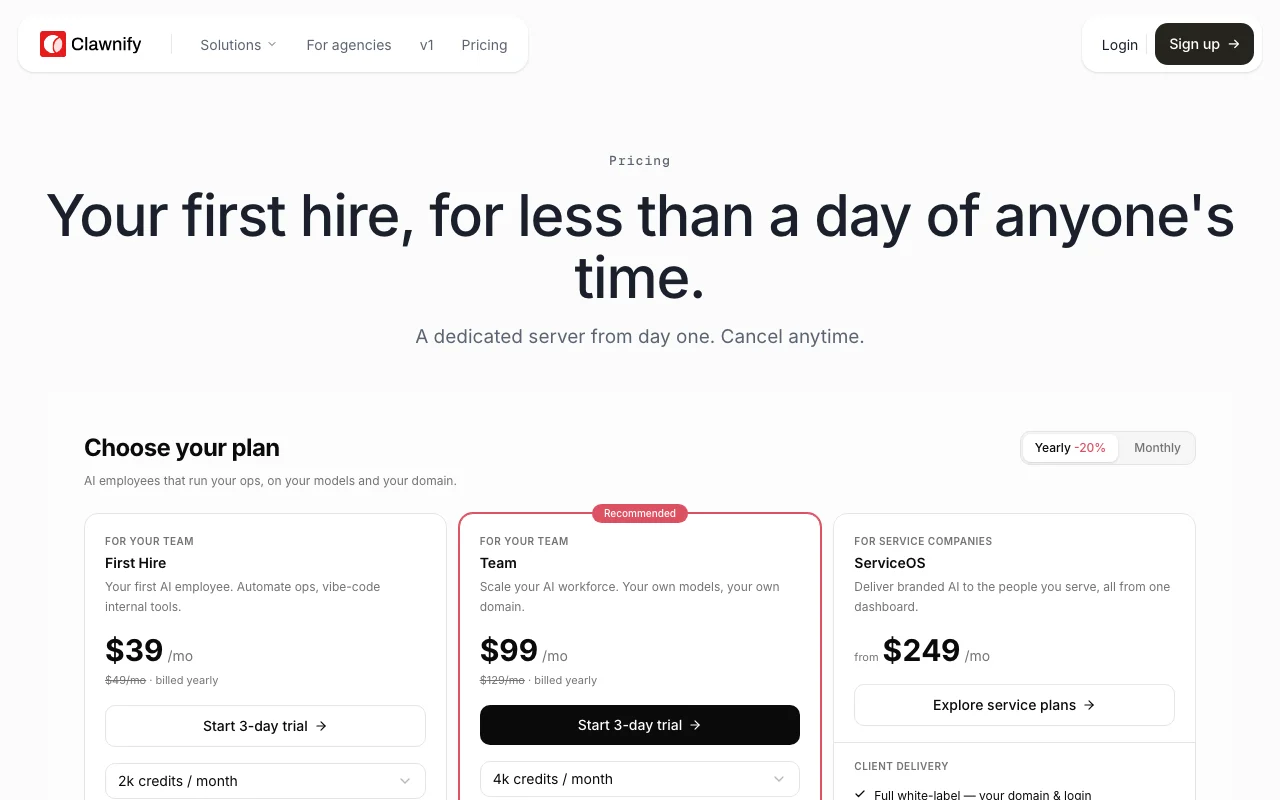
The official Clawnify pricing page as we saw it. clawnify.com, captured Oct 1, 2026
Free access and trial conditions
No free plan confirmed
Not stated; site offers Get started and Request a demo
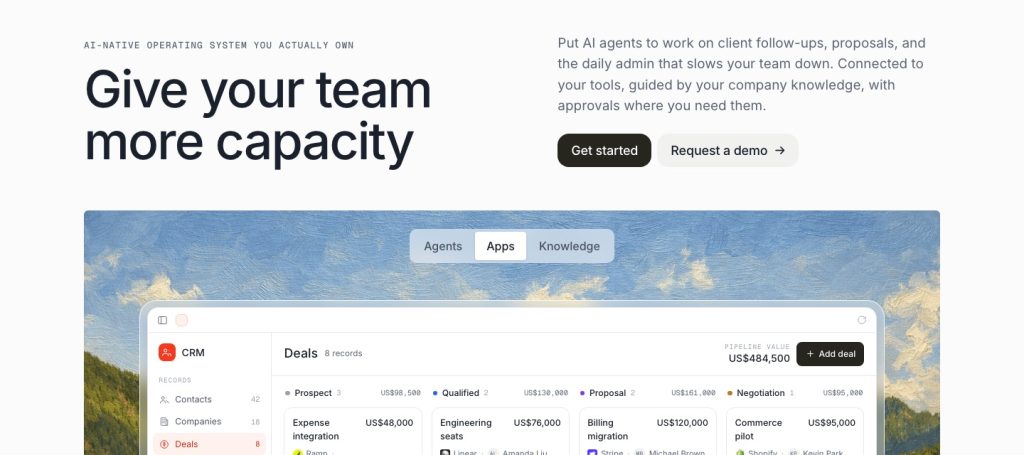
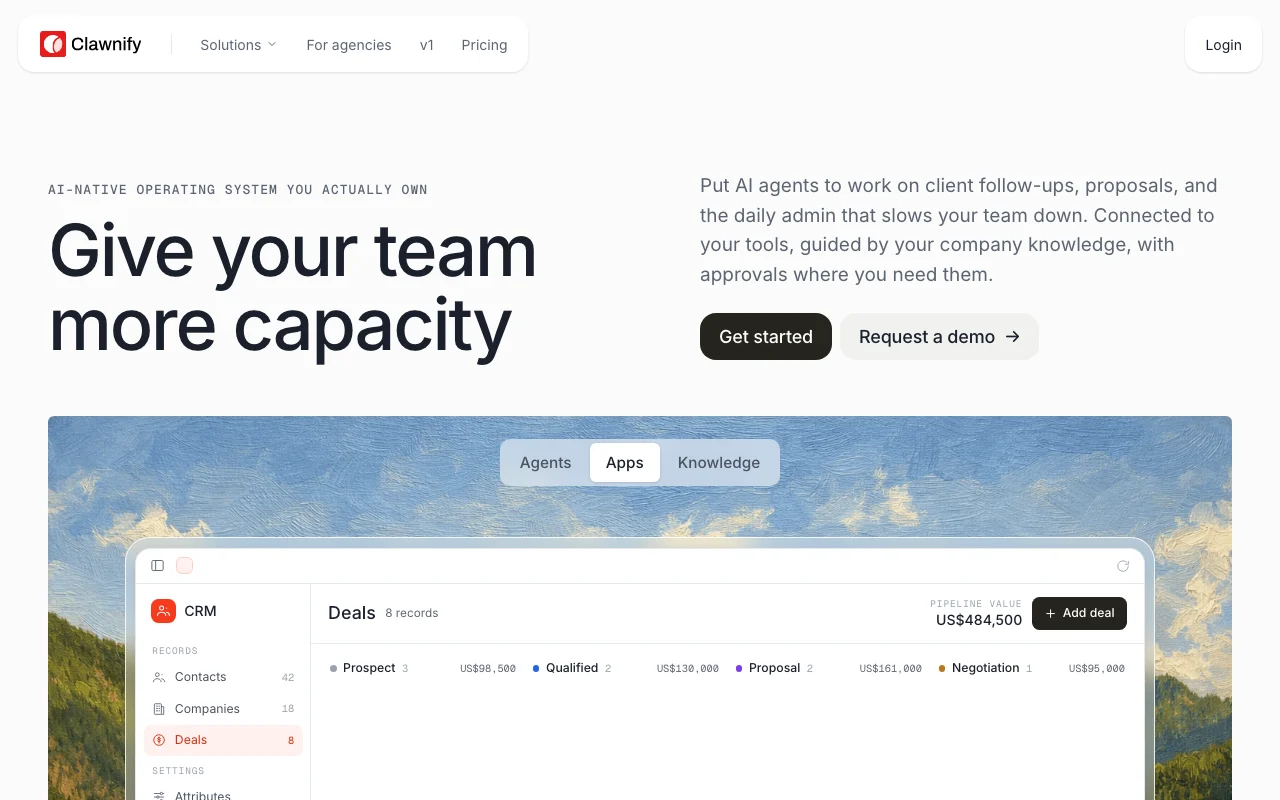
Clawnify describes itself as a delivery platform for AI work: companies put AI agents to work on client follow-ups, proposals and daily admin, connected to their tools and company knowledge, with approvals where needed.
The site offers industry playbooks (marketing agencies, accounting, real estate, trades and more), an agency partner program, and open-source projects including OpenCRM. Its pricing page says each customer gets a dedicated server and can cancel anytime.
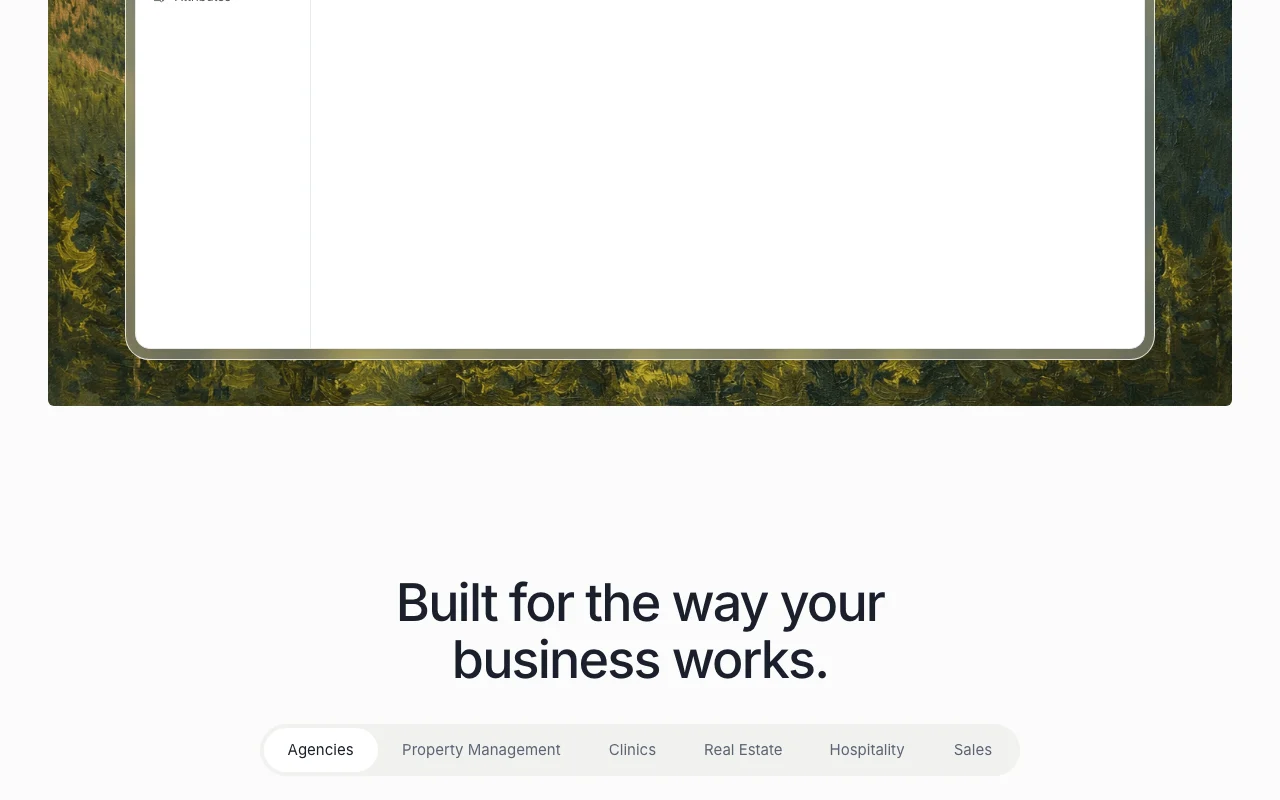
Clawnify's official site: how the product presents itself. clawnify.com, captured Oct 1, 2026
What you provide and what you get back
What you give Clawnify and what comes back, from its documentation
You provide
Company knowledge and documents
Connected tool data (CRM, email)
Chat instructions to agents
You get back
Agent-drafted replies and proposals
Automated flows
Approval requests before agent actions
Where you can use it
Platforms
Web
Account
Required
Industries
Agencies, accounting, property management, salon, field service, sales, HVAC, clinics, real estate, hospitality
Surfaces
Agents, Apps, Knowledge
Approvals
Supported for agent actions
Best use cases for Clawnify
Scenarios are worked out by our editors from the documentation; the actual result depends on your input and plan.
Automating client follow-ups
Who
Agencies and sales teams
You provide
New enquiries and CRM contacts
Expected result
Follow-ups prepared and routed, with approvals where set
Stores company documents and playbooks that agents can use Keeps agent answers grounded in company knowledge
Access: Account required; plan not statedLimit: Size and format limits not documentedsource (opens in a new tab)
Approval steps for agent actions
Adds approval steps so people confirm agent actions Keeps humans in control of outbound actions
Access: Account required; plan not statedLimit: Which actions require approval is configurable detail not verifiedsource (opens in a new tab)
Clawnify pros and cons
Where Clawnify is strong
Dedicated server from day one per the pricing page Your data and agents run on infrastructure you own, which can ease internal security reviewsdocumentedsource (opens in a new tab)
Industry-specific agent templates Teams start from a template for their sector instead of a blank canvasdocumentedsource (opens in a new tab)
Publishes open-source projects Teams can inspect and reuse parts of the stack (e.g. OpenCRM)documentedsource (opens in a new tab)
Can turn a Claude artifact or internal AI tool into a production app with shared data, company access and integrations A prototype built in a chat tool can be used by the whole team behind a company login.documentedsource (opens in a new tab)
Limitations to check before paying
Prices not shown in the static pricing page You cannot budget before talking to salesdocumentedsource (opens in a new tab)
Requires account signup or demo request Self-serve trial is not confirmed, so evaluation takes longerdocumentedsource (opens in a new tab)
The /docs and /privacy pages returned HTTP 404 when checked Technical and data-handling details cannot be verified from public documentation.documentedsource (opens in a new tab)
How to use Clawnify for setting up an AI agent for client follow-ups
Set up Clawnify
Open clawnify.com and choose Get started or Request a demo
Create a workspace and connect the tools your team uses
Add company knowledge such as playbooks and brand documents
Create an agent and give it instructions and a channel
Example: setting up an AI agent for client follow-ups
Open the agent chat and describe the flow you want, for example enriching a CRM when a new contact is added
Let the agent list your connected integrations and create the flow
Review the generated steps (trigger, AI step, branch, CRM update)
Turn on approvals for outbound actions and publish
Review and export the result
Add a test contact and confirm the flow runs and the CRM record updates
Check that an approval request appears before any message is sent
Example prompt suggested by our editors (not a recorded output of the product)
Create a flow that enriches our CRM when a new contact is added
Clawnify API
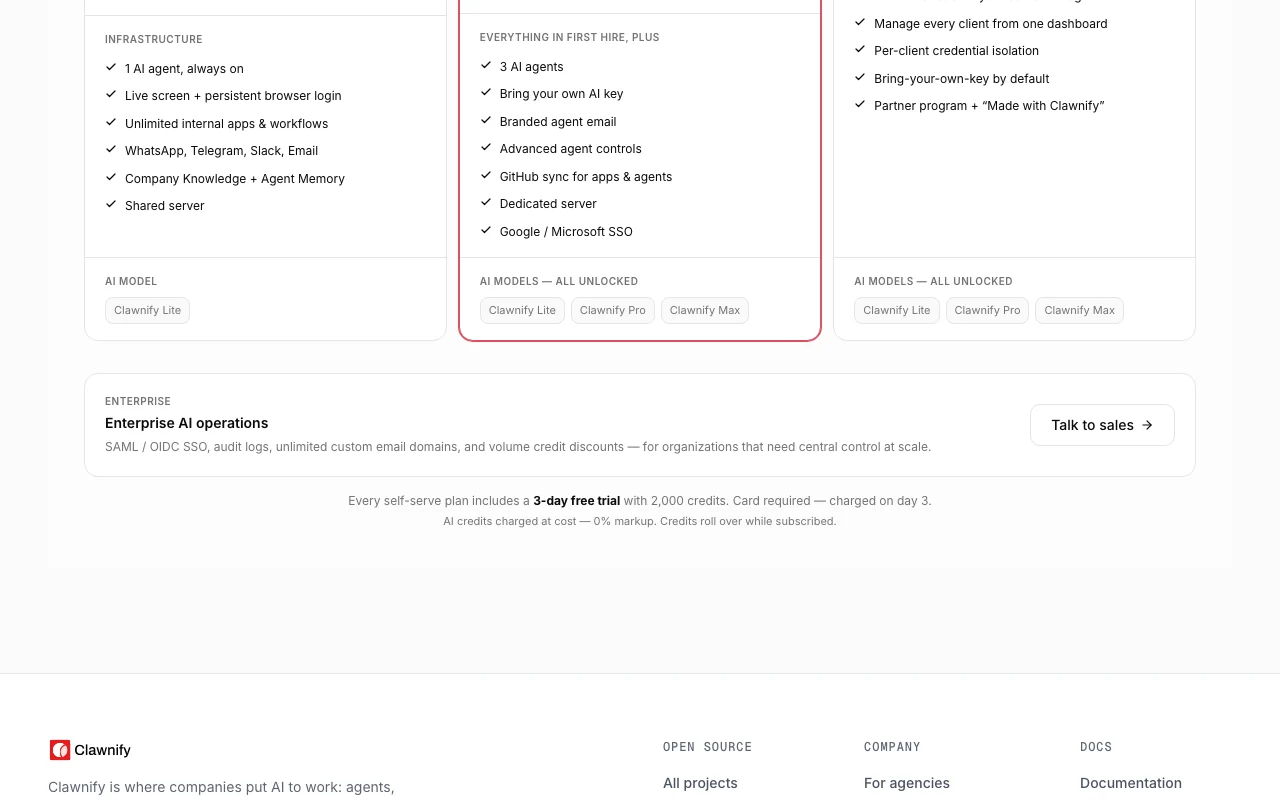
Plan comparison on the official pricing page. clawnify.com, captured Oct 1, 2026
API access and separate billing
Clawnify has no public API in its official documentation. Docs page returned 404; API not confirmed
Privacy, data use and commercial rights
Summarized from the vendor's current policies; this is not legal advice and a vendor's badge is not an independent audit.
How your inputs and outputs are handled
Company data stays in a dedicated server per the pricing page claim; details not verified
Controls for business users
Approval steps for agent actions
Other tools to consider instead of Clawnify
"Better suited" is based on documented features and pricing, not on a head-to-head test.
A delivery platform for AI work: agents connected to your tools and company knowledge, with approvals, aimed at service businesses. source (opens in a new tab)
Not stated: the pricing page returned no content when fetched, so no USD prices are documented. source (opens in a new tab)
Can I cancel anytime?
Yes per the seed review of the pricing page (cancel anytime, dedicated server per customer); exact terms were not verifiable here. source (opens in a new tab)
Which industries does it target?
Agencies, accounting, property management, salons, field service, sales, HVAC, clinics, real estate and hospitality. source (opens in a new tab)
Not verified: Plan names and USD prices; Free plan or trial; API and docs; Privacy policy and training use; Data retention.
How we documented and maintain this page
Every fact about Clawnify above comes from the 2 official pages listed here, last compared on Oct 1, 2026; we have not run Clawnify ourselves, so it has no editorial score. How we check and re-check pages.
Article updated Oct 10, 2026; prices checked Oct 1, 2026. Outbound links to vendors are plain links; we do not earn commissions. How we review · Report an error

 (open full size in a new tab)
 (open full size in a new tab)
 (open full size in a new tab)
 (open full size in a new tab)
 (open full size in a new tab)