Productivity & writingDocumented overviewLast checked Oct 2, 2026

Commentions: Pricing, Features & Best Use Cases

AI tool that finds new YouTube videos by keyword and auto-posts human-sounding comments from connected channels.
Who Commentions fits

Choose Commentions if you want AI-written YouTube comments posted automatically on new videos matching your keywords, but check YouTube's rules on automated commenting first. Based on the vendor's documentation, not on a hands-on test.

Best for: Marketers promoting on YouTube

Also a good fit for

  • Agencies running multiple brands

Consider another tool if free plan limited to 50 comments and 1 YouTube account

Or if

  • Paid plans cap comments per month (1,500 or 5,000)
  • Requires connecting YouTube accounts

Commentions pricing and usage limits

Prices checked Oct 2, 2026 on the official US pricing page. Official pricing ↗ Prices and limits change often.

Free access and trial conditions

Starter is $0 forever with 50 comments.

Paid plans show "Start free trial"; terms not detailed.

Paid plans: what changes as you upgrade

Starter web

Free source (opens in a new tab)

Month

For: Testing the tool

Limits

  • 50 comments total
  • 1 YouTube account

Includes

  • Human-sounding AI comments
  • Email support

Growth web

$49/mo source (opens in a new tab)

Month

For: Founders going all-in

Limits

  • 1,500 comments per month
  • Unlimited YouTube accounts

Includes

  • All tones and 30+ languages
  • Review & Approve mode
1 more
  • Priority support

Scale web

$149/mo source (opens in a new tab)

Month

For: Agencies and multi-brand

Limits

  • 5,000 comments per month

Includes

  • Multi-brand workspaces
  • API access
1 more
  • Dedicated onboarding

API included

Usage caps, credits and extra costs

Higher volumes by contacting the vendor.

Not stated.

What is Commentions, and how does it work?

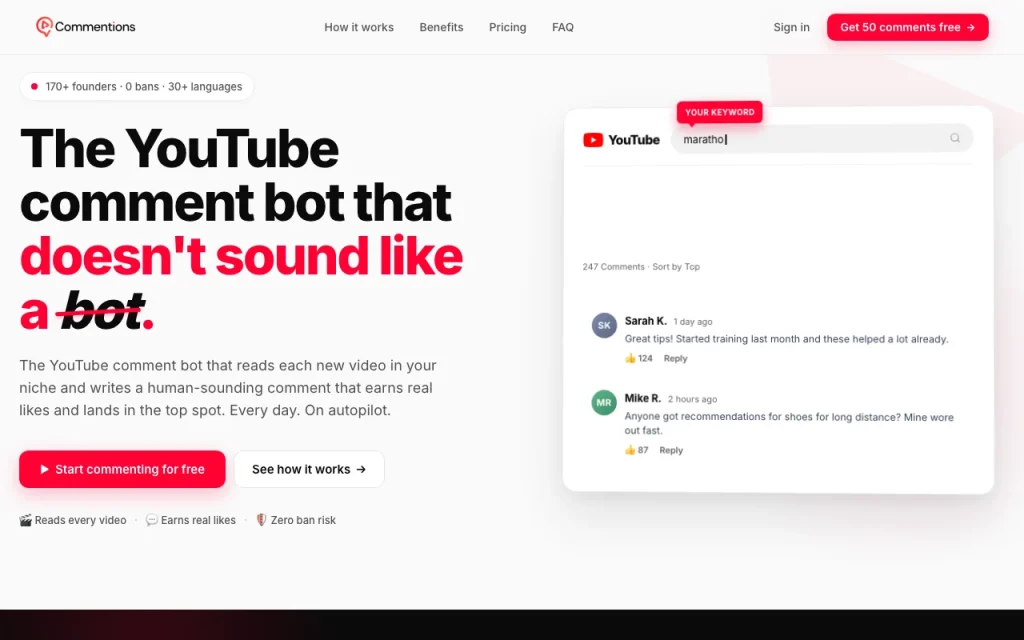
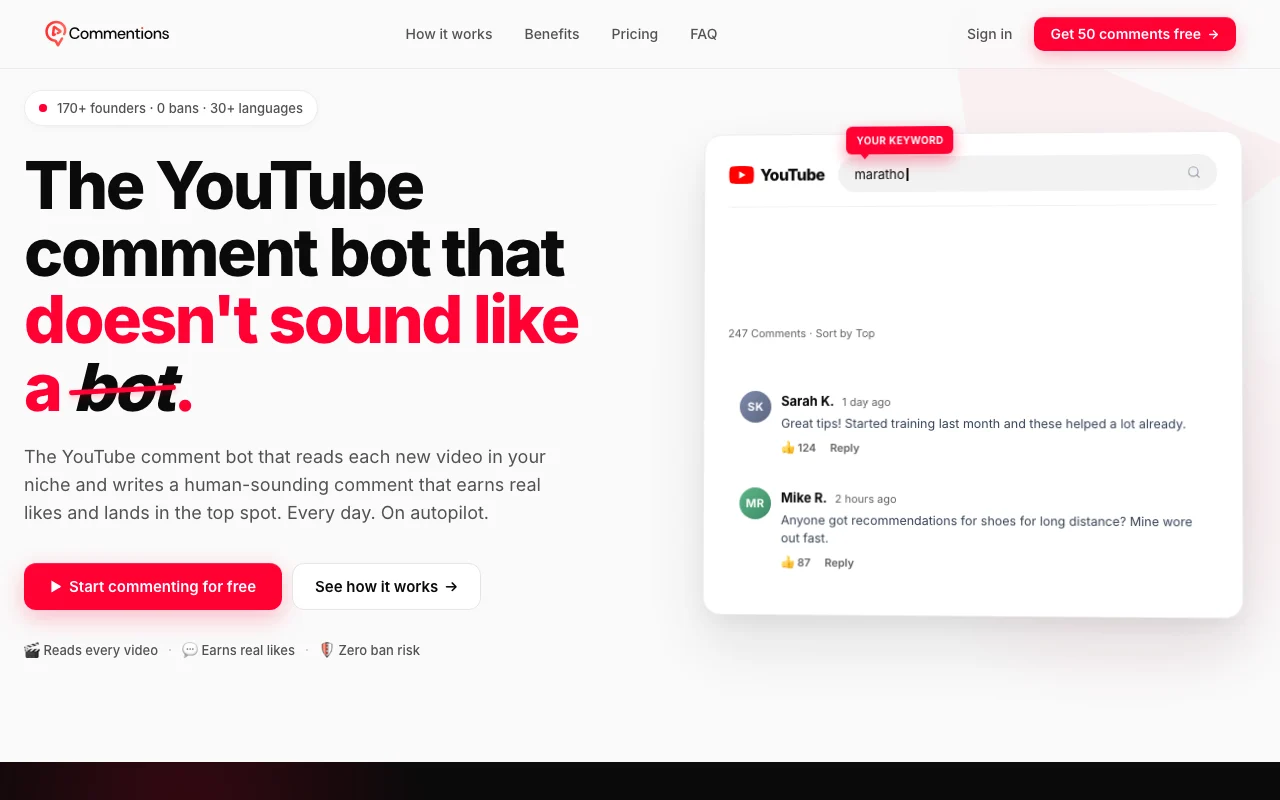
Commentions is a web app that reads new YouTube videos matching keywords a user sets and writes AI-generated comments in a chosen tone and language, posting them from connected YouTube accounts on a daily quota. The site offers a free starter plan with 50 comments and paid plans billed monthly, with a review-and-approve mode on the Growth plan and API access on Scale.

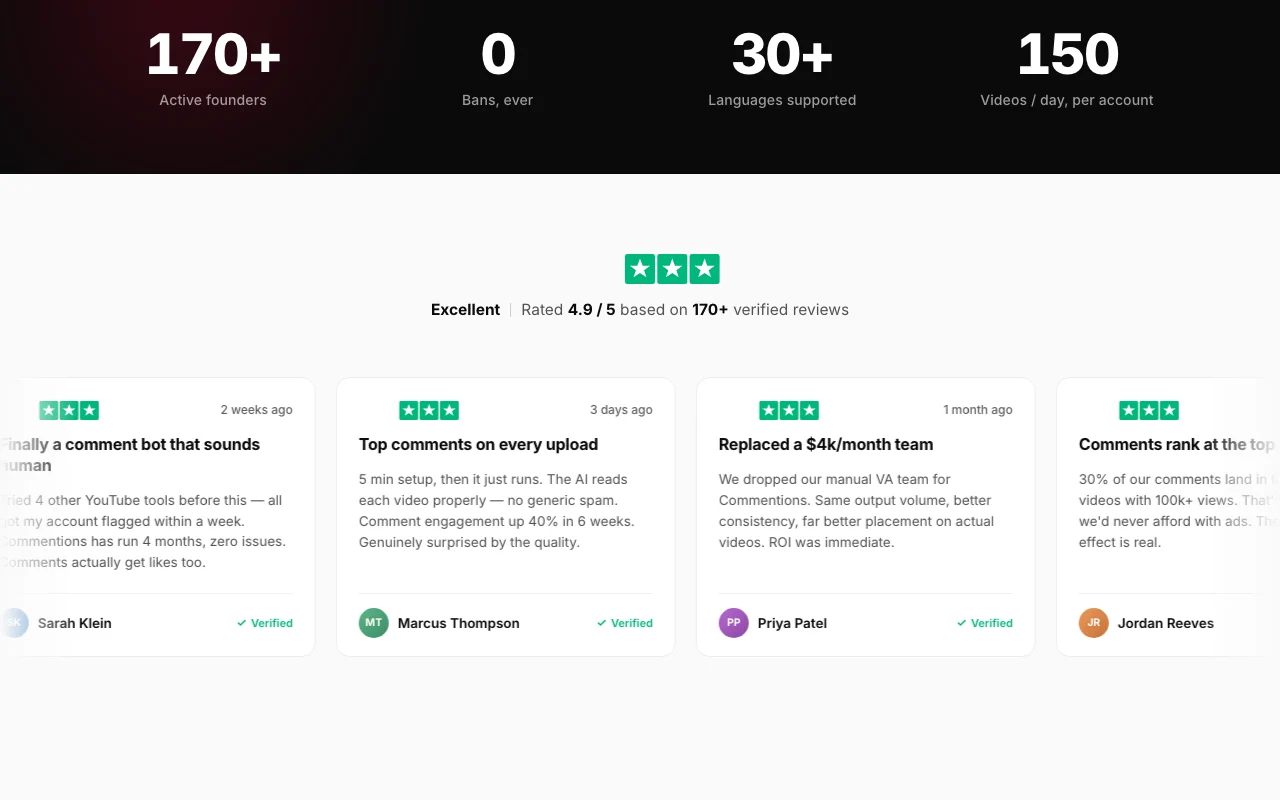
Commentions homepage — screenshot of the productivity & writing AI tool, Oct 2, 2026
Commentions's official site: how the product presents itself. commentions.com, captured Oct 2, 2026

What you provide and what you get back

How Commentions works: what you provide, where it runs and what you get backYOU PROVIDEYour inputTarget keywordsTone and language settingsConnected YouTube accountsPRODUCTIVITY & WRITINGCommentionsWebfrom $49/mo (Growth)free tier availableaccount requiredchecked Oct 2, 2026YOU GET BACKThe resultComments posted on matching videosReview queue (Approve mode)input → Commentions → output · from the vendor's own pages, no hands-on test unless stated
What you give Commentions and what comes back, from its documentation

You provide

  • Target keywords
  • Tone and language settings
  • Connected YouTube accounts

You get back

  • Comments posted on matching videos
  • Review queue (Approve mode)

Where you can use it

Platforms
Web
Account
Required

Best use cases for Commentions

Scenarios are worked out by our editors from the documentation; the actual result depends on your input and plan.

Automate comments on videos in a niche

Who
Founders and marketers
You provide
Niche keywords
Expected result
AI comments on new videos
Plan needed
Growth
Limitation
Check YouTube policies source (opens in a new tab)

Promote a brand through YouTube comment sections

Who
Brands
You provide
Brand tone and keywords
Expected result
Comments in relevant discussions
Plan needed
Growth or Scale
Limitation
Platform rules may restrict automation source (opens in a new tab)

Manage commenting across multiple channels

Who
Agencies
You provide
Multiple channels
Expected result
Managed commenting per account
Plan needed
Scale
Limitation
Daily quotas apply source (opens in a new tab)

Key features and their practical limits

Commentions homepage — screenshot of the productivity & writing AI tool, Oct 2, 2026
Feature overview on the official site. commentions.com, captured Oct 2, 2026

Keyword-based video targeting

Finds new videos by keyword Targets relevant videos

Access: All plansLimit: Quality depends on keywords source (opens in a new tab)

AI comments in chosen tone

Writes comments in a chosen tone Matches brand voice

Access: All plansLimit: Output needs review source (opens in a new tab)

30+ languages

Writes in each video language Reaches multiple markets

Access: Growth and up per pricingLimit: Accuracy not documented source (opens in a new tab)

Per-account daily safety quotas

Per-account limits (40/day default) Reduces over-posting

Access: All plansLimit: Does not guarantee platform compliance source (opens in a new tab)

Commentions: strengths and limits

Reasons to choose Commentions

Check before paying for Commentions

How to use Commentions for automating YouTube comments on niche videos

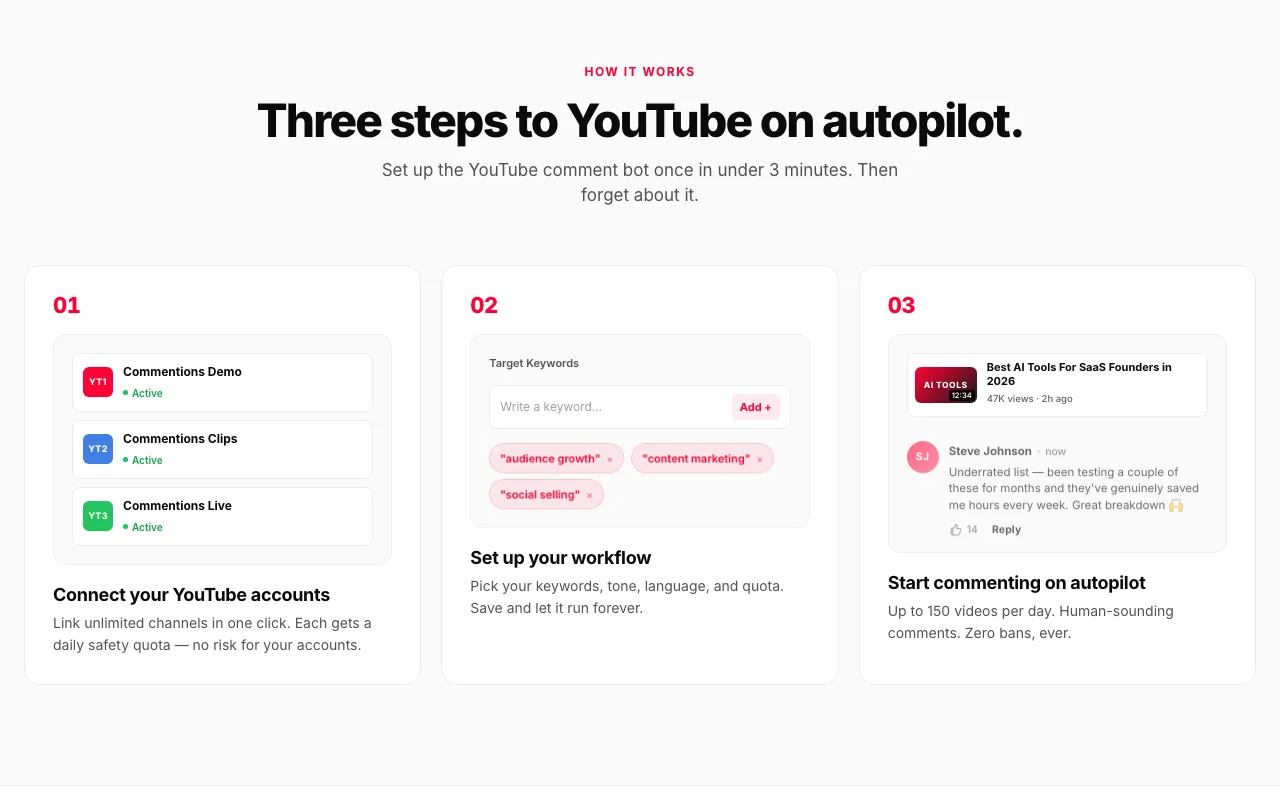
Set up Commentions

  1. Open commentions.com and start free
  2. Connect your YouTube account(s)
  3. Add target keywords
  4. Choose tone, language and daily quota; pick Review & Approve mode

Example: automating YouTube comments on niche videos

  1. Add keyword "marathon training for beginners"
  2. Select a friendly tone
  3. Enable Review & Approve
  4. Approve the first drafted comments

Review and export the result

  1. Review each comment before it posts
  2. Watch the YouTube account for warnings

Commentions API

API access and separate billing

An API is available, billing not documented. API access listed on the Scale plan.

Commentions alternatives by need

"Better suited" is based on documented features and pricing, not on a head-to-head test.

Jasper: better suited to

Alternatives
AlternativeWhen to choose itPricingLimitation
Jasper——Compare

Explore Commentions further

Related to Commentions

Commentions user reviews

No user reviews yet.

Used Commentions? Be the first to share your experience.

Write a review

Reviews are checked by a moderator before they appear. Your email is never published. Plain text only.

Your rating (required)

Show what you made or what went wrong. Images are published only if the review is approved; location data is removed.

    Commentions FAQ

    How much does Commentions cost?

    Starter is $0 (50 comments), Growth $49/month and Scale $149/month. source (opens in a new tab)

    Can I review comments before they post?

    Yes, Review & Approve mode lets you edit, approve or reject each comment. source (opens in a new tab)

    How many YouTube accounts can I connect?

    One on Starter and unlimited on paid plans. source (opens in a new tab)

    Is there a refund?

    A 5-day money-back guarantee is stated. source (opens in a new tab)

    Is it safe for my account?

    The vendor says it uses per-account quotas (40 comments/day default) but this is a marketing claim, not a guarantee. source (opens in a new tab)

    Sources and review methodology

    Official sources and verification dates

    Not verified: Privacy policy (404); Docs (404); Compliance with YouTube policy; Training use of data; Retention terms.

    How we documented and maintain this page

    Every fact about Commentions above comes from the 2 official pages listed here, last compared on Oct 2, 2026; we have not run Commentions ourselves, so it has no editorial score. How we check and re-check pages.

    Article updated Oct 2, 2026; prices checked Oct 2, 2026. Outbound links to vendors are plain links; we do not earn commissions. How we review · Report an error