Our take: Best for small teams automating workflows who want transparent pricing and inspectable agent memory, starting at $9/month with no free tier.
Main limitation: No free tier; step limits by plan restrict complex workflows on lower tiers.
By the AI Tool Atlas editors.
Based on the vendor's official documentation; we have not tested this product hands-on. What “documented overview” means
Is Construct Computer right for you?
Best for small teams automating workflows who want transparent pricing and inspectable agent memory, starting at $9/month with no free tier. Based on the vendor's documentation, not on a hands-on test.
Best for: Solo founders
Also a good fit for
Small teams automating operations
Consider another tool if no free tier
Or if
Steps per task capped (50/150/1,000)
Storage limited to 100 MB–3 GB by plan
Construct Computer pricing and usage limits
Prices checked Oct 1, 2026 on the official US pricing page. Official pricing ↗ Prices and limits change often.
Vendor pricing page re-checked automatically 11 days ago: no changes detected.
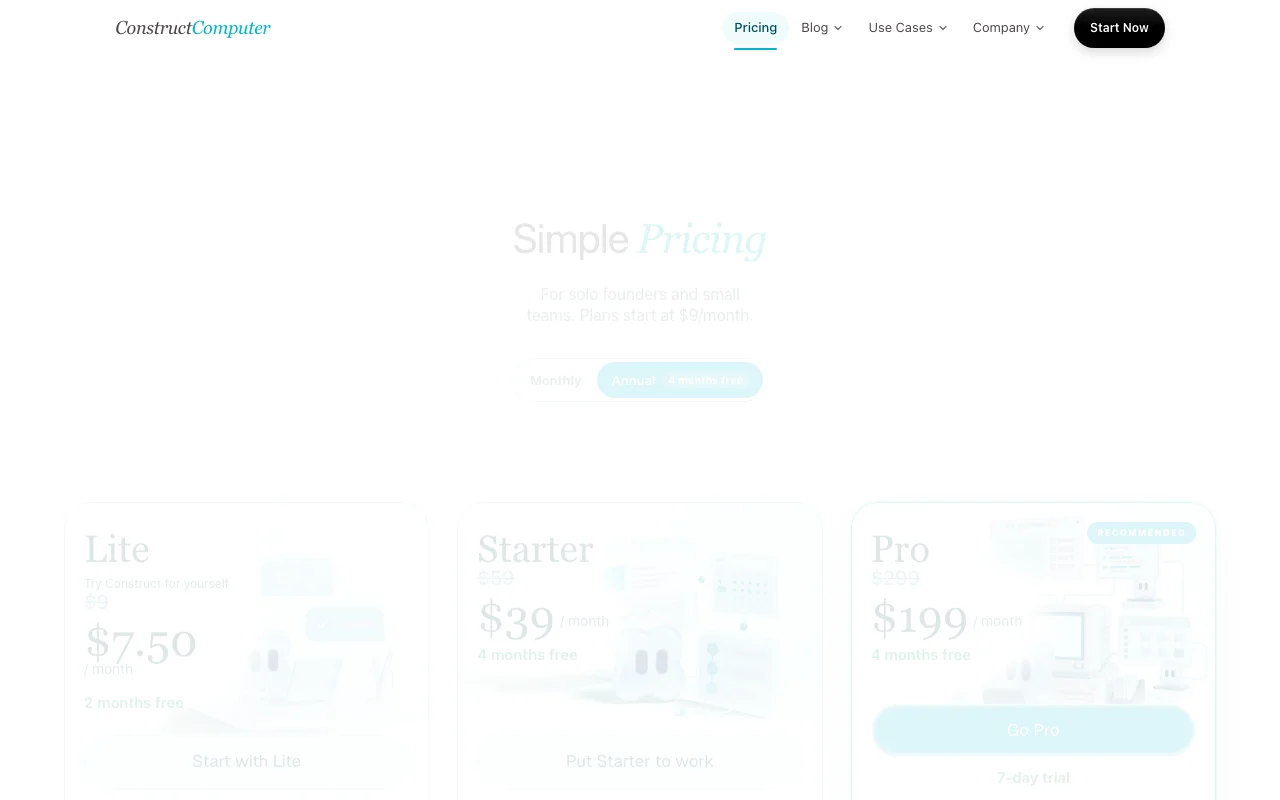
The official Construct Computer pricing page as we saw it. construct.computer, captured Oct 1, 2026
Free access and trial conditions
7-day trial on Pro plan; lower plans require payment
For: Enterprise teams requiring SSO and private deployment
Limits
Everything in Pro
SSO support
1 more
Private deployment
Includes
Custom MCP servers
Isolated per workspace
1 more
Your own model keys
Usage caps, credits and extra costs
BYOK (Bring Your Own Keys) available on Pro/Enterprise
What is Construct Computer, and how does it work?
Construct Computer gives solo founders and small teams a persistent cloud workspace in which AI agents carry out multi-step work: automating workflows across connected apps, building internal tools, and running scheduled jobs with a job history.
Agents can be reached through the web app, Slack, Telegram, Discord and email. Agent memory and decision history are inspectable, research outputs include cited sources, and shared workspaces support roles and access controls.
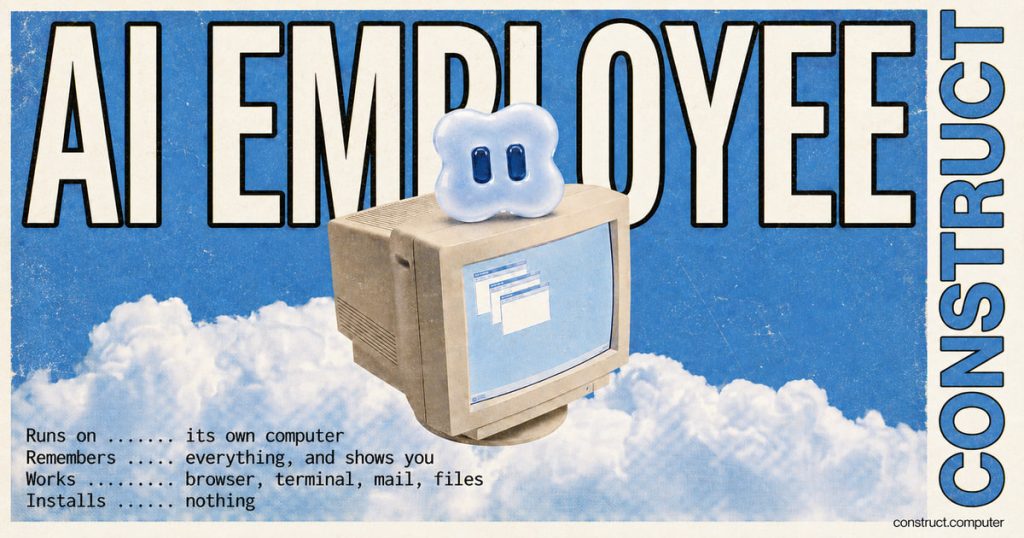
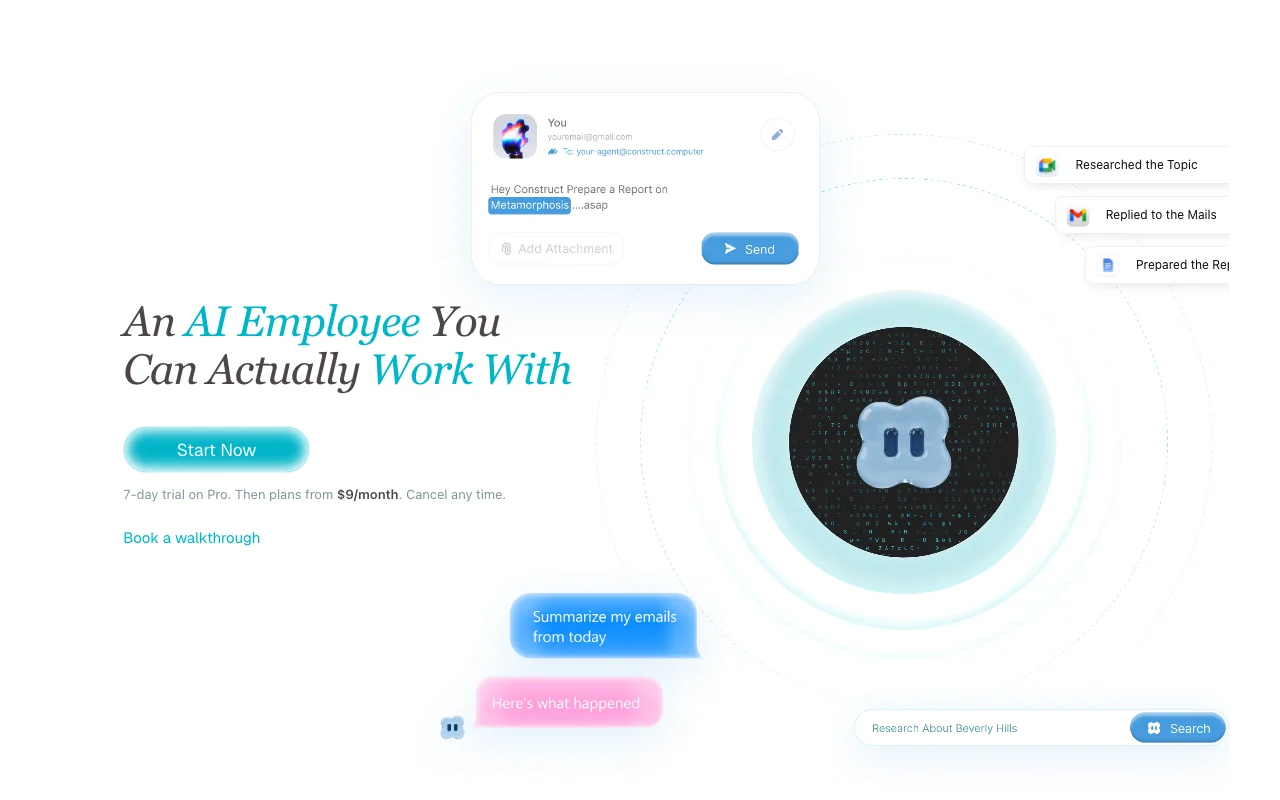
Construct Computer's official site: how the product presents itself. construct.computer, captured Oct 1, 2026
What you provide and what you get back
What you give Construct Computer and what comes back, from its documentation
You provide
Natural language task descriptions
Connected app credentials
Scheduled job triggers
You get back
Completed workflows and automation results
Generated internal tools
Research reports with cited sources
Where you can use it
Platforms
Web
Account
Required
Lite: 50, Starter: 150, Pro: 1,000 steps
Lite: 2, Starter: 4, Pro: 8 concurrent jobs
Lite: 5 min, Starter: 30 min, Pro: 1 hour max per execution
Feature overview on the official site. construct.computer, captured Oct 1, 2026
Persistent cloud workspace for agents
Provides a dedicated cloud environment where AI agents run and store state Eliminates need to manage agent infrastructure; agents retain memory and context across sessions
Access: Web interface at app.construct.computer; via Slack, Discord, TelegramLimit: Workspace data storage limited by plan (100 MB to 3 GB)source (opens in a new tab)
Scheduled tasks with job history
Runs workflows and tasks on a schedule; maintains complete run history Automate recurring work without manual triggering; debug issues with full logs
Access: Via web UI, Slack commands, or agent-initiatedLimit: Task count limited by plan (3-50 scheduled tasks); storage limits applysource (opens in a new tab)
Routes agent interaction through multiple communication channels Teams interact with agents in existing tools; native email inbox for agents
Access: Direct integrations per channel (Slack OAuth, Discord webhooks, etc.)Limit: Routing and access policies vary by channel; some features not in all channelssource (opens in a new tab)
Inspectable agent memory
Stores and displays agent decisions, preferences, and learned context Understand agent reasoning; correct or forget specific memories
Access: Memories app in workspace dashboardLimit: Memory is per-workspace; no cross-workspace memory sharingsource (opens in a new tab)
Pros, cons and deal-breakers
Reasons to choose Construct Computer
Entry plan at $9/month Low entry cost for solo founders evaluating the platformdocumentedsource (opens in a new tab)
Annual billing discounts on all plans Annual plans offer 17-33% discount depending on tierdocumentedsource (opens in a new tab)
Enterprise plan offers private deployment and SSO Dedicated infrastructure and SSO for security-sensitive teamsdocumentedsource (opens in a new tab)
Pro plan supports bring your own keys (BYOK) Model costs can be billed directly by your own provider account.documentedsource (opens in a new tab)
Can be messaged from the web, Slack, Telegram, Discord slash commands or its native email inbox Requests can be sent from the chat tool a team already uses.documentedsource (opens in a new tab)
Check before paying for Construct Computer
No free tier Trial limited to Pro plan; lower plans require payment to evaluatedocumentedsource (opens in a new tab)
Steps per task capped (50/150/1,000) Complex workflows with many steps may require Pro plandocumentedsource (opens in a new tab)
Storage limited to 100 MB–3 GB by plan Large-scale data automation requires higher-tier storagedocumentedsource (opens in a new tab)
7-day trial only on the Pro plan Pro plan 7-day trial creates urgency for purchasing decisiondocumentedsource (opens in a new tab)
Command runtime is capped at 5 minutes on Lite, 30 minutes on Starter and 1 hour on Pro Long-running jobs need a higher plan or must be split up.documentedsource (opens in a new tab)
How to use Construct Computer for automating a recurring multi-step workflow across connected apps
Set up Construct Computer
Sign up at app.construct.computer with Google OAuth or email and create workspace
Connect third-party apps (email, Slack, CRM, databases) via Composio integrations
Name your AI agent and configure channels (web, Slack, Discord, Telegram, email)
Describe the workflow in natural language or use built-in templates
Test by clicking "Run Now" and review agent memory, run history, and decision logs
Example: automating a recurring multi-step workflow across connected apps
Agent reads new support emails from company inbox and extracts customer issue
Looks up customer account in database or CRM by email address
Drafts professional response mentioning their past issues and orders
Routes urgent issues (payment/billing) to dedicated Slack channel for team review
Sends reply email and logs resolution to CRM, updates ticket status
Review and export the result
Review run history for each execution (timestamps, status, each step result)
Check agent memory in Memories app to verify learned customer context is accurate
Example prompt suggested by our editors (not a recorded output of the product)
Read new emails from [email protected], look up customer in Airtable by email, draft response mentioning their past issues, mark urgent if mentions payment/billing, send reply and log to Notion.
Construct Computer API
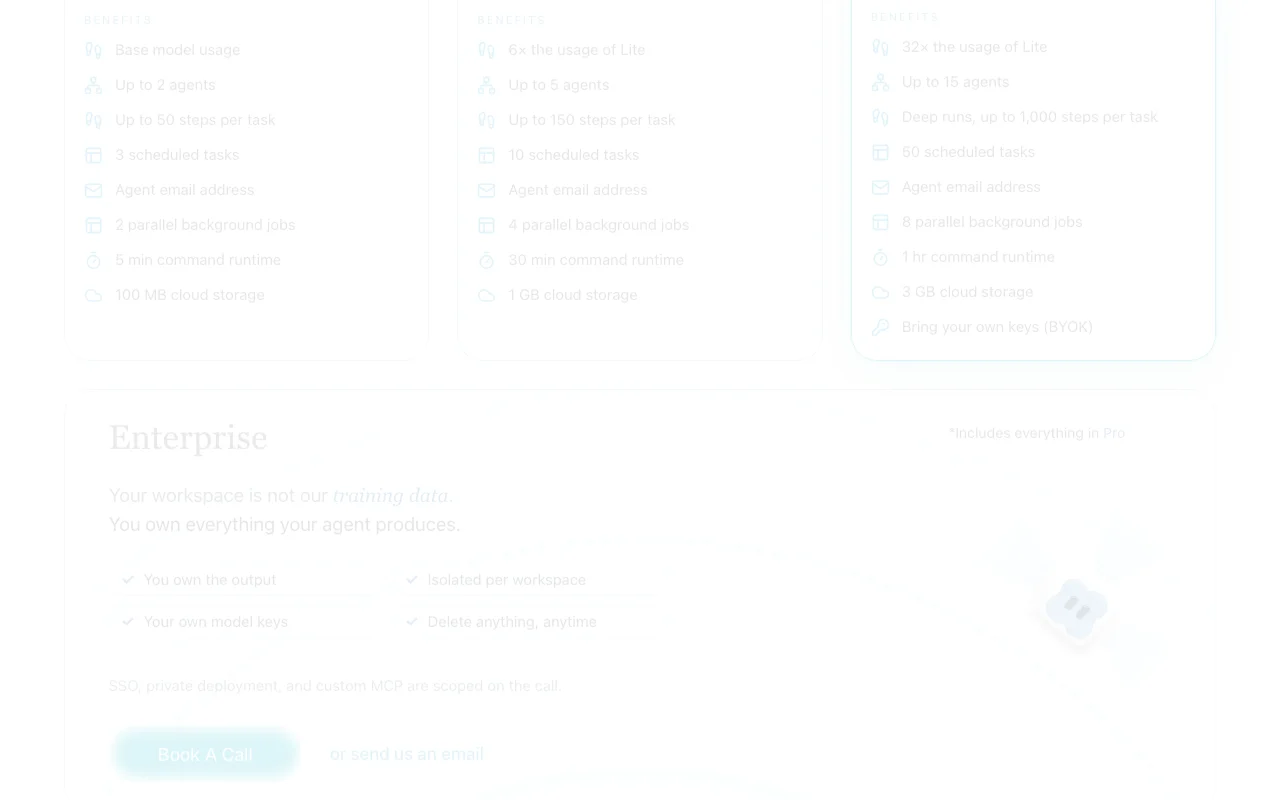
Plan comparison on the official pricing page. construct.computer, captured Oct 1, 2026
API access and separate billing
Construct Computer has no public API in its official documentation. No public API; automation via Construct UI and connected channels
Privacy, data use and commercial rights
Summarized from the vendor's current policies; this is not legal advice and a vendor's badge is not an independent audit.
How your inputs and outputs are handled
Workspace data, files, agent memory, and chat history stored in Cloudflare R2 scoped storage
Data retained in workspace; users can delete or forget any data anytime
Commercial use and plan restrictions
1
Data not used for training on any plan; isolation per workspace
How is Construct different from ChatGPT or Claude?
Construct is a persistent AI employee that runs workflows in a cloud workspace, remembers context across sessions, and can access 300+ connected apps. Unlike ChatGPT or Claude, it executes multi-step tasks without user input, schedules recurring jobs, and maintains agent memory. source (opens in a new tab)
What work can it actually complete?
Construct automates recurring workflows across apps (email, CRM, databases), builds and deploys internal tools via natural language, researches topics and compiles cited reports, and runs scheduled background jobs with full run history and error handling. source (opens in a new tab)
Which apps can it connect to?
Over 300 apps via Composio integrations, plus native support for Slack, Telegram, Discord, and email. Custom MCP servers and BYOK are supported on Pro/Enterprise plans for OpenAI, Anthropic, Bedrock, or xAI models. source (opens in a new tab)
Can I see and control what it does?
Yes. Construct provides full run history with step-by-step details and timing, inspectable agent memory showing decisions and learned context, and granular access controls per team member. All results are reviewable before workflow execution. source (opens in a new tab)
Do you train on my data?
No. Your workspace is isolated and data is not used for training on any plan. You own all output; all data can be deleted or forgotten anytime. See privacy policy for details. source (opens in a new tab)
Construct Computer - Pricingpricing · checked Oct 1, 2026 · Lite plan, Starter plan, Pro plan, Enterprise plan, FAQ
Construct Computer - Privacy Policypolicy · checked Oct 1, 2026 · Information collection, Data usage, Workspace data storage, Integration credentials
How we documented and maintain this page
Every fact about Construct Computer above comes from the 3 official pages listed here, last compared on Oct 1, 2026; we have not run Construct Computer ourselves, so it has no editorial score. How we check and re-check pages.
Article updated Oct 10, 2026; prices checked Oct 1, 2026. Outbound links to vendors are plain links; we do not earn commissions. How we review · Report an error