Productivity & writingDocumented overviewLast checked Sep 29, 2026

CostLogic: Pricing, Features & Best Use Cases

Browser-based construction takeoff, estimating and invoicing software with Auto Room detection and an AI assistant called Onyx.

Is CostLogic right for you?

Choose CostLogic if you are a contractor or estimator who wants to measure PDF plans, build estimates and send branded invoices in one browser workflow, with Auto Room and the Onyx assistant speeding up the work. Based on the vendor's documentation, not on a hands-on test.

Best for: Solo estimators and small construction crews

Also a good fit for

  • Contractor teams estimating daily

Consider another tool if no permanent free plan

Or if

  • Auto Room limited to 15 or 50 AI credits per seat per month
  • Onyx capped at 50 or 150 requests per seat per day

CostLogic pricing and usage limits

Prices checked Sep 29, 2026 on the official US pricing page. Official pricing ↗ Prices and limits change often.

Vendor pricing page re-checked automatically 11 days ago: no changes detected.

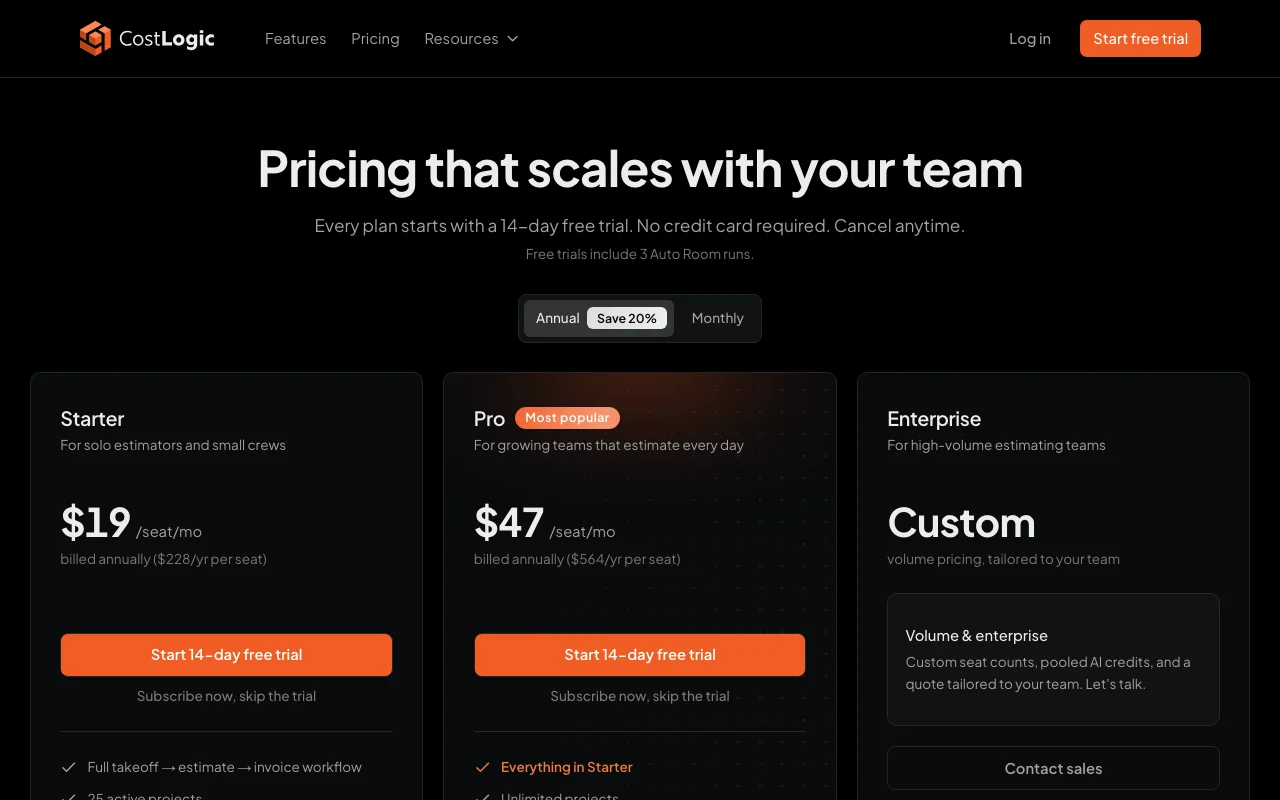
CostLogic pricing page with plans and prices — screenshot of the productivity & writing AI tool, Oct 1, 2026
The official CostLogic pricing page as we saw it. costlogic.co, captured Oct 1, 2026

Free access and trial conditions

No permanent free plan.

14-day free trial on every plan, no card; trials include 3 Auto Room runs.

Paid plans: what changes as you upgrade

Starter web

$19 source (opens in a new tab)

Monthly, billed annually, annual commitment

$228/year per seat; monthly-billing price not confirmed

For: Solo estimators and small crews

Limits

  • 25 active projects
  • Up to 3 paid seats
1 more
  • 15 AI credits per seat/month

Includes

  • Takeoff to estimate to invoice
  • Onyx (50 requests per seat/day)
1 more
  • 100 GB blueprint storage

Pro web

$47 source (opens in a new tab)

Monthly, billed annually, annual commitment

$564/year per seat; monthly-billing price not confirmed

For: Teams estimating daily

Limits

  • 50 AI credits per seat/month
  • No seat limit (every seat billed)

Includes

  • Unlimited projects
  • Onyx (150 requests per seat/day)
2 more
  • Priority Auto Room processing
  • 500 GB storage

Enterprise web

Custom pricing source (opens in a new tab)

Custom

For: High-volume estimating teams

Includes

  • Custom AI credit pools
  • 2 TB+ storage
2 more
  • Dedicated onboarding and support
  • Security review

Usage caps, credits and extra costs

Not listed.

Not stated.

What is CostLogic, and how does it work?

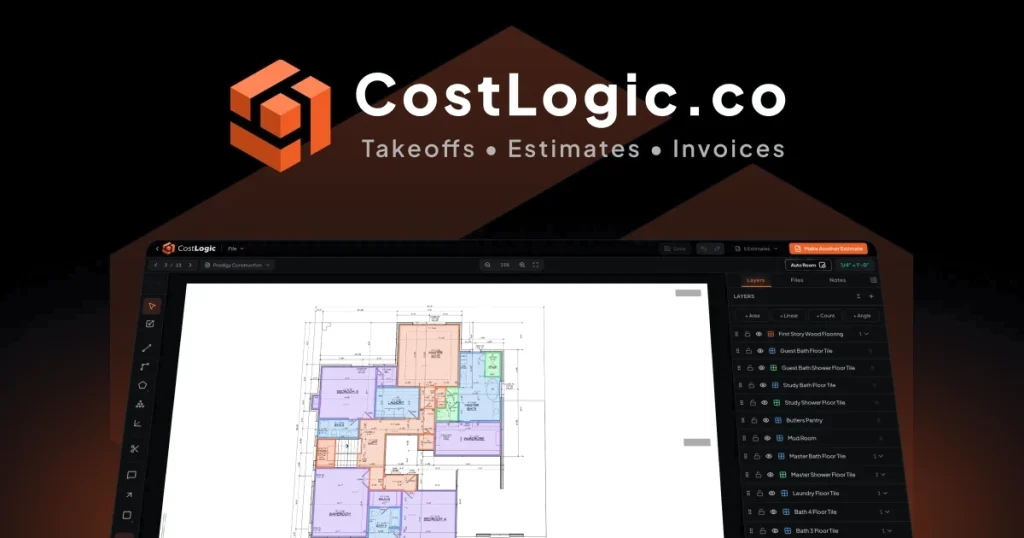
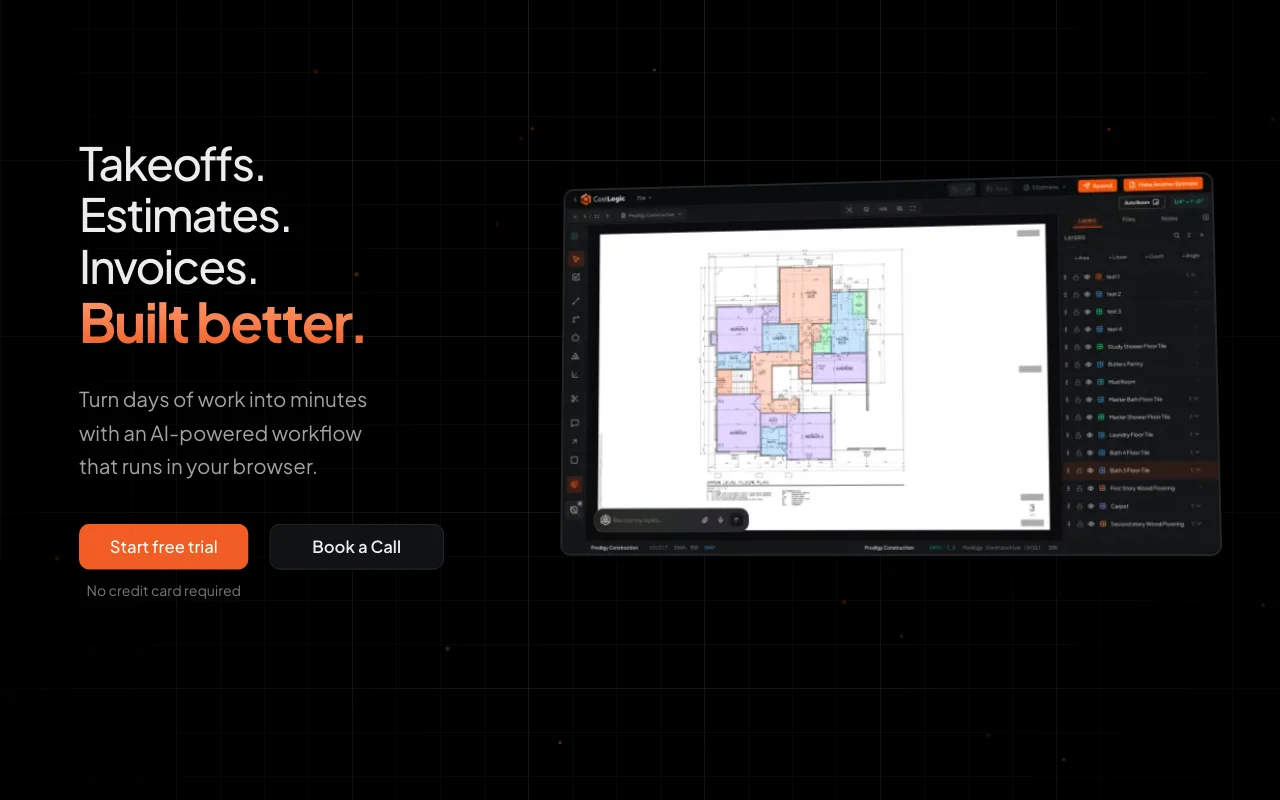
CostLogic is a web app for contractors and estimators that runs takeoffs, estimates and invoices in one workflow. Users upload construction PDFs, the app names pages and reads the scale from the title block, and quantities are measured with linear, area and count tools or detected automatically with Auto Room. Measured quantities flow into estimate line items with markup, waste, tax and deposits, and approved estimates convert into branded PDF invoices emailed to clients. Onyx, the built-in AI assistant, finds rooms on plans, prices takeoffs, drafts estimates and invoices and answers questions about jobs. Plans are per seat with monthly AI credits (1 credit = 1 Auto Room run) and daily Onyx request limits; every plan starts with a 14-day free trial that includes 3 Auto Room runs.

CostLogic homepage — screenshot of the productivity & writing AI tool, Oct 1, 2026
CostLogic's official site: how the product presents itself. costlogic.co, captured Oct 1, 2026

What you provide and what you get back

How CostLogic works: what you provide, where it runs and what you get backYOU PROVIDEYour inputConstruction plan PDFsScale calibrationPrompts to OnyxPRODUCTIVITY & WRITINGCostLogicWebfrom $19 (Starter)no free tieraccount requiredchecked Sep 29, 2026YOU GET BACKThe resultMeasured quantitiesEstimates with markup, waste and…Branded PDF invoicesinput → CostLogic → output · from the vendor's own pages, no hands-on test unless stated
What you give CostLogic and what comes back, from its documentation

You provide

  • Construction plan PDFs
  • Scale calibration
  • Prompts to Onyx

You get back

  • Measured quantities
  • Estimates with markup, waste and tax
  • Branded PDF invoices

Where you can use it

Platforms
Web
Account
Required
Input
Construction PDFs
Takeoff tools
Linear, area, count, Auto Room
Storage
100 GB Starter, 500 GB Pro, 2 TB+ Enterprise
Platform
Browser on Mac and PC

Best use cases for CostLogic

Scenarios are worked out by our editors from the documentation; the actual result depends on your input and plan.

Measuring quantities directly on construction PDF plans

Who
Flooring and painting contractors
You provide
Floor plan PDF
Expected result
Rooms and areas detected by Auto Room
Plan needed
Starter
Limitation
15 Auto Room runs per seat monthly source (opens in a new tab)

Auto-detecting rooms and areas for flooring or paint estimates

Who
Estimators
You provide
Takeoff measurements
Expected result
Estimate lines with markup, waste, tax and deposits
Plan needed
Starter or Pro
Limitation
Starter caps 25 active projects source (opens in a new tab)

Drafting estimates from takeoff quantities with AI help

Who
Small contracting firms
You provide
Approved estimate
Expected result
Branded PDF invoice emailed to the client
Plan needed
Any
Limitation
CostLogic sends the bill but does not handle the money source (opens in a new tab)

CostLogic features and their limits

CostLogic homepage — screenshot of the productivity & writing AI tool, Oct 1, 2026
Feature overview on the official site. costlogic.co, captured Oct 1, 2026

PDF plan upload with automatic page naming and scale reading

Reads page names and the scale from the title block of uploaded PDFs Skip manual calibration

Access: All plansLimit: Scale should be checked source (opens in a new tab)

Linear, area and count takeoff tools

Measures linear, area and count quantities on the plan Take off directly on the drawing

Access: All plansLimit: Browser-based only source (opens in a new tab)

Auto Room automatic room detection

Detects rooms and areas automatically with Auto Room Save hours on manual outlining

Access: 15 or 50 credits per seat/monthLimit: 1 credit per run source (opens in a new tab)

Onyx AI assistant for estimates, invoices and job questions

Lets you ask Onyx to draft estimates, edit takeoffs and answer job questions Speed up pricing and invoices

Access: All plansLimit: 50 or 150 requests per seat per day source (opens in a new tab)

CostLogic: strengths and limits

Where CostLogic is strong

Limitations to check before paying

How to use CostLogic for measuring plans and building an estimate

Set up CostLogic

  1. Start the 14-day free trial at costlogic.co (no card)
  2. Create a project and upload a construction PDF
  3. Confirm the page name and scale read from the title block

Example: measuring plans and building an estimate

  1. Run Auto Room on a floor plan page
  2. Add linear or count measurements for trim and fixtures
  3. Ask Onyx to turn the takeoff into an estimate
  4. Convert the approved estimate to an invoice and email it

Review and export the result

  1. Check a known dimension against the measured quantity
  2. Verify markup, tax and deposit totals on the estimate
Example prompt suggested by our editors (not a recorded output of the product)
Detect the rooms on this floor plan and price the flooring at $4.50 per square foot with 10% waste.

CostLogic integrations and API

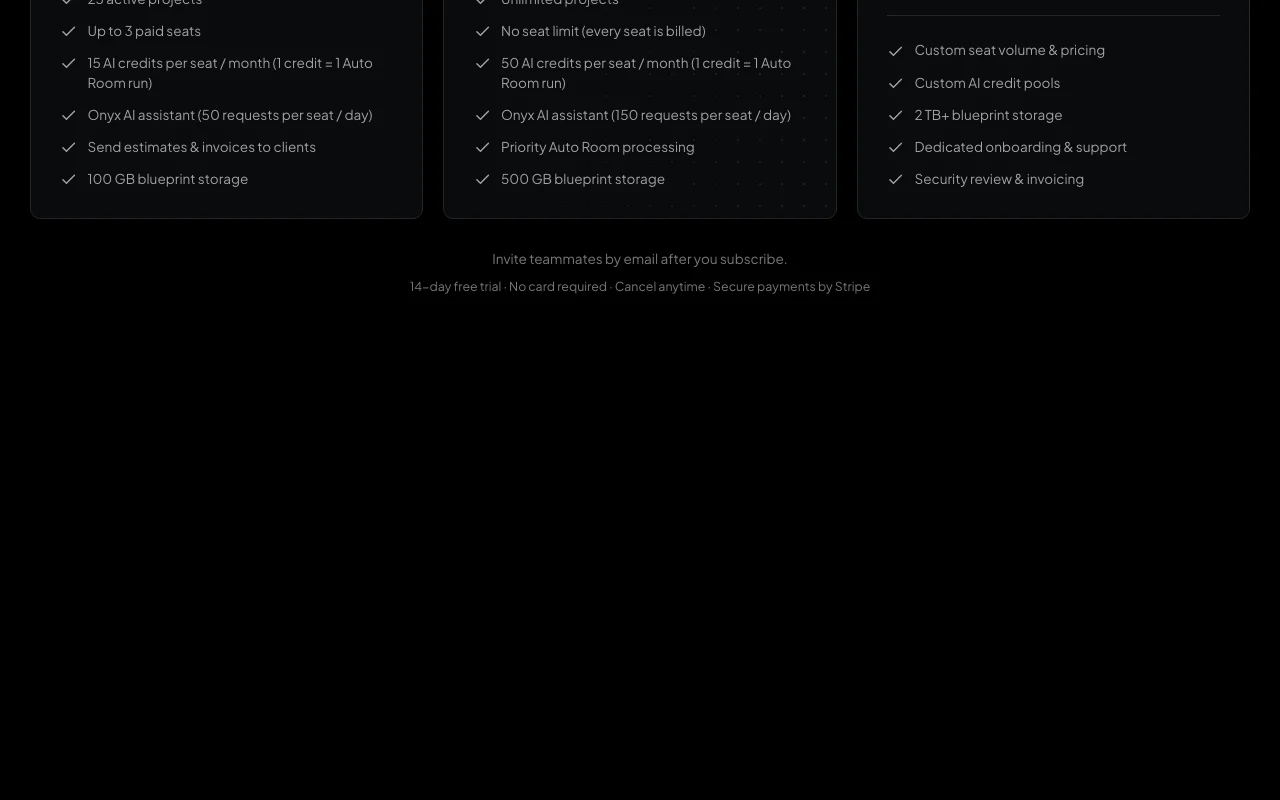
CostLogic pricing page with plans and prices — screenshot of the productivity & writing AI tool, Oct 1, 2026
Plan comparison on the official pricing page. costlogic.co, captured Oct 1, 2026

Native integrations and export formats

Export: PDF

API access and separate billing

CostLogic has no public API in its official documentation. No API documented

Privacy, data use and commercial rights

Summarized from the vendor's current policies; this is not legal advice and a vendor's badge is not an independent audit.

How your inputs and outputs are handled

Uploaded plans and estimates are stored in your account storage.

Controls for business users

  • Security review (Enterprise)

CostLogic alternatives by need

"Better suited" is based on documented features and pricing, not on a head-to-head test.

ChatGPT: better suited to

Microsoft Copilot: better suited to

Notion AI: better suited to

Zapier: better suited to

Alternatives
AlternativeWhen to choose itPricingLimitation
ChatGPT——
Microsoft Copilot——
Notion AI——Compare
Zapier——Compare

Explore CostLogic further

If you are looking at CostLogic

CostLogic user reviews

No user reviews yet.

Used CostLogic? Be the first to share your experience.

Write a review

Reviews are checked by a moderator before they appear. Your email is never published. Plain text only.

Your rating (required)

Show what you made or what went wrong. Images are published only if the review is approved; location data is removed.

    CostLogic FAQ

    How long is the CostLogic free trial?

    14 days on every plan with no credit card, including 3 Auto Room runs. source (opens in a new tab)

    What do Starter and Pro cost?

    Starter is $19 per seat per month and Pro $47, both billed annually ($228 and $564 per seat per year). source (opens in a new tab)

    What is an AI credit?

    One credit equals one Auto Room run; Starter gives 15 and Pro 50 per seat per month. source (opens in a new tab)

    How many Onyx requests do I get?

    50 per seat per day on Starter and 150 on Pro. source (opens in a new tab)

    Does CostLogic sync with accounting software?

    Yes, it can sync invoices to QuickBooks Online, though it never touches the money. source (opens in a new tab)

    Sources and review methodology

    Official sources and verification dates

    Not verified: Monthly billing prices; Privacy policy.

    How we documented and maintain this page

    Every fact about CostLogic above comes from the 2 official pages listed here, last compared on Sep 29, 2026; we have not run CostLogic ourselves, so it has no editorial score. How we check and re-check pages.

    Article updated Oct 10, 2026; prices checked Sep 29, 2026. Outbound links to vendors are plain links; we do not earn commissions. How we review · Report an error