Productivity & writingDocumented overviewLast checked Sep 29, 2026

Dashtera: Pricing, Features & Best Use Cases

Dashboard and data visualization platform with no-code dashboard editor, many chart types, data connectors and sharing.
Who should use Dashtera

Dashtera suits analysts, engineers and finance or trading teams who want no-code dashboards with specialized chart types (3D, polar, technical analysis) and a free tier before paying per user. Based on the vendor's documentation, not on a hands-on test.

Best for: Analysts building dashboards without code

Also a good fit for

  • Engineering and trading teams needing specialized charts

Consider another tool if free plan limited to 3 charts per dashboard, 500 data points and 100 MB storage

Or if

  • Paid plans are priced per user
  • Advanced chart types depend on the plan chosen

Dashtera pricing and usage limits

Prices checked Sep 29, 2026 on the official US pricing page. Official pricing ↗ Prices and limits change often.

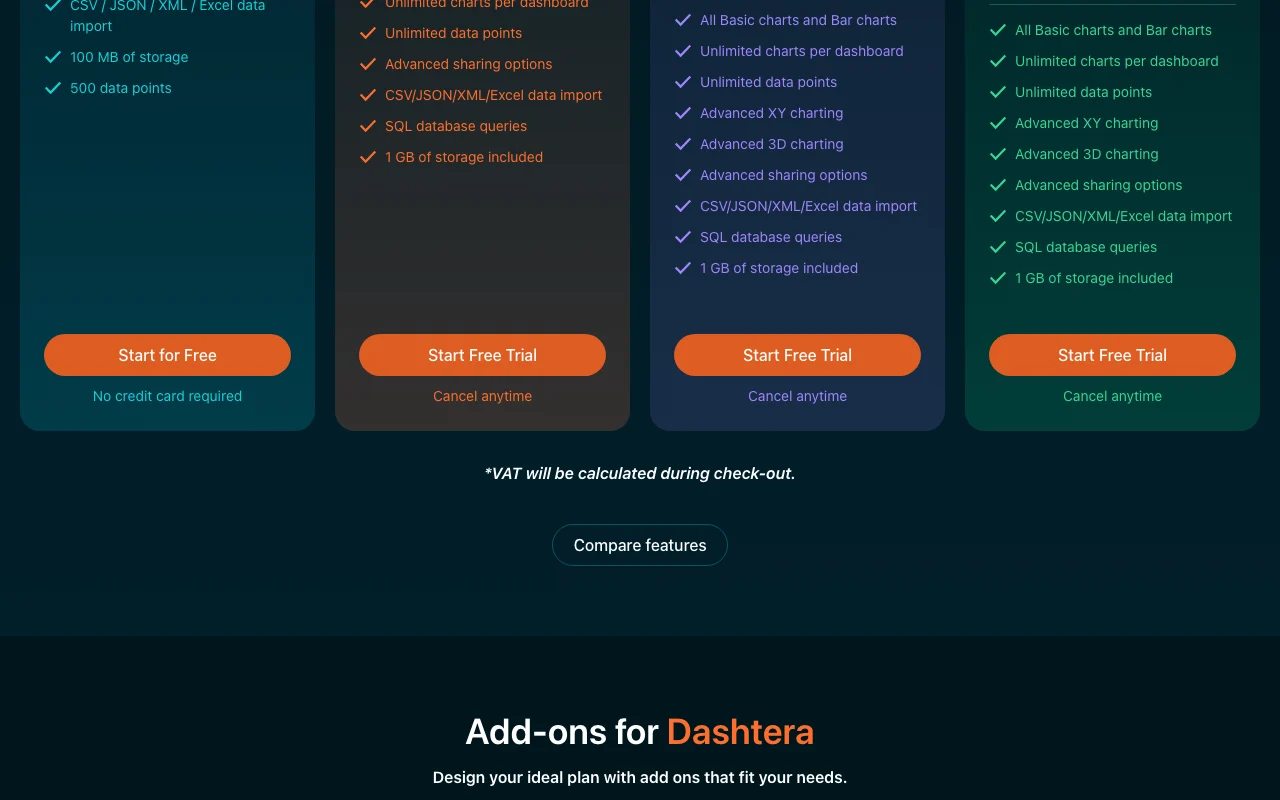
Dashtera pricing page with plans and prices — screenshot of the productivity & writing AI tool, Oct 1, 2026
The official Dashtera pricing page as we saw it. dashtera.com, captured Oct 1, 2026

Free access and trial conditions

Free Basic plan, no card

Free trial of paid plans

Paid plans: what changes as you upgrade

Basic web

Free source (opens in a new tab)

Month

For: Trying Dashtera

Limits

  • 3 charts per dashboard
  • 500 data points
1 more
  • 100 MB storage

Includes

  • Basic 2D charts
  • CSV/JSON/XML/Excel import

Business Intelligence web

$20/mo per user source (opens in a new tab)

Month

$200 per user billed yearly

For: Business reporting

Limits

  • 1 GB storage included

Includes

  • Unlimited charts and data points
  • SQL database queries
2 more
  • Partial XY and 3D charts
  • Advanced sharing

Engineering & Science web

$40/mo per user source (opens in a new tab)

Month

$400 per user billed yearly

For: Engineers and scientists

Includes

  • Polar charting
  • Advanced XY and 3D charts
1 more
  • Engineering and scientific charts

Finance & Trading web

$50/mo per user source (opens in a new tab)

Month

$500 per user billed yearly

For: Traders and finance teams

Includes

  • Technical analysis charting
  • 100+ indicators
1 more
  • 30+ drawing tools

Usage caps, credits and extra costs

Add-ons: statistics charts $10, real-time streaming/maps $15, storage $3 per 10 GB per user per month; lifetime deal from $59 advertised

VAT calculated at checkout

What is Dashtera, and how does it work?

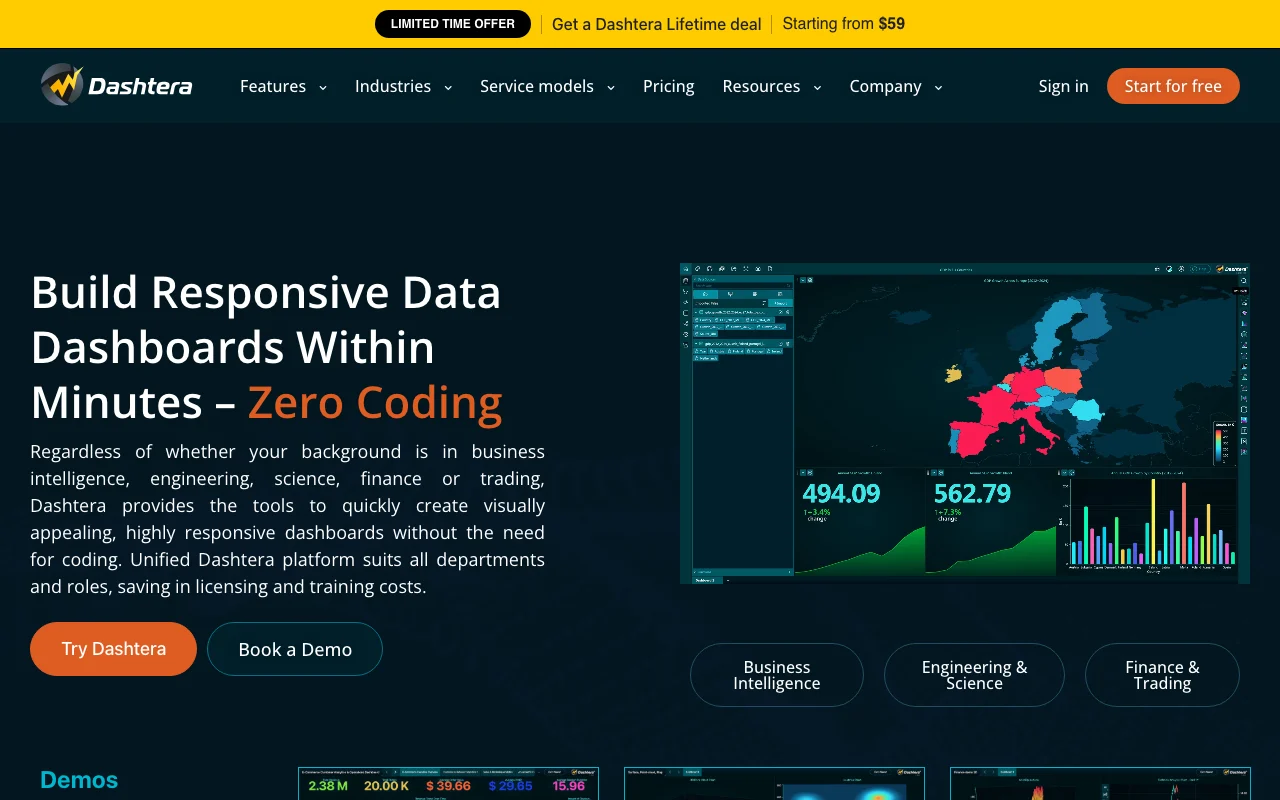
Dashtera is a data visualization and dashboarding platform for building responsive dashboards without coding. It offers basic, XY, 3D, bar, polar, technical-analysis and statistics charts, maps, KPI panels and PDF reporting. It is offered as a cloud service, with on-premises, hosted private, OEM and source-code models also listed. Data can be imported from CSV, JSON, XML and Excel files or queried from SQL databases on paid plans.

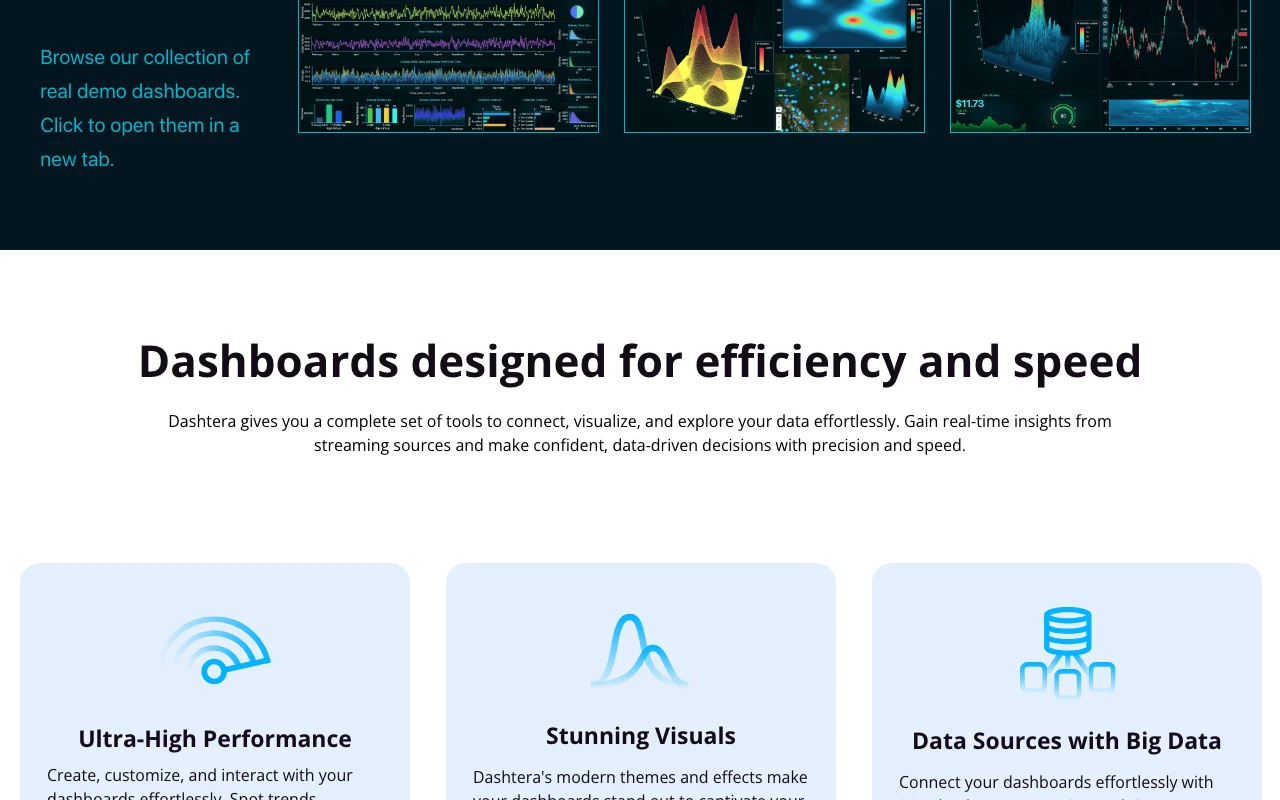
Dashtera homepage — screenshot of the productivity & writing AI tool, Oct 1, 2026
Dashtera's official site: how the product presents itself. dashtera.com, captured Oct 1, 2026

What you provide and what you get back

How Dashtera works: what you provide, where it runs and what you get backYOU PROVIDEYour inputCSV, JSON, XML, Excel or Parquet…SQL and other database connection…Real-time streams (add-on)PRODUCTIVITY & WRITINGDashteraWebfrom $20/mo (Business Intelligenc…free tier availableaccount requiredchecked Sep 29, 2026YOU GET BACKThe resultResponsive dashboards with many c…Shared dashboardsPDF reportsinput → Dashtera → output · from the vendor's own pages, no hands-on test unless stated
What you give Dashtera and what comes back, from its documentation

You provide

  • CSV, JSON, XML, Excel or Parquet files
  • SQL and other database connections (paid)
  • Real-time streams (add-on)

You get back

  • Responsive dashboards with many chart types
  • Shared dashboards
  • PDF reports

Where you can use it

Platforms
Web
Account
Required
Import formats
CSV, JSON, XML, Excel, Parquet
Storage
100 MB Free, 1 GB paid
Deployment
Cloud, on-premises, hosted private, OEM, source code

What people use Dashtera for

Scenarios are worked out by our editors from the documentation; the actual result depends on your input and plan.

Business intelligence reporting

Who
Analysts building dashboards without code
You provide
Uploaded spreadsheets or SQL queries
Expected result
Dashboards with filtering and drill-down
Plan needed
Business Intelligence ($20 per user)
Limitation
Free capped at 3 charts source (opens in a new tab)

Real-time data visualization

Who
Engineering and operations teams
You provide
Streaming data source
Expected result
Live waveform and streaming charts
Plan needed
Real-time streaming add-on
Limitation
Add-on priced extra source (opens in a new tab)

IoT sensor and telemetry monitoring

Who
Engineers and scientists
You provide
Telemetry data
Expected result
Polar, XY and 3D charts
Plan needed
Engineering & Science ($40 per user)
Limitation
Advanced charts depend on plan source (opens in a new tab)

Key features and their practical limits

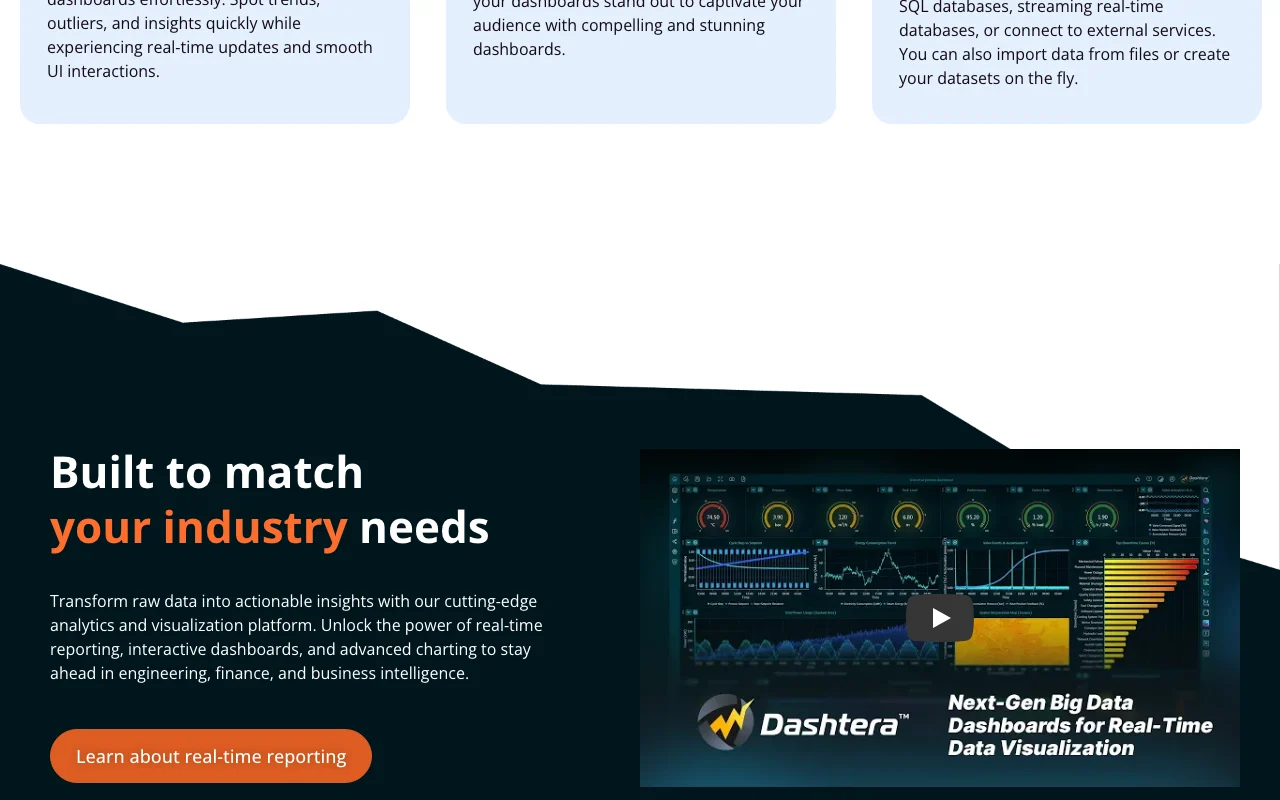
Dashtera homepage — screenshot of the productivity & writing AI tool, Oct 1, 2026
Feature overview on the official site. dashtera.com, captured Oct 1, 2026

No-code dashboard editor

Lets you assemble responsive dashboards by dragging charts and panels Avoids writing front-end code

Access: All plansLimit: Free limited to 3 charts per dashboard source (opens in a new tab)

Wide chart library

Offers basic, XY, 3D, bar, polar, technical-analysis and statistics charts, maps and KPI panels Fits technical and business use

Access: Chart families vary by planLimit: Statistics and map charts are paid add-ons source (opens in a new tab)

File import and SQL queries

Loads CSV, JSON, XML, Excel and queries SQL databases Connects dashboards to real data

Access: Files on all plans, SQL on paidLimit: 1 active connector on Free source (opens in a new tab)

Drill-down and filtering

Lets viewers filter and explore from summary to detail Supports interactive analysis

Access: Paid plansLimit: Not detailed for Free source (opens in a new tab)

Deployment options

Cloud, on-premises, hosted private, OEM and source-code models are listed Fits regulated environments

Access: Contact vendor for non-cloudLimit: Pricing for these models not shown source (opens in a new tab)

Dashtera: strengths and limits

Where Dashtera is strong

Limitations to check before paying

How to use Dashtera for building a no-code dashboard

Set up Dashtera

  1. Sign up free at dashtera.com (no card)
  2. Create a new dashboard
  3. Upload a CSV, JSON, XML or Excel file or connect a database on a paid plan
  4. Pick chart types from the library

Example: building a no-code dashboard

  1. Import a sales spreadsheet
  2. Add a bar chart and a KPI panel
  3. Apply filters for region
  4. Share the dashboard or export a PDF report

Review and export the result

  1. Compare chart totals with the source spreadsheet
  2. Check chart and data point counts against your plan

Dashtera integrations and API

Dashtera pricing page with plans and prices — screenshot of the productivity & writing AI tool, Oct 1, 2026
Plan comparison on the official pricing page. dashtera.com, captured Oct 1, 2026

Native integrations and export formats

Export: PDF reports

API access and separate billing

Dashtera has no public API in its official documentation. Custom API connectors listed as coming soon

Privacy, data use and commercial rights

Summarized from the vendor's current policies; this is not legal advice and a vendor's badge is not an independent audit.

How your inputs and outputs are handled

Uploaded data files and connected databases feed dashboards

Best Dashtera alternatives for different needs

"Better suited" is based on documented features and pricing, not on a head-to-head test.

Zapier: better suited to

n8n: better suited to

Alternatives
AlternativeWhen to choose itPricingLimitation
Zapier——Compare
n8n——Compare

Explore Dashtera further

Related to Dashtera

Dashtera user reviews

No user reviews yet.

Used Dashtera? Be the first to share your experience.

Write a review

Reviews are checked by a moderator before they appear. Your email is never published. Plain text only.

Your rating (required)

Show what you made or what went wrong. Images are published only if the review is approved; location data is removed.

    Dashtera FAQ

    How much does Dashtera cost?

    Basic is free; Business Intelligence is $20, Engineering & Science $40 and Finance & Trading $50 per user per month, or $200, $400 and $500 per user per year. source (opens in a new tab)

    What are the Free plan limits?

    3 charts per dashboard, 500 data points and 100 MB of storage. source (opens in a new tab)

    Is there a lifetime deal?

    A limited-time lifetime deal starting from $59 is advertised on the pricing page. source (opens in a new tab)

    Which databases can I connect?

    Paid plans connect SQL and other sources such as PostgreSQL, MySQL, MongoDB, MS SQL, BigQuery and Snowflake. source (opens in a new tab)

    Is there an AI assistant?

    An AI dashboard assistant is listed as coming soon. source (opens in a new tab)

    Sources and review methodology

    Official sources and verification dates

    Not verified: Privacy policy; API availability; Lifetime deal terms.

    How we documented and maintain this page

    Every fact about Dashtera above comes from the 2 official pages listed here, last compared on Sep 29, 2026; we have not run Dashtera ourselves, so it has no editorial score. How we check and re-check pages.

    Article updated Oct 10, 2026; prices checked Sep 29, 2026. Outbound links to vendors are plain links; we do not earn commissions. How we review · Report an error