Productivity & writingDocumented overviewLast checked Oct 1, 2026

Demi: Pricing, Features & Best Use Cases

Mac AI teammate that drafts email replies, meeting follow-ups and CRM updates from your email, meetings, Slack and CRM.
Who Demi fits

Demi suits Mac users buried in email, meetings and CRM updates who want a teammate that drafts replies and records for approval, with a free start and a $25/month Individual plan. Based on the vendor's documentation, not on a hands-on test.

Best for: Mac users with heavy email and meeting loads

Also a good fit for

  • Sales and client-facing roles

Consider another tool if download offered for Mac only

Or if

  • Usage is credit-limited (5,000 credits/month on Individual)
  • Team pricing is custom quote

Demi pricing and usage limits

Prices checked Oct 1, 2026 on the official US pricing page. Official pricing ↗ Prices and limits change often.

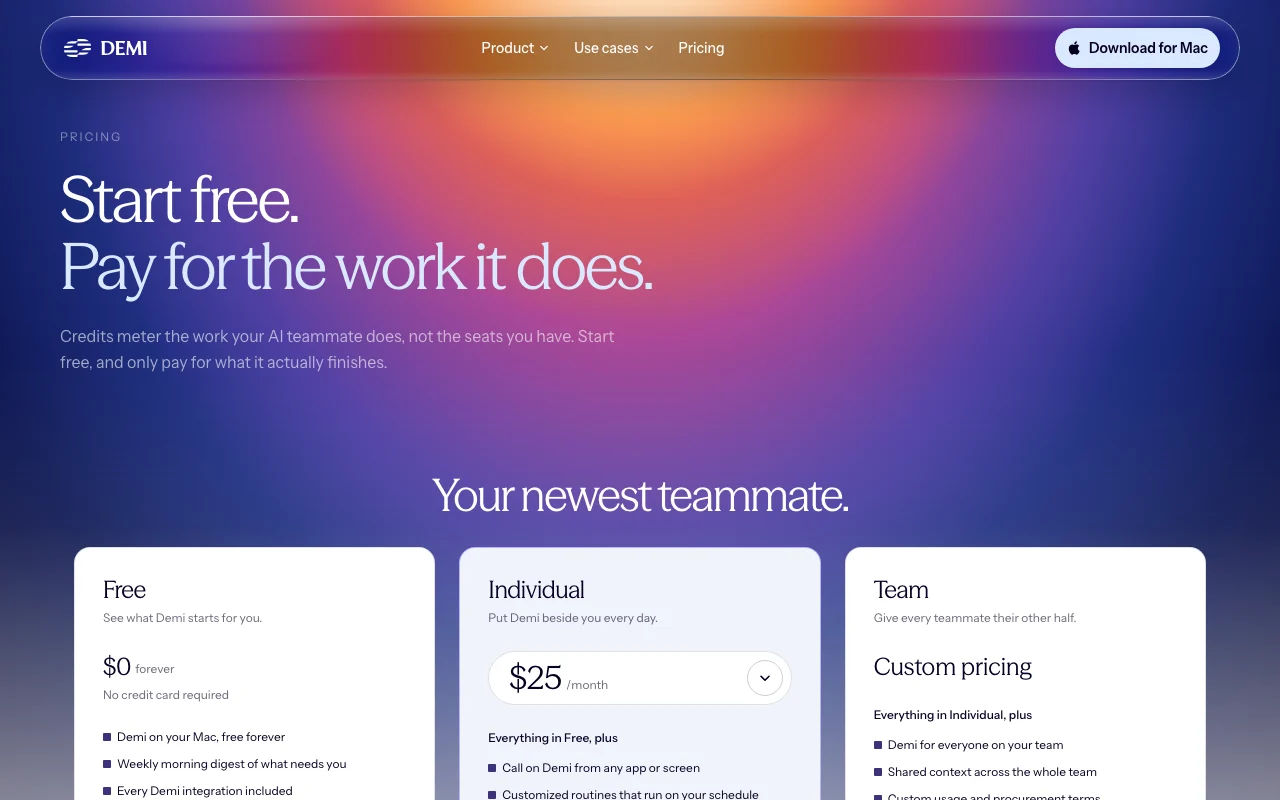
Demi pricing page with plans and prices — screenshot of the productivity & writing AI tool, Oct 1, 2026
The official Demi pricing page as we saw it. demi.ai, captured Oct 1, 2026

Free access and trial conditions

Free forever plan; up to $50 in free credits at signup.

No separate trial; Free plan is the entry.

Paid plans: what changes as you upgrade

Free web

Free source (opens in a new tab)

Month

For: Trying Demi on real work

Limits

  • Up to $50 in credits at signup

Includes

  • Demi on Mac
  • Weekly morning digest
2 more
  • All integrations
  • Memory

Individual web

$25/mo source (opens in a new tab)

Month

For: Daily personal use

Limits

  • 5,000 credits/month
  • One person, one Mac

Includes

  • Call Demi from any app
  • Custom routines
2 more
  • Daily digests
  • Priority speed

Team sales

Custom pricing source (opens in a new tab)

Unknown

For: Teams

Limits

  • Custom credits

Includes

  • Shared team context
  • Demi in Slack
2 more
  • Security review support
  • Dedicated onboarding

Usage caps, credits and extra costs

Credits can be added any time; no silent overage charges.

Not stated.

What is Demi, and how does it work?

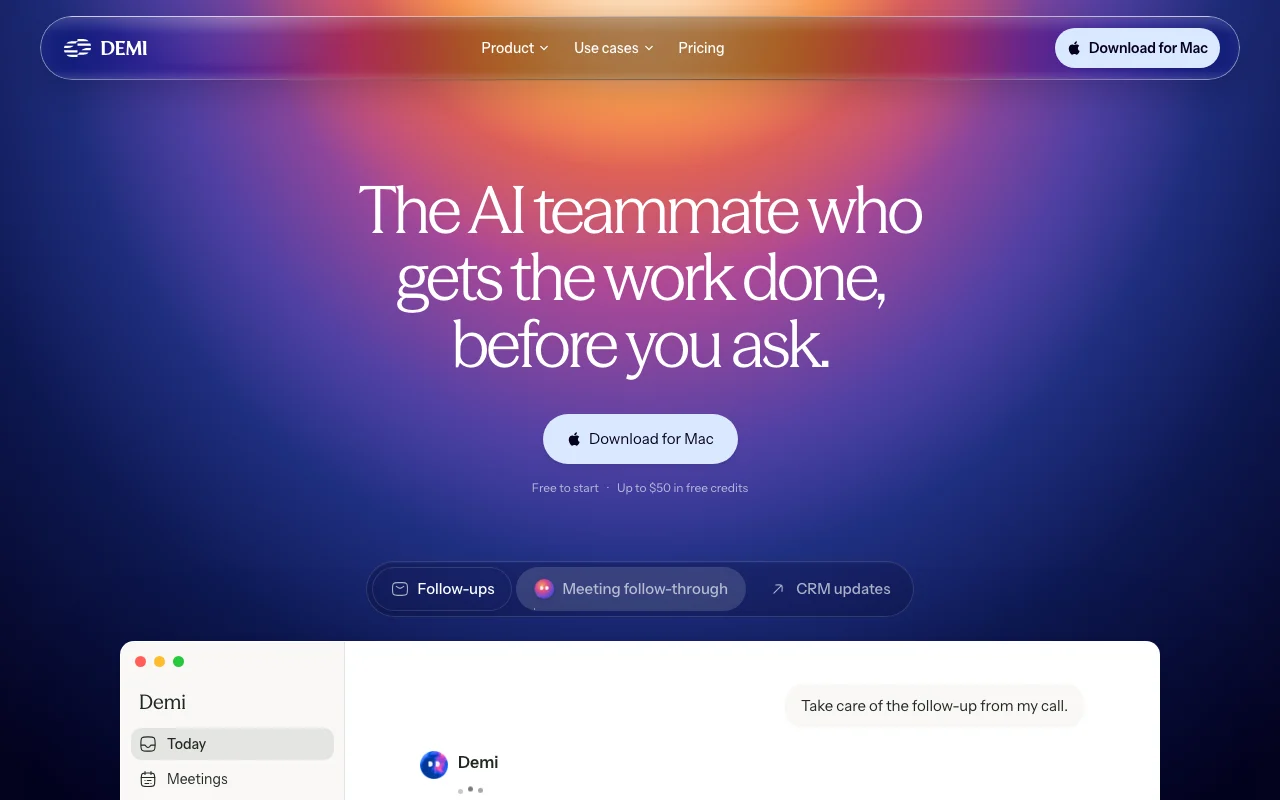
Demi is an AI teammate for Mac that pulls context from email, meetings, Slack and CRM, then prepares replies, follow-ups and record updates for the user to approve. It has a free plan with up to $50 in free credits on signup, a paid Individual plan, and a custom-priced Team plan. Usage is metered in credits.

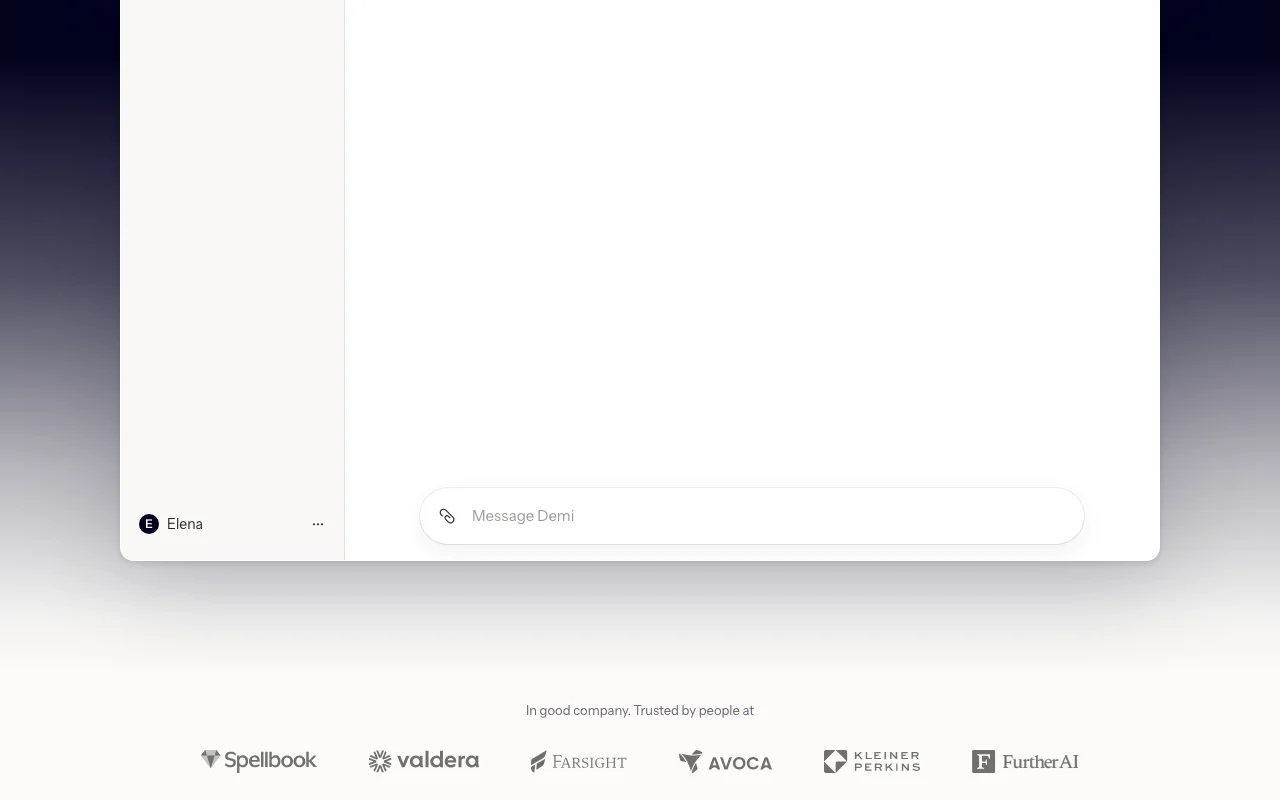
Demi homepage — screenshot of the productivity & writing AI tool, Oct 1, 2026
Demi's official site: how the product presents itself. demi.ai, captured Oct 1, 2026

What you provide and what you get back

How Demi works: what you provide, where it runs and what you get backYOU PROVIDEYour inputEmail threads (Gmail)Meeting content and calendarSlack messagesCRM recordsPRODUCTIVITY & WRITINGDemiDesktopfrom $25/mo (Individual)free tier availableaccount requiredchecked Oct 1, 2026YOU GET BACKThe resultDraft email replies for approvalMeeting follow-ups and briefsStaged CRM updatesinput → Demi → output · from the vendor's own pages, no hands-on test unless stated
What you give Demi and what comes back, from its documentation

You provide

  • Email threads (Gmail)
  • Meeting content and calendar
  • Slack messages
  • CRM records

You get back

  • Draft email replies for approval
  • Meeting follow-ups and briefs
  • Staged CRM updates

Where you can use it

Platforms
Desktop
Account
Required
Platform
Mac app
Integrations
100+ tools
Individual credits
5,000 per month
Security
SOC 2 Type II, CASA Tier II, Google-verified

What people use Demi for

Scenarios are worked out by our editors from the documentation; the actual result depends on your input and plan.

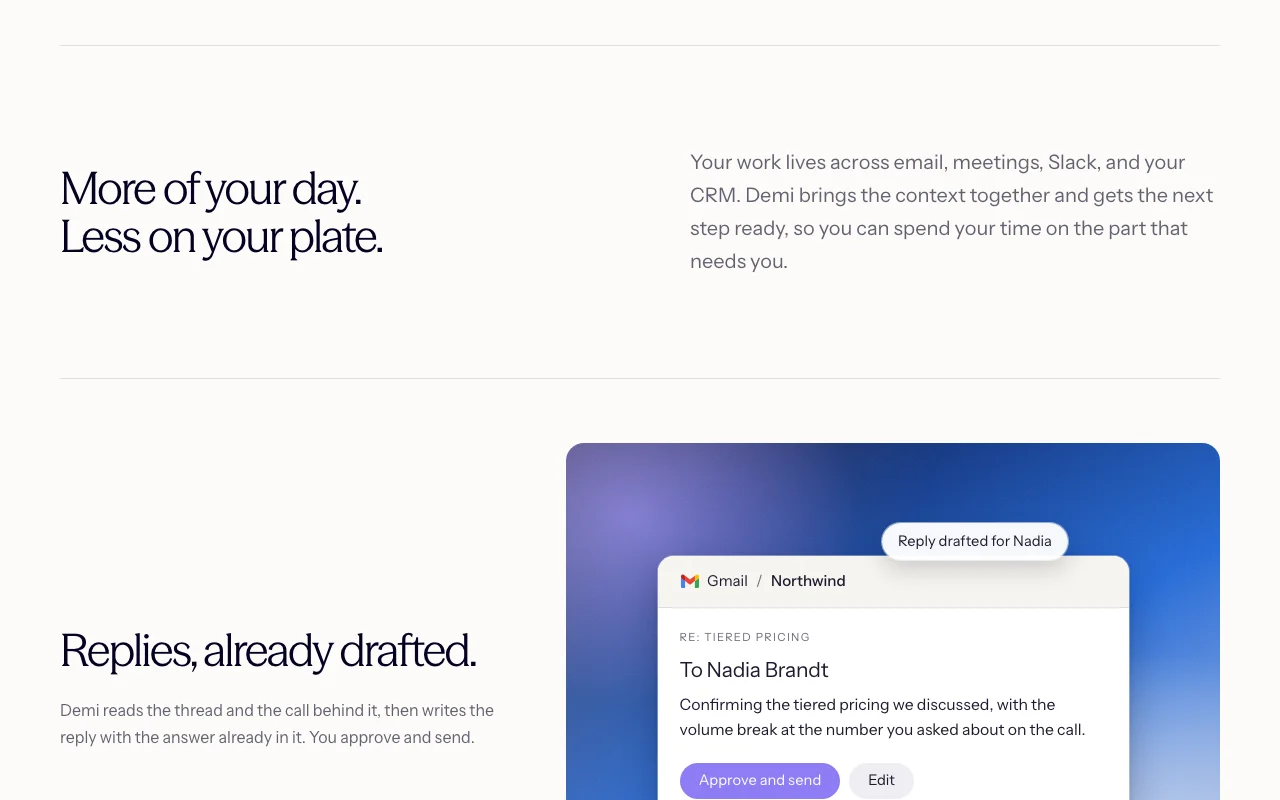
Draft email replies

Who
Sales reps and founders with busy inboxes
You provide
Gmail thread plus the call behind it
Expected result
A drafted reply with the answer included, ready to approve and send
Plan needed
Free to start; Individual for daily use
Limitation
Nothing is sent without your approval source (opens in a new tab)

Meeting follow-ups

Who
Client-facing roles
You provide
Notes from a call
Expected result
Commitments captured, recap written and follow-ups drafted
Plan needed
Individual
Limitation
Depends on connected meeting and email tools source (opens in a new tab)

CRM updates

Who
Sellers who hate CRM admin
You provide
Call context and HubSpot deal
Expected result
Deal stage and next step staged for one-click approval
Plan needed
Free or Individual
Limitation
CRM connection required source (opens in a new tab)

Key features and their practical limits

Demi homepage — screenshot of the productivity & writing AI tool, Oct 1, 2026
Feature overview on the official site. demi.ai, captured Oct 1, 2026

Mac app

Runs as a Mac app that can be called from any app or screen Keeps help one keystroke away

Access: Free plan includes Demi on Mac; calling from any app is IndividualLimit: Mac only per the download buttons source (opens in a new tab)

Approval before sending

Shows exactly what it will do and waits for approve, edit or skip Prevents unwanted emails or record changes

Access: All plansLimit: Adds a review step to every consequential action source (opens in a new tab)

Integrations with email, Slack and CRM

Works across 100+ tools such as Gmail, Google Calendar, Slack, Drive and CRMs Carries context from one tool to the next

Access: All integrations included on FreeLimit: Which CRMs are supported is not listed in detail source (opens in a new tab)

Memory of how you work

Learns how you work and can turn repeated work into routines Reduces repeated instructions

Access: Memory on Free; custom routines on IndividualLimit: Routines need the paid plan source (opens in a new tab)

Demi pros and cons

Where Demi is strong

Limitations to check before paying

How to use Demi for drafting email replies and CRM updates from call context

Set up Demi

  1. Download Demi for Mac from the homepage
  2. Create an account and sign in
  3. Connect Gmail, Calendar and Slack
  4. Connect your CRM such as HubSpot

Example: drafting email replies and CRM updates from call context

  1. Open the morning digest of what needs you
  2. Open the drafted reply to a prospect
  3. Edit the wording and approve it
  4. Approve the staged CRM deal update

Review and export the result

  1. Confirm the email stays a draft until you approve
  2. Compare the CRM stage change with what was said on the call
Example prompt suggested by our editors (not a recorded output of the product)
Draft a reply to Nadia confirming the tiered pricing from today's call and offer the security pack by Friday.

Demi API

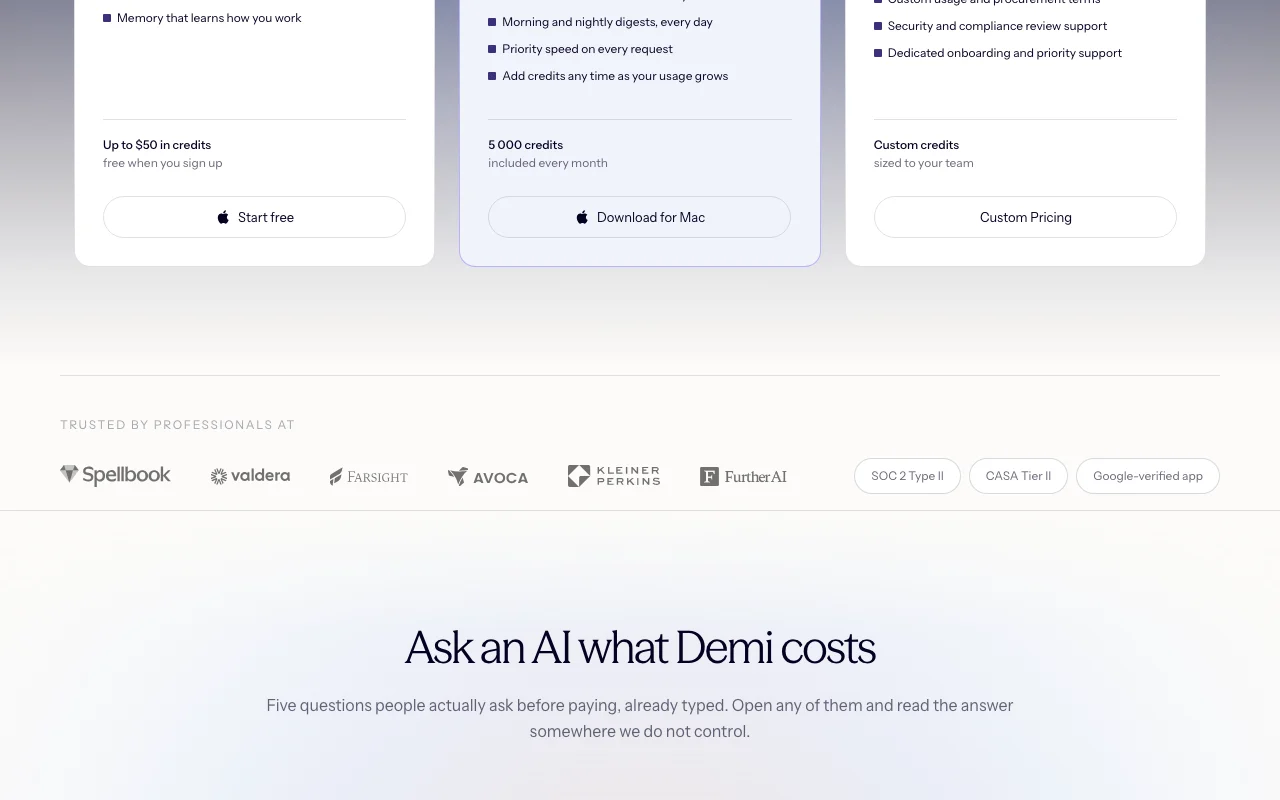
Demi pricing page with plans and prices — screenshot of the productivity & writing AI tool, Oct 1, 2026
Plan comparison on the official pricing page. demi.ai, captured Oct 1, 2026

API access and separate billing

Demi has no public API in its official documentation. No API mentioned

Privacy, data use and commercial rights

Summarized from the vendor's current policies; this is not legal advice and a vendor's badge is not an independent audit.

How your inputs and outputs are handled

Reads connected email, meeting, Slack and CRM data to prepare work.

Pricing FAQ says model providers do not retain data.

Not stated beyond encryption statements.

Commercial use and plan restrictions

Not stated.

Not stated.

Controls for business users

  • Approval before actions
  • SOC 2 Type II
  • CASA Tier II
  • Encryption in transit and at rest

Best Demi alternatives for different needs

"Better suited" is based on documented features and pricing, not on a head-to-head test.

ChatGPT: better suited to

Claude: better suited to

Notion AI: better suited to

Alternatives
AlternativeWhen to choose itPricingLimitation
ChatGPT——
Claude——
Notion AI——Compare

Explore Demi further

If you are looking at Demi

Demi user reviews

No user reviews yet.

Used Demi? Be the first to share your experience.

Write a review

Reviews are checked by a moderator before they appear. Your email is never published. Plain text only.

Your rating (required)

Show what you made or what went wrong. Images are published only if the review is approved; location data is removed.

    Demi FAQ

    Is Demi free?

    Yes. Download for Mac with no card and receive up to $50 in credits; Individual starts at $25/month. source (opens in a new tab)

    What is a credit?

    Credits meter work Demi does such as drafting, researching and updating records; on running out you can top up, upgrade or wait. source (opens in a new tab)

    Does Demi send emails by itself?

    No. It shows what it plans to do and you approve, edit or skip before messages or record changes. source (opens in a new tab)

    What tools does it connect to?

    100+ tools including Gmail, Google Calendar, Slack, Google Drive and leading CRMs. source (opens in a new tab)

    Can I cancel Individual?

    Yes, any time; changes apply at the end of the billing period with no annual lock-in. source (opens in a new tab)

    Sources and review methodology

    Official sources and verification dates

    Not verified: Privacy policy text; Windows or mobile availability; Supported CRM list; US availability.

    How we documented and maintain this page

    Every fact about Demi above comes from the 2 official pages listed here, last compared on Oct 1, 2026; we have not run Demi ourselves, so it has no editorial score. How we check and re-check pages.

    Article updated Oct 10, 2026; prices checked Oct 1, 2026. Outbound links to vendors are plain links; we do not earn commissions. How we review · Report an error