Productivity & writingDocumented overviewLast checked Oct 1, 2026

Deck: Pricing, Features & Best Use Cases

AI email assistant with its own inbox address that handles research, follow-ups, briefs and scheduled tasks by email.

Who Deck fits

Deck suits busy founders, sales and finance people who prefer to delegate research, follow-ups and daily briefs to an assistant they reach by plain email instead of a new app. Based on the vendor's documentation, not on a hands-on test.

Best for: Founders

Also a good fit for

  • Sales teams
  • Busy professionals

Consider another tool if no pricing shown on official pages

Or if

  • Other connection methods marked as coming soon
  • Requires an account

Deck in the news

Headlines from US outlets, selected automatically — not endorsements. Updated Oct 2, 2026

Deck pricing and usage limits

Prices checked Oct 1, 2026 on the official US pricing page. Prices and limits change often.

Free access and trial conditions

Not stated; the pricing page returned 404.

Not stated.

Deck does not publish a plan table we could verify. See official pricing ↗

Usage caps, credits and extra costs

Not stated.

Not stated.

What is Deck, and how does it work?

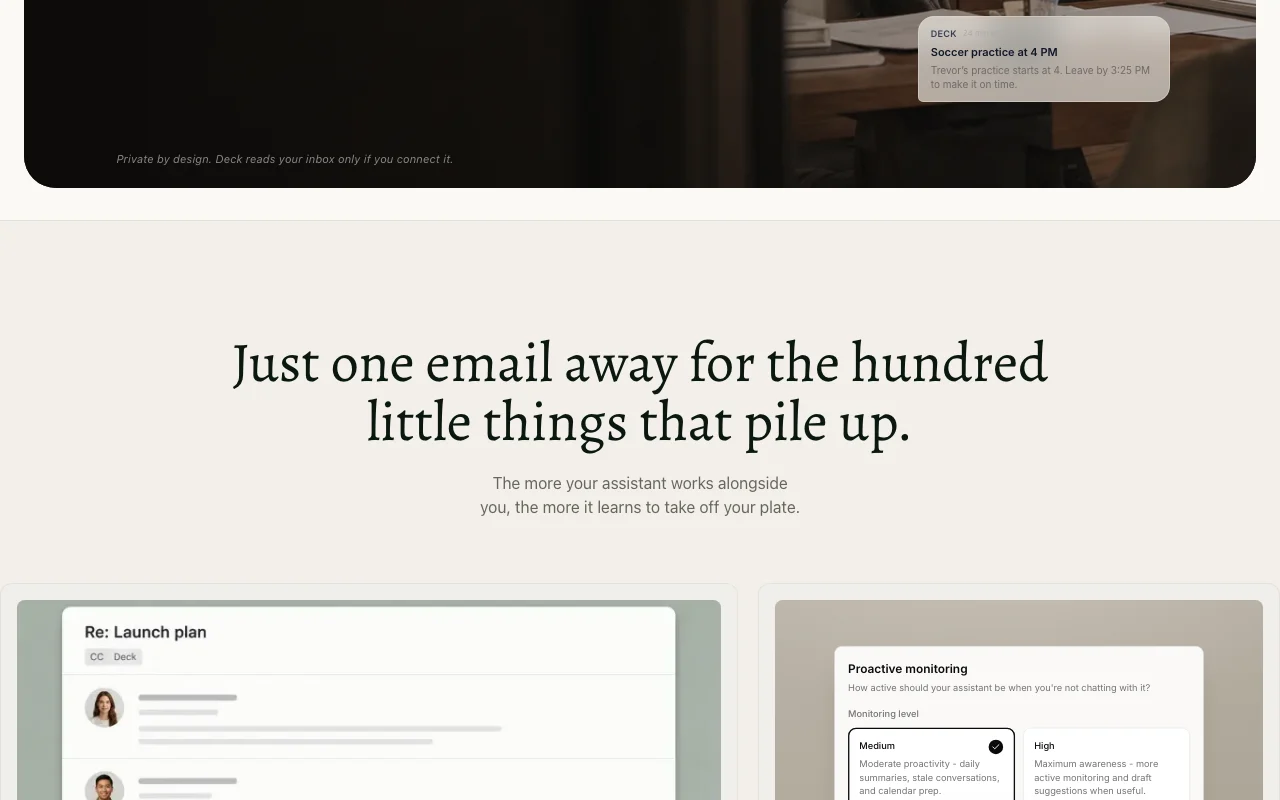
Deck is an AI assistant that works over web and email. Users give it a name and its own email address, then CC or forward threads to it. It can draft replies, research, monitor competitors and send scheduled briefs. It reads a user's inbox only if connected.

Deck homepage — screenshot of the productivity & writing AI tool, Oct 1, 2026
Deck's official site: how the product presents itself. hellodeck.ai, captured Oct 1, 2026

What you provide and what you get back

How Deck works: what you provide, where it runs and what you get backYOU PROVIDEYour inputEmails CCed or forwarded to the a…Direct emails with tasksConnected inbox, calendar and not…PRODUCTIVITY & WRITINGDeckWebprice not publishedno free tieraccount requiredchecked Oct 1, 2026YOU GET BACKThe resultEmailed replies and draftsDaily morning briefsScheduled research summariesHeads-up alertsinput → Deck → output · from the vendor's own pages, no hands-on test unless stated
What you give Deck and what comes back, from its documentation

You provide

  • Emails CCed or forwarded to the assistant
  • Direct emails with tasks
  • Connected inbox, calendar and notes (optional)

You get back

  • Emailed replies and drafts
  • Daily morning briefs
  • Scheduled research summaries
  • Heads-up alerts

Where you can use it

Platforms
Web
Account
Required
Interface
Email and web only
Assistant address
[email protected]
Monitoring levels
Medium and High
Audiences
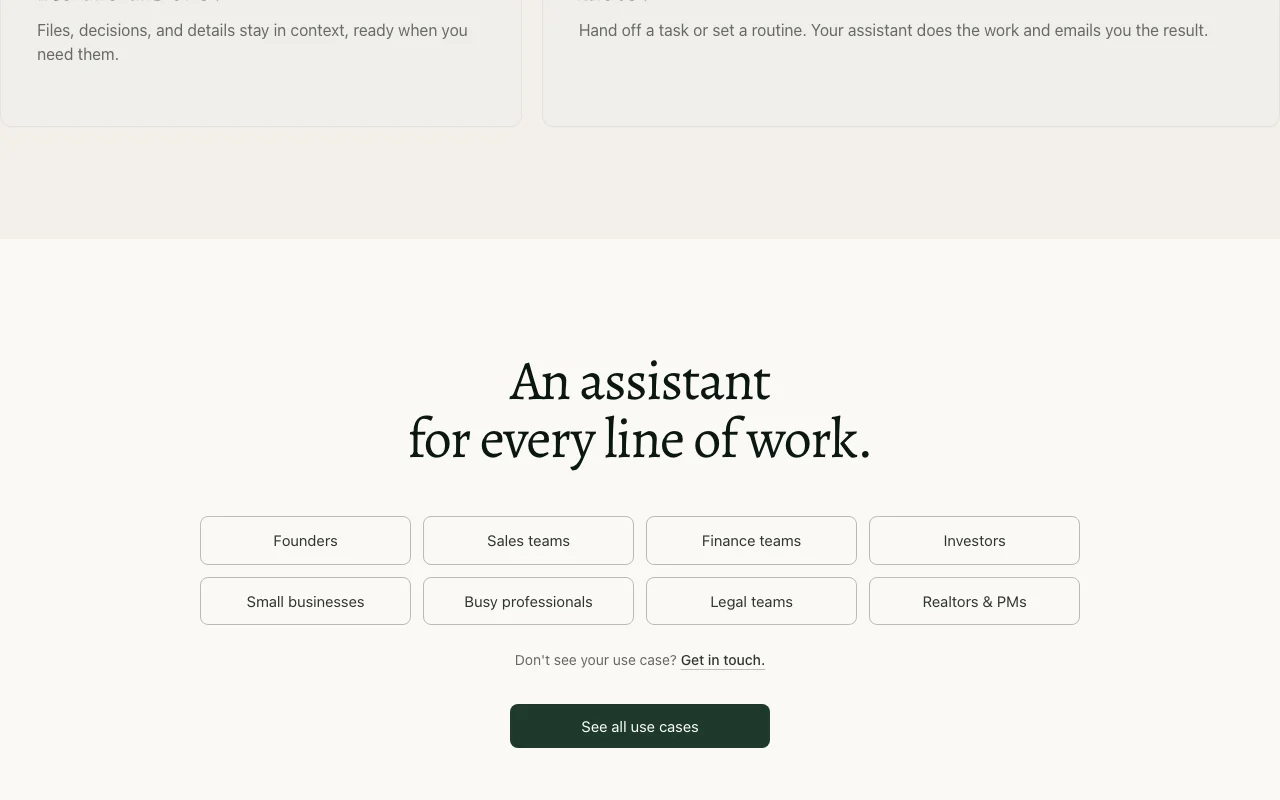
Founders, sales, finance, investors, legal, realtors

Best use cases for Deck

Scenarios are worked out by our editors from the documentation; the actual result depends on your input and plan.

Drafting replies and follow-ups

Who
Professionals handling many threads
You provide
A CCed email thread or a forwarded message
Expected result
A reply draft or follow-up ready to review
Plan needed
Plan not published
Limitation
Replies only go to you, so sending is manual source (opens in a new tab)

Daily meeting briefs

Who
Executives and sales teams
You provide
Calendar and notes from tools such as Granola and Fireflies
Expected result
A morning brief with prep for the meetings that matter
Plan needed
Plan not published
Limitation
Needs connected tools source (opens in a new tab)

Competitor monitoring

Who
Founders and investors
You provide
A competitor or account to watch
Expected result
Scheduled emailed reads on what changed
Plan needed
Plan not published
Limitation
Monitoring depth depends on the level you set source (opens in a new tab)

What Deck does, and where it stops

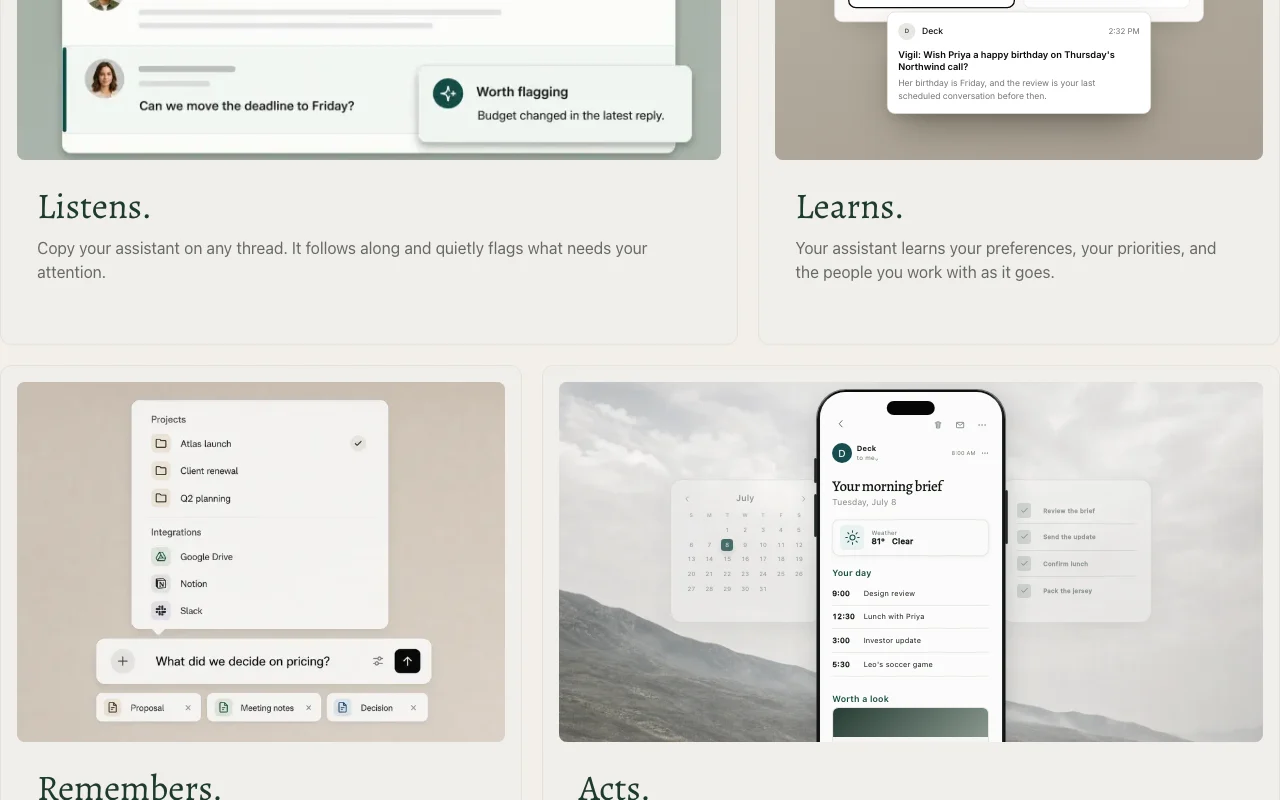
Deck homepage — screenshot of the productivity & writing AI tool, Oct 1, 2026
Feature overview on the official site. hellodeck.ai, captured Oct 1, 2026

Assistant with its own email address

Gives the assistant a chosen name and an address at agent.hellodeck.ai. Lets you message it like a coworker.

Access: Account requiredLimit: Interaction is limited to email and web. source (opens in a new tab)

CC or forward to delegate

Lets you CC the assistant on a thread so it follows along or forward emails to hand off work. Delegates without a new interface.

Access: Account requiredLimit: Other connection methods are marked as coming soon. source (opens in a new tab)

Proactive monitoring levels

Offers Medium and High levels for daily summaries, stale-conversation nudges, calendar prep and draft suggestions. Controls how much the assistant interrupts.

Access: Account requiredLimit: Higher levels mean more proactive messages. source (opens in a new tab)

Scheduled recurring routines

Runs routines like a daily meeting brief or weekly account read and emails the result. Automates recurring research.

Access: Account requiredLimit: Tool connections such as Slack or Notion are shown but not detailed. source (opens in a new tab)

Deck pros and cons

Reasons to choose Deck

  • Works by email without a new app There is no new interface to learn, so adoption is quick. documented source (opens in a new tab)
  • Replies only to the user, not other thread participants Group threads are safe, as nothing is sent to other recipients by the assistant. documented source (opens in a new tab)
  • Inbox access only if connected Privacy is in your hands because your mailbox stays unread unless linked. documented source (opens in a new tab)
  • Has a routine library Common recurring tasks can be started from examples rather than from scratch. documented source (opens in a new tab)
  • Learns preferences Writing style, key people and guarded times are remembered over time. documented source (opens in a new tab)

Check before paying for Deck

How to use Deck for delegating email follow-ups to an assistant

Set up Deck

  1. Create an account at hellodeck.ai.
  2. Name your assistant, which creates an address like [email protected].
  3. Optionally connect your inbox and calendar so it can read them.
  4. Choose a monitoring level, Medium or High.

Example: delegating email follow-ups to an assistant

  1. CC your assistant on a client thread.
  2. Wait for a private note flagging deadlines or risks.
  3. Ask it by email to draft a reply.
  4. Set a weekly routine to summarize newsletters or accounts.

Review and export the result

  1. Confirm the reply came only to you.
  2. Check the draft against the original thread.
  3. Review the scheduled routines and adjust their timing.
Example prompt suggested by our editors (not a recorded output of the product)
Send me a brief every morning of today's meetings from my calendar, with prep notes for any call with a client.

Deck API

API access and separate billing

Deck has no public API in its official documentation. No API documented; docs page returned 404.

Privacy, data use and commercial rights

Summarized from the vendor's current policies; this is not legal advice and a vendor's badge is not an independent audit.

How your inputs and outputs are handled

Reads your inbox only if you connect it; the privacy page returned 404.

Controls for business users

  • Replies only to the user, never to others on a thread

Deck alternatives by need

"Better suited" is based on documented features and pricing, not on a head-to-head test.

ChatGPT: better suited to

Notion AI: better suited to

Microsoft Copilot: better suited to

Alternatives
AlternativeWhen to choose itPricingLimitation
ChatGPT——
Notion AI——Compare
Microsoft Copilot——

Explore Deck further

If you are looking at Deck

Deck user reviews

No user reviews yet.

Used Deck? Be the first to share your experience.

Write a review

Reviews are checked by a moderator before they appear. Your email is never published. Plain text only.

Your rating (required)

Show what you made or what went wrong. Images are published only if the review is approved; location data is removed.

    Deck FAQ

    How do I give Deck a task?

    Email it directly, CC it on a thread or forward a message; other connection methods are listed as coming soon. source (opens in a new tab)

    Will Deck email other people on my threads?

    No. The homepage says it only ever replies to you, never to anyone else on the thread. source (opens in a new tab)

    Does Deck read my whole inbox?

    Only if you connect it; the homepage says it reads your inbox only when connected. source (opens in a new tab)

    What can scheduled routines do?

    They run on a schedule, for example a daily meetings brief, a weekly account update or a Friday team recap, and email you the result. source (opens in a new tab)

    How much does Deck cost?

    Pricing is not published; the pricing page returned 404 when checked. source (opens in a new tab)

    Sources and review methodology

    Official sources and verification dates

    Not verified: Pricing and free tier; Privacy policy (404); Documentation (404); Training use and retention; Country availability.

    How we documented and maintain this page

    Every fact about Deck above comes from the 3 official pages listed here, last compared on Oct 1, 2026; we have not run Deck ourselves, so it has no editorial score. How we check and re-check pages.

    Article updated Oct 2, 2026; prices checked Oct 1, 2026. Outbound links to vendors are plain links; we do not earn commissions. How we review · Report an error