Google Antigravity vs Cursor in 2026: free agent platform or paid code editor
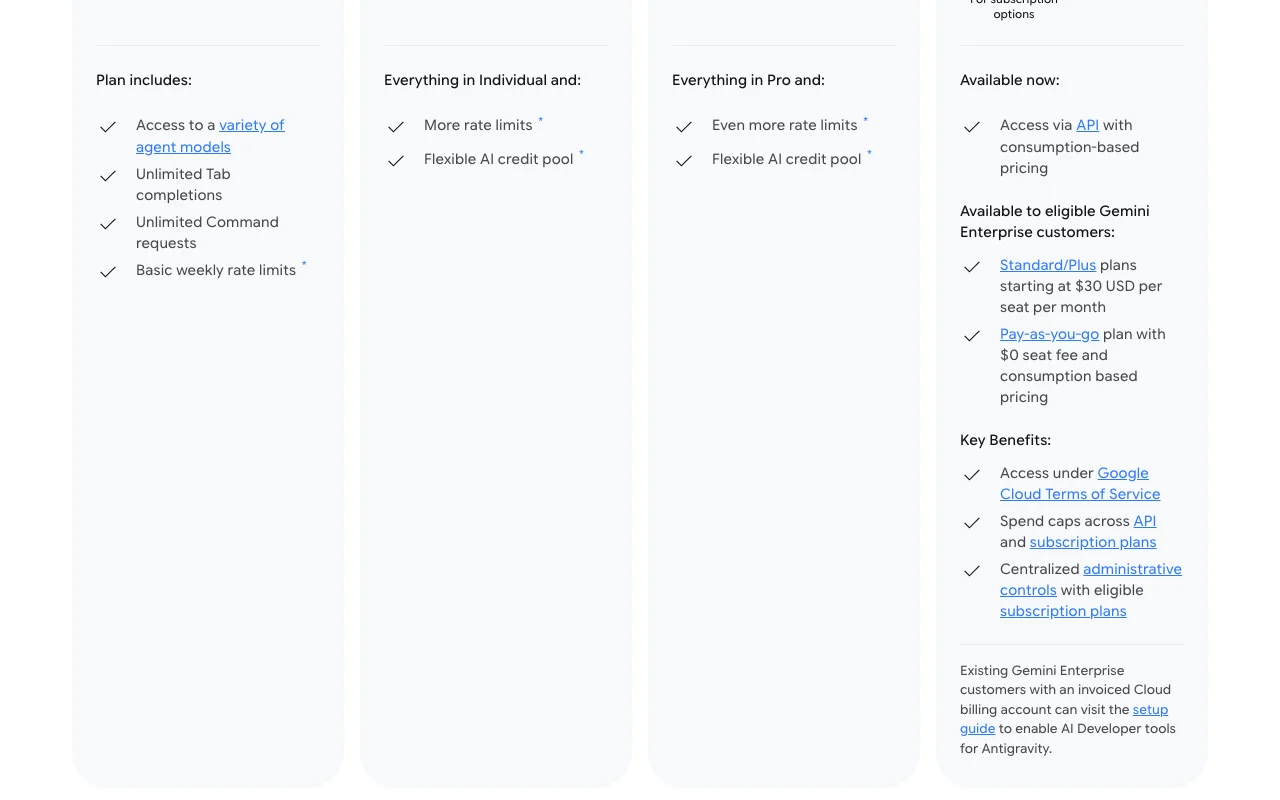
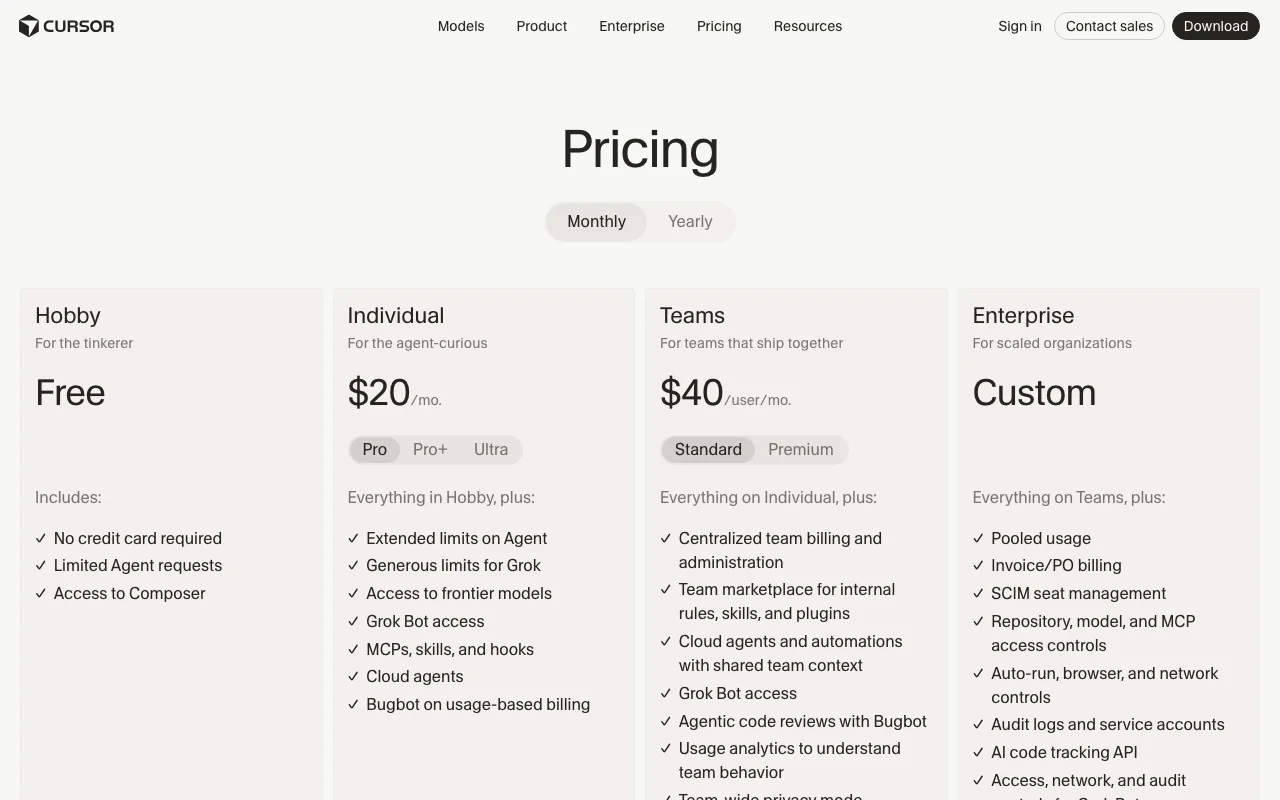
Pick Cursor if you want paid prices you can see and a documented privacy mode; pick Google Antigravity if you want a free $0 plan and several ways to run agents. Cursor has a free Hobby plan, Individual (Pro) at $20/month and Teams at $40 per user per month. Antigravity's Individual plan is $0/month with basic weekly rate limits, but the prices of its Google AI Pro and Ultra plans are not shown.
We based this comparison on our Google Antigravity and Cursor profiles, both verified 2026-09-29 from official vendor pages; it uses no third-party benchmarks and no vendor paid for placement.
Is Google Antigravity better than Cursor? The short answer
Cursor is the easier one to price: Hobby is free, Individual (Pro) is $20/month and Teams is $40 per user per month. Google Antigravity also has a free $0 Individual plan with basic weekly rate limits, and it spreads across a desktop app, CLI, Python SDK and IDE extensions, but we could not find prices for its Google AI Pro and Ultra plans. Cursor documents its privacy mode; Antigravity's privacy terms could not be read. Pick Cursor if you want known prices and a documented privacy mode; pick Antigravity if you want to run several agents from a desktop app, CLI or SDK.
Based on our Google Antigravity and Cursor profiles, both verified 2026-09-29 from official vendor pages; the Antigravity privacy and docs pages could not be read, and no benchmark was run.
Google Antigravity and Cursor, as their sites look today
Our own captures of each vendor's public pages. Click a frame for the full-size image.
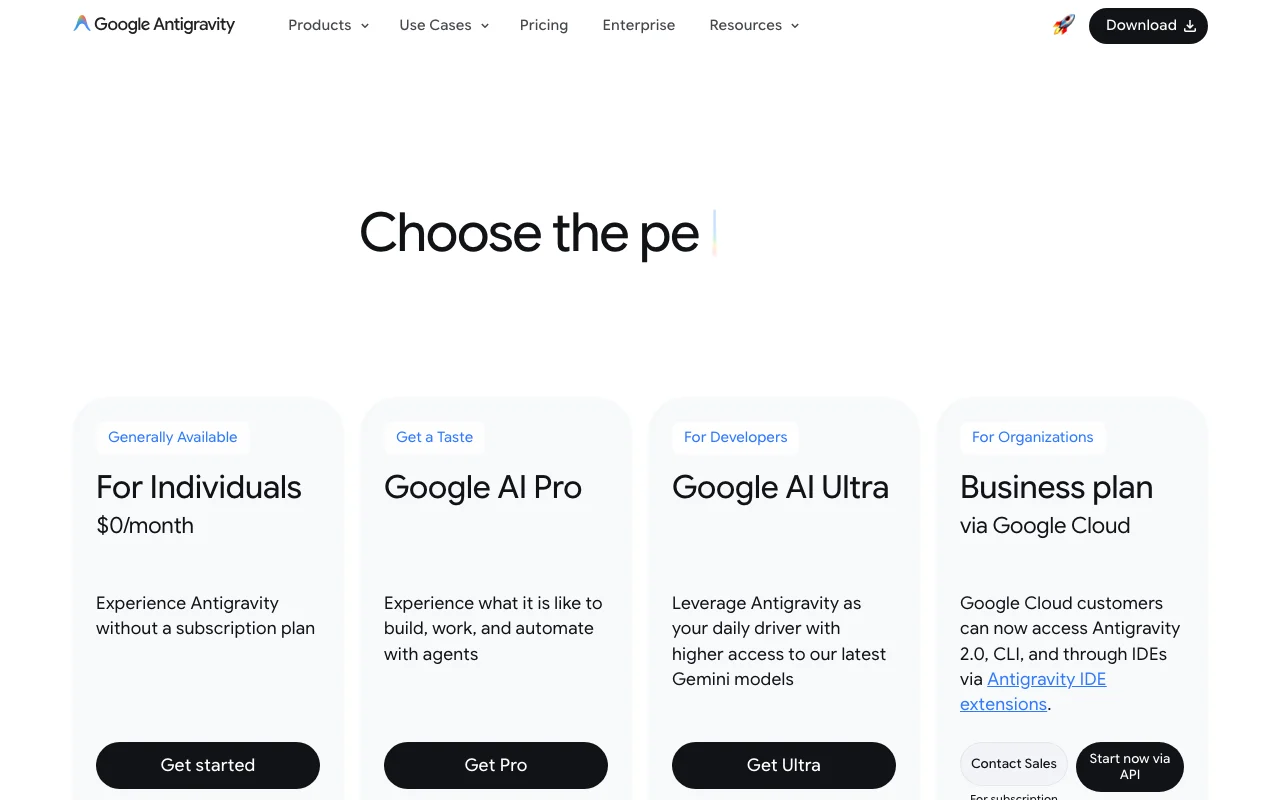
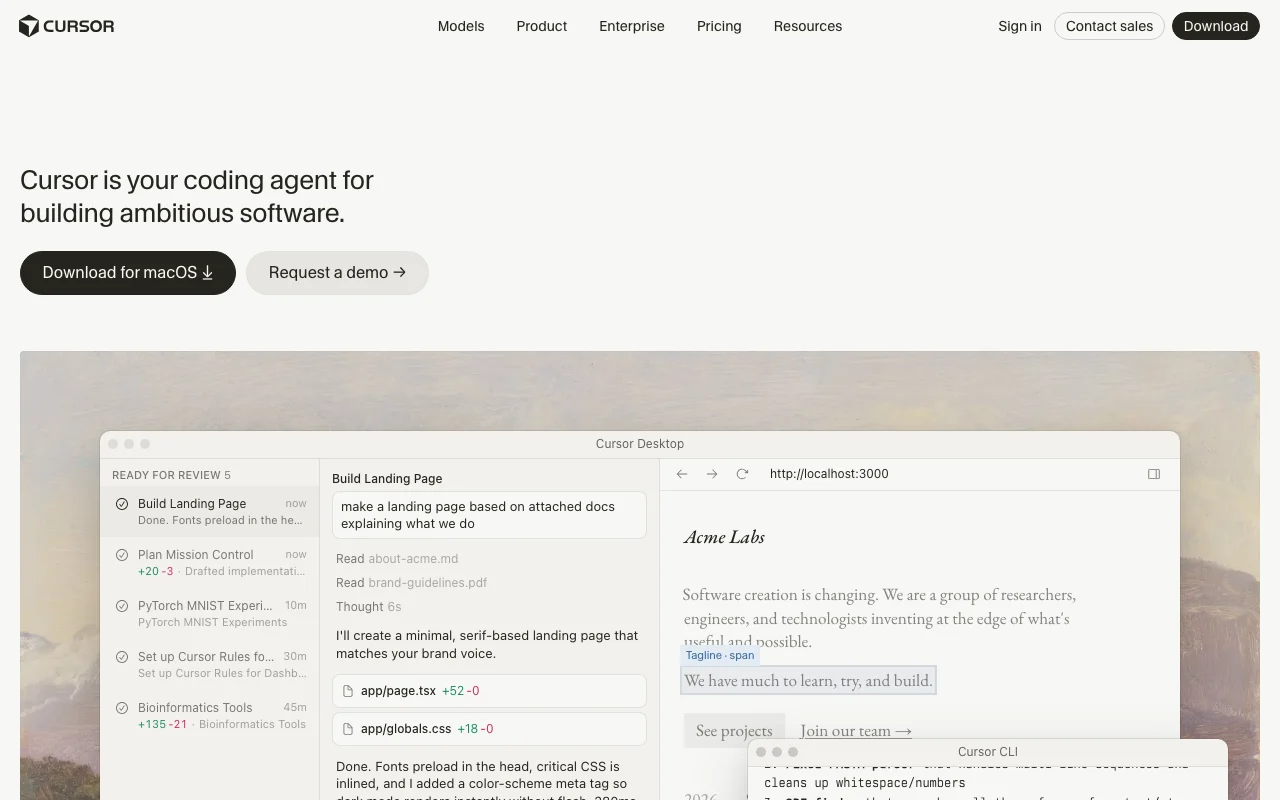
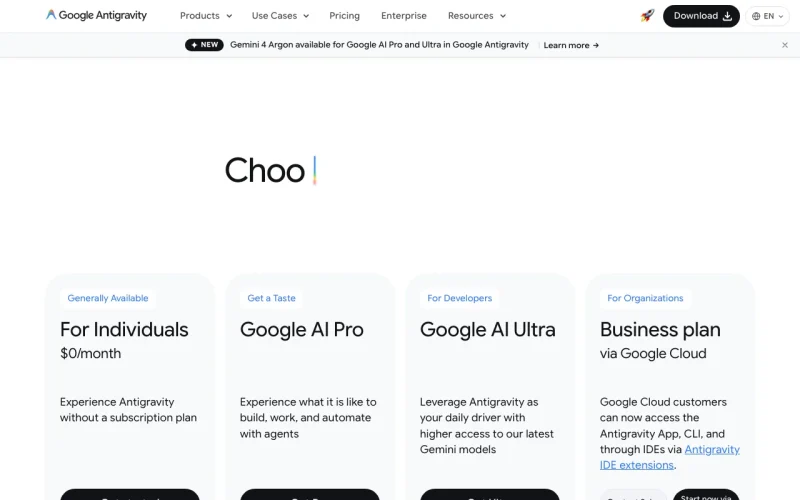
Google Antigravity homepage. antigravity.google, captured Oct 28, 2026Cursor homepage. cursor.com, captured Oct 1, 2026Google Antigravity plans and prices. antigravity.google, captured Oct 28, 2026Cursor plans and prices. cursor.com, captured Oct 1, 2026
Google Antigravity or Cursor: which to use, by task
If you only want the answer, this is the table. Everything below is the evidence from the two documented profiles.
Side-by-side comparison
You want to
Use
Why
Try an AI coding agent for free
Either
Antigravity Individual is $0/month; Cursor Hobby is free with no credit card
Run several coding agents in parallel
Either
Antigravity 2.0 manages several local agents; Cursor runs cloud agents in parallel
Work from the terminal
Either
Antigravity has a terminal-first CLI with background subagents; Cursor lists a CLI
Build your own agent in code
Google Antigravity
Antigravity provides a Python SDK for custom agents
Schedule routine agent tasks
Google Antigravity
Antigravity 2.0 lists scheduled messages
Review pull requests automatically
Cursor
Cursor lists Bugbot agentic code review
Use an agent from Slack or GitHub
Cursor
Cursor lists the coding agent in Slack and GitHub
Extend the agent with MCP servers and hooks
Cursor
Cursor lists MCPs, skills and hooks on Individual and above
Keep code out of model training
Cursor
Cursor documents privacy mode; Antigravity's terms were not stated
Run a team with SSO
Cursor
Cursor Teams lists SAML/OIDC SSO; Antigravity business plans go through Google Cloud sales
Who should pick which
Pick Antigravity for a free agent platform with an SDK, Cursor for stated prices and privacy mode
Pick Google Antigravity if
You want a free $0 Individual plan with agent models, Tab completions and command requests
You want a desktop app, a terminal CLI and a Python SDK for custom agents
You use macOS, Windows or Linux and want official IDE extensions
Your team is on Google Cloud or Gemini Enterprise
Pick Cursor if
You want paid prices stated up front: Individual (Pro) $20/month, Teams $40 per user per month
You want a coding agent in the desktop app, CLI, Slack and GitHub
You need Bugbot pull request review, SAML/OIDC SSO or team-wide privacy mode
You want to connect MCP servers, skills and hooks
What Google Antigravity does better, and what Cursor does better
Google Antigravity
Python SDK for custom agents
Scheduled messages and Projects in the Antigravity 2.0 desktop app
Official IDE extensions and a standalone IDE
Claude and gpt-oss models alongside Gemini on the free plan
Cursor
Bugbot agentic pull request review
Coding agent in Slack and GitHub as well as the desktop app and CLI
MCPs, skills and hooks
Published privacy mode and team SSO
Google Antigravity vs Cursor pricing: plans and free tiers
Side-by-side comparison
Plan
Tool
Price
Limits
Antigravity Individual
Google Antigravity
$0/mo
Basic weekly rate limits
Antigravity Google AI Pro
Google Antigravity
Not shown
More rate limits; flexible AI credit pool
Antigravity Google AI Ultra
Google Antigravity
Not shown
Even more rate limits; flexible AI credit pool
Antigravity Business via Google Cloud
Google Antigravity
Custom (contact sales)
Not stated
Gemini Enterprise Standard/Plus
Google Antigravity
From $30 per seat per month
Not stated
Antigravity API pay-as-you-go
Google Antigravity
Usage-based
Not stated
Cursor Hobby
Cursor
$0
Limited Agent requests
Cursor Individual (Pro)
Cursor
$20/mo
Extended limits on Agent; usage beyond included amount billed on demand
Cursor Individual (Pro+ / Ultra)
Cursor
Not confirmed
Pro+ recommended for daily agent users, Ultra for power users
Individual: basic weekly rate limits; Pro and Ultra: more rate limits with a flexible AI credit pool
Hobby: limited Agent requests; Individual: extended limits, usage beyond the included amount billed on demand
Context / file size
Not stated
Not stated
Seats / team
Business via Google Cloud: contact sales; Gemini Enterprise Standard/Plus from $30 per seat per month
Teams $40 per user per month; Enterprise custom with pooled usage
Feature comparison
Side-by-side comparison
Feature
Google Antigravity
Cursor
Desktop app
Yes (Antigravity 2.0)
Yes (macOS download shown)
Terminal CLI
Yes, with background subagents
Yes
SDK
Yes, Python SDK
Yes, TypeScript and Python SDK listed in docs
IDE extensions
Yes, VS Code, Visual Studio, JetBrains and Zed
JetBrains and Xcode listed in docs
Code review
Not stated
Yes (Bugbot)
MCP, skills and hooks
Not stated
Yes
Slack and GitHub
Not stated
Yes
API
Yes, pay-as-you-go
Docs list an API; billing not verified
Privacy and data training
Side-by-side comparison
Google Antigravity
Cursor
Training on your data
Not stated on the pages read
Not used for training unless flagged for security review, reported as Feedback or agreed to; with privacy mode on, not used by Cursor or model providers
Want to see paid prices before you commit: choose Cursor
Want a free plan to try agents: either works, Antigravity at $0/month or Cursor Hobby
Want a Python SDK or scheduled agent messages: choose Google Antigravity
Want pull request review, Slack or GitHub agents: choose Cursor
Need documented privacy mode or SSO for a team: choose Cursor, since Antigravity's privacy terms were not stated
Already on Google Cloud or Gemini Enterprise: look at Google Antigravity first
Frequently asked questions
Is Google Antigravity free?
Yes. The Individual plan is $0/month with basic weekly rate limits, and it includes agent models plus unlimited Tab completions and command requests. Cursor's Hobby plan is also free, with no credit card required and limited Agent requests.
How much do Google Antigravity and Cursor cost?
Cursor lists Individual (Pro) at $20/month and Teams at $40 per user per month. Antigravity lists Gemini Enterprise Standard/Plus from $30 per seat per month; its Google AI Pro and Ultra prices are not shown on the pricing page.
Does Cursor or Google Antigravity use my code for training?
Cursor says code data is not used for training by it or its model providers with privacy mode on, and Teams offers team-wide privacy mode. Antigravity's training, retention and privacy terms were not stated on the pages we could read.
Which one works for a team?
Cursor Teams adds centralized billing, Bugbot code reviews, team-wide privacy mode and SAML/OIDC SSO, and Enterprise adds SCIM and audit logs. Antigravity's business option is bought through Google Cloud by contacting sales.