Antigravity vs Gemini CLI in 2026: agent platform or open-source terminal agent
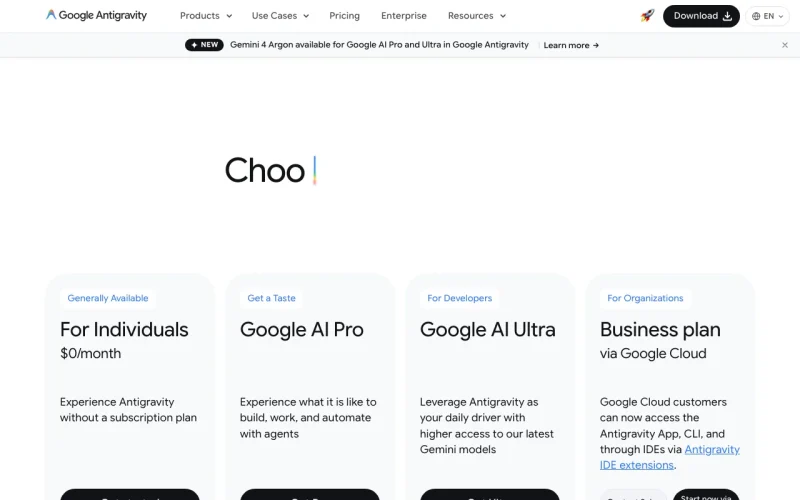
Pick Antigravity if you want a free start and several ways to work: a desktop app, CLI, Python SDK and IDE extensions. Its individual plan is $0 per month with basic weekly rate limits. Pick Gemini CLI if you want an open-source terminal agent with API-key or Vertex AI sign-in. Its site says unpaid-tier users were moved to Antigravity CLI on June 18, 2026, and neither tool shows Pro or Ultra prices.
PlatformsmacOS, Windows, Linux · CLI, desktopGoogle Antigravity · Gemini CLI
We based this comparison on our Google Antigravity and Gemini CLI profiles, both verified 2026-09-29 from official vendor pages; it uses no third-party benchmarks and no vendor paid for placement.
Is Google Antigravity better than Gemini CLI? The short answer
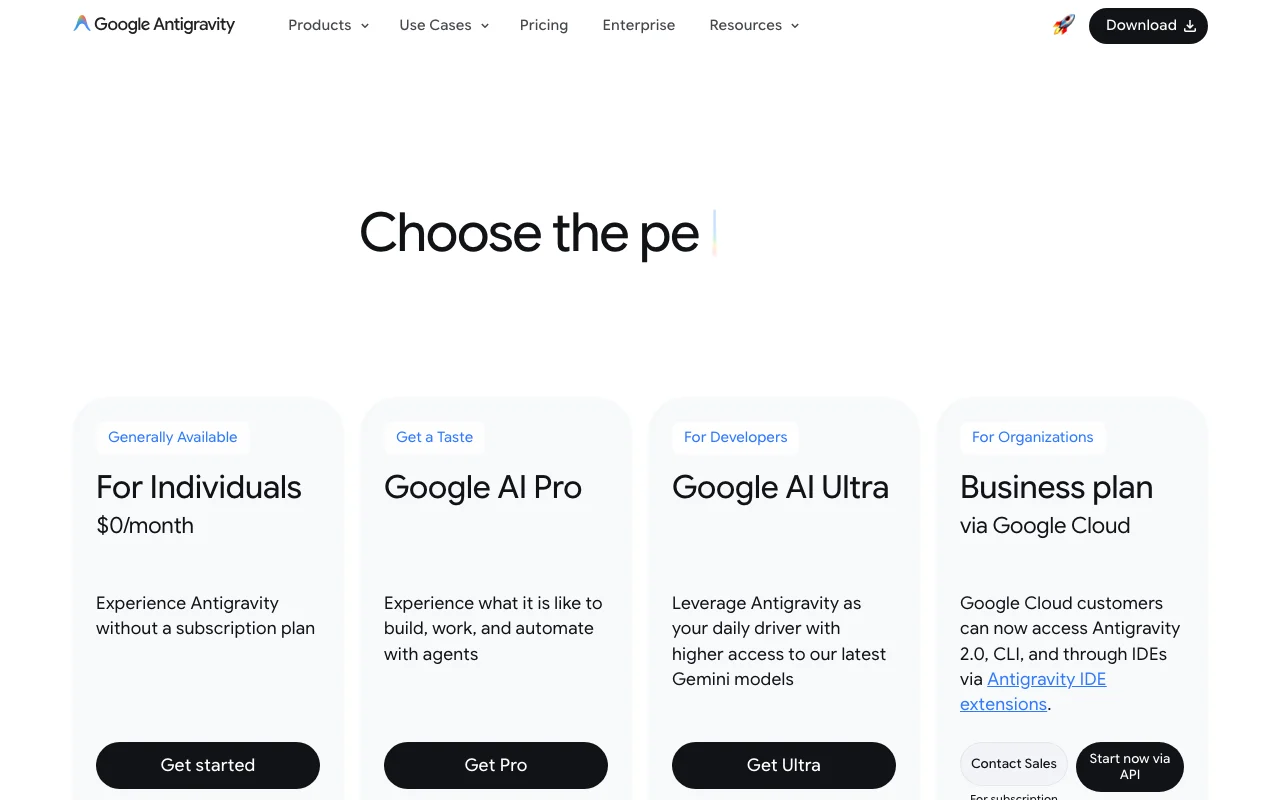
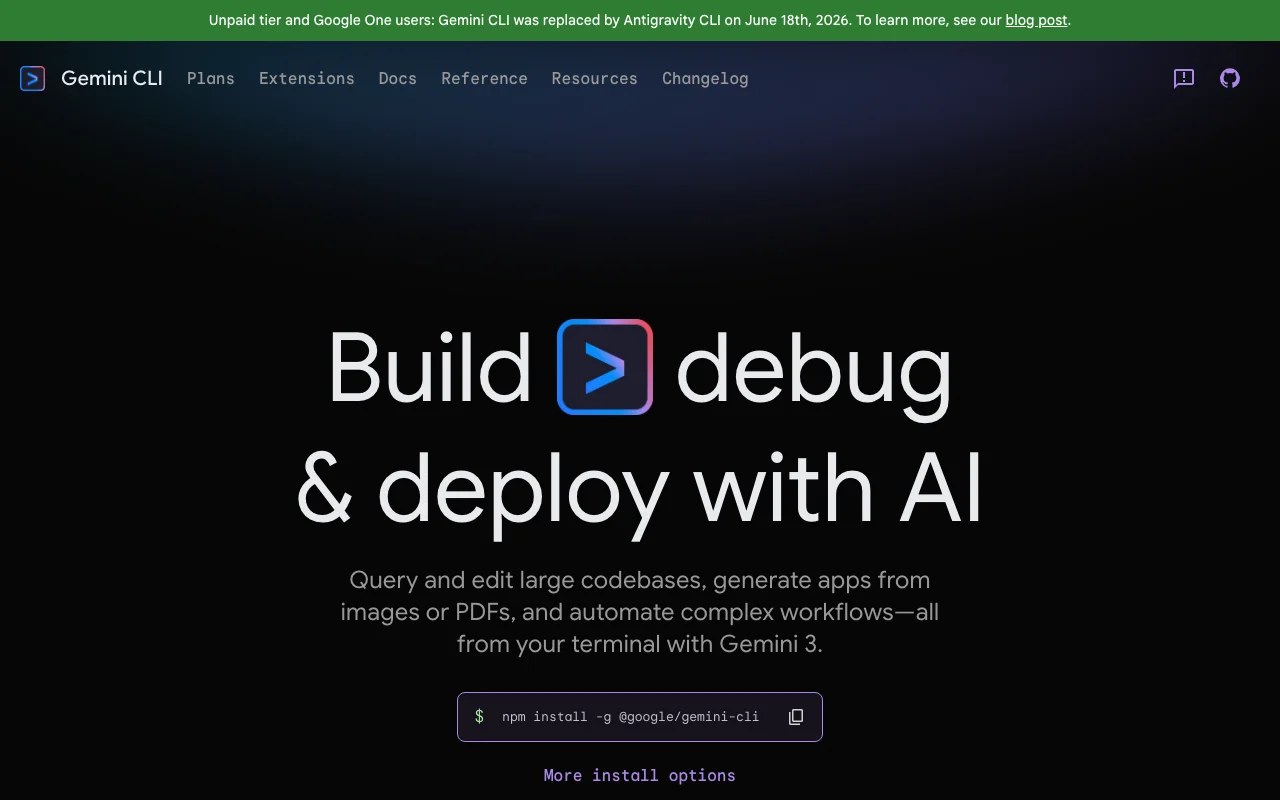
Google Antigravity is the broader product: a desktop app, CLI, Python SDK and IDE extensions, with a $0 individual plan that has basic weekly rate limits. Gemini CLI is a single open-source (Apache 2.0) terminal agent that you can authenticate with a Google account, an AI Studio API key or Vertex AI. Its site says unpaid-tier and Google One users were moved to Antigravity CLI on June 18, 2026.
Neither page shows a USD price for Google AI Pro or Ultra. Pick Antigravity to start free; pick Gemini CLI if you want open source and API-key or Vertex AI billing.
Based on our Google Antigravity profile and Gemini CLI profile, both verified 2026-09-29 from official vendor pages; the Antigravity privacy and docs pages and the Gemini CLI privacy page could not be read, and no benchmark was run.
Google Antigravity and Gemini CLI, as their sites look today
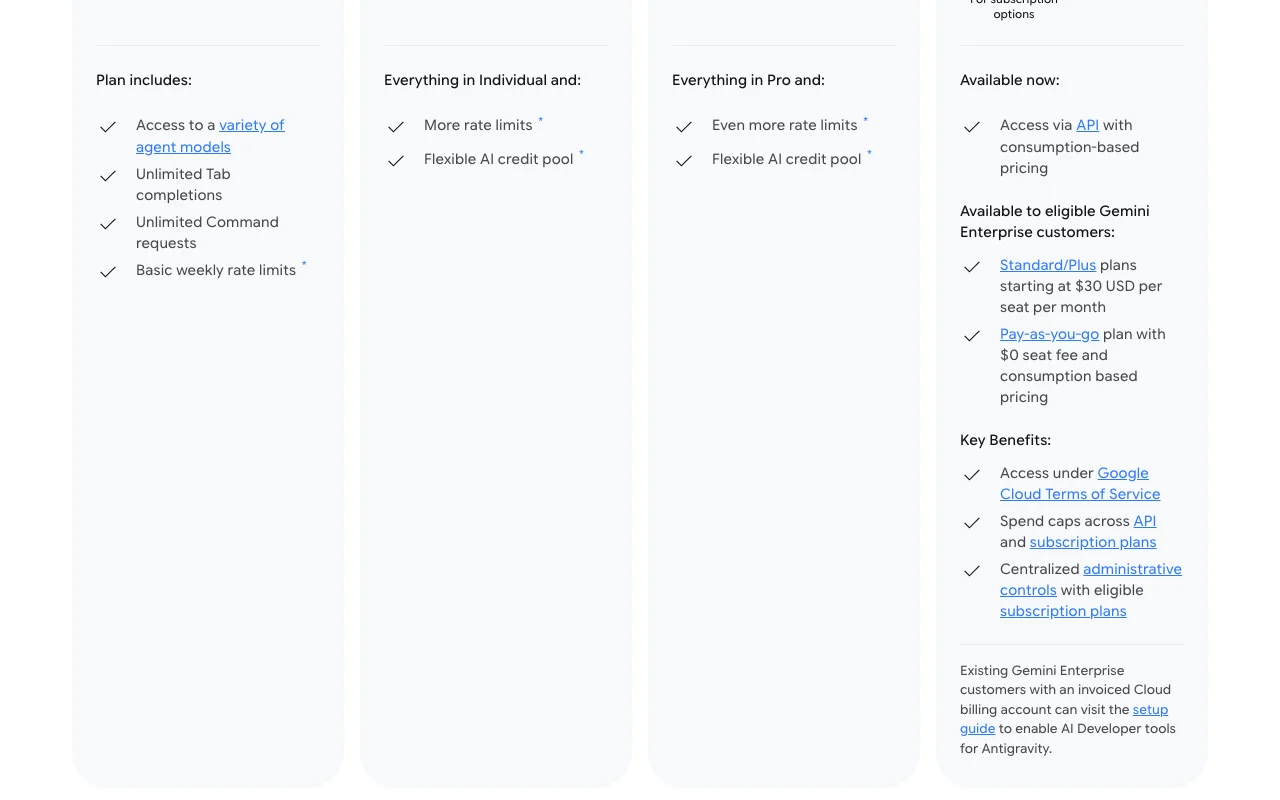
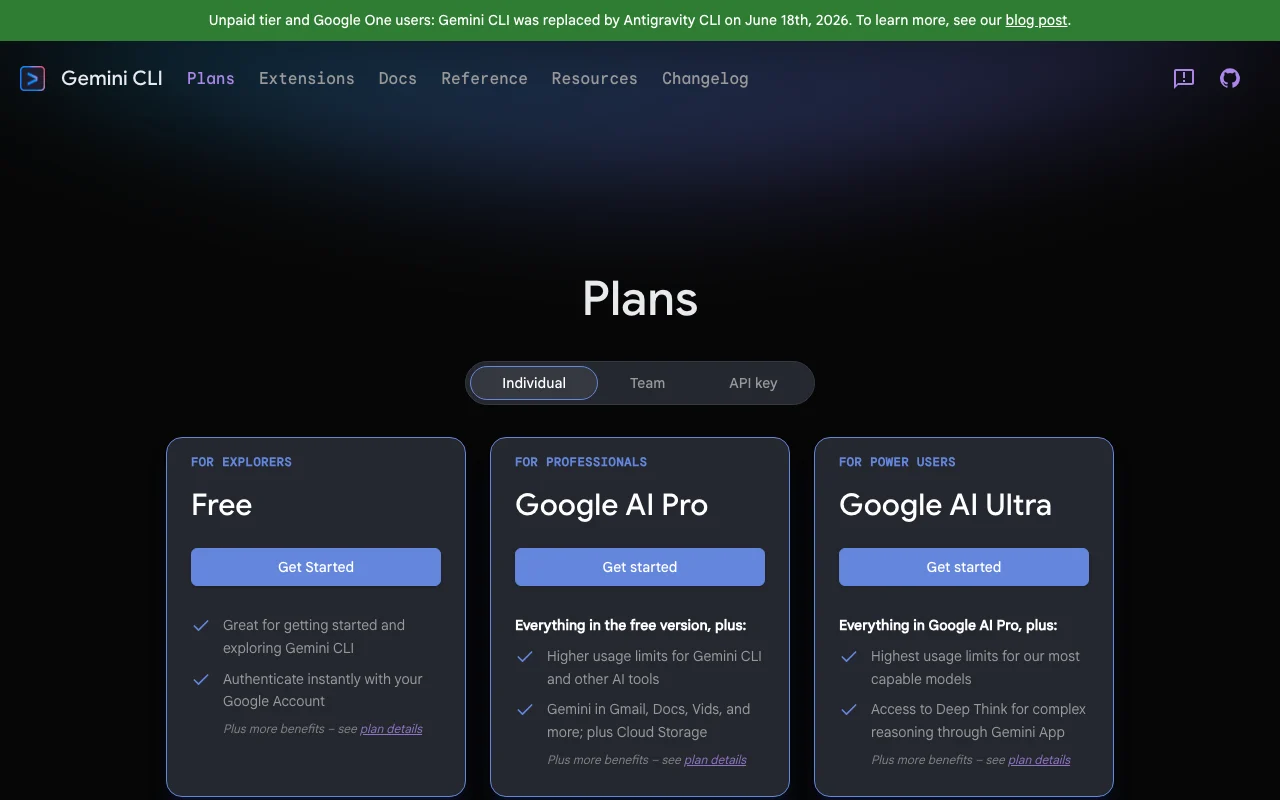
Our own captures of each vendor's public pages. Click a frame for the full-size image.
Google Antigravity homepage. antigravity.google, captured Oct 28, 2026Gemini CLI homepage. geminicli.com, captured Oct 29, 2026Google Antigravity plans and prices. antigravity.google, captured Oct 28, 2026Gemini CLI plans and prices. geminicli.com, captured Oct 29, 2026
Google Antigravity or Gemini CLI: which to use, by task
If you only want the answer, this is the table. Everything below is the evidence from the two documented profiles.
Side-by-side comparison
You want to
Use
Why
Try an AI coding agent for free
Google Antigravity
Antigravity has a $0 individual plan; Gemini CLI's free tier was moved to Antigravity CLI
Work from the terminal
Either
Antigravity offers a terminal-first CLI; Gemini CLI is a terminal agent
Run several agents at once
Google Antigravity
Antigravity 2.0 manages several local agents in parallel and has background subagents
Use your regular IDE
Google Antigravity
Antigravity lists IDE extensions for VS Code, Visual Studio, JetBrains and Zed
Build a custom agent in code
Google Antigravity
Antigravity provides a Python SDK for custom agents
Add tools through MCP
Gemini CLI
Gemini CLI documents MCP support and extensions
Inspect or modify the source code of the tool
Gemini CLI
Gemini CLI is open source under Apache 2.0
Sign in with an API key or Vertex AI
Gemini CLI
Gemini CLI supports a Google account, AI Studio API key or Vertex AI credentials
Look up current information while coding
Gemini CLI
Gemini CLI lists Google Search grounding and web fetch
Buy for a business or company
Either
Antigravity: Business via Google Cloud, contact sales; Gemini CLI: Developer Program, Vertex AI
Who should pick which
Pick Antigravity for a free start and many surfaces, Gemini CLI for an open-source terminal agent
Pick Google Antigravity if
You want a $0 individual plan with basic weekly rate limits
You want a desktop app, CLI, Python SDK and IDE extensions in one product
You want to run several coding agents in parallel across workspaces
Your team is on Google Cloud or Gemini Enterprise, which starts at $30 per seat per month
Pick Gemini CLI if
You want an open-source terminal agent under Apache 2.0
You want to sign in with an AI Studio API key or Vertex AI credentials
You want MCP servers and extensions, plus sandboxing and trusted folders
You already pay for Google AI plans, the Developer Program, AI Studio or Vertex AI
What Google Antigravity does better, and what Gemini CLI does better
Google Antigravity
Desktop app, CLI, SDK and IDE extensions in one product
A $0 individual plan that is still documented as available
Several agents in parallel, with scheduled messages and background subagents
Access to Gemini models plus Claude and gpt-oss models on the free plan
Gemini CLI
Open source under Apache 2.0
Sign-in by Google account, API key or Vertex AI
MCP support, extensions, Agent Skills and Plan Mode
Documented sandboxing, trusted folders and a policy engine
Google Antigravity vs Gemini CLI pricing: plans and free tiers
Want a documented $0 plan to start: choose Antigravity
Want a desktop app and IDE extensions, not only a terminal: choose Antigravity
Want an open-source tool you can inspect: choose Gemini CLI
Want to sign in with an API key or Vertex AI: choose Gemini CLI
Need exact Pro or Ultra prices: neither page states them, so check Google directly
Sensitive code on a free tier: read the privacy terms first, since Gemini CLI says free-tier data may be used to improve products and Antigravity's terms were not readable
Frequently asked questions
Is Antigravity the same as Gemini CLI?
No. Antigravity is a platform with a desktop app, CLI, Python SDK and IDE extensions. Gemini CLI is a separate open-source terminal agent. The Gemini CLI site says unpaid-tier and Google One users were moved to Antigravity CLI on June 18, 2026.
Is Antigravity free and is Gemini CLI free?
Antigravity has a $0 individual plan with basic weekly rate limits. Gemini CLI listed a free tier through a Google account, but the site says unpaid-tier users were moved to Antigravity CLI, so verify current availability before relying on it.
How much do Google AI Pro and Ultra cost in each tool?
Not stated. Neither the Antigravity pricing page nor the Gemini CLI plans page shows a USD price for Google AI Pro or Ultra. The only dollar figure in our data is Gemini Enterprise Standard/Plus at $30 per seat per month on Antigravity.
Which is open source?
Gemini CLI is open source under Apache 2.0, per its README. Our Antigravity profile does not state a license, so we cannot confirm that it is open source.