Our take: Choose Vaivox if you want to listen to long foreign-language videos (up to 2h30 on Pro) in your own language from a pasted link rather than read subtitles.
Main limitation: Free plan drops from 30 to 15 minutes per month after the first month, and the pricing page showed EUR only.
By the AI Tool Atlas editors.
Based on the vendor's official documentation; we have not tested this product hands-on. What “documented overview” means
Is Vaivox right for you?
Choose Vaivox if you want to listen to long foreign-language videos (up to 2h30 on Pro) in your own language from a pasted link rather than read subtitles. Based on the vendor's documentation, not on a hands-on test.
Best for: Students and professionals consuming foreign-language video
Also a good fit for
Podcast and lecture listeners
Users who prefer dubbing over subtitles
Consider another tool if free plan drops to 15 minutes per month after the first month
Or if
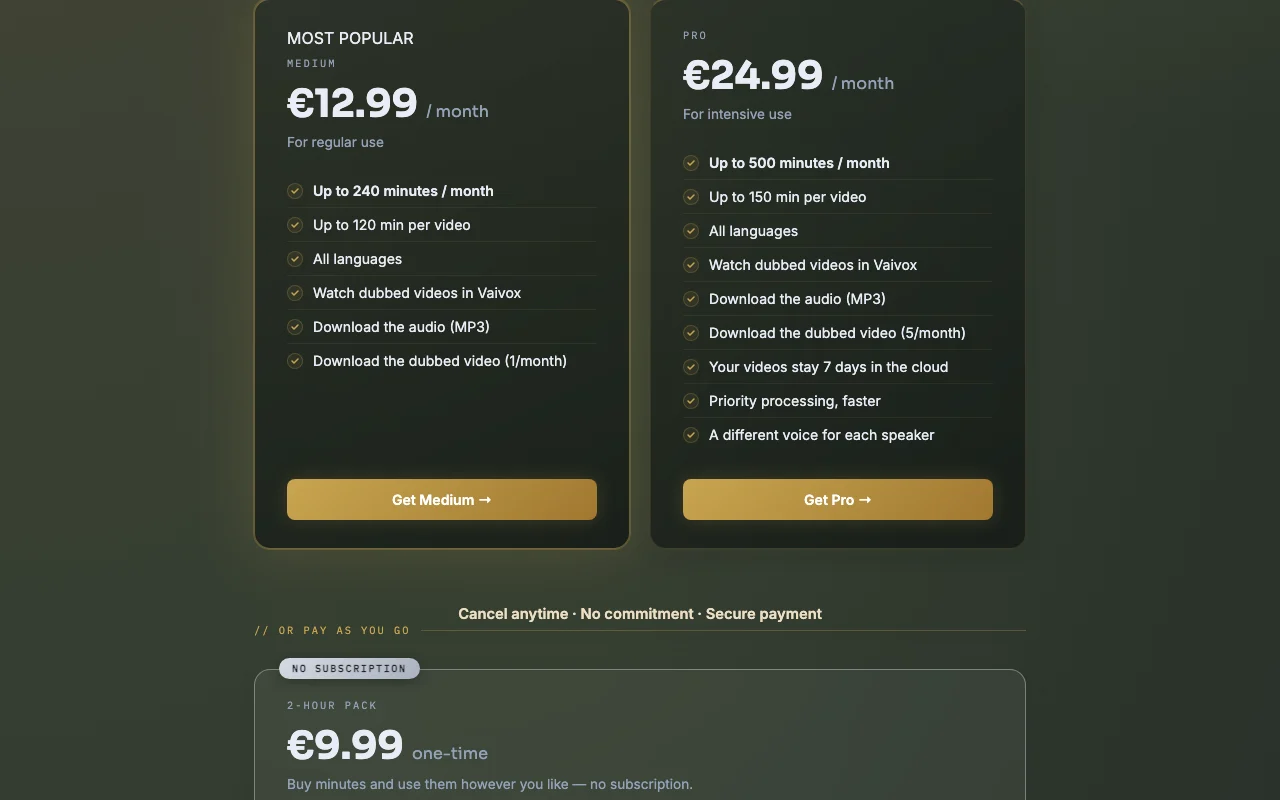
Dubbed video (MP4) download limited to 1/month on Medium and 5/month on Pro
Per-video length capped at 60 minutes on Starter
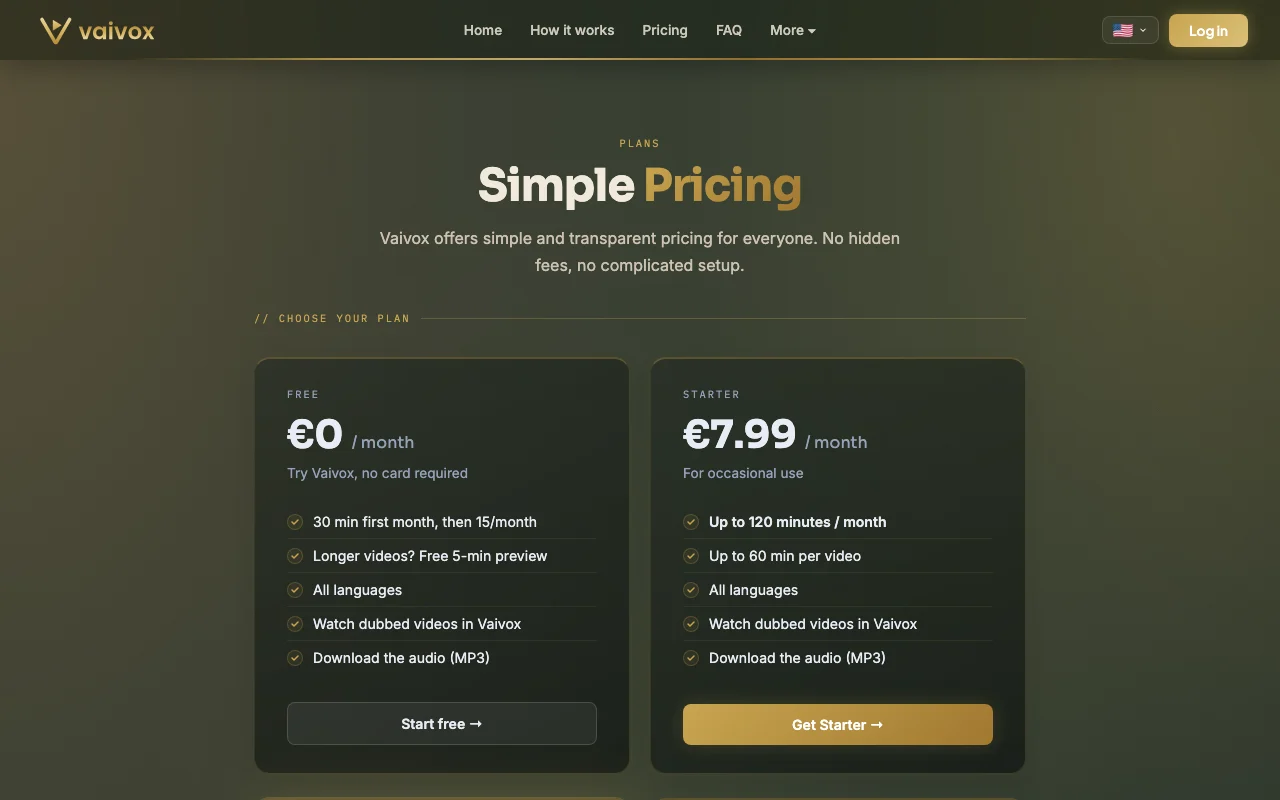
Vaivox pricing and usage limits
Prices checked Sep 29, 2026 on the official US pricing page. Official pricing ↗ Prices and limits change often.
Vendor pricing page re-checked automatically 11 days ago: no changes detected.
The official Vaivox pricing page as we saw it. vaivox.com, captured Oct 1, 2026
Free access and trial conditions
Free plan: 30 minutes in the first month, then 15 minutes per month, no card required.
None listed; 2-hour pack is a separate one-time purchase.
Not stated on the pricing page.
What is Vaivox, and how does it work?
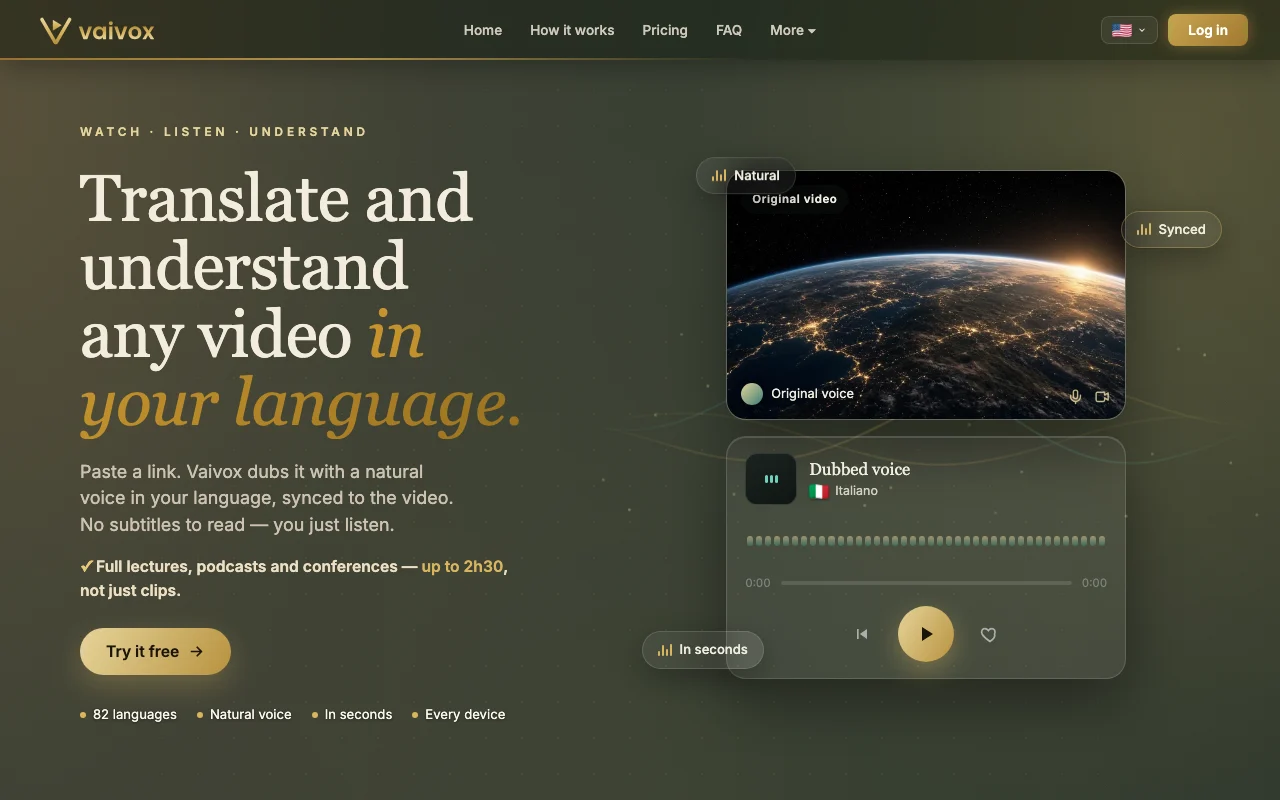
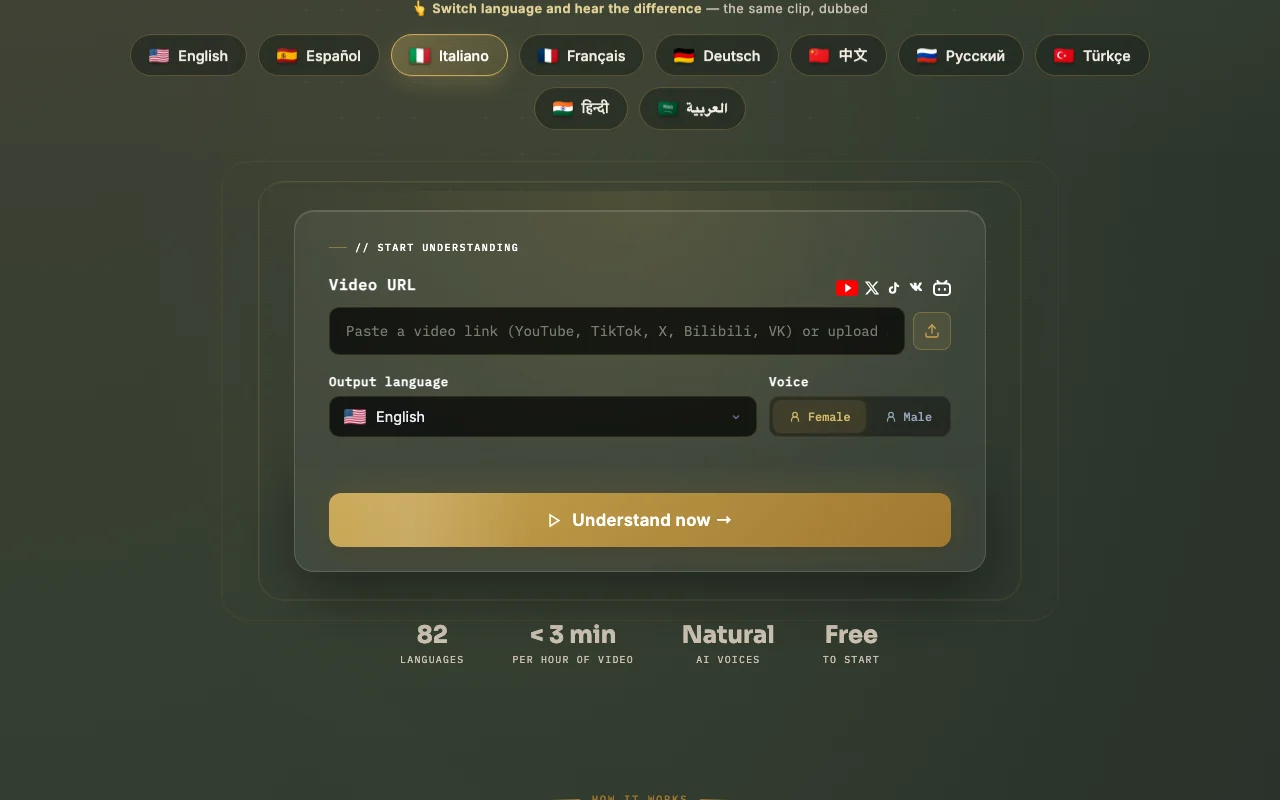
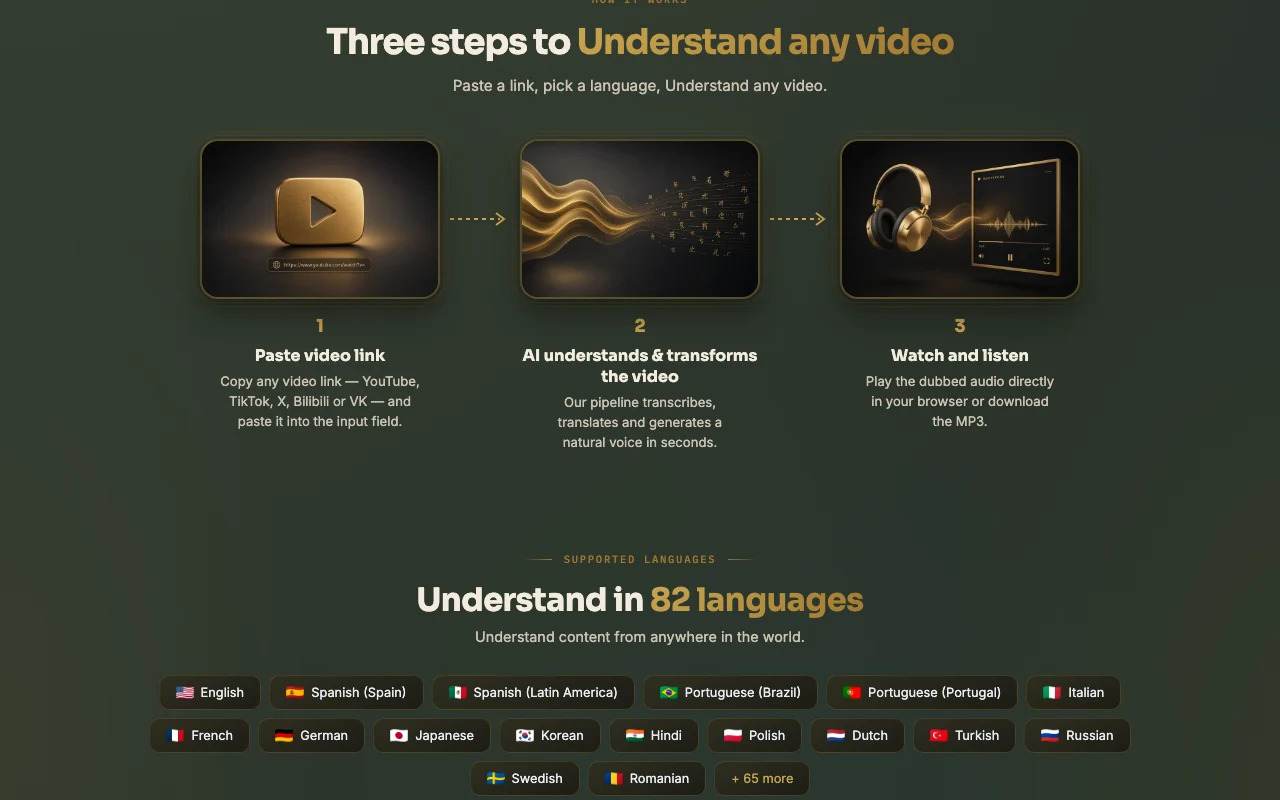
Vaivox is a browser-based AI dubbing service for consumers. You paste a link to a YouTube, TikTok, X, Bilibili or VK video, pick an output language and voice, and it produces a dubbed audio track synced to the video, which you can watch inside Vaivox or download as MP3. The service claims 82 languages and processing under 3 minutes per hour of video.
It targets long-form content such as lectures, podcasts and conferences rather than short clips. Higher plans add dubbed MP4 downloads, longer per-video limits, priority processing and a distinct voice per speaker.
Vaivox's official site: how the product presents itself. vaivox.com, captured Oct 1, 2026
What you provide and what you get back
What you give Vaivox and what comes back, from its documentation
You provide
Video link (YouTube, TikTok, X, Bilibili, VK)
Output language
Female or male voice
You get back
Dubbed video playable in the browser
MP3 audio
Dubbed MP4 (Medium/Pro)
TXT transcript
Where you can use it
Platforms
Web
Account
Required
Languages
82 output languages
Max video length
Up to 150 min per video on Pro
Voices
Female or male; per-speaker voices on Pro
Export
MP3, TXT; MP4 on Medium/Pro
Where Vaivox is most useful
Scenarios are worked out by our editors from the documentation; the actual result depends on your input and plan.
Listening to lectures or conference talks in your own language
Who
Students and conference attendees
You provide
Link to a foreign-language lecture
Expected result
Lecture dubbed into your language, synced with the video
Exports the dubbed audio as MP3 and a transcript as .txt Listen offline or reuse the text
Access: MP3 on all plansLimit: Dubbed MP4 is 1/month on Medium and 5/month on Prosource (opens in a new tab)
Vaivox pros and cons
Where Vaivox is strong
Free plan with 30 minutes the first month, no card required You can test quality before payingdocumentedsource (opens in a new tab)
Works in any browser on phone, tablet or computer with nothing to install Works on any device without installationdocumentedsource (opens in a new tab)
Handles videos up to 2h30 on paid plans Full conferences can be dubbed, not just clipsdocumentedsource (opens in a new tab)
Official FAQ states US customers are billed in USD US users should see USD billing, per the FAQdocumentedsource (opens in a new tab)
Limitations to check before paying
Free plan drops to 15 minutes per month after the first month Ongoing free use is limited to a quarter-hour of videodocumentedsource (opens in a new tab)
Dubbed video (MP4) download limited to 1/month on Medium and 5/month on Pro Few video exports per monthdocumentedsource (opens in a new tab)
Per-video length capped at 60 minutes on Starter Lectures over an hour need Medium or higherdocumentedsource (opens in a new tab)
Pro videos are kept only 7 days in the cloud Older dubs may need re-processingdocumentedsource (opens in a new tab)
How to use Vaivox for dubbing a foreign-language video
Set up Vaivox
Open vaivox.com and click Try it free
Sign up with Google or email and password
Confirm the free minutes show as remaining at the top of the tool
Example: dubbing a foreign-language video
Paste a YouTube lecture URL into Video URL
Pick Output language and Female or Male voice
Click Understand now and wait through the four processing stages
Press play to watch the dubbed result
Review and export the result
Compare a known passage in the dub with the original audio
Check the remaining-minutes counter dropped by the video length
Privacy, data use and commercial rights
Summarized from the vendor's current policies; this is not legal advice and a vendor's badge is not an independent audit.
How your inputs and outputs are handled
You submit video links; dubbed output is stored in your account.
Pro videos stay 7 days in the cloud
Commercial use and plan restrictions
Retention stated for Pro only
Vaivox alternatives by need
"Better suited" is based on documented features and pricing, not on a head-to-head test.
Not verified: USD prices (pricing page showed EUR); API; training use and privacy terms.
How we documented and maintain this page
Every fact about Vaivox above comes from the 3 official pages listed here, last compared on Sep 29, 2026; we have not run Vaivox ourselves, so it has no editorial score. How we check and re-check pages.
Article updated Oct 10, 2026; prices checked Sep 29, 2026. Outbound links to vendors are plain links; we do not earn commissions. How we review · Report an error